It is 10:40 pm. A shopper has a pair of trainers in her cart and one question: if they don't fit, can she send them back for free? Your store is closed, your team is asleep, and the return policy is buried three clicks deep. So she leaves. A retail chatbot exists for exactly that moment. It answers in seconds, at any hour, and keeps the sale alive.
In this guide we explain what retail chatbots are, how they work, the best use cases, real-world examples and how to implement one without annoying your customers. We'll also be honest about where chatbots for retail go wrong, because a bad bot is worse than no bot.
What is a retail chatbot?
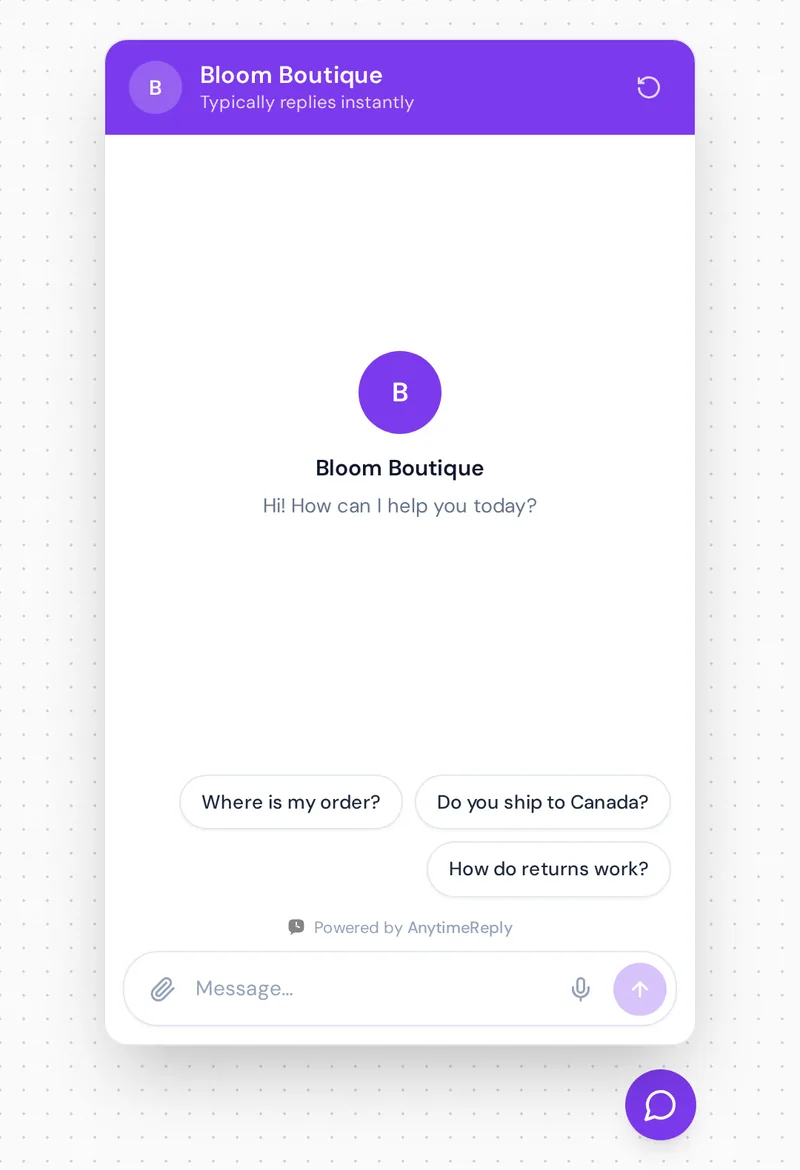
A retail chatbot is software that chats with shoppers on your website, WhatsApp, Instagram or Messenger and answers customer questions automatically. It helps people find products, check stock, track orders, understand returns, and it passes tricky cases to a real person.
Think of it as a sales assistant who knows your whole catalog, never takes a break and can talk to 200 people at once. Whether you're a small online retailer or a chain with 50 stores, the job is the same: answer customer questions fast and automate customer conversations that don't need a person. It won't replace your best staff. It just takes the repeat questions off their plate.
Rule-based bots vs AI chatbots: conversational AI in retail
You'll run into two main types:
- Rule-based bots. They follow a fixed menu of buttons. Click "Track order", type your order number, get a status. Fine for simple paths, but they break when someone asks something the script didn't plan for.
- AI-powered bots. A retail AI chatbot uses generative AI, natural language processing and machine learning to understand questions typed the way people talk, like "do u have this in a size 9 and can it arrive by Friday?" It answers from your own product pages, policies and help articles.
The newest step is the AI agent. An AI agent doesn't only answer. It can also do things, like look up an order, show a product with live stock or book an appointment, and it asks follow-up questions the way a good store associate would. In short, chatbots assist customers before, during and after the sale.
Most retailers today use a powerful AI chatbot with a few buttons and flows for the common paths. That mix gives you speed on the easy stuff and flexibility on everything else.
How retail chatbots work
The basic loop looks like this:
- It learns your store. You give it your website, product catalog, shipping and return policies, size guides and FAQs.
- A customer asks a question. On the website chat widget, in a WhatsApp message or an Instagram DM.
- It finds the answer in your content. A good AI chatbot answers from your knowledge, not from general guesses about the internet.
- It takes simple actions. With the right integrations it can look up an order, show a product card with price and stock, or book a fitting.
- It hands over when needed. Angry customer, damaged item, a refund over a certain amount: the chat goes to your customer service agents with a summary, so the shopper doesn't have to repeat themselves.
Why retailers use chatbots: the benefits of retail chatbots
The use of chatbots in retail isn't new, but AI made them useful for every retail business, not just big chains. Here is what retail chatbots offer.
Answers at 11 pm, on Sundays and during sales
Online shopping doesn't follow office hours, and that's where chatbots in customer service shine. Retail chatbots provide instant answers to customer inquiries, whether it's 3 am or Black Friday morning when hundreds of people ask "is this in stock?" at the same time.
Fewer abandoned carts
Many shoppers leave because of one small doubt: shipping cost, delivery time, size, returns. A quick answer at that moment can turn a browser into a buyer. Check your own inbox: count how many questions arrive right before someone would have paid.
Lower customer support costs
Chatbots can handle simple customer queries like "where is my order?", which often make up a big share of retail messages. So your team spends time on returns, complaints and VIP customers instead of copying tracking links all day.
A more personal shopping experience
Ask a chatbot "I need a gift for my dad who likes hiking, under $50" and a good one will suggest a few products from your catalog based on customer preferences. That is personal shopping help that used to need someone standing in the store.
Every language your customers speak
An AI chatbot can reply in the customer's language. If you sell in London, Dhaka and Dubai, that matters more than almost any other feature.
Better customer data and feedback
Every chat is a small piece of customer feedback. Over a month you'll understand customer needs much better: which products confuse people and which policy is unclear. Retail chatbots help you collect customer feedback without sending a single survey.
Put together, retail AI chatbots can help in ways a contact form never will. These benefits of using chatbots improve customer satisfaction and the overall customer experience across the whole customer journey, from first question to post-purchase care. If you want to enhance customer experience without hiring a night shift, this is the cheapest place to start.
Retail chatbot use cases and chatbot examples
Here are the jobs chatbots in the retail industry do best, with short sample replies you can adapt.
1. Order tracking
Customer: Where is my order #4821?
Bot: Your order shipped on Tuesday with Royal Mail. It's out for delivery today. Here's the tracking link.
2. Product questions and stock
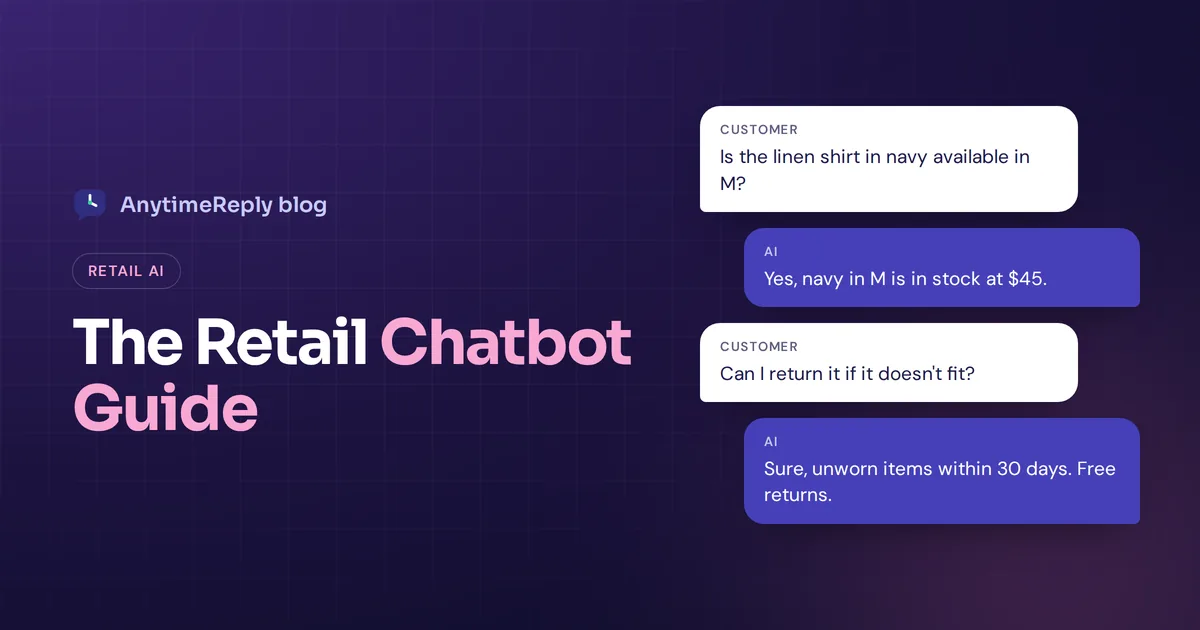
Customer: Is the linen shirt in navy available in M?
Bot: Yes, navy in M is in stock at $45. Want me to show you matching trousers too?
3. Size and fit help
Customer: I'm usually a UK 10, which size should I take in this dress?
Bot: This dress runs small, so most customers pick one size up. A 12 should fit you well.
4. Returns and exchanges
Customer: Can I return shoes I wore once outside?
Bot: We accept returns of unworn items within 30 days. Since these were worn outside, I'll pass you to our team so they can look at your case.
5. Shipping and delivery
Shipping cost, delivery times, international shipping, click and collect. Boring questions, which is exactly why a bot should answer them.
6. Store information
For retail companies with physical shops: opening hours, addresses, parking, whether a product is available in a specific store. This links your online and in-store experience.
7. Promotions and lead generation
A proactive message like "Spending $80 gets you free delivery today" on the cart page, or a short flow that collects an email for back-in-stock alerts. Good for customer engagement without being pushy.
8. Social media chatbots
Many shoppers ask "price?" under an Instagram post or in a Facebook DM. Social media chatbots reply to those messages and comments so you don't lose sales to slow replies.
Real-world examples of retail chatbots
Big brands tested chatbots in retail years before AI got good:
- Sephora is often mentioned for its early chatbots on Kik and Facebook Messenger, which gave beauty tips and helped customers book in-store makeover appointments.
- H&M ran a style-advice chatbot on Kik that asked shoppers about their taste and suggested outfits.
Those were mostly scripted. Today any AI platform makes the same ideas cheap enough for a small shop. Some retail chatbot examples you could set up this week:
- A two-person Instagram clothing seller whose bot answers "price and size?" DMs in English and Bangla at midnight.
- A furniture store whose website bot answers delivery-area questions and books showroom visits.
- A cosmetics shop whose bot asks about skin type and suggests three products from the catalog.
Retail chatbot vs live chat vs both
| Retail chatbot | Live chat agent | Chatbot + human support | |
|---|---|---|---|
| Response time | Seconds | Minutes, or hours when offline | Seconds, human when needed |
| Hours | 24/7 | Team hours only | 24/7 with human backup |
| Best for | Order status, stock, policies | Complaints, exceptions, big orders | Most retailers |
| Cost as you grow | Grows slowly | Grows with every hire | Balanced |
| Empathy | Polite, but software | Real | Real when it matters |
Our honest view: a bot alone frustrates people when something goes wrong, and humans alone can't keep up. The mix wins, and it's what most retail businesses need. We wrote more about this in chatbot vs live chat.
How to implement a retail chatbot, step by step
- List your top 20 questions. Open your inbox, DMs and email. Write down what customers ask most. This is your first test list.
- Fix your content first. If your return policy is vague on the website, the bot will be vague too. Clear pages make a clear bot.
- Connect your store. Add your website, product catalog and policies. If you use Shopify or WooCommerce, check that chatbots can be integrated with it so the bot can see products, prices and orders.
- Write a few exact answers. For things that must be word for word (refund rules, delivery promises), write them as Q&A so the bot always uses your wording.
- Decide the handoff rules. When should a person take over? Angry customers, damaged items, refunds above a limit, and anyone who asks for a human.
- Pick your channels. Start with your website. Add WhatsApp, Instagram and Messenger if your customers already message you there.
- Test before going live. Ask your 20 questions, plus a few weird ones. Ask in another language. Try to trick it into promising a discount.
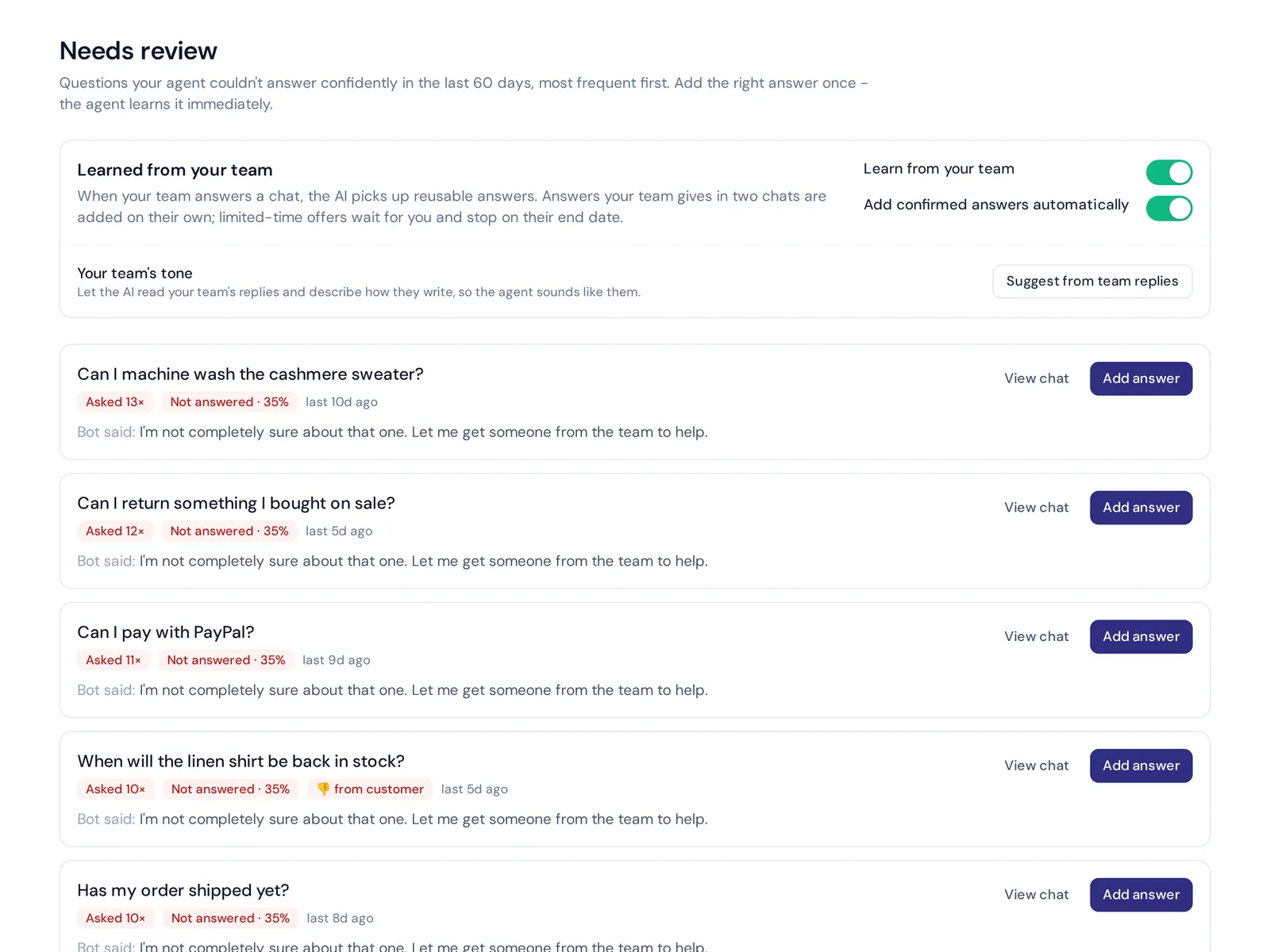
- Review weekly. Read real chats, find questions it couldn't answer and add the missing information.
How long does this take? A basic chatbot solution trained on your website can be live in an hour or two. Doing steps 3 to 7 properly usually takes a few days of on-and-off work.
What to look for in the best retail chatbots
- Trains on your own content (website, files, product catalog), not just a generic script. This is the first thing a chatbot for retail must do well.
- Ecommerce integrations with your store platform for order lookups and product cards with live price and stock.
- Human handoff into a shared inbox, with a summary so the customer doesn't repeat themselves.
- One inbox for every channel: website, WhatsApp, Instagram, Messenger and email.
- Admits when it doesn't know. A bot that guesses a return policy creates real problems.
- Analytics on topics, sentiment and unanswered questions across your entire retail business.
- Privacy and security. Ask how customer data is stored, whether it's used to train AI models, and how the vendor handles GDPR if you sell in Europe.
- Clear pricing that won't explode during your busiest season.
Common mistakes when implementing chatbots
- Hiding the human. If a customer types "agent" three times and still gets the bot, you've lost them. Always offer a way out.
- Launching with thin content. A chatbot can only be as good as what it learned from.
- Letting it promise things. Discounts, delivery dates, refunds. Put rules and limits around anything that costs money.
- Set and forget. Products, prices and changing customer needs mean the bot must be updated, or it gives old answers.
- Pretending to be human. Be clear it's an AI assistant. Customers forgive a bot, they don't forgive being fooled.
How AnytimeReply works as an AI agent for retail
AnytimeReply is an AI support and sales agent with a helpdesk built in, so the bot and your team work from the same inbox. For retail, the parts that matter most:
- Learns your store. It reads your website (product and pricing pages first), PDFs, Notion pages and Shopify products with price and stock, shown as product cards. Q&A you write always wins over other sources. See training and knowledge.
- Takes real actions. On paid plans it connects to Shopify, WooCommerce, Stripe, AfterShip and more, and can check orders for verified customers, with confirmation and limits.
- Hands over cleanly. When a customer asks for a person, gets upset or the AI can't answer, the chat moves to your team with a summary. The AI pauses while a person is in. See the helpdesk.
- Every channel. Website chat is on the free plan. WhatsApp, Instagram, Messenger, Telegram and email start on Hobby ($9/month).
- Your customers' language. It replies in the language the customer writes in, including Bangla, Hindi, Banglish and Hinglish.
- Honest when unsure. Answers come with a confidence score, and when it doesn't know, it says so instead of guessing.
- Your data stays yours. Customer data is not used to train AI models.

Where it's not a fit: we don't handle phone calls or SMS, and there is no native mobile app SDK. If most of your customers call your store, you'll need a separate phone solution. More details on the ecommerce use case page.
How to measure if your retail chatbot is working
Don't judge a bot by chat volume. Watch these:
- Resolution rate: how many chats ended without needing a person (the questions retail chatbots can answer alone).
- Handoff reasons: are people escalating because of real problems or because the bot is missing information?
- Unanswered questions: the list of things it couldn't answer is your to-do list.
- Customer ratings after chats (CSAT).
- Sales signals: chats that happened before a purchase, and cart pages where questions come up most.
Frequently asked questions
What is a chatbot in retail?
Chatbots for the retail industry are automated assistants. A chatbot in retail answers shopper questions on your website and messaging apps. It helps with product details, stock, orders, shipping and returns, and passes harder cases to your staff.
How much does it cost to implement a retail chatbot?
It ranges from free to thousands per month. Many AI retail tools and AI customer service platforms have a free or low-cost plan for small shops, priced by messages or AI replies. Custom-built bots for large retailers cost far more. Test with your real questions before paying much.
Are chatbots for retail safe for buyer data?
They can be, if you choose carefully. Check that the vendor encrypts data, lets you delete it, doesn't use it to train AI models, and only shows order details to verified customers.
Can I make the chatbot sound like my brand?
Yes. Most AI chatbots let you set a tone in plain instructions, like "friendly, short, no slang", and you can write exact answers for sensitive topics.
Do retail chatbots work in physical stores?
Indirectly. They answer questions about store hours, stock in a branch and appointments, and some shops put a QR code in-store that opens the chat on WhatsApp.
Start with your top questions
You don't need a perfect retail chatbot on day one. Start with your 20 most common questions, connect your website, set clear handoff rules and improve it every week from real chats.
If you want to try it with your own store, AnytimeReply has a free plan with website chat, the helpdesk inbox and analytics. Start free, no card needed.
Published 30 October 2026 by AnytimeReply team