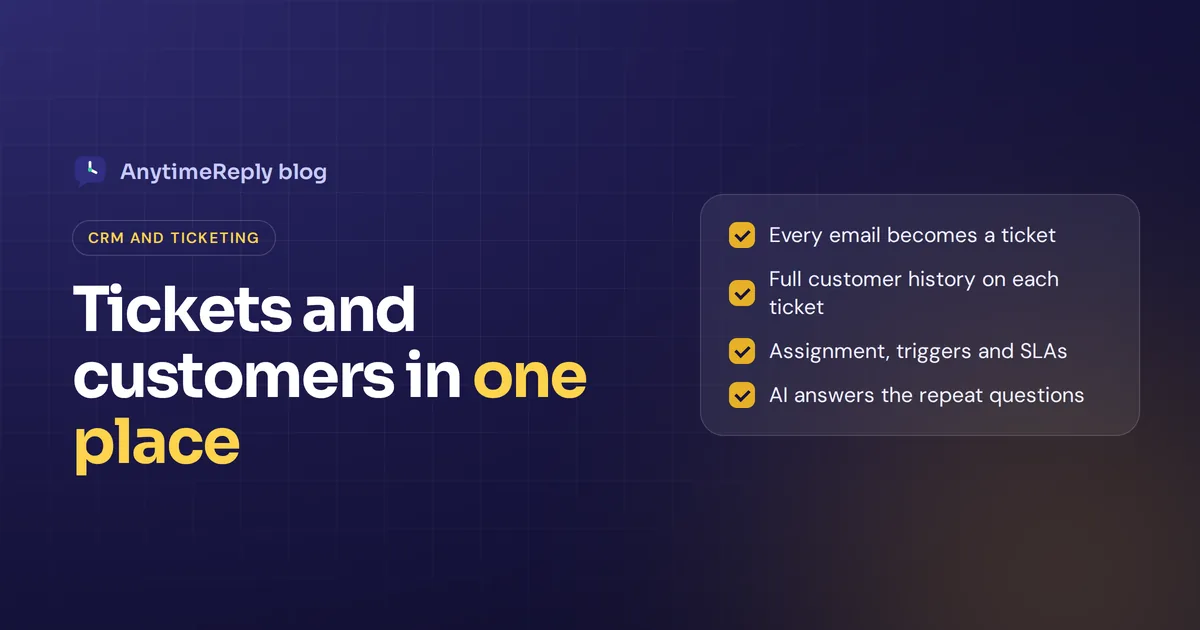
A CRM ticketing system puts two things in one place: who your customers are, and what they need help with right now. The CRM holds the contact, the purchases and the customer history. The ticket system tracks each request from "new" to "solved". When they live together, an agent opening a ticket sees the whole customer, not just one angry email.
That sounds obvious. But plenty of teams still run support from a shared Gmail inbox, keep customer information in a spreadsheet and lose track of who promised what. This guide explains how a CRM and ticketing system work together, which features matter, how to choose one and how to set it up without a three-month project.
We make a helpdesk ourselves, so we have a bias. We'll point out where a full CRM is the better choice.
What is a CRM ticketing system?
It is software that turns every customer interaction (an email, a chat, a WhatsApp message, a form) into a ticket, and links that ticket to the customer's record. Each ticket has a status, a priority and an owner. The customer record holds contact details, past tickets, orders and notes.
- CRM (customer relationship management) answers "who is this customer and what is our relationship?"
- The ticket system answers "what is this request, who is handling it and is it done?"
Some tools are CRM software with a ticketing module added. Some are help desk software with built-in customer profiles. Others are two separate tools joined by an integration. All three can work.
So what is a customer support ticketing system on its own? It is the second half: a shared queue where every customer issue gets a number, an owner and a status, so nothing slips through.
CRM vs ticketing system: what's the difference?
| CRM | Ticket system | |
|---|---|---|
| Main job | Manage relationships and sales | Resolve support requests |
| Main record | Contact, company, deal | Ticket (one issue or request) |
| Used mostly by | Sales and marketing | Customer service teams and IT |
| Typical fields | Lifecycle stage, deal value, source | Status, priority, assignee, category |
| Success metrics | Pipeline, conversion, customer retention | Response time, resolution time, customer satisfaction |
A CRM without ticketing struggles to track support work. A ticketing tool without customer data treats every request like it came from a stranger. That gap is why people look for a CRM with ticketing system features in one product.
Can a CRM replace help desk software? Sometimes. If your volume is low and sales runs the show, a CRM's service module may be enough. Once you have a real support team handling many requests a day, a dedicated support ticket system usually works better.
Why connect your CRM and ticket software
Say a customer named Priya emails about a late order. Without a connected system, your agent sees one email. With one, the agent sees that Priya has ordered six times, complained last month and is on your top plan. The reply changes completely.
- Customer context on every ticket. A good ticketing system helps here most. Past orders, past tickets and notes sit next to the current request, so agents track customer issues over time.
- No lost customer requests. Every email and chat becomes a ticket with an owner.
- Better customer experience. Agents don't ask for details you already have, which builds customer loyalty.
- Sales and support see the same truth. Sales knows a big account has three open tickets before calling about an upgrade.
- Smarter automation. A shared ticket system allows rules to use customer information, like "VIP customer, set priority to urgent".
- Efficient customer service operations. See which products, plans or parts of your customer base create the most work.
The downside is complexity. A big CRM with every module turned on can feel heavy for a five-person support team.
Key features of a help desk ticketing system with CRM
Ticket management
- Custom statuses like open, pending, waiting on customer and solved.
- Priority and assignment, so urgent tickets reach the right person first.
- Auto reopen when the customer replies to a solved ticket.
- Internal notes, @mentions and collision detection, so two agents don't answer the same ticket.
- SLA timers that flag tickets before they breach.
Customer data
- One contact record across email, chat and messaging.
- Custom attributes like plan, order count or language.
- Contact import from a spreadsheet or another tool.
- Ticket history on the customer profile, so you can see the full customer journey.
Channels, AI and self-service
- Omnichannel inbox. Email, live chat, WhatsApp, Messenger and Instagram in one place.
- AI that answers simple tickets or drafts replies for customer service agents.
- Help center with help articles for customer self-service.
- Reports on first response time, resolution time, volume and CSAT from customer satisfaction surveys.
Types of setups for customer service teams
| Setup | How it works | Good for | Watch out for |
|---|---|---|---|
| All-in-one platform | One tool for sales, marketing and support | Sales and support share many accounts | Cost and setup time |
| Helpdesk with built-in contacts | The support tool keeps its own customer records | Support-first teams, online shops | Lighter sales features |
| Helpdesk + CRM integration | Two tools synced | Teams that already love their CRM | Sync gaps, two bills |
Our honest take: if your sales team lives in a CRM all day and works long deals, pick an all-in-one or a strong integration. If most of your work is answering customer inquiries (orders, returns, how-to questions), a help desk solution with good contact management is simpler and usually cheaper.
Almost every option today runs in the cloud, so you won't need servers. Check where data is stored if that matters to you.
Popular customer service ticketing software of 2026
A few well-known options and who they tend to suit. Pricing changes often, so check each vendor's pricing page.
- HubSpot Service Hub. Ticketing built on HubSpot CRM. A natural pick if marketing and sales already use HubSpot.
- Salesforce Service Cloud. Very powerful and customizable. Suits larger companies with admins to configure it.
- Zendesk. A long-standing support ticketing platform with customer profiles and many integrations.
- Freshdesk. A customer service platform from Freshworks, which also sells a CRM, so the two pair well.
- Zoho Desk. Connects closely with Zoho CRM and offers a free plan for small teams.
- Help Scout. A simple, email-first helpdesk that feels like a shared inbox.
- AnytimeReply. An AI-first helpdesk with tickets, contacts and one inbox for email, chat and messaging. More below.
Free ticketing software and free help desk options
If budget is tight, start with free ticketing software, ideally a ticket system you can grow into. Email ticketing systems are the easiest place to begin. Zoho Desk, HubSpot and AnytimeReply all have free plans, and others offer trials. Free plans usually limit seats, channels or automation, so check what happens when you grow. A free customer service software plan is a good way to test with real tickets before you pay.
How to choose the right customer service software
- Where do requests come from? If half arrive on WhatsApp or Instagram, an email-only ticketing tool leaves a gap.
- Who uses it daily? Support only, or sales too? More sales work means you need more CRM depth.
- How many tickets a month? 100 tickets and high volumes of customer inquiries need very different tools.
- What CRM do you already have? If you use HubSpot, check each tool's integration before you switch anything.
- How much can AI handle? If most tickets repeat, AI that answers them is worth more than another report.
- How is it priced? Per agent, per ticket or per AI reply? Work out next year's cost, not just today's.
- Can you try it free? Run real tickets through it for a week.
How to set up a cloud-based ticketing system for service teams
- Connect your support mailbox. Gmail, Outlook or any IMAP mailbox, or forward emails. Every support email now becomes a ticket.
- Import your contacts from your shop, CRM or spreadsheet so tickets link to real records.
- Keep statuses short. Open, pending, waiting on customer and solved is enough for most service teams and any customer support team under 20 people.
- Set up assignment. Round robin, least busy or by department.
- Add your other channels so live chat and messaging land in the same inbox.
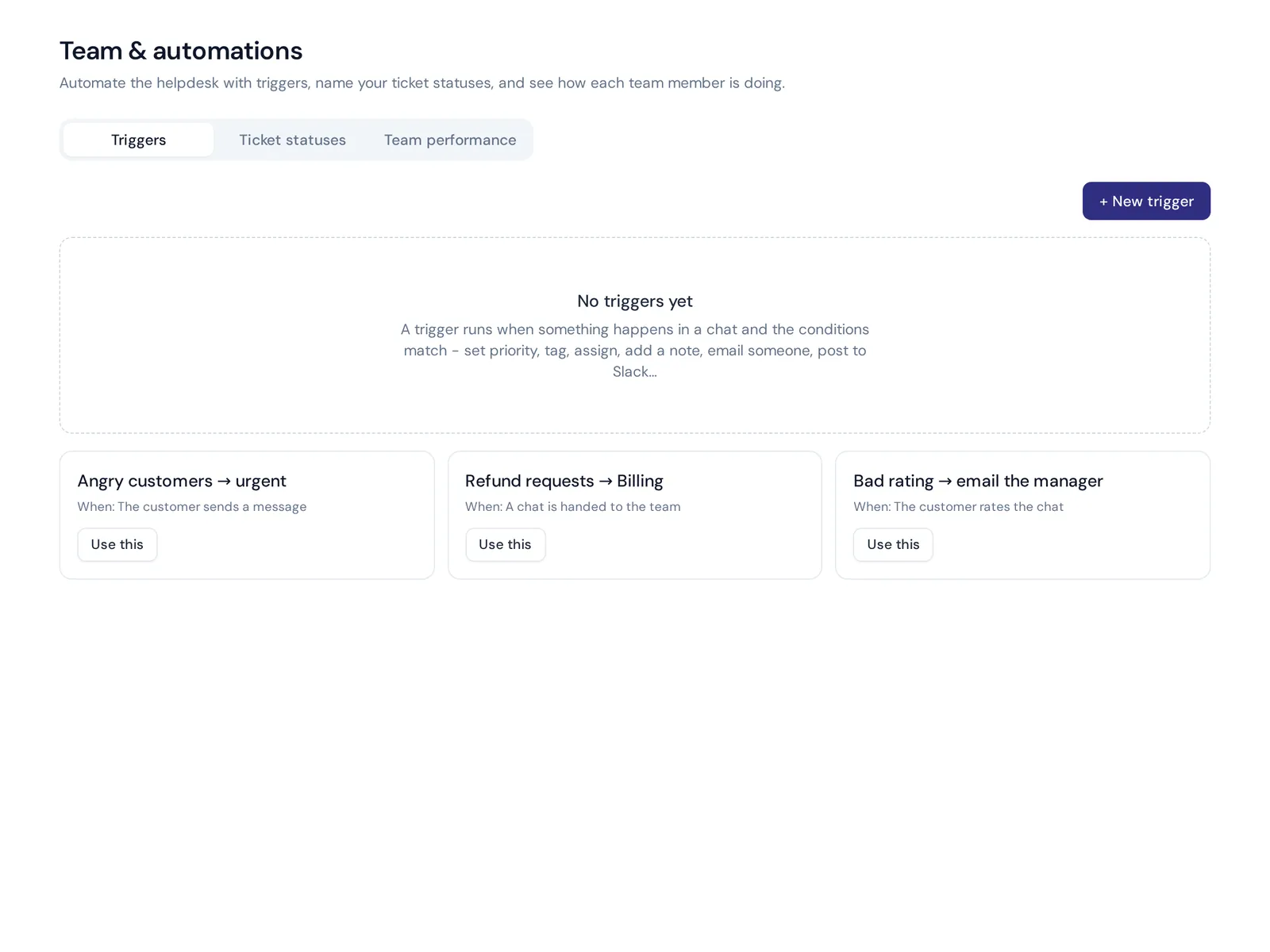
- Write a few triggers. Refund requests go to Billing; angry customers get urgent priority; a bad rating emails the manager.
- Turn on AI for easy tickets and review its answers for the first weeks.
- Track three numbers weekly: first response time, resolution time and customer satisfaction.
Common mistakes with CRM and ticketing tools
- Too many fields. If agents fill eight fields per ticket, they'll fill them with junk. Start small.
- Duplicate contacts. One customer as three records breaks your history.
- Nobody owns the queue. Make one person on the support team responsible for unassigned tickets each day.
- Automating too early. Run the customer service process by hand for two weeks, then automate the patterns.
- Buying the biggest tool. A huge ticket management system can slow a small team. Pay for what you use.
How AnytimeReply handles tickets and customer support
AnytimeReply is an AI customer support agent with a built-in helpdesk. It isn't a sales CRM with pipelines and deal stages, so if that is what you need, look at HubSpot or Salesforce. For support teams that want tickets and customer records in one place, here is what it does:
- Tickets and email. Connect Gmail, Outlook, Zoho or any IMAP/SMTP mailbox, or forward emails. Every support email becomes a ticket with status, priority and owner. Custom statuses are supported, and a customer reply reopens a ticket.
- Contacts and identity. One place for visitors, leads, WhatsApp and email customers, with imports, custom attributes and verified identity.
- One shared inbox. Website chat, WhatsApp, Messenger, Instagram, Telegram, email and Slack in the same helpdesk, with departments, assignment, internal notes, @mentions and triggers.
- AI on the first reply. The AI agent answers common tickets in the same email thread or drafts a reply, and hands over with a summary when a person is needed.
- Connects to your CRM. On paid plans, actions work with HubSpot and Airtable, and Zapier, Make, n8n and webhooks cover the rest. It can also hand chats to Zendesk, Freshdesk, Zoho Desk or Help Scout if your team already works there.

The helpdesk inbox is on the free plan. Email tickets and the messaging channels start on the Hobby plan. See pricing, and our email and tickets guide for setup.
Frequently asked questions
Does a CRM have a ticketing system?
Some do. HubSpot, Salesforce and Zoho offer service modules with ticketing on top of their CRM. Many basic CRMs don't, so teams connect a separate helpdesk.
What is a customer support ticketing system?
A tool that turns every customer request into a ticket with a status, priority and owner, so your team can manage customer interactions until each one is solved.
Is a help desk the same as a service desk?
Not quite. A help desk focuses on fixing customer or user problems. A service desk, common in IT, covers wider service operations like requests, changes and assets, and many service desk ticketing systems include the same basics.
Who is Zendesk's biggest competitor?
Freshdesk, Zoho Desk, HubSpot Service Hub, Salesforce Service Cloud and Intercom are the names that come up most. The right one depends on your size and the CRM you use.
What is ticketing in BPO?
In a BPO (outsourced support center), ticketing is how agents log, assign and track every customer contact they handle for a client, so the client can see volumes and service quality.
Can AI answer support tickets?
Yes, for common questions. A well-trained AI can answer order, shipping and how-to tickets and draft replies for harder ones. A person should still handle refunds, complaints and sensitive issues.
Bring tickets and customers into one place
You don't need the biggest CRM to stop losing tickets. You need every request in one inbox, linked to the right customer, with a clear owner. Add AI for repeat questions and your customer service team gets time back for work that needs a person.
If you want to try that setup, start free with AnytimeReply. No card needed.
Published 30 October 2026 by AnytimeReply team