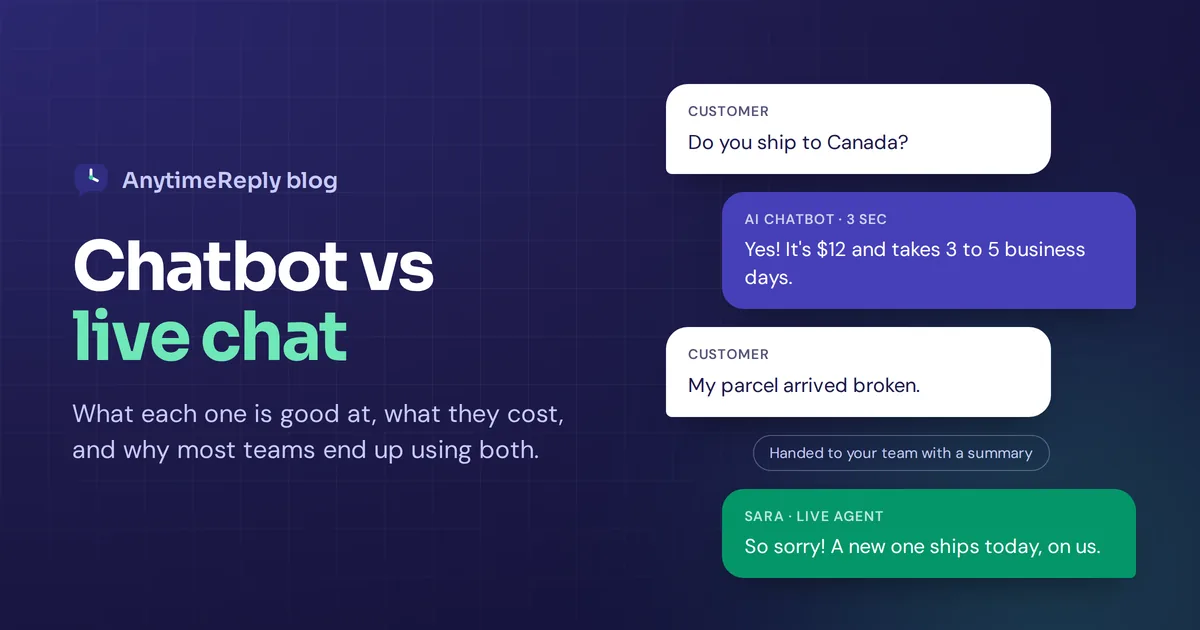
Someone lands on your website at 11 pm with a quick question. Do you ship to Canada? Is this dress true to size? Can I still change my order? If nobody answers, they close the tab. Maybe they come back tomorrow. Most of the time they don't.
That is the whole reason businesses add chat to their site. The harder question is who should be answering: a chatbot, a live chat agent, or both. We get asked this a lot, so here is a straight answer, with the trade-offs, the costs and a simple way to decide.
Quick note before we start: we build a chat platform, so yes, we have a bias. We'll still be honest about where each option falls short.
The short answer: chatbot or live chat?
A chatbot is software that answers customers automatically. Live chat is a chat window where a real person from your team replies in real-time. The chatbot is fast, cheap and never sleeps. Live chat is slower and costs more, but a human can handle feelings, exceptions and big decisions.
For most small and growing businesses, the best customer experience comes from an AI that answers first and a person who takes over the tricky chats. Customers get instant replies on the easy stuff and a real person when it actually matters.
What is an AI chatbot?
A chatbot sits in a chat widget on your website (or on WhatsApp, Messenger and Instagram) and replies to customer questions without a person typing anything. Most chatbot platforms work this way.
There are two kinds you will run into:
- Rule-based bots. These follow a script. The customer clicks a button and sees the next step. They are fine for simple menus, but they break as soon as someone asks a question the script didn't plan for.
- Intelligent chatbots. These use AI to understand natural language, so customers can type the way they talk. An AI chatbot trained on your own website, product pages and help articles answers from your knowledge base, not from random guesses.
When people say "chatbot" today they usually mean the AI kind. That is also the kind worth paying for.
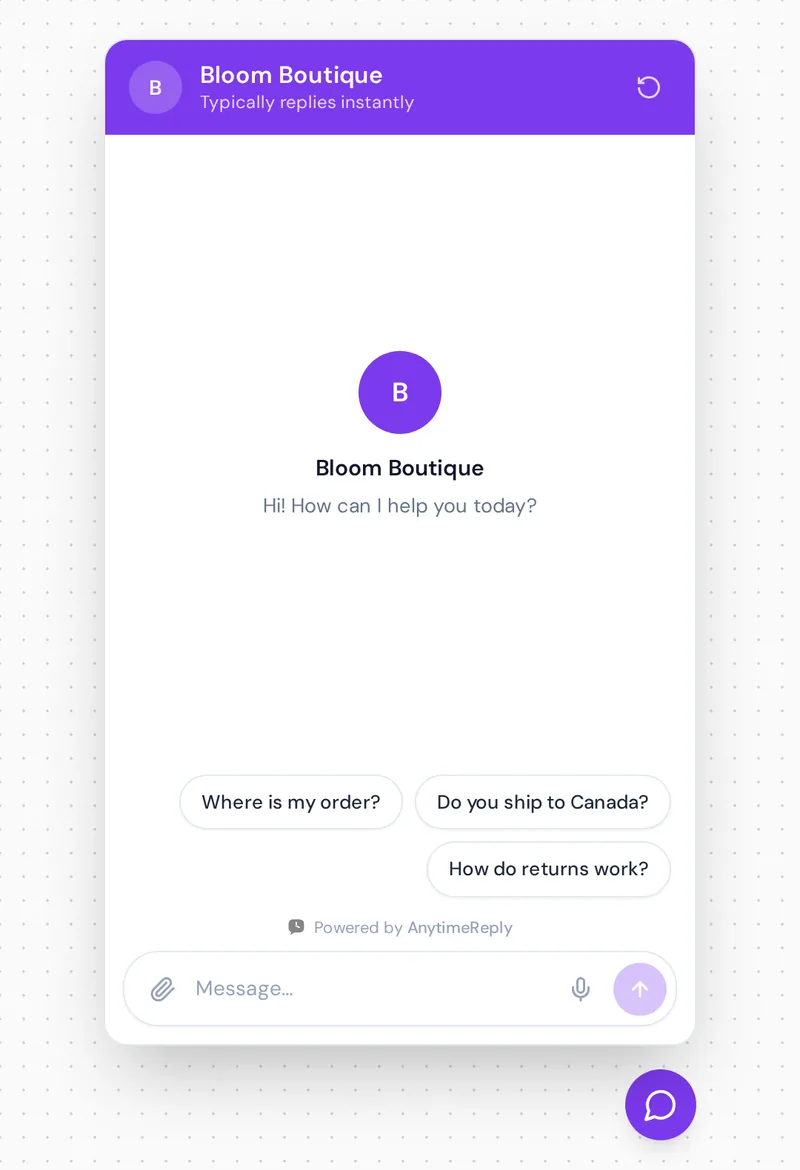
What is live chat?
Live chat support uses the same little chat interface, but a human is on the other side. Your support agent sees the message in a shared inbox and types a reply, usually within a few minutes.
Live chat gives customers personalized support. The agent can read between the lines, calm down an upset customer, bend a rule when it makes sense and close a sale with a custom offer. The catch is simple: someone has to be there. If your team works 9 to 6, so does your live support.
Live chat vs chatbots: the key differences
Here is how live chat and chatbots compare at a glance:
| AI chatbot | Live chat | |
|---|---|---|
| Response time | A few seconds, every time | A few minutes when someone is online, hours when not |
| Available | 24/7, holidays included | Only during team hours |
| Customers at the same time | Unlimited | Usually just a few per agent before quality drops |
| Best at | Repeat questions, order status, prices, policies | Complaints, refunds, custom deals, sensitive issues |
| Empathy | Polite, but it is still software | Real human empathy |
| Cost as you grow | Grows slowly, mostly per message | Grows with every new hire |
| Languages | Can reply in the customer's language | Only the languages your team speaks |
| Setup | Needs good content to learn from | Needs people, training and schedules |
How chatbots improve customer service (and where they don't)
Where chatbots shine
- Instant answers. No queue, no "an agent will be with you shortly". The customer asks and gets a reply in seconds.
- Always on. Night, weekend, Eid, Christmas. The AI doesn't take days off.
- Handles volume. A sale or a viral post can bring 200 chats in an hour. One chatbot can talk to all of those customers at the same time.
- Cheaper per conversation. Once it is set up, each extra query costs very little.
- Frees up your team. When the chatbot handles the "where is my order?" questions, your people get time for work that needs a human.
Where chatbots fall short
- Only as good as its content. A chatbot is able to answer only what it has learned. If your shipping page is out of date, the AI will repeat the old info. Garbage in, garbage out.
- Not great with emotions. An angry customer with a broken parcel doesn't want a perfect paragraph. They want to feel heard, and that is something a bot cannot really fake.
- Some decisions shouldn't be automated. Big refunds, account changes and anything legal need a person to approve them.
- Bad bots hurt trust. An automated bot that loops "Sorry, I didn't get that" is worse than no chat at all.
Live chat pros and cons for customer support
Where live chat wins
- Real empathy. A human live chat agent can apologise like they mean it and fix the problem in the same conversation.
- Complex questions. Custom orders, unusual bugs, "can you do this for me?" requests. Humans handle the unexpected.
- Sales conversations. A good customer service agent spots a hesitant buyer who is interested in the service and knows when to offer help or a small discount.
- Trust. Many people still prefer live chat with a live person for anything involving money.
Where live chat struggles
- Limited hours. If your customers live in other time zones, a lot of chats arrive while you sleep.
- Slow at peak times. When 30 people write at once, most of them wait.
- Expensive to scale. More chats means more live chat agents, and people cost a lot more than software.
- Repetitive work. Answering the same five questions all day burns agents out.
How chatbots vs live chat compare on cost
With live chat, customer service costs are mostly people. Even one part-time agent costs you a salary every month, and you need more people to cover nights and weekends. The live chat tool itself is cheap next to that.
A chatbot is usually priced per message. With AnytimeReply, for example, each AI reply uses message credits, and replies your team writes by hand are free. The Hobby plan is $9 a month for 1,500 credits and the Standard plan is $29 for 5,000 credits. On a standard AI model, one reply uses one credit. Prices can change, so check the pricing page for the latest numbers.
Here is a rough example. Say you get 400 chats a month and each one needs about 4 replies. That is about 1,600 AI replies, which fits in the Standard plan. If the AI answers 70 percent of chats on its own, your team only deals with about 120 chats a month instead of 400. That is the real saving: not firing anyone, but letting a small number of support people keep up without hiring.
Which use case fits a chatbot, live chat, or both?
Choosing between live chat and a chatbot gets easier with a quick check:
- Choose a chatbot first if most questions repeat (shipping, prices, opening hours, order status), you get chats outside office hours, or you are a team of one or two.
- Use live chat first if you sell expensive or custom products, every chat is a long sales talk, or your volume is low and you can reply quickly yourself.
- Choose both if you get a steady flow of chats, customers write at all hours, and some chats really need a human. Honestly, that describes most online shops and service businesses.
Team size matters too. A solo founder can't cover live chat 24/7, so the AI does the first shift and they join in when needed. Support teams of ten can let the AI filter the easy questions, so agents spend their day on the conversations that need them.
Using chatbots and live chat together to improve customer experience
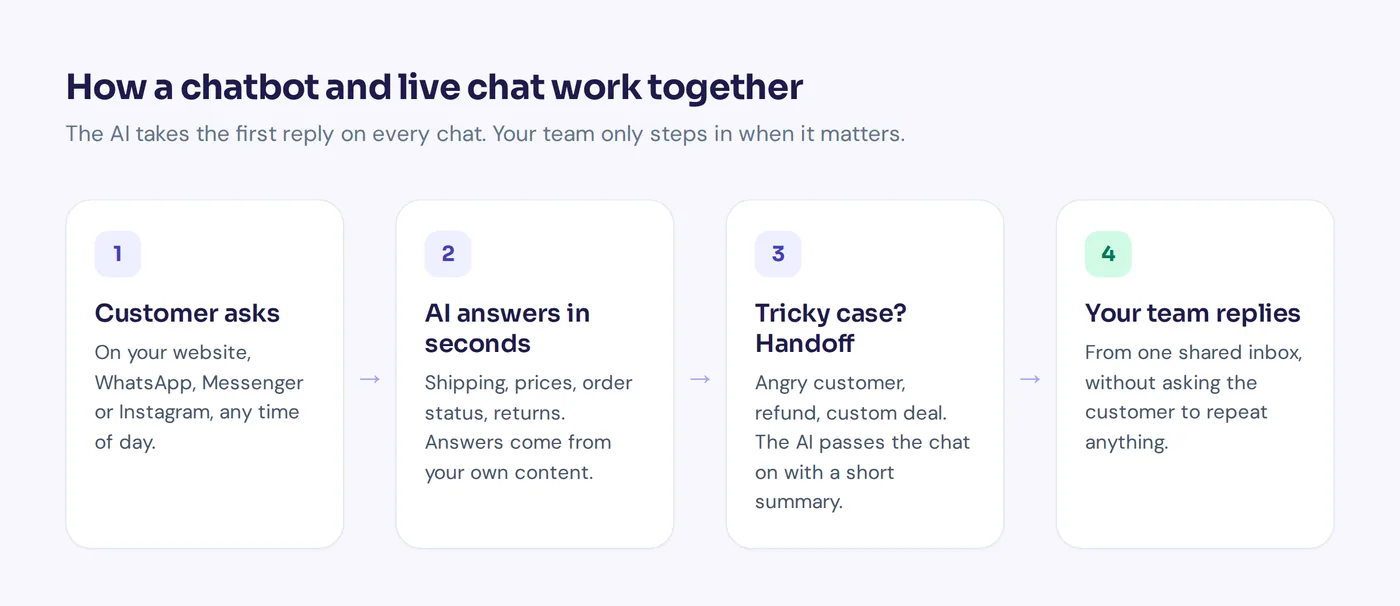
You don't really have to pick a winner. The customer support strategy that works best for most teams is a hybrid: the AI takes the first reply on every chat and hands the conversation to a human agent when it should. Talking to a person or a chatbot stops being an either-or choice.
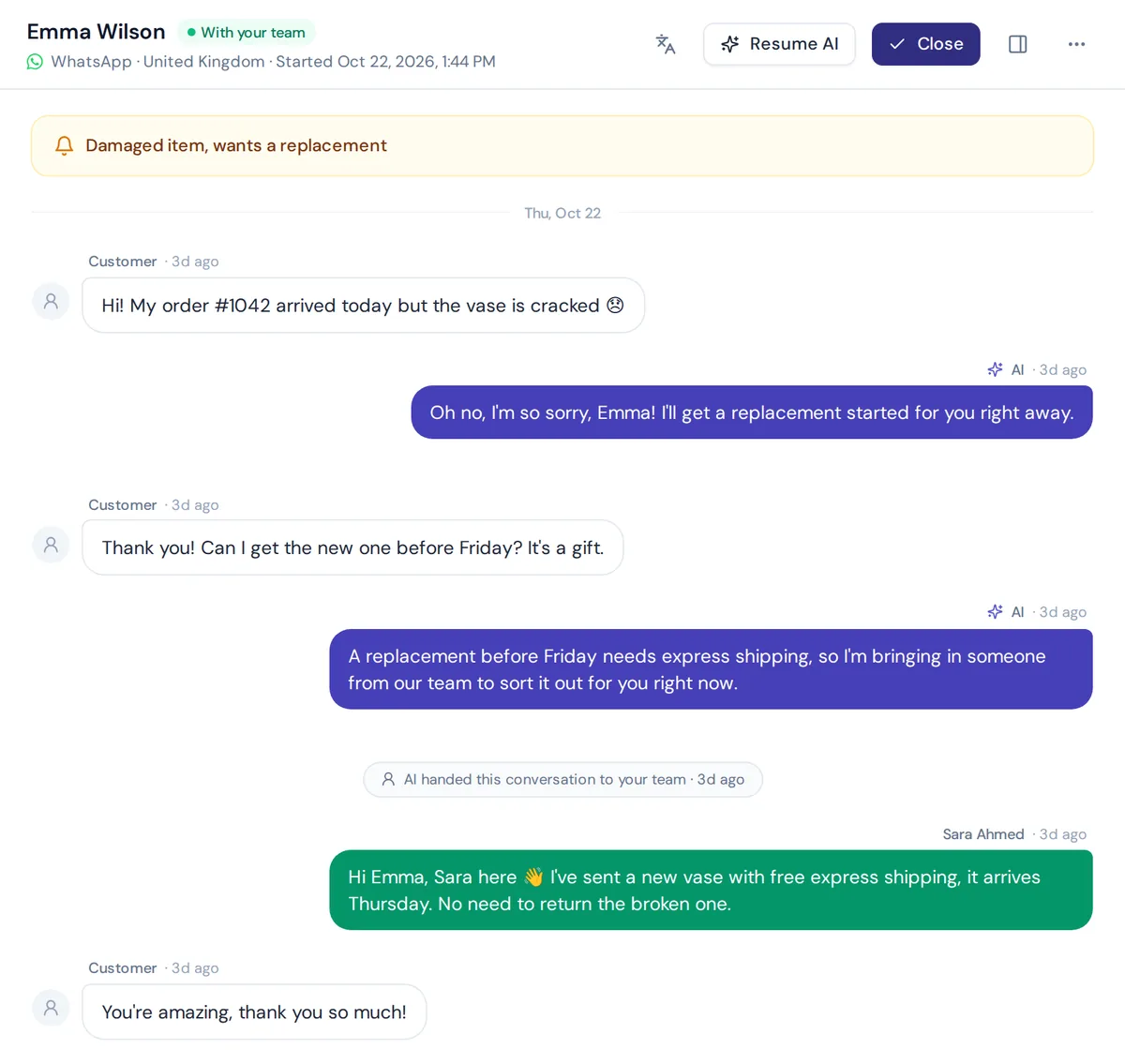
Here is what that looks like in a real conversation via a chat on WhatsApp. The customer reports a broken vase. The AI apologises and starts a replacement. When the customer asks for faster delivery, which needs a decision, it passes the chat to the team. Sara from support picks it up and solves it in one message.
How to design the handoff between a bot and a human
The handoff is where most hybrid setups go wrong. A few things make it smooth:
- Set clear handoff rules. Hand over when the customer asks for a person, when they sound upset, when money or account changes are involved, or when the AI isn't confident in its answer.
- Pass a summary. The agent should see what the customer wants in one line, not scroll through 20 messages.
- Never make customers repeat themselves. The full chat history should move to the human automatically.
- Be honest about hours. If nobody is online, the assistant should say when the team will reply and collect an email, instead of pretending someone is coming.
- Let the AI learn. When an agent fixes a wrong answer, that fix should go back into its knowledge so the same mistake doesn't happen twice.
How AnytimeReply combines an AI chatbot and live chat software
This is exactly the problem we built AnytimeReply to solve, so here is a quick look at how it works.
- An AI agent trained on your content. Add your website, PDFs, Notion pages or Shopify products, and the AI agent answers from them in seconds, in the customer's language.
- Help desk software for your team. Chats from your website chat, WhatsApp, Messenger, Instagram, Telegram and email land in one shared inbox. The AI answers first and hands over with a summary.
- Join any chat in one click. Your team can watch the AI work and jump in whenever they want. The AI pauses while a person is replying.
- Actions, not just answers. On paid plans the agent can look up orders in Shopify or WooCommerce and book meetings for verified customers.
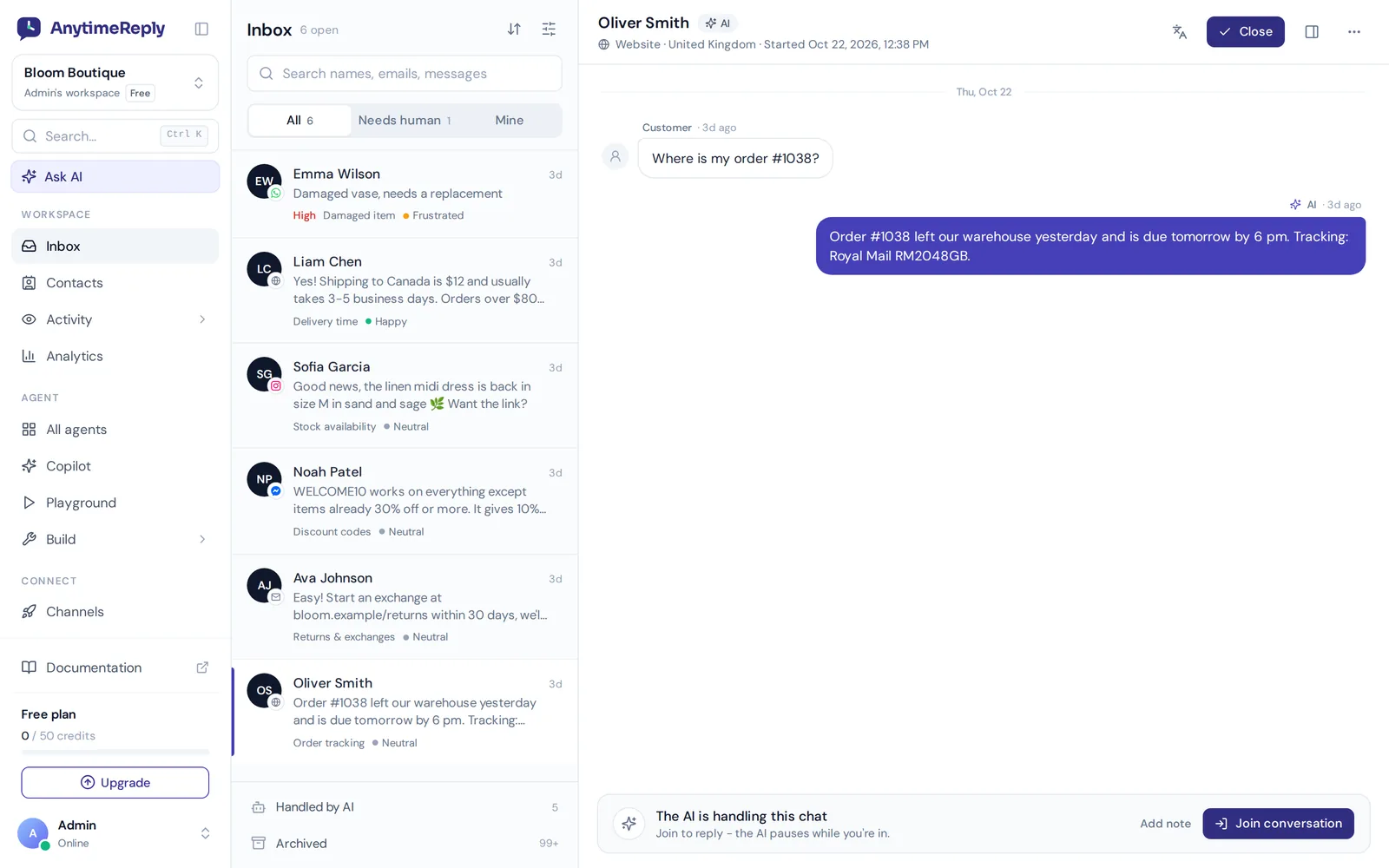
There is a free plan with the website chat, the helpdesk inbox and the AI agent, so you can try the whole setup on your own site before paying anything. If you are comparing chat solutions, we also wrote honest side-by-sides with Intercom and Tidio.
Tips to automate support without losing the human touch
- Start with your top 20 questions. Look at old emails and chats. Make sure your website answers them clearly, because that is what the AI will learn from.
- Write a short greeting that sets expectations. "Hi! I'm the AI assistant. I can help with orders, shipping and returns, or connect you with our team."
- Test before you go live. Ask the questions your customers really ask, including the weird ones.
- Watch response time and customer satisfaction. If people keep asking for a human on one topic, add better content for it or route it to a person straight away.
- Use proactive chat carefully. A friendly "Need help choosing a size?" on a product page can help. A popup every five seconds just annoys people.
- Review a few chats every week. Ten minutes of reading tells you more than any dashboard.
Frequently asked questions
Is it chatbot or chat bot?
Both are used, but "chatbot" as one word is the common spelling today.
What is the difference between a chatbot and live chat?
A chatbot replies automatically using software, usually AI. Live chat means a real person on your team replies in real-time. Many businesses use both in the same widget.
Do customers prefer talking to a chatbot or a live agent?
It depends on the question. For quick things like order status or opening hours, most people just want a fast answer and are happy with AI. For complaints, refunds and anything personal, people want human customer support. That is why an AI with an easy handoff to live chat works so well.
Can a chatbot handle complex questions?
A good AI handles a lot more than you'd expect, as long as the answer is in its knowledge base. For truly complex or sensitive cases, it should transfer the conversation to a human instead of guessing.
Can a chatbot and live chat run in the same widget?
Yes. In AnytimeReply the customer talks in one window. The AI replies first, and when a team member joins, the same conversation carries on with the human. The customer doesn't need to switch apps or start over.
Is a chatbot cheaper than live chat?
Per conversation, yes, by a lot. Live chat cost is mostly salaries, while AI cost is mostly per message. The biggest savings come from letting the AI handle repeat questions so your team can focus on the rest.
Can AI chatbots reply in multiple languages?
Yes. AnytimeReply replies in the customer's language, including mixed languages like Banglish and Hinglish, so you don't need a separate agent for every language.
Final thoughts
Chatbot vs live chat isn't really a fight. Chatbots are great at speed and scale. Live chat is great at empathy and judgment. Put them together and customers get a fast answer at 11 pm and a real person when something goes wrong.
If you want to see how that feels on your own site, start free with AnytimeReply. Add your website, test the agent, and connect your team inbox in about five minutes. No card needed.
Published 25 October 2026 by AnytimeReply team