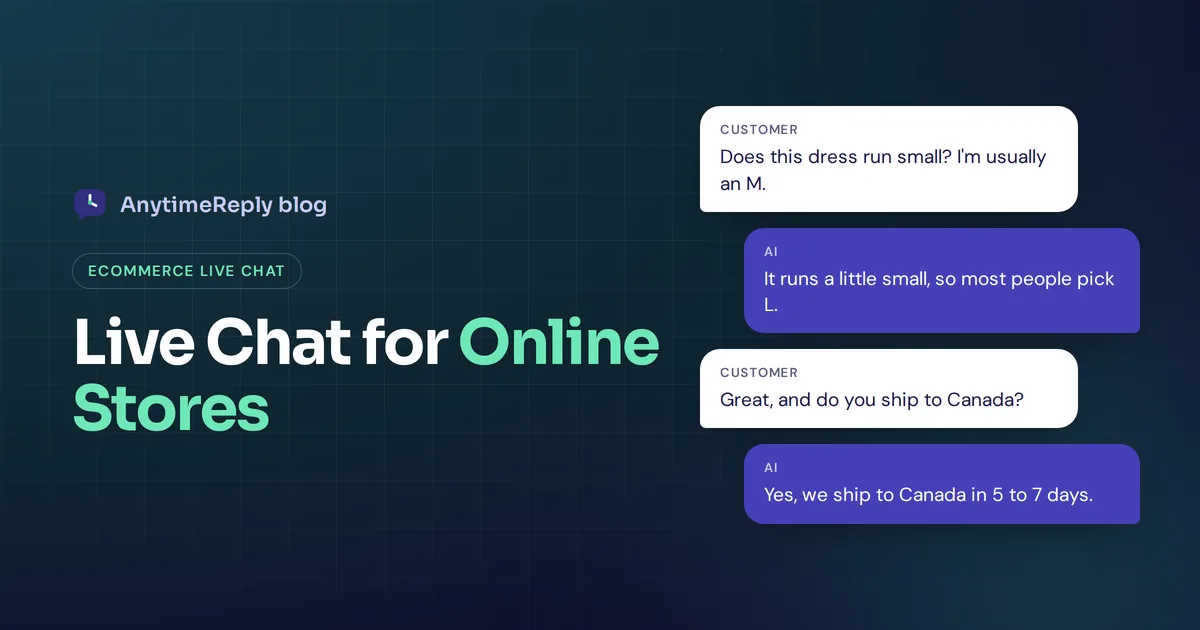
A shopper has a dress in her cart. She just needs to know one thing: does it run small? She looks for a size chart, can't find it, and leaves. You never even knew she was there. Adding live chat for your ecommerce website is how you catch that moment and turn a question into a sale.
Live chat puts a small chat window on your shop so customers can ask a question and get an answer while they are still on the page. It works for pre-sale questions (sizes, shipping, stock) and after-sale ones (where is my order, how do returns work).
In this guide we cover what live chat does for online businesses, the honest downsides, the features that matter, the best ecommerce live chat software options, how to set it up step by step, and ready-to-copy messages you can use today.
What is live chat for ecommerce?
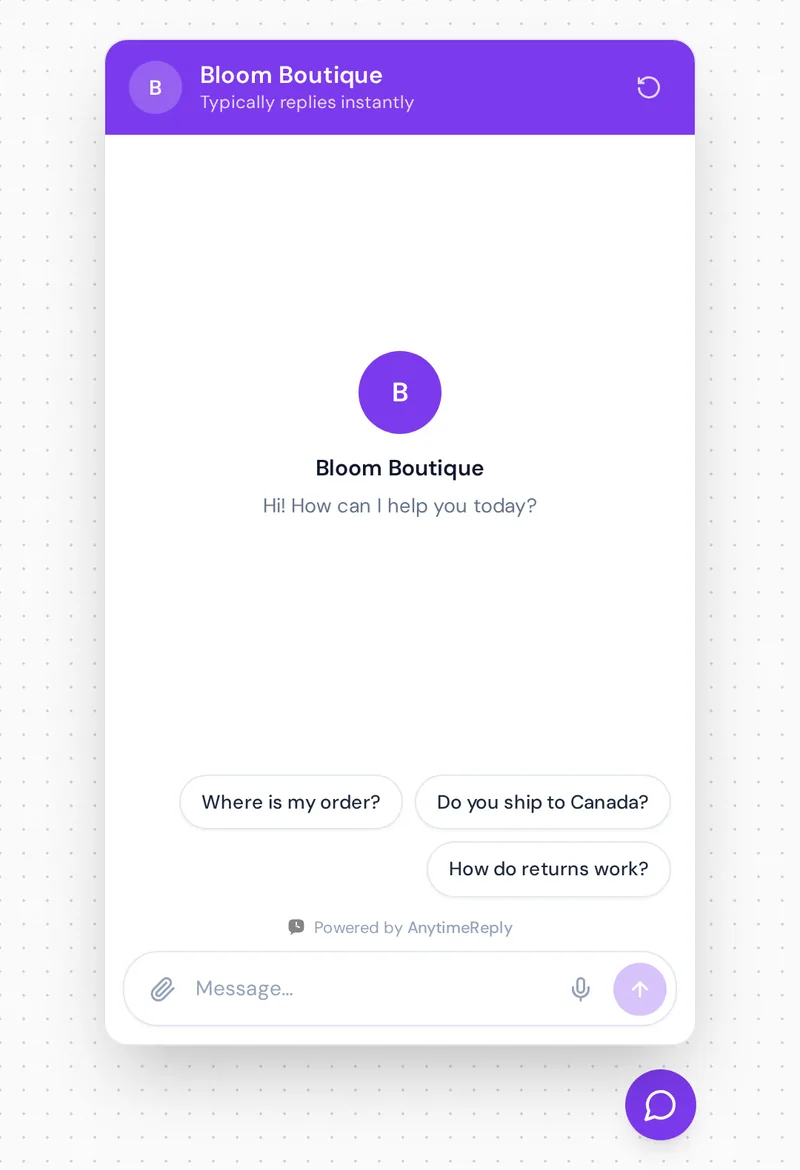
Ecommerce live chat is a chat widget, usually a bubble in the bottom corner of your shop, that opens a conversation with your team. The customer types, your support agent sees the message in an inbox and replies in real time.
Today, most live chat solutions also include an AI agent. The AI answers common customer inquiries instantly, day and night, and passes the conversation to a person when the shopper needs to chat to a human. So when people say "live chat" for a shop, they often mean this mix of AI and human chat support in the same window. The AI becomes your first line of support, and your team handles the rest.
Why ecommerce businesses add live chat support
Answer questions before the shopper leaves
In a physical shop, a customer can ask "Do you have this in blue?" and get an answer in seconds. Online, they usually can't. Real-time chat closes that gap. Quick answers about sizing, materials, delivery times and stock remove the small doubts that stop online shoppers from buying.
Recover carts that would be abandoned
Many abandoned carts come from a simple question nobody answered: shipping cost, delivery date, return policy, payment options. A chat that answers in seconds, or a friendly proactive chat invitation on the checkout page, can save some of those sales.
Build trust with every potential customer
A real reply from a real shop makes a small brand feel safe. A potential customer, or any ecommerce customer who has never heard of you, wants to know someone is there if something goes wrong. A visible chat button sends that signal even before they click it, and good conversations build customer loyalty over time.
Fewer returns and wrong orders
When a customer asks "I'm 170 cm, should I take M or L?" and gets a good answer, they are less likely to return the item. Good pre-sale help reduces returns, and returns are expensive for any ecommerce business.
Faster, real-time customer support after the sale
"Where is my order?" is probably the most common question any shop gets. Answering it in chat is faster than email for the customer and quicker for your team, especially if the chat can look up order status automatically.
Learn from your chat data
Your chat transcripts and customer interactions are a list of every doubt, complaint and request your customers have. Read them and you will spot missing product details, confusing policy pages and patterns in customer behavior, like which products people keep asking about.
The downsides of live chat for an online store
Live chat is not free of problems. Be honest with yourself about these before you start implementing live chat:
- Someone has to answer. A chat button with nobody behind it is worse than no button. Shoppers expect replies within a minute or two, not hours.
- It interrupts your day. For a one-person shop, chats arrive while you are packing orders or on a supplier call.
- Night and weekend gaps. Many people shop in the evening. If your team works 9 to 5, those shoppers get silence.
- Cost grows with volume. More chats means more agent hours. During Black Friday, a human-only team can fall behind fast.
- Repetitive work. A large share of chats are the same few questions. Typing the same shipping answer 40 times a day burns people out.
This is why most shops now pair live chat with an AI that handles the repeat questions and the night shift, while people handle the rest.
Live chat vs AI agent vs both: what works best for ecommerce customer support
| Human live chat only | AI chatbot only | AI first, human handoff | |
|---|---|---|---|
| Reply speed | Minutes when online, hours when not | Seconds, 24/7 | Seconds, with people for tricky chats |
| Empathy | High | Low | High where it matters |
| Busy sale days | Queue builds up | Handles volume | Handles volume, team takes exceptions |
| Refunds and complaints | Good | Risky | Handed to a person |
| Cost as you grow | Grows with every hire | Grows slowly | Grows slowly |
| Best for | Very low chat volume, luxury brands | Simple shops with clear FAQs | Most growing shops |
If you want the full comparison, we wrote a separate guide on chatbot vs live chat.
Live chat software for ecommerce: what to look for in a chat tool
There are many live chat tools. These are the features that actually matter when choosing live chat for a shop:
- Ecommerce platform integration. It should connect to your ecommerce platform (Shopify, WooCommerce, BigCommerce or similar) so the chat can see products and, ideally, order status.
- Order lookup and actions. Answering "Where is my order?" without an agent copying a tracking number by hand. Some tools can also start a return or apply a discount inside the chat.
- Product recommendations. Product cards with price and stock right in the chat interface, so the shopper can click and buy.
- AI trained on your shop. An AI that learns from your product pages, shipping and returns policies, not generic scripts.
- Easy human handoff. Shoppers should reach a person by asking, and the AI should pass along a summary so they don't repeat themselves.
- Chat routing. Send refund chats to billing, product questions to sales, and spread chats fairly across your team.
- A shared inbox for all channels. Shoppers also message on Instagram, Facebook Messenger, WhatsApp and email. One inbox beats five browser tabs.
- Proactive chat triggers. A gentle message after a shopper spends time on a product page, or when they are about to leave.
- Offline handling. When nobody is online, the AI should keep answering, or at least collect an email.
- Multilingual support. If you sell across borders, the chat should reply in the customer's language.
- Mobile-friendly chat widget. Most shoppers browse on phones, so the widget must not cover the "Add to cart" button.
- Analytics. Chat performance, top questions, ratings and questions the AI couldn't answer.
- Light on page speed. A heavy widget slows your pages. Test page speed before and after.
Best ecommerce live chat tools: the best live chat software compared
Here are well-known live chat tools for online stores. We describe what each is known for. Plans and prices change often, so check each vendor's pricing page before you decide. And yes, the first one is ours.
| Chat tool | Best for | Known for |
|---|---|---|
| AnytimeReply | Small and growing shops, multilingual customers | AI agent plus helpdesk, Shopify product cards, free plan |
| Gorgias | Shopify brands with a support team | Helpdesk built around store orders |
| Tidio | Small shops wanting quick setup | Live chat with the Lyro AI chatbot |
| LiveChat | Teams focused on chat sales | Polished live chat app and integrations |
| Zoho SalesIQ | Businesses already using Zoho | Chat plus visitor tracking |
| ProProfs Chat | Simple live chat with ticketing | Straightforward chat for small teams |
| Shopify Inbox | Very small Shopify shops | Shopify's own free live chat app |
AnytimeReply
Our AI trains on your website and Shopify products and answers shoppers in seconds in their language, then hands over to your team in one inbox. Chat on your site and the helpdesk are on the Free plan. Honest limit: messaging channels like WhatsApp and order lookups need a paid plan.
Gorgias
A helpdesk made for ecommerce, especially Shopify. Agents see order details next to the conversation, and it has AI features for common store questions. A good fit if you have dedicated support staff.
Tidio
Popular with small shops for its easy setup and Lyro AI. A beginner-friendly choice. See our AnytimeReply vs Tidio comparison if you are weighing the two.
LiveChat
One of the best-known live chat apps, with a clean agent interface and many integrations. Often picked by teams that sell through chat.
Zoho SalesIQ and ProProfs
Zoho SalesIQ fits teams already on Zoho tools and offers visitor tracking. ProProfs is a simple option for teams that want chat and basic ticketing without much setup.
Shopify Inbox
If you only get a handful of chats and want free live chat software, Shopify Inbox is the simplest start for Shopify stores. You will likely outgrow it once volume or channels grow.
How to add live chat to your ecommerce site
Setting up chat on a shop takes an afternoon, not a month. Here is a simple plan:
- List your top 20 customer queries. Look through old emails, DMs and reviews. Shipping, sizes, returns, payment and order status will be near the top.
- Fix your content first. Make sure your shipping page, returns policy, size guides and FAQ answer those questions clearly. Your AI learns from these pages, and your human agents will link to them.
- Pick your live chat tool. Use the feature list above. Start with a free plan or trial and test it on your real shop.
- Install the widget. Most tools give you one line of code, a Shopify app or theme setting, or a WordPress plugin for WooCommerce.
- Train the AI on your shop. Add your website, product catalog and policy pages. Write exact answers for anything involving money, like refunds and shipping fees.
- Set up the handoff. Decide when a chat goes to a person: the customer asks for one, seems upset, or the question is about a refund or a damaged item.
- Write your greeting. Short, friendly, and clear about what the chat can help with.
- Test like a customer. Ask real questions from your phone, including odd ones. Check that a human can take over smoothly.
- Go live and review weekly. Read a few chats every week, fix wrong answers and add missing information.

Best practices for using live chat for ecommerce
- Put chat where questions happen. Product pages, the live cart and checkout are the most valuable spots. You don't need a popup on your blog.
- Be careful with proactive chat. One friendly "Need help with sizing?" after 30 seconds on a product page helps customer engagement. A popup the second a website visitor lands is annoying.
- Set clear expectations. If a human replies only during business hours, say so, and let the AI handle general support in the meantime.
- Use the customer's name and order details. Personal replies feel like a real shop, not a call center.
- Link to products, don't just describe them. A product card or link turns a chat into a click.
- Don't oversell. Suggest a matching item once. Three upsells in a support chat feels pushy.
- Protect customer data. Never ask for full card numbers in chat, and choose a tool that encrypts data.
- Ask for a rating at the end. A quick thumbs up or down tells you which answers work and helps improve customer satisfaction.
Ready-to-copy live chat messages for ecommerce
Use these as a starting point and adjust the tone to your brand.
Greeting:
Hi! Got a question about sizes, shipping or your order? Ask here and we'll answer right away.
Proactive message on a product page:
Not sure which size to pick? Tell me your usual size and I'll help you choose.
Proactive message on the cart page:
Any questions before you check out? Shipping, returns or payment, just ask.
Order status reply:
Thanks! Your order #1043 shipped yesterday and should arrive by Thursday. Here is your tracking link: [link]
Handing over to a person:
I'm sorry your item arrived damaged. I'm passing this to our team now so they can sort out a replacement. They have the full details, so you won't need to repeat anything.
Outside business hours:
Our team is offline right now, but I can still help with most questions. If you need a person, leave your email and we'll reply first thing in the morning.
How to measure chat performance on your ecommerce platform
- First response time: how long customers wait for the first reply.
- Chat volume by topic: what people ask most, so you can improve product pages.
- Handoff rate: how often the AI passes chats to a person, and why.
- Customer satisfaction (CSAT): thumbs up or down, or a short rating after the chat.
- Unanswered questions: gaps in your content that the AI couldn't cover.
- Sales from chat: if your tools can track it, how many chats end in a purchase.
These numbers show whether chat helps you improve customer service and the overall customer experience, or just adds another inbox.
How AnytimeReply helps with support and engagement
AnytimeReply is an AI agent with a built-in helpdesk, and it works well for shops. You add your website (and Shopify products, with price and stock), and the AI can answer customer queries in real-time, in each shopper's language. When a chat needs a person, it hands over to your customer support team with a summary, and the AI pauses while a team member is in the conversation.
- Chat on your shop: a chat bubble, inline embed or hosted help page, added with one line of code, the WordPress plugin or your Shopify theme. See website chat.
- Product cards: Shopify products appear as cards with price and stock.
- Order lookups: on paid plans, actions with Shopify, WooCommerce and AfterShip let the AI check orders for verified customers.
- One inbox: website chat, plus WhatsApp, Messenger, Instagram and email on paid plans, with routing by department.
- Proactive messages: after a few seconds, on scroll or on exit intent.
It helps you enhance customer support and engagement without hiring for the night shift. Honest limits: the AI is only as good as the content you give it, and it doesn't answer phone calls. Chat on your website, the helpdesk inbox and analytics are on the Free plan, so you can try it before paying. More on our ecommerce page and pricing page.
Frequently asked questions
What is the best live chat software for e-commerce?
The best e-commerce live chat software connects to your store platform, can look up orders, shows products in chat, uses AI for common questions and hands over to people easily. Gorgias, Tidio, LiveChat and AnytimeReply are common picks. Try two or three on your real shop before you decide.
Is there a live chat for Shopify?
Yes. Shopify has its own free app, Shopify Inbox, and most live chat tools offer a Shopify app or theme setting. AnytimeReply adds to Shopify through your theme and can show your products as cards in the chat.
Does live chat reduce cart abandonment?
It can, because it answers the doubts that stop people from buying, like shipping costs or sizing, right when they have them. Results depend on how fast and how well you answer.
Can live chat handle peak sales like Black Friday?
A human-only team often can't. AI can handle a spike in chats at the same time and pass only the tricky ones to your team, which keeps the queue short.
How many chats can one agent handle at once?
It depends on the questions, but most agents handle a few chats at a time before quality drops. Letting AI answer the simple ones lets agents focus on fewer, harder chats.
What should I do when no one is available?
Let AI answer common questions, and collect an email for anything that needs a person. Tell customers when they can expect a human reply.
Final thoughts
Live chat on an online shop is about one thing: answering the question that stands between a shopper and the buy button, while they are still on the page. Pair fast AI answers and real-time support with a human for the hard stuff, keep your product content clear, and review your chats every week.
Want to try it on your own online store? Start free with AnytimeReply, add your site and test the chat on your product pages. No card needed.
Published 29 October 2026 by AnytimeReply team