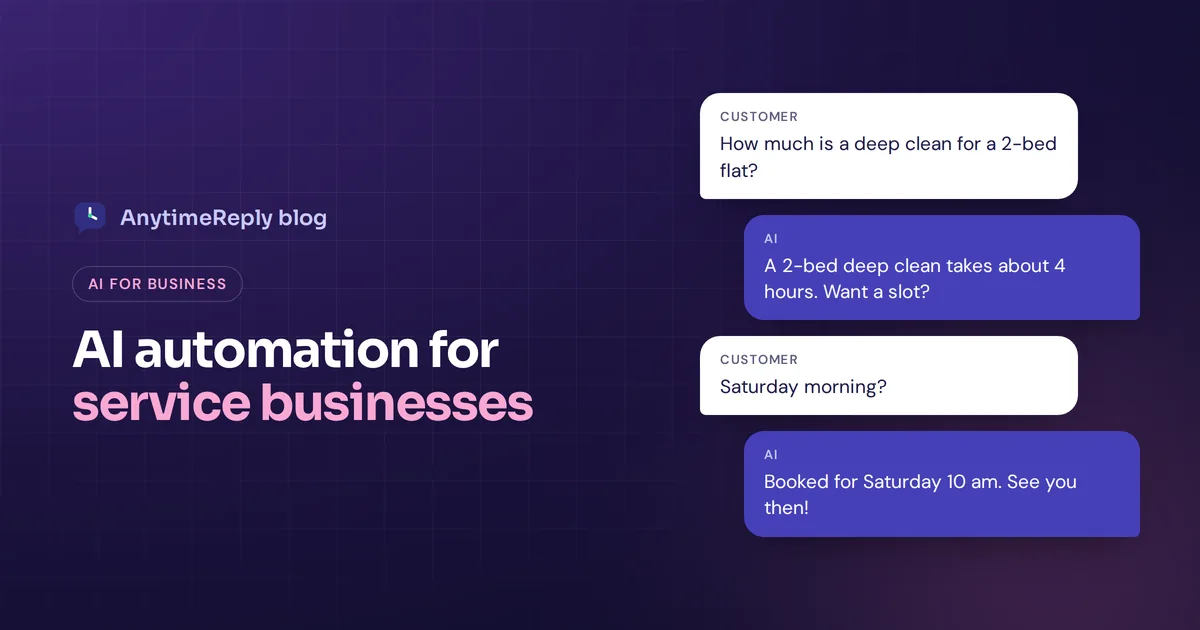
If you run a service business, you know the pattern. You spend the day doing the actual work, cutting hair, fixing pipes, seeing clients, and then the evening answering messages. "How much for a deep clean?" "Do you have Saturday slots?" "Can I move my appointment?" Every one of them matters. None of them pays.
Service business AI automation means using AI tools to handle that repeat work for you: answering enquiries, booking appointments, following up with leads, sending reminders and keeping records tidy. You keep the parts that need you, the service itself and the tricky conversations.
This guide covers what to automate first, which tools fit, whether to hire an agency, a simple rollout plan and the mistakes to avoid. We build AI for customer conversations, so we'll show where it helps, but most of this applies whatever tools you pick.
What is AI automation for a service business?
A service business sells time and skill rather than products: salons, clinics, cleaners, plumbers, electricians, law firms, accountants, agencies, tutors, consultants, gyms and real estate teams. Their work is booked, scheduled and delivered by people.
Automation takes the admin around that work and hands it to software. Traditional automation followed fixed rules ("if a form is submitted, send email A"). AI adds understanding. An AI agent can read a customer's message, work out what they want, answer from your price list and policies, and take an action like booking a slot. Some people call this intelligent automation or agentic AI.
When you use AI this way, the goal is not to replace your team. It's to stop your team spending half the day on copy-paste work and to improve business efficiency without hiring.
Why service businesses and small businesses benefit so much from AI
- Customers want answers now. Someone with a leaking pipe will book the first company that replies.
- Most questions repeat. Prices, availability, location, what's included, how long it takes. Perfect for automation.
- Owners are busy doing the work. You can't answer WhatsApp in the middle of a haircut or a site visit.
- No-shows and slow follow-ups cost real money. Reminders and fast replies recover revenue you'd otherwise lose.
- Small teams can't staff evenings. AI covers nights and weekends without overtime.
Starting an AI automation project: what to automate first
Don't try to automate everything at once. Look for automation opportunities where time is wasted in everyday business, and match them to your business goals. Here are 8 high-value tasks where AI can help most.
| Task | What AI does | Typical tool |
|---|---|---|
| Answering enquiries | Replies to price, service and availability questions on chat and messaging apps | AI customer support assistant |
| Booking appointments | Offers open slots and books them in your calendar | AI chat + Cal.com or Calendly |
| Lead capture and qualification | Asks the right questions and saves the lead to your CRM | AI chat, flows, CRM automation |
| Reminders and follow-ups | Sends booking reminders and follows up with quiet leads | Calendar tool, messaging platform |
| Quotes and estimates | Collects job details and drafts a quote for you to check | AI assistant, forms |
| Invoicing and payments | Creates invoices and chases late payments | Accounting software |
| Reviews and feedback | Asks happy customers for a review after the job | Review or CRM tool |
| Internal admin | AI can summarize notes, draft emails and update records | General AI apps, workflow automation |
1. Answer enquiries instantly
This is usually the biggest win. Train an AI agent on your website, price list and FAQs, and put it on your website chat and WhatsApp. It answers "How much is a full colour?" in seconds, even at midnight.
2. Let customers book without back-and-forth
The classic five-message dance ("Tuesday?" "No, Wednesday?" "Morning or afternoon?") disappears when the AI can see your calendar and book the slot directly.
3. Qualify leads before you call
For agencies, contractors and consultants, AI can ask budget, timeline, location and job size, then pass you only the leads worth a call, already summarized.
4. Cut no-shows with reminders
Automatic reminders the day before an appointment, with an easy way to reschedule, save empty slots.
5. Follow up with leads who went quiet
Many leads don't say no, they just forget. One polite follow-up message often brings them back.
6. Draft quotes and proposals
AI can turn a customer's description and photos into a first-draft quote. You check the numbers and send it. Always keep a human on pricing.
7. Chase invoices
Most accounting tools can send invoices and payment reminders on a schedule. It's not glamorous, but it's cash.
8. Ask for reviews at the right moment
A short message after a job is done, with a direct link to your review page, keeps fresh reviews coming in.
AI agents for business automation vs simple workflow automation
There are two main kinds of AI and automation software, and most businesses end up using both.
Business process automation follows fixed automation steps. Tools like Zapier, Make or n8n (a visual automation platform) connect your apps: "when a booking is made, add it to the spreadsheet and send a confirmation". The automation logic never changes. Older robotic process automation (RPA) works in a similar rule-based way for big companies.
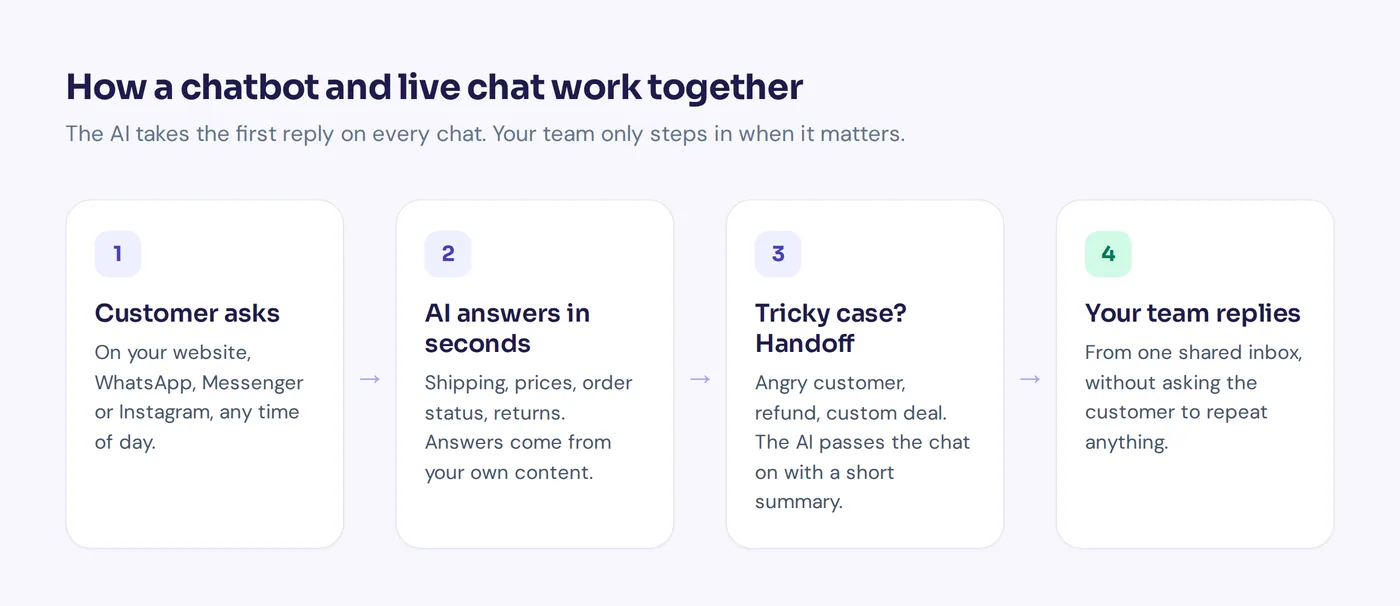
AI agents understand free text, answer from your own information and decide which tool to use. This is AI-powered automation: process automation with AI judgment, not only rules. Think of the difference between a phone menu and a receptionist. The menu says "press 2 for bookings". The receptionist says "Sure, I have 3 pm Thursday, shall I book it?"
For customer-facing work, AI agents need three things:
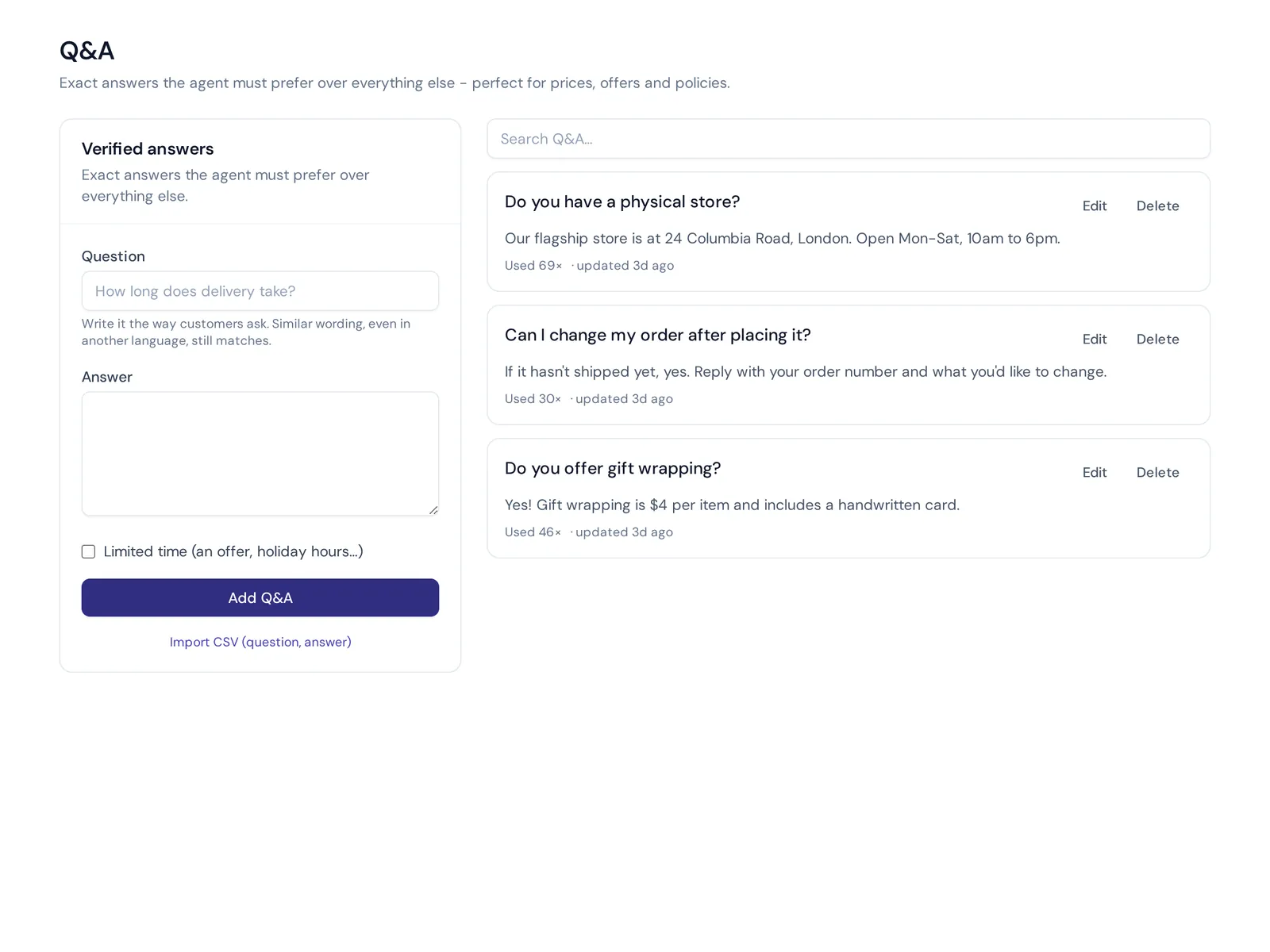
- Knowledge: your services, prices, areas covered, policies and FAQs.
- Actions: access to your calendar, CRM or booking system, with limits.
- A human backup: a clean handoff to you or your team when the request is unusual or the customer is unhappy.
Examples by type of service business
Salons, spas and clinics
The AI answers service and price questions, shows available times and sends the booking link. It hands medical or sensitive questions to staff. Example: "Do you do keratin treatment and how long does it take?" gets an answer and a booking link straight away.
Home services (cleaning, plumbing, repairs)
The AI checks the area, collects job details and photos, explains call-out rules and books a visit. Urgent jobs like a burst pipe get flagged to a person right away.
Agencies and consultants
The AI explains services and process, qualifies leads with a few questions and books a discovery call in your calendar. Your CRM gets the lead with a summary.
Professional services: law firms and accountants
The AI handles office hours, document checklists and booking consultations. It does not give legal or tax advice. That stays with the professionals. Financial services firms should also check their own rules on what can be automated.
Real estate
The AI answers listing questions, collects buyer or renter requirements and books viewings, then passes serious leads to a person.
Education and coaching
The AI answers course, schedule and fee questions, helps with enrolment steps and books trial sessions.
DIY automation tools or AI automation agencies?
You have two ways to get started: set up ready-made AI automation tools yourself, or hire an AI automation service to build custom AI automation for you. Agencies have become popular, and many target local service companies. Some offer AI automation consulting only; others build and run the whole AI workflow for you.
| DIY no-code automation | Agency | |
|---|---|---|
| Best for | Common jobs like enquiries, bookings and reminders | Unusual workflows, many connected systems, custom AI development |
| Cost | Monthly software fees | Project fees plus software, often a retainer |
| Speed | Hours to days | Weeks, depending on the project |
| Control | You change things yourself | You may depend on the agency for changes |
Our honest take: start with a ready-made tool for the obvious jobs. If you outgrow it, or need deep links into your own business data, then talk to an agency. Ask any AI agency for a clear scope, who owns the setup, and what happens if you stop paying them.
How to roll out AI automation solutions in 6 steps
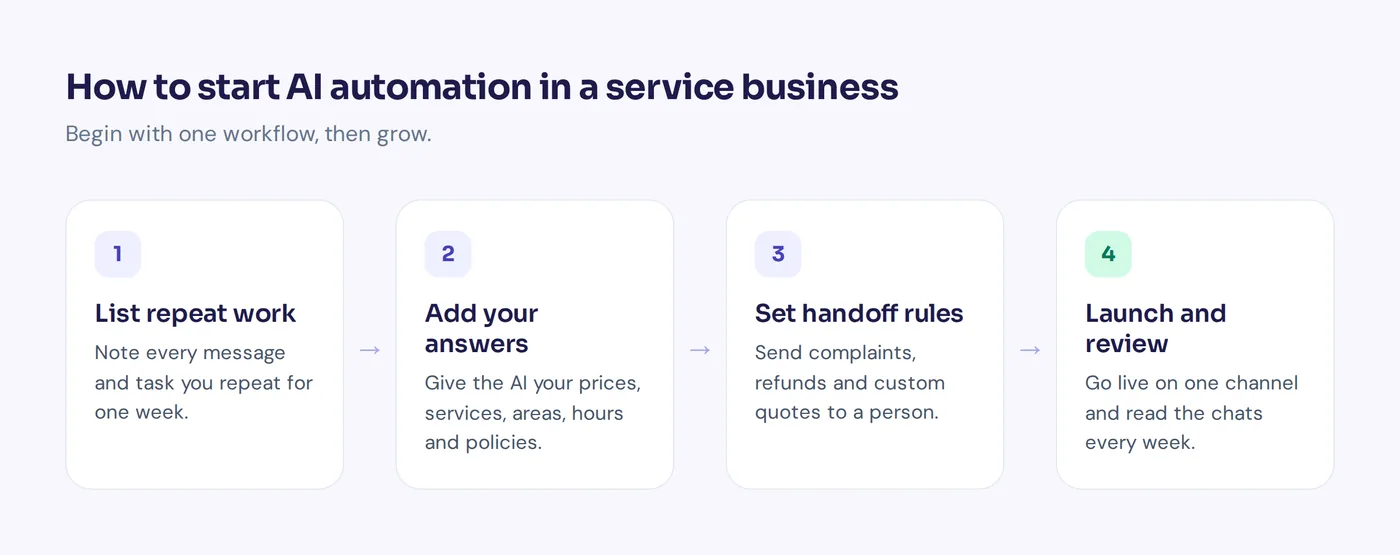
- List your repeat work. For one week, note every message and task you repeat. Count them. This is your own simple AI readiness assessment.
- Pick one business workflow. Usually enquiries plus bookings. Choose the automation solution that fits your business needs, not the flashiest one.
- Write down your answers. Prices, services, areas, policies, hours. AI can only be as accurate as your information.
- Set the rules for handoff. Decide what always goes to a person: complaints, refunds, custom quotes, anything sensitive.
- Test with real messages. Run last month's actual questions through it. Fix wrong or vague answers.
- Launch on one channel, then expand. Website chat or WhatsApp first. Read the chats weekly and improve.
Mistakes to avoid
- Automating a broken process. If your pricing is unclear to your staff, AI will be unclear too.
- Hiding the human. Customers should always be able to reach a person. Make it easy.
- Letting AI promise things. Discounts, refunds and custom prices need your approval.
- Set and forget. Prices and services change. Update the knowledge and check the chats.
- Too many tools. Five disconnected apps create more admin, not less. Fewer tools that talk to each other win.
What does AI automation cost?
It varies a lot. Many tools have free plans to start, and small business plans are usually priced monthly. Agencies and enterprise platforms with custom setup cost far more.
A fair way to judge the cost of AI in your small business: say you spend two hours a day answering the same questions. If a tool takes even half of that off your plate, you get roughly an hour back every working day. Compare that with the monthly price.
How AnytimeReply helps with customer support automation
AnytimeReply is an AI customer support and sales agent with a built-in helpdesk. For a service business it covers the customer conversation side of automation:
- Answers enquiries 24/7 on your website chat, and on WhatsApp, Messenger, Instagram, Telegram and email on paid plans, in the customer's language.
- Books meetings and appointments through actions with Cal.com and Calendly, and saves leads to HubSpot or Airtable. Actions run only for verified customers, with confirmation and limits.
- Captures leads with flows: buttons, questions and conditions on a visual canvas. Flow steps use no AI credits.
- Follows your procedures. Write how you handle refunds or disputes as plain steps, and required steps and approvals are enforced.
- Hands over to you in a shared inbox, with a summary, when a customer asks for a person, gets upset or the AI can't answer.
What it doesn't do: answer phone calls, send SMS or run your invoicing. Pair it with your accounting and calendar tools for the rest. There's a free plan, and actions and messaging channels start on the Hobby plan at $9 a month. Prices can change, so check pricing.
Frequently asked questions
What is an AI automation service?
It's a tool or a company that uses AI to take over repeat business tasks, like answering customers, booking appointments, qualifying leads or processing documents. Some are self-serve software; others are agencies that build it for you.
What can a service business automate with AI?
Enquiry replies, appointment booking, lead qualification, reminders, follow-ups, quote drafts, invoice reminders, review requests and internal admin like summarizing notes.
Can AI automate customer follow-up?
Yes. AI can send one polite follow-up to leads who went quiet, remind customers about bookings and answer their replies. Keep it to a sensible number of messages so it doesn't feel like spam.
Do I need technical knowledge?
No. Most AI solutions for small businesses are no-code. You add your website and documents, set some rules and connect your calendar.
Can I start AI automation for free?
Often, yes. Many tools have free plans that cover basic website chat or simple workflows, so you can test before paying.
Start small, save time this week
You don't need a big AI project to get value. Pick the one task that eats your evenings, automate it well and keep a human ready for the rest.
If that task is answering customers and booking appointments, start free with AnytimeReply, no card needed.
Published 29 October 2026 by AnytimeReply team