Your post gets 80 comments that all say some version of "price?" Your DMs fill up with "is this available?", "do you deliver to my city?" and "can I pay cash on delivery?" Answering each one by hand eats your evening, and the ones you miss buy from someone else.
Instagram automation means using software to handle repetitive Instagram tasks for you, like replying to DMs, answering comments, sending product details and scheduling posts. Done right, it saves hours and gets customers answers in seconds. Done wrong, with fake likes and follow bots, it can get your account restricted.
This guide explains what is allowed on Instagram and what breaks the rules, how automating Instagram DMs works, the best Instagram automation tools in 2026 and ready-to-use automation messages on Instagram that actually sell. We build an AI agent that answers Instagram DMs and comments, so we'll also show where it fits.
What is Instagram automation?
Instagram automation is any Instagram automation tool or workflow that does an Instagram task without you doing it manually each time. There are two very different kinds:
- Approved automation uses Meta's official Instagram API. It works with professional accounts (business or creator) and covers replying to DMs, answering comments, sending a direct message to someone who commented, and publishing scheduled Instagram posts.
- Unapproved automation logs into your account and pretends to be you: auto-following, auto-liking, mass commenting, buying followers. Instagram treats this as inauthentic activity.
Everything in this guide is about the first kind. The second kind is where accounts get into trouble, and we'll explain why below.
Different types of Instagram automation
Most tools fit into one type of automation, or a mix:
- DM automation: auto-replies to direct messages, from simple keyword answers to an AI-powered Instagram chatbot.
- Comment automation: public replies to comments, plus comment-to-DM automation that sends details privately.
- Story reply automation: responses when someone replies to or reacts to your story.
- Content automation: scheduling and publishing posts, reels and carousels.
- Lead and sales automation: collecting emails or phone numbers and syncing them to a CRM.
Why businesses automate Instagram
- Speed. A shopper who asks "price?" at 11 pm wants an answer now, not tomorrow morning.
- Volume. One reel can bring hundreds of comments and DMs in a day. Nobody keeps up by hand.
- Consistency. Every customer gets the right price, delivery time and return policy.
- Sales. Comments become conversations, and conversations become orders. A good DM automation flow can guide them through the sales process, from question to checkout link.
- Time back. Your team handles the complex chats and creative work instead of copy-pasting the same answer 200 times.
How Instagram DM automation works
Here's what happens behind the scenes:
- You connect your Instagram account to an automation platform through Meta's official login.
- Instagram sends the platform an event each time something happens: a new DM, an Instagram comment, a story reply.
- The platform checks your rules. A keyword like "price" might trigger a set reply, or an AI might read the message and write an answer from your product info.
- The reply goes back through the Instagram Messaging API, inside Meta's rules.
- If the customer needs a person, the chat is flagged or moved to your team.
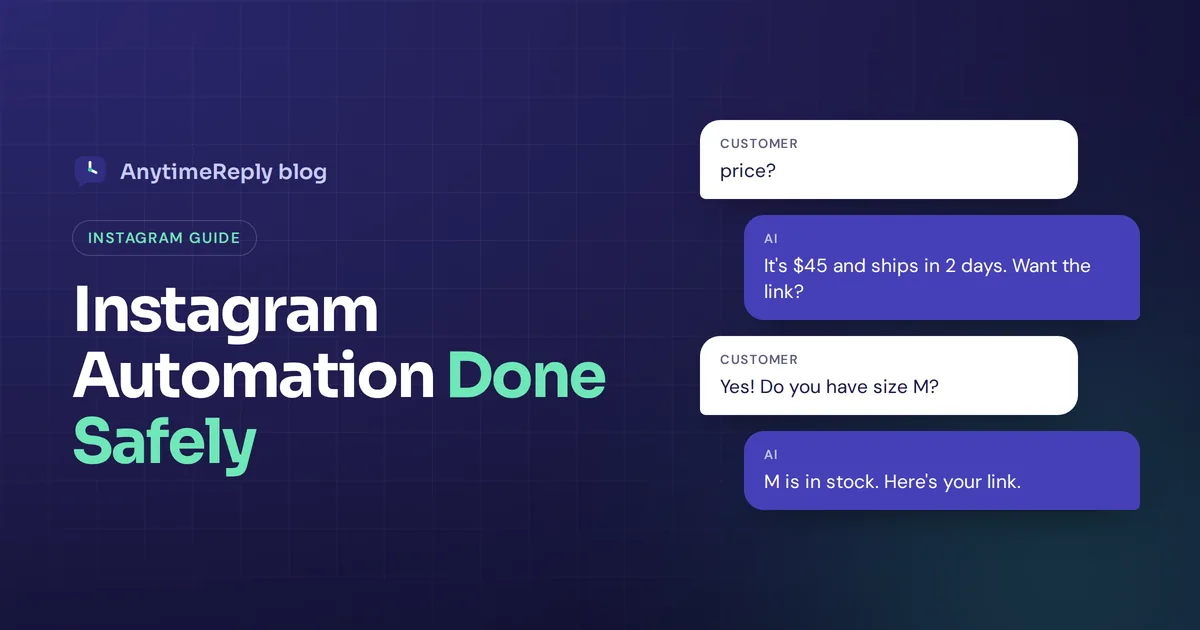
Keyword bots are simple and cheap but only handle questions you predicted. That's the main gap between basic and AI-based DM automation features. AI-based Instagram message automation understands free text, so "how much for the black one in M?" gets a real answer. That's where it helps to use AI, and where newer AI tools pull ahead.
What you can safely automate on Instagram
DM replies
Automatic answers to direct messages on Instagram: FAQs, prices, sizes, delivery, order status. With an AI agent trained on your products and policies, it handles free-text questions, not just keywords.
Comment replies and comment to DM automation
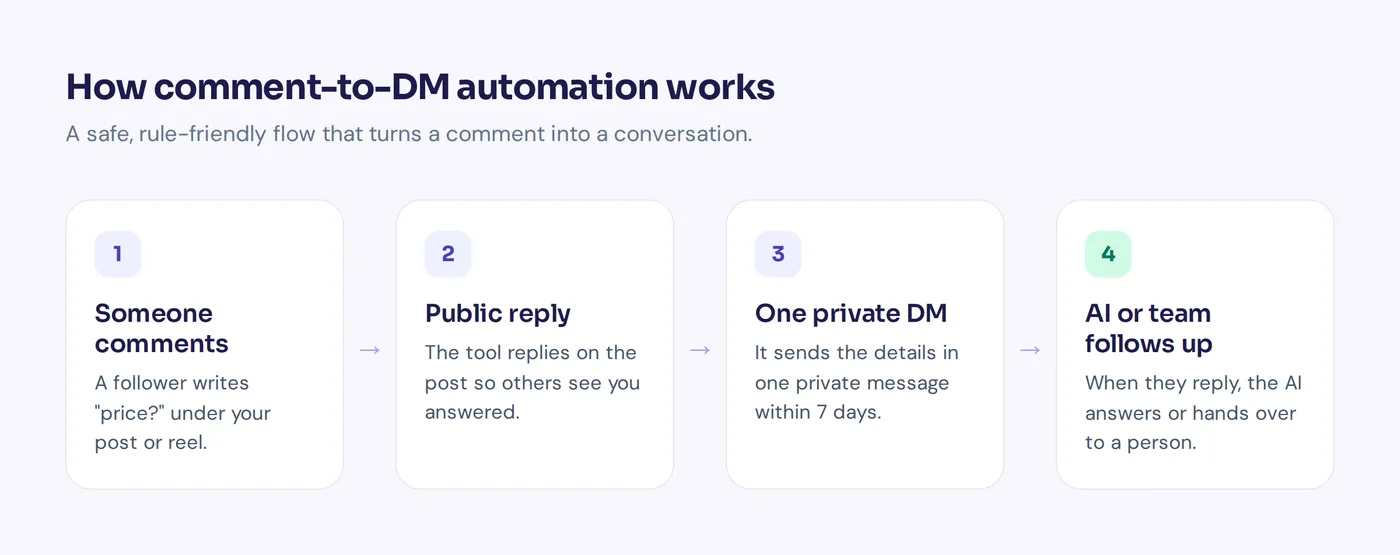
When someone comments on a post or reel, the tool can reply publicly ("Sent you the details!") and send one private DM when someone comments. This is often the biggest win for social sellers.
Welcome messages
A friendly first message or a few suggested questions when someone opens a chat with your brand on Instagram for the first time.
Story replies and mentions
Some tools respond when people reply to your story or mention you. Features vary, so check what your tool supports.
Post scheduling
Planning and publishing posts at set times. Meta supports publishing through its API for professional accounts.
Lead capture and handoff
Asking for a name or email inside the DM, and passing complaints, custom orders and upset customers to a person.
What's not allowed on Instagram: fake likes and follow bots
You'll see tools promising "10,000 followers in a month" by auto-following, auto-liking and auto-commenting on thousands of accounts. Some sell likes and followers outright. Please don't use them.
- It goes against Instagram's rules. Instagram's Community Guidelines ask users not to artificially collect likes, followers or shares, not to post repetitive comments, and not to repeatedly contact people for commercial purposes without consent. Its terms also limit automated access to accounts without permission.
- Instagram removes it. Instagram has said publicly that it removes inauthentic likes, follows and comments created by third-party apps, and it can warn or restrict accounts that use them.
- You usually hand over your password. Many follow bots log in as you. That's a security risk, and the login patterns often trigger Instagram's checks.
- The numbers are fake. Bot followers don't buy. They also drag down your engagement rate, so your real content reaches fewer people.
- It annoys real people. Generic "Great post!" comments make your brand look cheap.
Simple rule: automate how you respond to people who come to you. Don't automate pretending to be popular.
Safe vs risky Instagram automation at a glance
| Task | Safe? | Why |
|---|---|---|
| Auto-reply to DMs | Yes, with an official API tool | The customer started the conversation |
| Reply to comments and send one private message | Yes | Supported by Meta for professional accounts |
| Schedule posts | Yes | Official publishing API |
| Welcome messages and quick questions | Yes | Part of the messaging tools |
| Auto-follow and unfollow | No | Inauthentic activity |
| Auto-like or mass comment | No | Spammy, artificially collects engagement |
| Buying likes or followers | No | Fake engagement, removed by Instagram |
| Cold DMs to people who never contacted you | No | Unsolicited commercial messages |
Instagram business messaging rules to know
Official automation runs within Meta's messaging rules. Meta updates its policies, so check the official docs for the latest.
- Instagram business or creator account required. DM automation on Instagram needs a professional account connected through Meta's tools.
- The 24-hour window. After a customer messages you, you can reply freely within 24 hours. Outside that window, options are limited.
- One private reply per comment. According to Meta's private replies docs, you can send one private message to someone who commented, within 7 days of the comment. The conversation continues only after they reply.
- It may land in requests. If the person doesn't follow you, your private reply goes to their message requests folder.
The takeaway: Instagram automation is built for answering Instagram users who reach out, not for sending a DM to strangers.
Best Instagram automation tools in 2026: free plan and free trial options
Here's a short list, grouped by what each tool is good at. Most offer free and paid options, either a free plan, a free tier with limits or a free trial. Plans change often, so check each pricing page.
AnytimeReply: best for DM support with AI
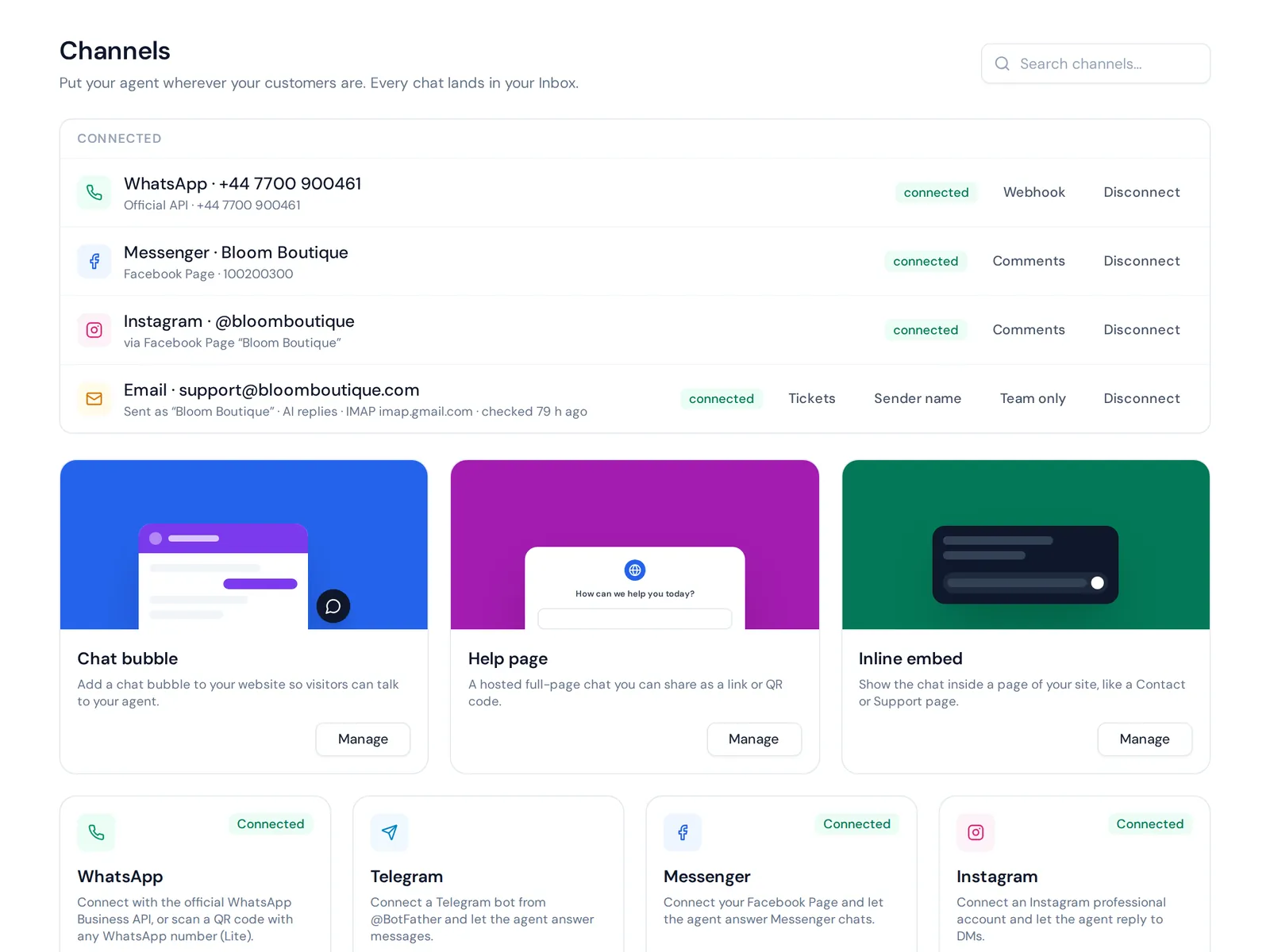
An AI agent and helpdesk that answers Instagram messages and comments from your website, documents and products, in the customer's language, and hands chats to your team with a summary. Instagram sits in the same inbox as WhatsApp, Messenger, email and website chat. Instagram is on paid plans from Hobby; the Free plan covers website chat so you can test the AI first. No post scheduling.
ManyChat: best for creator campaigns
ManyChat is popular with creators and marketers for keyword triggers, comment-to-DM flows and lead capture. ManyChat has a free plan with limits, so check what it includes today.
Kommo: best for sales teams with a CRM
Kommo is a messaging-focused CRM. Its Salesbot handles Instagram DM and comment automation and moves leads through a sales pipeline. Its site offers a 14-day free trial.
BotHelp and SendPulse: bot builders for several channels
Each is a DM automation tool that covers Instagram alongside other channels like Messenger or email. If you want a tool like ManyChat but for several platforms at once, these are worth a look.
Meta Business Suite: free basics
Meta's own tool is free and covers scheduling for Instagram and Facebook plus simple saved and automated replies. A sensible start before you pay for anything.
Later or Buffer: best for content scheduling
Scheduling tools that plan and publish your feed. Best for content, not conversations, so many brands pair one with a DM tool.
Our honest view: most businesses need two kinds of tools, one for content and one for conversations. When comparing Instagram DM automation tools, look past the feature list. Pick the right Instagram DM automation platform by testing it on your 20 most common real questions. The best Instagram DM automation is simply the one that gets those answers right.
Automation messages on Instagram: 12 templates you can copy
Keep messages short, friendly and useful. Always give a way to reach a person.
Welcome and FAQ
"Hi! Thanks for messaging us. I can help with prices, sizes, delivery and orders. What are you looking for today?"
"Hey there! Our team replies 10 am to 7 pm, but I can answer most questions right now. Ask away."
Price and product questions
"This one is $45 and available in S, M and L. Want me to check if your size is in stock?"
"Great choice! It comes in black, beige and olive. Delivery takes 2 to 3 days. Would you like to order?"
Comment replies
Public: "Just sent you the details in DM!"
Private: "Hi! You asked about the price on our post. It's $45 with free delivery this week. Want the link?"
Public (for a complaint): "So sorry about this. We've sent you a message to sort it out."
Orders and delivery
"I can check your order. Please send your order number or the phone number you used."
"We deliver across the country. Inside the city it takes 1 to 2 days, outside 3 to 5 days."
Lead capture
"Want early access to our next drop? Share your email and we'll let you know first."
Handoff to a person
"That's a great question for our team. I've passed your message on, and someone will reply shortly."
"I'm sorry about the trouble. Let me connect you with a team member who can fix this."
How to start automating your Instagram DMs, step by step
- Switch to a professional account. In Instagram settings, choose a business or creator account.
- Link a Facebook Page if your tool needs it. Many official integrations connect through Meta's business tools.
- List your top questions. Scroll through your last 100 DMs and comments. Write down the 15 to 20 that come up most.
- Prepare the answers. Prices, sizes, delivery areas and times, payment options, return policy.
- Connect your Instagram account. Use a tool that connects through Meta's official login, never one that asks for your Instagram password.
- Set up DM and comment replies. Start with FAQs and comment-to-DM on your most popular posts. That's the core use case for most shops.
- Set handoff rules. Complaints, custom requests and anything the bot isn't sure about go to a person.
- Test with a friend's account. Ask real questions, in the language your customers use.
- Review weekly. Read a few conversations, fix wrong answers and add missing ones.
Instagram DM automation best practices
- Be honest that it's automated. "I'm the shop's AI assistant" is fine. Pretending to be a human isn't.
- Keep it short. Instagram is a mobile app. Long paragraphs don't get read.
- Personalize. Use the customer's name and the product they asked about, not a generic blast. Using Instagram DM automation well means it still feels personal.
- Reply in the customer's language. If people write in Bangla, Banglish or Hindi, answer that way.
- Don't over-automate public replies. Twenty identical "Check DM!" comments look robotic. Vary them.
- Make it easy to reach a human. Always.
- Measure the power of Instagram DM automation. Track response time, chats that turned into orders and questions the bot couldn't answer.
How AnytimeReply helps as an Instagram automation tool
AnytimeReply connects to Instagram professional accounts and answers DMs and comments with an AI agent trained on your website, documents and products. It replies in the customer's language, including Banglish and Hinglish, and when a customer wants a person, gets upset or asks something it can't answer, it hands the chat to your team with a summary.
- One inbox: Instagram sits next to website chat, WhatsApp, Messenger and email in the same helpdesk.
- Comment replies: public or private replies to Instagram and Facebook comments, part of our outbound messages features.
- Shop data: with Shopify connected, the AI can show products with price and stock.
- Spam protection: AI spam detection pauses junk chats before they use credits.
Instagram is available from the Hobby plan; see pricing. What we don't do: post scheduling, auto-following, auto-liking or growth hacks. Pair us with a scheduling tool if you need one.

Frequently asked questions
Is Instagram automation legal?
Using approved tools that connect through Meta's official APIs is allowed for things like DM replies, comment replies and scheduled posts. Automating likes, follows, mass comments or buying followers goes against Instagram's rules and can get your account restricted.
How do I add an automated message on Instagram?
Switch to a professional account, connect an approved tool through Meta's login, add your common questions and answers, and set a welcome or first message. Some basic saved replies are also available in Meta's own tools.
Can I send automated DMs to people who comment?
Yes. You can send one private message to someone who commented on your post or reel, within 7 days. The conversation continues once they reply.
Is there free Instagram DM automation?
Some tools offer a free auto DM option on a free plan with limits, and others offer a free trial. Check what's included before you build your flows around it.
What is an example of automation on Instagram?
A follower comments "price?" on a reel. The tool replies "Sent you the details!" publicly and sends a DM with the price and a link. If they ask a follow-up, an AI answers from your product info.
How do I get 1,000 followers on Instagram quickly?
There's no safe shortcut. Buying followers or using follow bots breaks Instagram's rules and brings fake accounts that never buy. Post useful content consistently, reply fast to every comment and DM, and collaborate with creators in your niche.
Automate the replies, keep the relationships
Whether you automate DM replies or comments, the goal is the same. The best Instagram automation doesn't fake popularity. It makes sure every real person who comments or sends a DM gets a fast, useful answer, and that the tricky ones reach your team.
Ready to automate your Instagram the safe way? Start free with AnytimeReply, train the agent on your website and test it before connecting Instagram. No card needed.
Published 29 October 2026 by AnytimeReply team