A customer is stuck. It is late, your team is offline, and they search your help center for "change delivery address". What they find decides whether they fix it themselves in two minutes or send you an annoyed email. That page is a knowledge base article, and most of them are harder to use than they should be.
A good knowledge base article answers one question, in plain words, with steps the reader can follow without thinking. It has a clear title, a short answer at the top and nothing extra.
This guide covers everything you need to know to write one: what it is, the best structure, how to write it step by step, a copy-ready outline, real examples, best practices and how to keep your knowledge base useful over time.
What is a knowledge base article?
A knowledge base is a centralized library of answers about your product or service. A knowledge base article is one page in that library. It answers one specific question or solves one problem, and people find it through search, a menu or a link from support.
The purpose of a knowledge base is simple: help people find the information they need without waiting for a person. The goal of a knowledge base is the same whether it serves customers or staff: make it easy for readers to find what they need. For customers, that means self-service support at any hour. For your support team, it means fewer repeat questions and a single source of truth. In other words, a knowledge base provides self-service help for customers and shared answers for staff.
Knowledge base vs database
People sometimes mix these up. A database stores structured data, like orders or user accounts, for software to read. A knowledge base stores written knowledge, like how-to guides and policies, for people (and AI) to read.
Which type of knowledge base: internal or external?
Before you create a knowledge base article, know who it is for. There are two main types:
- External knowledge base: a public, customer knowledge base, usually your help center. It answers questions about your product, orders, billing and policies.
- Internal knowledge base: a private knowledge hub for your team. It holds internal knowledge like processes, HR policies, IT guides and saved replies, and it keeps institutional knowledge from walking out the door when someone leaves.
Inside either type, you will write a few common kinds of articles:
- How-to articles: step-by-step instructions. "How to reset your password."
- Troubleshooting articles: fix a problem. "Why didn't I get my confirmation email?"
- FAQ articles: short answers to common questions. "Do you ship internationally?"
- Policy articles: rules explained simply. "Our return policy."
- Explainer articles: what something is and why it matters. "What are message credits?"
- Getting started guides: the first steps for new customers or new hires.
Benefits of a knowledge base
Many customers would rather find answers themselves than wait for a reply. A well-structured knowledge base gives them that, and it helps your team too:
- Fewer support tickets. If 30 people a week ask how to change their address, one article can answer all of them.
- Faster replies. A support agent can send a link instead of typing the same steps again.
- Help at any hour. Articles work at 3 am and on holidays.
- Better customer experience. People feel in control when they can fix things on their own.
- Better AI answers. AI chatbots and agents learn from your help content. Clear articles mean clear AI replies.
- Easier onboarding. New team members learn your product from the same articles.
- Search traffic. Public articles can show up in Google when people search for your product plus a problem.
In short, a knowledge base helps customers, agents and new hires at the same time. An effective knowledge base cuts repeat work for your whole user base. Few support projects pay off in so many places, and that is what makes a knowledge base worth the effort.
What makes a good knowledge base article?
Strong articles have a few things in common:
- One topic. It answers one question. Not three.
- A searchable title. It uses the words customers type, not your internal names.
- The answer first. Readers get value from the first two lines.
- Scannable steps. Numbered, short, one action each.
- Plain language. No jargon, short sentences, written for someone tired and in a hurry.
- Accurate and current. The buttons in the article match the buttons on the screen.
There is no perfect knowledge base article, but if you get these six right, you are ahead of most help centers.
The best knowledge base article format
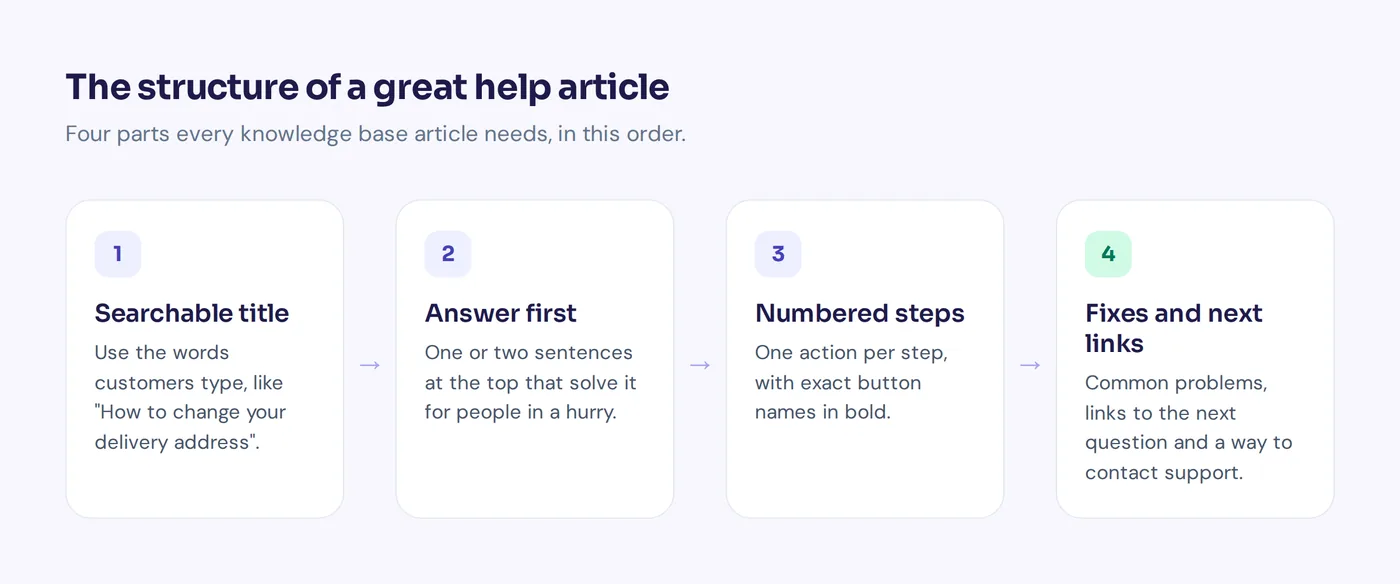
Readers scan, so the layout does a lot of the work. Most strong articles use this structure:
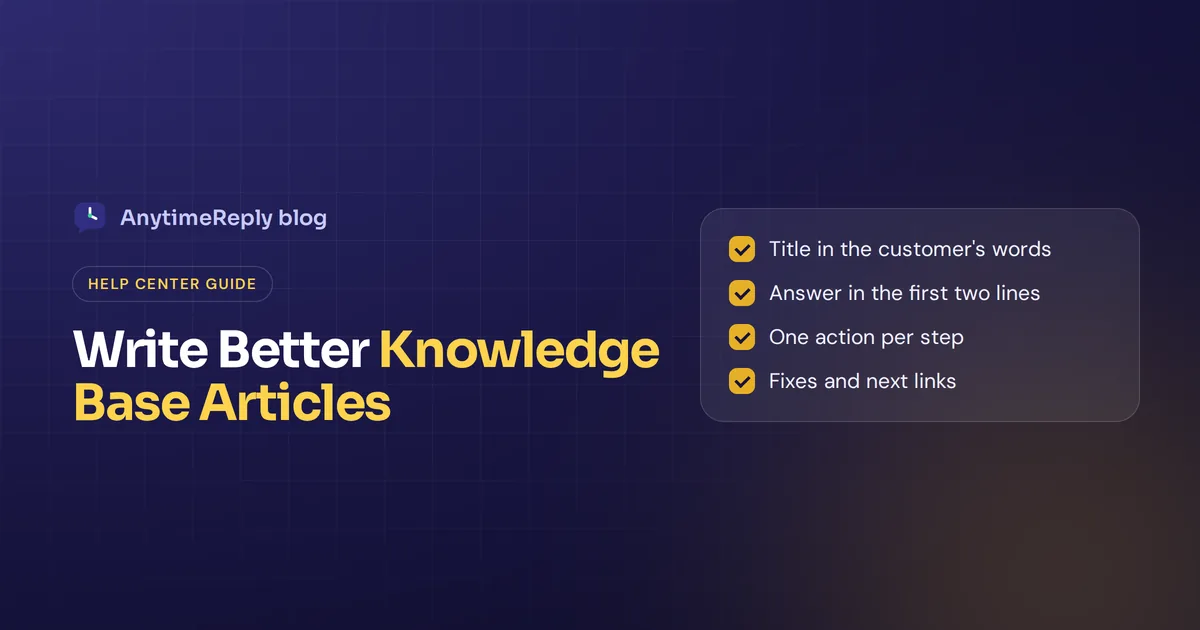
- Title: the question or task in the reader's words. "How to change your delivery address", not "Address management".
- Short answer: one or two sentences at the top that solve it for people in a hurry.
- Before you start (optional): what the reader needs, like a login or a plan.
- Steps: a numbered list, one action per step, with exact button names in bold.
- Screenshots or a short video: only where they really help.
- If it didn't work: common problems and fixes, so readers can troubleshoot alone.
- Related articles: two or three links to the next likely question.
- Feedback: "Was this helpful?" so readers can provide feedback on articles.
How to write a knowledge base article step by step
1. Pick a real question
Start from support requests: your inbox, chat logs and searches inside your help center. Write articles for questions people actually ask, not for features you are proud of. Sort past tickets by topic and read the articles to identify gaps. If your existing knowledge base already covers a question, improve that article instead of writing a new one.
2. Write the title in the customer's words
Customers search "cancel subscription", not "account termination procedure". Use the words they use, and include the main keyword someone would type into Google or your search box. Start how-to titles with "How to".
3. Answer first
Put the short answer in the first two lines. Someone who reads only that should still get value.
4. Break the task into numbered steps
One action per step. Name the exact buttons and menus. Tell the reader what they should see after each important step, so they know they are on track.
5. Keep it short and plain
Short sentences. No jargon. If you must use a technical word, explain it once. Aim at someone who is tired, distracted and maybe not a native English speaker.
6. Add visuals where they help
A screenshot of a busy settings page saves a paragraph. A screenshot of a simple button doesn't. Highlight the part that matters.
7. Help readers troubleshoot
Add a short section with the two or three most common problems and their fixes.
8. Link to the next question
After "How to cancel your subscription", people often ask "Will I get a refund?" Link it.
9. Review, publish and update
Have someone who didn't write it follow the steps. Then publish, and check it again whenever your product or policy changes.
Knowledge base article template
Copy this outline and fill in the brackets:
Title: How to [do the task]
Short answer: To [do the task], go to [place] and click [button]. It takes about [time].
Before you start: You need [login, permission, plan or item].
Steps:
1. Go to [page or menu].
2. Click [button].
3. Enter [information] and click [Save].
4. You will see [confirmation message].If it didn't work:
[Problem 1]: [Fix].
[Problem 2]: [Fix].See also: [Link 1], [Link 2]
Still need help? [Chat with us or contact support].
Troubleshooting article outline
Title: [Problem]: how to fix it
Quick fix: In most cases, [most common fix].
Possible causes and fixes:
1. [Cause 1]: [How to check and fix].
2. [Cause 2]: [How to check and fix].
3. [Cause 3]: [How to check and fix].Still not working? Contact us with [the details support will need].
FAQ article outline
Title: [The question exactly as customers ask it]?
Answer: [Yes / No / It depends] + one or two sentences of explanation.
Details: [Exceptions, costs, timing].
See also: [Link].
Examples of knowledge base articles you can copy
Here are short knowledge base examples for a fictional online clothing store. Notice how each one answers first.
How-to example
How to change your delivery address
You can change the address on any order that hasn't shipped yet, from your account.
1. Log in and go to My orders.
2. Click the order you want to change.
3. Click Edit address, enter the new address and click Save.
4. You'll get an email confirming the new address.Don't see Edit address? Your order has already shipped. Chat with us and we'll try to redirect it with the courier.
Troubleshooting example
I didn't get my order confirmation email
Most of the time the email is in your spam or promotions folder.
1. Check spam and promotions for an email from orders@[store].
2. Check that the email address on your account is correct under Account settings.
3. Still nothing after 30 minutes? Chat with us with your order number.
FAQ example
What are your weekend hours?
Our chat is open Saturday 10 am to 4 pm and closed on Sunday. Our AI assistant can answer order and shipping questions any time.
Policy example
Our return policy
You can return unworn items within 30 days of delivery for a full refund. Start a return from My orders. Sale items can be exchanged but not refunded.
Internal knowledge base example
How to issue a partial refund (team only)
Partial refunds up to $50 can be approved by any agent. Above $50, ask a team lead first.
1. Open the order in the admin panel.
2. Click Refund and choose Partial.
3. Enter the amount and a reason, then click Confirm.
4. Add an internal note on the ticket with the amount.
Best practices for writing knowledge base articles
Use this checklist before you publish:
- Does the title use the words a customer would search?
- Is the answer in the first two lines?
- Does the article cover one question only?
- Are steps numbered, with one action each?
- Are button and menu names exact and in bold?
- Is every screenshot up to date?
- Is there a section for when it doesn't work?
- Are there links to the next question and to support?
- Did someone else follow the steps successfully?
- Does it have an owner, so someone keeps it current?
Use the same structure for every article. Consistency makes writing knowledge base articles faster, makes each new article easier to plan, and teaches readers where to look. Everything within the article must serve one question: articles must be short enough to scan and complete enough to finish the task.
Common mistakes to avoid
- Writing for yourself. Internal names and jargon confuse customers.
- Burying the answer. Three paragraphs of background before the first step.
- One article, five topics. Split it. Short articles are easier to find and to keep updated.
- Old screenshots. If the button moved, the article is now wrong, and readers lose trust in your knowledge base.
- No feedback loop. Without views and ratings, you never know which articles fail.
Knowledge base management: organize and maintain it
Writing is half the job. Knowledge base management is the other half. When you build a knowledge base, plan how you will keep it current from day one.
Knowledge base structure
Group articles into a few clear categories, like Orders, Shipping, Returns, Account and Payments. Five to eight categories is enough for most businesses. Tag articles so search works well, and keep URLs and titles short.
Measure article performance
Watch views, thumbs up or down, and searches that return nothing. Which articles get many views but bad ratings? Which questions still come into support even though an article exists? Those are your next edits.
Review articles on a schedule
To ensure your knowledge base stays accurate, give every article an owner. A well-maintained knowledge base gets a quick review every month for top articles and every quarter for the rest. Update your knowledge base the same day a product or policy changes. Good knowledge management also means a culture of knowledge sharing: when an agent solves a new problem, they add new knowledge right away.
Using an AI knowledge base
AI changes how a knowledge base works in two ways. First, AI can draft articles from your notes or past chats, which makes the first version faster to write. A person should still check facts and button names.
Second, AI can answer from your articles directly. Instead of a list of links, the customer asks a question and gets a short answer pulled from your knowledge base content. That only works if the articles are clear, current and focused, which is one more reason to follow the format above. To ensure your articles work for AI, keep one topic per page and avoid vague phrases like "see above".
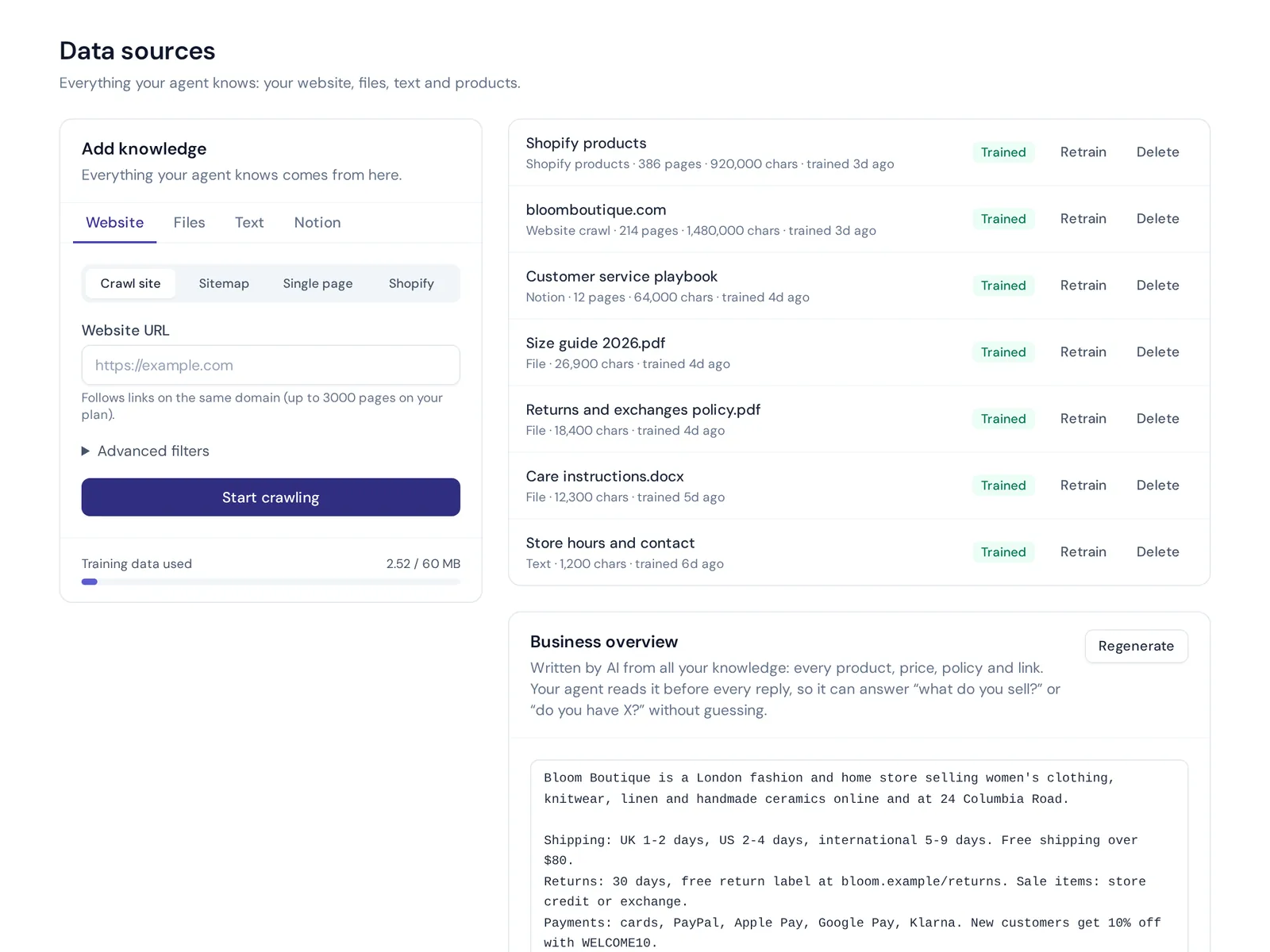
How to choose the right knowledge base software
Creating a knowledge base is easier with the right tool. A plain document folder works for five articles, not for fifty. When you choose the right knowledge base software, look for:
- Good search. Helping customers to find answers fast is the whole point. Search should handle typos and plain questions.
- An easy editor. If writing help articles feels like work, nobody will update them.
- Feedback and analytics. Views, ratings and failed searches.
- Your own domain and branding, so the help center feels like part of your site.
- AI features. Drafting, and answering questions from your articles.
- Internal and external options, if you need both.
There are also open-source knowledge base tools if you prefer to self-host, but you then handle hosting and updates. Whatever you pick, a knowledge base can provide structure, but only good writing makes the knowledge base work. Use knowledge from your support chats to decide what to write first.
How AnytimeReply helps with knowledge base articles
AnytimeReply has a built-in help center. You can publish articles from your AI agent's knowledge on your own domain (help.yourdomain.com), and use "Draft with AI" to get a first version you then edit.
- AI search that answers. Instead of a list of links, visitors get a direct answer from your articles.
- Views and thumbs up or down on every article, so you see what needs work.
- Knowledge gaps. Analytics shows questions the AI couldn't answer, with a one-click "add answer".
- One source for chat and help center. The same knowledge trains the AI agent that replies on your website and other channels.
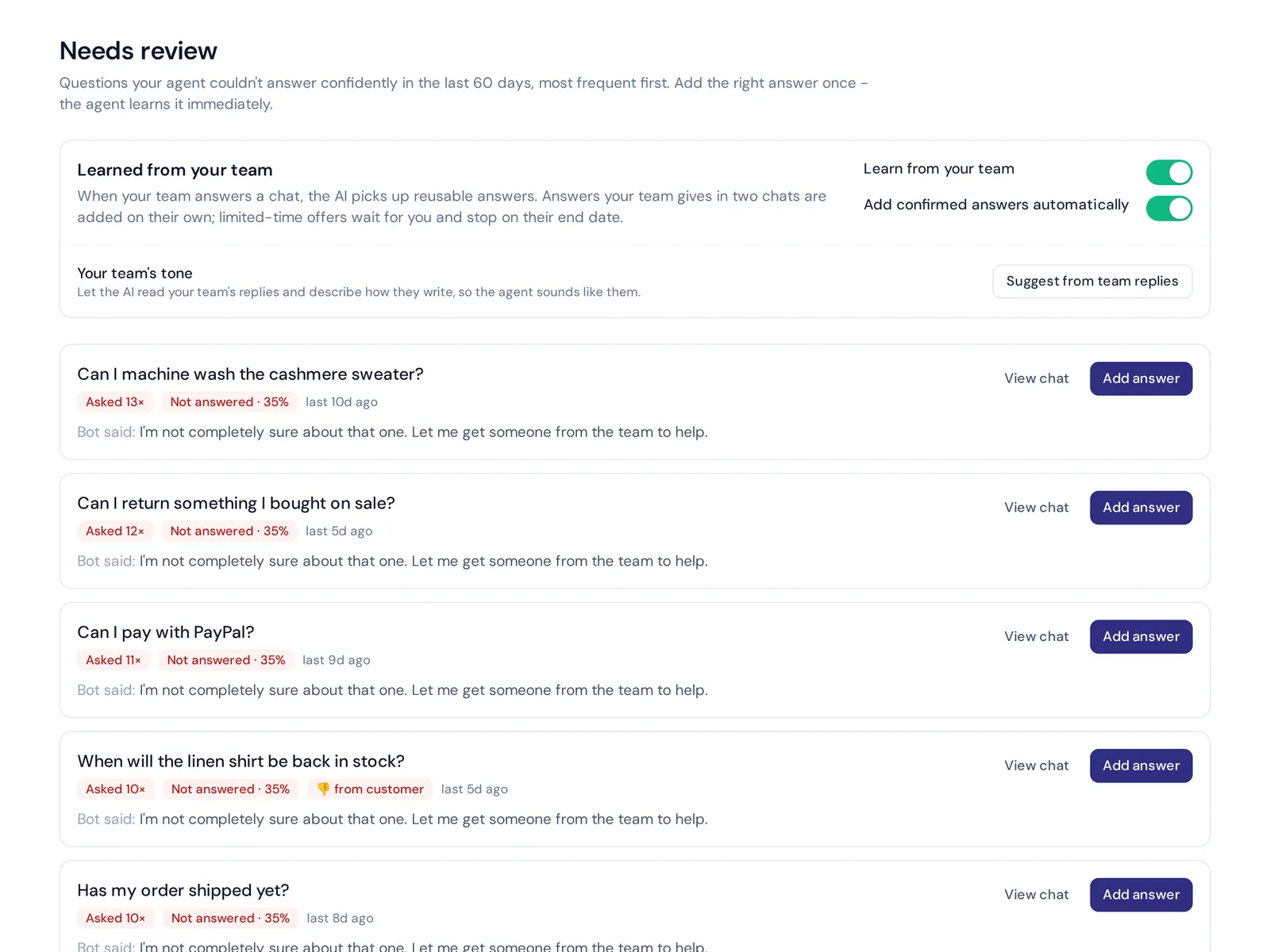
The help center is included on the Free plan. Setup steps are in our help center guide. It is a customer support tool, so if you need a large internal wiki with complex permissions, a dedicated knowledge base tool may suit you better.
Frequently asked questions (knowledge base FAQs)
What is the main purpose of a knowledge base?
To let customers and employees find answers on their own, quickly and at any time, so fewer questions need a person.
How long should a knowledge base article be?
As short as possible while still solving the problem. Many good articles are 100 to 400 words. If it gets much longer, it probably covers more than one question.
What is a knowledge article in ServiceNow?
In ServiceNow, a knowledge article is an entry in its knowledge management module, used by IT and service teams to share fixes and how-tos. The writing advice in this guide applies there too.
Does ChatGPT have a knowledge base?
Not your knowledge base, by default. ChatGPT answers from its training data and, if you set it up, from files you upload to a custom GPT. To have an AI assistant answer your customers from your own help articles, you need a tool that connects it to your knowledge base.
How often should I update knowledge base articles?
Whenever the product or policy changes, plus a regular review of your most viewed articles.
Who should write knowledge base articles?
Support agents are often best, because they know the real questions. A product person can check accuracy, and someone new to the product can test the steps.
Final thoughts
A great knowledge base article is boring in the best way: clear title, answer first, short steps, done. Think of the tired customer at midnight, test it on someone new, and update it when things change.
Want a help center that drafts articles with AI and answers questions from them? Start free with AnytimeReply, no card needed.
Published 28 October 2026 by AnytimeReply team