A projector dies five minutes before first period. A teacher can't log in to the gradebook. A parent emails the front office for the third time asking when term starts. And somewhere, a Chromebook cart is missing four devices nobody can account for.
That's a normal Monday for school IT and admin teams. Help desk software for schools turns that chaos into tickets you can track, route and close, so requests stop living in sticky notes, hallway conversations and someone's personal inbox.
In this guide we explain what these tools actually do, the features that matter for schools and colleges, the best tools to look at, and how to choose without overbuying. We make a support product ourselves, so we have a bias, but we'll be honest about where other tools are the better fit.
What is school help desk software?
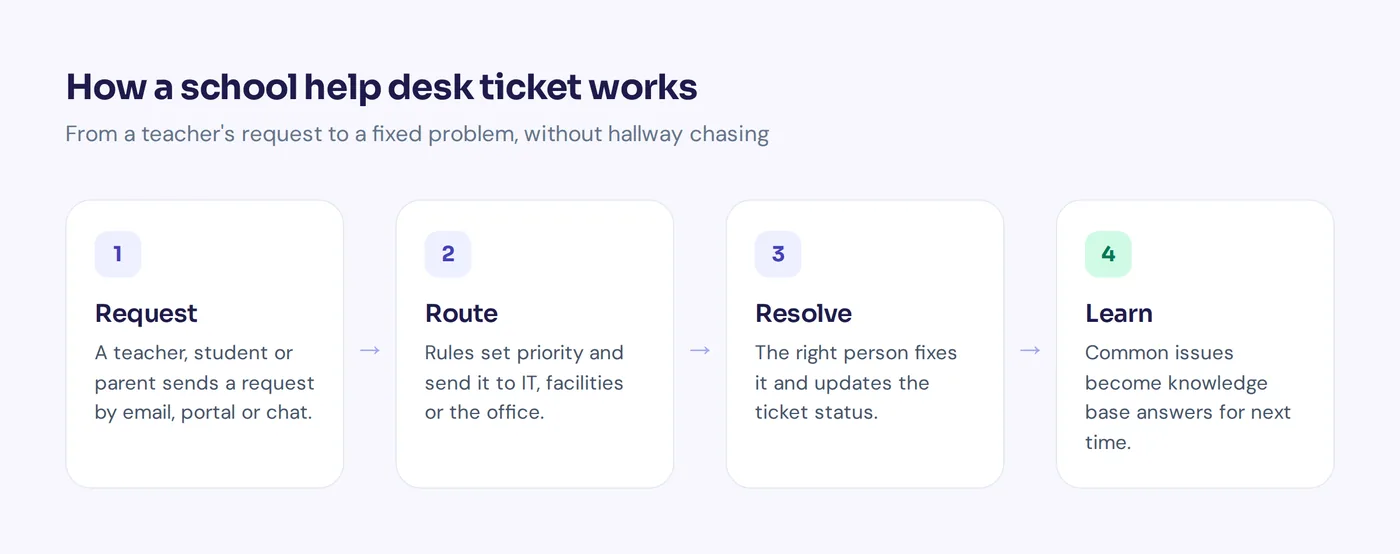
It's a ticketing system where staff and students submit support requests, and the people who fix things (IT, facilities, the office) see them in one queue. Each request becomes a ticket with a status, a priority and an owner. That's help desk ticketing in a nutshell.
Instead of "I emailed Dave last week, did he see it?", you get a clear record: who asked, what's wrong, who's on it and when it was fixed. Over time that history shows patterns, like which building has the most Wi-Fi complaints or which laptop model keeps breaking.
Most school help desks handle more than IT. The same system can take facilities requests (a broken heater), HR questions, enrolment queries from parents, and library or AV bookings. That's why many schools look for one platform that serves multiple departments.
Why schools need help desks, not just an email inbox
Plenty of schools start with a shared email address. It works until it doesn't. Here's what changes when schools move to proper help desks:
- Nothing gets lost. Every request becomes a ticket, so a teacher's issue doesn't vanish when the one IT person who saw it is off sick.
- Urgent issues jump the queue. A smartboard failure during a lesson matters more than a request for new mouse pads. Priorities and routing rules make that automatic.
- Less workload from repeat questions. A knowledge base answers "How do I reset my password?" before it becomes a ticket.
- Visibility for leaders. Reports show ticket volume, resolution times and where staff time goes, which helps with budgets and hiring.
- Accountability. Requesters can see the status of their own tickets instead of chasing IT in the corridor.
For school districts with many sites, this matters even more. One central team can see every building, and requests can be assigned by school site. Good help desks streamline that work instead of adding admin.
Key features to look for: knowledge base, asset management, integration and more
Help desks for schools all look similar on a sales page. The differences show up in daily use. These are the features that matter most in education environments.
Easy ticket submission
Teachers are busy. If logging a ticket takes more than a minute, they'll grab the nearest IT person in the hallway instead. Look for email to ticket, a simple web portal, and ideally submission from the channels they already use, like Microsoft Teams or Google Chat.
Routing and automation
Automation should send each ticket to the right technician or team based on category, building or urgency. Good tools also automate reminders, escalations and status updates, so nobody has to chase manually.
Knowledge base and self-service portal
A searchable knowledge base for common fixes (printer setup, Wi-Fi, password resets) cuts ticket volume. The portal lets end users track their tickets and find answers on their own.
Asset management
K-12 schools running 1:1 device programs need to know which student has which Chromebook, its repair history and its warranty. Tickets and device records in one tool save a lot of spreadsheet work. Some education tools also sync devices from the Google Admin Console and handle repair fees.
Integrations: SSO, SIS and your directory
Look for SSO with Google Workspace or Microsoft 365, so nobody needs another password. Integration with your SIS (student information systems) lets tickets show which student or class is affected. Device management and directory sync keep data fresh.
Privacy and permissions
School tickets can include sensitive student information. You want granular permissions so staff only see what they need, audit trails, and clear answers on where data is stored. If you're in the US, ask vendors how they support FERPA obligations.
Customizable forms and workflows
Each school works differently. Customizable forms, statuses and workflow rules let you match each workflow to your process, not the other way round.
AI features (used carefully)
A modern help desk adds AI features: suggesting answers, summarizing long threads, drafting replies or answering common questions automatically. Useful, but ask whether student data is used to train AI models and whether you can turn features off.
The best help desk software for schools in 2026
There's no single winner for every school, and the best help desks for a district aren't the best for a small academy. A small private school and a 40-site district have very different needs. Here are tools worth a look, grouped by what they're known for. Check each vendor's pricing page and ask for a free trial before deciding.
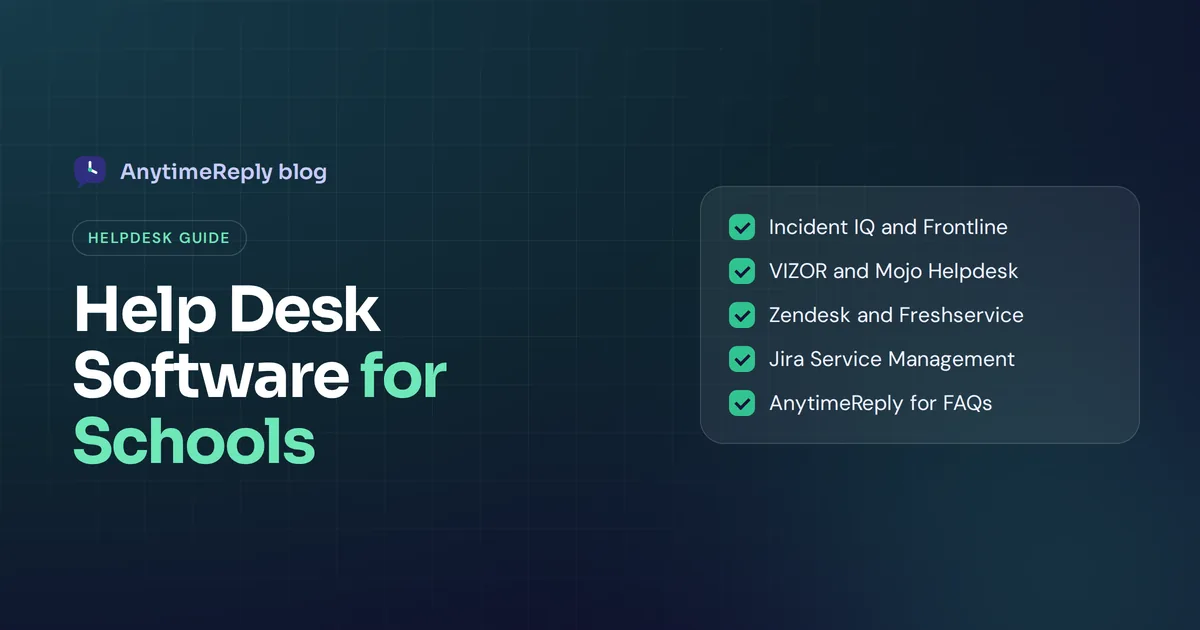
1. Incident IQ
Built specifically for K-12 school districts. Known for combining ticketing, device tracking and device workflows in one platform, with a focus on making it simple for teachers to submit requests. A strong fit for large districts with big device fleets.
2. Frontline Education
Frontline offers help desk management for schools as part of a wider set of education tools, linked closely with inventory and asset tracking. Worth considering if you already use other Frontline products.
3. VIZOR
VIZOR focuses on schools, covering IT and facilities ticketing, email to ticket, a knowledge base, custom fields, self-service and asset data. A good option for schools that want ticketing and IT asset management together without enterprise complexity.
4. Mojo Helpdesk
This general-purpose tool is popular with schools and colleges. Known for being straightforward to set up, with ticket routing and self-service. A practical choice if you want something simple, and one of the help desk tools schools mention often.
5. InvGate Service Management
An IT service management (ITSM) tool with service desk software features, asset tracking and automation. Better suited to larger institutions and universities with formal IT processes.
6. Deskpro
Deskpro targets universities, colleges and schools, with omnichannel support for IT and campus services. It stands out for offering deployment options within your own infrastructure, which matters to institutions with strict data rules.
7. Zendesk
Zendesk is one of the best-known support platforms overall, and popular with small businesses and large companies alike. It's flexible and well integrated, but it's a general-purpose help desk platform built for businesses, so schools usually need more setup to fit it to education workflows.
8. Jira Service Management
Atlassian's tool is popular with IT teams that already use Jira. Powerful and customizable, with a free tier for small teams, but it can feel technical for teachers and office staff.
9. Freshservice
Freshworks' IT service management tool, with helpdesk tickets, asset tracking and a self-service portal. A middle ground between a traditional help desk and heavy ITSM suites.
10. AnytimeReply (for front-office and FAQ support)
We're different from the tools above. AnytimeReply is an AI support agent with a built-in inbox, best for answering the repeat questions that flood a school's front office and internal IT/HR channels, not for managing device fleets. More on that below.
Comparison: school help desk tools side by side
| Tool | Best for | Device tracking | Notes |
|---|---|---|---|
| Incident IQ | Large districts | Yes | Built for schools, device-heavy |
| Frontline Education | Districts using Frontline | Yes | Part of a wider education suite |
| VIZOR | Schools wanting IT + facilities | Yes | School-focused editions |
| Mojo Helpdesk | Small schools | Check with vendor | Simple to start |
| InvGate | Universities, formal ITSM | Yes | Heavier setup |
| Deskpro | Colleges and universities | Check with vendor | Self-hosting options |
| Zendesk | Schools with office/customer teams | Via add-ons | General purpose |
| Jira Service Management | Tech-savvy IT teams | Yes | Has a free tier |
| Freshservice | Mid-size IT teams | Yes | ITSM middle ground |
| AnytimeReply | Parent, student and staff FAQs | No | AI answers first, shared inbox |
Asset details are based on how each vendor describes its product. Confirm current features in a demo.
How to choose the right help desk software for your school
Here's a simple process that works for small schools and districts alike:
- List your request types. Pull a month of emails and messages. How much is IT, facilities, HR, admissions or parent questions? That tells you whether you need IT-first, facilities-first or a general support team tool.
- Count users and sites. How many IT staff, how many buildings, how many staff and students? Multi-site districts need routing by location.
- Decide on asset management. Running a heavy 1:1 program? Choose a tool with built-in assets. If not, a lighter tool is fine.
- Check integrations. SSO, SIS, Google Workspace or Microsoft 365, and whatever device tools you use.
- Ask hard privacy questions. Where is data stored? Who can see private student tickets? Is data used to train AI?
- Run a real trial. Give three teachers and two IT staff a free trial for two weeks. If teachers won't use it, it won't work.
- Plan the rollout. Good school ticketing starts simple: one email address, one link, a short guide for staff, and a cut-off date for hallway requests.
How much does a help desk system for schools cost?
Pricing for help desks varies a lot. Some tools charge per technician (agent) per month, others per student, device or site, and education platforms often sell annual district contracts. There are also free options and free tiers for small teams, usually with limits on agents or features.
When you compare, count the full cost: setup, training, integrations, add-ons like device tracking, and the hours your team will spend running it. A cheaper tool that teachers refuse to use is the expensive one.
Where AnytimeReply fits: AI help desk for schools and front offices
Let's be clear: AnytimeReply isn't an IT asset management tool. If you need to track 3,000 Chromebooks, choose one of the school-specific tools above.
Where we help is the flood of repeat questions before they become tickets. Think parents asking about term dates, fees and uniform; students asking how to reset a password; staff asking IT and HR the same things every week.
- An AI agent trained on your own content. Add your school website, policy PDFs, handbooks and Notion pages. It answers in seconds, in the person's language, and says so when it doesn't know instead of guessing.
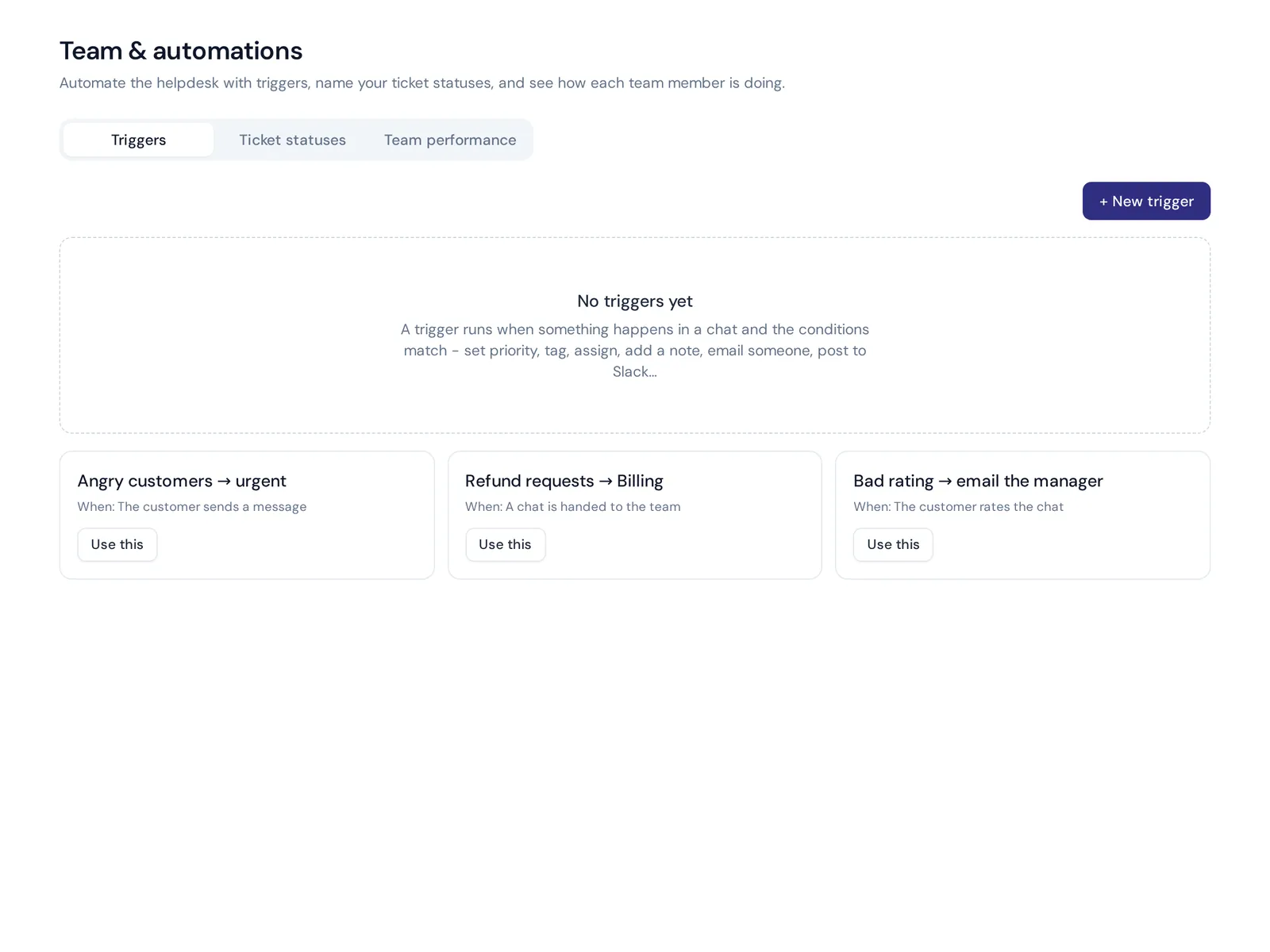
- A shared inbox behind it. When a question needs a person, it goes to a shared helpdesk inbox with a summary. You get departments, assignment rules, internal notes and triggers to tag, prioritize or route.
- Email tickets. On paid plans, connect Gmail, Outlook or any IMAP mailbox and every email becomes a ticket with status, priority and owner.
- Help center. Publish answers as a help center on your own domain with AI search.
- Internal support. It also works as an internal help desk for staff IT and HR questions, including on Slack (paid plans).
See how schools and colleges use it on our education page, or read about running an internal help desk. Customer data is not used to train AI models, and you can delete data any time.
Tips to automate your ticketing system workflow and roll it out
- Make it one click away. Put the portal link on every staff desktop, in the staff handbook and in email signatures.
- Keep forms short. Room number, device, what's wrong. That's often enough.
- Close the loop. Tell the requester when it's fixed. People trust a system that talks back. It's a better experience for students and staff.
- Write the top 20 answers first. Your knowledge base doesn't need 200 articles on day one.
- Review monthly. Look at ticket volume and resolution times, then fix the root causes behind the most common tickets.
Frequently asked questions
What software do most schools use?
It varies. Large districts often use education-specific tools like Incident IQ or Frontline, while smaller schools use general help desk solutions like Zendesk or Freshservice. Many still start with a shared inbox.
What is the best free help desk software?
Several tools offer free tiers for small teams, including Atlassian's tool mentioned above. Free plans usually limit agents or features, so check whether they cover what a whole school needs.
Does a school need asset management in its help desk?
If you run a 1:1 device program or manage lots of hardware, yes. If your requests are mostly questions and small fixes, a simpler tool is enough.
Can help desk software handle facilities and HR requests, not just IT?
Yes. Most tools support multiple departments with separate queues, forms and routing rules.
Can we use AI without exposing student data?
Ask each vendor whether data is used to train AI models, where it's stored and who can see it. Use AI first for general questions (dates, policies, how-tos) rather than private student cases.
Does it need to support multiple languages?
If your families speak several languages, it helps a lot. AI tools that reply in the sender's language make parent communication much easier.
Final thoughts
The right help desk for schools is the one teachers actually use. Start with your real request types, pick a tool that matches your size, and keep it simple on day one.
If your biggest headache is the same questions from parents, students and staff, start free with AnytimeReply. Add your school website, test the AI agent, and see what it answers. No card needed.
Published 28 October 2026 by AnytimeReply team