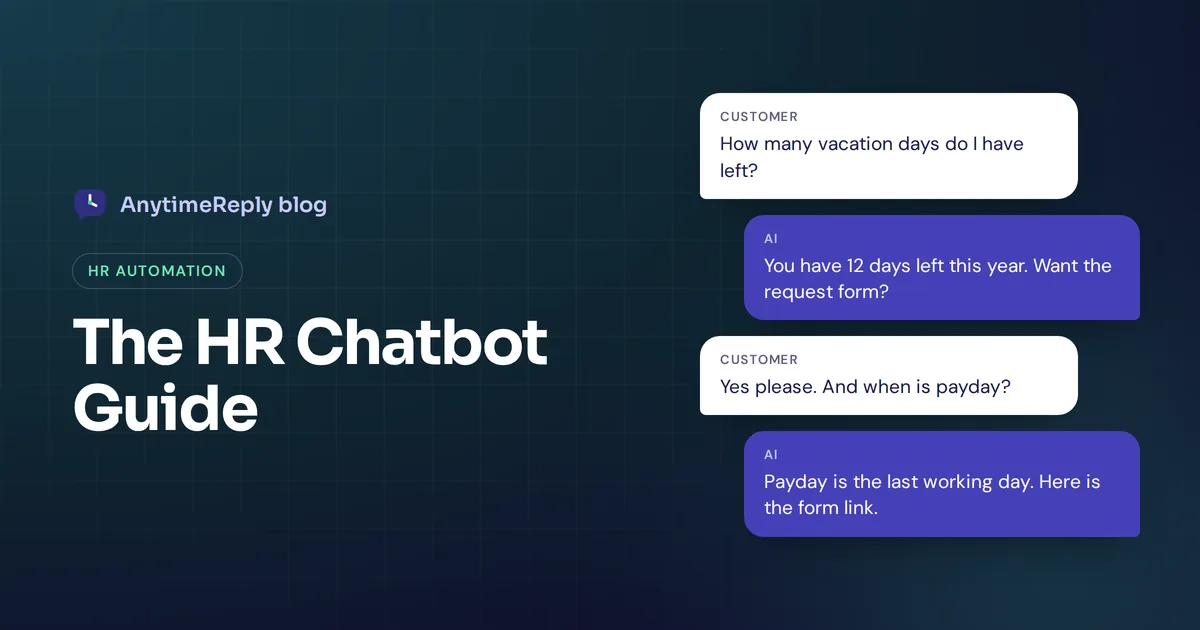
It is Monday morning and your HR inbox already has 40 new messages. How many vacation days do I have left? Where is the parental leave policy? When is payday this month? Most of them are the same five questions you answered last week.
An HR chatbot takes those questions off your plate. Employees ask in plain words, in Slack or on an internal help page, and get an answer from your own HR policies in seconds. Your HR team keeps the conversations that really need a person: a conflict with a manager, a health issue, a resignation.
This guide covers what HR chatbots are, the use cases worth automating, real examples, how to set one up, and where AI should stay out of the way. We build an AI support agent that many teams use as an internal help desk, so we have a bias. We'll still be honest about the limits.
What is an HR chatbot and how does it work?
An HR chatbot is software that answers employee questions about work topics automatically: leave, pay, benefits, policies, onboarding and other HR processes. It lives where your people already are, like Slack, Microsoft Teams, an intranet page or the employee portal.
There are two main types of chatbots in HR:
- Rule-based bots. They follow a menu. "Click 1 for leave, 2 for payroll." Easy to build, but they break the moment someone types a question the menu didn't plan for.
- AI chatbots. These use natural language processing and a large language model to understand questions the way people actually ask them. You train them on your employee handbook and HR knowledge base, and they answer from that content instead of guessing.
When people talk about HR AI today they usually mean the second kind. Some act as an AI assistant or agent that can also take an action, like logging a leave request or opening a ticket for the HR department.
Benefits of HR chatbots for employee experience
HR work has a lot of repetition. The same questions come from every new hire, every quarter, every time a policy changes. Here is how HR chatbots work in your favor, and where an AI-powered HR chatbot helps most:
- Instant employee support, any time. A night-shift worker in another time zone gets an answer at 2 am instead of waiting for the office to open.
- Lower HR workload. When HR chatbots automate routine answers, that frees HR professionals to focus on hiring, training and the people side of the job. Your HR staff stop spending mornings answering questions about payday.
- Consistent answers. Everyone gets the same answer from the same policy. No "but someone in HR told me something different".
- Multiple languages. A good assistant replies in the employee's own language, which matters a lot for factory, retail and remote teams.
That is the real power of HR chatbots: these HR chatbot benefits improve employee experience simply because people get answers when they need them. The downside: it is only as good as your documents. An outdated handbook means confidently outdated answers.
HR chatbot use cases worth automating
Not every task belongs in a chat window. These HR chatbot use cases work well because the answers are clear and written down somewhere.
Policy and handbook questions
Dress code, remote work, expenses, travel, code of conduct. Policy questions are the biggest win: the answers exist, nobody can find them.
Leave and time off
How many days of annual leave do I get? How do I request time off? A chatbot for employees can explain the rules and link the form. Connected to your HR systems, it can also check a leave balance for a verified employee.
Payroll and benefits
Payday dates, how to read a payslip, how health insurance works, how to add a family member to benefits. Explaining the rules is safe to automate. Questions about one person's actual salary should require login or go to a human.
Employee onboarding
New hires have dozens of small questions: Where do I get my laptop? Who gives me system access? What should I finish in my first week? An assistant can walk them through a checklist and point them to the right person.
Recruiting and candidate experience
On your careers page, a recruitment assistant can answer candidate questions about the hiring process, locations and open roles, and collect basic details. Some dedicated recruiting tools also handle screening and interview scheduling. A person should still make hiring decisions.
HR and IT help desk requests
Many companies run one internal help desk for HR and IT. "I need a new employment letter." "My badge doesn't work." The assistant answers what it can and opens a ticket for the rest, with the details already filled in.
Training and employee engagement
Where to find a required course, when compliance training is due, quick pulse surveys. Keep surveys light.
What HR chatbots should not handle
This part matters more than the use case list. Send these to a person straight away:
- Harassment, discrimination or safety complaints
- Health problems, medical leave details and other sensitive personal data
- Performance problems, disciplinary steps and terminations
- Pay disputes and salary negotiations
- Resignations, burnout and personal crises
A good HR bot recognizes these topics and says something like: "This is something our HR team should help you with directly. I've passed your message on, and someone will reply today." Then it actually passes it on, with a short summary so the employee doesn't repeat everything.
HR chatbot examples: what good conversations look like
Use these as a model for your own answers and handoff messages. Each example uses made-up numbers; use your own policy details.
Employee: How many vacation days do I get as a new joiner?
AI: Full-time employees get 20 days of paid leave per year. In your first year it is counted from your start date, so if you joined in July you have 10 days this year. You can request leave in the HR portal under Time off. Want the link?
Employee: I'm having a problem with my manager and I don't know who to talk to.
AI: I'm sorry you're dealing with that. This is best handled privately by a person from our HR team. I've shared your message with them and someone will contact you today.
Employee: Is the office closed on the 15th for the local festival?
AI: I don't have confirmed information about that date. I've asked the HR team to check, and they'll reply here.
Notice the pattern: short answers, the next step included, and an honest "I don't know" instead of a made-up reply.
Best HR chatbots and tools: Leena AI, Moveworks and more
There is no single best HR chatbot for everyone. HR AI chatbots fall into a few groups, and the right HR chatbot depends on your size and your existing HR stack.
| Type | Examples | Good for | Watch out for |
|---|---|---|---|
| Assistants inside HR software | AI features in HR suites like Workday or SAP SuccessFactors | Companies already on that suite that want answers tied to employee records | Tied to that suite; fewer channel options |
| Enterprise employee service platforms | Moveworks, Leena AI, ServiceNow HR Service Delivery | Large organizations combining IT and HR across many systems | Long setup projects and enterprise budgets |
| Recruiting assistants | Paradox and similar conversational recruiting tools | High-volume hiring and interview scheduling | Built for candidates, not current employees |
| General AI agents | AnytimeReply, or any chatbot platform trained on your documents | Small and mid-size teams that want an internal help desk running in a day | Not an HR system; deep HR actions need an API |
Lists of the best HR chatbots change every year, so check each vendor's pricing page yourself and match the tool to your HR needs. Ask one question early: can it integrate with Workday, BambooHR or whatever HR tech you use? Integration with existing HR systems is often what separates a nice demo from a useful HR tool.
How to choose the right HR chatbot and set it up
You don't need a big project. Most teams can do this in a week or two.
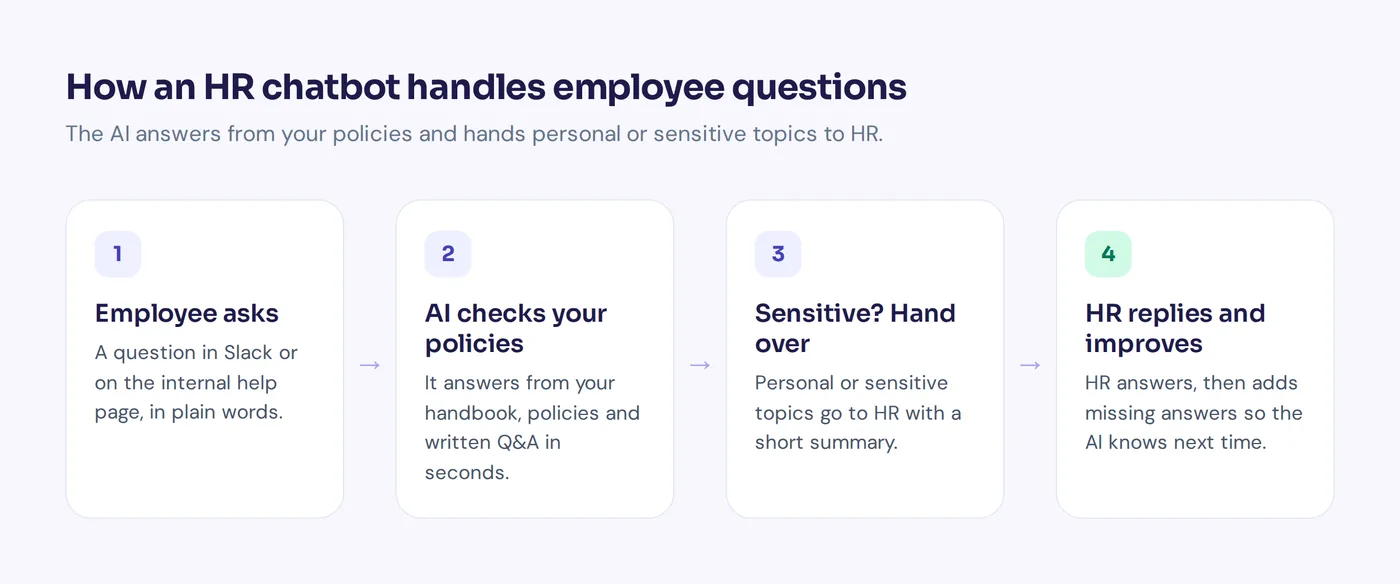
- Collect your top questions. Go through two or three months of HR emails and messages. Write down the 30 to 50 that keep coming back. That is your HR FAQ.
- Fix your documents. Make sure the handbook, leave policy and benefits guide are current and answer those questions clearly. Delete old versions.
- Pick the channel. Slack or Teams for office teams; a mobile help page or WhatsApp for frontline staff.
- Train it on your content. Upload the documents, connect your wiki, and add short written answers for questions that must be answered exactly one way.
- Set the handoff rules. Decide which topics always go to a person and where those conversations land.
- Test with real questions. Ask the 50 questions from step 1, plus odd ones like "Do I get a day off on my birthday?" Fix every wrong or vague answer.
- Launch to a small group, then review weekly. Start with one department. Read the questions it couldn't answer and add the missing content.
Privacy and security for HR operations
HR data is personal, so check this before you add AI to any HR functions.
- Keep personal data behind login. General policy questions can be open. Anything about one person's pay, leave or records should need verified identity.
- Ask how the vendor uses your data. Is it used to train AI models? Where is it stored? Can you delete it?
- Be clear with employees. Tell them they are talking to an AI and how to reach a person. If GDPR or local labor laws apply, ask the vendor for its data processing agreement.
Using AnytimeReply as an AI chatbot for HR
AnytimeReply is an AI support agent with a built-in helpdesk. Most businesses use it for customers, but it also works as an internal HR and IT help desk.
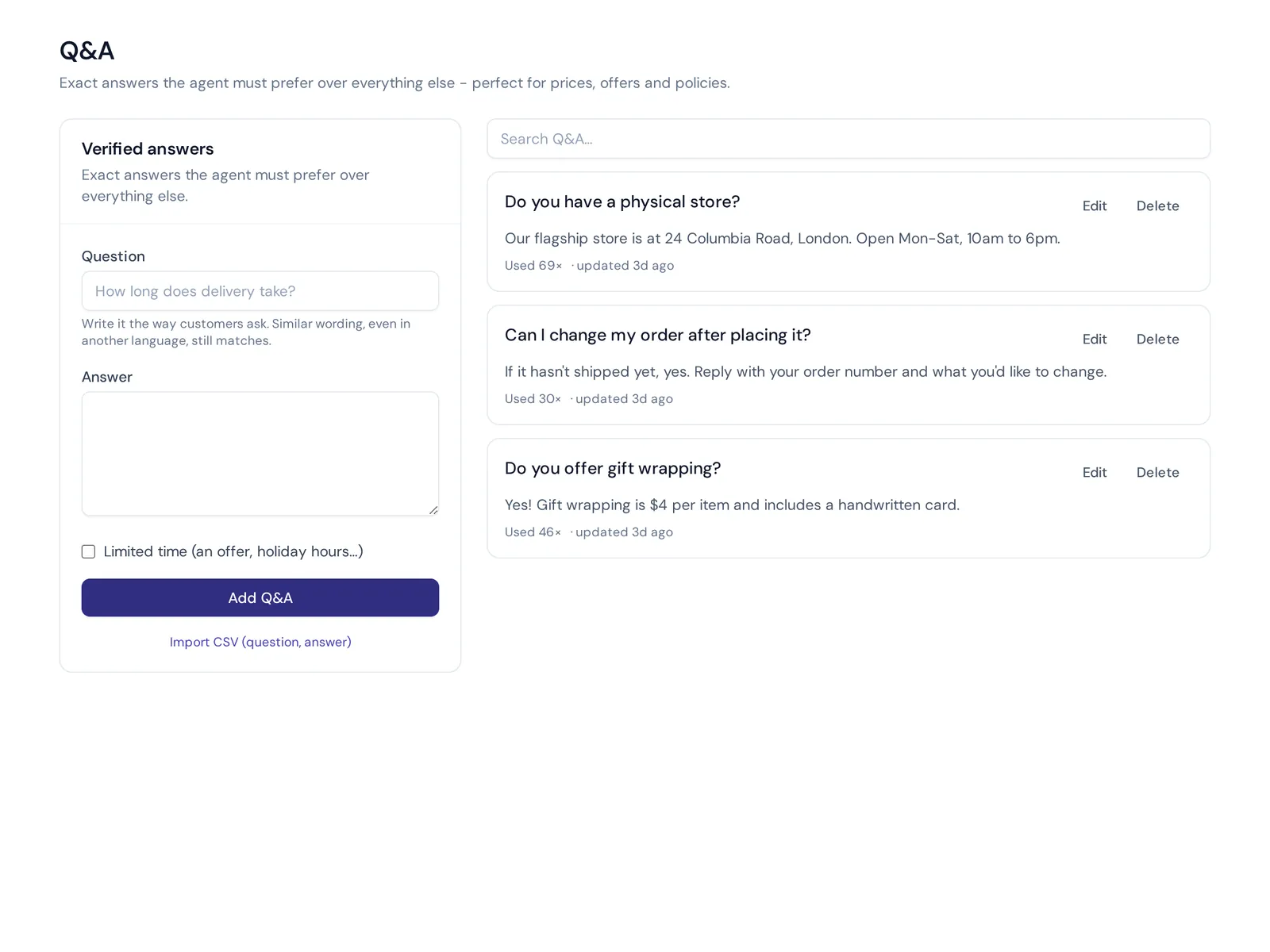
- Train it on your HR content. Upload PDF and Word files, paste text, or connect Notion pages and databases. Q&A you write always wins over other sources, so the official answer to "When is payday?" is the one employees see.
- Answer in Slack. Connect the Slack channel so people ask where they already work, or publish a help center with AI search on your own domain.
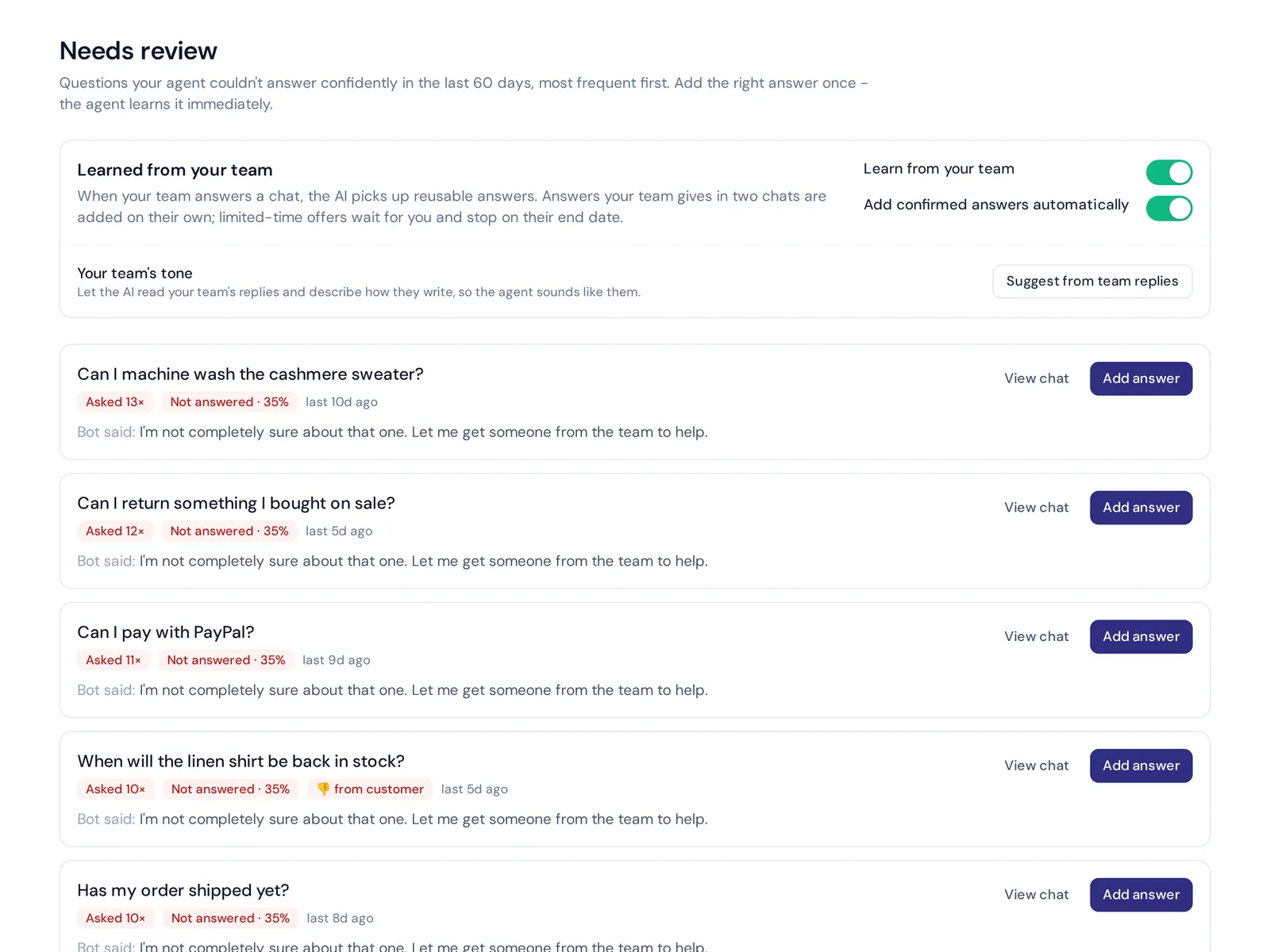
- Honest when it doesn't know. Answers come with a confidence score. When the agent doesn't know, it says so, and the question appears as a knowledge gap you can answer in one click.
- Handoff to HR support. It hands over with a summary when someone asks for a person, gets upset, it can't answer, or a rule matches. Departments let you route HR and IT questions to different people.
- Replies in the employee's language, including mixed languages like Banglish and Hinglish.
Where it is not the right fit: AnytimeReply is not an HR system. It doesn't store employee records or run payroll, and it has no ready-made connector for HR suites. If your HR software has an API with an OpenAPI file, you can connect it as an action on paid plans, for verified users only. If you want deep HR workflows inside Workday out of the box, a tool built into that suite suits you better.
The free plan includes the AI agent, helpdesk inbox, help center and analytics. Slack and the messaging channels start on the Hobby plan. See pricing.
Frequently asked questions
How can AI be used in HR?
Mostly for answering employee questions about leave, pay, benefits and policies, onboarding new hires, answering candidate questions, and summarizing feedback. The common thread: AI takes repeat HR tasks so people can handle the human work.
Can HR chatbots replace HR teams?
No. They take routine questions and admin, but people still handle sensitive conversations, conflicts, hiring decisions and culture. Think of the assistant as a first line that frees HR for that work.
Is a chatbot in HR secure for sensitive employee data?
It can be, if you keep personal data behind verified login, choose a vendor that doesn't use your data to train AI models, and read their privacy and data processing terms. Keep sensitive topics with humans.
Is there a chatbot for mental health at work?
Some wellbeing apps offer one, but an HR assistant shouldn't act as a counselor. It should share your employee assistance program details and connect people to a human or a professional service.
How long does it take to deploy chatbots in HR?
With a general AI agent and good documents, a basic version can run in a day. Testing and improving takes a few more weeks. Enterprise platforms connected to many systems can take months.
What will the future of HR chatbots look like?
Among the trends in HR, the clearest is a move from answering questions to doing: assistants that file requests and update records, with human approval for anything important. Modern HR still depends on people, just with less admin.
Final thoughts
An HR bot won't fix a messy handbook or replace a good HR team. But it stops the same questions from eating your week. Start with your top questions, keep sensitive topics human, and review what it misses.
Want to try it on your own policies? Start free with AnytimeReply, upload your handbook and test the agent. No card needed.
Published 28 October 2026 by AnytimeReply team