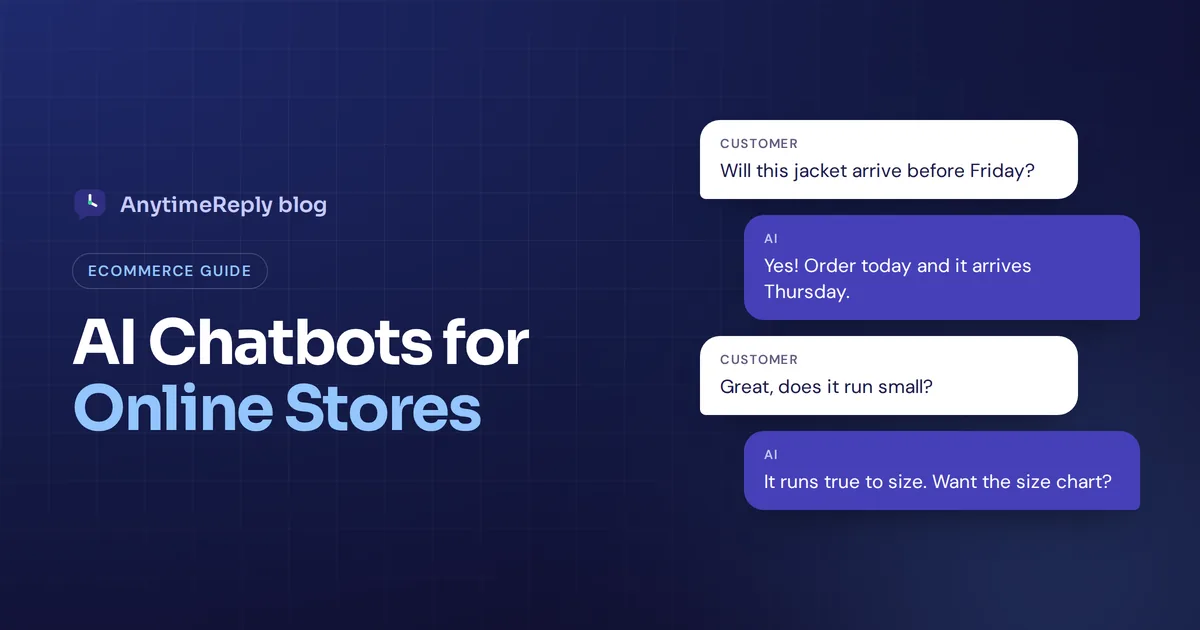
It is 11 pm. A shopper has three tabs open: your store and two competitors. She has one question. Will this jacket arrive before Friday? The store that answers first usually gets the sale. That is the simple case for an AI chatbot for ecommerce.
A good ecommerce AI chatbot answers product, shipping and order questions in seconds, day and night, on your website and on the messaging apps your customers already use. A bad one loops "Sorry, I didn't get that" and makes people leave faster.
This guide explains what an AI chatbot for e-commerce does, the real use cases, where it helps and where it doesn't, what it costs, how to pick the right chatbot and how to set it up without annoying your customers. We build one, so we have a bias, but we'll be honest about the trade-offs.
What is an AI chatbot for ecommerce?
An ecommerce chatbot is software that talks to your shoppers in a chat window and answers their questions automatically. The modern kind uses AI and learns from your own store: product pages, shipping and return policies, FAQs and order data.
Unlike a static FAQ page, the customer can type the way they talk. "Do u ship to Dubai and how long" works just as well as a perfect sentence. Thanks to natural language understanding, the bot gets the meaning, finds the answer in your knowledge base and replies in plain words.
Most online stores put the chatbot widget on their website first. Then they add WhatsApp, Instagram and Messenger, because that is where a lot of online shopping questions start now. This mix of chat and buying is often called conversational commerce: the shopper asks, gets help and buys, all inside one conversation.
Rule-based chatbot vs AI chatbots in ecommerce
You will see two very different things sold under the word "chatbot".
| Rule-based chatbot | AI-powered chatbot | |
|---|---|---|
| How it works | Buttons and a fixed script | Understands free text and answers from your content |
| Setup | You build every path by hand in a chatbot builder | You add your website and documents, it learns from them |
| Unexpected questions | Breaks or loops | Answers if the info exists, hands over if not |
| Languages | One script per language | Replies in the customer's language |
| Best for | Simple menus, lead forms, quizzes | Real customer questions in any wording |
Honestly, the best setups use both. A few buttons ("Track my order", "Returns", "Talk to a person") help people start. The conversational AI handles everything they type after that.
AI shopping assistant or customer support bot?
Ecommerce brands use chatbots for two jobs, and it helps to know which one you care about most.
- Support bot. Answers after-sale questions: order status, returns, shipping delays, damaged items. The goal is fewer tickets and happier customers.
- AI shopping assistant. Helps before the sale: finds the right size, compares products, suggests a gift. The goal is to drive sales and boost conversion.
Most stores need a bit of both. A shopper who asks "does this run small?" today is the same person asking "where is my parcel?" next week. One smart AI assistant that does both keeps the shopping experience consistent.
Use cases for ecommerce chatbots in your online store
Here are the real-world use cases that matter most for an ecommerce store.
Answer product questions
Sizes, materials, colors, compatibility, care instructions. "Is this dress true to size?" "Does this charger work with an iPhone 15?" These questions decide whether someone buys, and they come in all day.
Personalized product recommendations
A shopper says "I need a gift for my dad, under $50, he likes cooking." A bot that knows your catalog can recommend products with prices and links, like a helpful shop assistant. Personalized product recommendations work best when the chatbot reads live price and stock, so it never suggests something sold out.
Order status and tracking
"Where is my order?" is the most common query in most online stores. With a connection to Shopify, WooCommerce or a shipping tool, the chatbot can look up the real order status for a verified customer instead of pasting a tracking link.
Returns and exchanges
Can a chatbot actually process a return, or does it just explain the policy? It depends on the tool. A basic bot explains the policy. A more advanced AI agent can check if the order is inside the return window and start the process. Bigger refunds and unusual cases should still go to a human agent.
Shipping, payment and policy questions
Delivery times, shipping costs by country, cash on delivery, payment methods, discount codes that don't work. Boring for your support team, instant for the bot.
Cart abandonment and lead capture
Many shoppers leave because one small question went unanswered. A friendly message on a product page or at checkout ("Questions about sizing? I can help") can save the cart. Some chatbots can also collect an email or WhatsApp number from visitors who aren't ready to buy yet, so you can follow up later. That is a gentle way to fight cart abandonment without discount popups.
Social and omnichannel ecommerce
If you sell on Instagram or Facebook, buyers write "price?" in DMs and comments all day. An omnichannel ecommerce setup lets the same AI answer on WhatsApp, Instagram, Messenger and your website, with one set of answers and one inbox for your team.
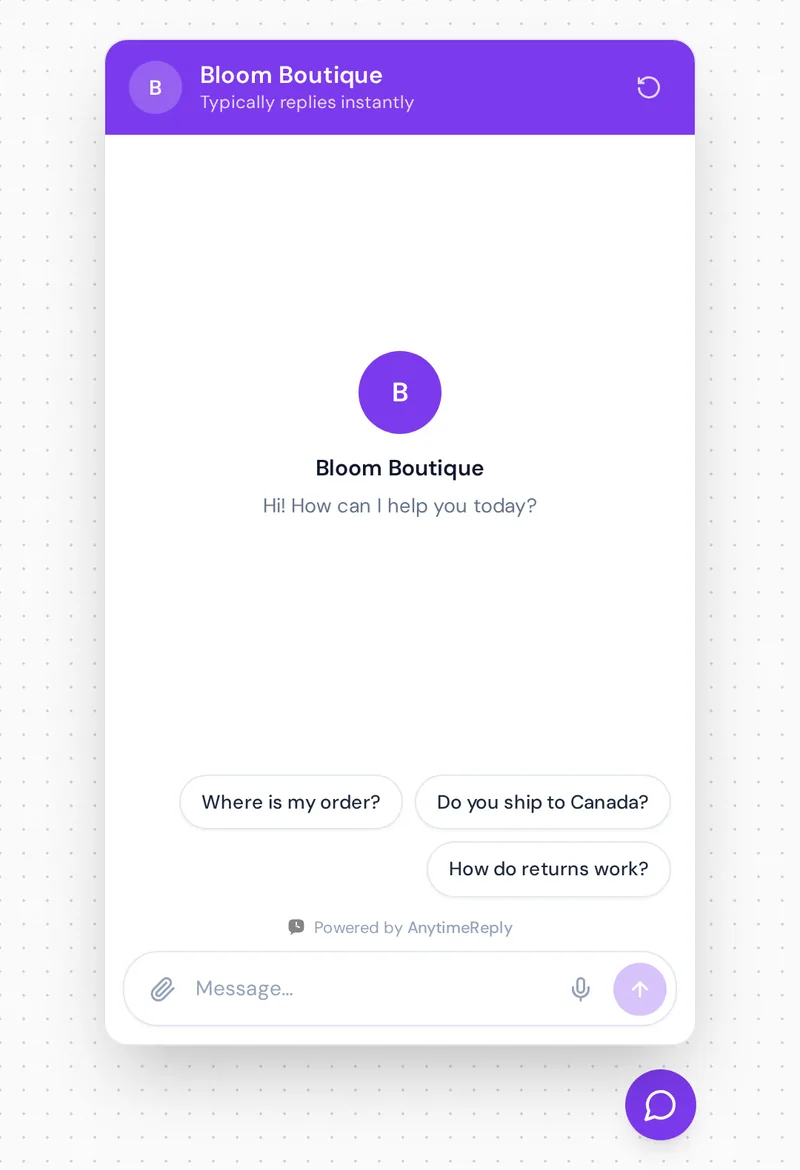
Benefits of using AI chatbots in ecommerce
- Instant replies at any hour. Shoppers don't wait for office hours, and neither does the chatbot.
- More sales from undecided visitors. A quick answer to a sizing or delivery question removes the last doubt before checkout.
- Lower support costs. When the bot handles "where is my order?", your customer service team can deal with complaints, custom orders and suppliers.
- Handles busy days. A sale, a holiday or a viral post can bring hundreds of chats in an hour. The bot replies to all of them at once.
- Speaks your customers' languages. AI support can reply in the shopper's language, which matters if you sell across borders.
- Better customer engagement. A helpful chat feels like good service in a real shop, and that builds trust and repeat buyers.
- Shows you what customers ask. Chat logs reveal which customer needs your product pages don't cover.
The common thread is customer experience. Fast, correct answers make your store feel bigger and more reliable than it is.
The downsides (and how to avoid them)
- It repeats what it learned. AI assistants are only as good as their content. If your shipping page is out of date, the chatbot will repeat the old info. Keep your content current.
- It can guess. Even a powerful AI chatbot can make up answers if it is not grounded in your content. Pick one that says "I'm not sure, let me get the team" instead.
- It is not great with angry customers. A customer with a broken parcel wants a person. Make the handoff easy.
- Bad bots hurt trust. Loops, popups every five seconds and fake "agents" with stock photos make your store look cheap.
- AI usage costs can creep up. Most tools charge per message or conversation. Spam and junk chats waste credits if there is no protection.
Chatbots vs live chat: do you need both?
Live chat means a real person replies in the chat window. A chatbot replies automatically. For most stores the answer is both: the AI answers first, and a human agent joins when the customer asks for a person, gets upset or needs a decision about money.
The key is the handoff. The agent should see a short summary and the full history, so the customer never repeats the problem. We wrote a full breakdown in chatbot vs live chat if you want the details.
Choosing the best chatbot platform for ecommerce
Use this checklist to compare each chatbot platform on your shortlist, including the best tools from any list you have read:
- Training on your own content. Can it learn from your website, product catalog, PDFs and policies? Does it update when products change?
- Store integration. Does it connect to Shopify, WooCommerce or your platform to show products, prices and stock, and look up orders?
- Channels. Website, WhatsApp, Instagram, Messenger, email. Pick a chat tool that covers where your customers really write.
- Human handoff. Can your team see every chat, join in and get a summary when the AI hands over?
- Accuracy controls. Can you write fixed answers for sensitive topics, test the bot and see questions it couldn't answer?
- Safety for actions. If it can change orders or start refunds, is there identity verification, confirmation and limits?
- Brand voice. Can you make the bot sound like your brand, friendly or formal?
- Pricing you understand. Per message, per conversation or per resolution? Is there a free trial or free tier to test on your real store?
Do you need programming skills? For most AI chatbot platforms today, no. You paste a line of code or install a Shopify or WordPress app. Custom AI actions on your own backend are the part that may need a developer.
Best AI chatbots for ecommerce in 2026
You'll find plenty of "12 best" lists out there. Instead of ranking a dozen tools we haven't all used, here is an honest overview of the main types of chatbot tools and AI solutions. Check each vendor's pricing page for current plans.
| Tool | Type | Known for | Good fit |
|---|---|---|---|
| AnytimeReply | AI agent + helpdesk | Website, WhatsApp, Instagram, Messenger, Telegram and email in one inbox; Shopify and WooCommerce actions on paid plans | Small and growing stores, multilingual shoppers. No phone or SMS. |
| Gorgias | Ecommerce helpdesk | Deep store integrations and ticket handling | Larger ecommerce support teams |
| Intercom | Customer messaging platform | AI agent and inbox, popular with SaaS | Bigger teams with complex support |
| Tidio | Live chat with AI | Easy live chat for small shops, AI added on top | Small stores starting with live chat |
| Zendesk | Full helpdesk suite | Ticketing at scale with AI features | Large support operations |
| Shopify Inbox | Platform inbox | Simple chat built for Shopify stores | Very small Shopify stores with basic needs |
We wrote side-by-side comparisons with Intercom and Tidio if you want to go deeper.
How much does an ecommerce AI chatbot cost?
Prices vary a lot. Some tools charge per AI reply, some per conversation, and some per "resolution". A few charge per seat like a classic helpdesk.
Here is a simple way to estimate. Say your store gets 500 chats a month and each one needs about 3 AI replies. That is about 1,500 AI replies. With AnytimeReply, a standard model uses 1 credit per reply, so that fits the Hobby plan ($9 a month, 1,500 credits). If you grow to 5,000 replies, the Standard plan ($29) covers it. Replies your team writes are free. Prices can change, so always check pricing.
Compare that with the cost of answering the same 500 chats by hand, and the maths usually works out quickly for any store with steady traffic. For most ecommerce businesses, that is the point where AI automation pays off.
How to set up an AI chatbot for your online store
- List your top 20 questions. Go through old emails, DMs and chats. Most stores find a small set of questions covers most customer queries.
- Fix your content first. Make sure your shipping, returns and product pages answer those questions clearly. The chatbot learns from them.
- Add your sources. Connect your website, product catalog and policy documents. Write fixed answers for sensitive things like refunds and warranty.
- Set the tone and limits. Friendly, short replies. Tell it what not to promise, like delivery dates you can't guarantee.
- Decide handoff rules. Hand over when a customer asks for a person, gets upset, mentions a damaged item or wants a refund over a set amount.
- Test with real questions. Include typos, slang and odd ones. "can i return a gift without receipt" is a real question.
- Go live on your website, then add channels. Start with website chat, then WhatsApp and Instagram once answers look good.
- Review chats every week. Add answers for the questions it missed. Ten minutes a week of automation tuning makes a big difference.
Ecommerce chatbot conversation examples
Here is what good replies look like. Short, specific, with a next step.
Customer: do you ship to canada
AI: Yes, we ship to Canada. Standard delivery takes 5 to 8 business days and costs $12, free on orders over $100. Want me to check a product for you?
Customer: where is my order 4821
AI: Thanks! Order #4821 shipped yesterday. It is in transit and expected on Thursday. Here is your tracking link.
Customer: the vase arrived broken, really disappointed
AI: I'm really sorry about that. I've passed this to our team with your order details, and someone will reply here shortly to arrange a replacement.
Notice the last one. The bot doesn't argue or try to solve everything. It apologizes and gets a human. (These examples use a made-up store's policies.)
Metrics to track after launch
- Resolution rate: how many chats the AI solves without a person.
- Handoff rate and reasons: which topics keep going to your team.
- Unanswered questions: gaps in your content to fill.
- Customer ratings: thumbs up or down, or a CSAT score.
- Sales influenced: chats that ended with a purchase or a product link click.
How AnytimeReply works as an ecommerce AI chatbot
We built AnytimeReply for online stores that want fast answers without losing the human touch. Here is what it does:
- Learns your store. Add your website, PDFs, Notion pages and Shopify products. Products show as cards with price and stock. Q&A you write always wins over other sources.
- Answers in the customer's language, including Bangla, Banglish, Hindi and Hinglish, with a confidence score. When it doesn't know, it says so instead of guessing.
- Takes actions on paid plans: checks orders in Shopify or WooCommerce and tracks shipments with AfterShip, for verified customers only and with confirmation. See actions and integrations.
- One inbox for your team. Website, WhatsApp, Messenger, Instagram, Telegram and email chats land in a shared helpdesk. The AI hands over with a summary.
- Guardrails. AI spam detection pauses junk chats before they waste credits.

The Free plan includes website chat, the helpdesk inbox, the help center and the AI agent with 50 credits a month, so you can test it on your store. WhatsApp, Instagram, Messenger and store actions start on Hobby. It is not the right fit if you mainly sell by phone, since there is no phone or SMS channel.
Frequently asked questions
How is AI used in ecommerce?
Stores use AI for chatbots in customer service, product recommendations, search, fraud checks and writing product descriptions. Chat is often the easiest place to start with AI ecommerce tools because the results show up fast.
Can an AI chatbot replace customer service staff?
No. It takes the repeat questions off their plate. Complaints, exceptions and big decisions still need people. Think of it as AI customer service for the first reply, with humans for the rest.
Can an AI chatbot tell customers where their order is?
Yes, if it connects to your store or shipping tool. It should verify the customer first so it doesn't share order details with strangers.
Do I need a separate helpdesk if I add a chatbot?
Not always. Some tools include a shared inbox, so chats the AI can't solve go straight to your team. If yours doesn't, you'll need somewhere for handoffs to land.
Do ecommerce chatbots actually increase sales?
They can, mainly by answering pre-sale questions quickly and saving carts. Results depend on your traffic, products and how good the answers are, so measure chats that end in a purchase.
Does a chatbot work on Shopify and WooCommerce?
Most do. The right chatbot for e-commerce reads your products, prices and stock and can look up orders. Skip tools that only sit on the page.
Final thoughts
An ecommerce chatbot is not magic. It is a fast, patient assistant that answers the questions your shoppers ask every day, and hands the tricky ones to you. Set it up with good content and clear handoff rules, and it pays for itself in saved time and saved sales.
Want to try it on your own store? Start free with AnytimeReply, no card needed.
Published 26 October 2026 by AnytimeReply team