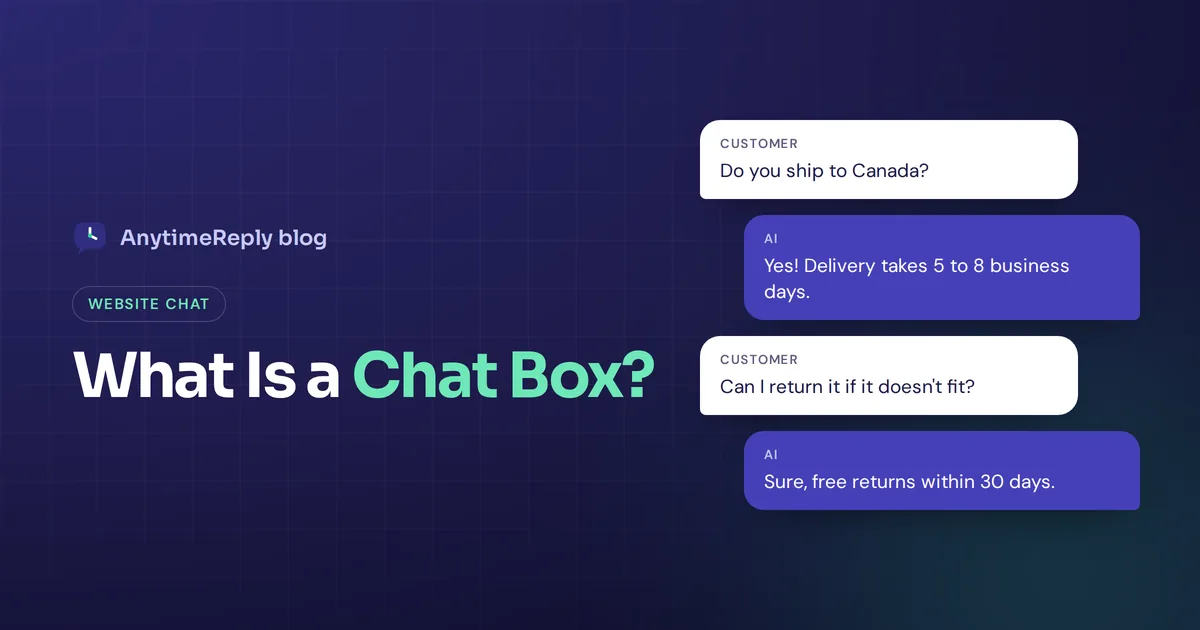
A visitor is on your pricing page at 11 pm. They have one question: does the yearly plan include a refund window? Nobody is around to ask, so they leave. A chat box is the small window in the corner of the page that would have caught that question and answered it.
That's the whole idea. Visitors type a question and get a reply without picking up the phone or writing an email. The reply can come from a person on your team, from software, or from both working together.
Below we explain the chat box meaning, how the different types work, how to add one in under an hour, and what to look for in a maker. We build one ourselves (AnytimeReply), so we'll be upfront about that and honest about the trade-offs.
Chat box meaning: what is a chat box?
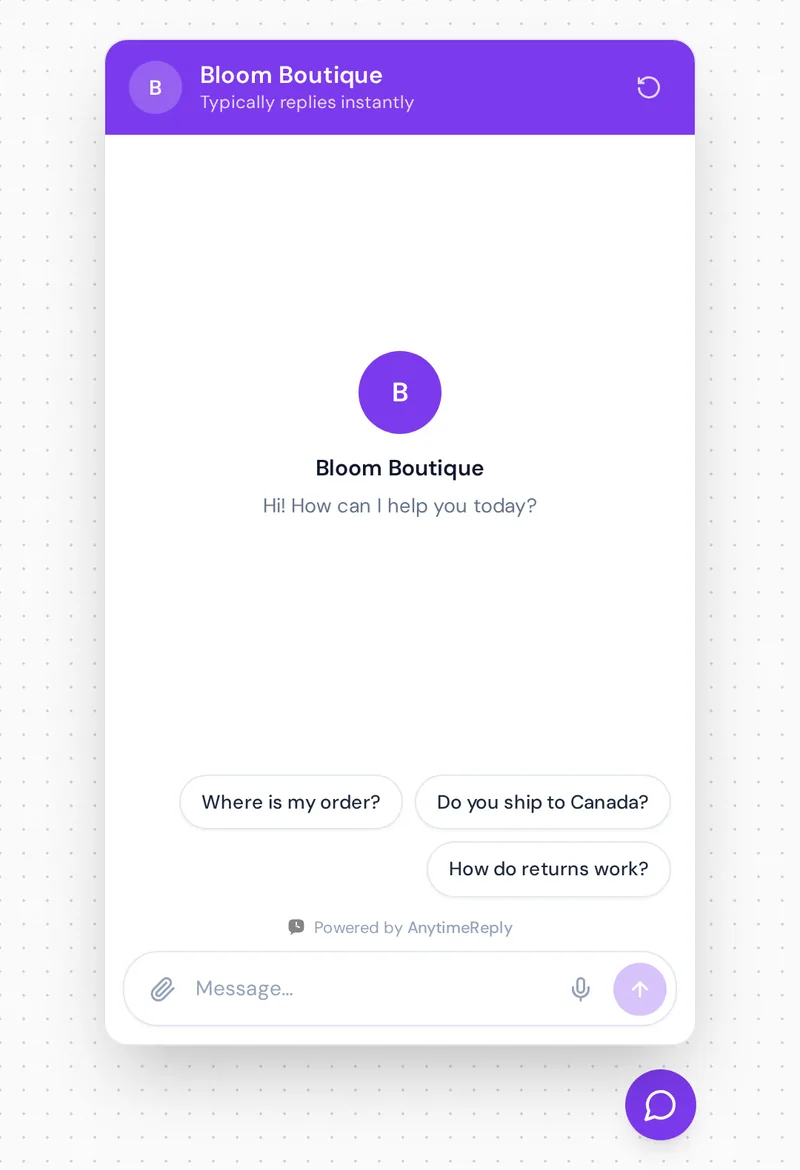
A chatbox (one word or two, both are fine) is a small messaging window on a site or app where people send messages and get replies in real-time. On most business sites it starts as a round icon in the bottom corner. Click it and a panel opens with a greeting, a text field and sometimes a few suggested questions.
You'll see the term used in three places:
- On a business website: a customer service or sales widget, often called live chat.
- In games and online communities: the area where players or members talk to each other.
- In AI apps: the box where you type a prompt to an assistant like ChatGPT or Claude.
This guide is mostly about the first one. But since many people searching the term are looking for an app, let's clear that up first.
Chatbox AI (the app) vs a chat box for your website
There's a popular product called Chatbox AI. It's an AI client and smart assistant for personal productivity: one interface where you talk to models from different providers, such as ChatGPT, Claude, Gemini and DeepSeek. You can use their service or switch to your own API key, and it's commonly used to run models locally through Ollama. It's available for Windows, macOS, Linux, iOS, the web and Android (you'll find it in apps on Google Play).
That's a tool for you, the user. A business widget is a tool for your customers. It sits on your site, learns from your business content and answers people who want to buy from you. Same name, very different jobs. If you came for the chat app, use the link above. If you want to answer customers faster, read on.
How a chatbox works, from code to response
- The widget. A short HTML snippet loads the icon and messaging window on every page, on any device.
- The message. When a visitor writes, it goes to a server (the vendor's host or yours) and shows up for whoever responds.
- The reply. A team member answers from an inbox, or an AI chatbot replies instantly using your own content.
- The handover. If the bot can't help, or the visitor asks for a person, the conversation moves to your team with the history attached.
Good software keeps every conversation, so you can discover what people ask most. That alone is useful for any team.
Types: live support, scripted bot, AI chatbot and hybrid
| Type | Who replies | Available | Best for | Main downside |
|---|---|---|---|---|
| Live | Your team | Team hours only | Sales, complaints, complex cases | Needs staff online |
| Rule-based bot | A fixed script with buttons | 24/7 | Simple menus, lead forms | Breaks on free-text questions |
| AI chat box | Artificial intelligence trained on your content | 24/7 | Repeat questions, any language | Only as good as its knowledge |
| Hybrid | AI first, then your team | 24/7 with human backup | Most businesses | A bit more setup |
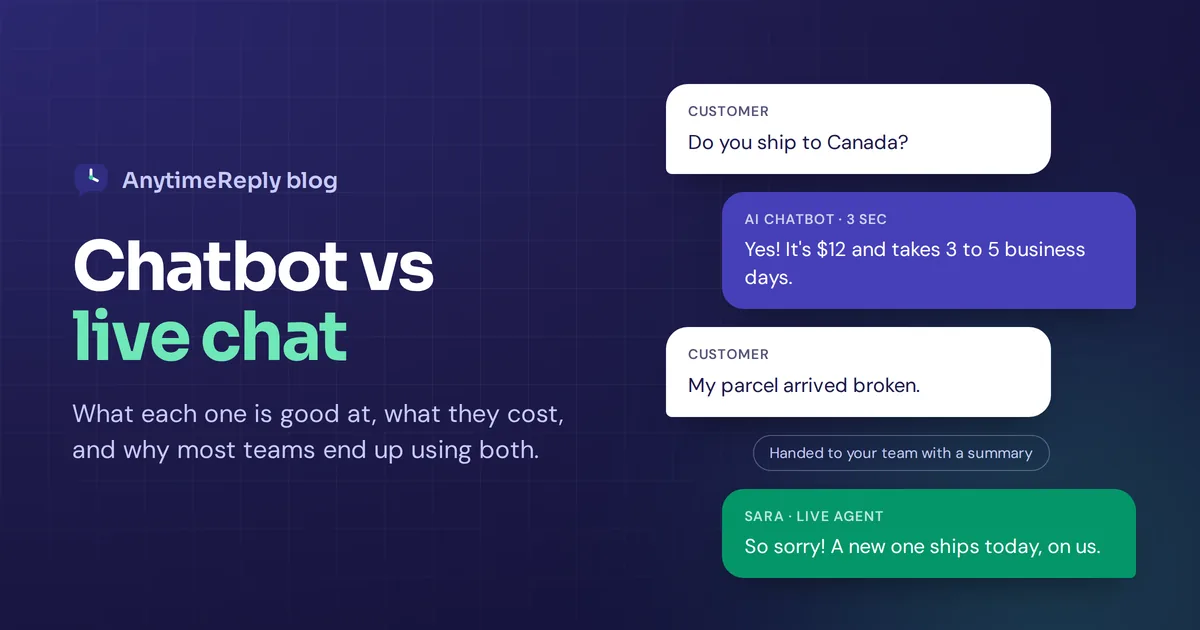
Our honest opinion: most small and growing teams should go hybrid. It's the most helpful setup for customers. The bot handles the repeat questions day and night, and a person steps in for refunds, upset customers and big deals. We explain why in chatbot vs live chat.
What a bot can do for customer service and response time
A good assistant doesn't guess from the open internet. It reads the data you provide: your pages, a PDF, a policy document, a pricing sheet. When someone asks "can I return shoes I wore once?", it finds your return policy and writes a short, accurate answer. If your content doesn't cover it, a well-built one says it isn't sure and offers a person.
- Instant answers. Response time drops from hours to seconds, which helps you deliver a better customer experience.
- Fewer lost sales. Shoppers unsure about sizing or shipping get help before they leave.
- Lead capture. It can collect a name, email and other contact info when a visitor shows interest.
- Less repeat work. Automate "where is my order?" to save your team time for harder cases.
- Real insight. Conversation history shows what confuses people, in their own words.
The honest downside: a bot trained on old or messy content gives wrong answers. And a widget nobody answers is worse than none.
How to add a chat box to your website
- Pick a chat box maker. Decide if you want live only, AI only or both. Start on a free plan.
- Add your content. Paste your site URL, upload FAQs or a policy file, and describe your business in a few lines.
- Customize it. Brand color, logo, greeting and three suggested questions.
- Set handover rules. Decide when a person takes over and who gets notified.
- Install it. Paste one line of code, or use a WordPress or Shopify plugin. No developer or special technology skills needed.
- Test it. Write 20 real customer questions in advance, ask them, and fix weak answers.
- Review weekly. Read conversations and add missing answers.
Choosing a chat box maker that's easy to use
- Easy to use: a clean dashboard your whole team understands.
- Accurate, high-quality answers: learns from your site and documents, and admits when it doesn't know.
- Model choice: can you pick between AI models, or connect your own provider key?
- Human handover: your team can join any conversation with full context.
- Channels: can it unify web, WhatsApp, Instagram and email in one inbox?
- Integrations: does it integrate with your store, CRM or third-party tools?
- Languages and region: does it reply in the customer's language and handle your region's customers?
- Pricing: free plan, per seat or per message, and any hidden fees.
- Privacy: is your customer data used to train someone else's models?
Popular names include Tidio, Intercom, LiveChat, Crisp, tawk.to and Zendesk. Read a few honest reviews, check their pricing pages, and test each one with your own questions. Our comparisons with Tidio and Intercom may help.
Design tips for a fast, friendly interface
For creative inspiration, browse examples on Dribbble. Then keep these basics in mind:
- Write a human greeting. "Questions about sizing or delivery? Ask here." beats "How may I assist you?"
- Show suggested questions. Buttons like "Where is my order?" make starting easy.
- Don't pop up instantly. Give people a few seconds to read first.
- Add a face. A small team image or logo makes the widget feel human.
- Mind mobile. The icon shouldn't cover your "Add to cart" button.
- Set expectations. If a person replies later, say so and ask for an email.
Greetings you can copy:
Hi there! Ask me anything about shipping, returns or sizing. I reply in seconds.
Looking for the right plan? Tell me about your team and I'll recommend the best fit.
Need help with an order? Share your order number and I'll check it for you.
How AnytimeReply works as your website chat box
AnytimeReply is an AI customer support agent with a built-in helpdesk. You add your website, documents and Notion pages, and it trains an agent that answers visitors in seconds, in their own language. Each answer has a confidence score, and when it doesn't know, it says so instead of guessing.
On the website channel you can use a bubble, an inline embed or a hosted help page, installed with one line of code, a WordPress plugin or a Shopify theme. When a customer asks for a person, gets upset or it can't answer, the conversation moves to your shared inbox with a summary, and the AI pauses while your teammate is in.

The Free plan includes website chat, the helpdesk inbox, Q&A, flows, analytics and 50 credits a month, no card needed. WhatsApp, Instagram, Messenger and email start on Hobby. See pricing for current details. Not a fit if you need phone or SMS support in the same tool, because we don't offer those.
Frequently asked questions
Do you have to pay for a chat box?
No. Many makers have free plans. AnytimeReply's Free plan includes a widget, an AI agent and a helpdesk inbox with 50 credits a month.
Are chat boxes the same as chatbots?
Not quite. The box is the window. A chatbot is software that replies inside it. People, a bot, or both can answer.
How do I get rid of a chat box?
As a visitor, click the minimize or close icon. As a site owner, turn the widget off in your tool's settings or remove its code snippet.
How do I access the ChatBox?
On a website, click the icon in the corner. For the Chatbox AI app, download it for your device or use the web version, then complete the login.
Can an AI chat box reply in other languages?
A good one replies in the customer's language. AnytimeReply does, including Bangla, Hindi, Banglish and Hinglish.
Get started today
Start with your most common questions, keep a human in the loop, and improve it a little each week. Want to try one with a built-in helpdesk? Start free, no card needed.
Published 26 October 2026 by AnytimeReply team