You run a WordPress site. People visit at all hours and ask the same five questions: do you ship here, how much is it, how do returns work, are you open on Sunday, can I talk to someone. You want a chatbot to answer them. Then you search the plugin directory and find hundreds of options.
So which is the best chatbot for WordPress? The honest answer: it depends on whether you want a simple free bot, an AI-powered chatbot trained on your content, or a full support inbox with a human backup. Below we compare eight real options, explain who each one suits, and give you a quick way to pick the right chatbot for your business.
Full disclosure: we build AnytimeReply, which is one of the tools on this list. We put it first because it is ours, but we also tell you where it is not the right fit.
The short answer: the best WordPress chatbot for you
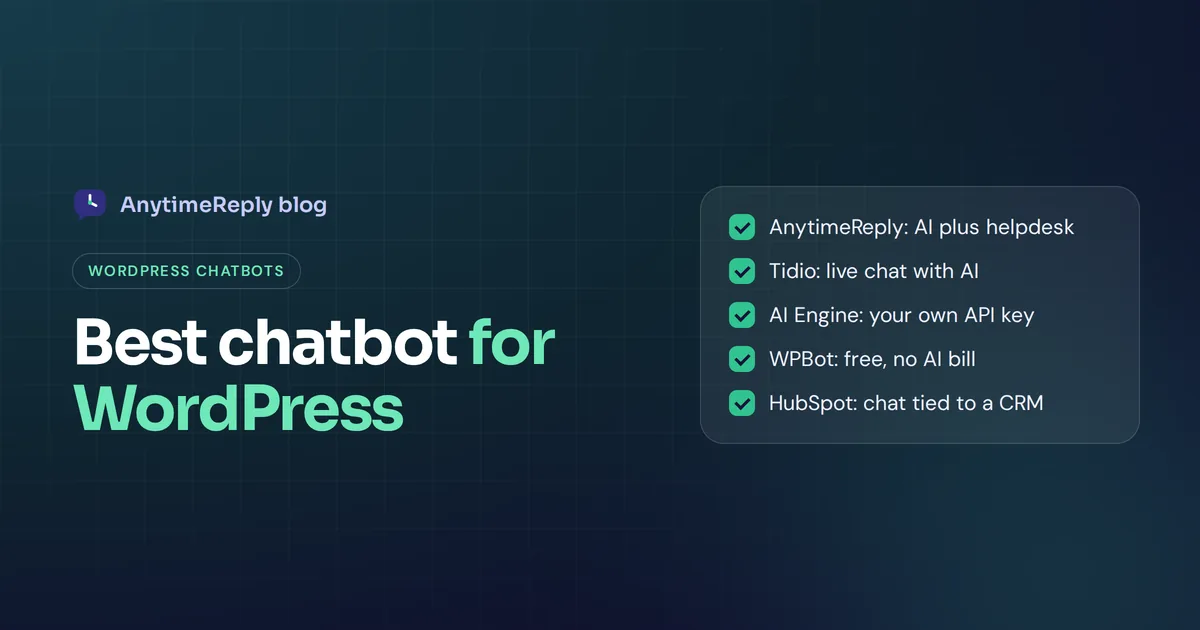
- Best for AI answers plus a human inbox: AnytimeReply, Tidio, HubSpot.
- Best free option with your own AI key: AI Engine, Kognetiks Chatbot.
- Best for a free bot without paying for AI at all: WPBot.
- Best for training on lots of documents: AnytimeReply, Chatbase.
- Best for lead generation into a CRM: HubSpot.
If you only read one line: pick a hosted service if you want it to just work, and a self-hosted plugin with your own API key if you like tinkering and want full control.
How to choose the best AI chatbot for WordPress
Before comparing names, decide what "best" means for your site. Shiny AI chatbot features matter less than you think. These are the things that actually matter after the first week:
- Where answers come from. Can you train your AI on your pages, PDFs and FAQs, or does it only follow a script you build by hand? Good chatbot responses depend on good sources.
- What happens when it doesn't know. A good bot says "I'm not sure, let me get a person". A bad one makes things up.
- Human handoff. Can your team see the chat and take over from a shared inbox or app?
- Channels. Many customers would rather message you on WhatsApp, Instagram or Facebook Messenger. Does the same chatbot work there, or do you need a separate Facebook Messenger chatbot?
- Effect on site speed. Hosted widgets load from the provider's servers. Self-hosted plugins run on your hosting and can add load.
- Real cost. "Free" often means a small monthly message limit, or that you pay your AI provider directly for every reply.
- Languages. If your visitors write in Spanish, Hindi or Bangla, the chatbot should reply in their language.
- Lead generation. If you sell services, the bot should ask for a name and email at the right moment and send that lead somewhere useful.
- Chat history and data. Can you read past conversations, see what people ask most and export the chatbot data?
Hosted vs self-hosted: two kinds of AI chatbot plugin
This choice matters more than the brand name. Every WordPress chatbot plugin falls into one of these two groups.
Hosted chatbots (AnytimeReply, Tidio, Chatbase, HubSpot) run on the provider's servers. You install a small plugin or paste one line of code, and the chat widget loads on your site. Training, AI costs, the inbox and updates are handled for you.
Self-hosted plugins (AI Engine, Kognetiks, WPBot, AI Puffer) run inside your WordPress install. You usually connect your own OpenAI or other API key and pay that provider per message. You get more control and your data stays closer to home, but you also handle setup, updates and any problems yourself.
| Hosted chatbot | Self-hosted plugin | |
|---|---|---|
| Setup | Minutes, no code | Plugin settings plus an API key |
| AI cost | Included in the plan, often with message credits | You pay your AI provider directly |
| Team inbox and handoff | Usually built in | Often limited or missing |
| Other channels | Often WhatsApp, Messenger, Instagram | Mostly website only |
| Load on your hosting | Light, runs elsewhere | Runs on your server |
| Control | Less, you follow the provider's rules | More, you can tweak almost anything |
Best WordPress chatbot plugins in 2026 compared
Here is a quick overview of the chatbot tools we cover, followed by a closer look at each one. Chatbot pricing and free limits change often, so check each tool's own pricing page before you decide.
| Tool | Type | Best for | Free option |
|---|---|---|---|
| AnytimeReply | Hosted AI chatbot + helpdesk | Shops and service businesses that want AI first, people second | Yes, free forever plan |
| Tidio | Hosted live chat + AI | WooCommerce stores that want live chat with AI help | Yes, limited |
| AI Engine | Self-hosted plugin | Tinkerers who want full control with their own key | Yes, plus a Pro version |
| HubSpot | Hosted CRM with chat | Lead capture tied to a CRM | Yes, free CRM tools |
| Chatbase | Hosted AI agent | Training on lots of documents | Check their pricing page |
| WPBot | Self-hosted plugin | A simple free bot without an AI bill | Yes, plus Pro |
| Kognetiks Chatbot | Self-hosted plugin | A light, free bot on your own OpenAI key | Yes |
| AI Puffer | Self-hosted AI toolkit | Chat plus AI content tools in one plugin | Yes, plus Pro |
1. AnytimeReply: AI chatbot with a built-in helpdesk
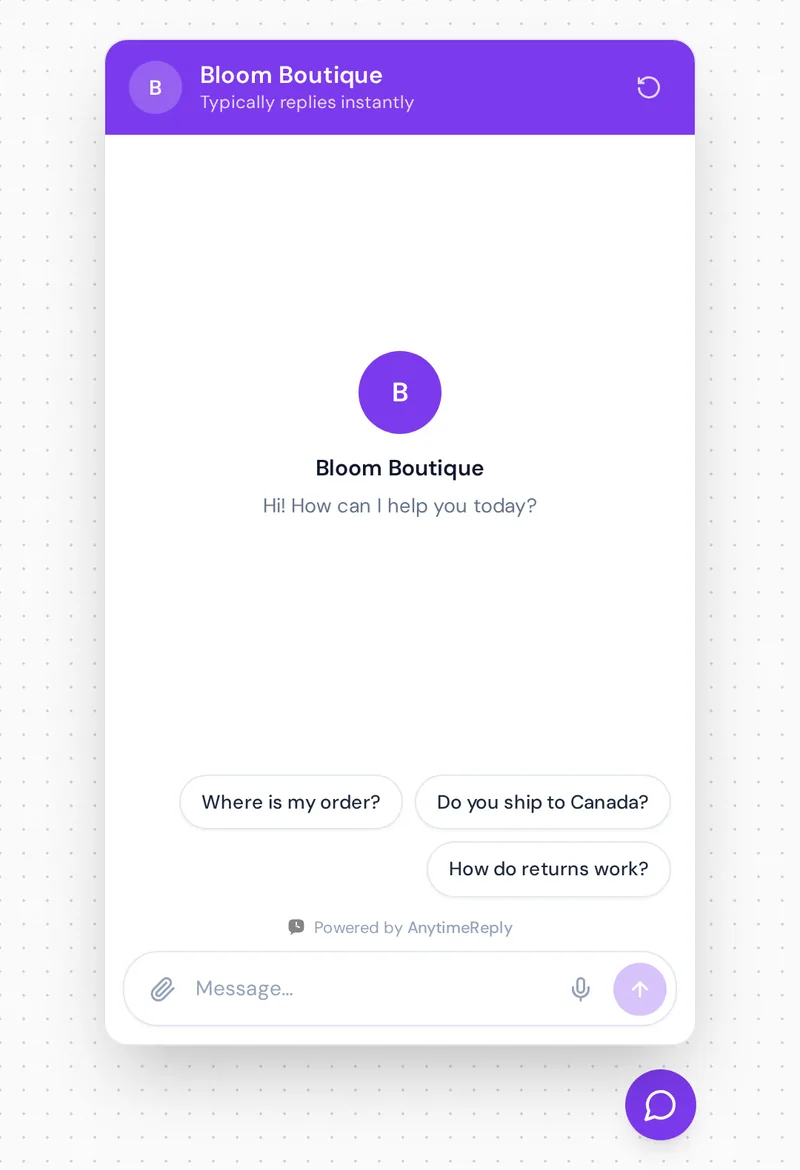
AnytimeReply trains an AI chatbot on your website, documents and Notion pages, then answers visitors in seconds, in their own language. You add it to WordPress with our plugin or one line of code (see the WordPress setup guide). The same chatbot can also answer on WhatsApp, Messenger, Instagram, Telegram and email on paid plans.
What makes it different from a basic bot is what happens around the answer, inside the chat and after it:
- Every answer has a confidence score. When the AI doesn't know, it says so instead of guessing.
- Chats land in one shared inbox. The AI hands over with a summary when a customer asks for a person, gets upset or asks something it can't answer.
- Q&A you write always wins over other sources, so your refund policy is quoted exactly.
- Knowledge gaps show the questions it couldn't answer, with a one-click "add answer".
Free plan: 50 credits a month, 1 AI agent, 3 team members, 20 website pages, website chat, helpdesk inbox, help center, flows and analytics. No card needed. Paid plans start at $9 a month (check pricing, prices can change).
Honest limits: 50 credits is enough to test and run a small site, not a busy store. WhatsApp and the other messaging channels need a paid plan. And it doesn't answer phone calls or SMS. If you need a voice assistant, look elsewhere.
2. Tidio: live chat with an AI agent
Tidio is one of the best-known chat tools in the WordPress plugin directory. It combines live chat, a visual flow editor and its Lyro AI agent, and it connects well with WooCommerce.
Good for: online stores that want a polished live chat inbox first, with AI handling common questions.
Keep in mind: the AI agent and higher volumes sit on paid plans, and costs can grow as conversations grow. Check Tidio's pricing page for current limits. We also wrote a fair AnytimeReply vs Tidio comparison.
3. AI Engine: the tinkerer's favorite
AI Engine by Meow Apps is a popular self-hosted AI chatbot plugin for WordPress. The plugin lets you connect your own API key from OpenAI, Anthropic, Google or other providers and build chatbots right inside your WordPress dashboard. It also includes content tools and lots of developer options.
Good for: site owners and developers who are comfortable with API keys and want deep control over models, prompts and data.
Keep in mind: you pay your AI provider for every reply, and there is no real support team inbox like a helpdesk would give you. It's powerful, but you are the one maintaining it.
4. HubSpot: free chat tied to a CRM
HubSpot's WordPress plugin adds live chat, a chatbot builder and forms, all connected to the free HubSpot CRM. Every chat becomes a contact record, which sales teams love.
Good for: businesses that care most about capturing leads and following up in a CRM.
Keep in mind: the free bot works with set paths and questions you design. HubSpot's AI features and advanced automation sit on paid tiers (check their pricing page), and HubSpot can feel heavy if you only want a support chatbot.
5. Chatbase: AI chatbot trained on your documents
Chatbase is a hosted service that trains an AI chatbot on your site, PDFs and other files, then lets you embed it on WordPress and other channels.
Good for: sites with a lot of content (documentation, guides, courses) that want answers pulled from it.
Keep in mind: it is focused on the AI side. If you also need a full support inbox with departments and tickets, compare carefully. Here is our AnytimeReply vs Chatbase page.
6. WPBot: a free WordPress chatbot without an AI bill
WPBot (by QuantumCloud) works with built-in features first, like site search, FAQs and simple conversation flows. You can add an AI provider later if you want.
Good for: small sites that want a no-cost bot today and aren't ready to pay for AI replies.
Keep in mind: without an AI model, it can't understand open questions very well. Many useful extras are in the Pro version.
7. Kognetiks Chatbot: light and free on your own key
Kognetiks Chatbot is a free, lightweight plugin that connects to your own OpenAI API key. Chats go between your site and the AI provider, not through an extra third party.
Good for: budget or privacy minded sites that already have an API key.
Keep in mind: it is a chatbot, not a support platform. No shared team inbox, no WhatsApp.
8. AI Puffer: chat plus AI content tools
AI Puffer (formerly AI Power) is an all-in-one AI toolkit for WordPress. It includes a chatbot alongside content writing, image tools and support for many model providers.
Good for: people who want one plugin for many AI jobs, not just AI customer service.
Keep in mind: all-in-one plugins can be a lot of settings for someone who only needs a support tool.
Best free WordPress chatbot plugins
Is there a good no-cost option? Yes, but "free" means different things:
- Free plan of a hosted tool (AnytimeReply, Tidio, HubSpot): no AI bill, but a monthly cap on AI replies or conversations.
- Free plugin + your own API key (AI Engine, Kognetiks): the plugin is free, the AI replies are not. You pay your provider per message, usually small amounts for a low-traffic site.
- Free bot with no AI (WPBot basic): truly free, but it follows rules and keywords, so it misses a lot of real questions.
Do you even need a chatbot? A WordPress site without one is fine if you get a handful of messages a week. A contact form may be enough. If the same questions keep coming in at night, a chatbot pays for itself in saved time.
Our advice: start free, but watch what customers actually ask in the first two weeks. That tells you if a free plan is enough or if you need more.
How to add a chatbot to your WordPress site
- List your top questions. Look at your inbox, contact form and comments. Write down the 20 questions you answer most.
- Pick the tool type. Hosted if you want a team inbox and other channels, self-hosted if you want control and have an API key.
- Install the plugin. In your dashboard go to Plugins, Add New, search the name, install and activate. Or paste the embed code in your theme or a header plugin.
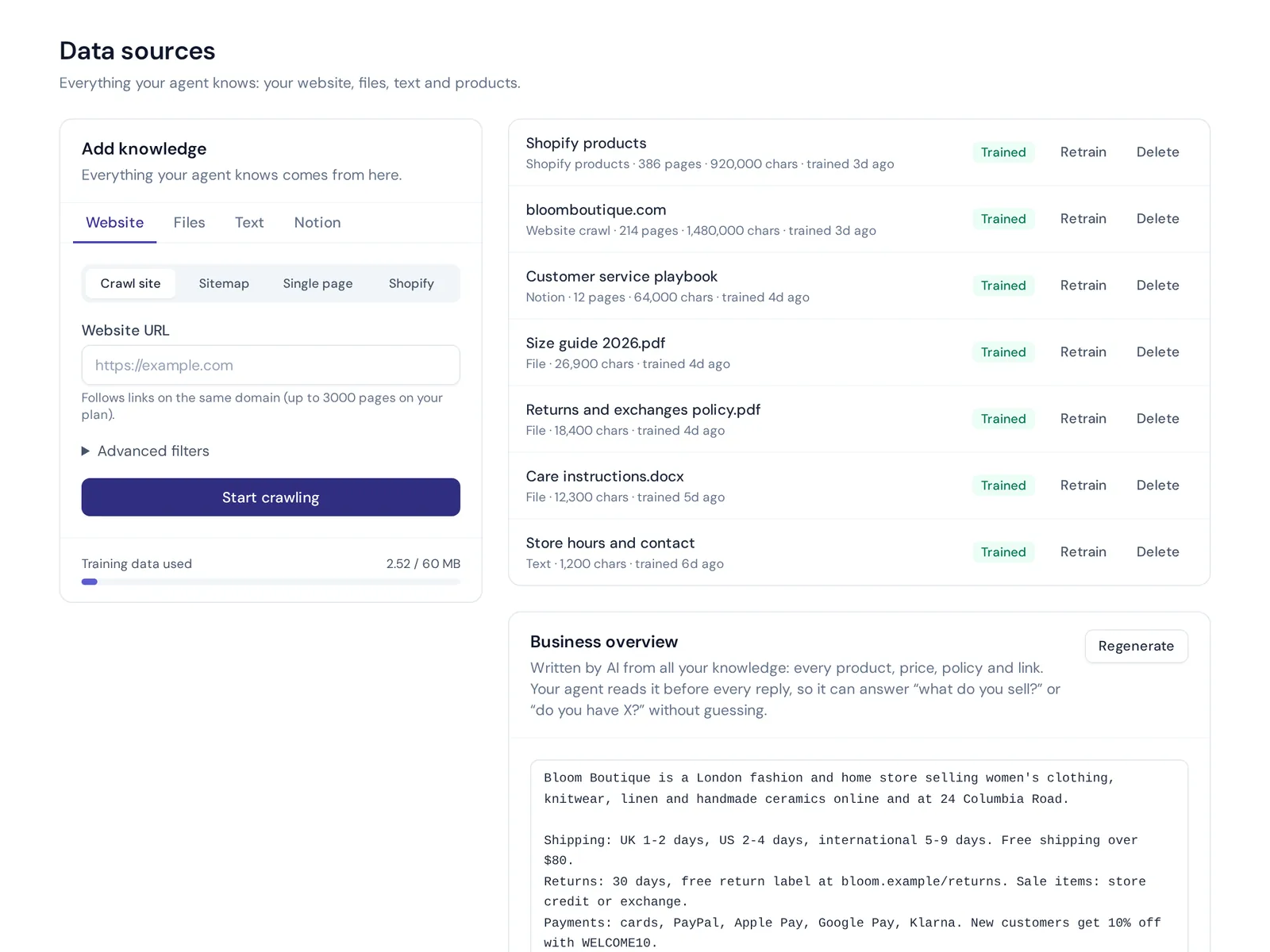
- Train it. Add your site URL or sitemap, your FAQ, shipping and returns pages, and any PDFs. Write exact answers for anything sensitive, like refunds.
- Test it like a customer. Ask the same question five different ways. Ask something it should not know. Check that it hands over instead of guessing.
- Set up handoff. Decide who gets the chat when the chatbot can't help and how fast they should reply.
- Review weekly. Read real chats, fix wrong answers and add missing ones.
Common mistakes with WordPress chatbots
Most chatbot problems are not about the plugin. They're about how it was set up. Watch out for these:
- Launching without testing. You activate it, connect a key and walk away. A week later you find it promised free shipping you don't offer. Always test before going live.
- No way to reach a human. A chatbot for customer support must have an exit. If people can't reach a person, they leave annoyed.
- Training on old pages. If your shipping page still says 3 days and it's now 5, the chatbot answers will be wrong. Update the page, then retrain.
- Ignoring past chats. Your AI conversations are free research, and the chat history shows what your WordPress website fails to explain.
- Too many plugins. Running two chat widgets, or a chatbot plus a separate live chat plugin that don't talk to each other, confuses visitors and slows pages. Pick one tool that includes live chat if you need both.
How AnytimeReply adds AI and live chat to WordPress
If you want something between "a free bot that guesses" and "hire a support team", that's where we fit. You install the website chat, add your pages, and it starts answering. When a chat needs a person, it appears in your inbox with a summary, and the AI pauses while you reply.
Later, you can connect WooCommerce so the agent can check orders for verified customers, add WhatsApp or Instagram, and publish a help center from the same knowledge. You don't have to do any of that on day one.

Frequently asked questions
What is the best chatbot for WordPress?
For most businesses, a hosted AI chatbot with human handoff is the best fit, such as AnytimeReply or Tidio. If you want full control and have your own API key, AI Engine is a strong self-hosted pick.
Is there a free chatbot available for WordPress?
Yes. AnytimeReply, Tidio and HubSpot have free plans, and plugins like AI Engine, Kognetiks and WPBot are free to install. Self-hosted AI plugins still need you to pay your AI provider for replies.
Can ChatGPT help with WordPress?
Yes. Many WordPress chatbot plugins use OpenAI's GPT models behind the scenes, either through your own API key (AI Engine, Kognetiks) or built into a hosted service. ChatGPT itself is a separate AI assistant, so to answer visitors on your site you still need a plugin or a hosted chatbot.
Can I run a chatbot and live chat at the same time on WordPress?
Yes, and it usually works best that way. The bot answers first and a person joins when needed. Choose one tool that does both, so the conversations and handoff stay in one place.
Are free chatbot plugins secure?
Popular plugins from the WordPress.org plugin directory are generally safe if you keep them updated. Check when the plugin was last updated, read the reviews, and see where conversation data is stored before you install the plugin.
Will a chatbot plugin slow down my WordPress site?
Hosted widgets load from the provider's servers and usually have a small effect. Self-hosted plugins run on your hosting, so a busy chatbot can add load. Test your page speed before and after.
Can a WordPress chatbot work with WooCommerce?
Many can. Tidio and AnytimeReply both connect to WooCommerce. With AnytimeReply, the agent can check orders for verified customers on paid plans.
Pick one and test it this week
The best way to choose is to try. Most hosted tools have a free plan or a free trial, and self-hosted plugins cost nothing to install. Install one tool, train it on your real pages and ask it your 20 most common questions. You'll know within an hour if it fits.
If you want to try AnytimeReply, start free, no card needed.
Published 27 October 2026 by AnytimeReply team