You sell clothes from home, run a small bakery, or take bookings for your salon, and customers already message you on WhatsApp. At some point you wonder: should I keep using my normal WhatsApp, or switch to WhatsApp Business? And what is that "API" everyone keeps mentioning?
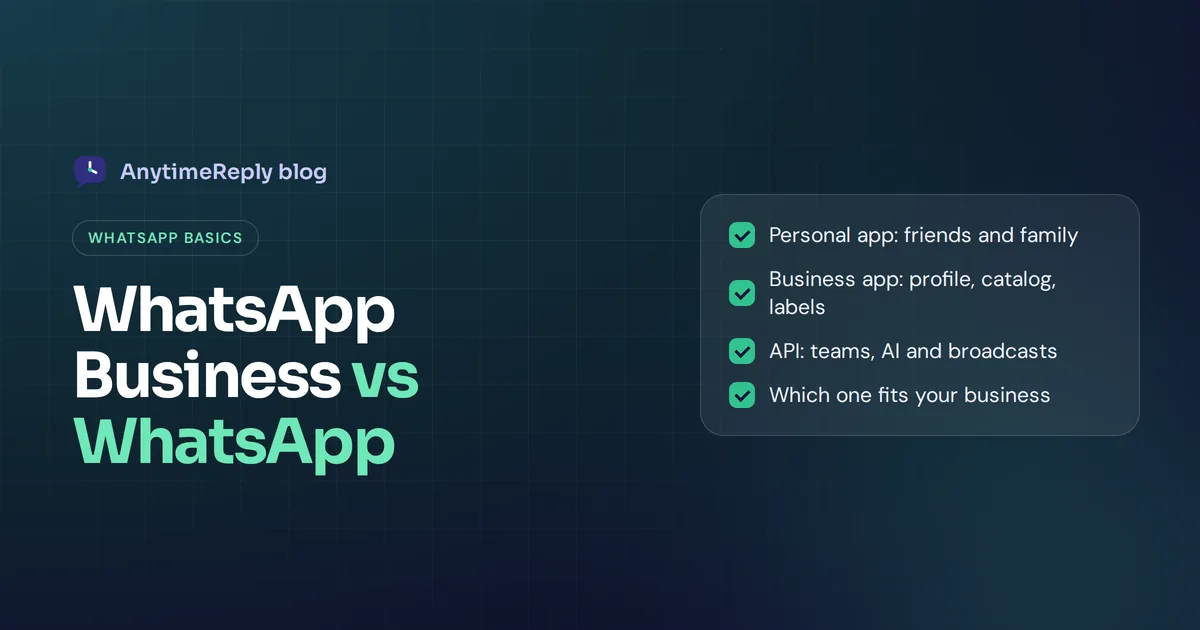
Here's the short answer. The standard app (officially called WhatsApp Messenger) is for chatting with friends and family. The WhatsApp Business app is a free app made for small businesses, with a business profile, product catalog, quick replies, away messages and labels. And for bigger teams or automation there's the WhatsApp Business Platform, also called the WhatsApp API, which isn't an app at all.
Below we compare all three in plain words, explain how WhatsApp Business works, and help you pick. We build a support tool that can link WhatsApp to an AI agent, so we'll also be clear about when you don't need any extra tool.
Key differences between WhatsApp Business and WhatsApp
So what's the difference? Both apps look and feel almost the same. You chat, send photos, voice notes and documents, make calls and post status updates. The difference between WhatsApp Business and the regular app is the extra business features.
- Personal WhatsApp is a messaging app for people. Your profile shows a name, photo and "about" line.
- WhatsApp Business is a separate app from Meta that costs nothing. It adds a business profile, catalog, automated messages, quick replies, labels and simple stats.
- WhatsApp Business Platform (API) is for a small or medium-sized business that has outgrown the app, and for large companies. You connect it to software, like a helpdesk or chatbot, so many agents and AI can reply from one business number. Messages are paid.
If you only chat with friends, the standard app is all you need. If customers message you, the Business app is almost always the better choice. It's free, and you lose nothing.
What is a WhatsApp Business account?
It's a WhatsApp account registered as a business instead of a person, in other words an official business account for your brand. It's linked to a phone number, just like a personal account, but customers see your business name, category, description, address, opening hours, email and website.
When people chat with you, WhatsApp shows that they're talking to a business. That small detail builds trust, and it tells customers to expect business-style replies like order updates and opening hours.
You can set one up in two ways: install the free WhatsApp Business app on your phone, or link a number to the WhatsApp Business Platform through Meta directly or through a Meta Business Partner (a company approved to sell business solutions built on the API). Some businesses also pay for Meta Verified to show a verified business badge, which is a separate, optional subscription that isn't offered in every country.
Side-by-side: WhatsApp and WhatsApp Business, plus the WhatsApp Business Platform
| Feature | WhatsApp Business app | WhatsApp Business Platform (API) | |
|---|---|---|---|
| Made for | Personal chats | Small businesses and sole traders | Growing and large businesses, support teams |
| Cost | Free | Free to download and use | Paid per message (see Meta's pricing) |
| Business profile | No | Yes: category, hours, address, website | Yes |
| Catalog | No | Yes | Yes, through connected software |
| Greeting and away messages | No | Yes | Yes, built in your software or chatbot |
| Quick replies and labels | No | Yes | Tags, statuses and saved replies in your software |
| Team use | Linked devices | Linked devices, no real team features | Many agents, assignment, shared inbox |
| Chatbots and AI | No | Built-in tools only | Yes, connect any chatbot or AI agent |
| Bulk messages | Broadcast lists | Broadcast lists to saved contacts | Approved template messages to opted-in users |
| Needs a phone app | Yes | Yes | No, it runs in the cloud |
WhatsApp Business app features explained
Business profile
Add your business name, category, description, address, opening hours, email and website. Customers see it when they tap your name. It's the first thing a new customer checks.
Catalog
Show products or services with photos, prices, descriptions and links. Customers browse without leaving the WhatsApp chat, and you can send a specific item in a message. Great for small shops and Instagram sellers.
Greeting message
An automatic welcome sent when someone messages you for the first time, or after a long gap. Use it to say hello and set expectations.
Away message
Sent automatically outside your opening hours or when you set yourself away. Customers know you got their WhatsApp messages and when to expect a reply.
Quick replies
Saved answers for questions you get all the time. Type "/" and pick one. Delivery charges, payment details, return policy: write once, send in a second.
Labels
Color tags for chats, like "New order", "Paid", "Pending payment" or "Follow up". They help you find chats fast and see where each customer is.
Broadcast lists
Send one message to many contacts at once, delivered as a private chat to each person. Only people who saved your number receive it, which helps avoid spam. It's the simplest form of WhatsApp marketing.
Stats, ads and links
You get basic message stats (sent, delivered, read), can create ads that open a chat with you, and can share a short link or QR code so people can message your business on WhatsApp in one tap. Meta keeps adding features, so check the app for what's available where you live.
How does WhatsApp Business work?
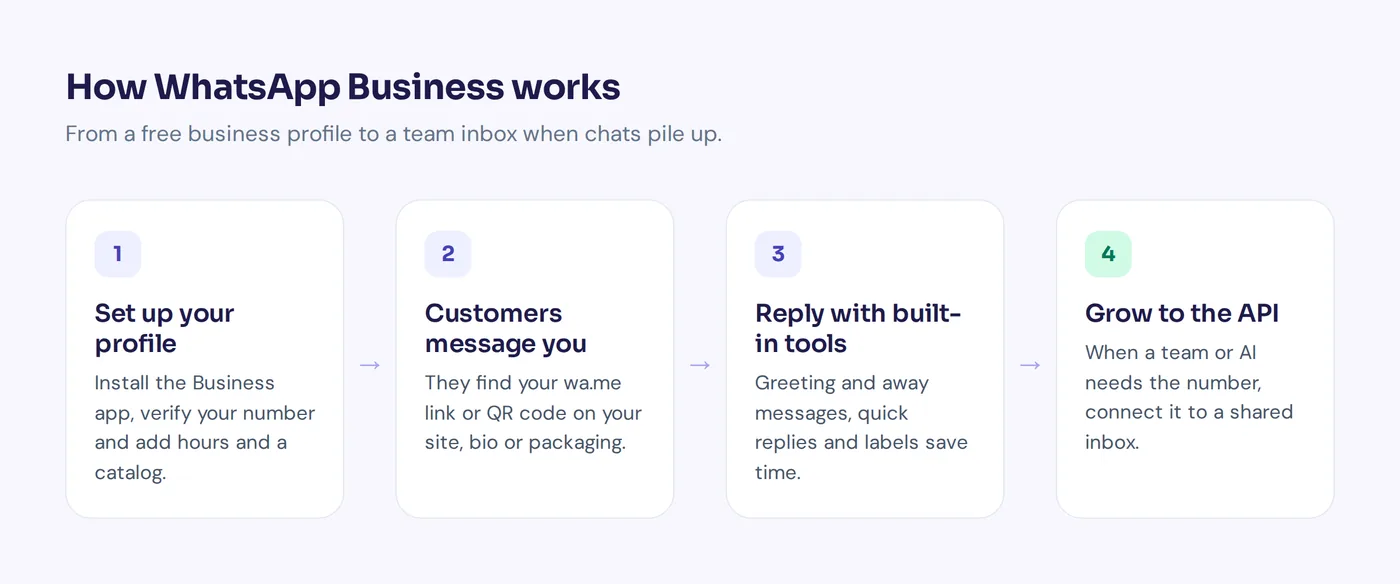
Day to day, it works just like the app you know. Customers find your number on your website, Instagram bio, Facebook page, packaging or a QR code, and message you. You reply from your phone, or from a computer using WhatsApp Web or the desktop app.
Here's how to set it up:
- Install WhatsApp Business from the App Store or Google Play. It's a different app with a "B" icon.
- Verify your number. Use a new number, or move your existing one over (your chat history can come with it).
- Create a business profile. Name, category, description, hours, address, website.
- Add your catalog. Start with your best sellers or main services.
- Turn on greeting and away messages and write five to ten quick replies.
- Create labels for your order or booking stages.
- Share your link. Put your wa.me link or QR code everywhere customers find you.
How to switch from WhatsApp to WhatsApp Business
Moving your number is simple, and you can keep your chats.
- Back up your chats in the old app (Settings, Chats, Chat backup).
- Install the Business app on the same phone.
- When it asks, choose to use your existing number. It offers to bring your chat history and media across.
- Fill in your profile and you're ready.
One catch: after the move, that number works only in the Business app. If you want to keep a personal account too, use a second number.
Can you use WhatsApp Business like regular WhatsApp?
Yes. You can chat with friends, join groups, make calls and post status updates in the Business app, just like before. Nothing stops you.
And you can have both apps on the same phone, as long as each uses its own phone number. Many people keep their personal number on one app and a second number (or a second SIM) on the other. One number can't be active in both apps at once.
Our advice: use a separate number for work if you can. It keeps family chats out of your work inbox, and you can later hand the number to an employee or a tool without giving away your personal life.
Pros and disadvantages of WhatsApp Business
Pros
- The WhatsApp Business app is free, with no setup cost.
- Looks more professional and trustworthy than a personal account.
- Catalog, quick replies and away messages save real time.
- Labels keep orders organized.
Disadvantages
- Built for one person, not a team. Linked devices share one inbox with no assignment, so two people can reply to the same customer.
- Automation is basic. Greeting and away messages can't answer real questions.
- No proper reporting on response time or customer satisfaction.
- Hard to keep up with dozens of chats a day.
- Broadcasts only reach people who saved your number.
WhatsApp Business app vs WhatsApp API: when to upgrade
The WhatsApp Business API (now usually called the WhatsApp Business Platform or Cloud API) is the official WhatsApp solution for companies that need more than one phone. The API allows you to plug your number into software, so a whole team and AI can work from one inbox. That's the main difference between the Business app and the WhatsApp API.
It makes sense when the app starts holding you back:
- More than two people need to reply from the same number.
- You want an AI chatbot to answer questions automatically, day and night.
- You want WhatsApp in the same inbox as your website chat, email and Instagram.
- You need to send order updates or marketing messages to many opted-in customers.
- You want reports on volume, response times and ratings.
The trade-offs are real. You reach the API through a provider or software, not a phone app. You need a Meta business portfolio, messages that start a conversation must use approved templates, and Meta charges per message. Integrating WhatsApp this way takes a bit of setup, though many tools now make it a few clicks.
If you're a one-person shop with 10 chats a day, stay on the Business app. Seriously. Move when the pain is real and your business needs it.
How much does WhatsApp Business cost?
The app is free to download and use. You don't pay per message, whatever country you're in.
The API is different. Since July 2025, Meta charges per delivered template message, with prices that depend on the message type (marketing, utility, authentication) and the customer's country, so the price per message in India is different from the UK or Brazil. From October 2026, Meta also started charging for service replies beyond a free monthly allowance per number. Check Meta's WhatsApp pricing page for current rates before you plan a budget. Your provider may add its own fee on top.
Which one should you choose?
| Your situation | Best choice |
|---|---|
| Personal use only | |
| Freelancer, home business, small shop, one person replying | WhatsApp Business app |
| Small team, growing chat volume, want AI help | WhatsApp connected to a helpdesk or AI agent |
| Large volume, many agents, big broadcasts | WhatsApp Business Platform with proper software |
The right choice depends on how your business uses WhatsApp today, not on which sounds most impressive.
How AnytimeReply works with WhatsApp
When the Business app isn't enough, AnytimeReply lets you connect WhatsApp to an AI agent and a shared team inbox, through the official Business API or a quick QR connect. See WhatsApp in AnytimeReply for details.
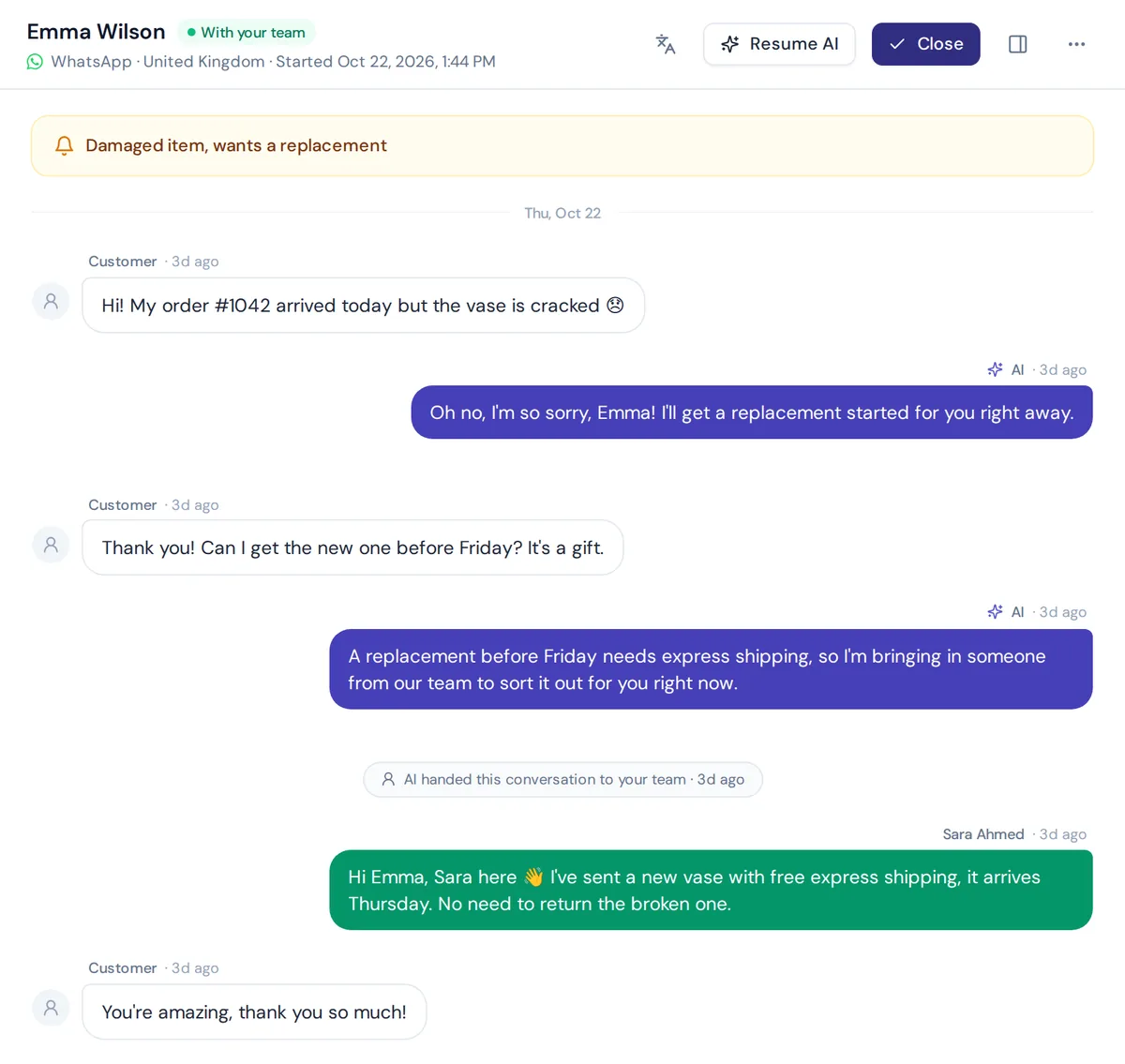
The AI learns from your website, documents and product list, and answers customers via WhatsApp in their language, including Bangla, Banglish, Hindi and Hinglish. It understands voice notes and photos. When a customer asks for a person, gets upset, or the AI can't answer, the chat goes to your helpdesk inbox with a summary, next to your website, Instagram, Facebook and email chats. That's business messaging that can help your business answer faster without hiring.
You can also send WhatsApp broadcasts at a safe pace with daily limits and STOP opt-out. WhatsApp is on paid plans, starting with Hobby at $9 a month (prices can change, check pricing). Honest limit: if you're happy replying yourself from the free Business app, you don't need us yet.
Frequently asked questions
What's the main difference in WhatsApp vs WhatsApp Business?
The personal app is for friends and family. The Business app adds a business profile, catalog, greeting and away messages, quick replies, labels and basic stats.
Is WhatsApp Business free?
Yes, the WhatsApp Business app is free. Only the WhatsApp Business Platform (API) charges per message, plus any optional extras like Meta Verified or ads.
What is WhatsApp used for?
The everyday app is for messaging, calls, groups and status updates with friends and family. WhatsApp for business adds tools to talk with customers.
Can I switch back from WhatsApp Business?
Yes. Back up your chats, then register the number in the personal app. You'll lose the business features like your catalog and labels.
Can customers tell I'm using WhatsApp Business?
Yes. They see it's a business and can view your profile. That usually helps, because it looks more professional.
Do I need the API to add a chatbot?
For a real AI chatbot, you normally connect your number through the API or a provider. The Business app only offers built-in automatic messages.
Are WhatsApp and WhatsApp Business run by different companies?
No. Both are made by Meta. They're just two apps aimed at different users.
Final thoughts
For personal chats, use WhatsApp. For any business that talks to customers, switch to WhatsApp Business. It's free, more professional and saves time. When your team grows or the chats pile up, link it to a shared inbox and AI to make WhatsApp work for the whole team.
Ready for that step? Start free with AnytimeReply, train your AI agent on your website, and add WhatsApp when you upgrade. No card needed to start.
Published 31 October 2026 by AnytimeReply team