Your support inbox starts small. A few emails a day, everyone replies from the same Gmail account, nothing gets lost. Then one week two people answer the same customer, a refund request sits unread for four days, and nobody knows who owns what.
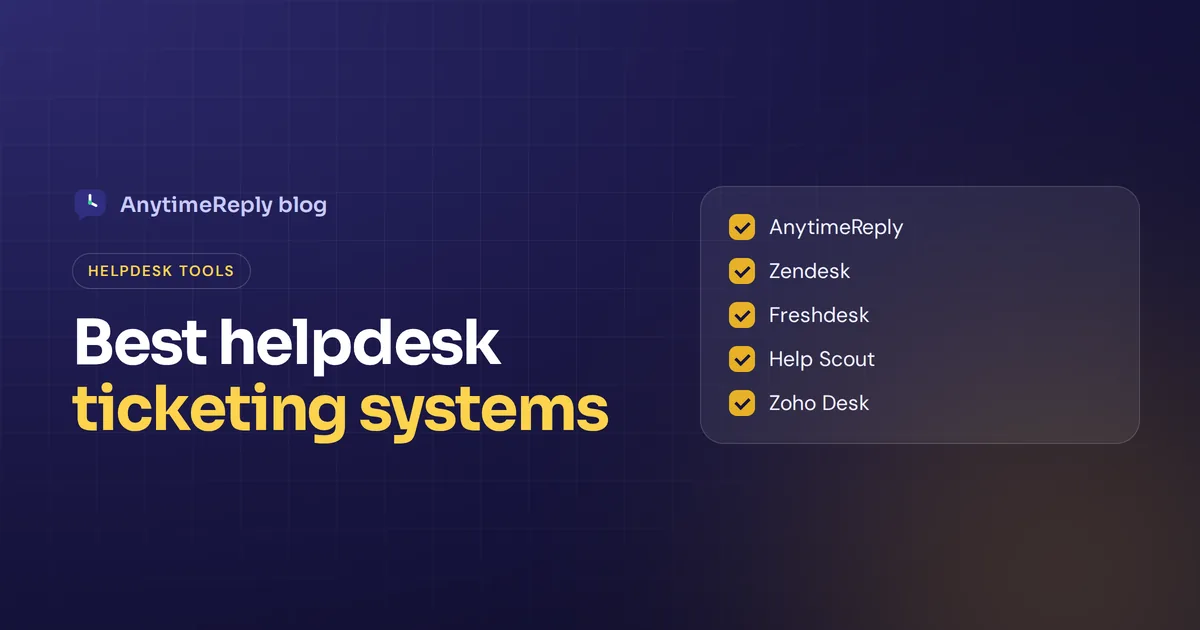
That is the moment you need the best helpdesk ticketing system you can afford. Not the biggest one. The one that fits your team size, your channels and how much setup you can handle. Below we compare 10 top help desk ticketing tools honestly, with who each one suits and where it falls short.
Full disclosure: AnytimeReply is our product and it's on the list. We'll tell you where it fits and where another tool is the better pick.
What is a help desk ticketing system?
A ticketing platform turns every customer request (an email, a chat, a WhatsApp message, a web form) into a ticket. Each ticket has a status (open, pending, solved), a priority, an owner and the full history of the conversation.
Instead of a messy shared inbox, your support team works from one queue. You can see what's waiting, who is handling it and how long customers have been waiting. Managers get reports. Customers get answers faster, and fewer customer queries fall through the cracks.
Some tools are built for external customer support. Others, often called IT service desks, are built for internal requests like "my laptop won't connect to the VPN". We cover both, but most of this list focuses on ticketing software for customer support.
What is a support ticket?
A support ticket is the record of one customer issue. It holds the customer's message, every reply, internal notes, tags, priority and status. When the issue is solved, the ticket is closed. If the customer writes again, a good system reopens the same ticket instead of starting from zero.
How a help desk system works
- A request comes in. A customer emails support@, starts a chat or sends a WhatsApp message.
- A ticket is created. The system logs it with the customer's details and past conversations.
- It gets routed. Rules or AI tag the topic, set the priority and assign the ticket to the right person or department.
- Someone answers. An agent replies, or AI answers common questions automatically.
- It's tracked to the end. The status changes as work happens, and timers watch your response targets.
- It closes and gets measured. The customer may rate the reply, and the data feeds your reports.
Benefits of a help desk ticketing system
- Nothing gets lost. Every request gets a ticket and stays open until someone closes it.
- Clear ownership. Each ticket has one owner, so two agents never reply to the same customer by accident.
- Faster replies. Saved replies, automation rules and AI drafts help agents resolve customer queries without retyping the same ticket answer.
- Priorities that make sense. Urgent and angry customers jump the queue instead of waiting behind "thanks!" emails.
- Customer data in one place. Past tickets, orders and notes sit next to the conversation, so you can track customer history without asking again.
- Better customer experience. Faster, consistent answers usually mean higher customer satisfaction.
- Real numbers. Response times, volume, ratings and team performance, without spreadsheets.
The biggest benefit is simple: you stop running support operations from memory. Each request gets a home and an owner.
Types of ticketing systems for customer support and IT
Not every ticketing tool solves the same problem. Know the type of ticketing system you need before you compare brands.
| Type | Used for | Examples |
|---|---|---|
| Customer support help desk | External customer questions on email, chat and social | Zendesk, Freshdesk, AnytimeReply |
| IT service desk (ITSM) | Internal IT incidents, service requests and assets | Jira Service Management, Freshservice, ServiceNow |
| Shared inbox | Small teams who want email that just works | Front and similar tools |
| AI-first help desk | Teams that want AI to answer before a person does | AnytimeReply, Intercom |
| Open-source / self-hosted | Teams with technical skills and tight budgets | osTicket |
Key features of the best help desk ticketing software
Here are the features worth checking when you evaluate help desk ticketing systems, and what support teams in 2026 usually expect from any help desk tool:
| Feature | Why it matters |
|---|---|
| Omnichannel inbox | Email, live chat, WhatsApp, social messages and forms in one queue |
| Customizable ticket statuses | Statuses and fields that match how your team works |
| Assignment rules | Round robin or least-busy routing so work is shared fairly |
| Automation features | Auto-tag, auto-assign, escalate or notify without manual clicks |
| SLA tracking | Alerts before a ticket breaks your service level agreement |
| AI features | AI that answers common questions, drafts replies or summarizes long threads |
| Knowledge base | Self-service articles customers and agents can search |
| Collaboration | Internal notes, @mentions and collision detection |
| Reporting | Volume, response time, CSAT and agent performance |
| Integrations | Your store, CRM, Slack and other business systems |
Best help desk ticketing systems in 2026: quick comparison
There's no single best help desk software for everyone, so we describe what each tool is known for and who it suits. We don't list other vendors' exact prices because they change often, so check each pricing page before you decide.
| Tool | Best for | Standout |
|---|---|---|
| AnytimeReply | Growing businesses that want AI to answer first | AI agent plus help desk on chat, messaging and email |
| Zendesk | Growing and large support teams | Deep features and a huge app marketplace |
| Freshdesk | SMBs wanting a classic ticketing tool | Easy start, broad feature set |
| Zoho Desk | Teams already using Zoho apps | Strong value inside the Zoho suite |
| Help Scout | Email-first teams who want a personal feel | Simple shared inbox that feels like email |
| HubSpot Service Hub | Companies on HubSpot CRM | Tickets tied to CRM records |
| Gorgias | Ecommerce stores | Order data inside every ticket |
| Jira Service Management | IT and engineering teams | ITSM workflows linked to Jira |
| Freshservice | Internal IT service desks | Asset and incident management |
| osTicket | Budget teams with technical skills | Open source and self-hosted |
The 10 best ticketing systems reviewed, from AnytimeReply to Zendesk
1. AnytimeReply
AnytimeReply is an AI customer support agent with a built-in help desk. Every support email from Gmail, Outlook, Zoho or any IMAP/SMTP mailbox becomes a ticket with status, priority and owner. The AI answers common questions in the same thread or drafts a reply for your team to check. A customer reply reopens the ticket, and you can create custom statuses.
The shared inbox also pulls in website chat, WhatsApp, Messenger, Instagram, Telegram and Slack, so you manage customer conversations in one place, and every customer interaction stays on the ticket. You get departments, round robin or least-busy assignment, internal notes, @mentions, views like "Needs human" and "Unassigned", and triggers that set priority, tag, assign or notify your team.
- Good for: online shops, service businesses and SaaS teams that get the same customer requests again and again, especially in several languages.
- Watch out for: it doesn't do phone or SMS support, and it isn't an IT asset management tool. Large teams that need deep SLA policies and complex workflows may prefer Zendesk.
- Pricing: a free plan (website chat, inbox, help center) and paid plans from $9 a month that add email, WhatsApp and other channels. See pricing.

2. Zendesk
Zendesk is one of the leading help desk names and among the best-known customer service software brands. It's known for mature ticketing, strong automation, SLA management, a large app marketplace and AI agents. It suits growing and enterprise support teams that need depth and can invest time in setup. It's often the benchmark other tools get compared against.
Watch out for: it can feel heavy for a three-person team, and costs add up as you add seats and add-ons.
3. Freshdesk
Freshdesk from Freshworks is a classic help desk solution with email ticketing, automations, a knowledge base and a self-service portal. Many SMBs pick it as an easier start than heavier tools. It also offers AI features under the Freddy name.
Watch out for: some useful features only appear on higher plans, so compare plans carefully.
4. Zoho Desk
Zoho Desk is a context-aware help desk that connects closely with Zoho CRM and the wider Zoho suite. It's a good value pick if your company already uses Zoho for sales or finance, because agents can see customer data from other Zoho apps next to the ticket.
Watch out for: the interface has a lot going on, and Zoho Desk shines most when you live inside Zoho.
5. Help Scout
Help Scout is a shared inbox that feels like normal email to the customer. No ticket numbers in the subject, no robotic auto-replies. It also offers a knowledge base and live chat. Teams that care about a personal tone love it.
Watch out for: it is lighter on complex workflows and IT-style features than enterprise tools.
6. HubSpot Service Hub
HubSpot Service Hub puts tickets right next to your CRM data, so support sees deals and marketing history. It's a natural customer service management option for businesses already using HubSpot for sales and marketing.
Watch out for: the value depends on being in the HubSpot ecosystem.
7. Gorgias
Gorgias is built for ecommerce. It pulls order details from stores like Shopify into the ticket, so agents can see orders and act without switching tabs. It also handles social comments and chat.
Watch out for: it is focused on online stores, so service businesses and SaaS teams may find it a poor fit.
8. Jira Service Management
Atlassian's ITSM tool is built for IT and internal service teams. It handles incidents, changes and every service request, and links tickets to Jira issues for engineering. A strong pick for IT help desks and DevOps teams, and often named among the best IT ticketing systems.
Watch out for: it is not designed for friendly customer chat on WhatsApp or Instagram.
9. Freshservice
Freshservice is Freshworks' IT service desk and ticketing solution. It covers incident, problem and change management plus asset tracking. Good for internal IT teams in growing companies.
Watch out for: it is internal IT management software, not a customer support platform.
10. osTicket
osTicket is a free, open-source ticketing system you host yourself. It covers the basics: email piping, ticket queues, assignment and a simple customer portal.
Watch out for: you handle hosting, updates and security yourself, and the interface feels dated compared with modern SaaS tools.
Also worth a look
Intercom (messaging-led support with the Fin AI agent), Front (a shared inbox for teams that live in email), Kustomer (a CRM-style platform for larger customer service teams), SolarWinds Service Desk and ServiceNow (IT service management for bigger organizations), and Tidio (live chat software with ticketing for smaller teams).
How to prioritize help desk tickets
Even the best ticketing software won't help if every ticket looks equally urgent. A simple priority system works for most teams:
- Urgent: the customer can't use what they paid for, money is at risk, or the customer is very upset. Answer within the hour.
- High: an order problem, a wrong charge, a bug blocking work. Same day.
- Normal: how-to questions, product questions, general customer inquiries. Within one business day.
- Low: feature ideas, feedback, "just wanted to say thanks". When you can.
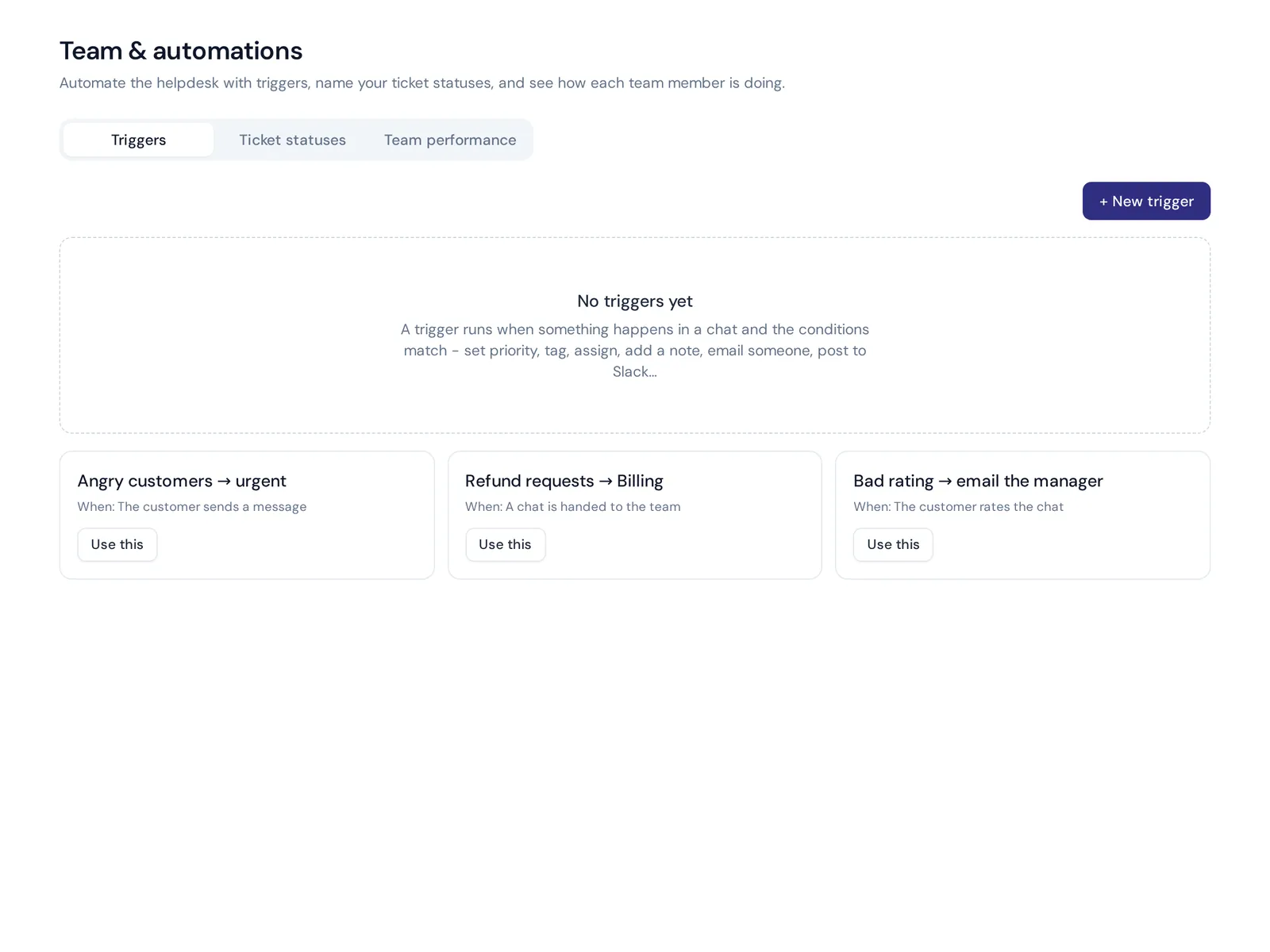
Then let the system do the sorting. Triggers can mark angry messages as urgent, send refund requests to billing and flag tickets that are close to breaking your response target. That's how you manage support tickets without reading every one first.
Best helpdesk ticketing system for small business
Smaller teams have different needs than big support centers. You don't need 40 report types. You need to answer fast, not lose tickets and not spend a month on setup.
Here is what we'd look for in a helpdesk ticketing system for small business:
- A free plan or free trial so you can test with real tickets.
- Setup in an afternoon. Connect your mailbox and chat, invite the team, done.
- AI that handles repeat questions. "Where is my order?" and "What are your hours?" shouldn't need a person.
- The channels your customers use. For many shops that means WhatsApp and Instagram, not only email.
- Team members included, or at least cheap seats, so adding a part-timer doesn't double your bill.
An email-first team of a few people often does well with a simple shared inbox or Freshdesk. A shop or service business getting lots of chat and messaging questions will usually get more from a tool with an AI agent built in.
Choosing the right ticketing software for your support team
Choosing the right help desk gets easier when you follow the same steps every time. They work whether you're choosing a help desk for the first time or replacing one:
- Count your tickets. Look at last month: how many requests, from which channels, about what?
- List your channels. Email only? Or chat, WhatsApp, Instagram and social too?
- Decide internal or external. Customer support and IT service desks are different tools.
- Check your must-have integrations. Store, CRM, billing, Slack.
- Shortlist three tools and trial them. Forward real emails, run a week of real chats.
- Check the total cost. Seats, AI add-ons, channel fees and annual contracts.
- Pick the one your team actually likes using. The fanciest platform loses if agents avoid it.
And ask one question in every demo: "Can the system grow with your business?" Moving help desks later is painful, so pick something that fits where you'll be in two years, not only today.
How much does help desk ticketing software cost?
Most tools charge per agent per month, with higher tiers adding automation, AI and reporting. Some add separate fees for AI resolutions, extra channels or add-ons. Open-source tools are free to download but cost you hosting and time.
A fair way to compare: take your team size and monthly ticket volume, then price the plan you'd actually need on each tool, including AI and channels. The cheapest starting price is rarely the cheapest real bill.
How AI changes ticketing
A few years ago ticket software only organized work. Now the best ticketing system software also does part of the work. AI can answer common questions right away, draft replies for agents, translate messages, tag topics and summarize long threads before a handoff. That can improve customer response times a lot, because the simple stuff never waits in a queue.
It doesn't replace your team. It removes the repeat stuff, so people spend their time on refunds, complaints and tricky cases. The key is a clean handoff: when the AI isn't sure or the customer asks for a person, a human takes over with full context.
Where AnytimeReply fits
We built AnytimeReply for teams that want AI to answer first and people to step in when it matters. The AI agent learns from your website, files and Q&A, answers on chat, messaging apps and email, and hands over with a summary when a customer gets upset, asks for a person or the AI can't answer.
If you already love your current help desk, you can keep it. AnytimeReply can hand chats over to Zendesk, Freshdesk, Intercom, Zoho Desk, Help Scout or Gorgias. And if you need phone support or an IT asset tracker, we're honestly not the right tool. Read the email and tickets guide to see how setup works.
Frequently asked questions
What is the best helpdesk ticketing system?
There is no single winner. Zendesk is a strong pick for large teams, Help Scout for email-first teams, Gorgias for online stores, an ITSM tool for IT, and an AI-first tool like AnytimeReply for businesses that want common questions answered automatically.
Who is Zendesk's biggest competitor?
Freshdesk is the most common head-to-head rival, with Zoho Desk, Intercom and HubSpot Service Hub close behind depending on team size and use case.
What is the difference between a help desk and a ticketing system?
A ticketing system is the part that tracks requests as tickets. A help desk is the bigger toolset around it: inbox, knowledge base, automation, reporting and often live chat. Most modern help desk software includes ticketing.
Is there a free help desk platform?
Yes. osTicket is free and open source if you can host it. Several SaaS tools, including AnytimeReply, have free plans with limits.
Can a ticketing system handle WhatsApp and social messages?
Many can, but not all. Check that the tool supports the official WhatsApp Business API, Instagram and Messenger if your customers write there.
How long does it take to set up a help desk?
Simple tools can be live in an hour: connect your mailbox, add your team, set a few rules and answer your first ticket the same day. Enterprise setups with complex workflows can take weeks.
Pick a system and start closing tickets
The right help desk ticketing system is the one that fits your size and channels and that your team will actually use. Shortlist three, test them with real tickets and keep it simple at first.
If you want AI to handle the repeat questions and a shared inbox for the rest, start free with AnytimeReply, no card needed.
Published 30 October 2026 by AnytimeReply team