Your customers message you on WhatsApp. Your sales and support history lives in a CRM. And somewhere in between, someone on your team is copying phone numbers, order details and "she wanted the blue one" notes from a phone into a spreadsheet. Things get lost. Leads go cold. Two people reply to the same customer.
A WhatsApp Business CRM integration fixes that. It connects your WhatsApp conversations to your customer records, so every chat is saved against the right contact, your team works from one shared view, and you can follow up at the right time. Below we explain how it works, the difference between the app and the API, the ways to integrate WhatsApp with your CRM, and the mistakes to avoid.
We build a support tool that connects to WhatsApp, so we have a bias. We'll still give you the honest version, including when you don't need any of this yet.
What is a WhatsApp CRM integration?
CRM means customer relationship management: the system where you keep contacts, deals, orders and history. A WhatsApp CRM integration connects WhatsApp to that CRM system, so messages, contacts and conversation history flow between the two without copy and paste.
In practice, a good integration lets you:
- See every WhatsApp interaction inside the customer's record
- Create or update contacts automatically when someone messages you
- Let several team members reply from one shared WhatsApp number
- Send automated WhatsApp messages from CRM events, like an order shipped or a deal moved stage
- Track leads, tags and custom fields from WhatsApp chats
- Report on response times and outcomes
The CRM platform could be HubSpot, Salesforce, Zoho CRM or Pipedrive, or the contacts section of a helpdesk that already handles customer interactions.
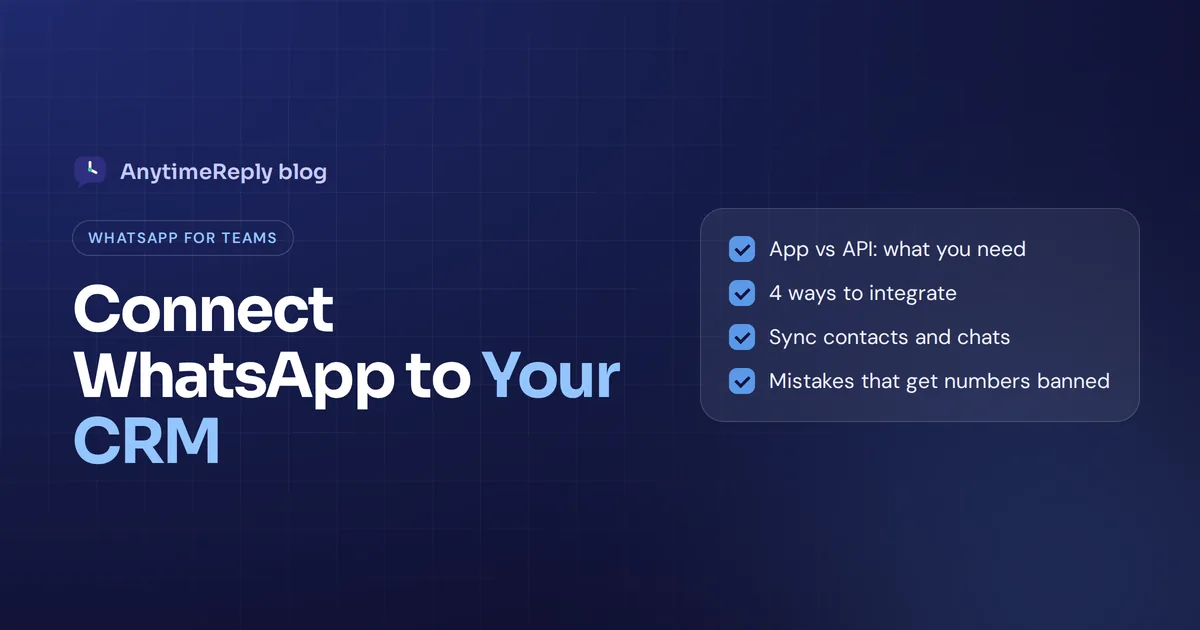
WhatsApp Business app vs WhatsApp Business API
This is the first thing to understand, because it decides what you can actually connect.
| The free app | The API (Business Platform) | |
|---|---|---|
| Who it's for | Small businesses, one or two people | Growing teams that want automation |
| How you use it | Phone app and linked devices | Through software: a CRM, helpdesk or messaging tool |
| Multiple agents | Limited | Many agents on one number through a shared inbox |
| CRM integration | No official API, only workarounds | Built for API integration |
| Automation | Quick replies and away messages | Full WhatsApp automation, AI chatbots, triggered messages |
| Cost | Free | Meta charges for some message types, plus your tool's fee |
So for a real CRM WhatsApp integration you need a WhatsApp Business API account. You get it directly from Meta (the Cloud API) or through a WhatsApp Business Solution Provider. Check WhatsApp Business and Meta's pricing docs for current rules, because they change from time to time.
Benefits of WhatsApp CRM integration
- One customer view. Your team sees past orders, notes and previous chats before replying. No more "can you send your order number again?"
- Faster replies. Messages land in a shared inbox and get routed to the right person, so you manage customer conversations as a team.
- No lost leads. Every new chat becomes a contact or lead, logged in the CRM automatically.
- Better follow-ups. Send order updates, reminders or abandoned cart messages straight from CRM workflows.
- Clear reporting. See which campaigns bring WhatsApp leads and how fast your team responds.
- Less risk. CRM data sits in a business system with access control, not on an employee's personal phone.
All of this adds up to better customer engagement and a calmer customer experience. It can also help businesses with WhatsApp marketing, as long as you respect opt-ins.
How CRM and WhatsApp work together
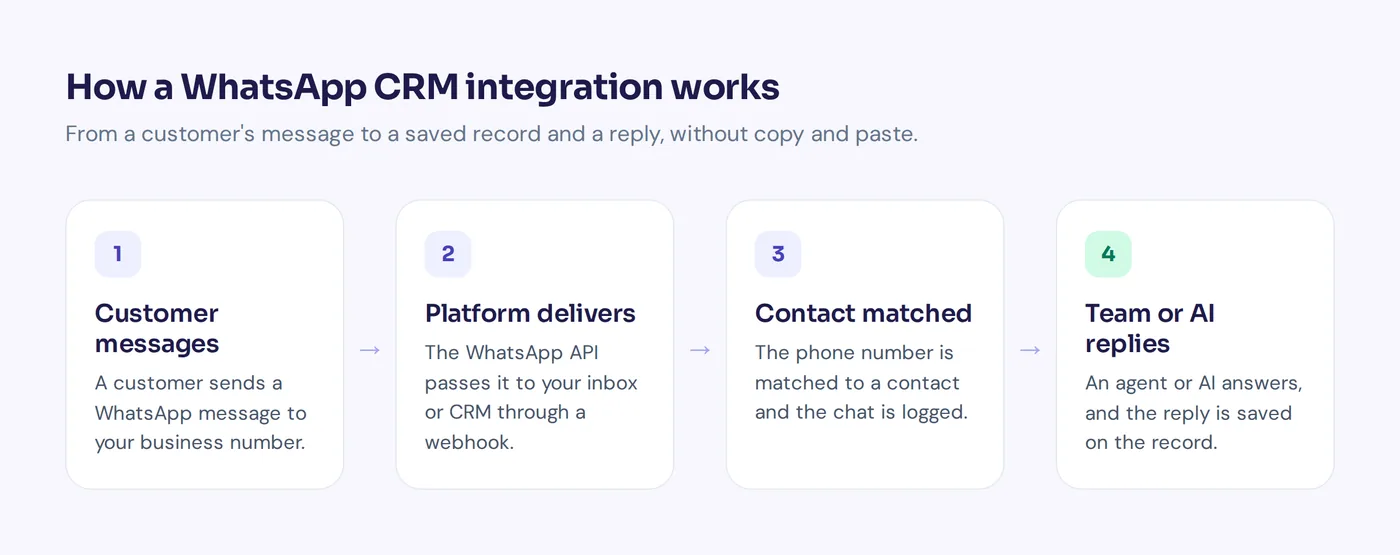
- A customer sends a WhatsApp message to your business number.
- Meta's platform delivers it to your connected software through a webhook.
- The software matches the phone number to an existing contact, or creates a new one.
- The message appears in a shared inbox and is logged on the contact's timeline.
- An agent or an AI replies, and the reply goes back via WhatsApp and is saved too.
- CRM events trigger outbound messages, such as a shipping update, using approved templates.
One rule to know: you can reply freely within 24 hours of the customer's last message. Outside that window, businesses have to use pre-approved template messages, and customers must have opted in before you message them first.
4 ways to integrate WhatsApp with a CRM
There is no single right way. A good WhatsApp integration depends on your CRM, your budget and whether you have developers.
1. Native WhatsApp connection in your CRM
Some CRMs offer a built-in WhatsApp connection or a marketplace app. This is the easiest route if your CRM supports WhatsApp and you mostly need chats logged on contacts. Check your CRM's app marketplace and what it charges.
2. A messaging or helpdesk platform connected to your CRM
Many teams use a dedicated tool to manage WhatsApp (shared inbox, chatbot, automation) and connect it to the CRM. Agents get a tool built for chatting, while the CRM stays the source of truth for sales data.
3. No-code automation
Zapier, Make and n8n pass data between your WhatsApp tool and almost any CRM: create a contact when a chat starts, add a note when a conversation closes, send a WhatsApp message when a deal changes stage. Good for small businesses without developers.
4. Custom API and CRM integration
Developers can connect the WhatsApp API directly to a CRM using webhooks. Most flexible, but you build and maintain it yourself, including template approvals, errors and security.
How to choose the right WhatsApp CRM tools
Whether you pick WhatsApp CRM software or a helpdesk with CRM integration capabilities, look for:
- Official platform access, not an unofficial workaround that risks a ban
- Shared team inbox with assignment, internal notes and statuses
- Automatic contact matching by phone number
- Custom fields and tags that sync both ways
- Template support for messages outside the 24-hour window
- AI replies for common questions, with handoff to a person
- Opt-out handling, such as a STOP keyword, for broadcasts
- Webhooks or connectors for your CRM, Zapier, Make or n8n
- Clear data security and the ability to delete data
The best WhatsApp CRM is usually the one that fits your team's workflow and the business tools you already use.
Setting up your WhatsApp integration: an 8-step integration process
- Decide your source of truth. Will contacts live in your CRM, your helpdesk, or both? Pick one main place to avoid duplicates.
- Get platform access and a WhatsApp Business account for a dedicated number, directly from Meta or through your tool.
- Connect your WhatsApp number to your inbox or CRM and verify your business.
- Map your fields. Phone, name, email, tags, lead source, order ID. Decide which way each one syncs.
- Set routing and handoff rules. Sales questions to sales, support to support, complaints to a senior person.
- Create templates for order updates and reminders and get them approved.
- Test with a few real conversations before you send any broadcast.
- Review weekly: duplicates, missed chats, slow replies, unanswered questions.
Mistakes to avoid when you integrate WhatsApp with CRM
- Using unofficial tools. Browser hacks can get your number banned.
- Messaging without opt-in. It annoys people and breaks the rules.
- Too many broadcasts. Customers block numbers that spam them.
- Two-way sync without rules. If both systems edit the same field, you get conflicts. Decide who wins.
- Forgetting the human. Automation suits routine messages. Complaints and big decisions still need a person.
How AnytimeReply connects WhatsApp to your customer data
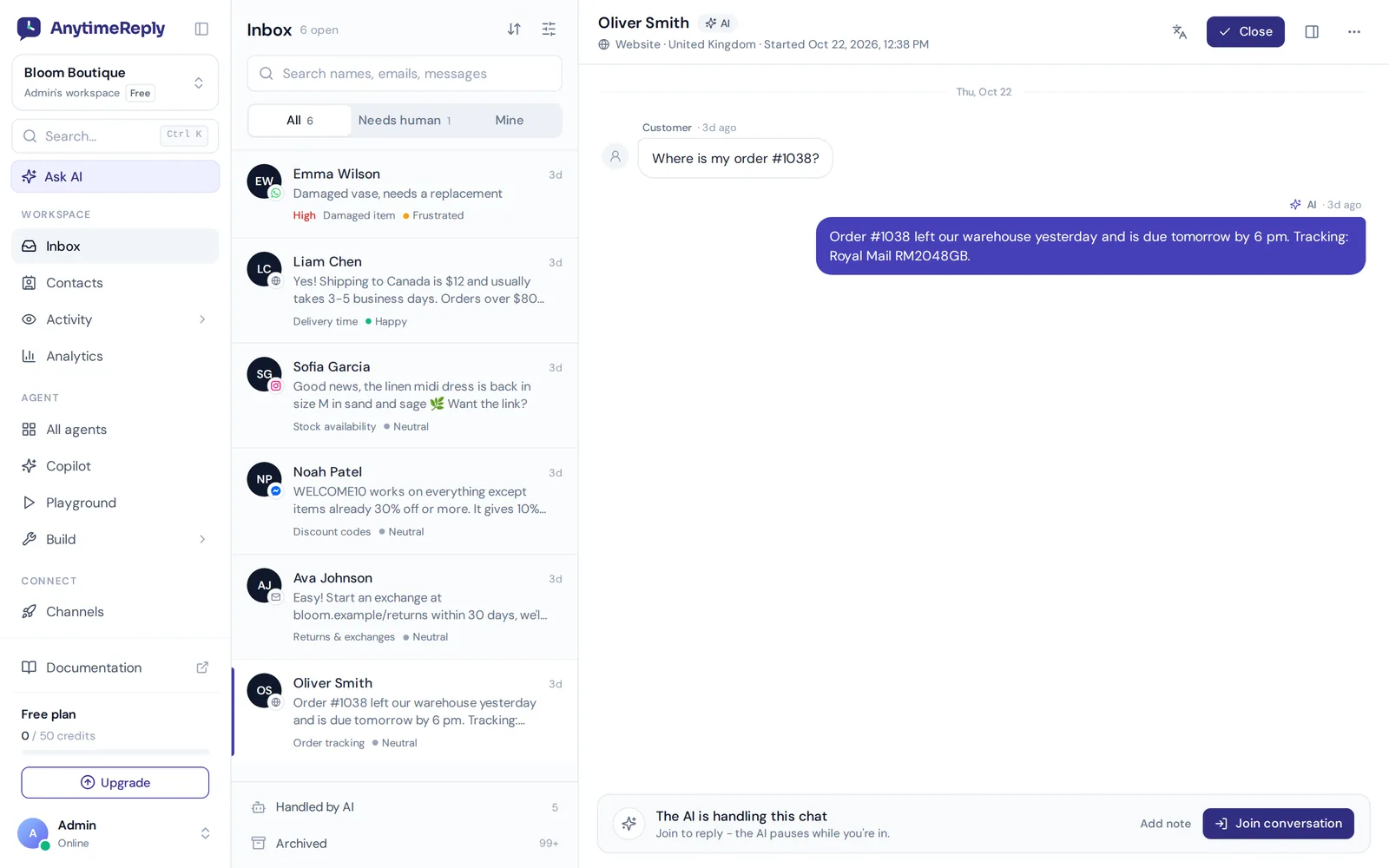
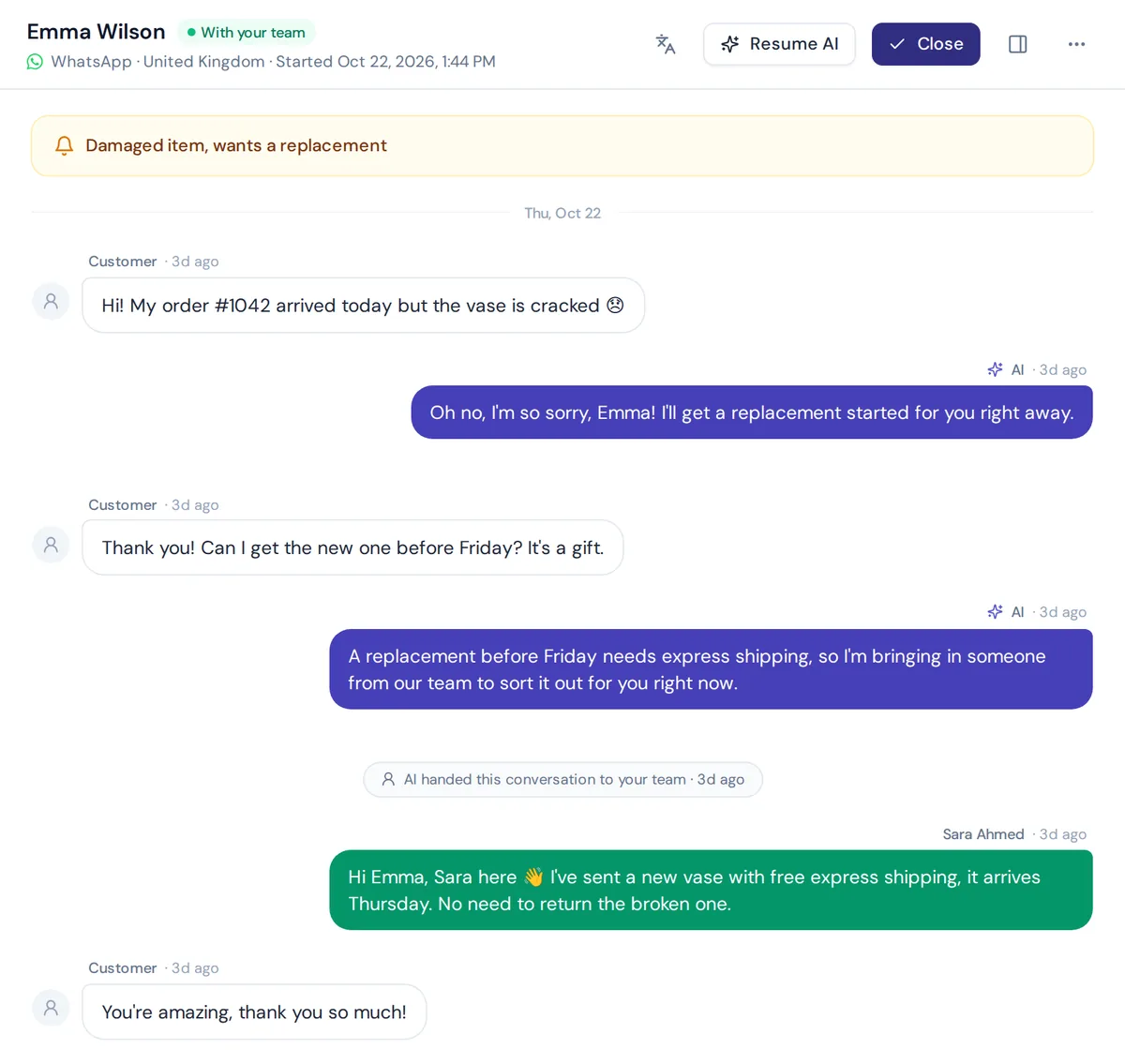
AnytimeReply is an AI customer support agent with a built-in helpdesk. You can connect WhatsApp through the official API or a quick QR connect, and the AI answers customers on WhatsApp day and night in their own language, including voice notes and photos. When a person is needed, the chat moves to your team's shared inbox with a summary.
Every WhatsApp customer is saved in Contacts, together with website visitors, leads and email customers, with custom attributes and imports. To push data into your CRM, use HubSpot or Airtable through actions, or connect Zapier, Make, n8n or signed webhooks. You can also send WhatsApp broadcasts at a safe pace with daily limits and STOP opt-out.
Honest notes: WhatsApp, actions and broadcasts are on paid plans (Hobby and up, see pricing). AnytimeReply is a support and sales conversation tool, not a full sales CRM with pipelines and forecasting. If you need deal stages, keep your CRM and connect the two.
Frequently asked questions
What's the difference between WhatsApp Business and WhatsApp Business API?
The free app is for one or a few people on a phone. The API is for software: it lets many agents share one number, connects to CRMs and supports automation and chatbots.
How does WhatsApp Business Platform work?
Meta delivers incoming messages to your software through webhooks, and your software sends replies back the same way. Free-form replies work within 24 hours of the customer's last message; after that you use approved templates.
How to integrate Zoho CRM with WhatsApp?
Check the Zoho Marketplace for a WhatsApp extension, use a messaging platform that connects to Zoho, or link the two with Zapier, Make or n8n. Each option needs official platform access for your number.
How to give WhatsApp Business access to a team?
In the app, you can link a few devices. For a real team, connect the number to a shared inbox through the official platform and give each person their own login.
Can you use WhatsApp Business as a CRM?
Only in a very basic way, with labels and notes in the app. For history, reporting and teamwork, connect it to a proper CRM or helpdesk.
How much does a WhatsApp CRM integration cost?
You pay Meta for some message types, plus the fee of your CRM add-on or messaging tool. Check current pricing pages before you decide.
Connect the dots, then automate
Integrating WhatsApp with a CRM is worth it as soon as more than one person handles chats or leads start slipping. Use the official API, keep one source of truth, and automate the routine while people handle what matters. Done right, it can turn WhatsApp into a proper sales and support channel.
Want AI answers, a shared inbox and contacts for WhatsApp in one place? Start free, no card needed, set up your agent on website chat, and add WhatsApp when you're ready.
Published 3 November 2026 by AnytimeReply team