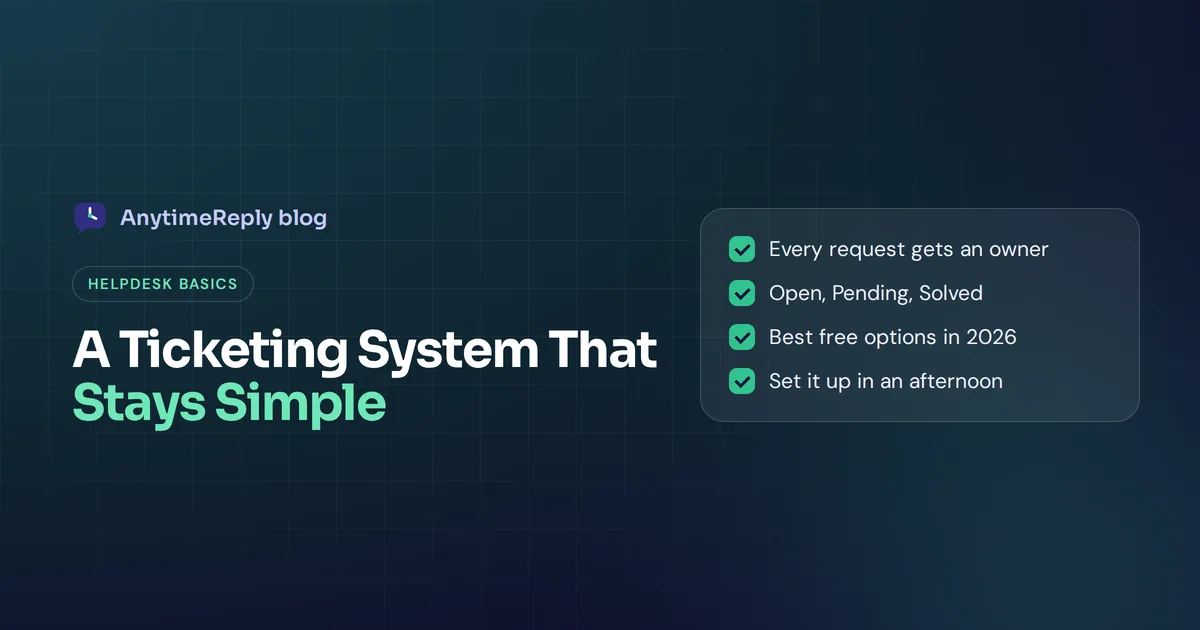
Your support inbox has 60 unread emails. Two people on your team answered the same customer. Nobody answered the angry one from Tuesday. If that sounds familiar, you don't need a huge enterprise helpdesk. You need a simple ticketing system.
A good one turns every customer request into a ticket with an owner, a status and a priority, so nothing gets lost and nobody doubles up. It should take an afternoon to set up, not a three-month project.
This guide explains what a basic ticketing tool needs (and what you can skip), how ticket management works from ticket creation to resolution, the best free and low-cost options right now, and how to set one up step by step. We build a helpdesk, so we have a bias, but the advice works whatever you choose.
What is a simple ticketing system?
A ticketing system is software that collects support requests from email, chat, a web form and other channels and turns each one into a ticket. A ticket is a record of one customer's problem, with the full conversation, who is working on it and where it stands.
Keeping it basic matters. Big IT service desks come with asset management, hardware and software inventory, change approvals and SLA rules with ten tiers. A small business or a growing customer support team usually needs five things:
- One shared inbox for all requests
- An owner for every ticket
- A status (open, pending, solved)
- A priority, so urgent things come first
- History, so anyone can pick up where someone else left off
If a tool does those five things well and your team actually uses it, it is a good desk system. Everything else is extra.
Is a ticketing system the same as a help desk or a CRM?
Not quite. People use the words loosely, so here is the short version:
| Tool | Main job | Who uses it |
|---|---|---|
| Ticketing system | Track each request with an owner and status | Any team that gets requests |
| Help desk | Ticketing plus live chat, help center, automation and reports | Support teams |
| Service desk | IT service management: incidents, changes, assets | IT departments |
| CRM | Track leads, deals and customer relationships | Sales and marketing |
So a ticketing system is not a CRM, though many help desk platforms connect to one. Is Zendesk a CRM or a ticketing system? It is mainly a help desk with ticketing at its core, though it can connect to CRMs.
Why a shared email inbox stops working
Most teams start with a shared Gmail or Outlook address like support@. That's fine at 10 emails a day. Around 30 or 40 a day, problems show up:
- No owner. Everyone assumes someone else replied.
- Double replies. Two agents answer the same customer with different answers.
- Lost emails. An old thread gets buried under new ones and the customer waits a week.
- No priorities. A "how do I reset my password" email sits next to "I was charged twice".
- No visibility. You can't see ticket volume or how long people wait.
- Channel chaos. Requests also come by WhatsApp, Instagram and live chat, and those live in different apps.
A proper system fixes all of these without changing how customers contact you. They still email support@. You just handle it better. Moving from a shared inbox is usually painless: connect the mailbox, and new emails start arriving as tickets.
Features a simple support ticket system needs
| Feature | Why it matters | Must have? |
|---|---|---|
| Email ticketing | Every email to your support address becomes a ticket automatically | Yes |
| Ticket assignment | Each ticket has one owner, so nothing falls through | Yes |
| Statuses | Open, pending, solved, closed. You see what needs work | Yes |
| Priorities | Urgent issues jump the queue | Yes |
| Internal notes | Talk to colleagues inside the ticket without the customer seeing | Yes |
| Saved replies or AI drafts | Answer common questions in seconds | Very useful |
| Multichannel inbox | Chat, WhatsApp and social messages in the same place | Useful if customers use them |
| Automation | Auto tag, assign or prioritize based on rules | Useful once volume grows |
| Knowledge base and help center | Customers find answers without opening a ticket | Nice to have |
| Reports | Ticket volume, response time, satisfaction | Nice to have |
What you can skip at the start: complex SLA rules, asset tracking, approval chains and a custom ticket form with 15 fields. Add them only when a real problem demands it.
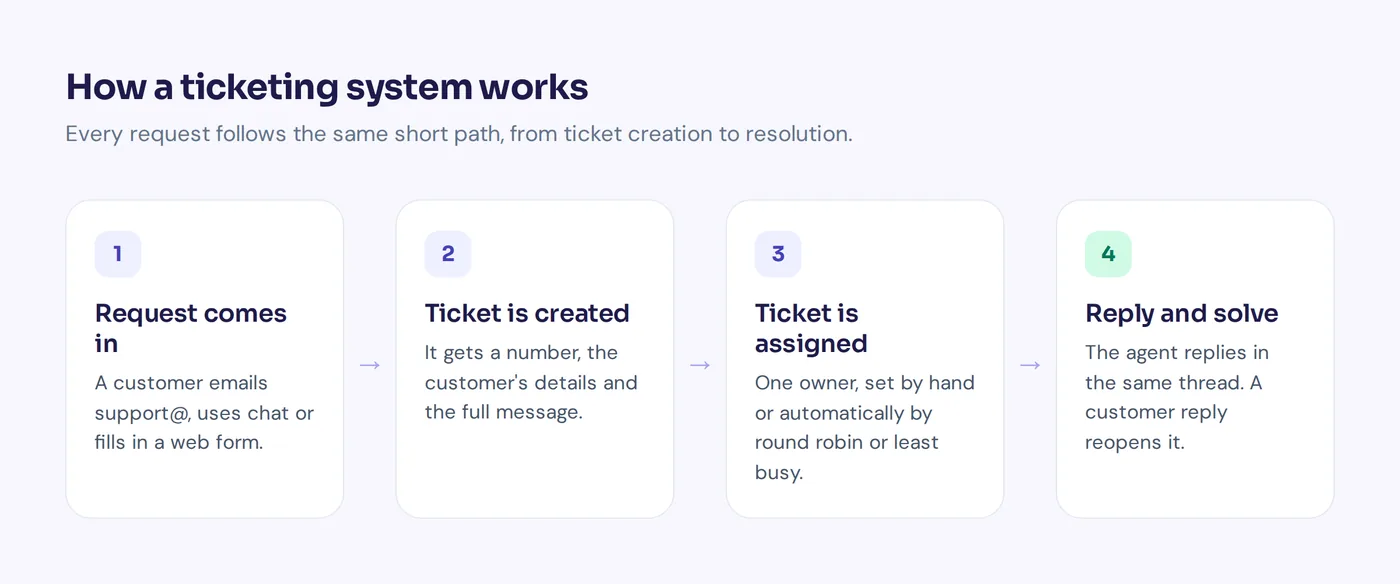
How a ticketing system works, from ticket creation to resolution
Here is how a ticketing system works in practice:
- Customer sends a request. By email, chat or a web portal form.
- A ticket is created. It gets a number, the end user's details and the full message.
- It is assigned. Automatically (round robin, least busy) or by hand.
- Agent replies. The reply goes out by email from your support address, and the ticket becomes "pending" while you wait.
- Customer answers. Their reply lands in the same ticket and reopens it.
- Ticket is solved. After a set time with no reply, it closes.
How does an email become a ticket? The tool either connects to your mailbox (Gmail, Outlook or IMAP) and reads new messages, or you forward support emails to an address the tool gives you. Either way, the conversation stays in one thread.
Best free help desk and desk ticketing systems in 2026
Most "best ticketing systems in 2026" lists are long. Here are the popular free and low-cost options that small teams actually look at, described honestly. Plans change often, so check each pricing page before you decide.
AnytimeReply
Our tool. A helpdesk with an AI agent that answers common tickets in the same email thread. The Free plan includes the helpdesk inbox, website chat and help center for up to 3 team members. Email, WhatsApp and Instagram channels start on the Hobby plan ($9 a month). Good for small teams that want fewer tickets, not just tidier ones. No phone or SMS channel.
Zoho Desk
Zoho Desk's free plan (Zoho calls it the Free Edition) is listed as free forever with three user licenses and email ticketing, according to the Zoho Desk pricing page. The Zoho Desk free option has limited features, so check the comparison page. It fits best if you already use other Zoho apps.
Freshdesk
Freshdesk is a popular help desk for small and mid-size teams. If you remember Freshdesk's free plan, look again: when we checked the Freshdesk pricing page in October 2026, it listed paid plans with a free trial, not a free version.
Help Scout
This tool is known for an email-first shared inbox that feels like normal email to customers. A good fit for teams that care about a personal tone. Check their site for current plans.
Jira Service Management
Jira Service Management from Atlassian is a service desk built for IT and tech teams, and it fits small IT teams already using Jira. Its pricing page lists a free tier for up to 3 agents. It is powerful, but heavier than most small support teams need.
ProProfs Help Desk
ProProfs Help Desk is a shared-inbox style help desk with AI features, aimed at growing support teams. Check their site for current pricing.
Open-source tools: osTicket and Zammad
Want a completely free program? An open-source ticketing system like osTicket or Zammad costs nothing to download, and each open source ticketing system has a community for free support. Open-source tools are free to use, but self-hosted tools need a server, updates, backups and security work. They suit teams with a developer, and they are a real way to start without adding software costs. If you'd rather not run servers, a cloud help desk with a basic free plan is less work than any open-source help desk.
Other names you will see on IT lists include ManageEngine ServiceDesk Plus and SolarWinds Web Help Desk. These are built for IT departments, not for answering customers.
Quick comparison of ticketing tool types
| Type | Examples | Good for | Trade-off |
|---|---|---|---|
| Shared inbox tools | Help Scout, Front | Email-first teams that want a familiar feel | Fewer IT features |
| Full help desk platforms | Zendesk, Freshdesk, Zoho Desk | Growing teams that will need lots of features later | Can feel heavy for a team of two |
| AI-first helpdesks | AnytimeReply | Small teams who want AI to answer common tickets | Chat and email channels only, no calls |
| IT service desks | Jira Service Management | Internal IT requests | Too much for basic support |
| Free and open source | osTicket, Zammad | Teams with a developer who want to self-host | You handle hosting, updates and security |
| Spreadsheets | Google Sheets, Trello | Very low volume, internal tools | No email threading, breaks fast |
A good test: if a new team member can answer their first ticket within 15 minutes of logging in, the tool is easy enough.
How much does a ticketing system cost? Free plan vs paid plan
There are three common price models:
- Free tier or free tool. Good to start, usually with limits on agents, channels or automation.
- Per agent per month. The classic help desk model. Costs grow with every person you add.
- Usage based. Some AI-first tools charge for AI replies instead of seats. AnytimeReply, for example, includes team members in each plan and uses credits for AI replies.
When should you upgrade from a free ticketing system to a paid plan? Usually when you need more agents, more channels (like WhatsApp or email on some tools), automation rules or reports. If your free option is slowing your team down, the paid plan is cheaper than the lost time.
How to set up a simple help desk ticketing system
- Pick one support address. [email protected] is fine. Stop using personal inboxes for customer requests.
- Connect it to your tool. Most tools connect Gmail, Outlook or any IMAP mailbox, or let you forward emails.
- Keep statuses minimal. Open, Pending, Solved. Add one custom status only if you really need it, like "Waiting on supplier".
- Decide on ticket assignment. A small team can grab tickets themselves. Bigger teams should automate assignment.
- Write five saved replies. Shipping times, refund policy, password reset, opening hours, "we're on it".
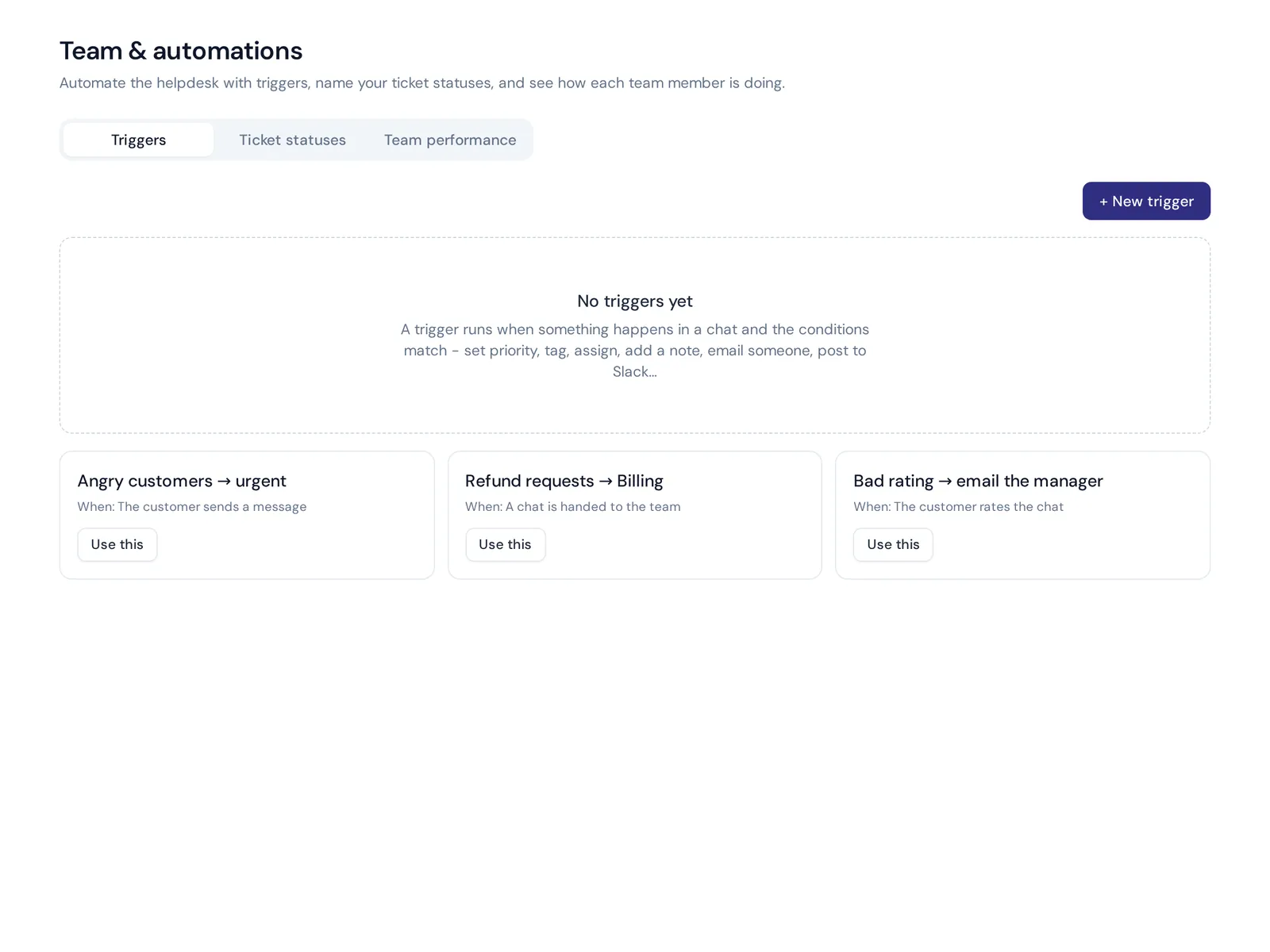
- Automate two or three rules. For example: emails with "refund" go to Billing, angry customers get urgent priority.
- Add your other channels. Website chat, WhatsApp and social messages, if customers use them.
- Publish help articles. Turn your top repeat questions into a small help center.
- Review every week. Which tickets took longest? Which questions repeat? Adjust your workflow.
Using AI in a modern ticketing system
A few years ago, "AI" in a help desk meant suggested tags. Now an AI agent can read a ticket, find the answer in your docs and reply in the same email thread. That changes what a small customer support team can handle.
- Auto answers for common questions. Order status, password resets, shipping times. The AI replies, and the ticket is solved in minutes.
- Drafts for agents. For trickier tickets, the AI writes a draft and a person checks and sends it.
- Tagging and routing. The AI reads the message and sets priority, topic or department.
- Translation. Reply to a customer in their language even if your team doesn't speak it.
But be careful. Let AI auto-reply only on topics where you trust its answers. Refunds, complaints and legal questions should always reach a person.
Mistakes that make support ticketing complicated
- Too many statuses and fields. If agents have to fill in eight fields per ticket, they will skip them.
- Too many rules too early. Start with three. Add more when you see a pattern.
- Splitting channels. Email in one of your support tools, chat in another, WhatsApp on someone's phone. Put them in one support desk.
- Never closing tickets. A queue with 400 "open" tickets that are really done hides the ones that matter.
- Buying IT management tools for support. Asset tracking and change approvals just get in the way.
- No knowledge base. If the same question comes in 20 times a week, write one article.
How AnytimeReply works as a ticketing system for small business
We built AnytimeReply for small teams who want a helpdesk that is easy to run, with AI doing the first reply. Here is how tickets and email work:
- Connect your mailbox. Gmail, Outlook, Zoho or any IMAP/SMTP mailbox, or forward emails.
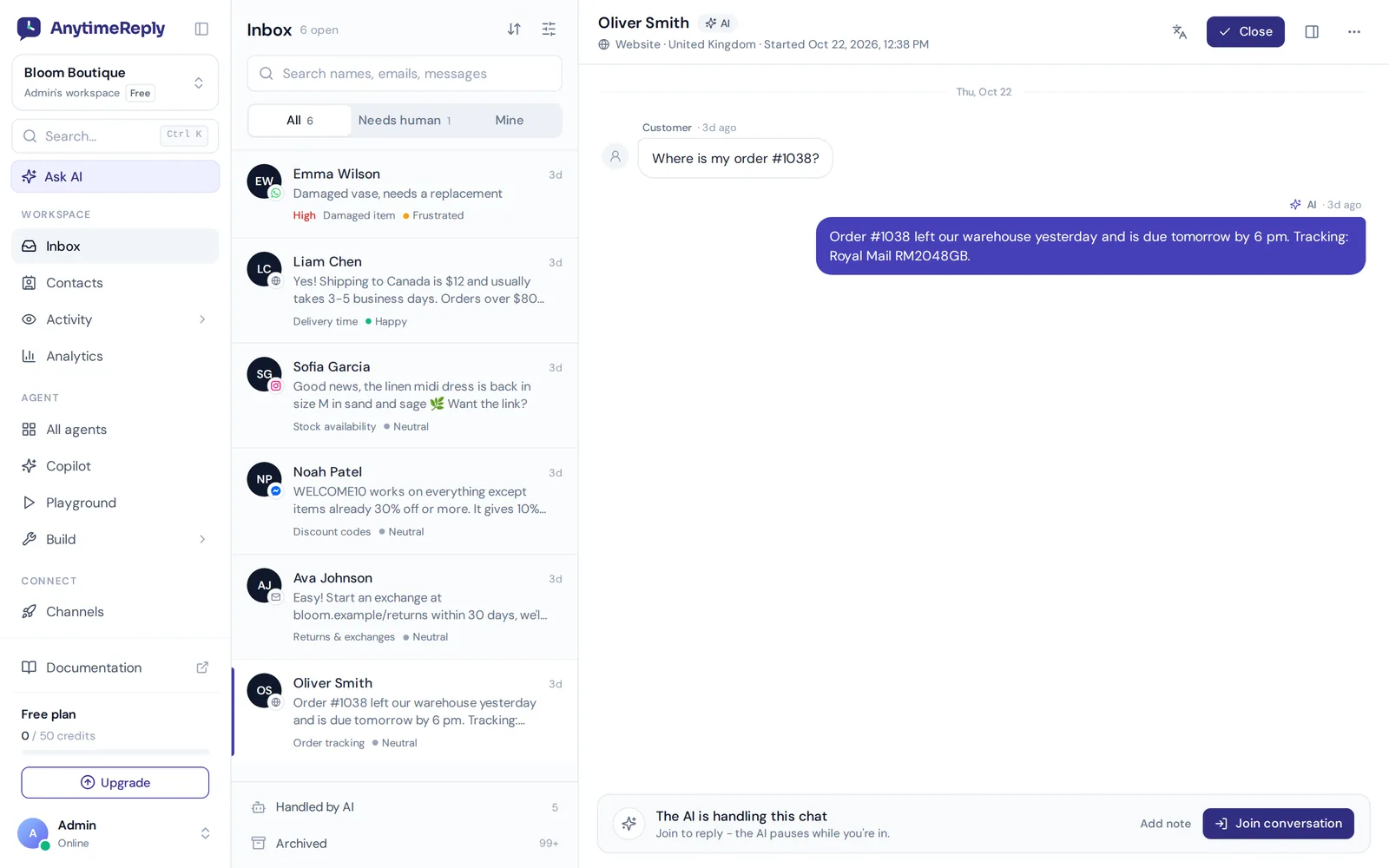
- Every support email becomes a ticket with status, priority and owner. Custom statuses are available, and a customer reply reopens the ticket.
- AI answers common tickets in the same email thread, or drafts replies for your team to check.
- One inbox for every channel. Website chat, WhatsApp, Messenger, Instagram, Telegram, email and Slack in one shared helpdesk, with assignment (least busy or round robin), internal notes and @mentions.
- Triggers set priority, tag, assign, add notes, send emails or Slack messages, call webhooks, reply or close.
The Free plan includes the helpdesk inbox, website chat and up to 3 team members. The email channel starts on Hobby. Prices can change, so check pricing. Setup steps are in our email and tickets guide.
Honest limits: there is no phone or SMS channel, and it is not an ITSM tool with asset tracking. If you need those, a dedicated ITSM product fits better.
Frequently asked questions
Is there a completely free ticketing system?
Yes. Open-source options like osTicket and Zammad are free and open source if you host them yourself, and several cloud tools offer a free help desk plan, such as Zoho Desk's Free Edition and AnytimeReply's Free plan (website chat and helpdesk inbox; email tickets need the Hobby plan). Check limits on agents and channels.
What are the different types of ticketing systems?
The main types are support help desks, IT service desks, shared inbox tools, open-source self-hosted systems and basic trackers built in spreadsheets or project tools.
Can I use Outlook or a shared Gmail inbox as a ticketing system?
For a very small team, labels and shared access can work for a while. But there are no real ticket owners, statuses or reports, so most teams move to free help desk software once they reach a few dozen emails a day.
Does a ticketing system use AI to resolve tickets?
Many modern ones do. AI can answer common tickets, draft replies, tag and route. The best setups let AI handle repeats and send everything sensitive to a person.
Does Microsoft offer a support ticketing product?
Microsoft sells Dynamics 365 Customer Service, a case management product aimed mostly at larger companies. Many small teams instead connect their Outlook mailbox to a separate help desk.
Final thoughts
A good ticketing system is not about fancy features. It's about every customer getting an answer, every ticket having an owner, and your team knowing what to do next. Start small, keep it tidy, and add complexity only when you feel real pain.
If you want a ticketing system with AI that answers the easy tickets for you, start free with AnytimeReply. No card needed.
Published 3 November 2026 by AnytimeReply team