You have a new collection, a weekend sale or a delivery delay to announce. You could post it on Instagram and hope people see it. Or you could send a WhatsApp broadcast message and land right next to your customers' chats with friends and family, where most people look several times a day.
That reach is exactly why broadcasts need care. A good broadcast feels like a helpful note from a shop you like. A bad one feels like spam, gets you blocked, and can get your number restricted.
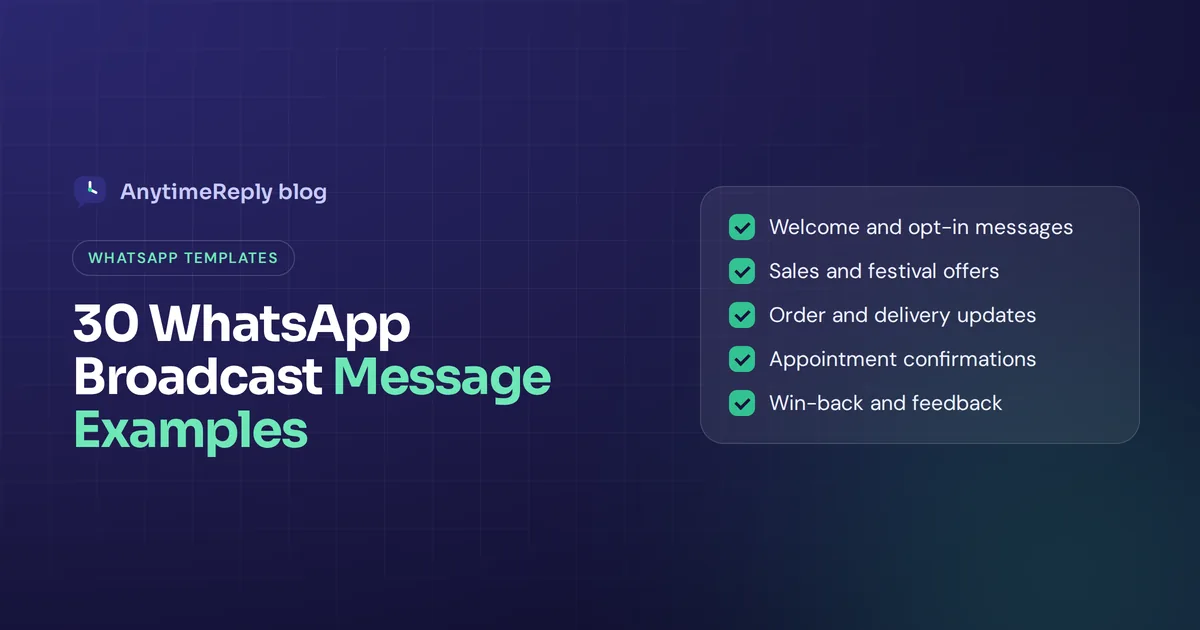
Below you will find 30 ready-to-copy examples grouped by situation, how to create a broadcast list, and the rules that keep your number safe: opt-in, an easy STOP, and a sensible sending pace.
What is a WhatsApp broadcast message?
A broadcast lets you send a single message to multiple contacts at once (a message to multiple people, not a group chat), while each person receives it as a private chat from you. Messages are sent individually, so recipients don't see each other, and replies come back to you one by one, not into a group.
Because you reach multiple contacts simultaneously without exposing anyone's number, a WhatsApp broadcast for business is the polite way to share news. That is the key difference from a WhatsApp group. In a group, everyone sees everyone's number and every reply. A broadcast feels personal, which is why businesses can use it for offers and updates without the noise of a group.
There are two ways to send one:
- WhatsApp Business app broadcast lists. Free and built into the app. You pick contacts and send. Only people who have your number in their contacts receive the message, and the app allows up to 256 contacts per broadcast list.
- WhatsApp Business Platform (API). For larger lists and automation, usually through a provider. Messages sent outside the 24-hour customer service window must use a pre-approved message template, and Meta charges per message based on category and country.
Many small businesses use WhatsApp this way to connect with customers directly. If you are a small shop with a few hundred loyal customers, the app may be enough. Once you want to reach a large audience, schedule sends, track results or automate replies, the API route makes more sense.
How to create a broadcast list in the WhatsApp Business app
If you want to send a broadcast message on WhatsApp today, here is the quick version. All you need is your phone:
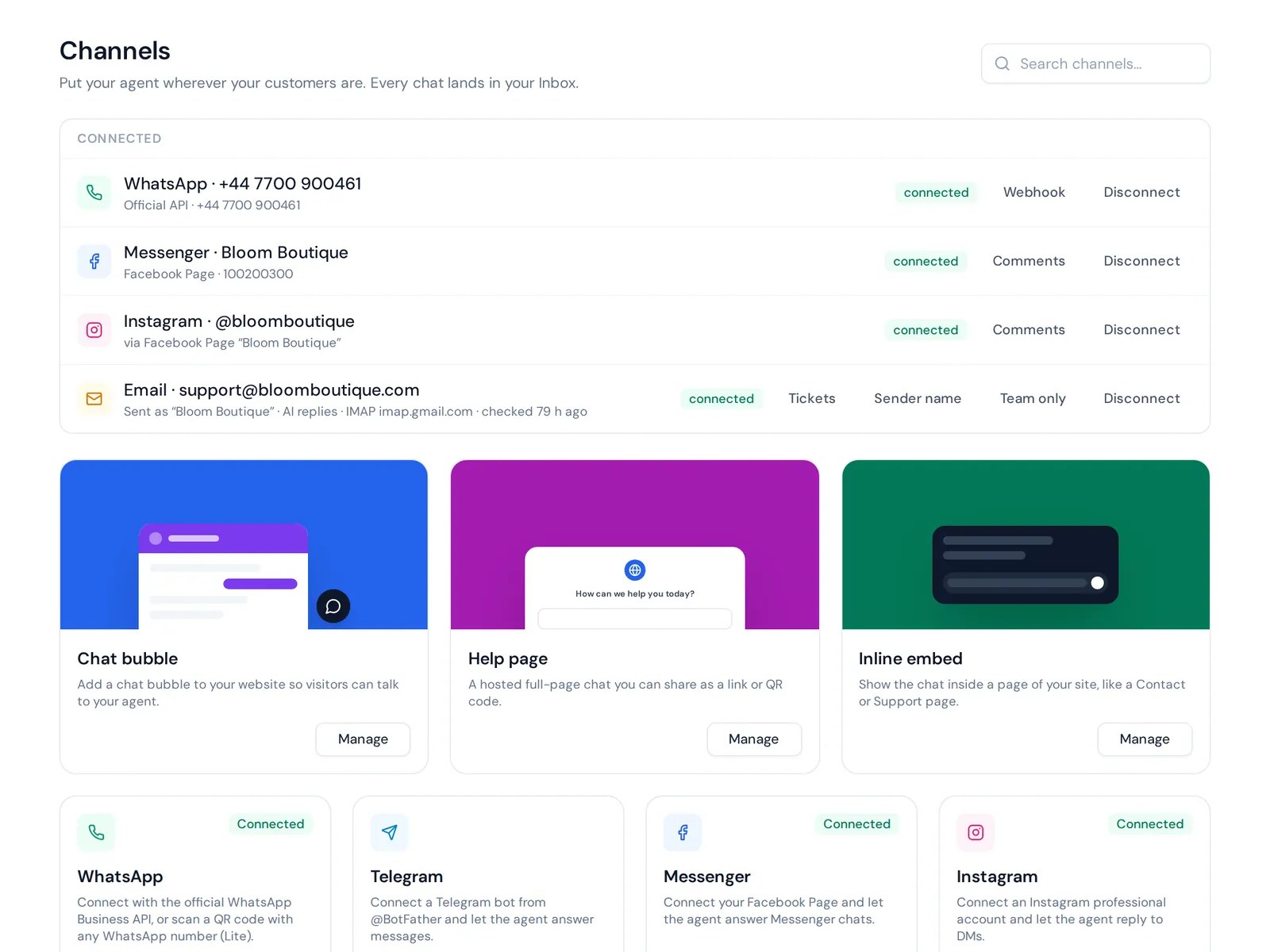
- Open the app. On Android, tap the three-dot menu. On iPhone, look for broadcast lists in the Chats tab.
- Choose "New broadcast" or "New list". The wording changes a little between versions.
- Pick the contacts you want from your contact list, within the per-list cap.
- Create the list and give it a clear name, like "VIP customers" or "Dhaka orders".
- Type your message, add a photo or link if needed, and send the broadcast.
You only need to create a WhatsApp broadcast list once. Next time, open it and send again. Remember the catch: anyone who hasn't saved your number won't receive your broadcast, even if they are on the list.
Best practices: send broadcast messages without getting blocked
Read this part before you copy any example. WhatsApp marketing only works if your number stays healthy, and every message you send affects its reputation. If many people block or report you, your sending can be limited or your business account banned.
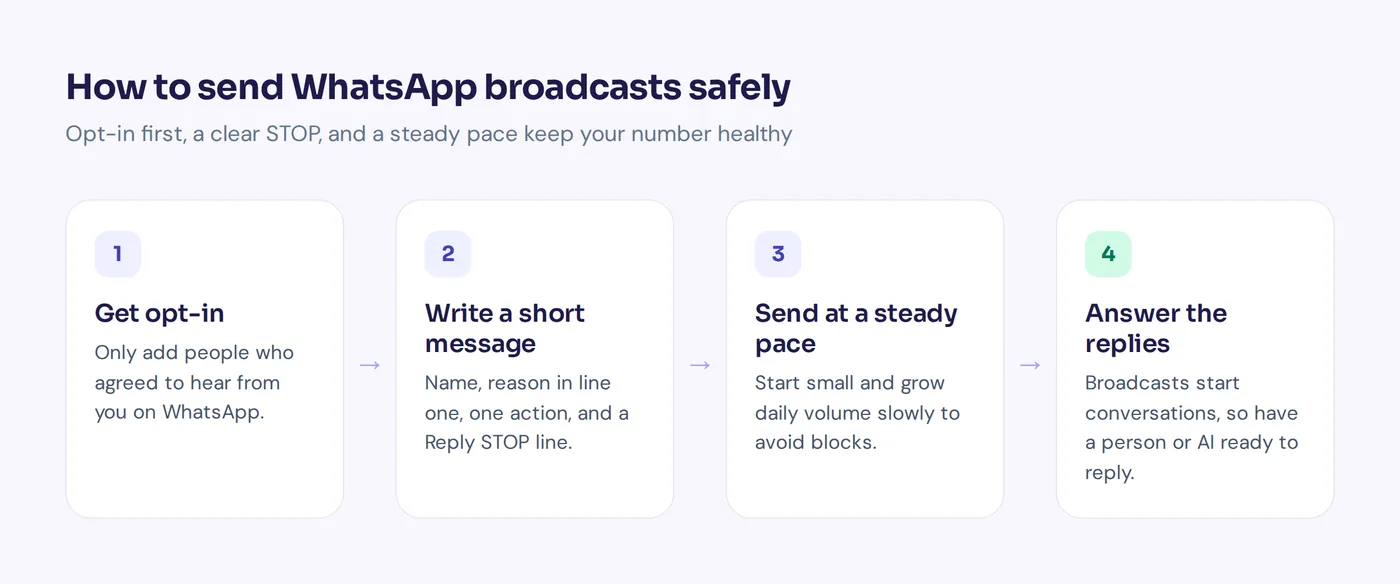
- Only message people who opted in. They should have agreed to get messages from you on WhatsApp: at checkout, through a website form, or by messaging you first and saying yes. A bought list is the fastest way to lose your number.
- Always include an easy way out. Add "Reply STOP to unsubscribe" and actually honor it. Someone who can leave easily doesn't need to hit "Block" or "Report".
- Send at a steady pace. Don't send WhatsApp blasts of thousands of messages in a minute from a new number, as if it were one bulk message. Start small, grow your daily volume slowly, and watch replies and blocks.
- Don't send too often. For most businesses, one or two promotional messages a week is plenty. Order updates are different, people expect them.
- Respect time zones. A sale message at 2 am is a great way to get blocked.
- Be ready for replies. People will answer with questions. If nobody replies back, you lose the sale and the goodwill.
How to write a WhatsApp message template that gets read
- Personalize messages with the customer's name if your tool allows it. "Hi Ayesha" beats "Dear customer".
- Say why you are writing in the first line. The preview shows only a few words.
- Keep it short. Three to five lines is ideal on a phone screen.
- Give one clear action. Shop now, book a time, reply YES, track your order.
- Segment when you can. Send the right message to the right people, by interest, location or past orders.
- End with the opt-out line. "Reply STOP to stop these messages."
Before sending the message, read it on your own phone. Good messages to customers feel like a note from a person, not an ad. That is what drives customer engagement and, over time, business growth. In the examples below, text in square brackets like [Name] is what you replace.
WhatsApp broadcast message examples for marketing
Welcome and opt-in confirmation
The first message sets expectations. Tell people what they will get and how often.
1. Welcome after signup
Hi [Name], thanks for joining [Brand] on WhatsApp. We'll send you new arrivals and offers about once a week, nothing more. Questions? Just reply here. Reply STOP anytime to unsubscribe.
2. Opt-in confirmation
Hi [Name], you asked to get updates from [Brand] on WhatsApp. Reply YES to confirm, or STOP if this wasn't you.
3. Welcome with a small gift
Welcome to the [Brand] list, [Name]. Here is 10% off your first order: [CODE]. Valid until [date]. Shop here: [link]. Reply STOP to unsubscribe.
Promotional broadcast campaign messages
4. Weekend sale
Hi [Name], our weekend sale starts now. Up to [X]% off dresses and shoes until Sunday night. Shop the sale: [link]. Reply STOP to unsubscribe.
5. Flash sale
Quick one, [Name]: 24 hours only, free delivery on every order. Ends tomorrow at 8 pm. [link]. Reply STOP to opt out.
6. Festival offer
Eid Mubarak from all of us at [Brand]. To celebrate, use [CODE] for [X]% off until [date]. [link]. Reply STOP to unsubscribe.
7. Exclusive for subscribers
Hi [Name], this one is just for our WhatsApp list: early access to the new collection, 24 hours before everyone else. [link]. Reply STOP to unsubscribe.
8. Last chance
Last day of the sale, [Name]. Your favorites are going fast. Sale ends at midnight: [link]. Reply STOP to opt out.
New product and restock announcements
9. New arrival
New in at [Brand], [Name]: our summer linen range in five colors. Take a look: [link]. Want help choosing a size? Just reply.
10. Back in stock
Good news, [Name]. The [product] you asked about is back in stock, but only a few are left. Order here: [link].
11. Pre-order
Hi [Name], pre-orders for [product] are now open. Order by [date] and get it first when it ships on [date]. [link]. Reply STOP to unsubscribe.
12. Feature launch (SaaS)
Hi [Name], you can now [new feature] in [Product]. It takes two minutes to set up. Here's how: [link]. Questions? Reply here.
Service, reminder and feedback message examples
These are the messages customers actually want to receive. In API terms they are often utility messages, not marketing messages.
Order and service updates
13. Order confirmed
Thanks for your order, [Name]. Order #[number] is confirmed and we'll message you when it ships.
14. Shipped
Your order #[number] is on its way. Track it here: [link]. Expected delivery: [date].
15. Delivery delay
Hi [Name], sorry, your order #[number] is running [X] days late because of [reason]. New expected date: [date]. Reply here if you have any questions.
16. Holiday hours
Hi [Name], a quick heads-up: we're closed on [dates] for the holiday. Orders placed during this time will ship on [date]. You can still message us here anytime.
17. Service maintenance
Hi [Name], [Product] will be down for maintenance on [date] from [time] to [time]. Sorry for the trouble. We'll message you when it's back.
Appointment and booking messages
18. Appointment confirmation
Hi [Name], reminder: your appointment at [Business] is tomorrow at [time]. Reply 1 to confirm or 2 to reschedule.
19. Booking open
Hi [Name], bookings for [month] are now open. Popular slots fill up fast. Book here: [link]. Reply STOP to unsubscribe.
20. Event heads-up
See you soon, [Name]. [Event] starts on [date] at [time] at [place]. Here's the map: [link].
Re-engagement and feedback
21. We miss you
Hi [Name], it's been a while. Here's [X]% off if you'd like to come back: [CODE], valid for 7 days. [link]. Reply STOP if you'd rather not hear from us.
22. Abandoned cart
Hi [Name], you left something in your cart. It's still there if you want it: [link]. Any questions about size or delivery? Just reply.
23. Feedback request
Hi [Name], how was your order? Reply with a number from 1 (bad) to 5 (great). It really helps us improve.
24. Review request
Glad you liked it, [Name]. Would you leave us a short review? It takes 30 seconds: [link]. Thank you.
25. Win-back survey
Hi [Name], we noticed you haven't ordered in a while. What could we do better? Just reply with one line, we read every message.
Broadcast message examples for specific businesses
26. Restaurant
Hi [Name], new on the menu this week: [dish]. Order on WhatsApp by replying with your order, or book a table here: [link]. Reply STOP to unsubscribe.
27. Gym or fitness studio
Hi [Name], new morning classes start Monday at 7 am. Two free trial sessions for members who bring a friend. Reply YES to book.
28. School or course
Hi [Name], registration for the [course] batch closes on [date]. Seats left: [X]. Register: [link]. Reply STOP to opt out.
29. Real estate
Hi [Name], a new [2-bedroom] flat just listed in [area], within your budget. Want photos or a viewing this week? Reply YES.
30. Facebook or Instagram seller
Hi [Name], new stock dropped tonight at 9 pm. Reply with the item code to reserve yours, cash on delivery available. Reply STOP to unsubscribe.
WhatsApp broadcast vs group vs WhatsApp Business API
| Broadcast (Business app) | WhatsApp group | Business Platform (API) | |
|---|---|---|---|
| Privacy | Recipients can't see each other | Everyone sees numbers and replies | Recipients can't see each other |
| Replies | Come back to you privately | Visible to the whole group | Come back to you privately |
| Who receives it | Only contacts who saved your number | All members | Opted-in contacts, with approved templates |
| Scale | Small lists, capped per list | Limited group size | Large lists, sent at a controlled pace |
| Cost | Free | Free | Meta charges per message, plus your provider |
| Best for | Small shops, a few hundred customers | Communities, not marketing | Growing businesses that need automation and tracking |
One honest opinion: don't use groups for marketing. Use broadcasts. People join, get annoyed by other members' replies and leave. A broadcast keeps it one to one, which is better for business communication.
WhatsApp broadcast limitations and when to send bulk messages via the API
The free broadcast feature is great for getting started, but it has real limits:
- List size. Each list has a contact cap, so a bigger audience means many lists.
- Saved numbers only. If customers haven't saved your number, they won't receive the message.
- Manual work. No proper scheduling, segmentation or automation.
- Little tracking. Hard to see which broadcast campaign actually drove sales.
When you outgrow that, move to an official WhatsApp Business API provider. You connect a WhatsApp Business account in Meta Business tools, get WhatsApp templates approved, and can send bulk messages to opted-in contacts at a controlled pace. The API allows you to send messages to many opted-in contacts simultaneously, and using the WhatsApp API also lets you automate replies and track results across WhatsApp campaigns. The trade-off is cost per message and a bit more setup. Most businesses use the WhatsApp API only once the free app becomes the bottleneck.
Common broadcast mistakes
- Messaging people who never opted in. High block rates follow, and so do restrictions.
- No STOP option. If leaving is hard, people report you instead.
- Sending the same text to everyone. Segment your contact list when you can.
- Long messages. Nobody reads a ten-line paragraph on WhatsApp.
- Ignoring the replies. Broadcasts start conversations. Plan who answers them.
- Too many links. One link per WhatsApp message is enough.
- Skipping the rules. Read the WhatsApp Business Messaging Policy and follow it, and don't send messages people didn't ask for.
How AnytimeReply helps with WhatsApp broadcast campaigns
AnytimeReply is an AI support and sales agent with a built-in helpdesk. On WhatsApp it answers customers day and night, and its outbound messages feature handles broadcasts with the safety rules above built in:
- Safe pace and daily limits. Broadcasts go out at a steady pace with daily limits, instead of all at once.
- STOP opt-out. Customers can reply STOP to stop receiving broadcasts.
- AI answers the replies. When customers reply with questions, the AI agent answers from your website and documents, in their language, and hands tricky conversations to your team in the shared inbox.
- One follow-up to quiet customers. Send a single follow-up to people who went quiet, without chasing them forever.
- Official API or quick QR connect. Connect WhatsApp through the official Business API or a quick QR connect. It understands voice notes and photos too.
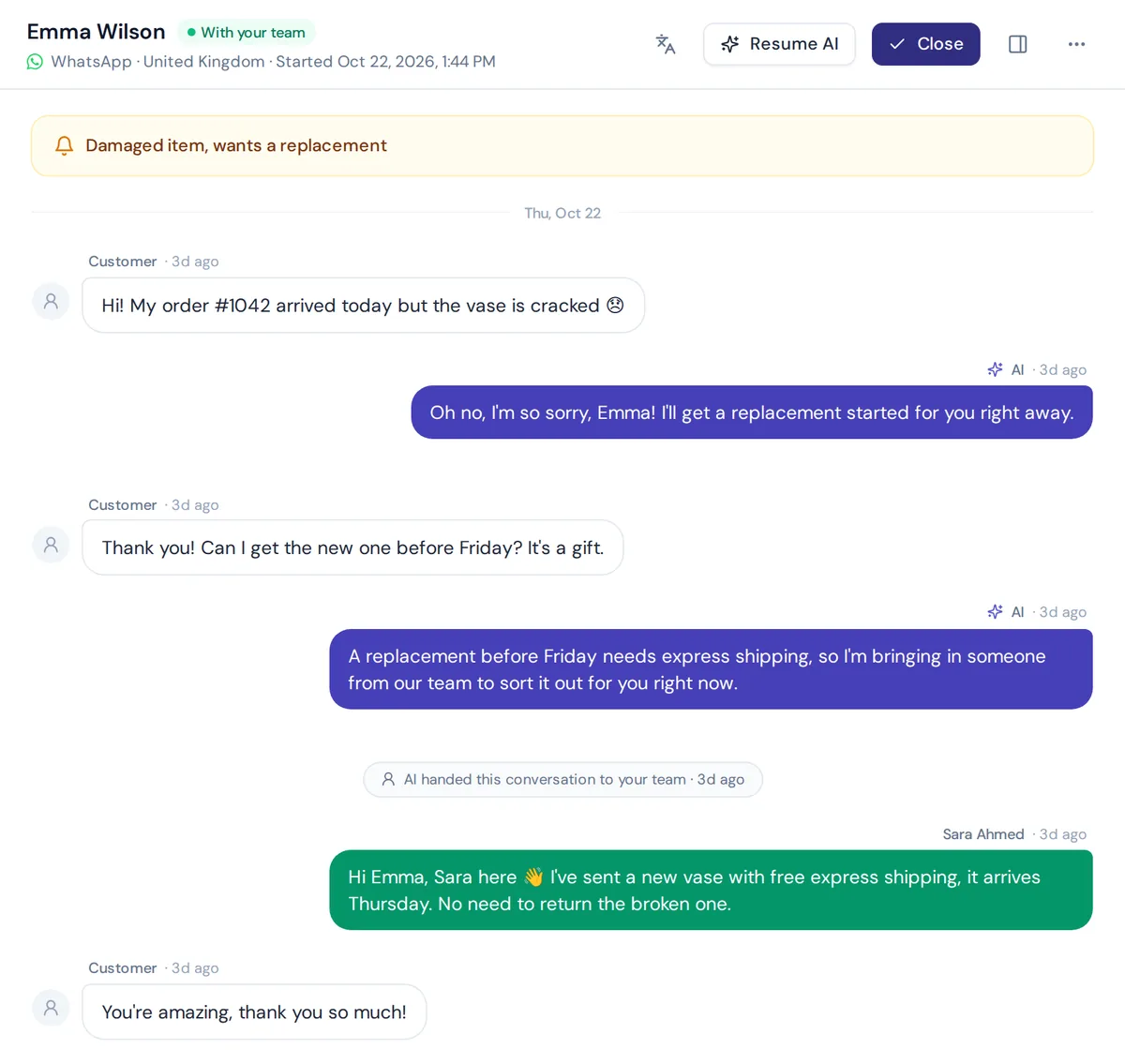
WhatsApp and broadcasts are on the paid plans, starting with Hobby. Check pricing for current details. And to be clear: no tool makes an unsafe list safe. You still need opted-in contacts.
Frequently asked questions
Do people in a broadcast list know?
No. Each person gets the message as a normal private chat from you. They can't see who else received it or read other people's replies.
How can I send a message to 1,000 contacts on WhatsApp?
With the Business app you would need several lists, since each one is capped. For that number of contacts, an official API provider is the better route, with approved template messages and opted-in contacts.
Which is better, WhatsApp group or broadcast?
For businesses, broadcast. It keeps each conversation private and avoids group noise. Groups suit communities where members want to talk to each other.
Why didn't some people receive my broadcast?
With the Business app, people who haven't saved your number don't receive messages sent to a list. On the API, sending can fail if the template isn't approved, the number isn't on WhatsApp, or you hit your sending limits.
How do I stop getting broadcast messages on WhatsApp?
Reply STOP if the business offers it, delete the business number from your contacts (for app broadcasts), or block the number. Good businesses make the first option easy.
Can a WhatsApp broadcast get my number banned?
It can if many people block or report you. Message only opted-in contacts, include a STOP option, send at a steady pace and don't send too often.
Send broadcasts customers are glad to get
Pick an example above, make it yours, and send it only to people who asked to hear from you. Keep it short, give an easy STOP, and be ready to answer the replies.
If you want an AI agent to handle those replies on WhatsApp day and night, start free with AnytimeReply, no card needed, and upgrade when you're ready to connect WhatsApp.
Published 5 November 2026 by AnytimeReply team