Chatbase made it easy to train an AI chatbot on your website and documents and embed it in minutes. That is why so many teams started there. But as support grows, some teams want more: a full help desk, more channels, different pricing or more control over how the AI behaves. If that sounds like you, this list of Chatbase alternatives will help you compare the real options.
We cover ten tools, what each is known for, who it suits and where it falls short, including self-hosted and no-code options. Full disclosure: AnytimeReply is our product and it's on the list. We'll be honest about its limits too, and we won't pretend every other tool is bad.
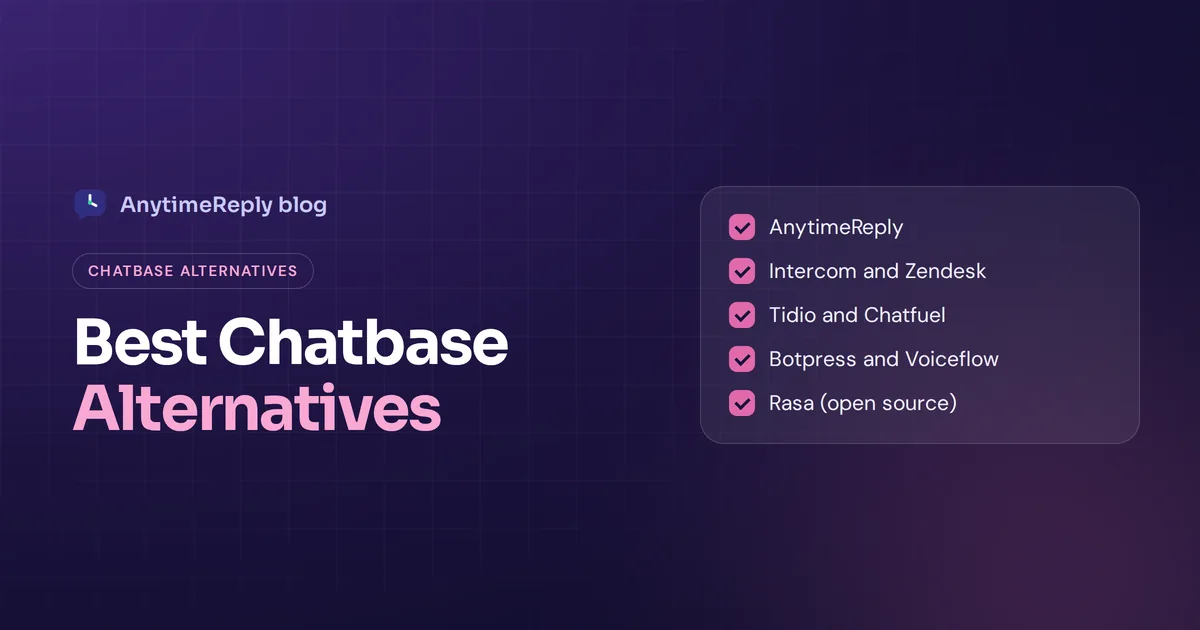
Quick list: 10 best Chatbase alternatives in 2026
- AnytimeReply: AI support plus a built-in helpdesk, multi-channel, strong with multilingual customers.
- Intercom (Fin): full customer support platform with a well-known AI agent, for bigger teams.
- Tidio (Lyro): live chat and AI for small online stores.
- Zendesk: AI on top of a mature ticketing system.
- Botpress: a flexible agent builder for teams with technical skills.
- Voiceflow: a collaborative tool for designing conversation flows.
- CustomGPT.ai: chatbots trained on your docs, focused on accurate answers.
- SiteGPT: a simple website chatbot, close to Chatbase in spirit.
- Chatfuel: no-code chatbots for Messenger, Instagram and WhatsApp.
- Rasa: a framework you host yourself, for teams that want full control.
Why people switch from Chatbase
Chatbase is a solid chatbot platform for what it does. People using Chatbase usually start looking for an alternative to Chatbase for one of these reasons:
- They need a real helpdesk. Once a team answers chats every day, you want a shared inbox, assignment, internal notes, tickets from email and reports next to the AI.
- Chatbase pricing at scale. Message-credit pricing is great at the start. As volume grows, check how costs change and whether stronger models use more credits.
- Integration with the rest of the stack. Order lookups, bookings and CRM updates need deep integration, so check what each plan really includes.
- Multi-channel support. You may want WhatsApp, Instagram, Messenger, Telegram and email in one place, with one AI and one inbox.
- Accuracy on complex questions. Some reviews mention weaker answers on multi-part questions or very large catalogs. Any AI can struggle here, so test with your own hard questions.
- Control and workflow. Some teams need a visual flow builder, approvals for refunds, or deeper customization than a simple chatbot builder gives.
None of this means Chatbase is a bad choice. If you only need a website bot answering FAQs, it may be all you need.
Chatbase alternatives compared
| Tool | Best for | Built-in helpdesk | Coding needed |
|---|---|---|---|
| AnytimeReply | Small and growing businesses, multilingual customers, WhatsApp and Instagram sellers | Yes | No |
| Intercom | Mid-size and larger support teams | Yes | No |
| Tidio | Small online stores | Yes (live chat) | No |
| Zendesk | Teams already on Zendesk | Yes | No |
| Botpress | Developers and agencies | No, builder first | Low-code, code optional |
| Voiceflow | Product and conversation design teams | No, builder first | Low-code |
| CustomGPT.ai | Knowledge-heavy Q&A bots | No | No |
| SiteGPT | Simple website chatbots | Limited | No |
| Chatfuel | Social media and messaging automation | Limited | No |
| Rasa | Engineering teams that self-host | No | Yes, developers |
Each free plan, free tier limit and free trial length can change, so confirm the current details on each vendor's own pricing page.
1. AnytimeReply
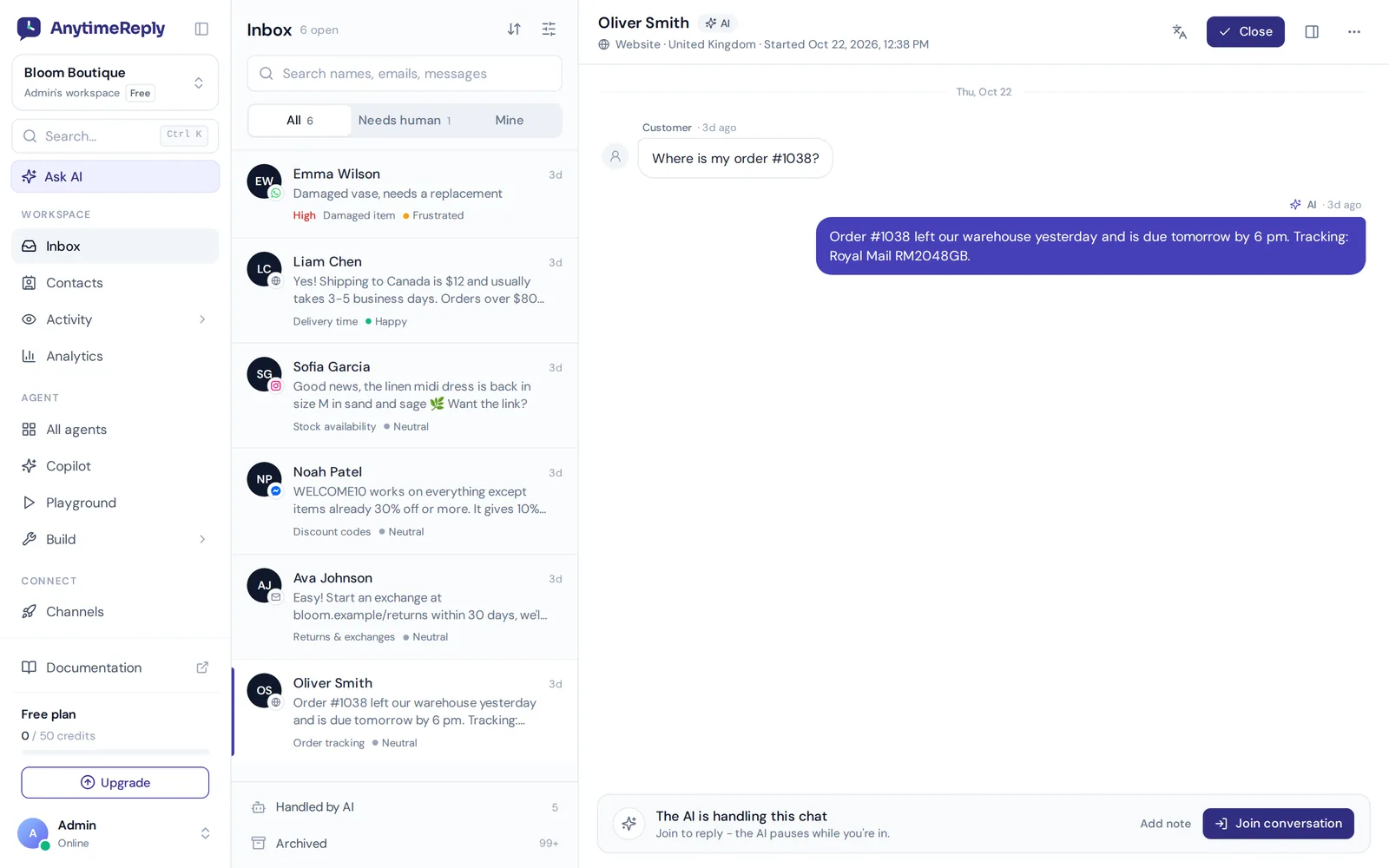
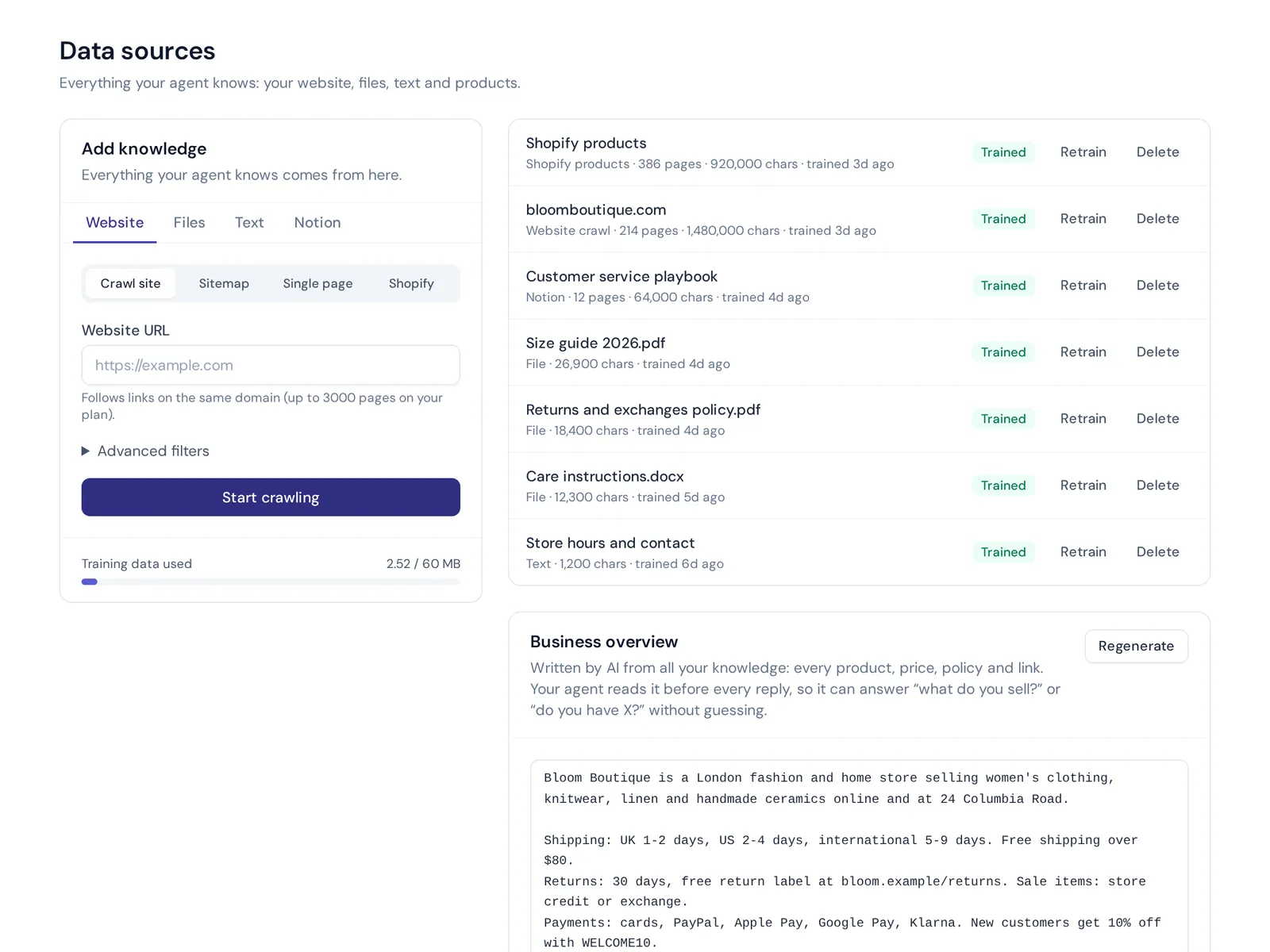
AnytimeReply is an AI customer support and sales agent with a built-in helpdesk. Like Chatbase, it trains an AI chatbot on your website, PDFs, Word files, pasted text and Notion pages. The difference is what comes around the AI: a shared inbox, tickets from email, team handoff, flows, a help center and analytics, all in one place.
What it does well
- AI plus helpdesk. The AI answers first and hands over with a summary when a customer asks for a person, gets upset, or the AI can't answer. Your team replies from one shared inbox with departments, assignment, internal notes and triggers.
- Many channels. Deploy it on website chat, WhatsApp, Messenger, Instagram, Telegram, email, Slack and Discord. Embed the widget with one line of code, a WordPress plugin or a Shopify theme.
- Multilingual. It replies in the customer's language, including Bangla, Banglish, Hindi and Hinglish.
- Honest answers. Answers come with a confidence score. When the AI doesn't know, it says so instead of guessing. Q&A you write always wins over your other knowledge base sources.
- Flows and automation. Automate the simple paths with a visual canvas with buttons, questions, conditions, lead capture and API calls. Flow steps use no AI credits.
- Integration with your tools. On paid plans it can check orders in Shopify or WooCommerce, manage subscriptions in Stripe or book meetings with Cal.com and Calendly, only for verified customers and with confirmation. Zapier, Make, n8n and webhooks cover the rest.
- AI model choice. GPT, Claude, Gemini or DeepSeek per agent. From the Standard plan you can use your own AI key so replies use no credits.
Limits
- No phone calls, voice agents or SMS channel.
- No native iOS or Android SDK.
- Credit-based like Chatbase: stronger models use more credits per reply.
Pricing
Free forever plan with 50 credits a month, no card needed. Paid plans start at $9 a month (Hobby), with Standard at $29 and Pro at $79. Prices can change, check pricing. For a full Chatbase vs AnytimeReply breakdown, see our Chatbase comparison page.
2. Intercom (Fin)
Intercom is a full customer experience platform with messaging, ticketing, a help center and its Fin AI agent. It is a common choice for SaaS and tech companies with established support teams.
Good for: mid-size and larger teams that want one mature suite and have the budget for it.
Watch out for: it is a big platform, so expect more setup and a higher total cost than a simple chatbot. Check their pricing page and do the math with your real volume.
3. Tidio (Lyro)
Tidio combines live chat, a chatbot builder and its Lyro AI. It is popular with small online stores, especially on Shopify and WordPress.
Good for: small ecommerce businesses that want live chat and AI in a friendly interface.
Watch out for: check how AI conversations are counted on each plan before you commit.
4. Zendesk
Zendesk is one of the best-known ticketing systems, and it offers AI on top. If your team already runs on Zendesk, adding its AI keeps everything in one place.
Good for: support teams with an existing Zendesk setup, complex ticket workflows and lots of integration needs.
Watch out for: it's heavier than most small businesses need. If you just want a smart chatbot, it may be more than you'll use.
5. Botpress
Botpress is a platform to build AI agents with a visual builder and plenty of room for custom code. It started as an open source project and is popular with developers and agencies who build agents that go beyond simple Q&A.
Good for: technical teams that want flexibility and don't mind a learning curve.
Watch out for: more power means more setup. Non-technical teams may find it slower to get a chatbot up and running than with Chatbase.
6. Voiceflow
Voiceflow is a platform for designing, testing and launching conversational AI agents, with a strong focus on teamwork between designers, developers and product people.
Good for: product teams building custom chat experiences where the user experience of each conversation matters.
Watch out for: it is a builder, not a helpdesk. You'll still need a place for your team to reply to customers.
7. CustomGPT.ai
CustomGPT.ai lets you build AI assistants trained on your docs and content, with a focus on accurate answers that stay grounded in your sources.
Good for: businesses with lots of documentation that care most about answer accuracy.
Watch out for: if you also want live chat and a team inbox, check what's included or plan an integration with another tool.
8. SiteGPT
SiteGPT is a straightforward AI chatbot on your website, trained on your site content. In spirit, it is the most direct Chatbase competitor on this list.
Good for: small sites that want a simple chat solution for visitors.
Watch out for: if you're leaving Chatbase because you need more than a website bot, a similar tool may not solve that.
9. Chatfuel
Chatfuel is a no-code tool for building chatbots on Facebook Messenger, Instagram and WhatsApp, with templates for marketing and lead capture.
Good for: businesses that sell through social media and want to automate conversations in DMs.
Watch out for: it's built around messaging automation, so check how well it handles support tickets and website chat if you need those too.
10. Rasa and other open-source Chatbase alternatives
If you want full control over your bot and your customer data, open-source Chatbase alternatives are worth a look. Rasa is the best-known open-source framework for building conversational AI. You run a self-hosted deployment, write your own logic and connect any AI model you like, or even multiple AI models.
Good for: engineering teams with time to build and maintain their own assistant, or companies with strict hosting rules.
Watch out for: open source is not free in practice. You pay in servers, developer time and maintenance. For most small businesses, a managed tool is faster and cheaper overall.
Choosing the right Chatbase alternative
- Write down why you're switching. Price, channels, team inbox, accuracy or control. This decides more than any feature list.
- List your channels. Website only? Or WhatsApp, Instagram and email too?
- Decide who handles the hard chats. If people on your team reply every day, a built-in inbox and clean handoff matter a lot.
- Check integration capabilities. Make a list of the tools the AI must integrate with: store, CRM, calendar, billing.
- Estimate volume and cost. Count your monthly conversations and compare the real cost on each pricing page, including stronger models.
- Test with your own questions. Use 20 real customer questions, including messy ones and ones the AI should refuse.
- Check data and security. Is your data used to train AI models? Are keys encrypted? Can you delete data?
The right platform depends on your specific needs. A five-person shop on Instagram and a SaaS company with a support team will pick very differently, and that's fine.
Switching from Chatbase: a simple checklist
- Collect your sources: website URL or sitemap, files and any Q&A you wrote.
- Copy your instructions and adjust the tone for the new tool.
- Rebuild any actions or integrations (CRM, booking, order lookup).
- Run your test questions on both tools side by side.
- Swap the widget code on your site and reconnect channels.
- Watch unanswered questions in the first week and fill the gaps.
Frequently asked questions
Which Chatbase alternative is best for customer support?
It depends on why you're switching. For AI answers plus a helpdesk and messaging channels, AnytimeReply is a strong fit. Large support teams often look at Intercom or Zendesk. Developers often prefer Botpress, Voiceflow or Rasa.
Is there a free Chatbase alternative?
Yes. AnytimeReply has a free forever plan with website chat, the helpdesk inbox, a help center, flows and analytics, no card needed. Other tools have free plans or trials too, so check their pricing pages.
Is there an open-source Chatbase alternative?
Yes. Rasa is a well-known open-source chatbot platform, and Botpress began as open source. Expect to handle hosting and development yourself.
Which Chatbase alternative works with WhatsApp and Instagram?
Several do. AnytimeReply connects WhatsApp through the official Business API or a quick QR connect, understands voice notes and photos, and handles Instagram DMs and comment replies. Those channels are on paid plans from Hobby.
Can I migrate my knowledge base from Chatbase?
Usually you just add the same sources again: your website, files and Q&A. Retraining is usually quick. Plan an hour to test and adjust.
Do I need coding skills for these alternatives?
Not for most. AnytimeReply, Intercom, Tidio, Zendesk, CustomGPT.ai, SiteGPT and Chatfuel are no-code. Botpress and Voiceflow are easier with some technical skill, and Rasa needs developers.
Final thoughts
Chatbase is a good place to start, and platforms like it made AI chat easy for small teams. The best Chatbase alternative depends on what you're missing: a help desk, more channels, different pricing or deeper control. Make a short list, test with your own questions and pick the tool that fits how your team actually works.
Want to try AnytimeReply with your own content? Start free, no card needed.
Published 5 November 2026 by AnytimeReply team