A customer asks your website chat, "Can I return a sale item?" The AI replies in two seconds. Whether that reply is right has very little to do with the AI model. It depends on the chatbot knowledge base behind it: the pages, documents and answers the AI is allowed to learn from.
Get that content right and an AI chatbot feels like your best support person on a good day. Get it wrong and it confidently repeats last year's shipping policy to every visitor. This guide explains how it works, what to put in it, how to build one step by step and how to keep it accurate.
We build an AI support agent at AnytimeReply, so we deal with this problem every day.
What is a chatbot knowledge base?
It's the collection of information an AI chatbot uses to answer questions. Think of it as the chatbot's reading material: website pages, help articles, product data, policy documents, FAQs and a list of verified answers.
A general large language model (LLM) like the one behind ChatGPT knows a lot about the world and nothing about your return window, delivery times or prices. Without your own content, it guesses. With a custom knowledge base, it answers from your company knowledge instead.
Older rule-based bot menus could only follow a script. A generative AI chatbot uses natural language processing, so customers type the way they talk. And instead of making people search a help site, it reads the articles for them and gives a short, direct answer. If you already use knowledge base software or another knowledge management tool, that content is a great starting point.
How a knowledge base for AI chatbots works
Most modern AI chatbots use a method called retrieval-augmented generation (RAG). In plain words, the AI looks things up before it answers. Knowledge base chatbots follow roughly this workflow:
- Your content is split and indexed. Documents are cut into small chunks and turned into embeddings, which are numerical representations of meaning. They're stored in a vector database.
- A customer sends a query. The question is turned into an embedding too.
- The system looks up relevant information. To retrieve it, semantic search finds the chunks closest in meaning, even if the customer used different words than your page.
- The language model writes the answer. It uses those chunks, your external knowledge sources, as its base, so the reply sounds natural but the facts come from you.
Developers can build this themselves with an API, a framework like LangChain and a vector store, then design their own chatbot UI. Most businesses don't need to. AI-powered platforms do the retrieval for you, so your job is the part no AI systems can do for you: making sure the content is right.
Why training data matters more than the AI model
Most "bad chatbot" stories are really bad content stories. It quoted the wrong price because the pricing page was outdated, or mixed up two policies because both sat in the same messy PDF.
A structured knowledge base improves your answers in several ways:
- Accurate answers. The AI repeats what you wrote, so correct content means correct replies.
- Fewer made-up answers. When something isn't covered, an effective chatbot says "I'm not sure" and hands over to your support team instead of inventing it.
- Consistent answers. Every customer gets the same policy, not a different version from each agent.
- Many languages. Write once in English and the AI can reply in the customer's language.
What to include (and what to keep out)
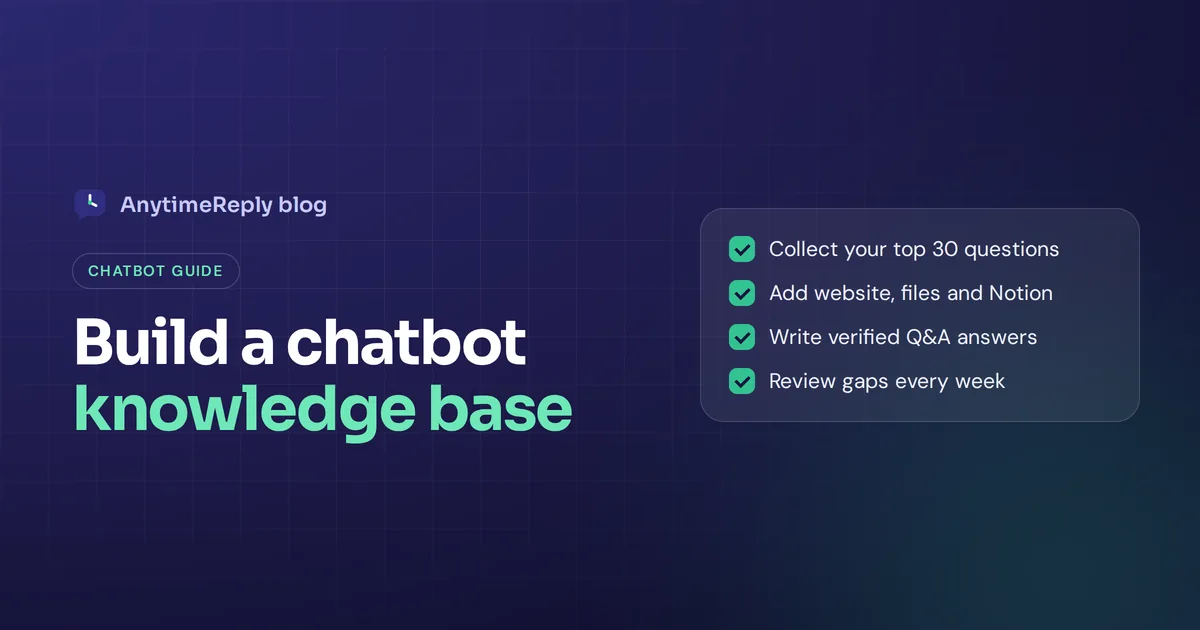
Start with what customers actually ask, not with what you happen to have. Open your chats, WhatsApp messages and email, and list the 30 questions you answer most often. Then make sure your knowledge sources cover each one.
Good content to include
- Product and pricing pages: what you sell, costs, sizes, plans.
- Shipping and delivery: countries, times, costs, tracking.
- Returns, refunds and exchanges: time limits, conditions, how to start one.
- Account and billing: password resets, payment methods, cancelling.
- How-to guides and troubleshooting.
- Verified Q&A for sensitive topics like refunds, warranties and legal wording.
Leave these out
- Old blog posts with outdated offers.
- Notes customers should never see (margins, supplier names, staff comments).
- Duplicate pages that say slightly different things.
Less but correct beats more but messy: 40 clean pages often beat 400 messy ones.
How to create a knowledge base for a chatbot, step by step
This is the process we recommend to build an AI chatbot that answers well, on most platforms.
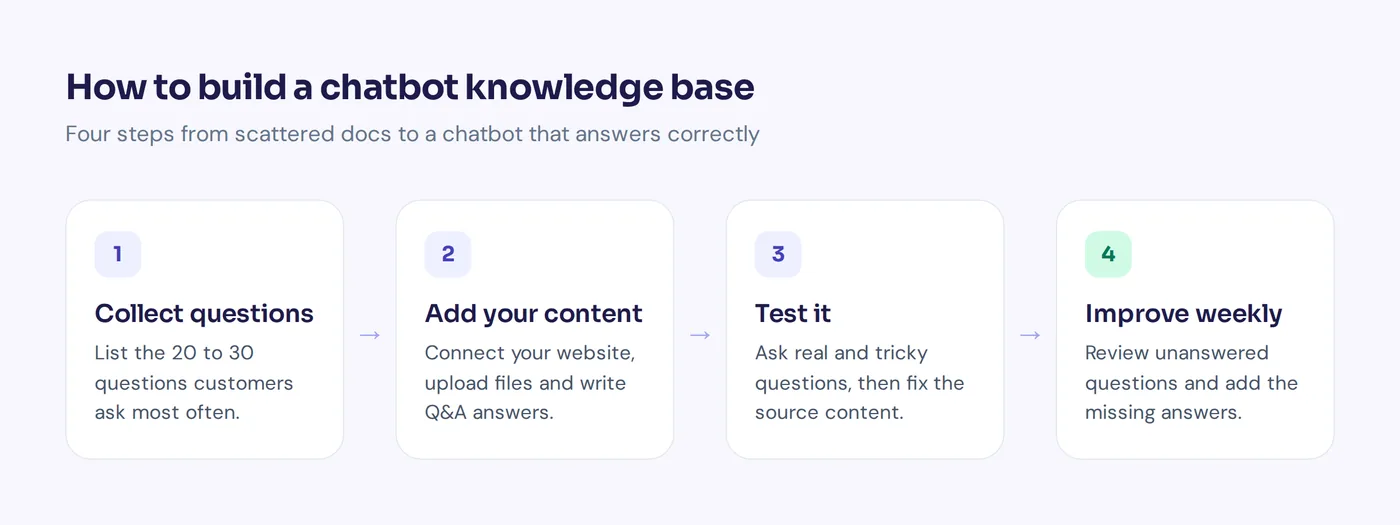
- Collect your top questions. Export a month of chats and emails, group them by topic and keep the top 20 to 30.
- Audit what you have. Check your website, help articles, PDFs and docs. Mark each as current, outdated or missing.
- Write the missing pieces. If customers ask about shipping to Canada and no page says it, write one. Short is fine.
- One topic per article. Give it a question-style title and put the answer in the first two sentences.
- Add your chatbot training data. Connect your website or sitemap, upload documents and paste extra text.
- Write exact answers for sensitive topics so the AI never paraphrases a refund policy wrongly.
- Test with real questions, plus tricky ones and a few it should refuse. Fix the content, not just the instructions.
- Launch, then review weekly. Look at what it couldn't answer and fill the gaps.
How to write AI-ready knowledge
Writing for an AI is a lot like writing for a busy customer. A few habits make the biggest difference:
- Answer first. The direct answer goes in the first sentence, details after.
- Be specific. "Returns within 30 days, unworn, with tags" beats "we have a flexible return policy".
- Use real text. Text inside images or scanned PDFs often can't be read.
- One fact, one place. If your return window appears on five pages, update all five or delete four.
Before: "We work with trusted partners to deliver your order as quickly as possible to many destinations."
After: "Do you ship internationally? Yes, to the UK, EU, US and Canada. UK delivery takes 2 to 3 working days, international 5 to 10. Shipping is free over 50 pounds."
Internal knowledge base chatbot for HR and IT
Not every assistant is customer-facing. An internal knowledge base chatbot answers employee questions from HR policies, IT guides, onboarding docs and other internal documentation. A common use case is questions like "How do I request leave?", "How do I reset my VPN password?", "What's the approval process for a refund over 100 dollars?"
The build is the same, with two extra rules. Decide who can see what, because a salary policy and a public FAQ shouldn't live in the same assistant. And keep one source of truth, such as Notion pages, so the AI and your team read the same version. For internal support teams in HR and IT, these often save a lot of time, because the same questions come up every week.
Keeping it accurate and measuring results
Prices change and policies get exceptions, so a simple routine keeps things fresh:
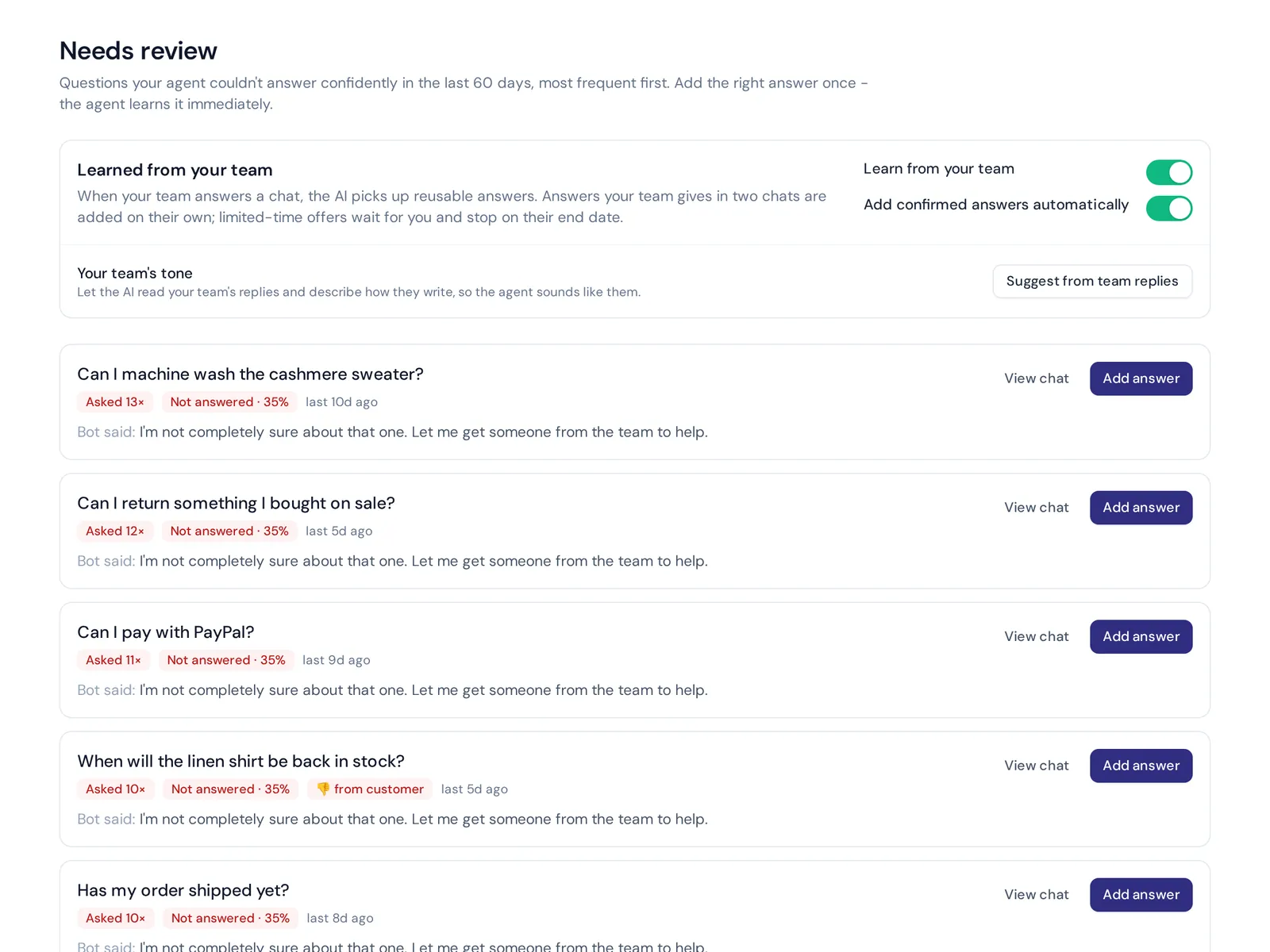
- Weekly: review unanswered or low-confidence questions and add answers for common ones.
- Weekly: read a sample of conversations, flag wrong replies, fix the source and retrain.
- On every change: update the content the same day you change a price or policy.
Track how many questions the AI answers without a person, thumbs up and down ratings, and how often it hands over. And give one person ownership.
How AnytimeReply builds your AI knowledge base
AnytimeReply is an AI agent for customer support with a built-in helpdesk, and training it mostly means adding your content. See our training and knowledge page for details.
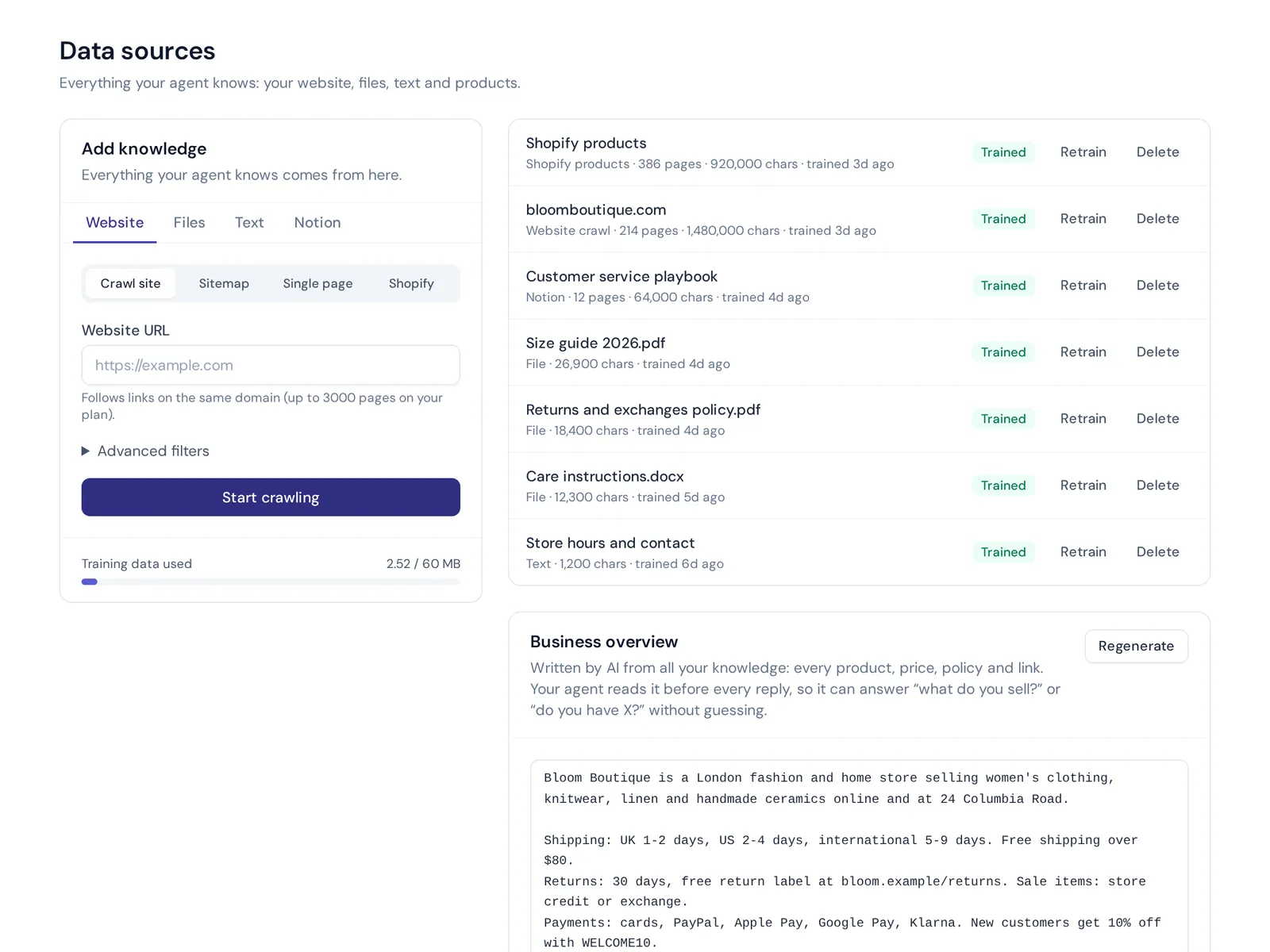
- Many sources: crawl your website or sitemap (product and pricing pages are read before blog posts), upload PDF, Word and text files, paste text, connect Notion pages and databases, and sync Shopify products with price and stock.
- Q&A always wins over every other source, so sensitive answers stay exact.
- Honest answers: every AI answer comes with a confidence score, and when it doesn't know, it says so and can hand the chat to your team.
- Knowledge gaps in analytics, with one-click "add answer".
- A help center on your own domain from the same content, with AI search. See the help center page.
- Daily auto-retrain on Standard and up.
The honest limits: the Free plan covers 20 website pages and 1 MB of files, fine for a small site but not a big catalogue. Larger setups need a paid plan, see pricing. And no tool fixes content that is wrong to begin with.
Frequently asked questions
What is the role of a knowledge base in AI?
It gives artificial intelligence facts it wouldn't otherwise know, like your policies and products. The AI uses search to retrieve the relevant parts for each question and writes its answer from them, which makes replies accurate and specific.
Does ChatGPT have a knowledge base?
ChatGPT learns from general training data, not from your business. You can extend its AI capabilities with your own documents through custom tools or a chatbot platform, which turns a general assistant into one that knows your company.
How do I create a knowledge base for a chatbot?
List your most common questions, check which ones your content answers, write the missing articles, then add your website, documents and Q&A to your chatbot platform. Test it and review the gaps every week.
What is a chatbot used for?
Mostly answering repeat questions quickly: order status, shipping, returns, pricing, setup help and internal HR or IT questions, with a handover to a person when needed.
Do I need to code to build a chatbot like this?
No. With a no-code platform you add your website and files in a dashboard and paste one line of code to put the chat on your site. Coding only matters if you want to build the whole system yourself, including the conversational layer.
Start with your top 30 questions
You don't need a perfect library to launch a useful AI chatbot. You need clear answers to the questions customers ask most, a handover to your team for tricky chats, and a weekly habit of filling gaps.
Want to try it with your own website? Start free, no card needed, and see what your AI agent answers in a few minutes.
Published 5 November 2026 by AnytimeReply team