Black Friday morning. Your inbox has 140 new emails, 60 Instagram DMs and a WhatsApp thread from a shopper who has asked "where is my order?" four times. Two people on your team are answering the same customer on different channels. Nobody knows who replied to what.
That's the moment most online stores realize they need an ecommerce help desk: one place where every customer message lands, with the order details next to it, so your team can resolve issues fast and nothing slips through.
This guide to ecommerce customer service tools covers what this kind of software does for online stores, which features matter, how popular tools compare in 2026, and how to set one up in a weekend. We build one (AnytimeReply), so we'll also be honest about when something else fits better.
What is an ecommerce help desk?
It's customer service software built for online stores. It pulls messages from email, live chat, social media and messaging apps into one shared inbox, turns each customer request into a ticket or conversation, and connects to your ecommerce platform (like Shopify or WooCommerce) so agents can see orders without switching tabs.
General customer service software can do some of this. A tool built for ecommerce adds what stores care about most: order lookups, refunds and returns, shipping tracking, product questions and social commerce channels. Some also connect marketplaces like Amazon and eBay.
In short, ecommerce support means helping shoppers before and after they buy: answering product questions, fixing order problems and handling returns. The software is what keeps that work organized.
Why ecommerce customer service matters (and needs its own tools)
Customer service is the support a store gives people before, during and after a purchase, and online it carries more weight. Shoppers can't walk up to a counter. Your chat, email and DMs are the counter. A quick, friendly answer builds trust, brand loyalty and a better customer experience. A slow one sends people to a competitor and, sometimes, to bad customer reviews.
It also has a pattern you don't see in most B2B support:
- The same common questions, over and over. Where is my order? Can I change my address? How do returns work? Do you ship to my country?
- Every answer needs order data. You can't answer "where is my order?" without the order and tracking number.
- Customers write everywhere. Email, website chat, Instagram, Facebook Messenger, WhatsApp. The shopper picks the channel, not you.
- Big peaks. Sales, holidays and viral posts can multiply support volume overnight.
- Support affects sales. A fast answer to "is this true to size?" can save a sale.
Gmail plus a few social apps on your phone works at ten messages a day. Past that, customer expectations outgrow your setup.
What to look for in ecommerce help desk software
A shared inbox for every channel
Customers reach out across multiple channels. Email, live chat, Instagram, Messenger, WhatsApp and contact forms in one place. That's omnichannel support in practice: one customer, one history, whatever channel they used.
Store integration
Orders, tracking, past purchases and customer value shown next to each customer message. The best tools let agents take actions too, like checking an order status or starting a refund.
AI and automation
The best tools automate the boring parts: auto-tagging, routing, priority for angry customers, auto-closing solved tickets, and an AI agent that answers repeat questions. This is where you save real hours.
Saved replies
Templates for shipping delays, return policies and out-of-stock items keep answers consistent and fast.
Team tools
Assignment, internal notes, @mentions and collision detection, so two agents don't answer the same ticket.
Self-service
A knowledge base or public help center where shoppers find answers on shipping, returns and sizing without writing in.
Reporting dashboard
Response time, ticket volume by topic, customer satisfaction and agent performance in one dashboard. You can't fix what you can't see.
Best ecommerce helpdesk tools in 2026 compared
Here's a quick look at popular options. Pricing models differ a lot (per agent, per ticket, per AI resolution), so check each tool's pricing page for current numbers. Several have a free trial.
| Tool | Known for | Good fit |
|---|---|---|
| AnytimeReply | AI agent plus helpdesk, social and WhatsApp channels, replies in the customer's language | Small and growing stores, Facebook and Instagram sellers |
| Gorgias | Built for Shopify stores, deep order actions | Shopify brands with a support team |
| Zendesk | Mature, highly configurable support software | Larger ecommerce brands with complex needs |
| Freshdesk | Full ticketing with Freddy AI | Growing teams that want lots of features |
| Help Scout | Simple, friendly email-style support and docs | Small teams that mostly support customers by email |
| eDesk | Marketplace support for multichannel sellers | Sellers on several marketplaces |
| Gladly | Conversations organized around people, not tickets | Bigger retail brands |
Which is the best help desk? The honest answer is the one your team will actually use every day. Popular ecommerce tools all handle tickets well. The real differences are channels, AI quality, store actions and price.
A Shopify brand with ten agents needs something different from an Instagram seller who answers DMs alone at night. Help Scout, for example, is great if most of your support is email and you want a tidy queue, but it isn't built around social commerce.
How to choose the right tool for your store
- Start with your channels. If most customers write on WhatsApp and Instagram, pick a tool that handles those natively.
- Check your store platform. Native Shopify, WooCommerce or BigCommerce integration saves a lot of copy and paste.
- Marketplaces? If you also sell on marketplaces, look for marketplace support or plan for a separate tool.
- Look hard at the AI. Does it actually answer from your store data and policies, or is it a checkbox feature? How is AI pricing charged?
- Think about your team size. A small team needs simple setup. A big team needs routing, roles and reporting.
- Test with real questions. Run a trial with last month's actual customer questions before you commit.
How AI and automation improve ecommerce support
Old tools organized the work. Modern customer support software also does some of it.
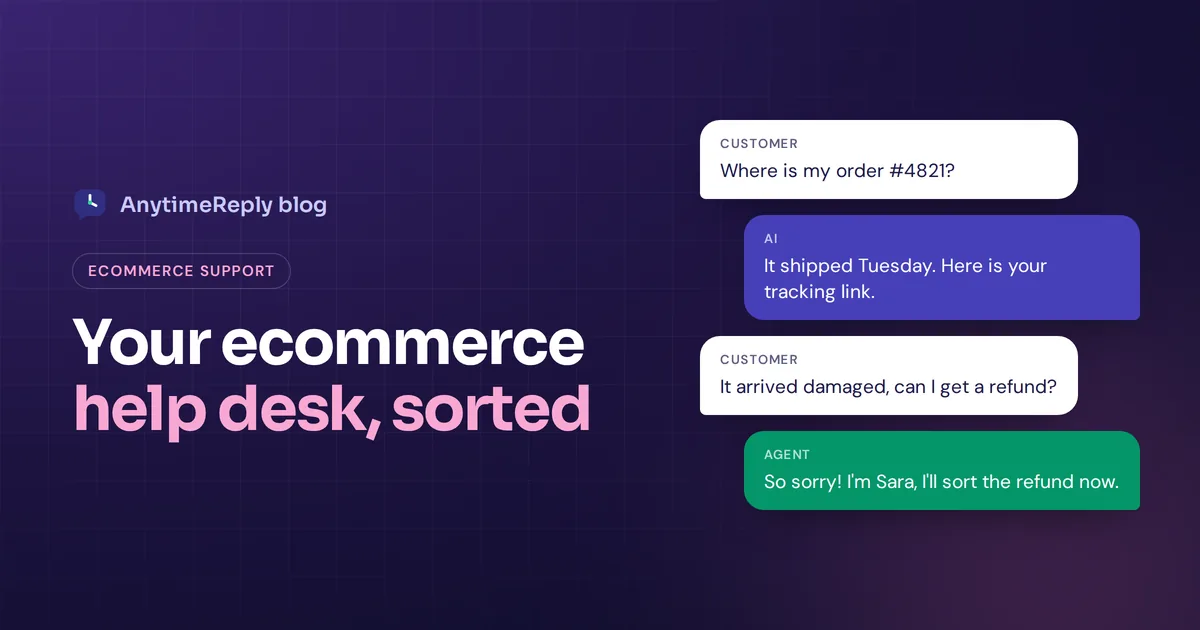
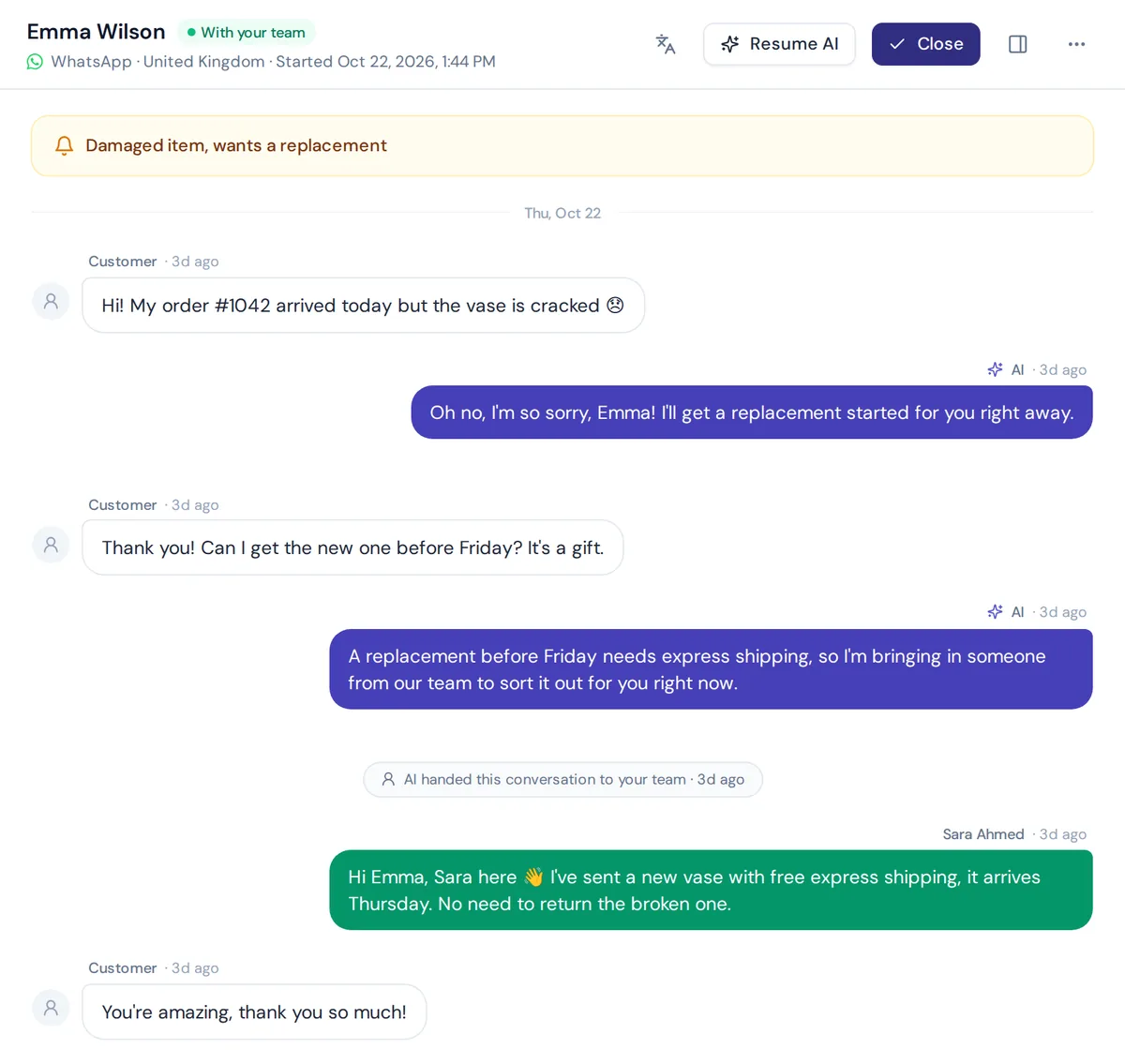
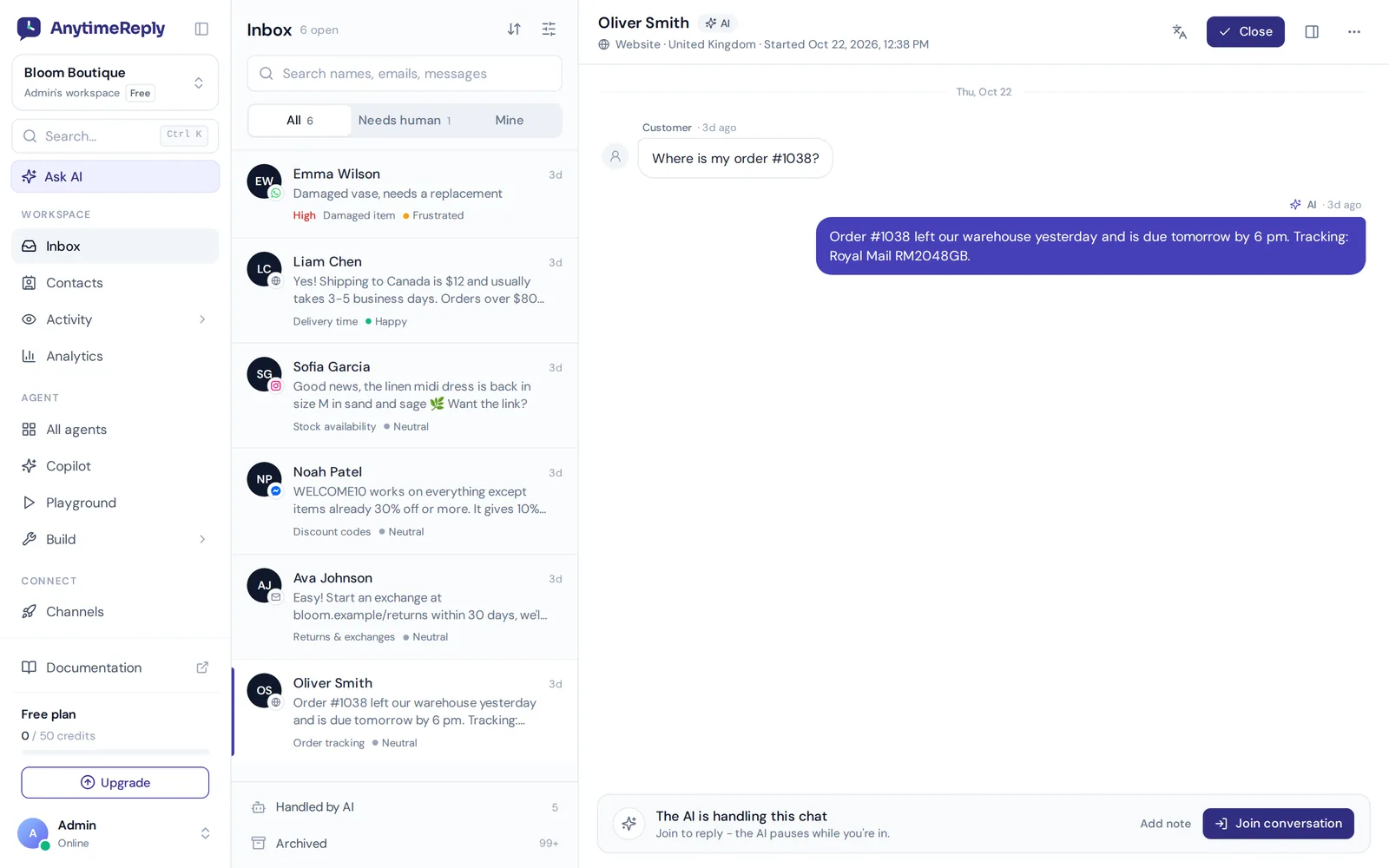
An AI agent trained on your shipping policy, return rules and product catalog can answer "do you ship to Canada?" in seconds, at 2 am, in the shopper's language. Connected to your store, it can check an order for a verified customer and share the tracking link. Each query it handles is one your team doesn't touch.
But AI has limits. It shouldn't decide a large refund on its own, and it can't calm down an upset customer the way a person can. The setup that works: AI answers first, then hands over with a summary when the customer asks for a person, gets upset or asks something it can't answer.
How to set up your ecommerce helpdesk as a small team
- Connect your channels. Email, website chat, Instagram, Facebook, WhatsApp and marketplaces, so you can offer support across all of them from one place.
- Connect your store. Link Shopify, WooCommerce or your store builder so orders show up next to conversations.
- Sort your top questions. Look at the last 100 messages. Group them: order status, returns, shipping, product questions, complaints.
- Write clear answers. One answer per common question. These become saved replies and AI training content.
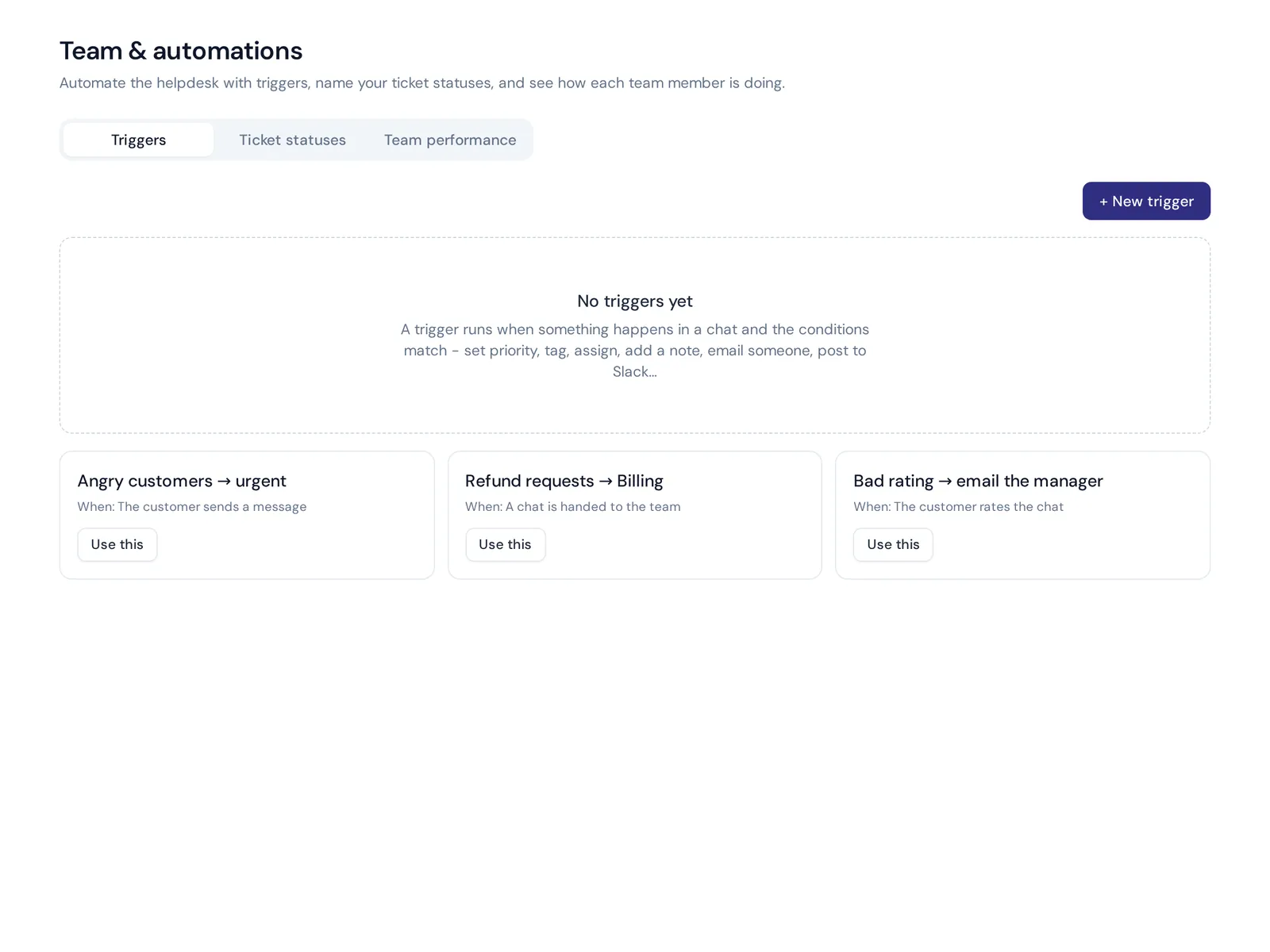
- Set up rules. Tag refunds and route them to billing. Mark angry messages as urgent. Auto-close solved tickets.
- Turn on AI for repeat questions. Start with order status, shipping and returns. Test with real past questions first.
- Publish self-service answers. Put your FAQ on a public page so shoppers can help themselves.
- Review weekly. Check response times, unanswered questions and ratings. Fix the gaps.
Ways to automate ecommerce customer support
Here are automation rules that work well for most stores. Copy them and adjust:
- Refund or return mentioned: tag "refund", assign to billing.
- Negative sentiment: set priority to urgent and alert the team lead in Slack.
- Low rating: email the manager with the conversation.
- VIP customer: assign to a senior agent.
- "Where is my order": let the AI reply with tracking, and hand over if the parcel is late.
- No customer reply for 3 days: close the ticket. A new reply reopens it.
Best practices for ecommerce customer service
- Answer fast on chat, thoroughly on email. Chat shoppers expect minutes. Email can take a little longer, but should solve the issue in one reply.
- Be proactive. If a courier is delayed, tell customers before they ask. It cuts "where is my order?" messages and builds trust.
- Make returns easy to understand. Clear return policies on your site save dozens of questions a week.
- Use the customer's history. "I see your order shipped Tuesday" beats "can I have your order number?"
- Automate the repeats, personalize the rest. Let AI handle tracking questions so people have time for the conversations that build loyalty.
- Fix causes, not just tickets. If one product gets the same sizing question daily, update the product page.
- Keep a human easy to reach. AI for speed, people for judgment. Excellent ecommerce customer service uses both.
None of this needs a big budget. A small store that answers within minutes, explains returns clearly and keeps a person reachable can offer the best customer service in its niche. That matters more for a growing ecommerce business than any fancy feature.
Customer service metrics to track
| Metric | What it tells you |
|---|---|
| First response time | How long shoppers wait for the first reply |
| Resolution time | How long it takes to fully resolve an issue |
| Ticket volume by topic | Which questions take most of your time, and which pages to fix |
| AI-answered share | How many customer requests are handled without a person |
| CSAT | Customer satisfaction with the help they got |
| Unanswered questions | What your AI and knowledge base don't cover yet |
A simple tip: if one topic keeps growing, find the cause. Lots of "where is my order?" support tickets often means your shipping emails are unclear.
How AnytimeReply works for ecommerce teams
AnytimeReply combines an AI agent with a full helpdesk and live chat. Messages from your website, WhatsApp, Messenger, Instagram, Telegram, email and Slack land in one place.
- AI answers first. Trained on your website, documents and Shopify products (with price and stock), it replies in the customer's language and hands over with a summary when a person is needed.
- Order actions for verified customers. Connect Shopify, WooCommerce, Stripe or AfterShip so the agent can check orders and tracking (paid plans).
- Procedures for refunds and exchanges. Write how your team handles them as plain steps, with approvals and amount limits enforced.
- Team tools. Departments, assignment (least busy or round robin), internal notes, @mentions, views like Unassigned and Needs human, and triggers.
- Email tickets. Connect Gmail, Outlook, Zoho or any IMAP mailbox. Every support email becomes a ticket with status, priority and owner.
The Free plan includes website chat, the shared inbox, a help center and analytics. WhatsApp, Instagram, Messenger, email and store actions start on Hobby ($9 a month, see pricing). More at AnytimeReply for ecommerce.
When it's not the right fit: AnytimeReply has no phone support and no marketplace inbox. If those channels matter most, look at a tool like eDesk or a phone-first platform.
Frequently asked questions
Do I need a dedicated ecommerce help tool or can I use a general one?
A general tool works if most of your support is email. If you sell on social media, get lots of order questions or want AI to check orders, a tool built for ecommerce saves more time.
At what point do I need a proper tool instead of a shared email inbox?
When you have more than one person answering, more than two channels, or customers start waiting hours for replies. That usually happens earlier than people expect.
Are there any free ecommerce help desks?
Some tools offer free tiers with limits. AnytimeReply's Free plan includes website chat, the team inbox, a help center, flows and 50 AI credits a month, no card needed.
Can AI handle customer service for a small online store?
It can handle most repeat questions like order status, shipping and returns. Refunds, complaints and unusual cases should still go to a person.
What does ecommerce support mean?
It's all the help an online store gives shoppers before and after they buy: product questions, order tracking, changes, returns, refunds and complaints, across email, chat and social channels.
Improve your ecommerce customer service this week
The right tool turns a messy pile of messages into a clear queue, with AI taking the repeat questions off your plate. Start with your channels, your top questions and a few rules. Then improve a little every week.
Want to try it on your store? Start free with AnytimeReply, no card needed.
Published 5 November 2026 by AnytimeReply team