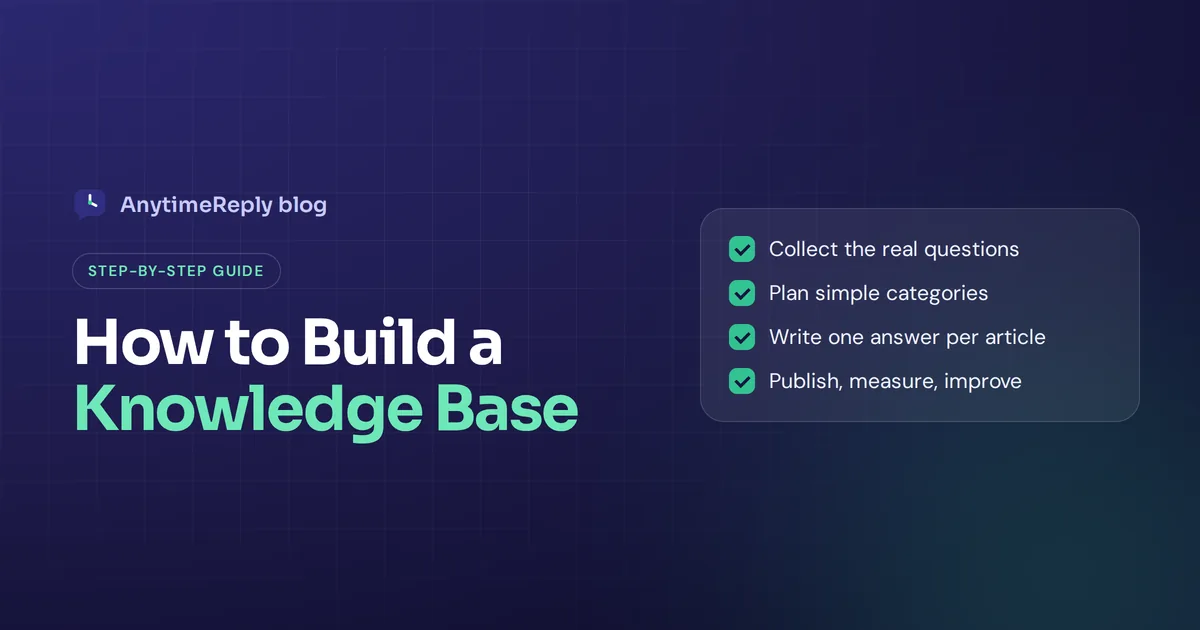
If your support team keeps answering the same questions every day, you need a knowledge base. This guide shows you how to build a knowledge base step by step: what to write first, how to structure it, which knowledge base software to use and how to keep it useful after launch.
The purpose of a knowledge base is simple: help people find answers to their questions without waiting. The short version: start with your 20 most common questions, write one clear article per question, group them into a few simple categories and publish them somewhere searchable. You can have a useful first version in a weekend.
We build AnytimeReply, which includes a help center and an AI agent that answers from your content. So we've seen a lot of knowledge bases, good and bad. Here is what actually works.
What is a knowledge base?
A knowledge base is a centralized library of information about your product, service or company. It holds knowledge articles that answer questions, explain how things work and help with troubleshooting. Customers or employees search it, find the answers they need and solve their own problems.
There are two main types:
- External knowledge base. Public articles for customers: shipping, returns, setup guides, common issues and billing. Often called a help center.
- Internal knowledge base. Private docs within an organization: processes, policies, onboarding, how to handle refunds. It protects institutional knowledge, so it doesn't leave when a team member does.
Content can range from short FAQs to long troubleshooting guides covering all aspects of your business. Many businesses need both types. This guide focuses on the customer-facing one, but the same steps work for internal docs.
Benefits of a knowledge base: do you need a knowledge base?
- Self-service. Helping customers help themselves is the main goal. Many customers would rather find answers quickly than wait for a reply. A great knowledge base lets them self-serve at 2 am.
- Lower ticket volume. Fewer support tickets for the same simple questions.
- Faster customer support. A support agent pastes a link instead of answering the same questions again by hand.
- Consistent answers. Everyone, including new hires, works from one source of truth.
- Improved customer service and customer satisfaction. People get the information they need without friction.
- A brain for your AI. AI chatbots answer from your content. A strong knowledge base means good AI answers.
That last point is new, and it matters. A chatbot trained on messy, outdated articles will give messy, outdated answers.
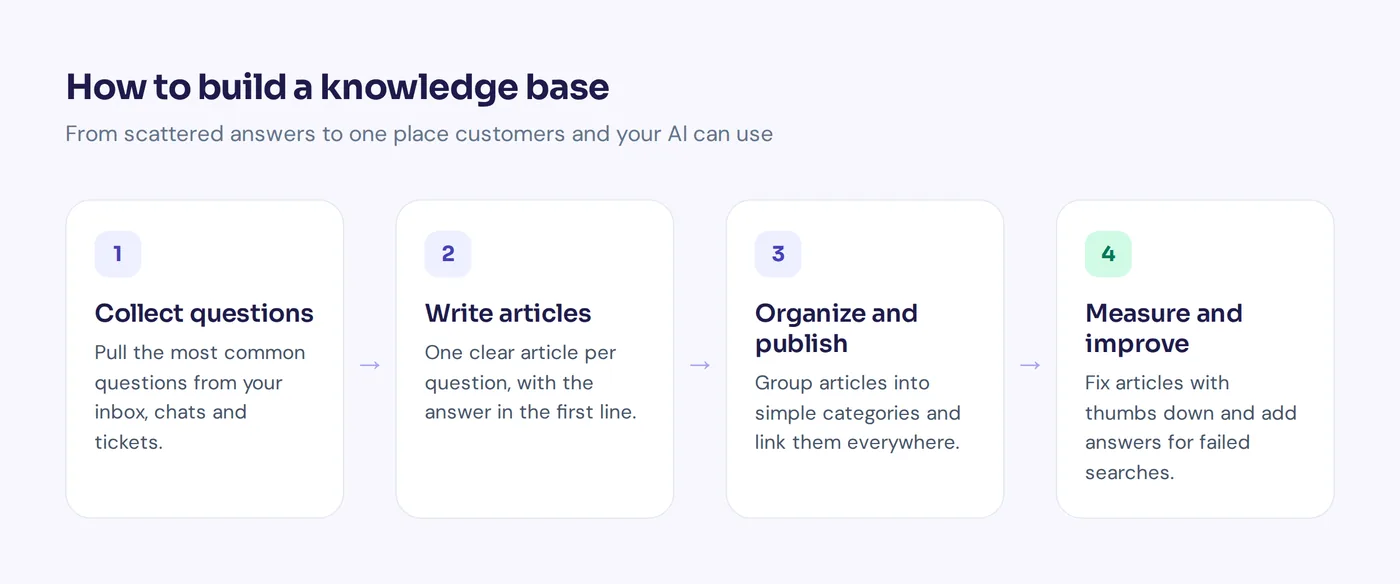
How to build a knowledge base in 8 steps
Step 1: Set a clear goal and know your audience
Decide who it's for and what success looks like. "Cut shipping questions in half" is a better goal than "have a help center". Customers and employees need different content, so pick one audience to start.
Step 2: Collect the questions or concerns people actually raise
Don't guess. Go through your inbox, chat history, WhatsApp messages, tickets and sales calls. Ask your team: "What do you answer every single day?" Write every question in a spreadsheet and count how often it comes up.
Most businesses find that a small set of questions covers most of their volume. Those are a great place to start.
Step 3: Plan your structure and categorize content
Group the questions into 4 to 8 categories. Keep the names simple and use the customer's words, not internal jargon. For an online shop, that might be:
- Orders and shipping
- Returns and refunds
- Payments
- Sizing and products
- Account
For a software company: Getting started, Billing, Integrations, Troubleshooting, Account and security.
Step 4: Choose your knowledge base software
Pick a tool with good search, easy editing and a price that fits. We compare options below. Before you choose, check how easily your existing data can move into it. Don't spend weeks on this. You can switch later.
Step 5: Write a style guide and your first articles
Write a one-page style guide first: tone, how to format steps, how to name articles. Then start with your top 20 questions, one article per question. Use the question as the title, answer it in the first sentence, then add details. There's a template below.
Step 6: Add images, videos and links
Screenshots help a lot for step-by-step guides. Short videos work for complex setups. Link related articles so people can keep going.
Step 7: Launch and make it easy to find
Put a "Help" link in your website header and footer. Link articles from your chat widget, order emails and contact page. Make it accessible to everyone who needs it. A searchable knowledge base that nobody can find doesn't help.
Step 8: Measure, update and improve
Use analytics to see which articles get views, which get thumbs down, and which searches return nothing. Update articles when your product, prices or policies change.
A simple knowledge base article template
Copy this structure for every article:
Title: The question, in the customer's words (for example, "How do I return an item?")
Short answer: One or two sentences that answer it directly.
Steps: A numbered list if there's a process.
Details: Exceptions, time limits, costs.
Still need help? A link to chat or contact.
Related articles: Two or three links.
Example:
How do I return an item?
You can return any unworn item within 30 days for a full refund.
1. Go to Orders in your account.
2. Click Return next to the item.
3. Print the label and drop the parcel at any post office.
Refunds reach your card 3-5 business days after we receive the item. Sale items can be exchanged but not refunded.
Best practices for an effective knowledge base
- One topic per article. Long articles that cover everything are hard to search.
- Answer first. Put the answer in the first line. Details come after.
- Use plain language. Short sentences. No jargon. Write for someone tired and in a hurry.
- Use headings and lists. People scan, they don't read.
- Use the words customers use. If customers are looking for "money back", say "money back", not only "reimbursement".
- Let employees contribute. Make it easy for any team member to contribute to your knowledge base, suggest an edit or easily create a new article. Add it to their normal workflow, not as extra homework.
- Give each category an owner. Someone is responsible for keeping it right.
A good knowledge base isn't about volume. Twenty clear knowledge base articles beat 200 thin ones.
Knowledge base software: the best free knowledge base tools
You don't need to pay to start. Here are some options with no-cost plans, and who they suit. Plans change often, so check each tool's pricing page for current limits.
| Tool | Best for | Good to know |
|---|---|---|
| AnytimeReply | Small businesses that want a help center plus an AI agent that answers from it | Free plan includes the help center, website chat and AI search, with limited credits and pages |
| Notion | Internal docs and simple public pages | Very easy to write in; public pages are basic for customer help |
| Google Docs or Google Sites | Tiny teams that need something today | Familiar, but weak search and structure |
| Confluence | Internal team wikis | Popular with software teams; has a plan for small teams |
| SharePoint | Companies already on Microsoft 365 | Microsoft's option for internal knowledge sites, included in many business plans |
| BookStack | Teams that want to self-host | Open source, but you run the server yourself |
So which is the best free knowledge base? It depends. For an internal wiki, Notion or Confluence are hard to beat. For a customer help center that also feeds a chatbot, a tool built for support makes more sense. And if you want full control, open-source tools like BookStack are a solid choice.
When you choose a knowledge management system, look for strong search (ideally natural language search), simple editing, categories, feedback buttons and analytics.
Common mistakes when you create a knowledge base
- Writing for yourself. Internal terms and product code names confuse customers.
- Trying to cover everything at launch. Start small and grow.
- Hiding it. No link in the header, chat or emails means no one finds it.
- Never updating. Prices change, policies change, screenshots go stale.
- Ignoring failed searches. The questions people can't find answers to are your best to-do list.
Maintaining a knowledge base over time
Building and maintaining a knowledge base is an ongoing knowledge management process, not a one-time project. A simple routine:
- Tie updates to changes. New feature, new price, new policy? Update the article the same day.
- Review on a schedule. Every quarter, scan every article for anything outdated.
- Use feedback. Articles with many thumbs down need a rewrite.
- Watch your inbox. When agents answer a new question twice, it deserves an article.
- Publish new articles on a regular basis. Even one a week adds up fast.
How AI and generative AI help you build your knowledge base
A knowledge base can also do more than sit on a page. Artificial intelligence changes two things. First, it helps you write: generative AI can turn a messy support thread into a draft article that you then check and edit. Second, it changes how people use a knowledge base. Instead of searching and reading, customers ask a chatbot that answers from your articles in natural language.
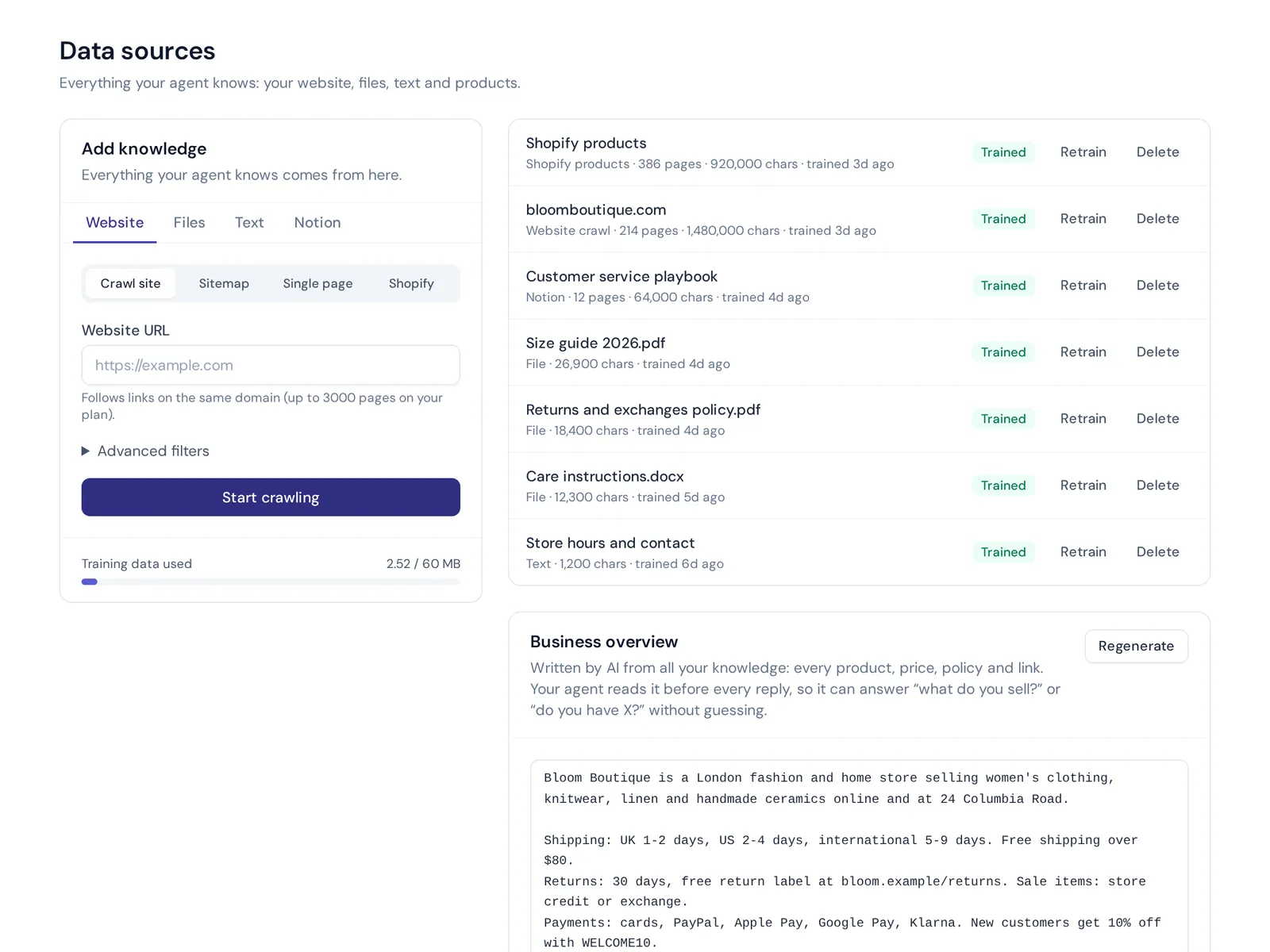
That's the idea behind AnytimeReply. You add your website, PDF and Word files, pasted text or Notion pages as training sources. The AI agent learns from them and answers customers on your website and messaging channels in seconds, in their language. You can add Q&A answers that always win over other sources, for things like your exact return window.
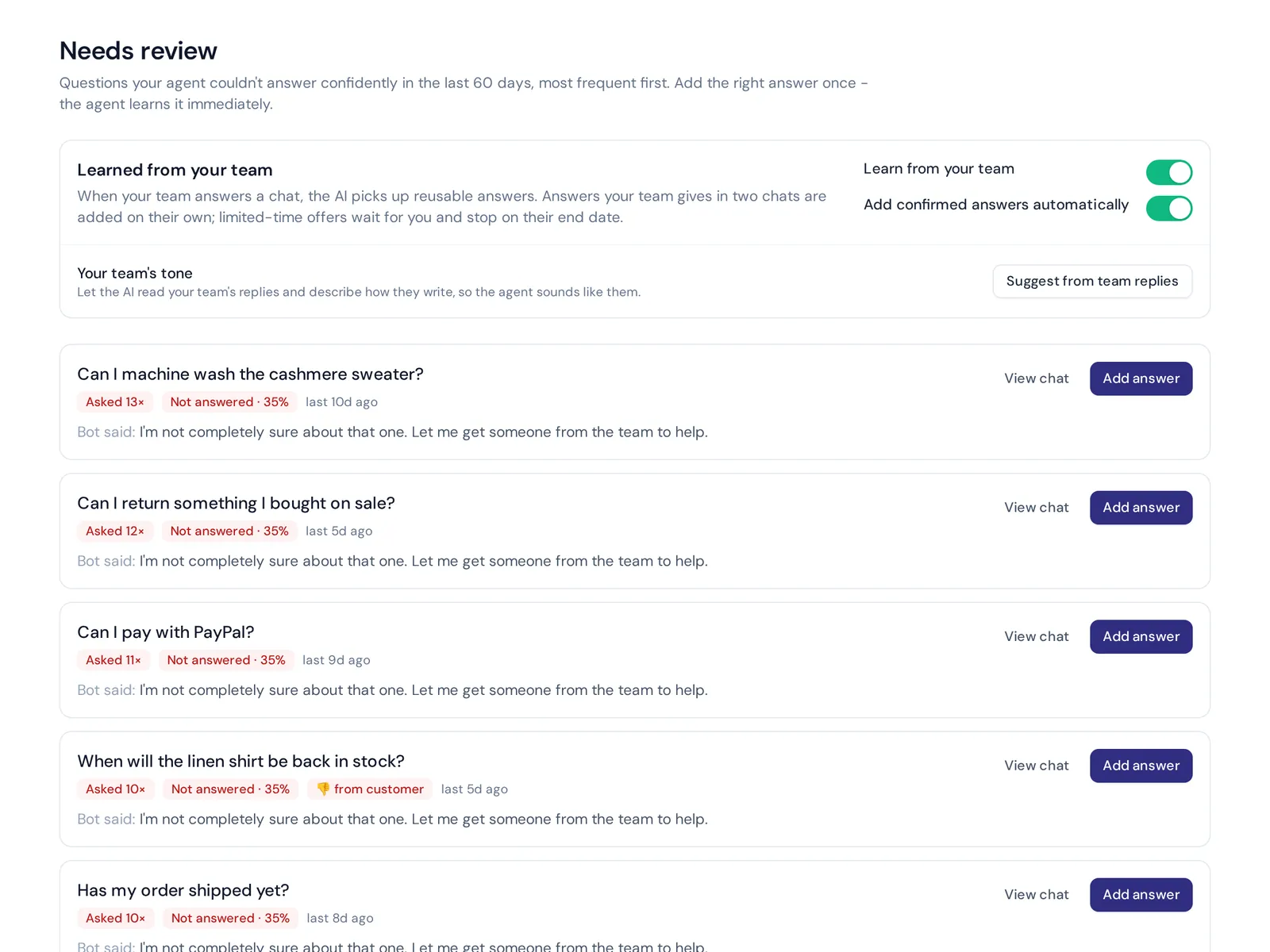
Then you can publish articles from that same knowledge as a help center on your own domain, like help.yourdomain.com. "Draft with AI" helps you write faster, and AI search answers questions instead of only listing links. You see article views and thumbs up or down, and analytics show the questions the AI couldn't answer, with a one-click "add answer". That list is your to-do list, written by your customers.
The help center, website chat and Q&A are on the free plan. The honest limit: that plan has 20 website pages and 1 MB of files, so bigger knowledge bases need a paid plan. See pricing for details.
Frequently asked questions
What does a knowledge base do?
It keeps knowledge in a single place so customers and employees can solve problems on their own, without waiting for a support team.
What are the 5 C's of knowledge management?
Different sources list them differently. A common version is create, capture, curate, collaborate and communicate (some lists add consume or classify). The idea is the same: knowledge should be written down, organized, shared and kept current.
Does Microsoft have a knowledge base tool?
Yes. SharePoint is Microsoft's main option for internal knowledge sites, and Microsoft also offers knowledge features in its customer service products.
How many articles do I need to launch?
Start with 15 to 30 articles that cover your most frequent questions. Quality and search matter more than quantity.
What is the difference between a knowledge base and FAQs?
An FAQ page is one page with short answers. A knowledge base has many articles, organized in categories, with room for step-by-step detail.
Build it once, use it everywhere
A good knowledge base helps customers, trains new staff and powers your AI agent. Start with the 20 questions you answer most, write them clearly and keep them current. When you're ready to turn it into a help center and an AI agent, start free with AnytimeReply, no card needed.
Published 3 November 2026 by AnytimeReply team