Someone signs up for your software on a Tuesday night. They poke around for six minutes, can't figure out how to connect their data, and close the tab. You never hear from them again. No complaint, no support ticket, just quiet churn that shows up in next month's numbers.
That is what poor onboarding looks like. Good SaaS customer onboarding is the opposite: it gets each new user to their first real win quickly, answers questions before they give up, and turns a trial into a habit. It is one of the cheapest ways to improve activation, customer retention and revenue, because you already paid to get these people in the door.
In this guide we'll walk through the onboarding process step by step, share a copy-ready checklist, cover the metrics to track and show where support fits in. We run a SaaS product ourselves, so these are lessons from the same problem you have.
What is customer onboarding in SaaS?
Customer onboarding is everything that happens between a customer signing up (or buying) and that customer getting real value from your SaaS product. It covers the signup flow, the welcome email, the first in-app steps, setup help, customer training and the support they get along the way.
The goal is not "finish the product tour". The goal is to get each user to their aha moment, the moment they see your product solve their problem. For a scheduling tool, that might be the first booked meeting. For an analytics tool, the first dashboard with their own customer data.
Onboarding looks different depending on who your customers are:
- Self-serve (product-led). Users sign up and learn on their own through in-app guides, emails and help articles. This is mostly user onboarding.
- Low-touch. Mostly self-serve, with a little human help: live chat, webinars, an optional welcome call.
- High-touch. Bigger accounts get customer success managers, a kickoff call, a custom setup plan and training. This is closer to a full account rollout.
Why a great customer onboarding experience matters for SaaS companies
In a subscription business, the sale is just the start. Customers can cancel any month. If they don't get value early, they leave before you earn back what it cost to win them, and customer lifetime value drops.
A good onboarding experience helps SaaS businesses:
- Raise activation. More signups actually start using the product.
- Cut customer churn. The first weeks are when many cancellations happen, so onboarding has a big effect here.
- Reduce support load. Clear onboarding steps mean fewer "how do I...?" tickets.
- Grow revenue. Active customers upgrade, add seats and refer others.
- Learn faster. Watching where people get stuck shows you what to fix in the product.
Onboarding also sets the tone for the whole customer relationship. A customer who felt helped in week one forgives a lot later.
The 5 stages of the customer onboarding journey
Most teams split the customer onboarding journey into five stages:
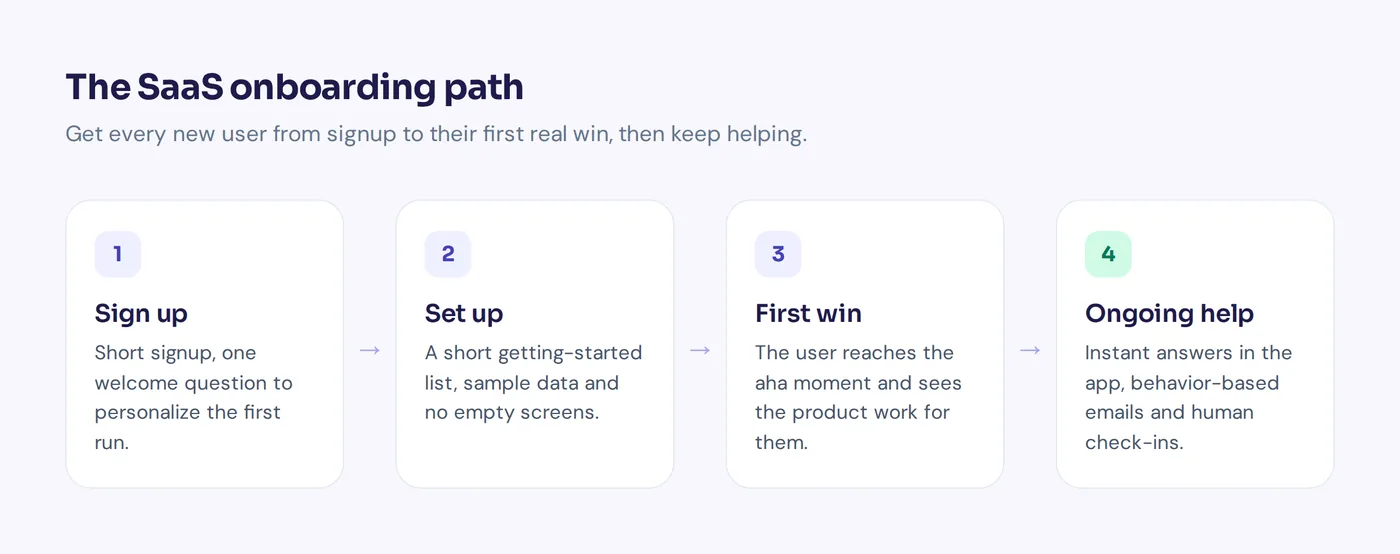
- Signup. The account is created. Friction here kills everything after it.
- Setup. The initial onboarding process: connect data, invite teammates, set preferences.
- First value. The aha moment. The user sees the product work for them.
- Adoption. They use more features and build a habit.
- Ongoing success. They reach their goals, renew and grow, with help from your customer success team.
Each customer onboarding phase needs its own messages, help content and metrics.
The SaaS customer onboarding process, step by step
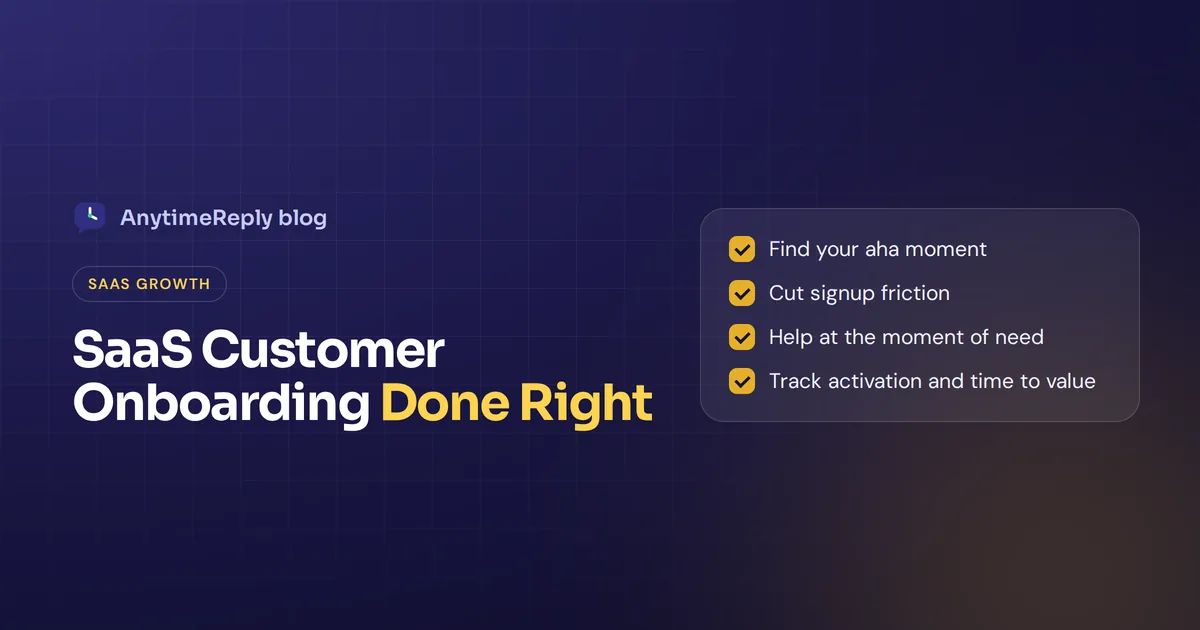
- Define your aha moment. Look at customers who stayed. What did they do in their first days that churned users didn't? Pick one or two key actions. That is the target for your whole onboarding framework.
- Make signup short. Ask only for what you need. You can collect role, team size and goals later.
- Send a useful welcome email. Not a wall of features. One clear next step, a link to get started and how to reach you.
- Personalize the first run. Ask "What do you want to do first?" and show a path that fits customer needs. A marketer and a developer shouldn't see the same screens. Personalized onboarding feels shorter even when it isn't.
- Add a short getting-started list. Three to five tasks that lead to the aha moment, with visible progress. People like finishing things.
- Remove empty states. A blank dashboard is scary. Use sample data, templates or a guided first project.
- Offer help at the moment of need. Tooltips, short videos, a searchable help center or customer portal, and chat inside the app, right where users get stuck.
- Follow up based on behavior. Emails triggered by what users did, or didn't do, beat a fixed "Day 3" schedule.
- Check in personally for valuable accounts. A short call or message from a real person for larger accounts or trials that look stuck.
- Measure, then improve. Find where users drop off in the onboarding flow and fix the biggest leak first.
SaaS onboarding checklist
Copy this list and tick off what you already have.
Before signup
- Pricing and plans are clear on the website
- A chat or contact option answers pre-sales questions quickly
- The promise on your landing page matches what users see after signup
Signup and first session
- Signup takes under a minute (social login or email only)
- One welcome question to personalize the experience
- A getting-started list with 3 to 5 tasks to the aha moment
- Sample data or templates instead of empty screens
- Help is one click away inside the app
First week
- Welcome email with one clear next step
- Behavior-based emails for users who stall
- Help articles for every setup step
- Fast answers to questions, including outside office hours
- A prompt to invite teammates (if your product is better with a team)
First month
- Check-in near the end of the trial
- Personal outreach for high-value accounts
- A short survey to collect customer feedback ("What almost stopped you?")
- Tips for the next level of value: integrations and advanced features
Metrics to measure successful onboarding
| Metric | What it tells you |
|---|---|
| Activation rate | Share of new users who reach your aha moment |
| Time to value | How long a new customer takes to get their first real win |
| Onboarding completion | Which steps people finish and where they stop |
| Trial to paid conversion | How many trial users become paying customers |
| Early churn | How many customers cancel in their first 30 to 90 days |
| Customer satisfaction score (CSAT) | How new customers feel about the help they got |
| Customer effort score | How easy it felt to get set up |
| Support questions per new user | Where your product or docs are confusing |
Over time, also watch customer engagement across the customer journey: logins, key actions and feature use after onboarding ends. Don't track every metric at once. Start with activation rate and time to value, then add others once you have a baseline.
Customer onboarding best practices
These SaaS onboarding best practices tend to move the numbers most:
- Shorten time to value before adding more guidance. Every step you remove usually helps more than every tooltip you add.
- Show, don't tell. A 60-second video of the key workflow beats a 10-step tour users skip.
- Segment your users. Different roles and goals need different paths through the onboarding journey.
- Celebrate progress. A small "Nice, your first report is ready" message makes the win feel real.
- Answer questions in seconds. A user stuck on setup at 10 pm won't wait until your team logs in.
- Treat onboarding as ongoing. New features, new teammates and new use cases need onboarding too.
One more best practice: write down your customer onboarding strategy in one page. Who owns each stage, what the aha moment is, and which metric proves it works. It keeps product, support and success aligned.
Common signs of poor onboarding
- Feature dumping. Showing every button on day one. Users remember none of it.
- Same flow for everyone. A solo founder and a 50-person team have different onboarding needs.
- Long forms up front. Ask later, when users trust you.
- No human option. Some users want to talk to someone. If they can't, they leave.
- Ignoring support data. Your inbox is a free list of everything confusing in your onboarding.
B2B SaaS: running a client onboarding program
For larger accounts, a self-serve flow is not enough. A typical client onboarding process adds:
- A kickoff call to agree on goals, timeline and owners
- A written success plan with milestones
- Data migration and integration help
- Training sessions for each team that will use the product
- Regular check-ins until the account is live and healthy
Many teams run this from a customer success platform or onboarding software that tracks tasks with the customer. Whatever onboarding tool you use, keep one shared plan that your onboarding team and the customer can both see.
Where customer support and customer success fit into onboarding
Onboarding and support are often run by different teams, but for the customer it is one customer experience. A new user doesn't care whose job it is. They just want an answer.
The most useful things support can do for onboarding:
- Answer setup questions fast, in the app and by email
- Turn common questions into help center articles
- Spot users who are stuck and pass them to customer success
- Share the top confusing topics with the product team every week
This is where an AI support agent helps a lot. Most onboarding questions repeat: "How do I connect X?", "Where is my API key?", "Can I import from Y?". AI can answer those instantly, day and night, and a person steps in for the complex ones.
How AnytimeReply helps SaaS teams with onboarding
AnytimeReply is an AI customer support agent with a built-in helpdesk, and it is a good fit for SaaS companies. You train it on your website, docs, help articles and Notion pages, then add the chat widget to your site or app with one line of code. New users get answers to setup questions in seconds, in their own language.
- Help center. Publish articles from the agent's knowledge on your own domain, with AI search that answers instead of listing links. See the help center.
- Proactive messages. Show a website message after a few seconds, on scroll or on exit intent to users who may be stuck.
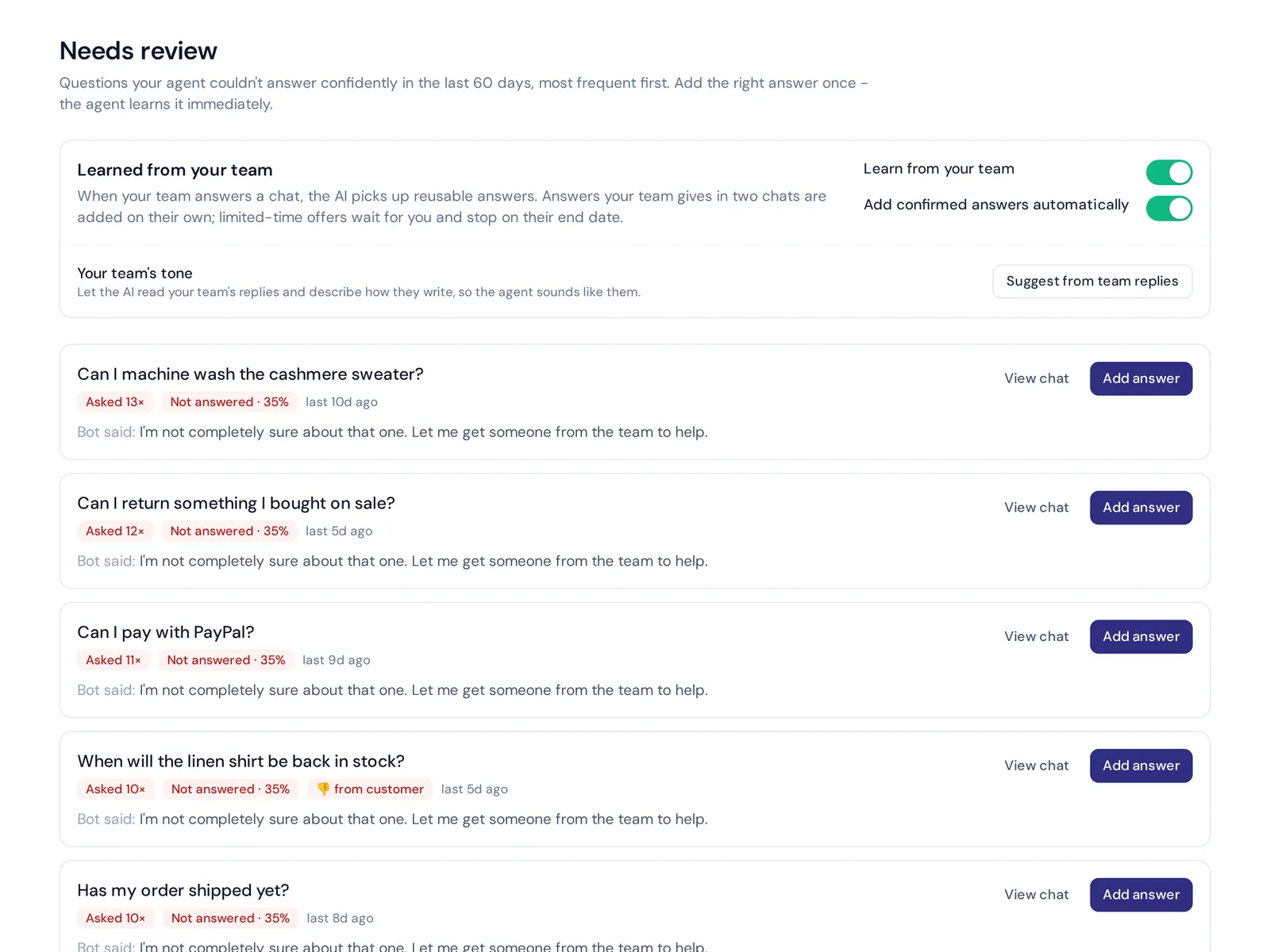
- Knowledge gaps. Analytics shows questions the AI couldn't answer, with a one-click "add answer". That is a ready-made list of onboarding holes.
- Human handoff. When a user asks for a person or the AI can't help, the chat goes to your team's shared inbox with a summary.
- Actions for verified customers. On paid plans, the agent can, for example, manage a Stripe subscription or book an onboarding call through Cal.com or Calendly, with confirmation and limits.
Honest limits: AnytimeReply is not a product tour or in-app guide builder. Pair it with your own in-app guides. It handles the questions and support side of onboarding.
Frequently asked questions
What are the 5 stages of the onboarding process?
A common split is signup, setup, first value (the aha moment), adoption and ongoing success. Each stage needs its own messages and help.
What are the 5 C's of onboarding?
The C's come from employee onboarding: compliance, clarification, culture, connection and check back. For customers, the same ideas work well: clear rules, clear next steps, a feel for your brand, a human connection and regular check-ins.
What are some examples of effective SaaS onboarding experiences?
The best ones share a pattern: they ask one question about your goal, show templates or sample data that match it, and get you to a result in the first session. Look at the products you enjoyed starting with and copy the pattern, not the screens.
How long should a typical onboarding take?
As short as possible for the first win. Many self-serve products aim for value in the first session. Complex B2B products may need days or weeks, which is why they add calls and training.
How do you measure SaaS onboarding?
Start with activation rate and time to value. Then look at trial to paid conversion, early churn, CSAT and support questions per new user.
Can AI help with onboarding new customers?
Yes. AI chat can answer setup questions instantly, point users to the right help article and reveal gaps in your docs. Keep a clear way to reach a person for complex accounts.
Make the first week count
Effective customer onboarding is simple to describe and hard to finish: know your aha moment, remove everything that slows people down, and make help instant. Then keep improving with what your users tell you.
If fast answers for new users are your missing piece, start free, no card needed. Train an agent on your docs, add it to your app and see which questions your users really ask.
Published 29 October 2026 by AnytimeReply team