A trial user gets stuck connecting your app to their CRM on day two. They send a message. Nobody answers until Monday. On Tuesday they cancel the trial and sign up with a competitor. Your product was fine. Your customer support wasn't there.
That is why SaaS customer support best practices look different from support in a shop or a bank. In software, support is part of the product. It decides whether trials convert, whether customers stick around, and whether they upgrade or quietly churn.
Below are 15 practices that work for a SaaS business of any size, from a two-person startup to a growing support team, plus the customer support metrics for SaaS that tell you if it's working and the tools that make it easier.
What is SaaS customer support?
SaaS customer support refers to the help a software company gives its users before and after they subscribe: answering how-to questions, fixing account and billing issues, troubleshooting bugs and integrations, and guiding each new user through setup.
It is different from support in most other businesses in three ways:
- The sale is never finished. Every customer decides each month or year whether to keep paying.
- The product keeps changing. New features, new bugs, new questions. Your help content has to keep up.
- Questions are often technical. API keys, permissions, integrations and data imports need real product knowledge.
Customer support in SaaS also includes support services around the product: onboarding help, migration from another tool, and answering questions from the customer success side. In a small company, one customer support team often covers all of it.
So customer support isn't just a cost center, and the support function deserves real investment. It is part of how you keep revenue, and great customer service is one of the few advantages competitors can't copy overnight.
Why great customer support matters for a successful SaaS business
Support touches every stage of the customer journey:
- Trials convert through answers. A trial user who gets unstuck fast is far more likely to pay than one who gives up.
- Customer churn often starts as a support problem. Slow replies, repeated explanations and unsolved bugs make people look for alternatives, and that shows up in your customer churn rate a few months later.
- Customer retention drives growth. Keeping a customer is usually cheaper than winning a new one, and happy customers add seats and upgrade.
- Support is your best product research. Every support ticket tells you where the product, the docs or the onboarding is confusing.
Many SaaS companies learn this the hard way: they spend on marketing to bring people in, then lose them through a slow inbox. Great customer support is the cheaper fix. And it compounds: every customer who gets excellent customer support is one less customer shopping around at renewal time.
Building your SaaS customer support strategy
Before you add tools or hire, decide on your support model. Effective SaaS customer support starts with a plan, not a tool. A simple SaaS customer support strategy answers four questions:
- Who do we support, and how? Self-serve users, paying teams, enterprise accounts. Each may need a different level of service.
- Which channels? Usually in-app or website chat, email, and a help center. Some B2B SaaS products add Slack or a community.
- What are our response targets? For example, first reply within an hour during business hours for paying customers.
- How do issues move up? A clear tier structure, so nothing gets stuck.
Here is a common tier setup as SaaS customer support teams scale. Modern SaaS support teams often add AI as an extra layer in front of tier 1:
| Tier | Handles | Who |
|---|---|---|
| Tier 0 | Self-service and AI answers | Help center, AI agent |
| Tier 1 | How-to questions, account and billing | Support agents |
| Tier 2 | Technical issues, integrations, configuration | Technical support or support engineers |
| Tier 3 | Bugs and outages that need code changes | Engineering |
Write down when a ticket moves up a tier and who owns it. "Ask in the engineering channel and hope" is not an escalation path.
SaaS customer support best practices for speed and self-service
1. Offer support where your users already are
For most products that means in-app or website live chat support first, email second. Some audiences expect Slack, Discord, WhatsApp or a forum. Don't open ten channels you can't staff. Pick two or three your SaaS users actually use and do them well.
The key is one shared inbox. If chat lives in one tool, email in another and Slack messages in someone's DMs, every customer conversation gets harder to track.
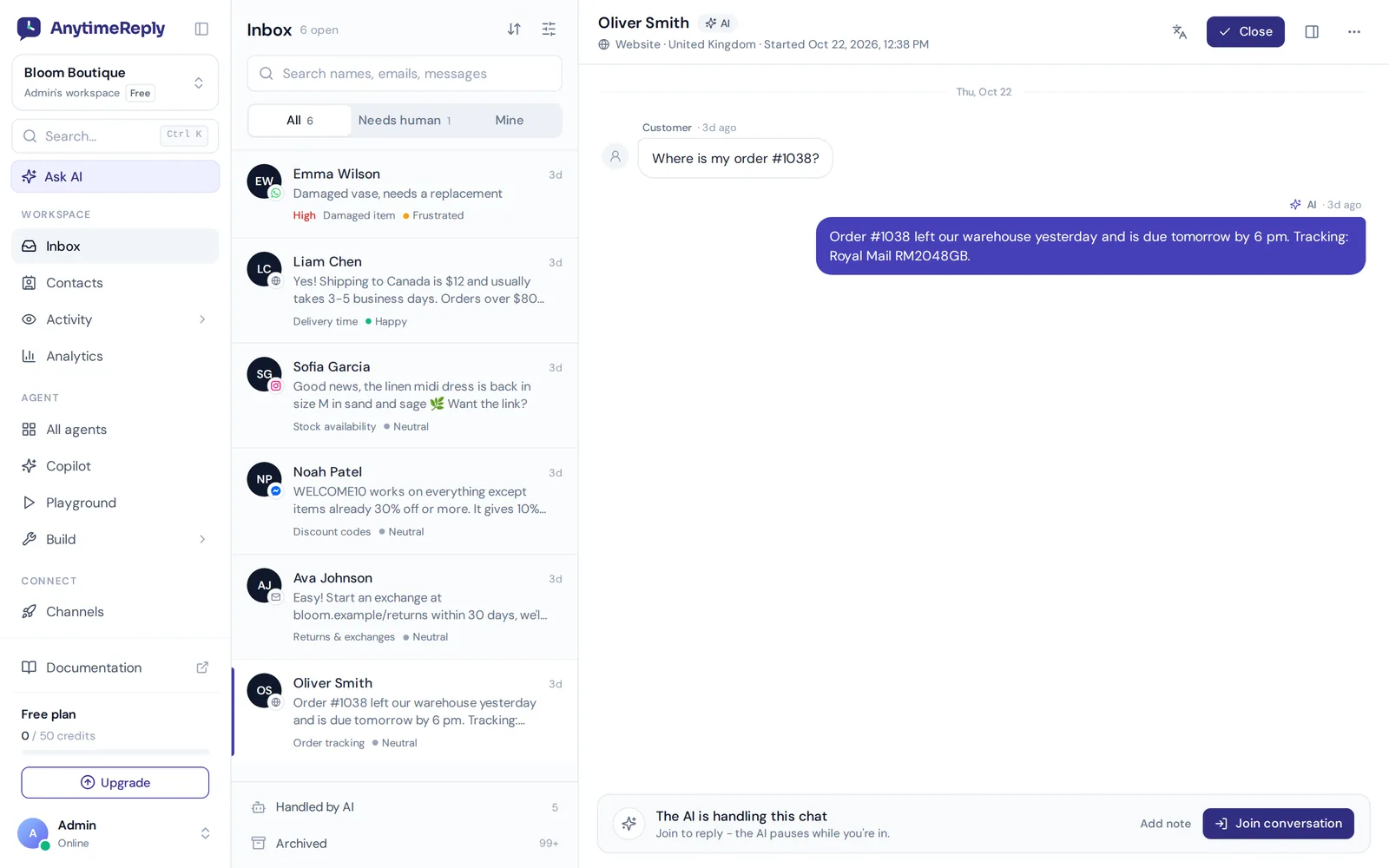
2. Give timely support during trials and onboarding
Response time matters most when the customer is deciding: during a trial, in the first week after signup, and right before renewal. Set clear targets and keep them visible to the support team. A new customer who waits a day for an answer about your SaaS product often doesn't wait a second time.
If you can't offer human support 24/7, be honest about your hours. "We reply within 2 hours on weekdays" sets customer expectations better than a vague promise you break.
3. Build a help center that actually answers
Many customers prefer to fix things themselves, if the answer is easy to find. A good knowledge base has:
- Short getting-started guides for the first tasks every new user does
- Step-by-step articles with screenshots for each main feature
- Troubleshooting pages for the top 20 problems in your tickets
- Billing, plan and account pages, because those questions never stop
- Search that works, ideally with answers instead of a list of links
Write articles from real tickets, not from what the product team thinks people need.
4. Use AI to handle the repetitive questions
"How do I reset my password?" "Can I change plans mid-month?" "Where is the API key?" A big share of SaaS tickets are repeats. An AI agent trained on your docs can answer them in seconds, at any hour, in each customer's language.
This is how a small support team can handle customer support at scale, without hiring for every new wave of signups. Two rules make it work. It must answer from your own content and say "I don't know" instead of guessing. And there must be an easy way to reach a person. AI that traps customers in a loop does more damage than no AI at all.
5. Make handoff to a human smooth
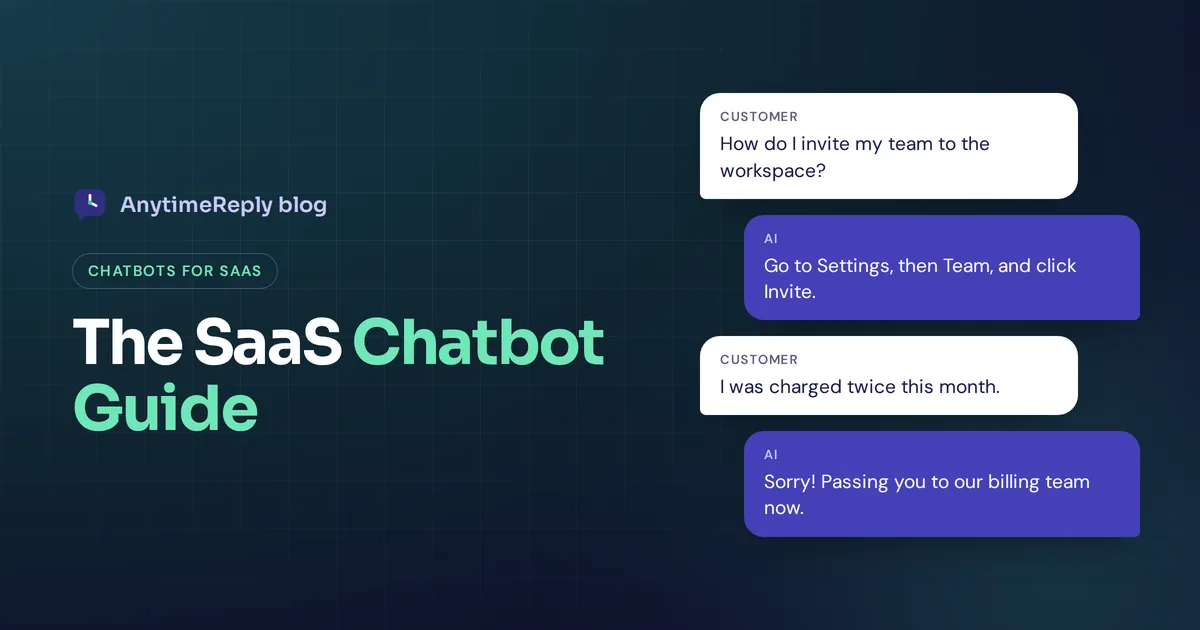
When the AI or tier 1 can't solve something, the handoff should carry full customer context: who they are, what plan they are on, what they already tried, and a summary of the conversation. Nobody should explain their problem twice.
Good triggers for handoff: the customer asks for a person, gets frustrated, mentions cancelling, reports a bug, or asks something the bot can't answer confidently.
6. Know the customer before you reply
A support agent should see the customer's plan, signup date and past customer interactions next to the conversation. Answering a paying admin the same way as an anonymous visitor wastes everyone's time.
Verified identity matters too. Before the AI or an agent changes a subscription or shares account data, confirm who they are talking to.
7. Use saved replies, but personalize them
Saved replies save time. But a reply that is obviously copy-pasted, with the wrong name or plan, feels worse than a slow one. Use templates as a starting point and add one line that fits the customer needs in front of you.
Best practices for a better customer experience
8. Turn support into proactive onboarding
Don't wait for people to get stuck. Look at where new users drop off and reach out first:
- A short in-app message when someone hasn't finished setup after a day
- A tip when a user opens a complex feature for the first time
- An offer to help when someone visits the pricing or cancel page
Proactive help is great for customer engagement, as long as it stays useful and rare. Three pop-ups in one session feel like spam.
9. Close the loop between product and support teams
The support team sees problems first, in hundreds of customer conversations a week. Make sure that knowledge reaches the people who can fix it:
- Tag tickets by topic and feature so you can count them
- Share a weekly summary of top issues and customer feedback
- Link bug reports to tickets, and tell customers when the fix ships
"You reported this, and it's fixed in today's release" is one of the best messages a customer can get.
10. Communicate clearly during outages
Every product has bad days. What customers remember is how you handled them. Post on a status page early, update often, and add a banner or proactive message so the support team isn't flooded with the same question. Afterwards, explain what happened in plain words.
11. Write replies people can follow
Short sentences. Numbered steps. One idea per message. Link to the exact help article, not the help center home page. Use the customer's words instead of internal jargon. And if the answer is "no, we don't support that", say so clearly and suggest a workaround.
12. Segment your customer base
Not every account needs the same service. A free user, a small team and a large B2B account have different needs. Route by plan or account value so high-value customers get faster help, without leaving anyone ignored.
13. Track knowledge gaps and fix them weekly
Every question your help center and AI can't answer is a gap. Keep a list. Each week, write the missing answers, update outdated articles and retrain your AI. Over a few months this is what turns a busy inbox into a calm one.
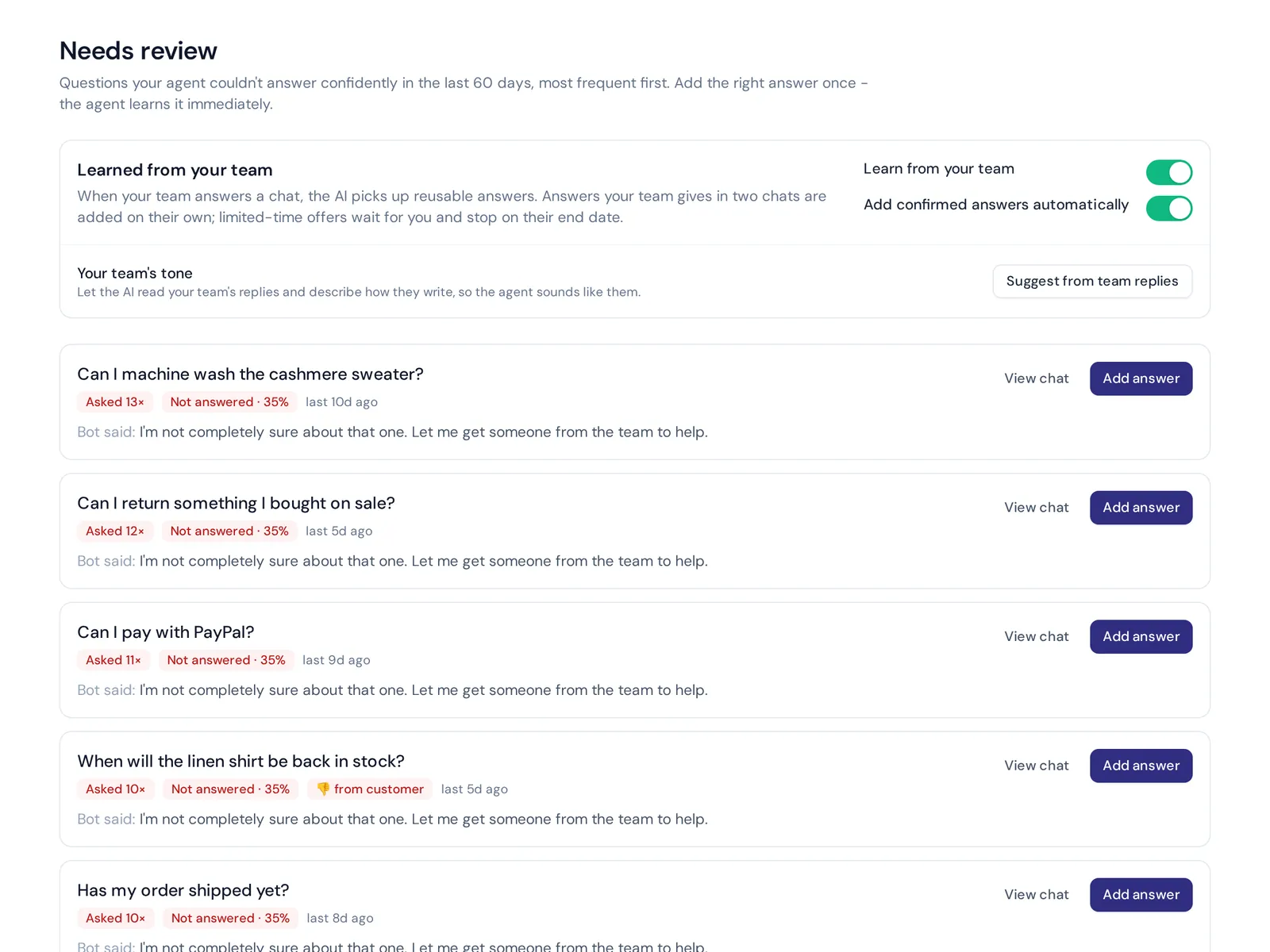
14. Measure customer satisfaction after every conversation
A one-tap rating at the end of each conversation tells you how support feels from the other side. Read the low scores and their transcripts every week. That is where the real lessons are.
15. Look after your support team
Burned-out agents give short, tired answers. Share the load with fair assignment rules, give agents time to write docs (not just answer tickets), celebrate good saves, and let them push back on product decisions that create support pain. A healthy support team's mood shows up in every reply, and in the SaaS customer support experience your users remember.
Customer support metrics for SaaS: what to track
These are the numbers most SaaS teams use to judge support operations. Track them per channel and per plan, so you can see where the customer support team is stretched:
| Metric | What it tells you |
|---|---|
| First response time (FRT) | How long a customer waits for the first real reply |
| Time to resolution | How long it takes to resolve customer issues fully |
| Customer satisfaction (CSAT) | How happy people are after a conversation |
| First contact resolution | How often the issue is solved in one conversation |
| Self-service or AI resolution rate | How many questions are solved without a person |
| Tickets per customer | Whether the product is getting easier or harder to use |
| Churn and retention | The business result support is meant to protect |
Don't optimize one metric alone. Closing tickets fast with bad answers improves resolution time and ruins satisfaction. Look at speed, quality and outcome together.
Customer support tools for SaaS companies
The right customer support tools make most of the practices above much easier. A typical stack includes:
- A helpdesk or support platform with a shared inbox for chat, email and messaging, plus assignment and internal notes
- A help center on your own domain with good search
- An AI agent trained on your docs for instant answers and smart handoff
- Analytics for volume, topics, CSAT and team performance
- Integrations with your billing system, CRM and Slack
When you compare customer support software, test it with your real questions. Ask how each customer would see it, and how the support team would use it all day. The best SaaS customer support setups usually keep the stack small. The best customer support tool is the one your team will keep using and keep updated, not the one with the longest feature list.
Customer support vs customer success in SaaS
Support reacts to questions and problems. Customer success works proactively to help customers reach their goals with the product: onboarding plans, check-ins, usage reviews and renewal conversations.
Great SaaS customer support needs the two working together. In a small company the same people often do both. As you grow, customer success teams usually take larger accounts, while support handles the day-to-day questions from everyone. The two should share data, because a spike in tickets from one account is often the first sign of churn.
Common mistakes that hurt the support experience
- Hiding contact options. Making people dig through five pages to find help feels like you don't want to hear from them.
- Bots with no exit. Automation without a path to a person frustrates exactly the customer you most need to keep.
- One person as the whole SaaS support function. When one founder answers everything, every holiday becomes an outage for the customer.
- Help docs that lag behind the product. Screenshots from three versions ago confuse more than they help.
- Measuring only speed. Fast but wrong answers create more tickets.
- Treating support as separate from product. If feedback never reaches the roadmap, the same tickets keep coming.
How AnytimeReply helps you deliver great support
We built AnytimeReply for teams like this. It is an AI support agent with a built-in helpdesk, and it covers several of the practices above in one place:
- AI agent trained on your docs. Train it on your website, help articles, PDFs and Notion pages. It answers with a confidence score and says so when it doesn't know.
- Shared helpdesk. Website chat, email tickets, Slack, WhatsApp and more in one inbox, with assignment, internal notes, views and triggers.
- Handoff with a summary. The AI hands over when a customer asks for a person, gets upset or when it can't answer.
- Help center. Publish articles on your own domain with AI search that answers instead of listing links.
- Actions for verified customers. On paid plans, the agent can work with Stripe to help manage subscriptions, with confirmation and limits.
- Analytics and knowledge gaps. Topics, sentiment, CSAT, team performance and a list of questions the AI couldn't answer.
See how it fits a software business on our SaaS use case page, or browse the helpdesk and help center features.
Honest limits: AnytimeReply has no phone or voice support and no native mobile SDKs. If your SaaS customer service strategy relies on a call center or a deep in-app SDK, plan for another tool alongside it. For chat, email and messaging support without extra tools, it covers a lot.
Frequently asked questions
What are the most important practices for SaaS customer support?
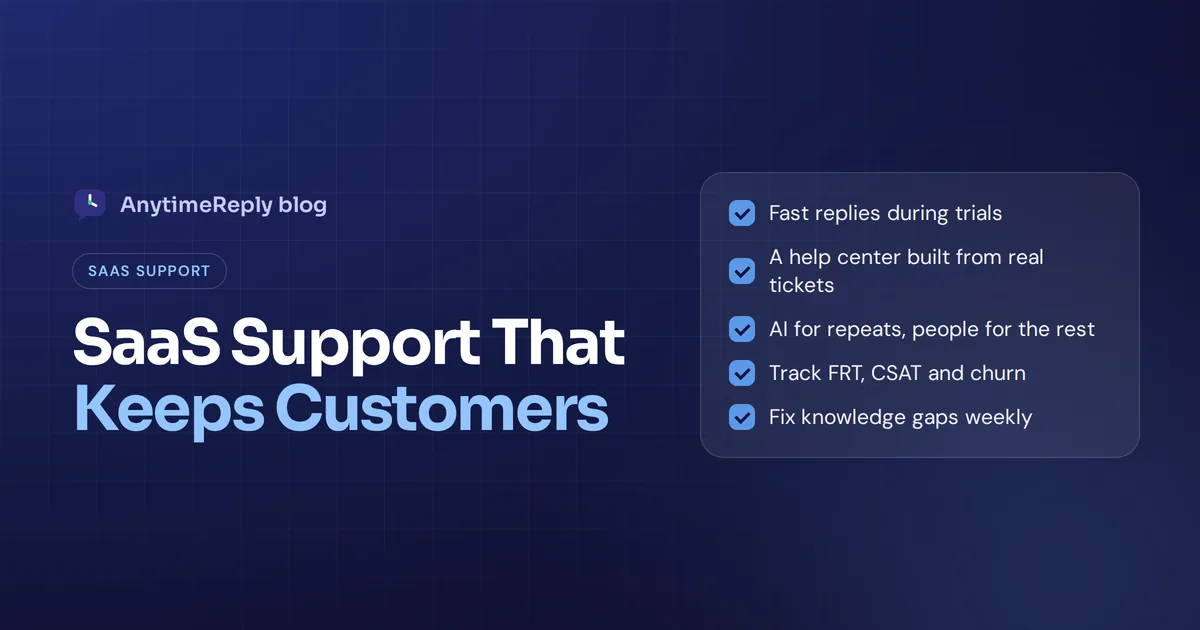
Fast replies during trials and onboarding, a help center built from real tickets, AI for repetitive questions with an easy handoff to people, clear escalation tiers, and a weekly loop that sends feedback to the product team.
Which customer support metrics matter most for SaaS?
First response time, time to resolution, CSAT, first contact resolution and self-service or AI resolution rate. Tie them to churn and retention so support is measured by business results too.
Can AI fully replace human support agents?
No. AI handles repetitive questions well and covers nights and weekends, but complex bugs, upset customers and account decisions still need people. The best setup is AI first with a clear handoff.
How are SaaS support tiers usually structured?
Tier 0 is self-service and AI, tier 1 handles how-to and billing, tier 2 takes technical issues, and tier 3 is engineering for bugs. Small teams often merge tiers 1 and 2.
What is the rule of 40 in SaaS?
It is a finance rule of thumb: a healthy SaaS company's revenue growth rate plus profit margin should add up to at least 40%. It isn't a support metric, but good retention helps both sides of that sum.
Build support your customers will stay for
You don't need all 15 practices on day one. Start with fast replies, a help center that answers the top questions, and AI for the repeats with a clear path to a person. Then measure, fix gaps and improve every week.
Want to try an AI agent and helpdesk built for this? Start free with AnytimeReply, no card needed.
Published 6 November 2026 by AnytimeReply team