You're about to log off for a week. The laptop is half closed, and then you remember: people will keep emailing you. A client, your manager, a supplier, a customer asking where their order is. An out of office message tells every sender that you're away, when you'll be back and who can help in the meantime.
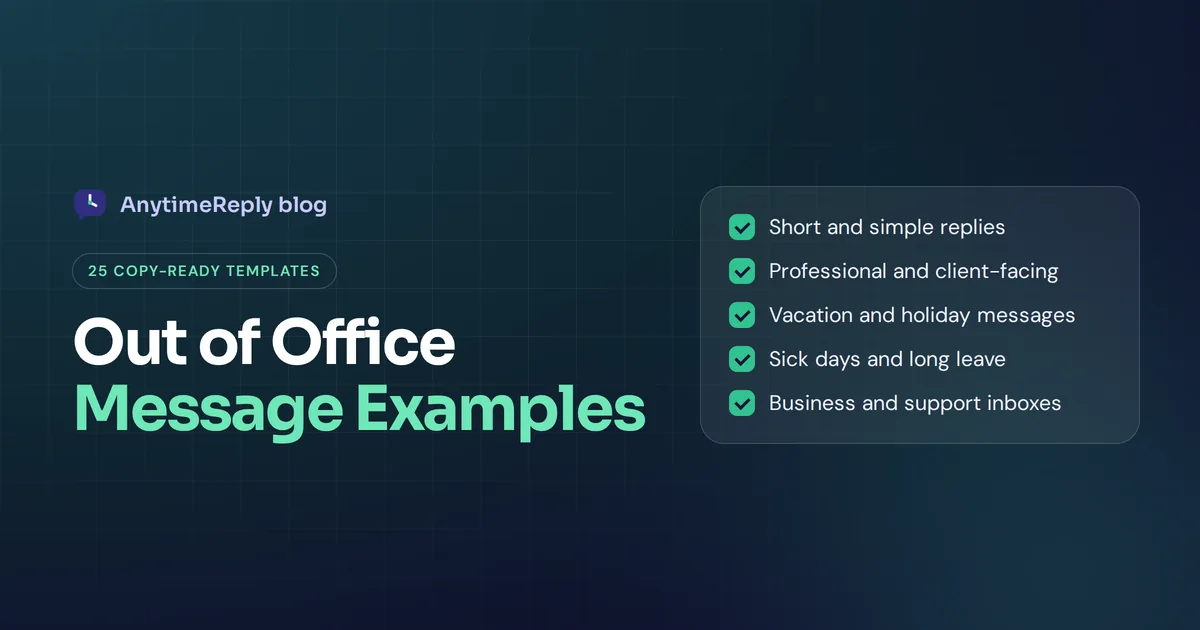
Below are 25 out-of-office email templates you can copy and paste, grouped by situation: short, professional, vacation, holidays, sick days, long leave, and replies for business and support inboxes. We also show how to set one up in Gmail and Outlook, and what to do when an auto-reply isn't enough.
Before you copy, replace everything in [brackets] and read it once out loud. If it sounds like a robot, change a word.
What is an out-of-office message?
An out-of-office message (also called an OOO message, automatic reply, away message or autoresponder) is an email your inbox sends automatically when someone writes to you while you're unavailable. You write it once, switch it on, and your email account answers every email that arrives until you turn it off.
A good one does three jobs: it says you won't see their email for a while, when you'll be back, and where to get help if they can't wait. Many people set one for every trip longer than a day.
That's it. Nobody needs your travel plans or a line about how their message is important to you.
What your OOO message should include
Every out-of-office message should include these five things:
- The day you're back. "I'm back on Monday 14 April" is clearer than "I'm back next week". If you don't know the date yet, say who is covering instead.
- A clear note about email. Will you check it at all? Be honest, for example "I have limited access to email".
- A backup contact. A colleague's name and email, a team inbox or a help page for urgent matters.
- What happens next. Will you reply when you're back, or should they resend it? Be specific.
- A friendly sign-off. "Thanks", "Best regards" or "Talk soon" plus your name.
How long should it be? Short. Most people read the first two lines and move on, so put the date and the contact information near the top. Make your message easy to scan. Three to five sentences is plenty.
Short out of office message examples
A simple email message is enough for most people, most of the time.
1. The one-liner
Thanks for your email. I'm away until [date] and will reply when I'm back.
2. Short, with someone to contact
Hi, I'm out until [date] and not able to check email. If it can't wait, please reach [name] at [email]. Thanks!
3. Short and friendly
Hello! I'm currently out of the office and back on [date]. I'll respond as soon as I can after that. Thanks for your patience.
4. Out for one day
I'm out of the office today, [date], and will respond to your email on the next business day. If it's urgent, please email [team email].
5. Out for a few hours
I'm in workshops until 3 pm and not checking messages. I'll get back to you this afternoon.
Professional out-of-office email templates
If you write to clients, partners or senior people, a professional out of office reply sounds calm and organised. These work well for external messages.
6. Standard professional
Thank you for your message. I am out of the office and will return on [end date], with limited access to email until then. I will respond to your message upon my return. If you need immediate assistance, please contact [name], [job title], at [email].
Best regards,
[Your name]
7. For clients
Thank you for reaching out. I am currently away and will return on [date]. During this time, [colleague name] is looking after my accounts and can help with any questions about your project. You can reach them at [email] or [phone number].
Kind regards,
[Your name]
8. Conference or business trip
Hello, I'm at [event name] until [date] and checking email once a day, so replies may be slower than usual. For urgent issues, please get in touch with [name] at [email].
Thanks,
[Your name]
9. Different contacts for different topics
Thanks for your email. I'm away until [date]. In the meantime:
Billing questions: [name] at [email]
Technical support: [team email]
Everything else: I'll reply when I'm back.
Best,
[Your name]
10. "Please resend" version
Thank you for your message. I'm away until [date] and won't be reading email during this time. Your email will not be forwarded. If it's still relevant after [date], please send it again and I'll be happy to help.
That last one is honest but a bit blunt, so use it only where your workplace allows it.
Vacation and holiday out of office messages
A vacation out of office message can be a bit warmer. You're on holiday, and most people are happy for you.
11. Basic vacation reply
Hi there, I'm on vacation until [date] and won't be checking email. I'll answer your email when I return. Until then, [name] at [email] can help.
12. Friendly vacation message
Thanks for your email! I'm taking a short break to recharge and will be back in the office on [date]. If you need something before then, [name] at [email] has you covered. Talk soon!
13. Annual leave
Hello, I'm on annual leave from [start date] to [end date] and won't have access to my email. For urgent matters, please contact [name] at [email]. Everything else will be answered after I return to the office.
14. Funny OOO message (only for people who know you)
I'm somewhere with bad Wi-Fi and good food, back on [date]. If your email is urgent, [name] at [email] can help. If it's not, I'll see it when I'm back and slightly tanned.
15. Christmas and New Year
Thank you for your email. Our office is closed for the holidays from [date] to [date]. I'll reply after we reopen on [date]. Wishing you a happy holiday season!
16. Eid
Eid Mubarak! I'm away for Eid until [date] and will reply to your email when I'm back. For urgent matters, you can reach out to [name] at [email].
17. Public holiday
Hi, our office is closed today for [holiday name]. We'll be back tomorrow, [date], and will reply then.
Can an out of office be funny? Yes, with colleagues and long-time clients. For strangers and customers, keep it plain.
Sick leave and extended leave examples
You don't owe anyone details about your health or private life. Keep these short and leave out personal details.
18. Sick leave (one day)
I'm out of office today and not checking email. I'll answer your email as soon as I can. If it's urgent, [name] at [email] can help.
19. Unexpectedly out of the office
Thank you for your message. I'm unexpectedly out of the office and will be back as soon as possible. For anything urgent, please contact [name] at [email].
20. No return date yet
Thank you for your email. I'm currently away on leave and don't have a return date yet. [Name] is handling my work in the meantime and can be reached at [email].
21. Parental leave
Hello, I'm on parental leave until [date] and won't be checking email. For anything related to [project or role], please contact [name] at [email]. Thank you for understanding.
Out-of-office replies for business and support inboxes
This is where most templates fall short. When customers email a business, they don't care that someone is on holiday. They want their problem solved. So a customer-facing reply should point them to answers, not just say "we're closed".
22. Shop closed for the weekend
Hi, thanks for contacting [business name]! Our team is offline until Monday at 9 am. Most questions about shipping, returns and order status are answered on our help page: [link]. If you still need us, we'll reply on Monday.
23. Small business owner on vacation
Thanks for your message! I'm away until [date], so replies will be slower than usual. Orders placed now will ship on [date]. For order questions, please reply with your order number and I'll answer as soon as I'm back.
24. Support team after hours
Thanks for reaching out. Our support team works [hours and time zone] and we'll reply during our next working hours. You might find a quick answer in our help center: [link].
25. Holiday closure for an online store
Our team is taking a short holiday break from [date] to [date]. You can still place orders, and they will ship from [date]. For questions about an existing order, please include your order number so we can help faster when we're back.
How to set up out of office in Gmail
Google calls it the vacation responder. It's the easiest way to set an autoresponder for a personal or Workspace account. Here is how to switch it on from a computer:
- Click the gear icon (Settings) in the top right.
- Click See all settings.
- Stay on the General tab and scroll down to Vacation responder.
- Select Vacation responder on.
- Set a date range: the first day and, if you want, the last day.
- Type a subject and your message.
- Optional: tick the box for replies only to contacts.
- Click Save Changes at the bottom.
A few details from Google's help page: the reply starts at midnight on your start date, each person usually gets it only the first time they write, emails in spam or from a mailing list or newsletter don't get a reply, and a banner at the top of your inbox lets you end it early. Someone who writes again more than four days later may get it again.
How to set up automatic replies in Outlook
Outlook calls it Automatic replies. Outlook automatic replies look a little different in each version of Outlook.
New Outlook and Outlook on the web
- Open Settings (in new Outlook for Windows: View tab, then View settings).
- Go to Accounts and then Automatic replies.
- Turn on the toggle.
- Choose "Send replies only during a time period" and set the start and end time.
- Customize your message and select Save.
Classic Outlook
- Select File, then Automatic Replies.
- Select Send automatic replies and, if you want, set a date range.
- Write your message on the Inside My Organization tab, and a separate one on the Outside My Organization tab.
- Select OK.
On work accounts you can write different messages for internal and external senders. Microsoft's Outlook guide warns that replies to outside senders also go to newsletters, ads and junk, so many people limit external replies to their contacts. It also notes the feature doesn't work for non-Microsoft accounts added via POP or IMAP. There you need a rule, and you have to keep Outlook running.
If your company uses Microsoft 365, you can also schedule your out of office in Teams, and the reply is shared between Outlook and Teams.
OOO best practices and common mistakes
| Mistake | Why it's a problem | Do this instead |
|---|---|---|
| No date for your return | People don't know when to expect an answer | Always add the day you're back |
| No one to contact | Urgent emails just sit there | Name a colleague or team inbox |
| Too much personal detail | Strangers now know your house is empty | "I'm away" is enough |
| Forgetting to switch it off | You reply "I'm on holiday" for weeks after | Always set an end date |
| One message for everyone | Too casual for clients, too stiff for your team | Use separate internal and external versions |
| Promising to reply to everything | You come back to a mountain of email | Say you'll reply to what's still relevant |
Are out of office messages a security risk? A little. Auto-replies confirm your address is active and share names and job titles with strangers. Keep external replies short.
For the subject line, plain works best: "Out of office until [date]", "Away: back on [date]" or "OOO: on leave until [date]".
When an auto-reply isn't enough
For a person, an auto-reply is fine. For a business, it's different. An online shop owner who goes on holiday still gets emails asking "Where is my order?", "Can I change my size?" and "Do you ship to Canada?" An away message tells those customers to wait. Some will. Many will buy somewhere else.
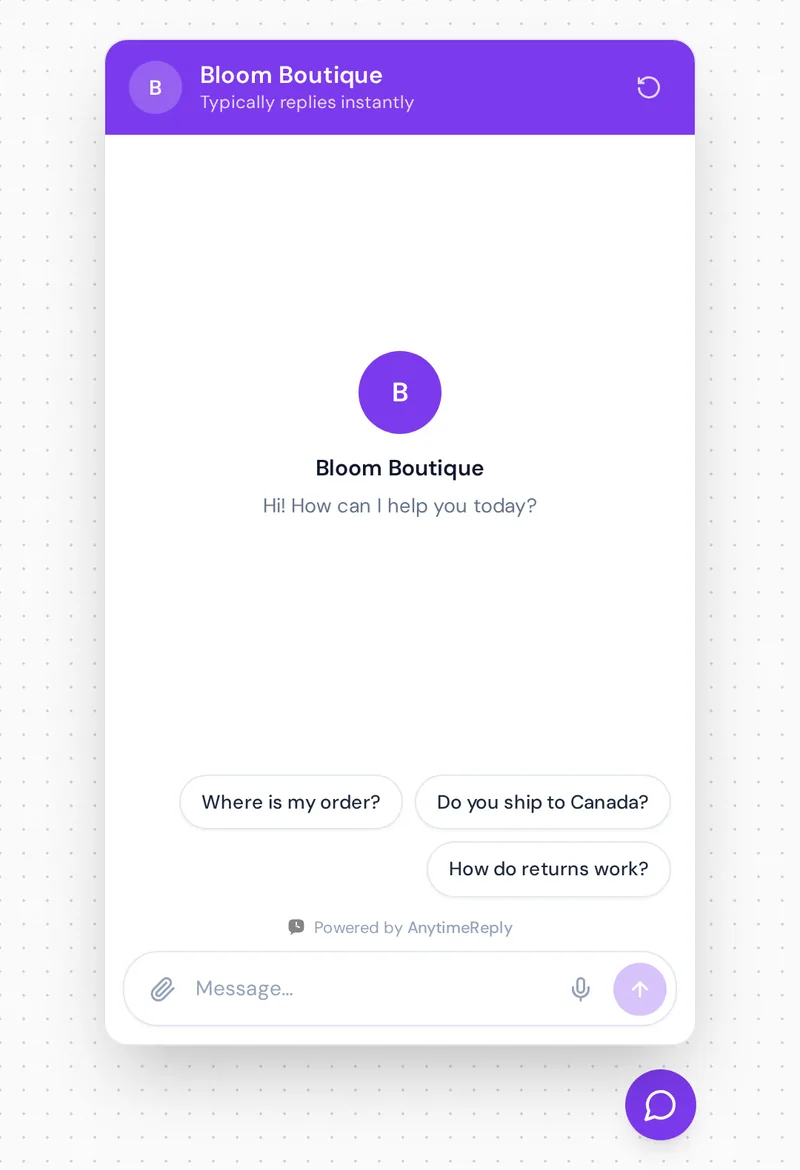
And those questions arrive every night and weekend too. A team that works 9 to 6 is out of office most of the day.
So the better question is: who answers customers while we're away?
How AnytimeReply answers customers while you're away
We built AnytimeReply for this. Instead of "we'll get back to you", an AI agent trained on your website and documents answers the question, in the customer's language, day and night.
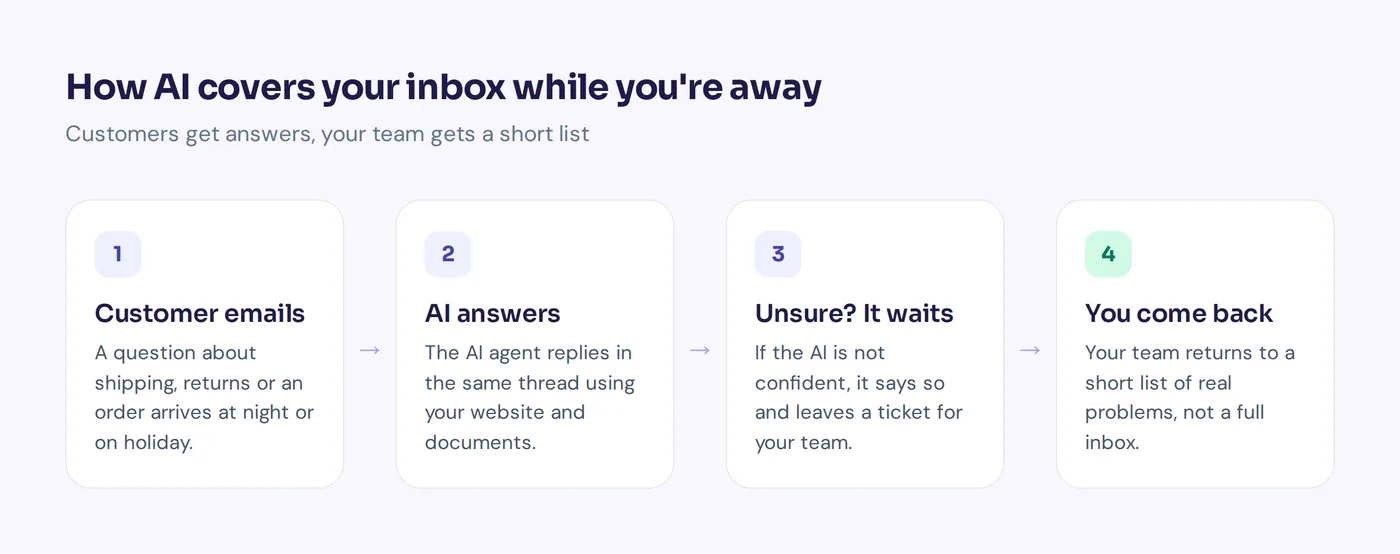
- Email support that keeps working. Connect Gmail, Outlook, Zoho or any IMAP/SMTP mailbox through our email channel. Each email becomes a ticket, and the AI answers common questions in the same thread or drafts a reply for your team.
- Answers, not just "we're away". Shipping times, return rules, opening hours: if it's on your website or in your documents, the AI can answer it.
- Honest when it doesn't know. When the AI isn't sure, it says so instead of guessing, and the ticket waits for your team.
- A short list when you're back. Tickets have a status, priority and owner, so you return to real problems, not a full inbox.
- More than email. The same agent can answer on your website chat, WhatsApp, Messenger, Instagram and Telegram.

To be fair about the limits: AnytimeReply is for customer conversations, not your personal work inbox. For telling colleagues you're on holiday, a vacation responder is all you need. And the email channel is on paid plans, starting with Hobby at $9 a month (prices can change, so check our pricing).
Frequently asked questions
What is the best out of office message?
The best one is short, says when you're back and names someone to contact for urgent matters. For example: "Thanks for your email. I'm away until [date]. For anything urgent, please contact [name] at [email]."
How do you professionally say "out of office"?
Try "I am currently out of the office with limited email access" or "I am on annual leave and will respond upon my return", plus a backup contact.
How do I write an out of office without a return date?
Skip the date and focus on who can help: "I'm currently away and don't have a return date yet. [Name] is covering my work and can be reached at [email]."
Do out-of-office replies go to everyone who emails me?
Not always. Google's vacation responder skips spam and mailing lists and usually replies once per sender. Both tools also let you limit replies to your contacts.
Can I set an out of office for just one day?
Yes. Set the same start and end date in the vacation responder, or a short time period in Outlook, and it switches off on its own.
Write your message, then take your break
Pick a template, add your dates and a backup contact, set an end date, and you're done. When you're away, you're away. Your colleagues will be fine.
If you run a business and want customers to get real answers while you're away, start free with AnytimeReply. Add your website, test the agent and see what it would say to your customers. No card needed.
Published 26 October 2026 by AnytimeReply team