Your customers don't think in channels. One person sends a WhatsApp message on Monday, emails a photo on Tuesday and opens your website chat on Wednesday to ask "any update?" To them, that's one conversation. To a team juggling five apps, it's three strangers.
Omnichannel support software fixes that by bringing every channel into one place, with one record per customer. Your team sees the whole story, replies from one inbox, and the customer never has to repeat themselves. In this guide we explain what it is, which features matter, compare the best platforms in 2026 and show you how to choose and roll one out.
We build a support solution ourselves, so we have a bias. We'll still be clear about trade-offs, including what our own product doesn't do.
What is omnichannel customer support?
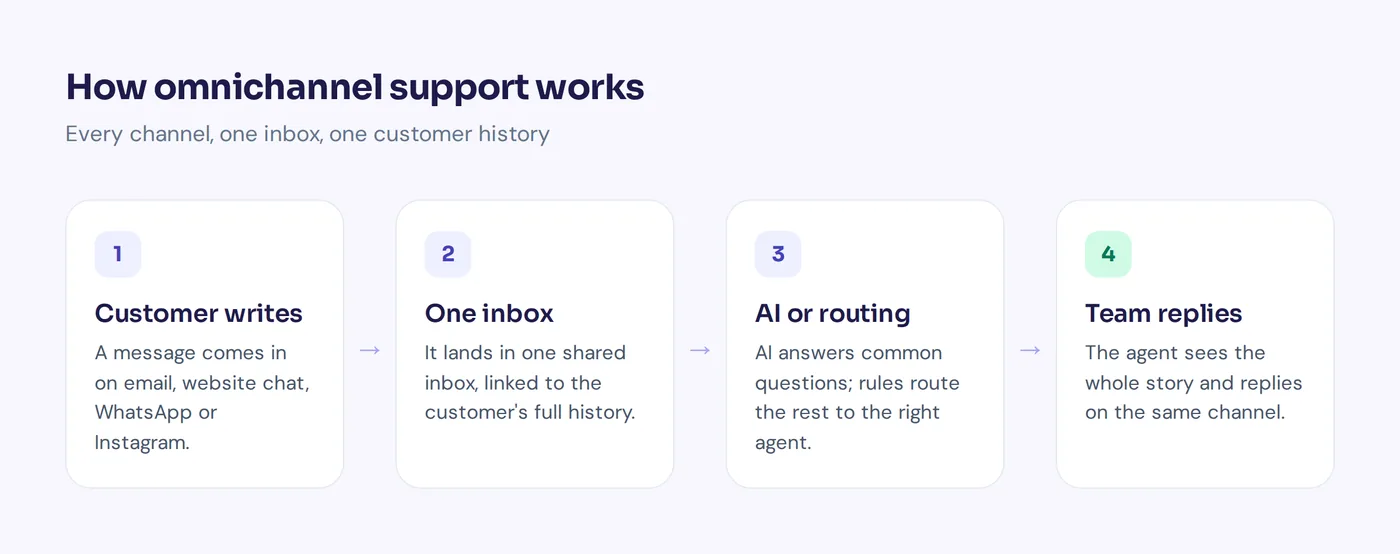
Omnichannel customer support means every channel a customer uses to reach you, like email, live chat, social media, messaging apps and sometimes phone, is connected in one shared workspace. Every message from the same person lands in one timeline, no matter where it came from.
The key word is connected. Agents don't just see messages from many channels. They see the full customer context: past orders, previous chats, notes from teammates, and what the customer said on another channel yesterday.
So an omnichannel company isn't one that's on every channel. It's one where the customer starts a conversation anywhere and can continue it anywhere, without starting over.
What does an omnichannel customer support platform include?
Most tools in this category share the same building blocks:
- A unified inbox for every support channel
- A unified customer profile with past conversations and key details
- Omnichannel ticketing with status, priority and an owner
- Routing and assignment rules
- Automation and, more and more, an AI agent that answers common questions
- Self-service, such as a help center or knowledge base
- Reporting across all channels
Some vendors call this conversational support, others call it a customer service platform or helpdesk. The labels change. The goal doesn't: one place to manage customer interactions and a view of every customer interaction, whatever the channel.
Omnichannel vs multichannel: what's the difference?
People mix these up, but the difference between omnichannel and multichannel is big for your team.
| Multichannel | Omnichannel | |
|---|---|---|
| Channels | Several channels, each in its own tool | Several channels in one platform |
| Customer record | Split across apps | One timeline per customer |
| Switching channels | Customer starts over | Conversation continues where it left off |
| Team view | Agents log into many tools | One inbox, one queue |
| Reporting | Separate numbers per channel | One view of all support operations |
Put simply: multichannel means you're present on many channels. Omnichannel means those channels are connected. Most small teams start multichannel by accident (a WhatsApp phone here, a Gmail inbox there) and move to a true omnichannel setup once things start slipping through the cracks.
Benefits of omnichannel customer service across the customer journey
- Customers stop repeating themselves. This is the big one. Explaining the same problem twice is one of the most annoying parts of contacting any company.
- Nothing gets lost. An Instagram DM doesn't sit unread for three days because nobody checked that app.
- Faster replies. Agents work from one queue of customer conversations instead of hopping between tabs.
- Personalized support. When agents see past orders and conversations, replies feel personal, not scripted. That lifts the whole support experience and customer engagement.
- Better customer experience and customer relationships. A smooth path across the entire customer journey builds trust over time, and usually higher customer satisfaction.
- Fair workload. Routing spreads conversations across the support team, instead of one person owning "the WhatsApp phone".
- Better decisions. When all channels report in one place, you see what customers ask about and which channel they prefer.
- Room to scale support. Adding a new channel becomes a setting, not a new tool and a new login.
The honest downside: it takes setup. You need to connect accounts, agree on routing rules and train the team. For a solo founder with ten messages a week, it can be overkill. Once you have a few people and a few channels, it usually pays off quickly.
Key features to look for in omnichannel support software
1. Unified inbox
Every channel in one list, with clear labels showing where each message came from. Agents should be able to filter by channel, status, assignee or tag.
2. Customer profiles and full customer context
Click on a person and see their customer history: every past conversation, plus email, phone number, orders or plan. Without a complete view of every customer, it's just a shared inbox with extra steps.
3. Omnichannel ticketing
Emails and complex support requests need a ticket with status, priority and an owner, so nothing is forgotten. Look for custom statuses and automatic reopening when the customer replies.
4. Routing and assignment
Send billing questions to billing, Spanish chats to Spanish speakers, VIP customers to senior agents. Round robin or "least busy" assignment keeps workload fair.
5. Automation and AI customer service
Automation handles the boring parts: tagging, prioritizing, auto-replies, closing old tickets. An AI agent can answer common customer inquiries on every channel and hand the rest to people. This is where modern tools differ most, so test it with your real questions.
6. Self-service
A help center lets customers find answers without contacting you. The best tools use the same knowledge to power the AI agent and the help articles.
7. Collaboration
Internal notes, @mentions and views like "Unassigned" or "Needs human" stop two support agents answering the same customer, or nobody answering at all.
8. Reporting
Response times, resolution rates, customer satisfaction scores and volume by channel and topic. Bonus points if it shows what customers ask that you don't have answers for.
9. Integrations and customer data
Your support tool should talk to your store, CRM, billing and team chat, so agents see order status or subscription details without leaving the inbox. Big companies may also connect customer data platforms to keep everything in sync.
10. Security and permissions
Roles, two-factor login, encrypted credentials and clear data policies. Ask how your data is stored and whether it's used to train AI models.
10 best omnichannel customer support platforms in 2026
Here are the top omnichannel customer support solutions and what each is generally known for, from Zendesk and Freshdesk to Intercom, HubSpot Service Hub and Salesforce Service Cloud. Features and plans change often, so check each vendor's pricing page before you decide. We don't list other tools' prices here for that reason.
| Platform | Best for | Phone/voice |
|---|---|---|
| AnytimeReply | AI-first support on chat, messaging and email | No |
| Zendesk | Mid-size and large support teams | Yes |
| Freshdesk | Growing teams wanting a full helpdesk | Available |
| Intercom | SaaS and in-app messaging | Check vendor |
| HubSpot Service Hub | Teams already on HubSpot CRM | Available |
| Salesforce Service Cloud | Large enterprises | Yes |
| Zoho Desk | Teams using other Zoho apps | Available |
| Gorgias | Ecommerce and Shopify stores | Available |
| Front | Email-heavy and B2B teams | Check vendor |
| Help Scout | Small teams that want simplicity | Check vendor |
1. AnytimeReply
An AI agent that answers first on website chat, WhatsApp, Messenger, Instagram, Telegram, email and Slack, with a built-in helpdesk inbox and email ticketing. Strong on replies in the customer's language, including Bangla, Banglish, Hindi and Hinglish, and it has a free plan. It has no phone, voice or SMS channel, so it's not a fit for call-heavy teams.
2. Zendesk
Zendesk is a long-established customer service software suite with ticketing, messaging, a help center, voice options and AI agents. It's popular with mid-size and large companies that need depth and a big app marketplace. Smaller teams sometimes find it heavy to set up.
3. Freshdesk
Freshdesk, from Freshworks, offers ticketing, automations, a knowledge base and omnichannel capabilities, plus an AI layer called Freddy. It's often picked by growing teams that want a full helpdesk with a gentler learning curve than Zendesk.
4. Intercom
Intercom is known for its modern messenger, product tours and its AI agent, Fin. SaaS companies like it for in-app support and onboarding. Costs can grow with seats and AI usage, so model your volume. We wrote an honest AnytimeReply vs Intercom comparison.
5. HubSpot Service Hub
HubSpot Service Hub ties support to the HubSpot CRM, so agents see deals, marketing emails and past tickets next to each conversation. It makes the most sense if your sales and marketing teams already live in HubSpot.
6. Salesforce Service Cloud
Salesforce Service Cloud is the enterprise option, with deep customization, contact center features and tight links to the rest of Salesforce. It's powerful but usually needs admins and a real budget.
7. Zoho Desk
Zoho Desk is a helpdesk with multichannel support, automation and an AI assistant called Zia. It's a natural pick for businesses already using Zoho CRM or other Zoho apps.
8. Gorgias
Gorgias is built for ecommerce, especially Shopify stores. Agents see orders next to every conversation and can handle refunds or edits from the helpdesk. It also covers social comments and DMs.
9. Front
Front turns shared inboxes into a collaborative workspace and is popular with B2B teams that handle email with customers and partners, not only support. It also connects chat and messaging channels.
10. Help Scout
Help Scout keeps things simple, with an email-like shared inbox, a knowledge base and a chat widget. It's loved by small teams that want support to feel personal, though it's lighter on messaging apps.
Which customer communication channels should you support?
Start with where your customers already are, not with every channel that exists. Common customer communication channels:
- Email: still the backbone for orders, invoices and longer issues.
- Website live chat: great for pre-sales questions and quick help.
- WhatsApp: huge in South Asia, the Middle East, Latin America and Europe. For many small businesses it's the main channel.
- Facebook Messenger and Instagram DMs: essential for social sellers and brands that run ads.
- Telegram, Slack or Discord: useful for communities, SaaS products and internal help desks.
- Phone and SMS: some platforms include a call centre or contact center for voice. If phone is a big part of your support, make sure your tool covers it, because not all do.
A good rule: add a channel only when you can staff it or automate it properly. A channel that's open but slow is worse than no channel at all.
How to choose the right omnichannel platform
- List your channels. Which bring in messages today, and which do you want next year?
- Count your volume. Roughly how many conversations a month, and how many agents?
- Find your top questions. If most are repeat questions, AI and self-service matter more than fancy routing.
- Check must-have integrations. Store, CRM, billing, calendar, team chat.
- Think about languages. Do customers write in more than one language, or mix languages?
- Look at total cost. Per-seat pricing, AI usage and add-ons can change the real price a lot. Ask what it will cost for your volume, not just the starting price.
- Test with real conversations. Use a free plan or trial with your actual channels and questions for a week.
- Ask about data and security. Where is data stored, who can access it, and is it used to train AI?
Best practices for rolling out an omnichannel support platform
- Connect channels one by one. Start with your busiest support channel, get it working, then add the next.
- Import contacts and past conversations where you can, so agents have context from day one.
- Set up routing and roles. Decide who handles what, and how chats are assigned.
- Add your knowledge. Help articles, FAQs and policies power both self-service and the AI agent.
- Write saved replies and a style guide so every channel sounds like the same company.
- Review weekly for the first month. Look at response times per channel, missed messages and what customers ask most. Adjust your omnichannel strategy from there.
Common mistakes to avoid
- Opening every channel at once. Better to do three channels well than seven badly.
- Different answers on different channels. Use one knowledge base so email, chat and WhatsApp give the same answer.
- No owner for each conversation. Shared inboxes without assignment lead to "I thought you had it".
- Automating without a way out. Bots and auto-replies must hand over to a person easily.
- Ignoring the data. If you never look at reports, you miss what customers are telling you.
How AnytimeReply handles support across multiple channels
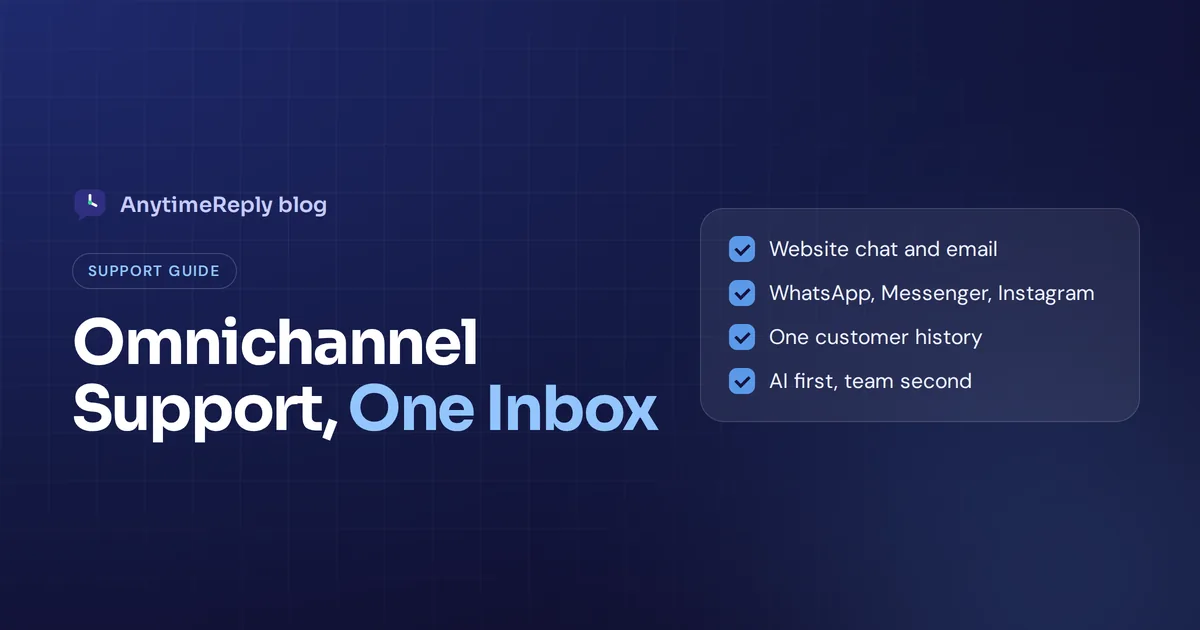
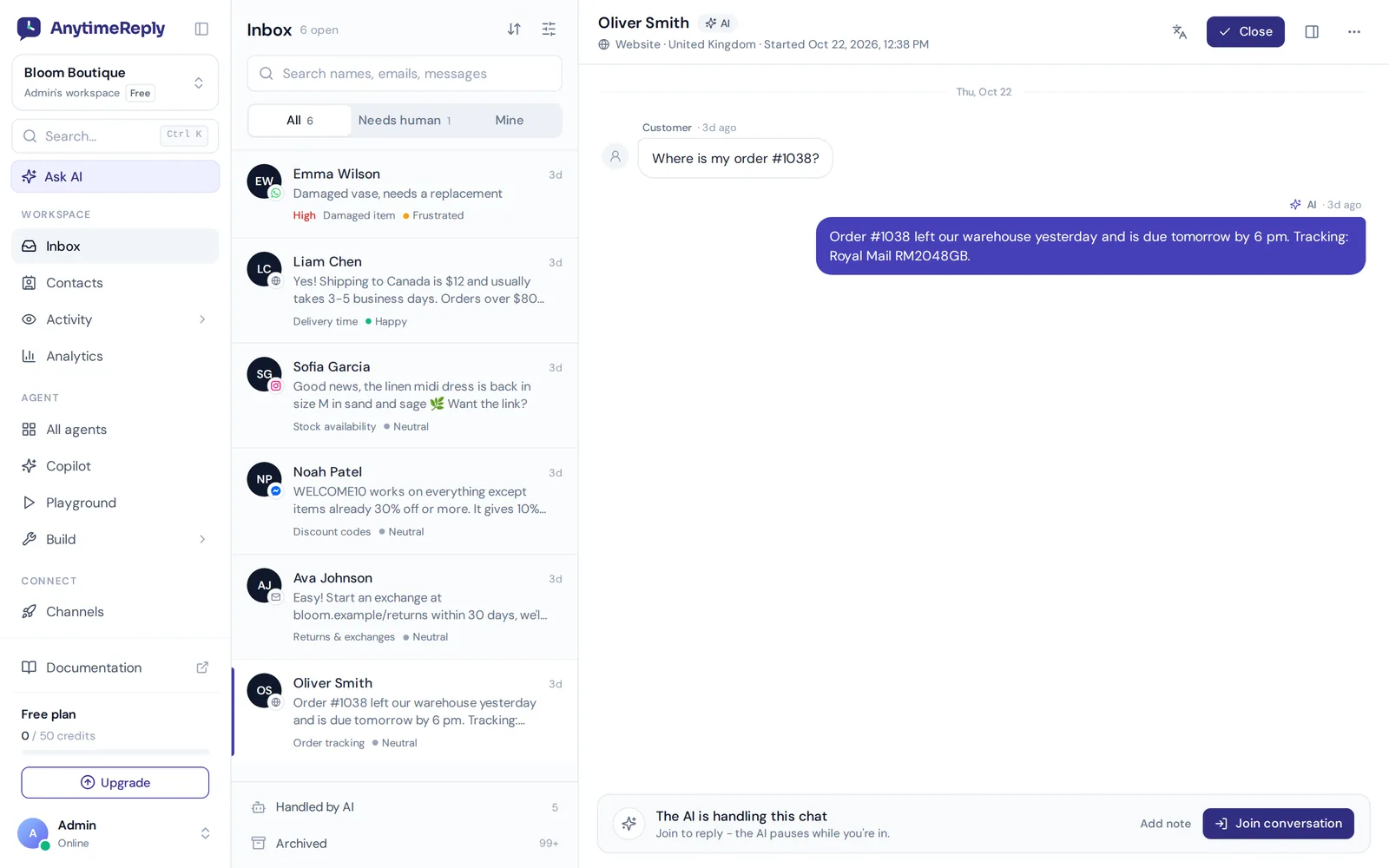
AnytimeReply is an AI customer support agent with a built-in helpdesk. It brings website chat, WhatsApp, Messenger, Instagram, Telegram, email and Slack into one shared inbox, and the AI answers first on every channel.
- AI answers first, team takes over. The agent replies in seconds in the customer's language and hands over with a summary when a customer asks for a person, gets upset or when it can't answer. See helpdesk and live chat.
- Tickets for email. Connect Gmail, Outlook, Zoho or any IMAP mailbox and every support email becomes a ticket with status, priority and owner. See tickets and email.
- One contact record. Visitors, leads, WhatsApp and email customers in one place with custom attributes.
- Routing and triggers. Departments, least busy or round robin assignment, and triggers that tag, prioritize, assign or notify Slack.
- Works with your existing helpdesk. Already on Zendesk, Freshdesk, Intercom, Zoho Desk, Help Scout or Gorgias? AnytimeReply can hand chats over to those tools.
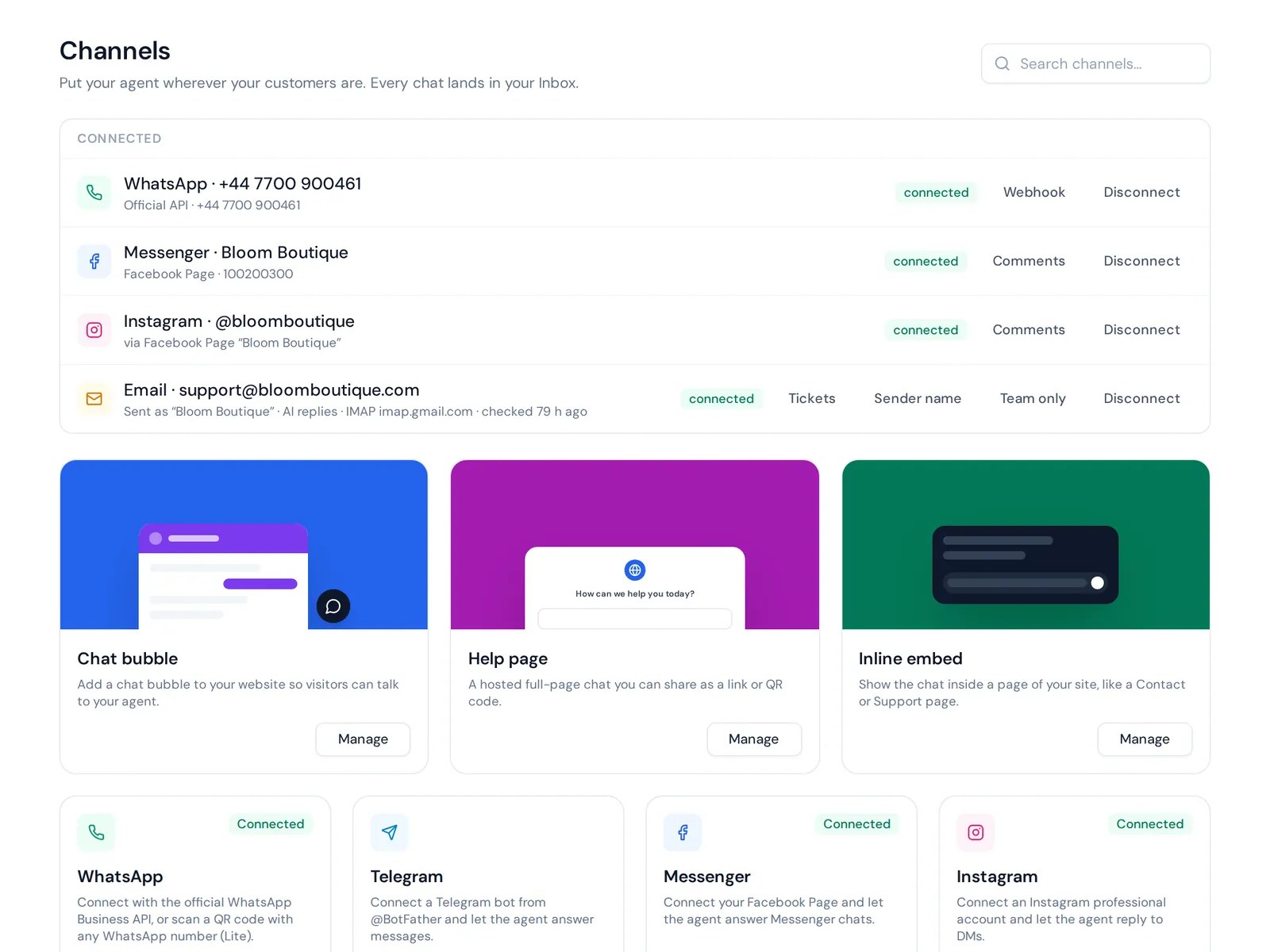
What it doesn't do: there's no calling, voice or text-message channel. If calls are a big part of your support, you'll need a separate tool or a platform with a built-in contact center. The website chat and helpdesk inbox are free; messaging channels and email start on the Hobby plan. See pricing.
Frequently asked questions
What is omnichannel support software?
It's a customer support software platform that connects all your channels, like email, chat and messaging apps, into one inbox with one record per customer, so your team sees the full customer journey.
What are some examples of customer service systems?
Common examples include Zendesk, Freshdesk, Intercom, HubSpot Service Hub, Salesforce Service Cloud, Zoho Desk, Gorgias, Help Scout, Front and AI-first tools like AnytimeReply.
Is an omnichannel helpdesk worth it for small businesses?
Usually yes, once you have more than one or two channels or more than one person answering. It stops messages getting lost and saves time switching between apps. Many tools have free or low-cost plans to start.
Does omnichannel customer service have to include phone?
No. Omnichannel just means your channels are connected. Many online businesses run fully on chat, messaging and email. If your customers call a lot, choose a tool that includes voice.
Can AI work across all channels?
In modern platforms, yes. The same AI agent can answer on your website, WhatsApp, Instagram and email using one knowledge base, and hand over to people from one inbox.
How long does setup take?
A basic setup with website chat and one messaging channel can take an afternoon. A full rollout with routing, integrations and team training usually takes a few weeks.
Final thoughts
Omnichannel customer service comes down to one promise: the customer tells their story once. Pick the channels your customers really use, connect them to one inbox, let automation take the repeat questions and keep a clear path to a person.
Want to try it with an AI agent that answers first? Start free with AnytimeReply, connect your website chat and test the shared inbox. No card needed.
Published 7 November 2026 by AnytimeReply team