Search for Messenger AI and you'll find three different things. The first is Meta AI, the assistant built into Facebook's chat app, which you can ask questions like ChatGPT. The second is a chatbot a business connects to its Page so it can reply to buyers automatically. The third is Messenger[ai], a front-desk product from Mindbody for gyms, studios and salons.
If you're a regular user wondering what that colorful circle in your chat list is, the first half of this guide is for you. If you run a Page and you're drowning in "Price?" and "Is this available?" messages, skip to the second half.
We build a support agent that works on Messenger, so we'll be upfront: we're not Meta and we don't make Meta AI. We'll explain each option honestly.
What is Messenger AI?
- Meta AI: a free, personal assistant from Meta. It lives inside the app as its own conversation, and you can also bring it into some group threads.
- Chatbots for Pages: software a company connects to its Page so shoppers get instant replies about products, orders and opening hours.
- Messenger[ai]: a custom front-desk add-on for fitness and wellness businesses that use Mindbody software.
All three use artificial intelligence, but they do different jobs. Meta's assistant helps you. The other two help a company serve its clients.
How to use Meta AI in Messenger
Meta AI is built into Messenger, Facebook, Instagram and WhatsApp. To start a conversation with it:
- Update the app to the latest version.
- Look for Meta AI in your chat list, or tap the search bar, where it's often suggested.
- Open it and type your question, just like messaging a friend.
- Ask follow-ups in the same thread, or start a new one for a fresh topic.
There's usually nothing to enable. If you don't see it, it may not be available in your country or language yet. The official Messenger Help Center has the latest steps.
What the AI assistant can do: questions, image and video tools
- Questions: quick facts, explanations, recipes, trip ideas. It will answer most everyday questions in seconds.
- Writing help: create a caption for a post, a birthday note or a polite reply.
- Images: describe a picture and it can generate images for you, or edit an image you share, where supported.
- Group help: in some regions you can mention it in a group thread to settle a question or plan something.
Features roll out by country and change often, and some, like video tools, may not reach every account. Treat its replies like any chatbot's: double-check anything important about health, money or the law.
Can you turn off AI on Messenger?
Not fully. As of 2025 there is no switch to remove it, according to a guide from Android Authority. You can:
- Mute it: open the Meta AI thread, tap the info (i) icon, choose Mute and pick how long.
- Block or hide it so it bothers you less.
- Ignore it. It doesn't read your private conversations unless you message it or bring it into one.
Privacy: the biggest concern
Your normal chats with friends stay as they are. But what you send to the assistant itself is processed by Meta to reply, and Meta's policy explains how it uses those AI interactions, including to improve products and personalize what you see.
Simple rule: don't share passwords, card numbers, health details or account information with any AI tool. Read Meta's privacy policy for the full details.
Mindbody's Messenger[ai] for fitness and wellness
Some people mean a specific product. Messenger[ai] from Mindbody is an AI front desk for studios, gyms and salons. It replies to clients via text, webchat and Facebook, takes booking requests, follows up after classes, sells packages and flags threads that need staff, so every client gets help fast.
If you already use the platform, it's worth a look since it plugs into your schedule. If you don't, it isn't a standalone tool. Existing users get access through their regular account.
AI chatbots for business: sales and customer replies on your Page
Now the general side for companies that want to engage buyers. Your Page inbox probably looks like this every night: "Price?", "Do you deliver to my area?", "Is the black one in stock?". Reply to all of them by hand and you never sleep. Ignore them and the buyer moves on.
Meta AI won't take care of those for your Page. You have two main options:
- Meta Business Suite automations: free instant replies, away messages and saved FAQ responses. Fine for a greeting and a few fixed questions, but they don't understand open questions.
- A third-party chatbot: it learns from your website and product list, replies in natural language in the buyer's language, and passes the conversation to a person when needed.
| Meta AI | Business Suite | Chatbot for your Page | |
|---|---|---|---|
| Made for | Individual users | Page owners | Page owners |
| Knows your products | No | Only saved replies | Yes, trained on your content |
| Open questions | General topics | No, fixed triggers | Yes, about your shop |
| Hands over to staff | No | Basic | Yes, shared inbox |
| Cost | Free | Free | Usually a monthly plan |
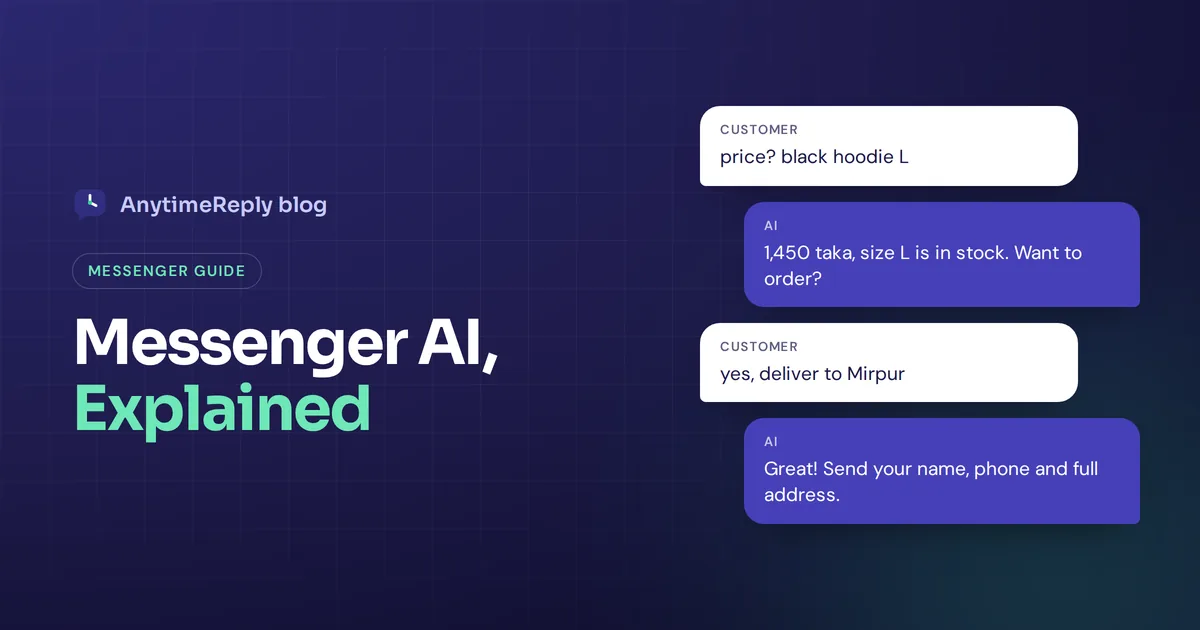
Here's what a good exchange looks like:
Buyer: price? black hoodie L
Bot: It's 1,450 taka and size L is in stock. Delivery inside Dhaka takes 1 to 2 days. Want to order?
Buyer: yes
Bot: Great! Please send your name, phone number and full address.
How to set up a chatbot on your Page
- Make sure you're an admin of the Page.
- Pick a platform that supports Messenger and human handover.
- Train it on your website, products, delivery and return rules.
- Connect the Page by logging in and granting message permissions.
- Set tone and rules: what it can promise and when to pass to staff. This process takes an afternoon, not weeks.
- Test it from a personal profile, then turn it on and read the first week of threads.
One rule to know: Meta's policy generally lets businesses reply freely within 24 hours of the person's last message. Promotions outside that window are limited, so don't plan to use it as a bulk marketing tool.
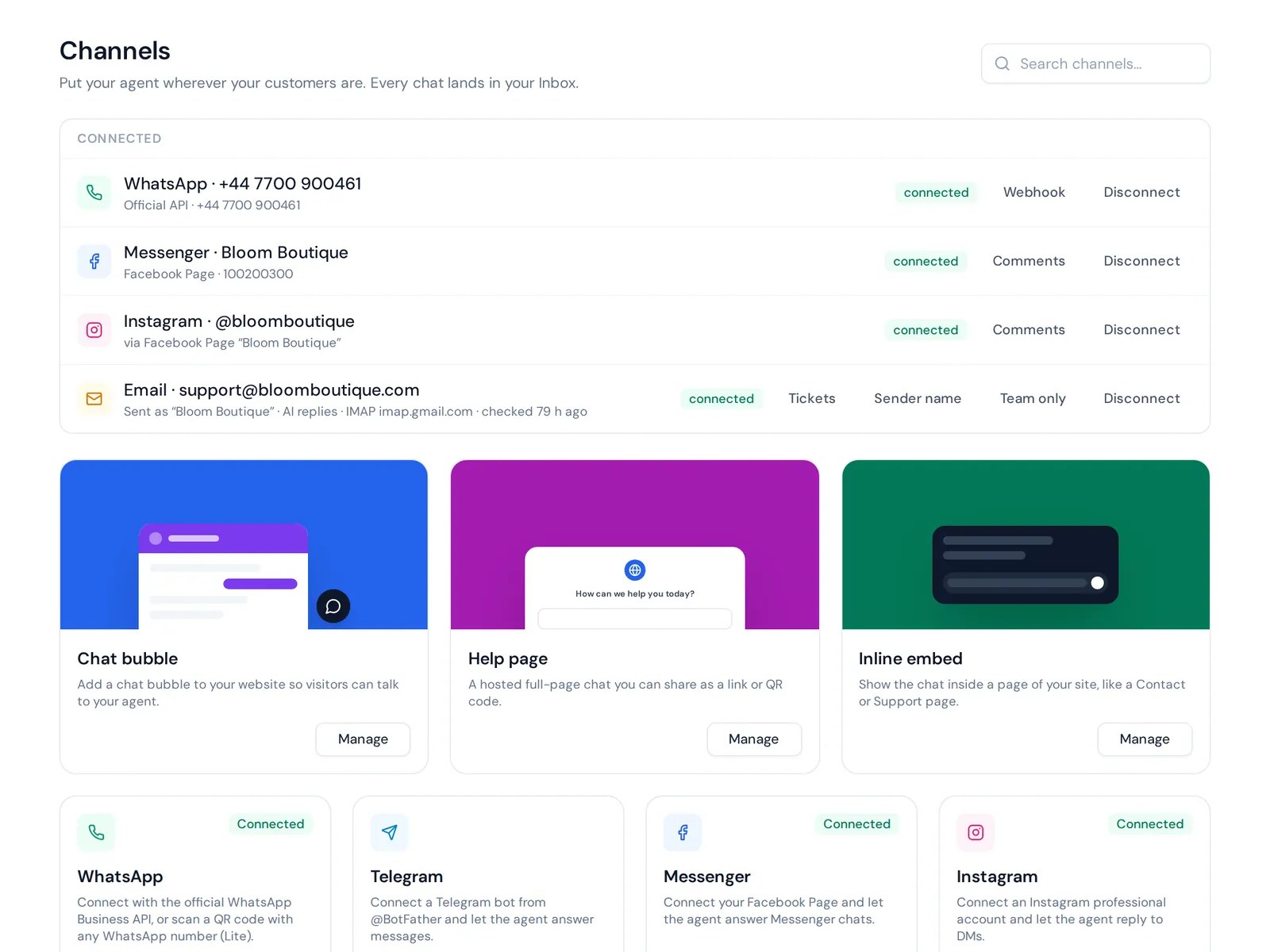
How AnytimeReply works on Messenger
AnytimeReply is a support agent with a built-in helpdesk. On Messenger it replies to Page messages and comments, trained on your website, documents and Shopify products, in the buyer's language, including Bangla, Banglish, Hindi and Hinglish.
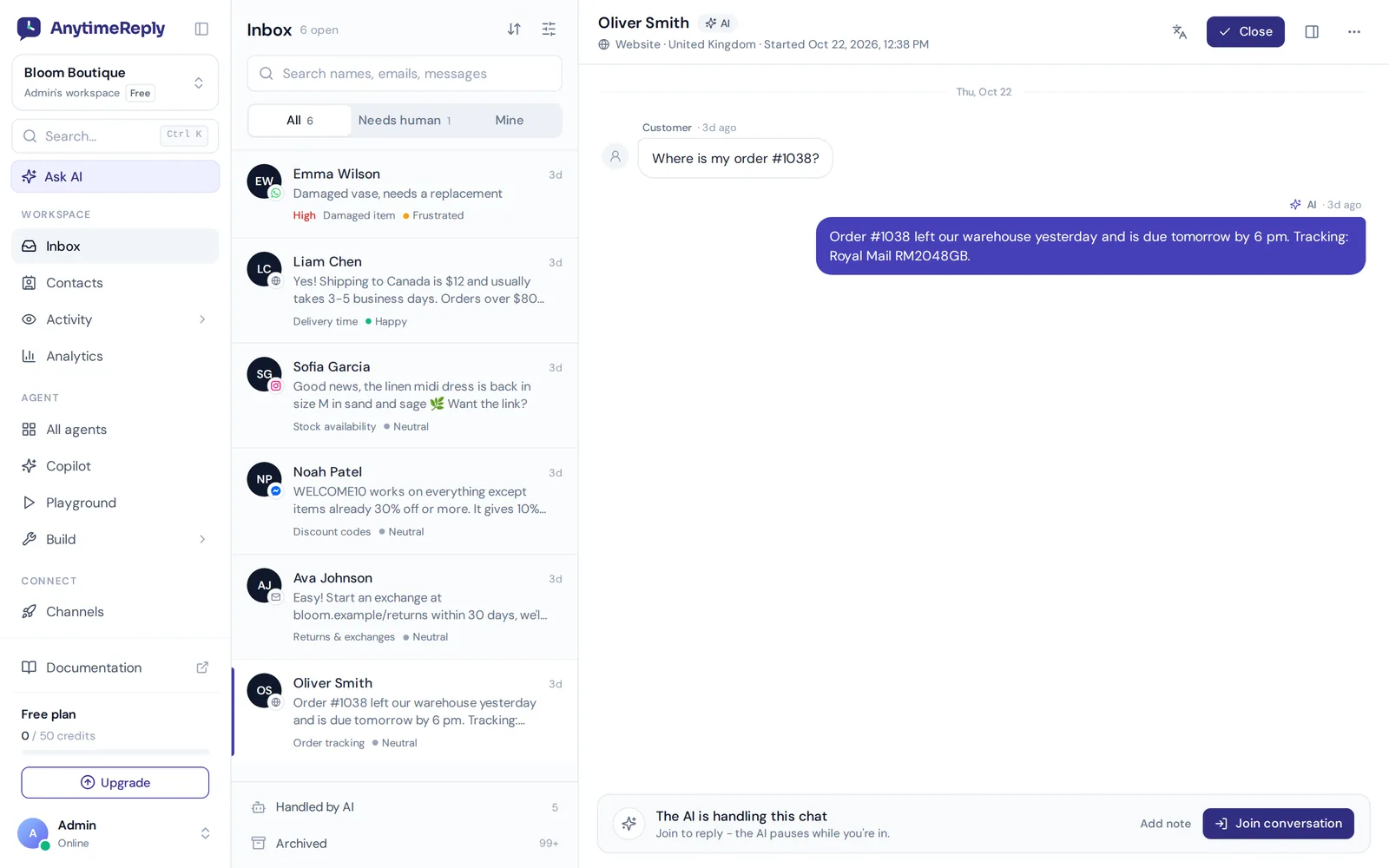
- When a customer asks for a person, gets upset or it isn't sure, the thread moves to your shared inbox with a summary.
- The same inbox holds website chat, WhatsApp, Instagram, Telegram and email, so your team can manage everything in one place.
- Flows collect order details without using credits, and on paid plans actions can handle booking through Cal.com or Calendly.
Messenger is a paid channel, from the Hobby plan at $9 a month (prices can change, see pricing). The Free plan covers website chat only. If you get a handful of messages a week, Meta's free saved replies may be all you need.
Frequently asked questions
How do I get AI on Messenger?
Update the app and look for Meta AI in your chat list or search bar. If it's not there, it isn't available in your region yet.
How do I get rid of Meta AI in Messenger?
You can't remove it, but you can mute or block its thread so it stays out of your way.
Can Meta AI read my messages?
It only sees what you send to it or threads where you bring it in. Other conversations aren't sent to it.
Is Meta AI in Messenger free?
Yes, it's free where available.
Can Meta AI reply to my Page's messages?
Not as a trained sales or support agent. For that kind of assistance, use Business Suite automations or a chatbot connected to your Page.
Let a bot handle the "price?" messages
Meta's assistant is handy for your own questions. Your buyers need replies about your products at any hour. A Page chatbot with a person behind it gives them that.
Want to try it? Start free, no card needed, train your agent on your website, and upgrade when you're ready to connect Messenger.
Published 7 November 2026 by AnytimeReply team