Someone sees your post at midnight and sends a message: "Price?" "Do you deliver to my city?" "Is this still available?" By morning you have 40 Instagram DMs, half asking the same thing. And by the time you answer, some of those buyers have ordered from someone else.
That's why so many businesses set up an auto reply for DMs on Instagram. Instagram DM automation answers new messages instantly, even when you're asleep or busy. Done well, it feels helpful. Done badly, it feels like a robot brushing people off.
This guide covers every option: the free built-in auto-reply feature, comment-triggered messages, and AI that answers real questions. You'll get step-by-step setup, copy-ready templates and the rules that keep your account safe.
What is an Instagram auto-reply?
It's an automatic message sent when someone writes to your account or someone comments on your post. It can be a simple greeting, a set of quick answers to common questions, or a full DM conversation handled by an AI bot.
There are three levels of Instagram automation:
- Basic Instagram automated messages: the same text for everyone, like an instant greeting or away message.
- Keyword-based automation: a response that depends on a word someone types or comments, like "PRICE" or "LINK".
- AI answers: an AI reads the message, finds the answer in your business info and responds naturally, then hands the chat to a person when needed.
Why use Instagram automation for DMs?
- Speed. Instagram users expect quick answers. A response in seconds keeps them interested.
- More sales. Many messages are buying questions from potential customers. Answering at 11 pm can win the sale.
- Boost engagement. Followers who get an answer are more likely to message again. That's how you boost your Instagram engagement, build stronger relationships and grow your business over time.
- Clear expectations. Outside business hours, even a simple automated response tells people when a human will be back.
- A stronger social media presence. Accounts that respond to Instagram messages fast look active and trustworthy.
The catch: a generic message that answers nothing can annoy people. "Thanks for reaching out!" doesn't tell anyone the price of the blue bag.
Before you start: what you need
- A professional account. Automation works with a business or creator account, not a personal one. Switching is free in your settings.
- A connected Facebook Page for Meta Business Suite and most third-party tools.
- Message access turned on. In Instagram's message settings, allow connected tools to access messages.
- Your common questions written down, like prices, delivery and returns.
Set up automated responses with the free auto-reply feature
The free built-in way lives in Meta Business Suite. Follow the prompts like this:
- Log in with the account linked to your Instagram.
- Go to Inbox, then open Automations.
- Choose Instant reply, select Instagram, write your message and save.
- For after-hours messages, choose Away message and set the schedule.
- Switch the toggles on, then test from a friend's account.
Good to know: the instant message only goes out when someone starts a new conversation, and everyone gets the same text. It can't read the question. You can add the person's first name to make it feel more personal.
Saved replies and FAQs in the app
Inside the Instagram app, professional accounts get two more helpers:
- Saved replies: shortcuts (quick replies) for answers you type often. Type the shortcut and Instagram suggests the full text. You still press send, but it saves a lot of typing.
- FAQs: a few questions shown as tappable options when someone opens a chat with you for the first time. Tap one and your preset answer is sent automatically.
Story replies arrive in your inbox like any other message, so saved answers help there too.
How to set up Instagram comment to DM automation
Comment-triggered DM automation on Instagram is the most popular kind of automation right now. When someone comments on your Instagram post or reel with a keyword, they get a direct message automatically. It works on regular Instagram posts, reels and, with some tools, comments under ads on Instagram. Common uses:
- Anyone who comments "LINK" gets the product link, so you don't rely only on the link in bio.
- A follower comments "PRICE" and gets your price list as a DM on Instagram.
- Comment "GUIDE" to get a free download, a simple lead generation trick to collect email addresses and phone numbers.
To set up comment to DM automation, you need a comment automation tool approved for the official Instagram API, such as ManyChat. You pick a specific post, choose the trigger words, write the message you want to send, and switch it on. Many of these tools offer a free plan with limits.
DM automation allows you to turn busy comment sections into conversations. The weakness? It works best when people type exactly what you expect. They rarely do. "how much for the black one size M" doesn't match "PRICE".
AI auto-replies that answer real questions
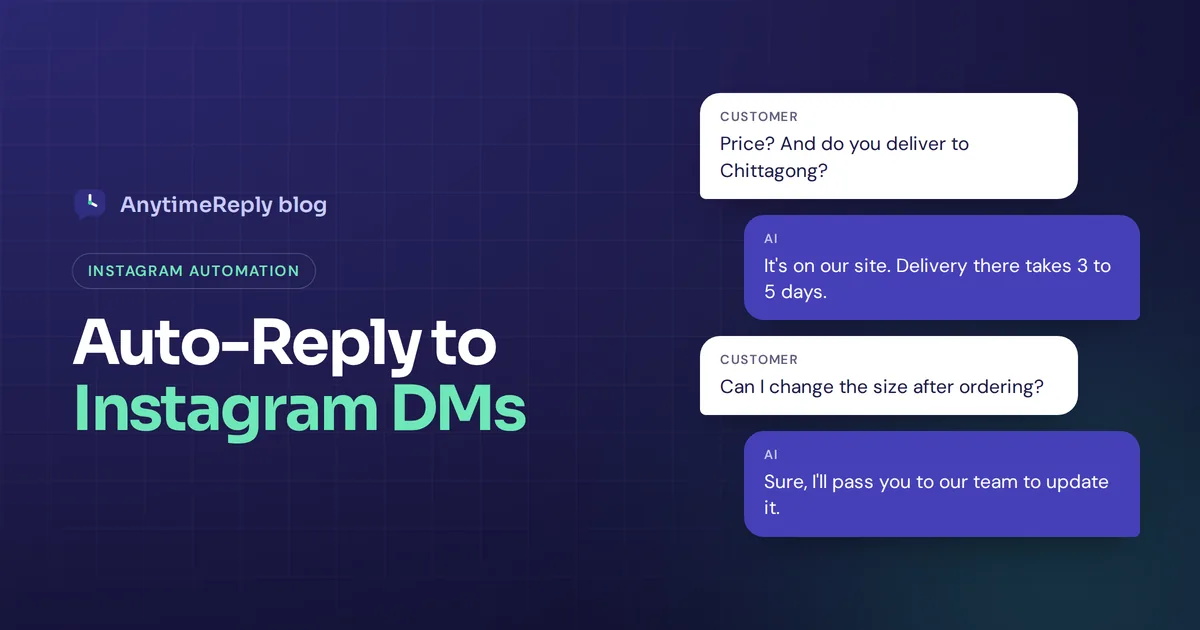
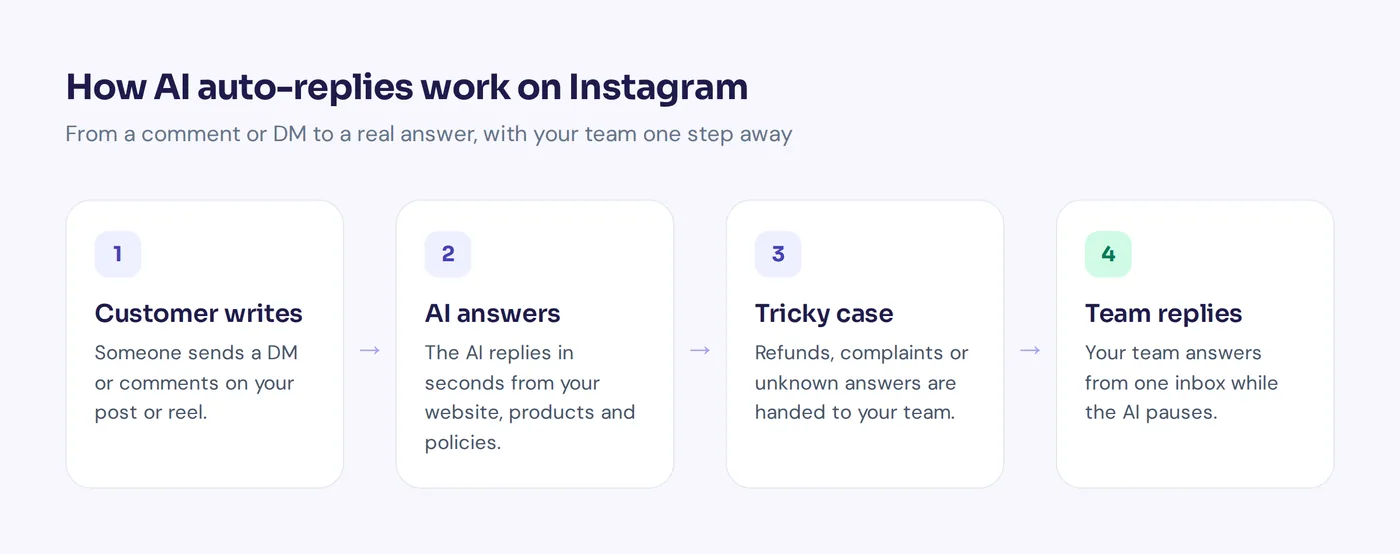
An AI bot connected to your Instagram account reads every message, understands the query, and can automatically respond to incoming questions from your website, product pages and policies. If it can't help or the customer wants a person, it passes the chat to your team.
So when someone writes "do u deliver to Chittagong and how long does it take?", the AI can answer both parts in one message, in the language they wrote in. No trigger words needed.
It's the best fit if you get lots of different questions every day.
Instagram auto replies compared
| Option | Cost | Understands questions? | Best for |
|---|---|---|---|
| Instant message (Business Suite) | Free | No, same text for all | Greeting new contacts |
| Away message | Free | No | Outside business hours |
| Saved replies and FAQs | Free | Only preset questions | Faster manual answers |
| Comment to DM tools | Free and paid plans | Only if the trigger word matches | Campaigns, links, lead capture |
| AI agent | Usually a monthly plan | Yes, from your business info | Shops with many varied questions |
Auto DM message templates for IG
Copy these and adjust them to your brand voice.
Welcome message
Hi {first name}! Thanks for your message. We usually answer within an hour between 10 am and 8 pm. Prices and delivery info are in our highlights.
Away message
Thanks for writing! We're offline right now and back at 10 am tomorrow. Leave your question and order details, and we'll get to you first thing.
Price question
Thanks for asking! Prices are on our website (link in bio). Tell us the item and size, and we'll confirm it's in stock.
Delivery question
We deliver nationwide. Inside the city it usually takes 1 to 2 days, outside 3 to 5 days. Send your area and we'll confirm the delivery charge.
Comment to DM follow-up
Hi {first name}! Here's the link you asked for: [link]. Questions about sizes or delivery? Just answer here.
Complaint
We're really sorry about this. Please share your order number and a photo, and a team member will personally take care of it today.
Collaboration requests can be real business opportunities, so send those to a person quickly. And swap in your real hours, delivery times and links. Wrong information is worse than no automation.
Is Instagram DM automation safe?
Yes, if you play by the rules:
- Use official tools only. Business Suite or apps built on the official API. Tools that ask for your password can get your account restricted.
- Respect the messaging window. Platform rules generally let businesses send automated messages within 24 hours of the customer's last message. Don't plan on cold messaging.
- Don't spam. Lots of identical messages, especially with links, can trigger spam filters.
- Always offer a human. Complaints, refunds and custom orders need a person.
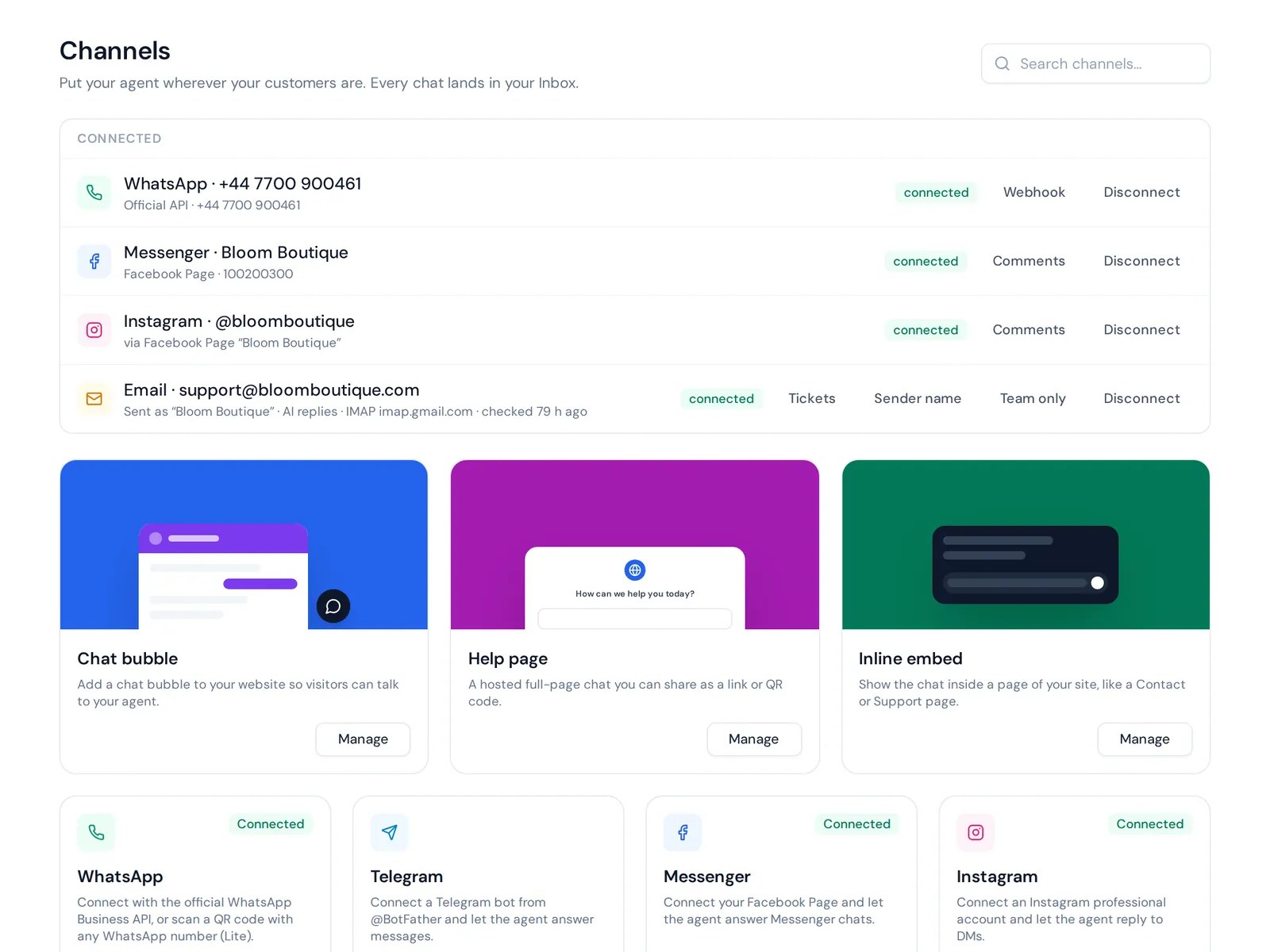
How to automate Instagram DMs and comments with AnytimeReply
AnytimeReply is an AI agent that answers Instagram direct messages and comments for professional accounts, using your own business information. Here's the setup:
- Create an account and add your website. The AI learns from your product, pricing and policy pages. You can also upload files, write Q&A answers or connect Shopify products.
- Test the agent with the questions your followers really ask, so you see the auto-reply in action before it goes live.
- Connect Instagram. Instagram is on paid plans, starting with Hobby at $9 a month.
- Set handoff rules. The AI hands the chat to your team when a customer asks for a person, gets upset, or it can't answer.
- Work from one inbox. Instagram sits next to website chat, WhatsApp, Messenger, email and other social channels in the shared helpdesk. When a team member joins, the AI pauses.
It can also reply to comments. These comment replies can be public or private, on both Facebook and Instagram, through outbound messages. It responds in the customer's language (including Bangla, Banglish, Hindi and Hinglish), and when it doesn't know something, it says so instead of guessing a price. Leads you capture with flows land in one contacts list, a bit like a simple CRM.
Honest limits: it only works with professional accounts, and it isn't a tool for mass cold messages. If you sell mainly on Facebook and Instagram, our f-commerce page shows how it fits together.
Frequently asked questions
How can I set an auto-reply on Instagram?
Switch to a professional account, connect it to Meta Business Suite, then go to Inbox, Automations and set an instant message and away message. For comments or AI answers, connect an approved automation tool.
Is there an automatic DM tool for Instagram?
Yes. Business Suite has a basic automation feature for greetings, free. Tools like ManyChat handle comment to DM flows, and an AI auto-reply tool like AnytimeReply answers open questions.
Can Instagram send a DM when someone comments?
Yes, with approved automation tools. You choose a post, set a trigger word, and anyone who comments it gets a direct message automatically.
Why is my automatic message not working?
Common causes: the toggle is off, message access for connected tools is disabled, the account isn't professional, or the person isn't a new contact (instant messages only fire for new conversations).
How do I turn off automatic replies on Instagram?
Open Business Suite, go to Inbox, Automations, and switch off the instant or away message. For third-party tools, pause the automation or disconnect the app.
What is a good automatic reply message?
Short, friendly and useful. Good Instagram auto-replies thank the person, say when a human will answer, and point to where they can find prices or tracking right now.
Ready to automate your Instagram inbox?
If you use Instagram to sell, start with a free instant message and away message, add saved replies for speed, and move to AI when the same questions eat your day.
Want AI that answers Instagram messages from your own business info? Start free with AnytimeReply, train it on your website and test it before connecting Instagram. No card needed.
Published 7 November 2026 by AnytimeReply team