It is Monday morning. You have 14 unread WhatsApp chats, 9 Instagram DMs, a few Facebook messages, 30 emails and a website chat that has been blinking since Saturday. Each sits in a different app, and you are not sure which ones your colleague already answered.
An omnichannel inbox fixes this. It brings every customer conversation into one place: one screen, one queue and one history per customer, whatever channel they used. Your team stops tab-hopping and starts answering.
What is an omnichannel inbox?
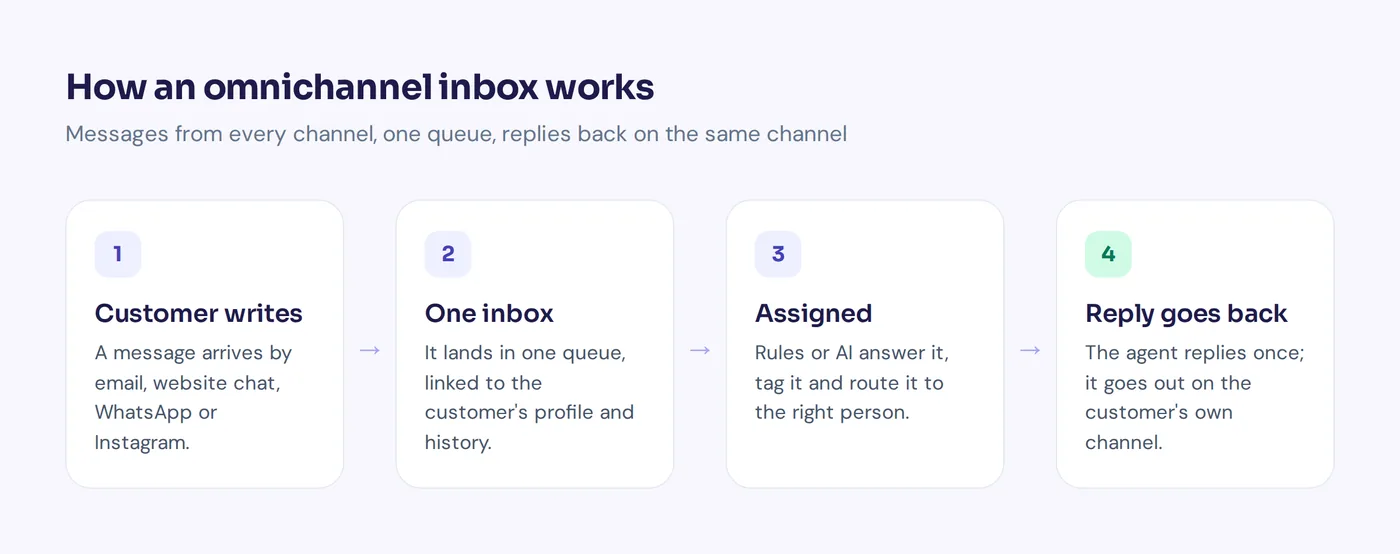
It is a single workspace where your team reads and answers incoming messages from multiple communication channels: email, website live chat, WhatsApp, Instagram, Telegram and more. Some people call it a unified inbox, a team inbox or an all-in-one inbox. Every communication channel you use feeds the same list.
Two things make it truly omnichannel:
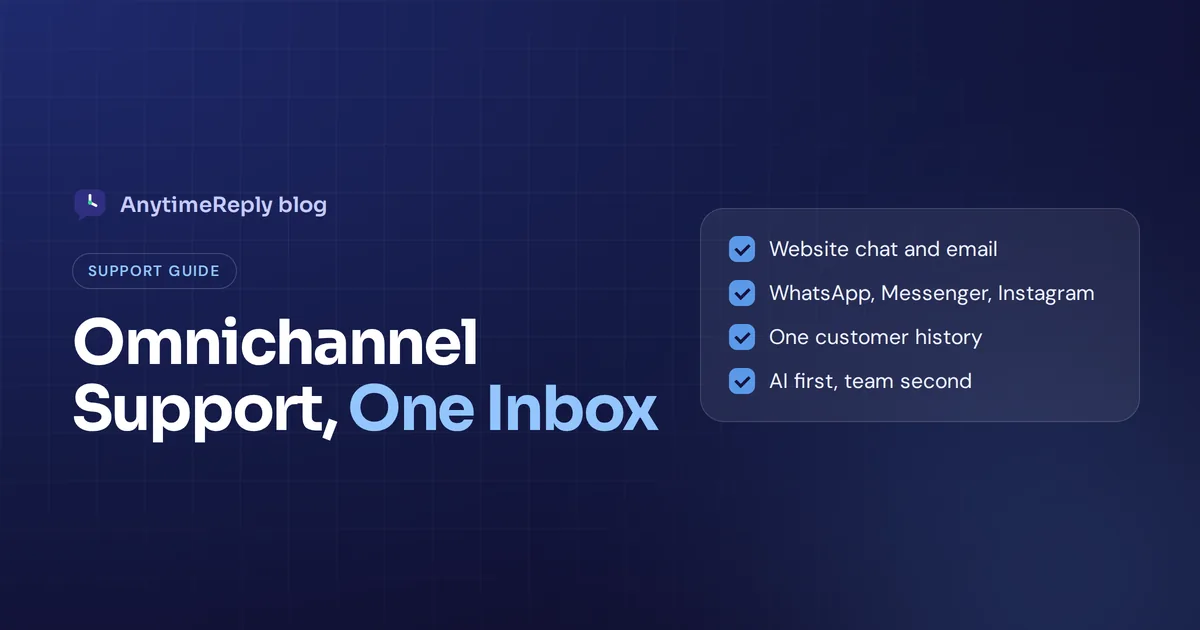
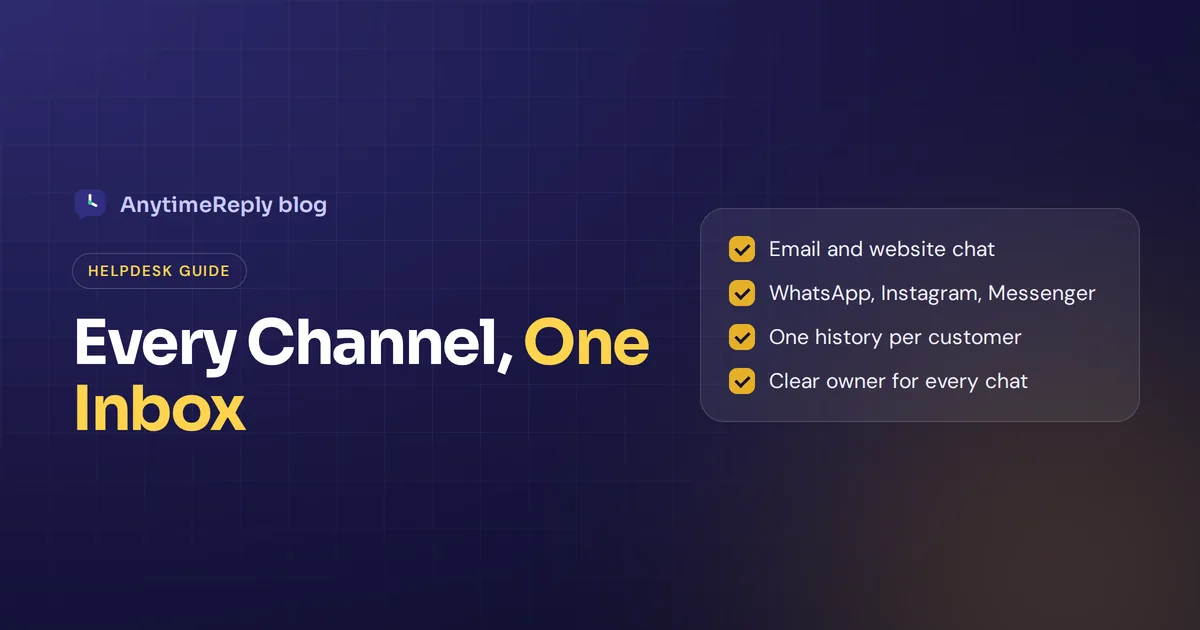
- All conversations in one queue. Agents don't switch apps. They see every open chat together and filter by channel when they want.
- History linked to the customer. If someone writes on Instagram today and emails next week, the agent sees both, so the customer never explains twice.
You reply from one workspace, and the customer gets your message on their preferred channel. To them it feels normal. To your team it is a lot calmer.
Omnichannel vs multichannel vs shared inbox
| Shared inbox | Multichannel | Omnichannel inbox | |
|---|---|---|---|
| Channels | Usually just email | Several, each in its own app | Several, in one app |
| Team access | One shared mailbox | Different logins per channel | One login, one queue |
| Conversation history | Per mailbox | Split across different channels | One profile across all channels |
| Rules and automation | Basic | Different in each tool | One set of rules for all |
| Reports | One channel | Pieced together by hand | Everything in one report |
A shared inbox is fine when you only manage email. Once customers reach you across multiple communication channels, you need one platform that pulls them together and keeps customer communication consistent.
Which channels can you unify in one inbox?
Connect the channels your customers already use. For most small businesses that is a mix of:
- Email: invoices, complaints and longer questions.
- Website live chat: pre-sale questions and order tracking.
- WhatsApp: the main support channel in many countries. A single WhatsApp message often includes a voice note or photo.
- Facebook Messenger and Instagram Direct: DMs and comments from social shoppers.
- Telegram, Slack or Discord: communities, software users and internal help.
- SMS and phone: some contact center tools include them. Many chat-first tools (ours included) don't, so check if you need SMS.
Benefits of an omnichannel platform for customer support
Nothing slips through
When all customer messages share one queue, you see what is unanswered at a glance. No more "I thought you got that one."
Faster responses
Less switching between apps means more time answering, so your response time drops and customer satisfaction goes up.
Better team collaboration
Agents collaborate with internal notes and @mentions inside the chat, and share information without side conversations on Slack.
Full context
The agent sees earlier chats, orders and notes across all touchpoints. That makes the customer support experience feel personal.
Room to automate
Once everything flows through one communication platform, you can automate tagging and routing, and use AI to handle repetitive questions on every channel.
Key features of an omnichannel inbox: routing, automation and CRM
- Native integration with each channel. It should integrate cleanly, not through copy-paste workarounds. Official connections for WhatsApp, Instagram and other messaging apps, plus a proper way to manage email (Gmail, Outlook, IMAP).
- Assign conversations. Round robin, least busy or by department, so every inquiry has one owner.
- Automated routing. Chats are routed by language, topic or channel without anyone sorting by hand.
- Views and tags. "Unassigned", "Mine", "Needs human", and a tag for refunds or VIPs.
- Internal notes. Private comments the customer never sees.
- Contact profiles and CRM. One profile per person, with a CRM sync if your sales team lives in one. That also helps you spot sales opportunities.
- AI and chatbot help. An AI agent that answers first, drafts text or summarizes long threads.
- Workflow triggers. Auto-tag, alert a manager about bad ratings, close stale chats.
- Analytics. Volume per channel, topics, ratings and team performance.
- Easy-to-use on mobile. Check how it works on a phone if your team answers on the go.
How to set up an omnichannel inbox in 6 steps
- Map your channels. List where inbound messages come from and roughly how many each gets.
- Connect the busiest two first. Often email and WhatsApp. Test with real messages.
- Create three views. Unassigned, Mine and Needs human. Don't build 20 on day one.
- Set assignment rules by channel, language or department.
- Agree on 8 to 12 tags like refund, shipping, bug and sales.
- Add the remaining channels once the team is comfortable, then review after two weeks.
Example: one morning in an omnichannel inbox
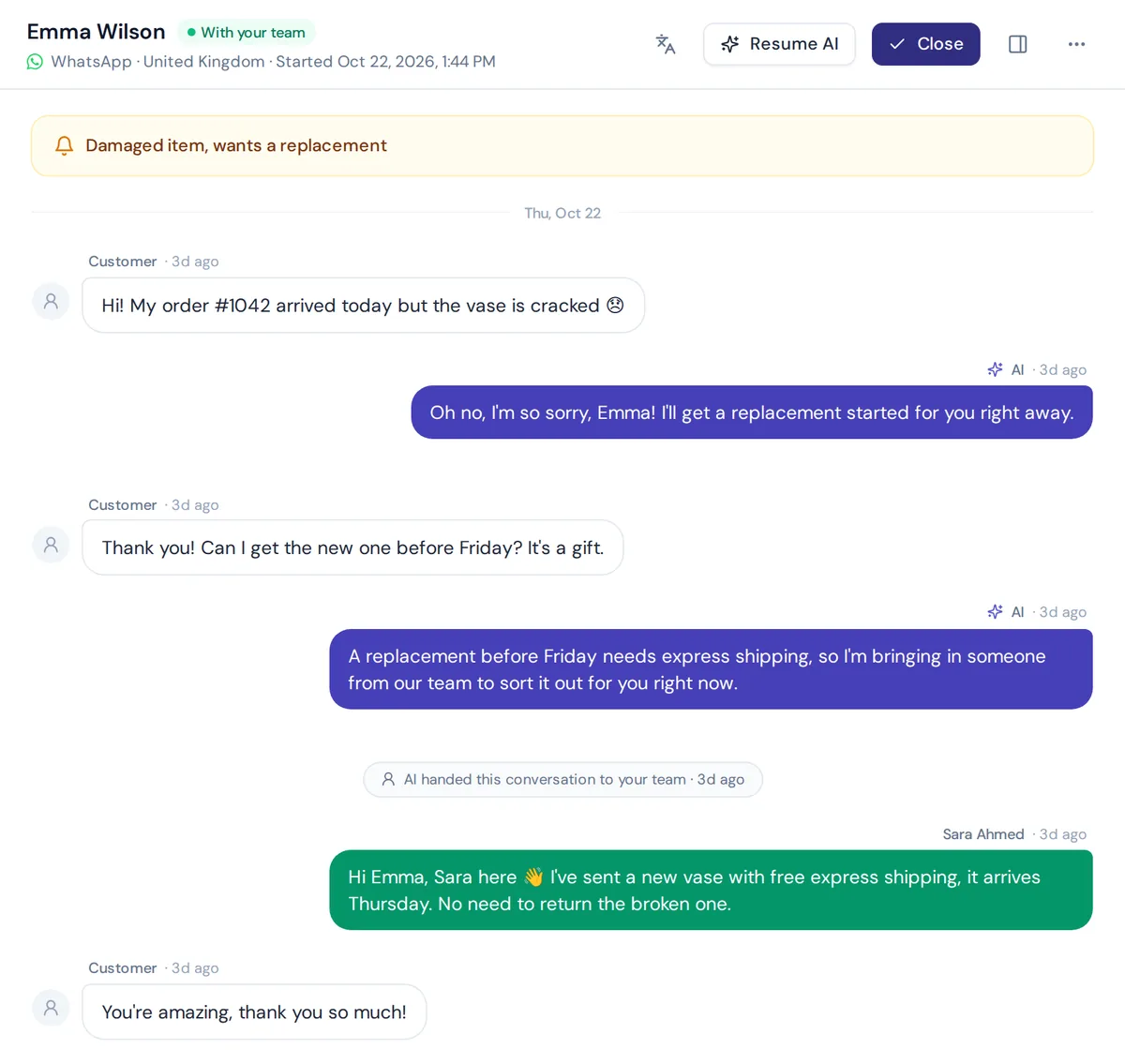
Say you run a small online shop with two support people. At 9 am the queue shows 40 open conversations across various channels. The AI has already answered 25 overnight: shipping times, sizes, return policy. Nine are tagged "Needs human": three refunds, two damaged parcels, four custom requests.
Assignment splits those nine between the two agents, even though they came from multiple channels. Each opens a chat and sees the customer's earlier messages, even ones sent by email last month. They reply, add a note where needed and close the chat. By 10 am the queue is empty, and nobody opened WhatsApp, Instagram or Gmail separately. Everything stays accessible across devices, with all messages in one place.
Common mistakes to avoid
- Connecting everything at once. The team gets overwhelmed and drifts back to native apps.
- Keeping old apps open "just in case". Then you have two inboxes, not one.
- No owner per conversation. Shared responsibility means no responsibility.
- Ignoring channel rules. WhatsApp limits when businesses can start outbound conversations, so plan around it.
- Measuring only speed. Fast but wrong answers create more messages. Track ratings too.
How AnytimeReply works as omnichannel customer service software
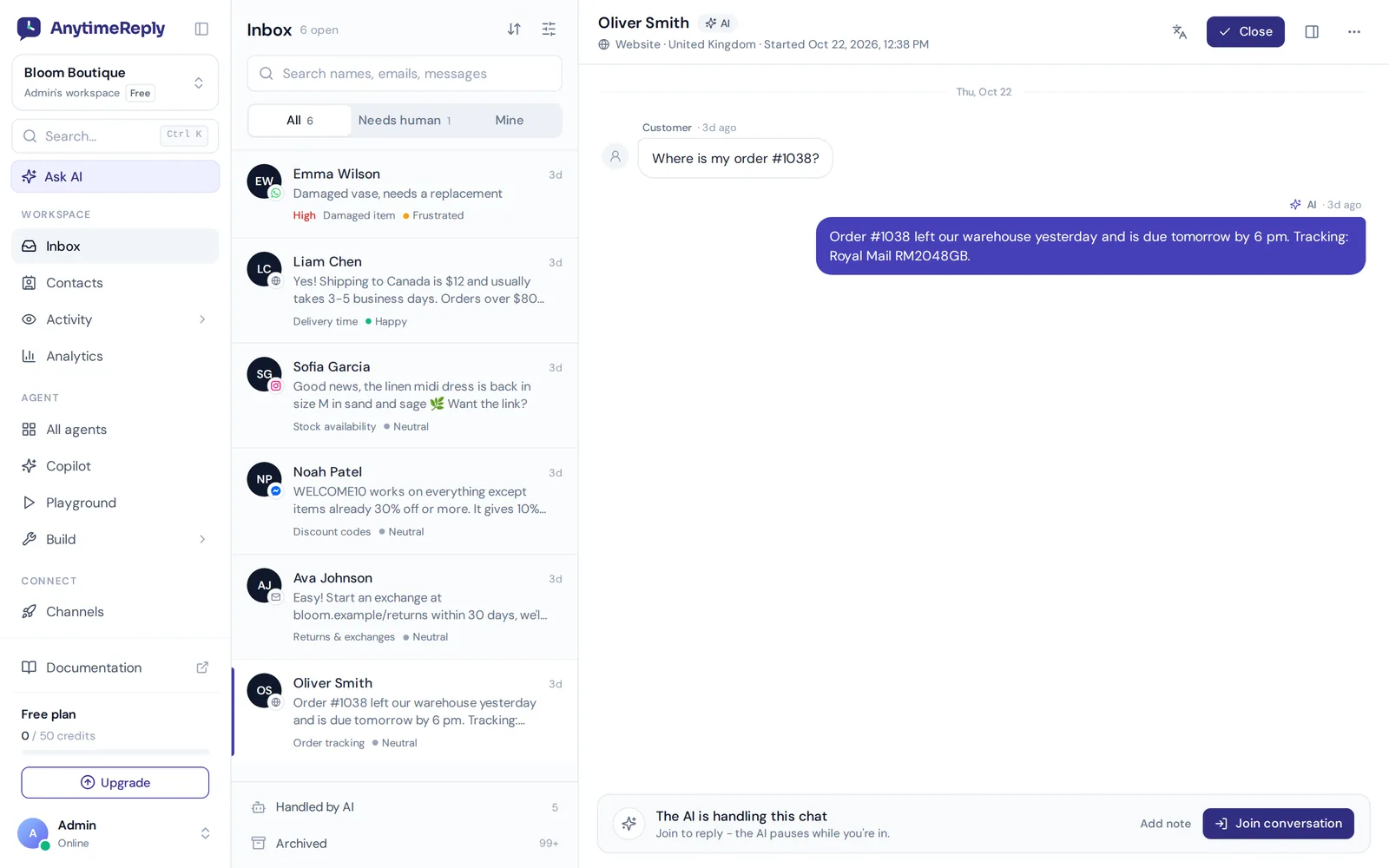
AnytimeReply is an AI customer support agent with a built-in help desk and live chat inbox. It aims to centralize and streamline your support:
- A single queue for website chat, WhatsApp, Messenger, Instagram, Telegram, email and Slack.
- AI answers first in the customer's language, from your own content, and hands over with a summary when a customer asks for a person, gets upset or the AI can't answer.
- Team tools: departments, assignment (least busy or round robin), notes, @mentions and views like My inbox, Unassigned, Mentions, Needs human and Paused.
- Triggers to set priority, tag, assign, send email or Slack alerts, or call a webhook.
- Contacts keep visitors, leads, WhatsApp and email customers in one list, and HubSpot is among the supported integrations.
The honest part: the Free plan includes website chat and the helpdesk inbox, while WhatsApp, Messenger, Instagram, Telegram, email and Slack start on Hobby ($9 a month). There is no phone or SMS channel. See pricing.
Frequently asked questions
What does omnichannel mean in simple terms?
It means customers can reach you on any channel and get a joined-up experience, because your team sees one history across all of them.
Can I answer WhatsApp and Instagram from the same screen?
Yes, if the tool has official connections. Your answer goes out on the same channel the customer used, via WhatsApp or Instagram.
Can it merge a customer who uses different contact details?
Sometimes. Tools link profiles by email, phone or a verified login. If someone uses a new number, you may need to merge profiles by hand.
Do omnichannel inboxes replace native apps?
For daily support, mostly yes. You may still open the native app for things like account settings or posting content.
Is an omnichannel inbox the same as a help desk?
Close. A full helpdesk usually adds tickets, a knowledge base, an FAQ page and reports. Many modern help desks are built around an omnichannel inbox.
How much does an omnichannel inbox cost?
It varies. Some tools charge per agent, others per conversation or AI answer, and some have free plans with fewer channels. Compare the total for your team size and channels.
Bring every conversation together
You don't need a big team for fast, consistent support. You need one workspace, clear owners and a bit of automation to improve customer experience on every channel.
Start free with AnytimeReply, no card needed, and connect your first channel today.
Published 6 November 2026 by AnytimeReply team