A customer messages you on WhatsApp about a late order. Two hours later they send an email, then a message on Instagram, because nobody replied. Three people on your team pick up three different threads, and the customer explains the problem three times. By the third time, they are not a happy customer anymore.
An omnichannel contact center fixes exactly that. Every channel your customers use lands in one place, tied to one customer profile, so any agent can see the whole story and pick it up where it left off. The customer feels like they are talking to one company, not five disconnected inboxes.
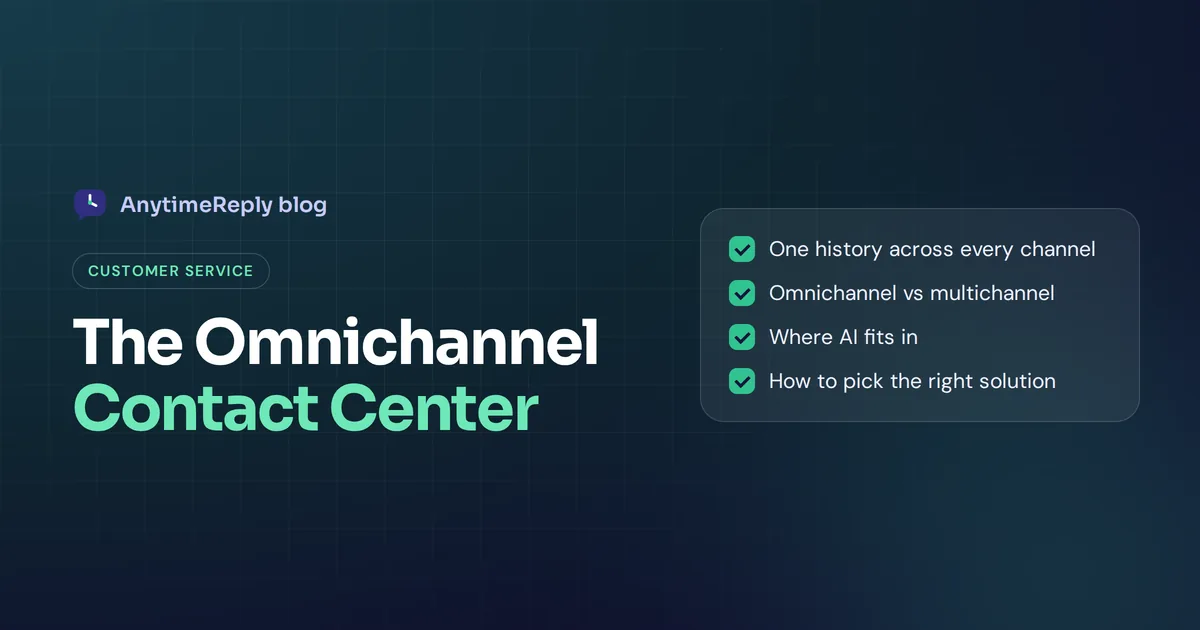
This guide covers everything you need to know: what an omnichannel contact center is, omnichannel vs multichannel, key features, how AI fits in, best practices and how to choose a solution. We build an AI agent and helpdesk for chat, messaging and email (not phone), so we'll be clear about where we fit and where you need something else.
What is an omnichannel contact center?
A contact center is the team and software that handle customer conversations: support, sales and service. An omnichannel contact center (or omnichannel contact centre, in British spelling) connects all your communication channels so conversations, customer data and history flow between them.
Typical channels include:
- Phone and voice (inbound and outbound calls, IVR menus)
- Live chat on your website and app
- Messaging apps like WhatsApp, Messenger, Instagram and Telegram
- SMS
- Social media comments and DMs
- Self-service help centers and AI chatbots
The key word is connected. True omnichannel is not about how many channels you offer. It is about whether the customer journey survives when someone moves from one channel to another. A traditional call center that adds a chat widget in a separate tool hasn't become omnichannel; it has just added another silo.
How omnichannel customer service works in practice
Here is the same late-order problem in an omnichannel setup:
- The customer writes on WhatsApp at 10 pm. An AI agent checks the order status and replies in seconds.
- The next morning the customer emails, still worried. The email lands in the same customer timeline, so the agent sees last night's chat.
- The agent replies by email with the new delivery date and adds an internal note.
- When the customer asks a final question on Instagram, whoever picks it up already knows the full story.
One customer, three channels, one conversation. That is omnichannel customer support: every customer interaction, whatever the channel, adds to the same history, and the customer uses their preferred channel without starting over.
Omnichannel vs multichannel contact center
Multichannel and omnichannel get mixed up all the time. The difference is simple: a multichannel contact center offers many channels, but each one works on its own. An omnichannel contact center offers many channels that share the same data and history.

| Multichannel | Omnichannel | |
|---|---|---|
| Channels | Several, each in its own tool | Several, on one unified platform |
| Customer history | Split by channel | One timeline per customer |
| Switching channels | Customer starts over | Conversation continues |
| Agent view | Several tabs and logins | One workspace |
| Routing | Separate queue per channel | One routing logic across channels |
| Reporting | Separate reports | One view of all conversations |
A quick test: if a customer emails you after a chat, can the agent who opens the email see the chat? If yes, you're omnichannel. If not, you're not there yet. Most teams start with separate tools and move to an integrated omnichannel setup once the mess gets painful. The omnichannel approach gives agents context, and context is what turns okay service into excellent customer service.
Benefits of omnichannel contact center setups for customer experience
- Customers don't repeat themselves. This is one of the biggest frustrations in customer support, and omnichannel removes it. That alone does a lot to improve customer experience.
- Faster resolution. Agents see past orders, conversations and notes right away, which helps first contact resolution.
- Customers choose their channel. Some want WhatsApp, some want email, some want to call. You meet them where they are.
- Better use of your team. One queue and one routing system means no idle agents on one channel while another is flooded. That makes contact center operations more efficient.
- Clearer data. You see what customers ask about across every channel, not in pieces, so you can fix the root causes.
- Stronger customer engagement. Consistent, quick answers build trust and loyalty over time. Good omnichannel customer engagement means the overall customer experience feels like one relationship, not a series of tickets.
The honest downside: an omnichannel approach takes more setup than plugging in separate tools, and moving from several tools to one platform is a real project. Plan for training and a few messy weeks.
Key features of omnichannel contact center software
Unified agent workspace
One inbox or desktop where customer service agents handle every channel. No switching between apps.
Single customer profile
Contact details, history, orders and notes in one place, matched across channels where possible.
Smart routing
Conversations go to the right team or agent based on topic, language, skills, priority or workload. Rules like round robin or least busy keep things fair.
AI and customer service automation
Chatbots answer common questions, triggers tag and prioritize, and AI drafts or translates replies.
Self-service
A help center and AI search so customers can solve simple problems without contacting you at all.
Analytics and reporting
Volume by channel, response times, resolution rates, customer satisfaction and agent performance in one dashboard.
Integrations
CRM, ecommerce, billing and order systems, so agents and AI see the data they need.
Voice features
For many teams, the phone is still a big channel. If you need voice, look for a cloud contact center with call routing, IVR, recording and transcripts.
The AI-powered omnichannel contact center
AI changes how omnichannel works day to day. Instead of every conversation waiting for a human, an AI agent answers first on every channel, and a person steps in when needed.
- AI agents answer routine questions instantly on chat, messaging and email, from your own knowledge base.
- Smart handoff passes tricky or emotional conversations to a person with a summary.
- Agent assist suggests replies, rewrites messages and translates them.
- Conversation analytics show topics, sentiment and the questions the AI couldn't answer.
- Voice AI in some platforms answers phone calls and transcribes them.
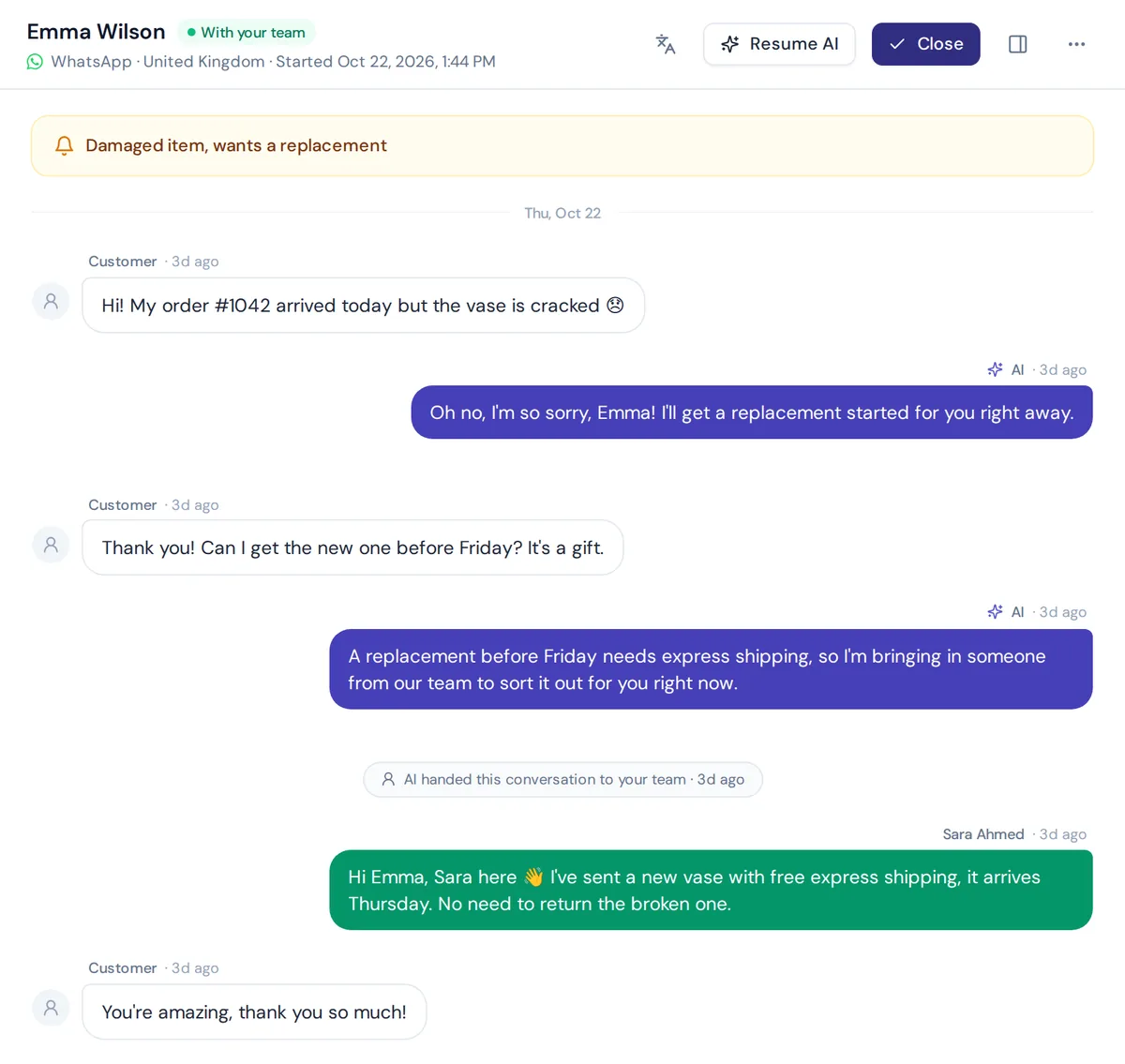
The key is that the AI shares the same history and inbox as your team. An AI bolted on as a separate tool just creates another silo.
How to implement an omnichannel strategy
A good omnichannel contact center strategy (some call it an omnichannel customer service strategy) starts with customers, not software. The aim is a high level of service across every channel. Here are the steps for implementing an omnichannel strategy without chaos:
- Map your channels. Where do customers actually contact you today, and how many conversations come from each? Don't add channels nobody uses. The best omnichannel strategies are focused, not crowded.
- Decide if you need voice. This is the biggest fork. If phone is a major channel, you need a platform with full calling features. If most customers write, a chat and messaging platform is simpler.
- Pick one source of truth. Choose the omnichannel contact center platform where every conversation and customer profile will live. One omnichannel solution, not three separate tools.
- Connect channels one by one. Start with your busiest channel, then add the next. Test each before moving on.
- Set routing and handoff rules. Who handles billing, who handles complaints, when the AI hands over. Each customer interaction should land with the right person the first time.
- Train your team. Customer service representatives need to learn the new workspace and the new habit of checking history first.
- Measure and adjust. Review the numbers below every month.
Omnichannel contact center best practices
- Keep the tone the same everywhere. Your WhatsApp replies and your emails should sound like the same company. Consistent tone is part of quality customer service.
- Set expectations per channel. "We reply to emails within 4 hours, chat in minutes."
- Let AI handle the repeat questions. Your people should spend time where they add value.
- Make the handoff to a human easy. Never trap customers in a bot.
- Review conversations weekly. Ten minutes of reading tells you more than any dashboard.
- Protect customer data. Limit access, use 2FA and follow rules like GDPR where they apply.
How to measure customer experience and service quality
| Metric | What it tells you |
|---|---|
| First response time | How fast customers hear back, per channel |
| First contact resolution | How often the issue is solved in the first conversation |
| Customer satisfaction (CSAT) | How customers rate the help they got |
| AI resolution rate | How many conversations the AI solved without a person |
| Channel switches | How often customers have to try a second channel |
Best omnichannel contact center solutions by type
There is no single best omnichannel contact center for everyone. The right omnichannel contact center solution depends on your channels, team size and budget.
| Type | Examples | Good for |
|---|---|---|
| Enterprise cloud-based contact center suites | Genesys Cloud CX, NICE CXone, Five9, Talkdesk | Large teams with heavy voice volume and complex routing |
| Cloud building blocks | Amazon Connect, Twilio Flex | Teams with developers who want a custom setup |
| Helpdesks with contact centre software features | Zendesk, Freshdesk | Support teams that start with tickets and add channels |
| AI-first chat and messaging helpdesks | AnytimeReply and similar tools | Small and growing teams where customers mostly write |
Whichever contact center software solution you shortlist, test how it tracks customer interactions across channels. Pricing changes often and many vendors charge per seat, so check each vendor's pricing page. And ask for a trial with real conversations, not just a demo.
AnytimeReply: omnichannel for chat and email
Let's be clear first: there is no calling and no text messaging (SMS) in our product. If calls are a big part of your support, you need a voice-capable contact center platform. AnytimeReply is omnichannel for written conversations: website chat, messaging and email.
- One shared inbox. Website chat, WhatsApp, Messenger, Instagram, Telegram, email and Slack in one helpdesk.
- AI answers first. The AI agent replies in seconds in the customer's language and hands over with a summary when a customer asks for a person, gets upset, it can't answer, or a rule matches.
- Routing and teamwork. Departments, least busy or round robin assignment, internal notes, @mentions and views like Unassigned and Needs human.
- Triggers. Set priority, tag, assign, add a note, send an email or Slack alert, call a webhook, reply or close.
- Email as tickets. Connect Gmail, Outlook, Zoho or any IMAP/SMTP mailbox. Every email becomes a ticket with status, priority and owner.
- Analytics. Topics, sentiment, channels, CSAT and team performance.
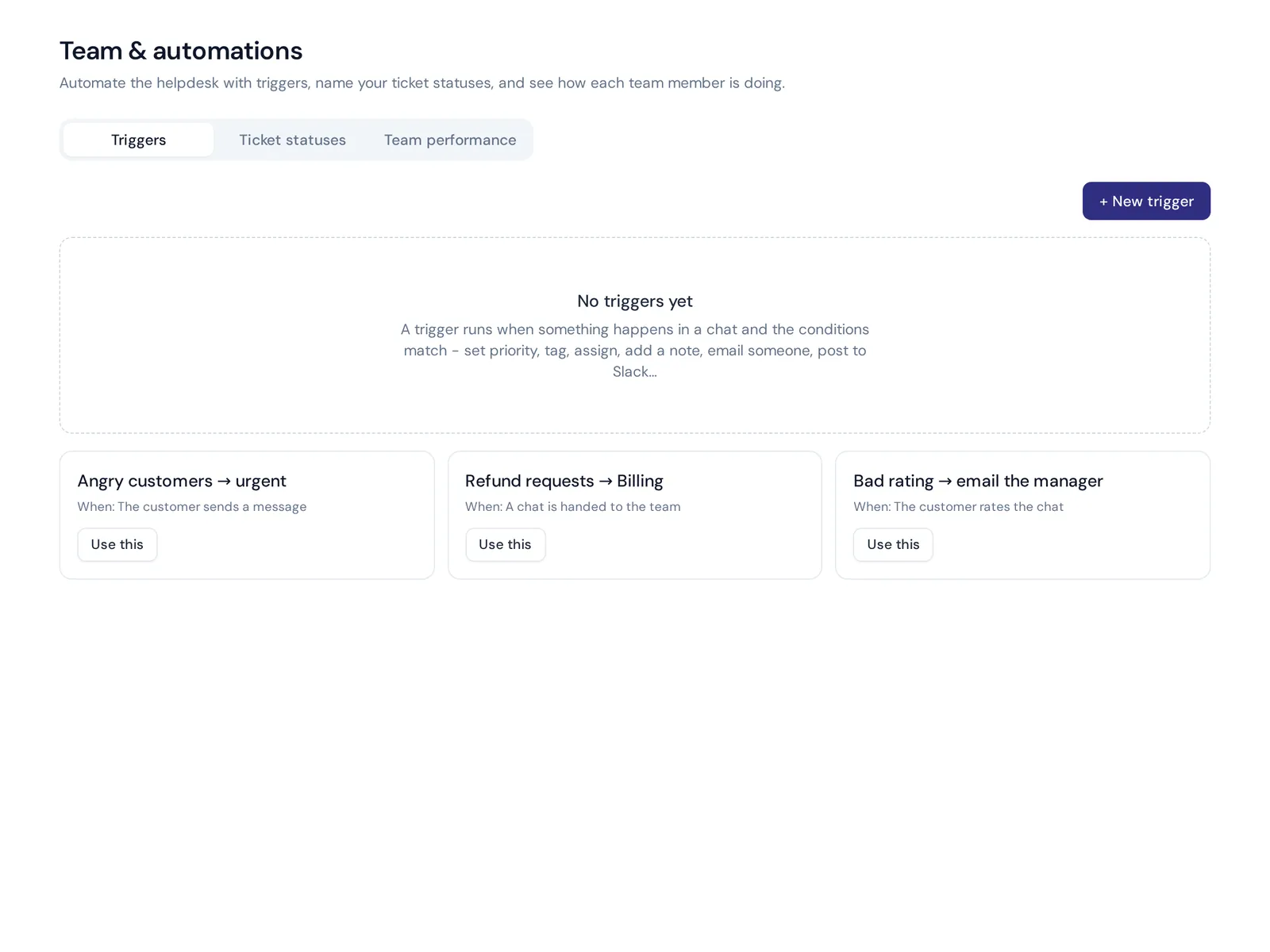
Website chat and the helpdesk inbox are on the free plan. WhatsApp, Messenger, Instagram, Telegram, email and Slack start on the Hobby plan. See pricing.
Frequently asked questions
What is omni customer care?
It is another name for omnichannel customer service: helping customers on any channel while keeping one shared history, so the experience feels consistent wherever they reach you.
What is the difference between omnichannel and multichannel?
One offers several channels separately. The other connects them into one customer history, so conversations continue across channels and the omnichannel customer experience stays consistent.
What is the best contact center software?
It depends on your channels. Voice-heavy teams usually need an enterprise CCaaS suite. Teams whose customers mostly write can use a helpdesk or an AI-first chat platform.
Do I need phone support to be omnichannel?
No. Omnichannel is about connecting the channels you offer. A business that only uses chat, messaging and email can be fully omnichannel for those channels.
Is a contact centre different from a contact center?
No, it is only spelling. An omnichannel contact centre is the British English term for the same thing, so UK vendors often say omnichannel contact centre software.
Can I add more channels to my contact center later?
Usually yes. Most platforms let you start with one or two channels and connect more as you grow.
How does AI help an omnichannel contact center?
AI answers routine questions on every channel, routes conversations, drafts replies and shows trends, so agents spend time on complex conversations.
Final thoughts
Omnichannel is not about being everywhere. It is about making sure that wherever a customer reaches you, they never have to start over. Pick the channels your customers really use, connect them, and let AI handle the repeat questions.
If your customers mostly write on chat, WhatsApp and email, start free with AnytimeReply. No card needed.
Published 28 October 2026 by AnytimeReply team