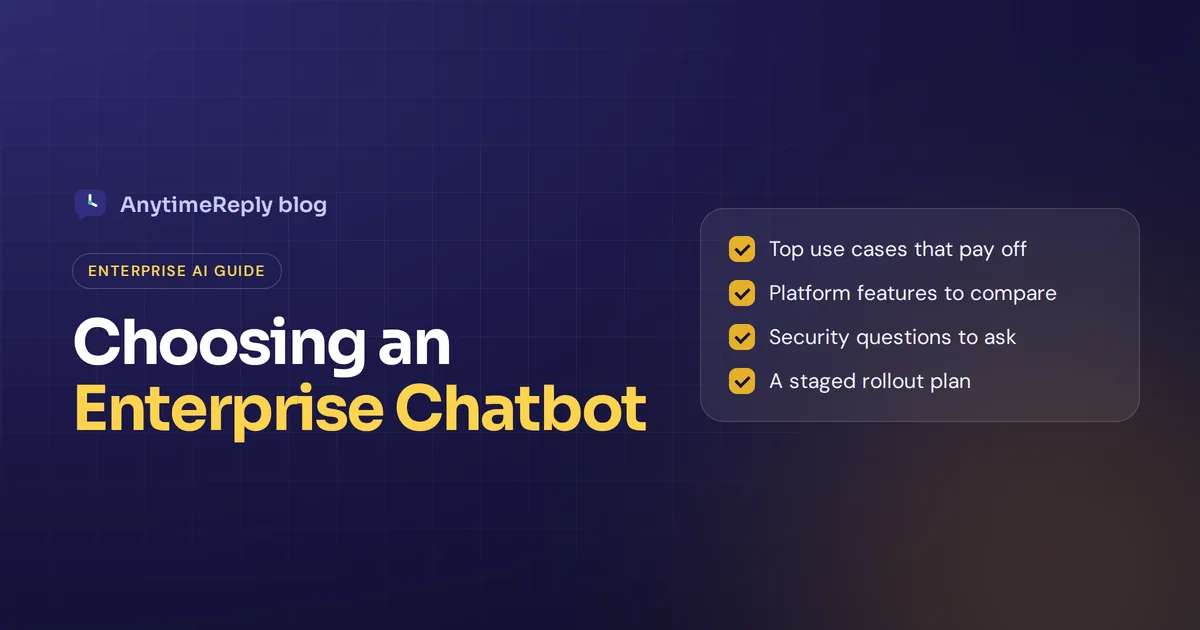
An enterprise chatbot is an AI assistant built for a large organization: thousands of customers or employees, many systems, strict security rules and lots of people who need to sign off. It answers questions, pulls data from internal tools and hands hard cases to the right team.
That sounds simple. In practice, buying one is a long project with security reviews, integrations and a pilot that can take months. This guide covers what these chatbots are, the use cases that pay off, the features to look for, and how to roll one out without wasting a year.
A quick, honest note: we build AnytimeReply, an AI support agent for small and growing teams. We are not an enterprise vendor and we don't hold enterprise certifications. So we'll explain what big companies need, and also when a lighter tool is the smarter pick.
What is an enterprise chatbot?
It's a conversational AI system that a company deploys across departments, channels and regions. Not a single widget on one landing page, but a shared service that customer support, IT, HR and sales all use.
Older chatbots were rule-based. Each bot followed decision trees and broke when someone typed something unexpected. Today, most AI-powered chatbots use generative AI: large language models (LLMs) plus natural language processing (NLP) to understand what people mean. The best ones also use retrieval-augmented generation (RAG). The chatbot searches your knowledge base first, then writes an answer from what it found, instead of guessing.
What makes it "enterprise" isn't the artificial intelligence. It's everything around it:
- Scale. Millions of customer interactions a year, many languages, many brands.
- Integrations. CRM, ERP, ticketing, identity and order systems.
- Security. Single sign-on, role-based access, audit logs, data residency, and often certifications like SOC 2 or ISO 27001.
- Governance. Who can change answers, how changes are tested, and how mistakes get caught.
Enterprise chatbots vs regular chatbots
The chatbot technology underneath is often the same, and many AI chatbots run on the same models. The difference is control, risk and cost.
| Enterprise | Small business | |
|---|---|---|
| Who uses it | Many departments, regions and brands | One team, one or two brands |
| Chatbot deployment | Months, with a pilot and security review | Hours or days |
| Integrations | Custom links to existing enterprise systems | Ready-made apps like Shopify or Calendly |
| Security | SSO, audit logs, certifications | 2FA, encryption, a clear privacy policy |
| Pricing | Annual contracts, quote-based | Monthly plans, often a free tier |
| Who runs it | A dedicated team or vendor services | The support lead or owner |
If most of the left column doesn't apply to you, you probably don't need an enterprise contract. Plenty of companies with 50 or 200 staff run very good AI support on a lighter platform or other software solutions.
Top enterprise chatbot use cases, from customer support to HR
The best use cases share one thing: lots of repeat questions with clear answers that already live somewhere in company data.
Customer support
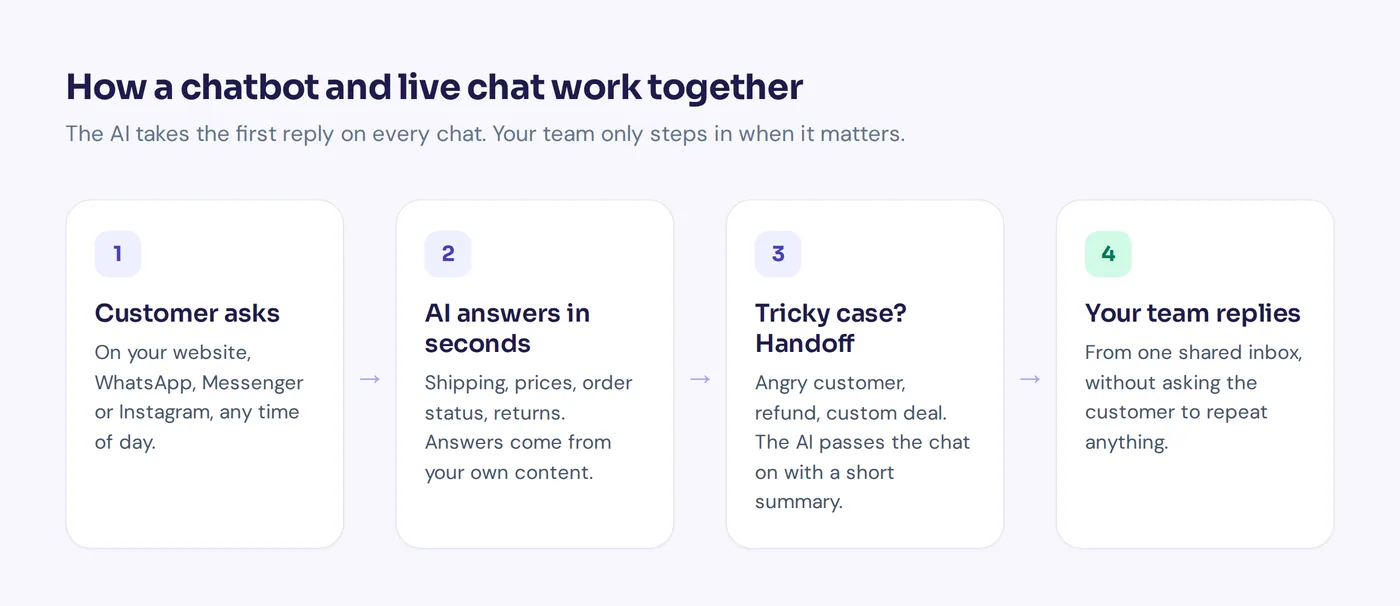
The biggest one. The chatbot answers order status, returns, billing and product questions on the website, in the mobile app and across multiple channels. It hands complex cases to human agents with a summary, so nobody repeats themselves. This is where customer service automation usually starts, because the impact on customer experience is easy to see.
IT help desk
Employees ask how to reset a password, connect to the VPN or request software. An internal assistant answers from IT docs and opens a ticket when it can't fix the problem.
HR and onboarding
Leave policy, payroll dates, benefits, onboarding checklists. Some teams also use AI assistants to screen CVs or draft job descriptions, though a person should still make every hiring decision.
Sales and lead qualification
The chatbot answers pricing questions, asks a few qualifying questions and books a meeting with the right rep, using real-time product and pricing data.
Knowledge search and productivity
Big companies have thousands of documents across wikis and drives. A chatbot that searches all of them and gives one clear answer saves staff hours of digging. Meeting notes, summaries and translation are common extras that streamline daily work.
Account actions
The advanced step: the chatbot actually does something, like changing a delivery address or cancelling a subscription, but only after verifying who the customer is. This is where AI-driven chatbots start to look like an AI agent rather than an FAQ bot.
Key chatbot features to look for in an AI-powered enterprise chatbot platform
When you compare enterprise chatbot solutions, every demo of every platform looks good. These are the chatbot capabilities that matter after launch.
- Grounded answers. Answers come from your approved content, and the chatbot says "I don't know" instead of guessing.
- Human handoff. Clear rules for when a person takes over through live chat, with the full conversation passed along.
- Omnichannel. Website, app, email and messaging apps feeding one inbox.
- Integrations and APIs. Connections to CRM, ticketing and order data, plus an API and development environment for custom work.
- Identity and permissions. SSO for staff, verified identity for customers, role-based access.
- Testing and approval. A way to test changes before they go live and see who changed what.
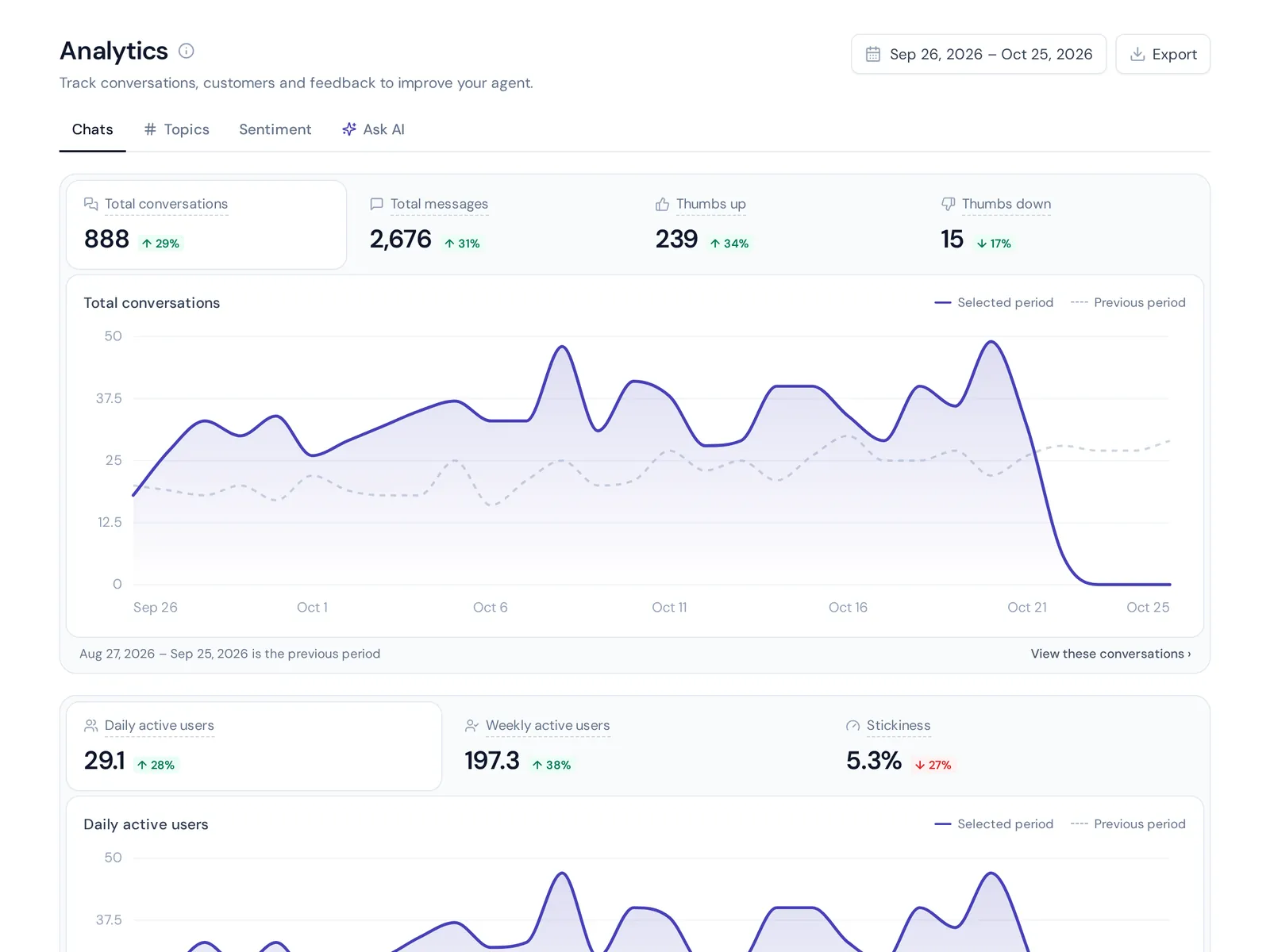
- Analytics. Chatbot performance, handoff rate, customer satisfaction and a list of unanswered questions.
- Model choice. The option to switch AI models as AI technologies improve, or bring your own key.
- Automation and workflow tools. Triggers and flows that automate routing, tagging and follow-ups.
Security, compliance and your knowledge base data
For large companies, this often decides the deal. Your security team will send the vendor a long questionnaire, with questions like:
- Is our data used to train the vendor's models?
- Where is data stored, and can we choose the region?
- Which certifications do you hold (SOC 2, ISO 27001, HIPAA, PCI DSS)?
- How are access, logging and incidents handled?
- Which AI providers process our data?
Also check enterprise features like SSO and audit logs, not just answer quality. Ask for documents, not promises. A real enterprise vendor can share audit reports under NDA. If they can't, that's your answer. Regulated industries like healthcare and banking add more rules, so involve legal early, not after the pilot.
Building a chatbot vs buying an AI chatbot solution
Some companies go the chatbot development route: their own team builds on cloud AI solutions such as Google Cloud. That gives full control but needs engineers, ongoing AI development and maintenance. Others hire chatbot services from an agency, which can work well if you lack engineers. Leading AI vendors and agencies both offer AI chat tools for this. Most choose a ready-made AI-powered conversational platform, from the wide range of chatbot vendors, and customize it. That's how chatbots reach production fastest.
A simple rule: build only if the chatbot is core to your product or your systems are so unusual that no platform fits. Otherwise, buy and spend the saved time on content.
How to start implementing a chatbot
- Pick one use case. High volume, low risk, like order status or password resets.
- Clean up the knowledge. Fix outdated help articles first. Bad content gives bad answers, at scale.
- Define handoff rules. Angry customer, refund over a set amount, legal topic or low confidence goes to a person.
- Run a pilot. A small share of traffic or one region. Read real conversations daily.
- Measure. Resolution rate, handoff quality, CSAT and unanswered questions. Not just "deflection".
- Expand slowly. Add channels, languages and actions one at a time.
Pros and cons
Pros: 24/7 answers in many languages, lower cost per conversation as volume grows, agents freed for hard cases, consistent answers across regions.
Cons: long sales cycles, high annual contracts with services fees, and ongoing work. Someone has to own the chatbot after launch.
Where AnytimeReply fits (and where it doesn't)
AnytimeReply is a platform built for small and growing teams: online shops, SaaS companies, service businesses and support teams that want serious AI support without an enterprise project.
You add your website, documents and Notion pages, and the AI agent answers on your website, WhatsApp, Messenger, Instagram, Telegram, email and Slack. When it isn't sure, it says so, and it hands the chat to your team in a shared helpdesk inbox with a summary. On paid plans it can take actions for verified customers, like checking a Shopify order or booking in Calendly.

Some AI capabilities that big companies ask for are included too: plain-language tests after every change, a list of questions the AI couldn't answer, spending caps and spam detection, and your own AI key from the Standard plan.
Now the honest part. We don't hold SOC 2, ISO 27001 or HIPAA certifications, and our agent doesn't answer phone calls. If procurement requires those, choose a top chatbot vendor from the best enterprise chatbot platforms built for that compliance. What we do offer is on our security page: 2FA, HTTPS only, encrypted keys, separate workspaces, and customer data that is not used to train AI models.
Frequently asked questions
What are enterprise AI services?
Cloud tools that large companies use to build or run AI, such as chatbots, document search, translation and data analysis, with business-grade security and support.
How much does an enterprise chatbot cost?
Most vendors sell annual contracts with custom quotes based on conversations, seats or usage, plus setup fees. Ask for a full quote including implementation.
Can enterprise chatbots integrate with existing systems?
Yes, that's a core requirement. Look for ready-made connectors for your CRM and helpdesk, plus an API for custom systems.
Can an enterprise AI chatbot replace human agents?
No. It handles many repeat questions, but people are still needed for complaints, exceptions and sensitive topics.
How long does chatbot implementation take?
A focused pilot can launch in a few weeks. A full rollout with integrations and security reviews often takes several months.
Start small, then scale
The best projects start with one use case, good content and clear handoff rules. If you're a growing team that wants AI support running this week, not next quarter, start free with AnytimeReply, no card needed.
Published 28 October 2026 by AnytimeReply team