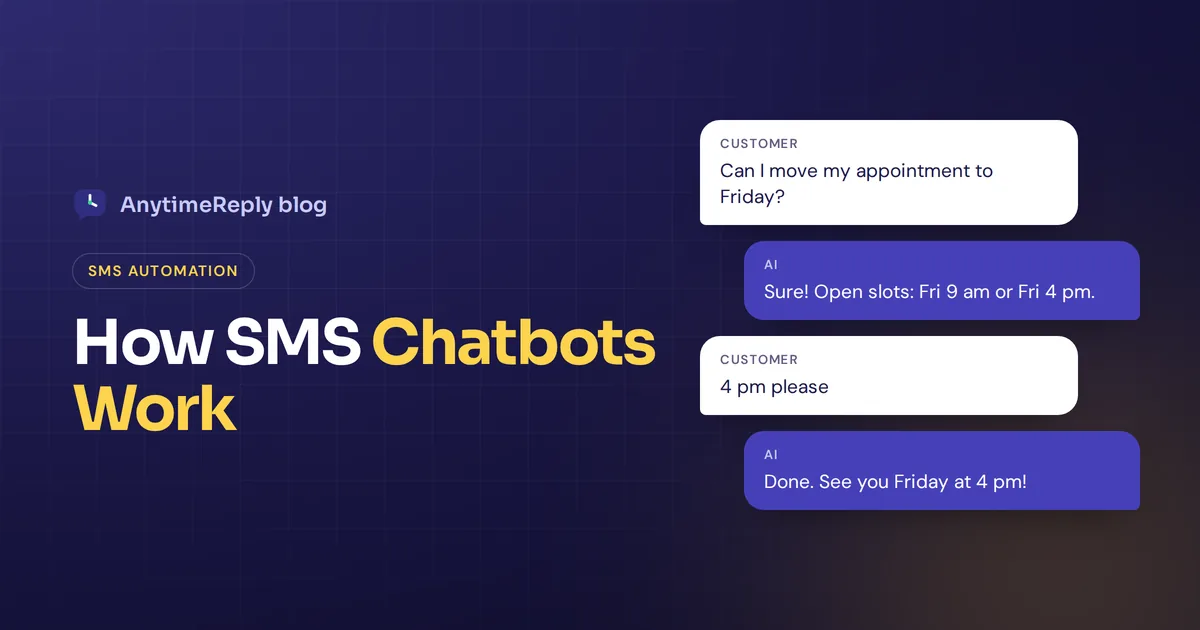
A customer texts your business number at 9 pm: "Can I move my appointment to Friday?" Nobody is in the office. With an SMS chatbot, they get a reply in a few seconds, pick a new time, and you wake up to an updated calendar instead of a missed message.
That's the promise of SMS automation. Software answers text messages for you, day and night, on the one app every phone already has. No download, no login, no data plan needed.
This guide covers how it works, real examples you can copy, the best tools, the rules you must follow and what it costs. One honest note first: AnytimeReply, the product we build, does not send or receive SMS. We cover WhatsApp, Messenger, Instagram, Telegram and website chat instead. So this is written to help you choose well, not to sell you something we don't have.
What is an SMS chatbot?
It's software connected to a phone number that reads incoming texts and replies on its own, in the same thread, just like a person would. People also call it a text bot or a conversational SMS assistant.
It can answer questions, confirm bookings, send order updates, collect details or pass the chat to a team member. The big difference from a "text blast" is that it's two-way. A blast sends one message to everyone. A chatbot listens and responds based on user replies.
How an AI SMS chatbot works
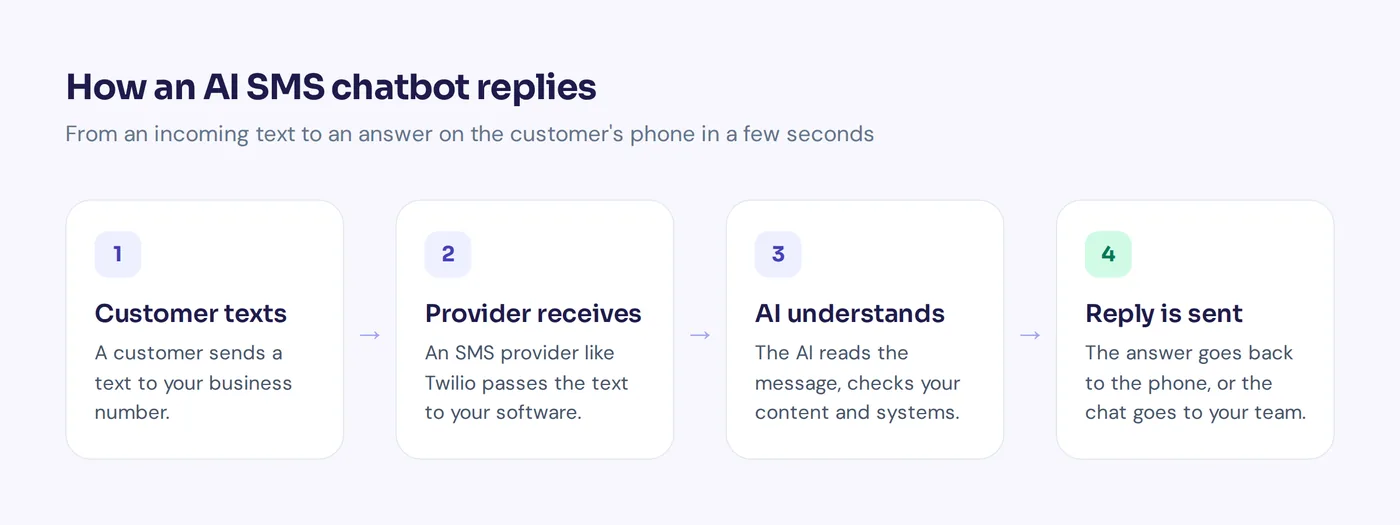
Under the hood, every setup has the same parts. Here's a short step-by-step guide to the workflow:
- The customer texts your number. Usually a normal 10-digit long code, a toll-free number or a short code.
- A provider receives it. Companies like Twilio, Vonage or MessageBird (now Bird) are the SMS provider layer. They connect your number to the carriers and pass each text to your software through an API or webhook.
- The AI reads it. Large language models (LLMs) from OpenAI, Anthropic or Google use natural language processing to work out what the person means. A prompt and your training data (FAQ, policies, prices) tell it how to answer.
- It checks your systems. Through an integration with your calendar, store or CRM, it can look up an order or book a slot.
- The response is sent back. Messages are sent through the provider to the customer's phone. The whole loop takes a few seconds, and all messages sent are logged.
Many developers build one with the ChatGPT API plus Twilio in an afternoon. Non-developers usually pick a no-code tool that hides all of this.
Rule-based SMS bots vs a conversational AI agent
Rule-based (keyword) SMS bots
These follow simple SMS flows. Text "HOURS" and you get opening hours. Reply "1" to confirm or "2" to cancel. A simple SMS menu like this is cheap, predictable and easy to get approved. But the moment someone types "hey can I bring my dog to the appointment??", it's lost.
AI-powered assistants
Conversational AI uses machine learning to understand meaning, not just keywords. It handles typos, slang, follow-up questions and other languages. The trade-off: it needs good content to learn from, and you must set limits so it doesn't make things up. A good AI assistant says "I'm not sure, let me get a person" instead of guessing.
Many teams use both: buttons for structured steps, and AI to understand open questions. For example, a salon might use a fixed menu to confirm bookings and let AI answer everything else.
Benefits and use cases of SMS automation
People read texts quickly, which makes SMS great for short, timely messages. Common ways small businesses use AI over text:
- Appointment reminders and appointment confirmations for clinics, salons, garages and tutors.
- Order updates like "shipped" and "out for delivery". If you only need to send SMS notifications, a one-way notification or alert tool may be enough.
- Customer support to automate repetitive tasks: hours, prices, returns.
- Lead capture for real estate and home services ("Text QUOTE for a price").
- Support or onboarding messages for new customers, plus a followup if they go quiet.
- Feedback and surveys after a visit.
- Two-way promos as part of a wider marketing strategy, where shoppers can reply with questions.
You can personalize each text with the customer's name or booking time, which improves the customer experience a lot. Where SMS is weak: long chats, product browsing and images. It's a text-based channel, and long replies split into several parts.
SMS chatbot examples you can copy
Swap in your own details. Keep each text short, because a standard SMS fits about 160 characters before it splits.
Reminders and rescheduling
Hi Sam, this is Bright Smile Dental. Reminder: cleaning tomorrow at 10:30 am. Reply C to confirm or R to reschedule.
No problem! Open times this week: Thu 2 pm, Fri 9 am, Fri 4 pm. Reply with the one that suits you.
Order updates
Good news, your Bloom Boutique order #4821 has shipped. Track it here: [link]. Reply HELP if anything looks wrong.
Support answers
You can return unworn items within 30 days. Want me to start a return? Reply with your order number.
Lead capture
Thanks for contacting Green Lawn Care! What size is your yard? Reply S, M or L and we'll send a quote.
Feedback
Thanks for visiting today! How did we do, from 1 to 5?
Handover to a person
I want to get this right, so I'm passing you to our team. Someone will reply here within 15 minutes during opening hours.
Opt-in confirmation
You're subscribed to Bloom Boutique texts. Up to 4 msgs/month. Msg and data rates may apply. Reply HELP for help, STOP to opt out.
Best tools to build SMS chatbots: Twilio, Botpress and more
Here are the main chatbot tools people consider. Plans change often, so check each pricing page; most offer a free trial.
- Twilio: the developer favorite. You get numbers and a messaging API, then build one yourself or plug in an AI service.
- Vonage and MessageBird (Bird): similar communication APIs with SMS via global carriers, often used for multichannel messaging.
- SimpleTexting: a business SMS marketing platform. With Zapier you can connect it to Google Sheets or a CRM like HubSpot for basic automated paths.
- Botpress: a builder for AI agents that can be deployed to SMS through a provider like Twilio.
- Intercom: a full support suite and messaging platform that includes SMS among its channels, suited to larger support teams.
If your customers are mostly on messaging apps rather than SMS, see the honest section on AnytimeReply below.
How to automate SMS support workflows with AI
- Pick one goal. Reminders, support or lead capture. Starting with everything is how bots get confusing.
- Get a number and a provider. Long code, toll-free or short code, based on volume and country.
- Register the number. In the US that means A2P 10DLC or toll-free verification (more below).
- Choose how to build. Code it yourself, or use a no-code platform.
- Customize your AI. Add your top 20 customer questions, policies and tone. Keep replies short.
- Plan the handoff. Decide when chats get routed to a person: anger, refunds, anything the AI isn't sure about.
- Test with real phones. Typos, two questions in one text, "talk to a human".
- Deploy small, then review. Read real conversations weekly and fix weak answers.
Rules and costs before you send a single message
Consent and opt-out
You need clear permission before sending marketing texts (the TCPA in the US, GDPR and PECR in the UK and EU). Replying to someone who texted you first is generally treated differently. Every program must handle STOP and HELP. This isn't legal advice, so check local rules.
Carrier registration
US businesses texting from normal numbers must register their brand and use case. Twilio's guide to A2P 10DLC explains it well. Approval can take days or weeks.
Per-message fees
You pay for every text sent and received. Some tools also let you reply via SMS and email from one place, which helps. Longer messages and emojis split into extra segments, each billed. Say you have 500 conversations a month with 6 messages each: that's 3,000 messages before long replies count double. Since AI replies run long, tell it to be brief.
SMS vs WhatsApp and other channels
SMS isn't always the best home for automated support. It depends where your customers already are.
| SMS | Messenger / Instagram | Website live chat | ||
|---|---|---|---|---|
| Needs an app | No | Yes | Yes | No, runs in the browser |
| Rich content | Text only (MMS adds images) | Images, voice notes, buttons | Images, buttons | Buttons, cards, links |
| Message cost | Per segment | Set by Meta, varies by country and type | Usually no per-message fee | No per-message fee |
| Popular in | US, Canada | Most of Asia, Europe, Latin America, Africa | Social sellers | Any site visitor |
| Setup rules | Carrier registration | Business verification | Facebook Page or pro Instagram | One line of code |
Our rule: if customers expect to text a number (common in the US), SMS makes sense. If they live on WhatsApp or Instagram, an assistant there feels more natural and the user experience is richer.
Common mistakes to avoid
- Texting people who never opted in. The fastest way to get blocked.
- Long AI replies. A 600-character answer arrives as four segments and costs four times as much.
- Guessing. An AI that invents a refund policy creates real trouble. Ground it in your own content.
- No human exit. Always offer human support. It's an answering service, not a wall.
- Ignoring other channels. Customers who text you may also message on WhatsApp or your site.
Where AnytimeReply fits: multiple channels, but no SMS
To be clear: AnytimeReply does not send or receive SMS. If SMS is a must, pick one of the tools listed above.
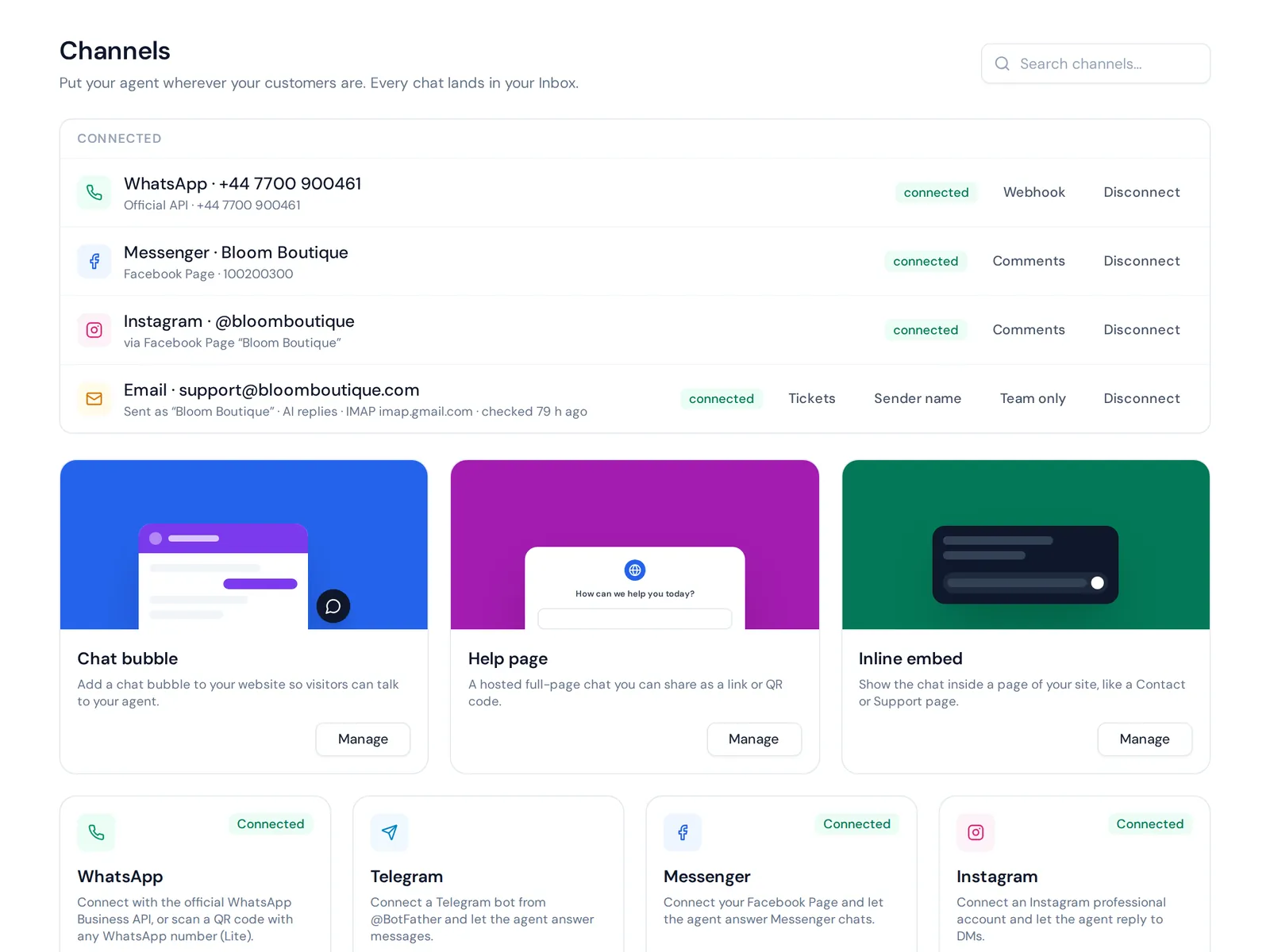
But plenty of people search for an AI chatbot for text messages when what they really want is to use AI to answer customers on their phone, on the apps those customers already use. If that's WhatsApp, Messenger, Instagram, Telegram or your website, that's what we built.
The AI agent is powered by AI models trained on your website and documents and replies in the customer's language. On WhatsApp it understands voice notes and photos, which plain SMS can't carry. When someone needs a customer service agent, the chat moves to your team in one shared inbox across multiple channels, with a summary. That's how the bot can help without trapping anyone, and it fits normal support workflows.
Website chat and the helpdesk inbox are on the Free plan. WhatsApp, Messenger, Instagram and Telegram start on Hobby. See pricing, as prices can change.
Frequently asked questions
What is a text bot?
A text bot is software that replies to text messages automatically. Simple ones follow keywords; AI chatbots understand normal sentences and can hand off to a person.
Is SMS still a thing?
Yes. It works on every phone without an app, and it's still a main channel for reminders and alerts, especially in the US. In many other countries, WhatsApp has taken over day-to-day chat.
Can ChatGPT be used as a text bot?
Not from the ChatGPT app itself. But developers can connect an OpenAI model to a messaging API, and some platforms include AI replies built in.
How much does it cost?
Expect three costs: the number, each message segment, and the software. They vary by country and provider, so estimate your monthly volume and compare pricing pages.
Can it hand conversations off to a human?
Good ones can. Set clear rules for when a chat goes to your team, and let customers ask for a person any time.
Does AnytimeReply work over SMS?
No. AnytimeReply has no SMS, phone or voice channel. It answers on website chat, WhatsApp, Messenger, Instagram, Telegram, email and Slack.
Final thoughts
An SMS assistant is a great fit when customers expect to text a number and you need short, timely replies. Get consent, register your number, keep messages short and always offer a human.
If your customers are on WhatsApp, Instagram, Messenger, Telegram or your website instead, start free with AnytimeReply. Add your website and test the AI agent. No card needed.
Published 27 October 2026 by AnytimeReply team