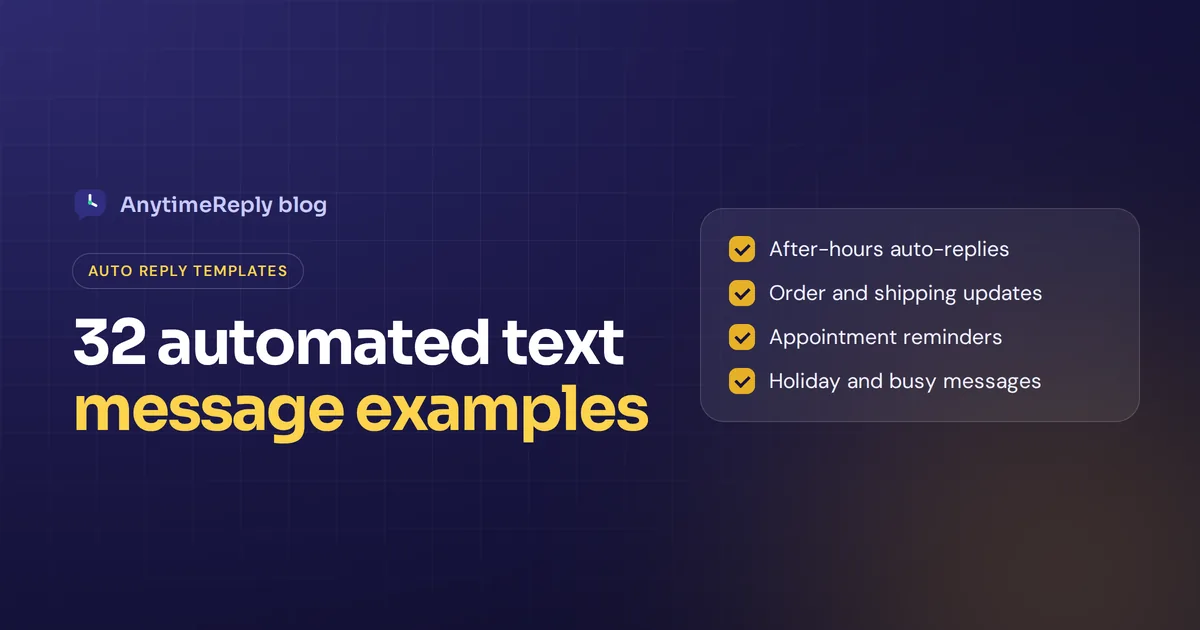
A good automated message text does one job: it tells the customer you got their message and what happens next. No essay, no fake "Hi friend!!!", just a clear, friendly reply that saves them from wondering if anyone is there.
Below you'll find 32 ready-to-copy templates, grouped by use case: after hours, busy, order updates, appointments, payments, holidays, marketing and feedback. They work as SMS auto-replies, WhatsApp away messages, Messenger and Instagram replies or website chat greetings. Change the bits in [brackets] and you're done.
We also cover how to write your own, how to automate text messages on your phone or with business tools, and the consent rules you should follow.
What is an automated text message?
An automated text message is a message your phone, app or business software sends for you, without anyone typing it at that moment. Something triggers it: a customer writes in outside of business hours, an order ships, an appointment is tomorrow or a payment is due.
There are three main types:
- Auto-replies. Sent the moment someone messages you, so customers know you received their message. Automated SMS replies are the classic example.
- Scheduled messages. Written once and sent at a set time, like a reminder the day before an appointment.
- Triggered messages. Sent by automated workflows when something happens, like a confirmation text after a booking or an abandoned cart SMS.
Some start by saying the text is automated. That line is optional, but it's honest, and it stops people replying "Hello?? Are you there?" to a robot.
Best practices for auto-reply text messages
Before the templates, here is what separates a helpful auto text from an annoying one:
- Keep it short. One to three sentences. A standard SMS is about 160 characters, and people read texts on small screens.
- Say who you are. Start with your business name. A text from an unknown number with no name looks like spam.
- Set expectations. When will a team member reply? "Within 2 hours" beats "as soon as possible".
- Give a next step. A link, a keyword to reply with, or a number for emergencies.
- Personalize messages. Use the customer's name and order number when your tool has that customer data. A little personalization goes a long way.
- Sound human. Write like you'd talk to a customer at the counter. Contractions are fine.
- Add a clear opt-out to marketing texts. "Text STOP to opt out" on anything promotional.
32 automated text message examples by use case
Copy, paste and edit. Each group covers a common situation, and each auto-reply message is short enough for one SMS.
After-hours auto-reply text message examples
The most common ones. Someone writes at 10 pm, and you want them to know you'll be back.
1. Simple after hours
Hi, thanks for contacting [Business]! We're closed right now, but you'll hear from us first thing tomorrow after [9 am].
2. With opening hours
Thanks for your text! Our team is available Mon to Fri, [9 am to 6 pm]. We'll get back to you as soon as we're back.
3. With a help center link
Hi, it's [Business]. We're offline for the night. Most answers are in our help center: [link]. Still stuck? We'll answer tomorrow morning.
4. Weekend
Thanks for reaching out! We're off for the weekend and back Monday at [9 am]. Your text is in our queue.
5. Urgent option
Hi, it's [Business]. Our team is currently unavailable. For urgent issues, call [number]. Everything else, we'll answer tomorrow.
"Busy right now" automatic replies
Good for small business owners who are on a job, with a customer or driving. Also handy for your personal phone.
6. On a job
Hi, it's [Name] from [Business]. I'm on a job and can't text back right now. I'll get back to you within [2 hours].
7. Driving
I'm driving and will see your text when I stop. If it's urgent, please call.
8. In a meeting
In a meeting until [3 pm]. I'll text you back after. Thanks for your patience!
9. High volume
Thanks, we got your message! We're busier than usual today, so we'll reply within [4 hours].
10. Missed call
Sorry we missed your call! This is [Business]. How can we help? Text us here and we'll get back to you shortly.
Order, shipping and cart reminder texts
Online shops send these the most. Customers like them, because they answer "where is my order?" before it's asked.
11. Order confirmed
Thanks for your order, [Name]! Order #[1234] is confirmed. We'll text you when it ships.
12. Shipped
Good news! Your [Business] order #[1234] is on its way. Track it here: [link]
13. Delayed
Hi [Name], sorry, order #[1234] is running a few days late. New delivery date: [date]. Text us if you have questions.
14. Delivered
Your order was delivered. We hope you love it! If anything is wrong, just reply to this text.
15. Abandoned cart
Hi [Name], you left something in your cart at [Business]. It's saved for you here: [link]
Appointment reminders and confirmation texts
Salons, clinics, tutors, repair services and consultants use these to cut no-shows.
16. Booking confirmed
Hi [Name], your appointment at [Business] is booked for [Tue, 12 Nov at 3 pm]. See you then!
17. Day-before reminder
Reminder: you have an appointment with [Business] tomorrow at [3 pm]. Reply YES to confirm or R to reschedule.
18. Same-day reminder
See you today at [3 pm], [Name]! Our address is [address]. Running late? Just text us.
19. Missed appointment
We missed you today, [Name]. No worries, book a new time here: [link]
Payment and billing texts
Keep these polite and factual. Nobody likes a threatening text.
20. Payment received
Thanks, [Name]! We received your payment of [amount]. Your receipt: [link]
21. Friendly reminder
Hi [Name], a quick reminder that invoice #[567] for [amount] is due on [date]. Pay here: [link]
22. Payment failed
Hi [Name], your payment for [plan] didn't go through. Please update your card so your service isn't paused: [link]
Holiday and out of office texts
23. Holiday closure
Happy holidays from [Business]! We're closed from [date] to [date] and will answer every message when we're back on [date].
24. Vacation (small team)
Hi! [Name] is away until [date]. For anything urgent, text [colleague] at [number].
25. Eid or festival
Eid Mubarak from all of us at [Business]! We're closed until [date]. Orders placed now ship after the holiday.
SMS marketing texts
Only send these to people who chose to subscribe to your SMS marketing.
26. Welcome after opt-in
Welcome to [Business] texts! You'll get order updates and the occasional offer. Msg frequency varies. Reply STOP to unsubscribe, HELP for help.
27. Promo with a code
[Business]: Our new [collection] just dropped. Use code [SAVE10] for 10% off until Sunday: [link]. Text STOP to opt out.
28. Back in stock
Good news, [Name]! The [product] you wanted is back in stock: [link]
Lead, feedback and follow-up texts
29. First reply to a new lead
Hi, thanks for your interest in [Business]! We got your message and will reply within [1 hour]. What can we help you with?
30. Review request
Thanks for choosing [Business], [Name]! Got 30 seconds? A quick review helps us a lot: [link]
31. Quiet customer follow-up
Hi [Name], just checking in. Did you get what you needed? Text us if we can help with anything else.
32. Replies go to a person
Hi from [Business]. Replies to this number are read by our support team during business hours, [9 am to 6 pm].
How to write your own automatic text (with personalization)
If none of the templates fit, build your own with this simple formula:
- Who: your business name (and your name if you're a small team).
- What: thank them, or tell them what happened (order shipped, booking confirmed).
- When: when a person will answer, or when the next step happens.
- Next step: a link, a keyword to text back, or an urgent number.
- Way out: on marketing texts only, a STOP option.
Then read it out loud. If it sounds like a legal notice, rewrite it the way you'd say it in your shop.
A small example. Instead of "Your inquiry has been received and will be processed within 24-48 business hours," try "Thanks! We got your text and will answer by tomorrow afternoon." Same information, much friendlier. That small change helps customer satisfaction more than you'd think.
How to automate text messages: SMS apps and automated texting software
Where you set up your automation depends on who it's for. To automate text messages for business, you'll want a proper tool; for your own phone, built-in settings are enough.
| Where | Good for | How it works |
|---|---|---|
| iPhone Focus / Driving mode | Personal "busy" replies | Focus modes can reply automatically to people who text you while it's on |
| Android messaging apps | Personal replies | Depends on your phone and app; some support auto-replies while driving |
| WhatsApp Business app | Small shops on WhatsApp | Built-in greeting and away messages, plus quick replies |
| Automated texting software | Reminders, order texts, SMS marketing campaigns | Automated SMS: scheduled and triggered texts from your booking or shop system |
| AI agent for messaging and chat | Answering real questions on WhatsApp, Messenger, Instagram and website chat | The AI reads each message and replies with an actual answer |
For business text messaging, most automated text message services let you build simple workflows: "when a booking is made, send a confirmation; one day before, send a reminder". Bigger platforms add drip campaigns, recurring automated marketing, SMS replies by keyword and messages sent based on customer behavior. Many offer free trials, so test a few before you commit.
Look for built-in compliance (opt-in tracking, STOP handling), ready message templates, a shared inbox to manage customer conversations and real-time analytics. Check every automated flow every few months, because prices, hours and policies change. Automated text messages for business work best when they still sound like your brand.
Is there a free app that will automatically send texts? Some phones can schedule texts or answer messages automatically while driving, and there are free autoresponders for Android. For a business, a proper SMS automation platform is usually worth paying for, because it handles consent and delivery.
Can you legally send automated texts? Consent and opt-out
Texting automation comes with rules, and they vary by country. In the US, for example, marketing texts generally need the customer's prior written consent, and you should honor STOP requests right away. Many other countries have similar rules. We're not lawyers, so check what applies where your customers live.
A few safe habits everywhere:
- Only text people who gave you their number and agreed to hear from you.
- Keep transactional texts (order updates, reminders) separate from your marketing list.
- Include an opt-out on marketing messages, and actually stop.
- Don't send at night. A 2 am sale text won't win you fans.
- Keep the frequency reasonable. A few relevant SMS messages beat daily noise, and messages to customers should always be useful.
How to turn off automated text messages
On the receiving end? Most business texts let you reply STOP to unsubscribe. On your own phone, turn off the Focus or driving mode reply in settings, or disable the app you installed. In a business tool, pause the automation or workflow that sends the message.
When a canned reply isn't enough
Here is the honest limit of every template above: most of them only tell the customer to wait. If someone asks "Do you ship to Canada?" at 11 pm, "We'll get back to you tomorrow" is polite, but they still don't have an answer. Plenty of them will buy somewhere else.
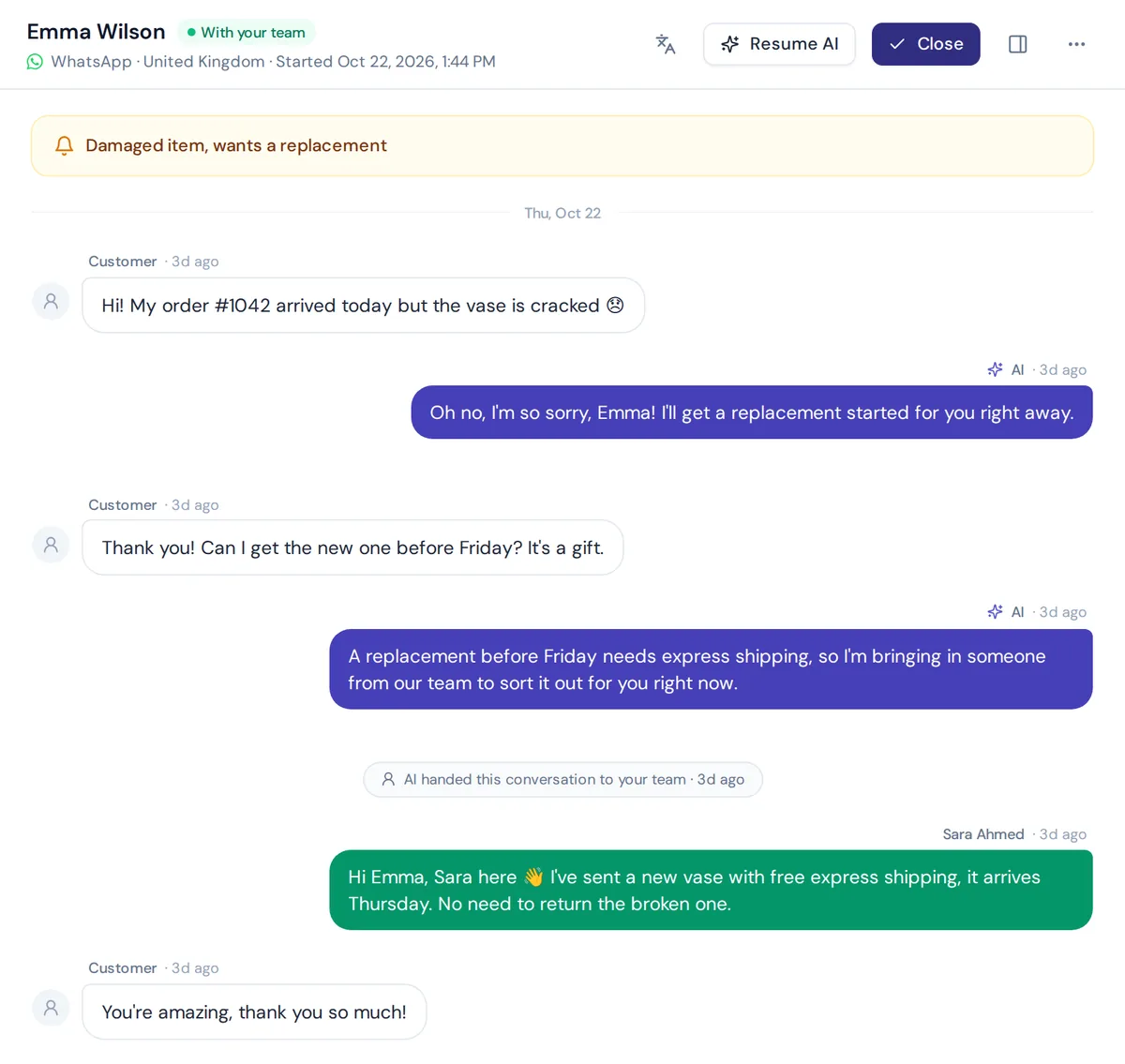
That's where an AI agent fits. Instead of a fixed message, it reads the question and answers it from your website, policies and product info, right away. When it can't help, it says so and passes the conversation to your customer support team. Automated responses that actually answer engage customers better and improve the customer experience. That kind of customer engagement is also good for your team's sanity.
How AnytimeReply automates replies on WhatsApp, Messenger, Instagram and chat
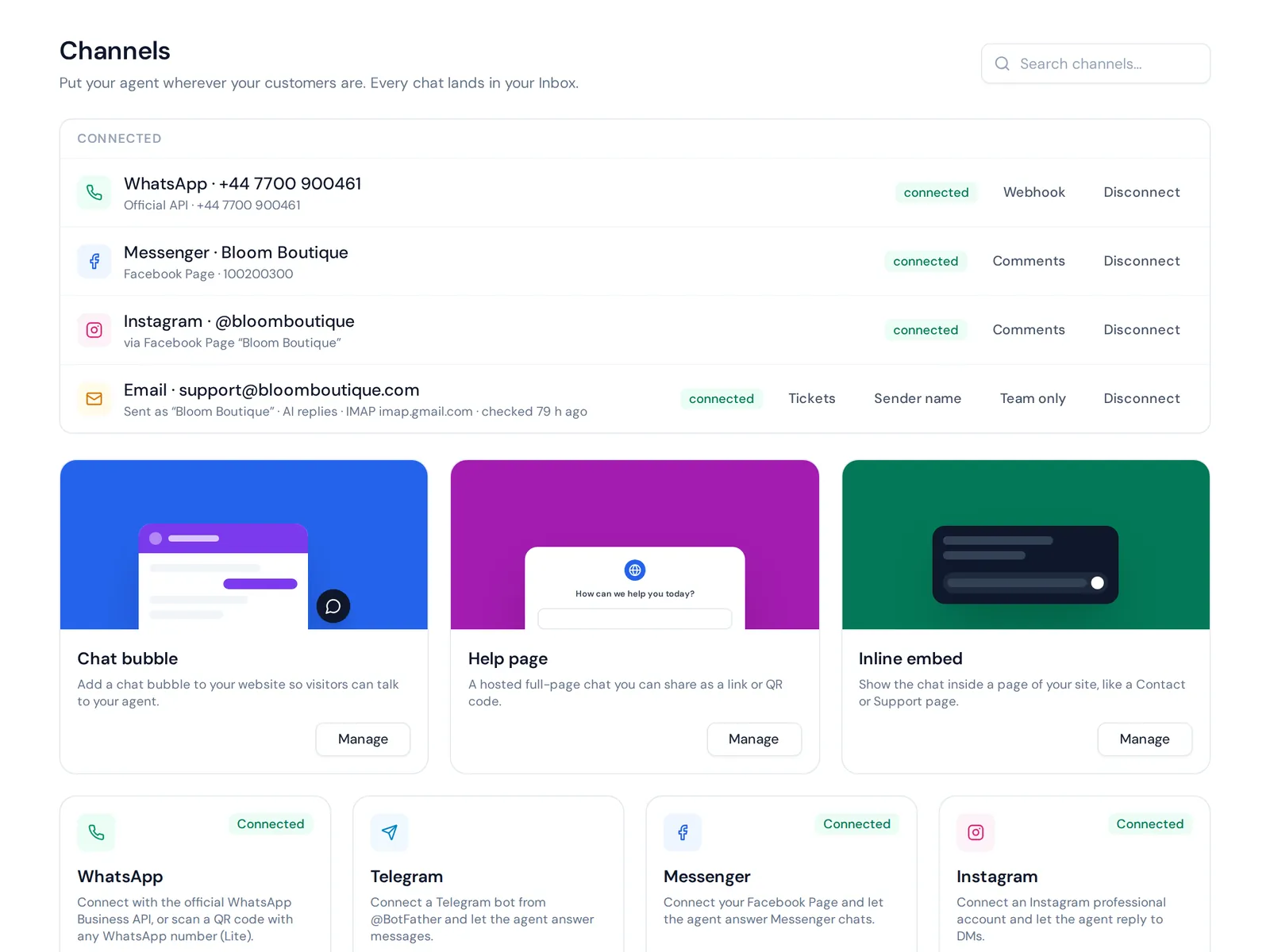
A quick, honest note first: AnytimeReply doesn't send SMS. It works on WhatsApp, Messenger, Instagram, Telegram, email and your website chat. If your customers mostly message you there, here is what it does:
- Answers instead of "please wait". The AI agent is trained on your website and documents and replies in seconds, day and night, in the customer's language.
- Hands over to a person. When a customer asks for a human, gets upset or the AI isn't sure, the chat goes to your shared inbox with a summary.
- Follows up once. It can send one follow-up to quiet customers, and reply to Facebook and Instagram comments.
- WhatsApp broadcasts with opt-out. Send updates at a safe pace with daily limits and STOP handling.
Website chat is on the free plan. WhatsApp, Messenger and Instagram start on the Hobby plan, see pricing.
Frequently asked questions
Can I make an automated text message?
Yes. On a phone, use Focus or driving mode, or an autoresponder app. For a business, use an automated texting service connected to your booking or shop system. On WhatsApp, the Business app has away and greeting messages built in.
What should an automated text say?
Your business name, a thank you, when a person will answer and a next step like a link or urgent number. Keep it to one to three sentences.
Should I write "This is an automated message"?
It's not required, but it's a good idea when people might think a person is typing. It helps customers know what to expect and prevents confused replies.
How long should an automated text be?
Aim for under 160 characters, which fits in one standard SMS. On WhatsApp and Messenger you have more room, but short still works best.
Can I personalize automated replies without sounding robotic?
Yes. Use the customer's name, mention what they bought or booked, and write in your normal voice. Avoid stiff phrases like "your inquiry has been received".
How much does an SMS message service cost?
It varies a lot by provider, volume and country, since many charge per message. Check each provider's pricing page and use free trials to compare.
Copy a template, then make it answer
Pick the templates that match your situations, swap in your details and set them up today. Your customers will stop wondering if anyone is there.
And if you'd rather have an AI that answers the question on WhatsApp, Messenger, Instagram or your website, start free with AnytimeReply. No card needed.
Published 27 October 2026 by AnytimeReply team