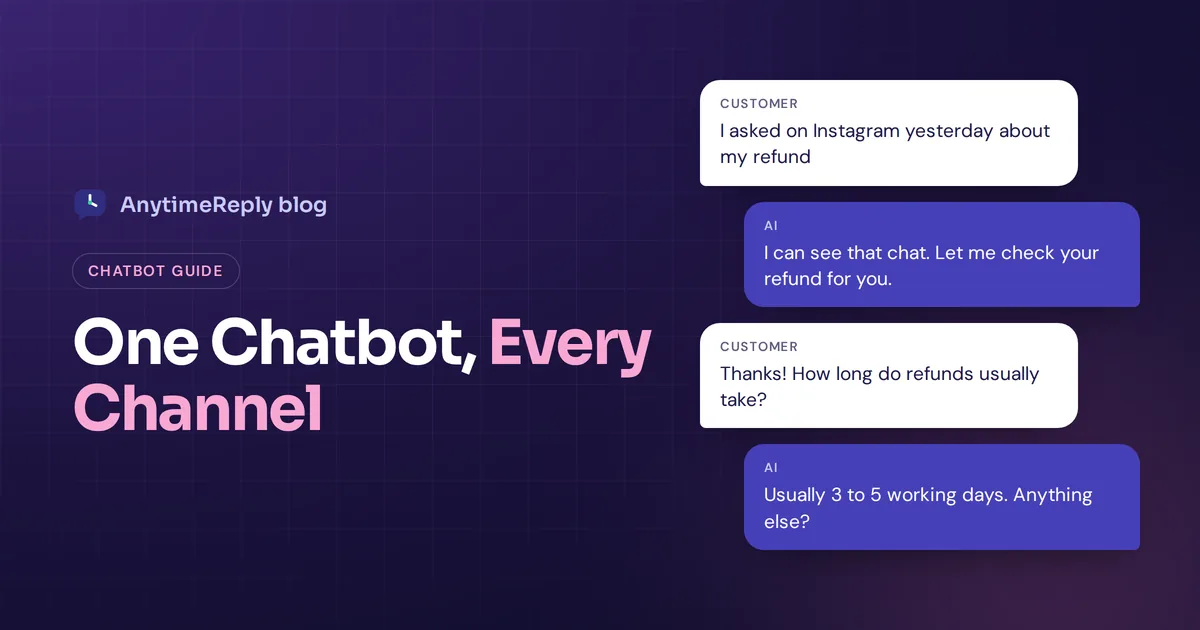
A customer asks about a refund on Instagram on Monday. On Tuesday they email the same question. On Wednesday they open the widget on your website and type it again, a little angrier this time. Three channels, three conversations, and nobody on your side knows it is the same person.
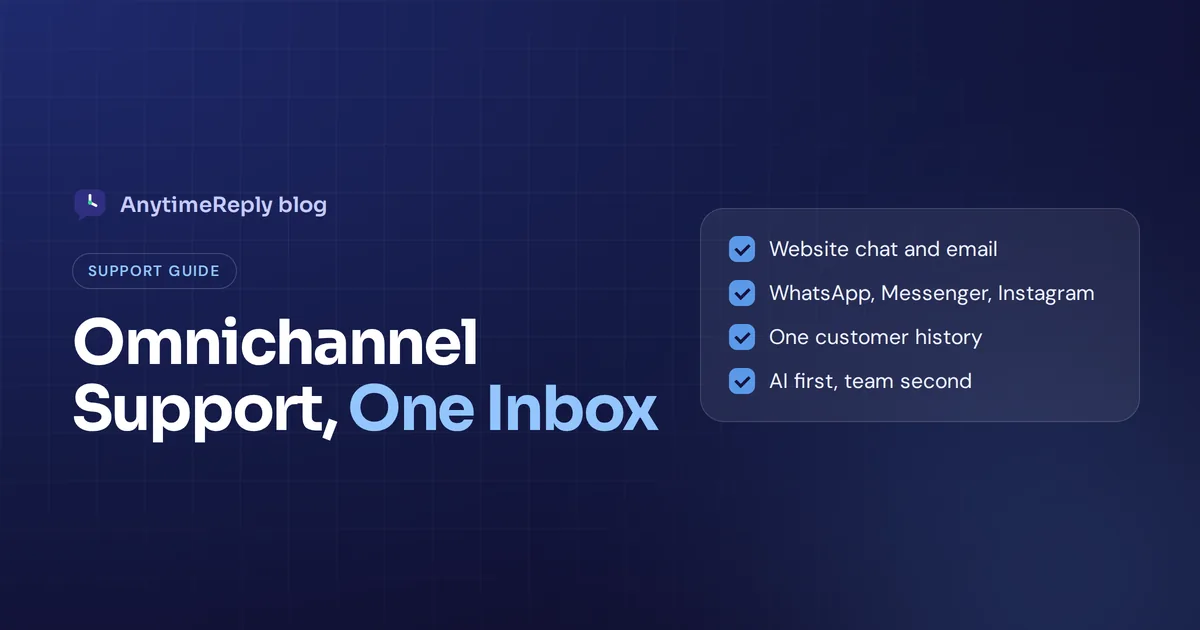
An omnichannel chatbot fixes that. It is one AI assistant that answers customers on your website, WhatsApp, Messenger, Instagram, email and other channels, using the same knowledge and the same customer history everywhere. The customer gets one consistent answer. Your team gets one inbox instead of five apps.
In this guide we explain what these bots are, how they differ from multichannel tools, what they can and can't do, the features worth paying for, and a simple way to set one up without breaking your support.
What is an omnichannel chatbot?
It is an AI chatbot that works across all the places your customers talk to you, while acting like one brain. You train it once on your business information, then it answers on every connected channel in the same voice, with the same facts.
The important word is connected. A truly omnichannel setup links conversations to the customer, not to the channel. If someone starts on WhatsApp and later writes by email, your team sees the earlier conversation history and picks up where it left off. That is what people mean by a unified customer view, or a 360-degree view of the customer.
Most of these bots now use generative AI and natural language processing. Customers type the way they talk, in their own language, and the bot understands the question instead of forcing them through a menu of buttons.
The goal of omnichannel support is simple: lower customer effort. The customer shouldn't have to repeat themselves, pick the "right" channel or wait until Monday.
Omnichannel and multichannel chatbots: what is the difference?
People mix these up all the time, and vendors don't help. Here is the plain difference.
A multichannel bot is present on multiple communication channels, but each one works on its own. You might have one bot on your website, a different auto-reply on Facebook and a separate tool for DMs. They don't share history, and often they don't even share the same answers.
An omnichannel bot connects those channels into one platform. Same knowledge, same rules, one shared inbox and a single customer profile.
| Multichannel bot | Omnichannel bot | |
|---|---|---|
| Channels | Several, each set up separately | Several, managed from one place |
| Knowledge | Often different per channel | One knowledge base for every channel |
| Customer record | Split by channel | Linked to the customer |
| Team inbox | A different app per channel | One shared inbox |
| Handover to a live agent | Agent often starts from zero | Agent sees the full conversation and a summary |
| Updating answers | Fix it in every tool | Fix it once, every channel learns |
If you only use one channel today, don't worry about this yet. The moment you add a second one, the difference starts to matter.
How do omnichannel chatbots work?
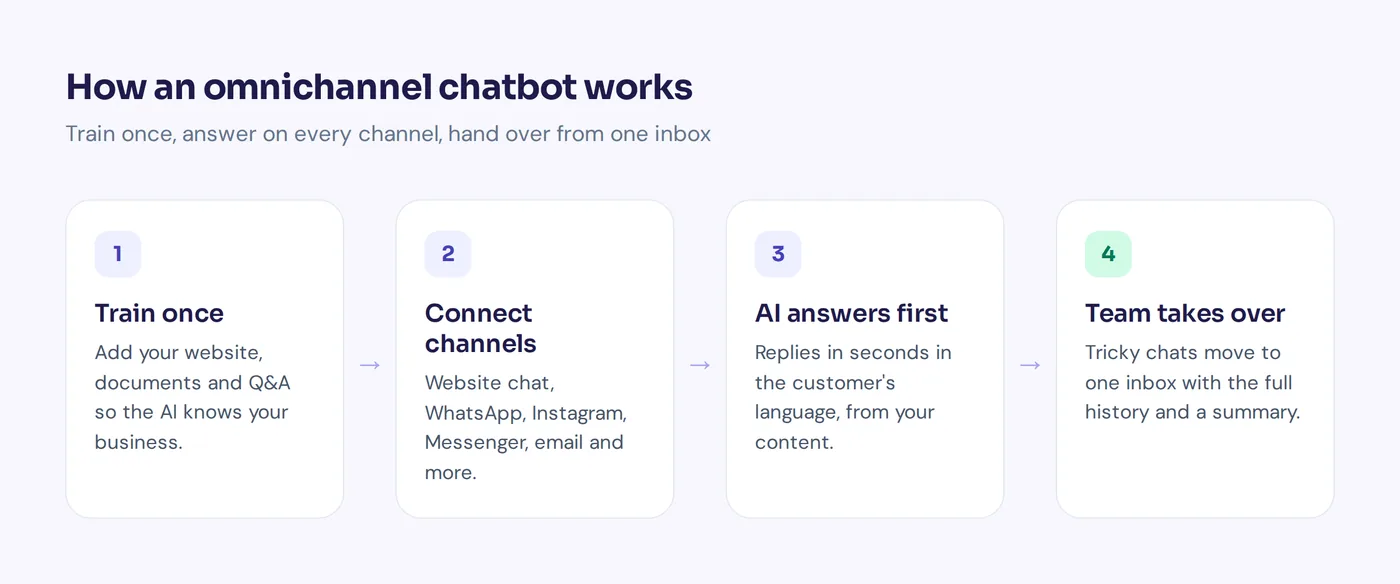
Under the hood, most chatbot solutions follow the same simple pattern:
- You train it once. You add your website, help articles, product pages, PDFs and policies. The AI learns from that content.
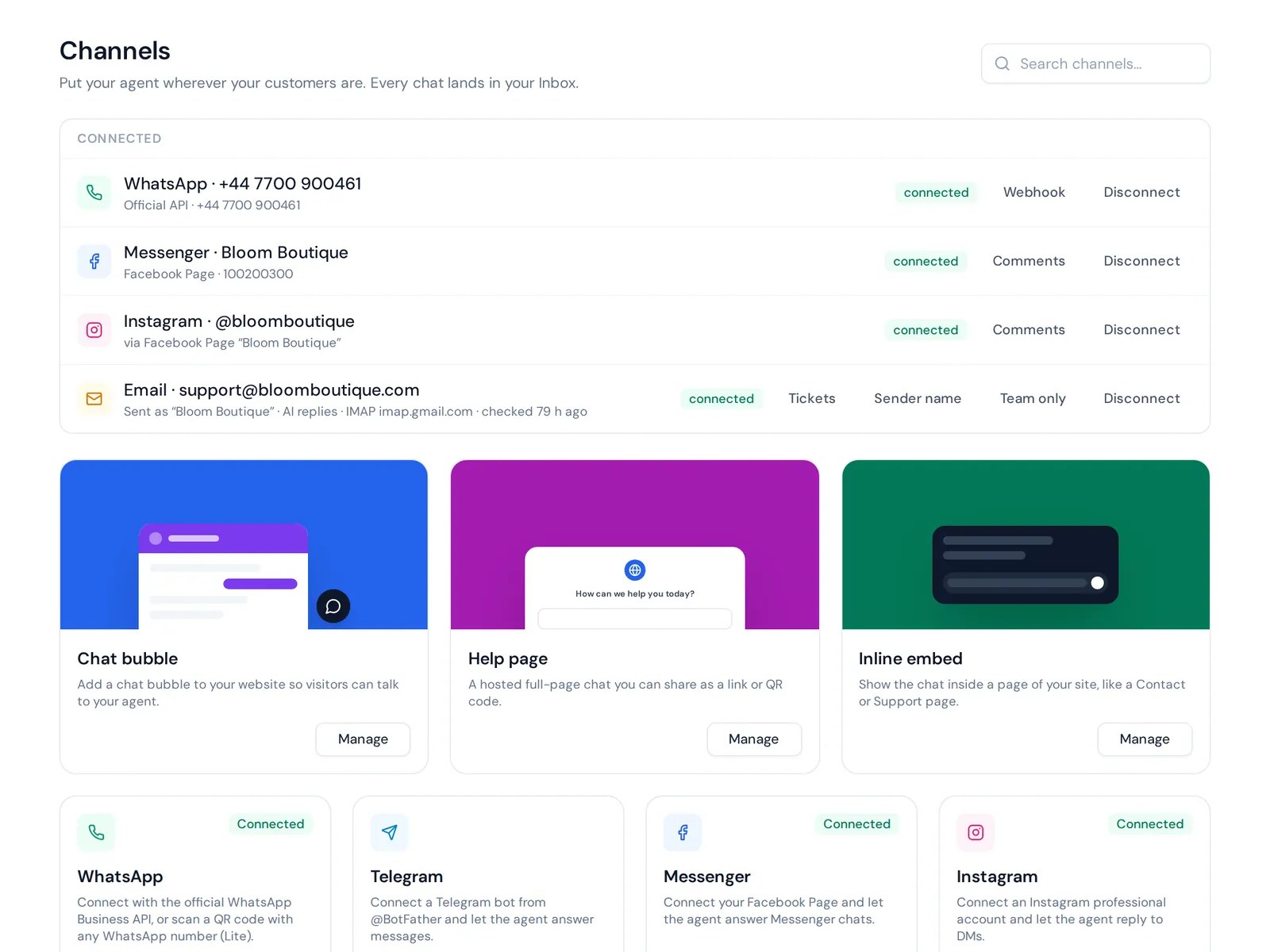
- You integrate your channels. Website, WhatsApp, Instagram, email, Slack and so on.
- Customers write on any channel. Every message lands in the same system and is linked to the customer's profile.
- The AI answers first. It replies in seconds, in the customer's language, from your content.
- A person takes over when needed. If the customer asks for a human, gets upset or the AI isn't sure, the conversation moves to your team with the history attached.
Think of it as two layers that make omnichannel customer support work. The AI layer answers. The helpdesk layer is where your team can unify customer messages, track customer issues and manage customer interactions across every channel.
WhatsApp, website, email: which messaging apps should you cover?
"Omnichannel" doesn't mean you must be everywhere. It means the channels you do use are joined up. Start with where your customers already write to you.
- Website. The classic chat widget. Great for pre-sale questions and order tracking.
- WhatsApp. Huge in many countries for shopping and service. Customers expect quick replies, often with voice notes and photos.
- Facebook Messenger and Instagram. Where social sellers get most questions, including comments under posts.
- Email. Still the default for longer issues, invoices and complaints.
- Telegram, Slack and Discord. Useful for communities, internal help desks and some software products.
- Phone and SMS. Some contact center platforms include voice bots. Many bot tools, including ours, don't cover calls or SMS, so check this if phone support matters to you.
A small online shop might only need its website and two chat apps. A software company might pick website, email and Slack. Both count as an omnichannel approach, as long as it all comes together in one place.
Benefits of omnichannel chatbots for customer experience
Here are the main benefits of an omnichannel setup, for your customers and for your team.
Consistent service on every channel
Nothing hurts trust faster than two different answers to the same question. When every channel uses the same knowledge, your return policy is the return policy, whether someone asks on Instagram or by email.
Replies in seconds, day and night
The bot doesn't sleep, and every interaction gets the same care. The 11 pm message about shipping costs gets an answer right away, not at 9 am the next day when the customer has already bought somewhere else. Meeting customer expectations for speed is a big part of customer satisfaction.
Lower customer support costs
Your support agents stop switching between five apps and answering "where is my order?" for the hundredth time. The bot handles repeat questions, so a small team can keep up without hiring for every new channel.
Better handovers to a customer service agent
When a conversation goes to a human, the agent can access customer details and the history of every customer interaction, across channels. No "can you explain the problem again?" That makes each customer conversation feel personal.
Customer data in one place
Because all customer interactions sit in one system, you see what people ask about most, which channel is busiest and which questions the AI couldn't answer. That customer data helps you improve your content, your products and your customer care.
Better customer retention
Customers who get quick, consistent help tend to come back. Fewer dropped questions also means fewer lost sales. A good omnichannel experience is less about fancy tech and more about never leaving someone hanging.
Key features of omnichannel customer service platforms
Use this checklist when you compare tools. The best omnichannel tool for you is the one that covers your real needs, not the one with the longest feature list.
- The channels you need today and next year. Check they are native connections, not a workaround.
- One knowledge base for all channels. Website crawl, files, help articles and written Q&A, so you fix an answer once.
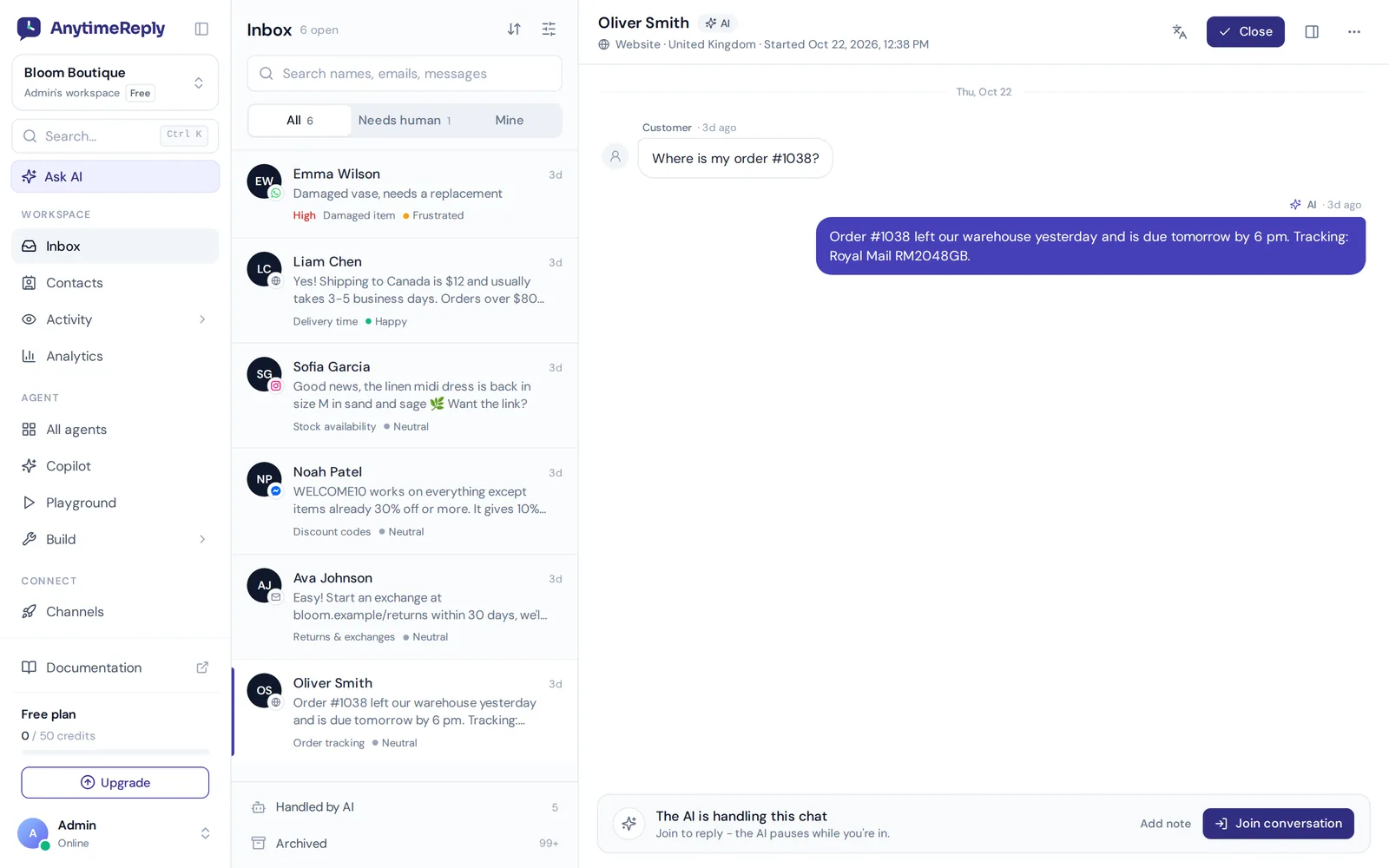
- A shared team inbox. With assignment, internal notes, tags and views like "needs human". This is the support platform side of the tool.
- Clear human handover. Rules for when the customer asks for a person, gets upset or the AI isn't confident. The agent should get a summary.
- Multilingual replies. The bot should answer in the customer's language without a separate bot per language.
- Customer profiles. Contacts that collect history and details across channels into one shared customer record.
- Actions, not just answers. Checking an order, booking a meeting or updating a subscription, safely and only for verified customers.
- Analytics. Topics, sentiment, channel volume and the questions the bot couldn't answer.
- Testing and guardrails. A way to test changes before customers see them, spam protection and spending limits.
- A no-code chatbot builder. Visual flows for things like lead capture, so you don't need a developer for every change.
- Fair pricing. Watch for per-seat fees, setup costs and how AI replies are counted.
Use cases: how an omnichannel chatbot helps real businesses
Here are realistic examples of how businesses use these bots. The details are made up, but the patterns are common.
Online store
A fashion shop gets order questions on Instagram, WhatsApp and its website. The bot answers sizing and shipping questions, checks order status for verified customers and sends returns to the team. One inbox shows it all, tagged by topic.
Facebook and Instagram seller
A seller who does most business through comments and DMs uses the bot to reply to "price?" comments and continue in private messages, with the same answers on every app.
Software company
A SaaS team runs AI on its website and help center and connects the support mailbox. Billing and setup questions get answered automatically. Bugs and account issues become tickets. Sales and customer support share the same inbox, so a trial user's pre-sale questions are visible to customer success later.
Service business
A clinic, salon or agency uses the bot to answer pricing and opening hours questions, then books appointments through a calendar tool. Rescheduling and complaints go to a person.
Building an omnichannel chatbot in 7 steps
- List your communication channels and volume. Write down where customers message you and roughly how many conversations each channel gets a week.
- Collect your top 20 questions. Look through old messages and emails. These are the customer needs your bot must handle perfectly.
- Clean up your content. Update shipping, returns, pricing and contact pages. Write short Q&A answers for anything tricky.
- Train the AI and test it. Add your website and documents, then ask it your top 20 questions. Fix weak answers before launch.
- Start with one or two channels. Usually your website plus your busiest messaging app. Read every conversation in the first week.
- Set your handover rules. Decide when the AI must pass to a person, and who on the team gets it.
- Add the next channel. Once answers are solid, connect email, Instagram or the rest. The bot already knows your business, so each new channel is quick.
Best practices for a successful omnichannel customer service strategy
- Start with a chatbot on one channel, not a full chatbot rollout everywhere. Prove the answers are good, then expand.
- Make the human exit easy. "Talk to a person" should always work. Hiding it makes customers angry fast.
- Match the channel's tone. Short and friendly in chat apps, a bit more complete by email.
- Keep one source of truth. Update the knowledge base, not individual replies.
- Review unanswered questions weekly. Each one is a missing answer you can add in a minute.
- Measure what matters. Resolution, ratings and how often customers ask for a human, per channel.
Strong omnichannel strategies are mostly boring habits done every week. Companies with strong omnichannel engagement rarely got there with one big launch.
Where omnichannel chatbots fall short
We build this kind of software, so it is fair to be honest about the limits.
- It is only as good as your content. An outdated shipping page means the bot repeats old information on every channel at once.
- Channels have their own rules. WhatsApp, for example, limits when businesses can message customers first. Your bot has to follow them.
- Identity is tricky. Linking the same person across a messaging app and email isn't automatic without a way to match them, like a verified login or an email address.
- Emotions still need humans. An AI can be polite. It can't truly calm someone whose wedding dress arrived torn. A complex customer problem needs a person.
- Too many channels too fast. Turning on eight channels before your answers are good just spreads mistakes faster.
How AnytimeReply helps with omnichannel support
This is the part where we talk about our own product, briefly. AnytimeReply is an AI customer support agent with a built-in helpdesk, made for exactly this kind of setup.
- Channels: website, WhatsApp, Messenger, Instagram, Telegram, email, Slack and Discord, plus an API. See the WhatsApp channel page for one example.
- One knowledge base: train it on your website, PDFs, Word files, Notion pages, Shopify products and your own Q&A, which always wins over other sources.
- One inbox with live chat: the helpdesk brings customer support across all channels into one shared inbox with assignment, notes, views and triggers. The AI answers first and hands over with a summary when a person is needed.
- Customer's language: it replies in the language the customer writes in, including Bangla, Banglish, Hindi and Hinglish.
- Honest when unsure: answers come with a confidence score, and when it doesn't know, it says so instead of guessing.
The honest limits: there is no phone or SMS channel, and no native mobile app SDKs. The Free plan covers website live chat, the helpdesk inbox and help center. WhatsApp, Messenger, Instagram, Telegram, email and Slack start on the Hobby plan at $9 a month. Prices can change, so check the pricing page.
The future of omnichannel chatbots
The future of omnichannel support is less about adding channels and more about doing things. Bots are moving from answering questions to taking safe actions: changing a delivery address, pausing a subscription, booking a call. Each step still needs clear limits and human approval for the risky stuff.
Expect better memory across channels too, so the customer journey feels like one long conversation, and a smoother omnichannel customer experience overall.
Frequently asked questions
Can I build an omnichannel chatbot without coding?
Yes, with most modern platforms. You add your content, connect channels and set rules in a dashboard. Coding is only needed for custom integrations.
How much does an omnichannel chatbot cost?
It ranges from free plans to enterprise contracts. Many tools charge per AI reply or per seat. With AnytimeReply, the Free plan has 50 credits a month and paid plans start at $9. Always check what counts as a reply and whether extra channels cost more.
What is the difference between omnichannel and multichannel?
Multichannel means you are present on several channels, but each works separately. Omnichannel means those channels are connected, so the conversation and the customer's history follow them from one channel to the next.
Can I use generative AI in an omnichannel bot?
Yes. Most modern bots use large language models trained on your own content, so answers sound natural while staying grounded in your information.
Do omnichannel chatbots replace human agents?
No. They take over repeat questions so agents can focus on complaints, refunds, sales and anything sensitive. The best setups use AI first and a person when it matters.
Is an omnichannel bot right for a small business?
Usually, yes. Small shops and solo founders often benefit most, because nobody can watch five apps all day. Start small and grow.
Start with one channel, grow to all of them
You don't need to launch everywhere at once. Using an omnichannel setup works best when you start with the channel where customers write most, get the answers right, then connect the rest.
Want to try it? Start free with AnytimeReply, no card needed, train your AI agent on your website and see how it answers.
Published 6 November 2026 by AnytimeReply team