ManyChat is the tool most people try first for Instagram automation. Someone comments "LINK" on a post, they get a DM with the link. It works, and for creators and small brands it's often a great start.
But plenty of people go looking for ManyChat alternatives after a few months. Maybe the bill grew with your contact list. Maybe you need real customer support, not just funnels. Maybe you want AI replies that actually answer questions from your website, or one place where your team can take over chats on every channel.
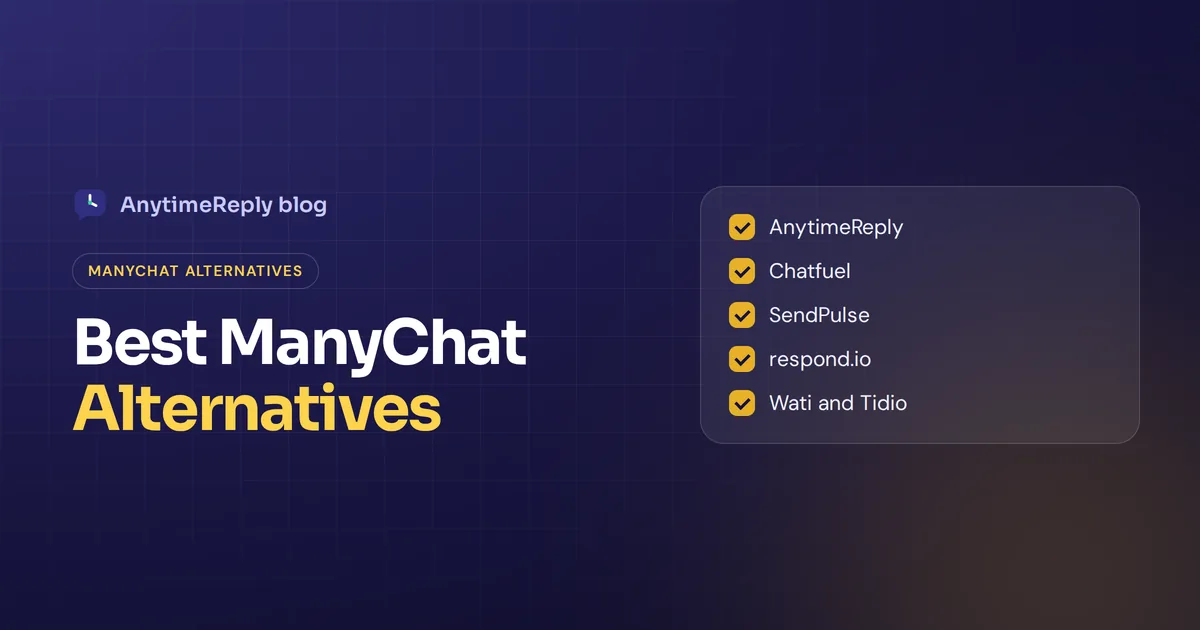
Below we compare the best alternatives to ManyChat for Instagram automation in 2026, from AI tools to flow builders. You'll see what each is good at, where each falls short and how to pick. We make one of these tools (AnytimeReply), so we'll flag that and be honest about where it fits and where it doesn't.
Why people start looking for a ManyChat alternative
ManyChat is strong at what it was built for: comment-to-DM campaigns, keyword triggers, funnel building and lead generation across Instagram and Messenger. People usually look elsewhere for one of these reasons:
- Cost as you grow. ManyChat's pricing model is based on active contacts, so costs rise with your audience. It's worth comparing other models.
- Support, not just marketing. Order questions, refunds and complaints need assignment, notes and handoff to a person.
- Smarter answers. Some businesses want a bot trained on their whole website and documents, not mostly flow-based replies.
- More messaging channels. You may need website chat, email or Slack alongside Messenger and Instagram, so you can handle conversations across multiple channels in one place.
- Flow fatigue. A big workflow with dozens of branches gets hard to maintain. Every new question means a new branch.
- One-channel thinking. ManyChat is mainly a DM automation tool. Some teams want social messaging and support in one place.
- Languages. If customers write in mixed languages, rigid keyword triggers miss a lot.
None of this means the tool is bad. Your needs changed. The right ManyChat alternative depends on which of these reasons is yours.
ManyChat pricing and platforms in 2026
Before switching, know the starting point. According to the ManyChat pricing page (checked October 2026):
- Free: up to 25 active contacts a month, up to 4 active automations, 1 user and "Powered by Manychat" branding. Instagram, Messenger, Telegram and TikTok are available (up to 2 channels).
- Pro: from $29 a month with 2,500 active contacts, then extra per contact. Adds WhatsApp, SMS and email, plus the AI features.
- Higher tiers include all channels and more users.
So yes, ManyChat has a free plan, but it's small, and AI sits on paid plans. Prices change, so check the page yourself before deciding.
Top ManyChat alternatives at a glance: features vs ManyChat
| Tool | Best for | Main channels | Strength |
|---|---|---|---|
| AnytimeReply | AI customer support and sales in DMs and on your site | Instagram, Facebook, WhatsApp, website, Telegram, email, Slack | AI trained on your site, shared inbox, human handoff |
| Chatfuel | No-code social chatbots | Instagram and Facebook, WhatsApp | Familiar visual flow builder |
| SendPulse | Email plus chatbots in one tool | Email, Instagram, Facebook, Telegram and more | Broad marketing suite |
| respond.io | Teams with high message volume | Most major messaging apps | Unified inbox across WhatsApp and social apps |
| Wati | WhatsApp-first businesses | Mainly WhatsApp | Broadcasts and team inbox |
| Tidio | Small stores focused on website chat | Website, social, email | Easy live chat with AI |
| Botpress | Technical teams building custom bots | Web, social and messaging apps | Flexible, developer-friendly |
| Landbot | Conversational forms | Website, WhatsApp | Polished no-code builder |
The best ManyChat alternatives for 2026
1. AnytimeReply
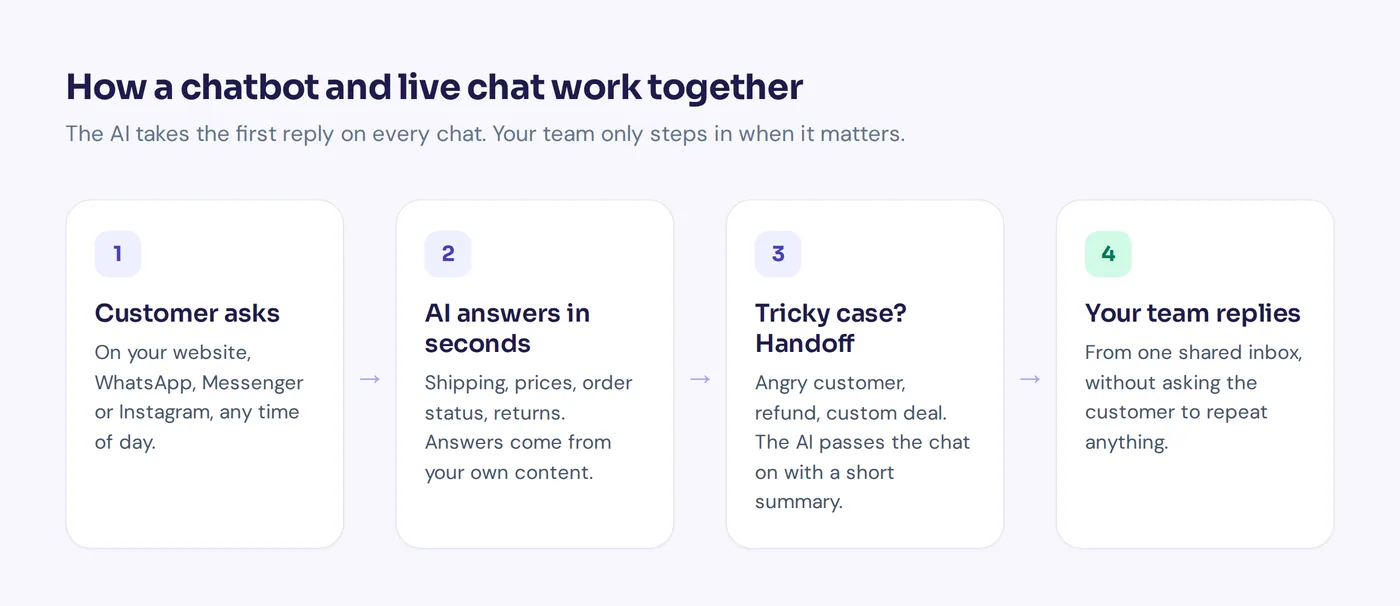
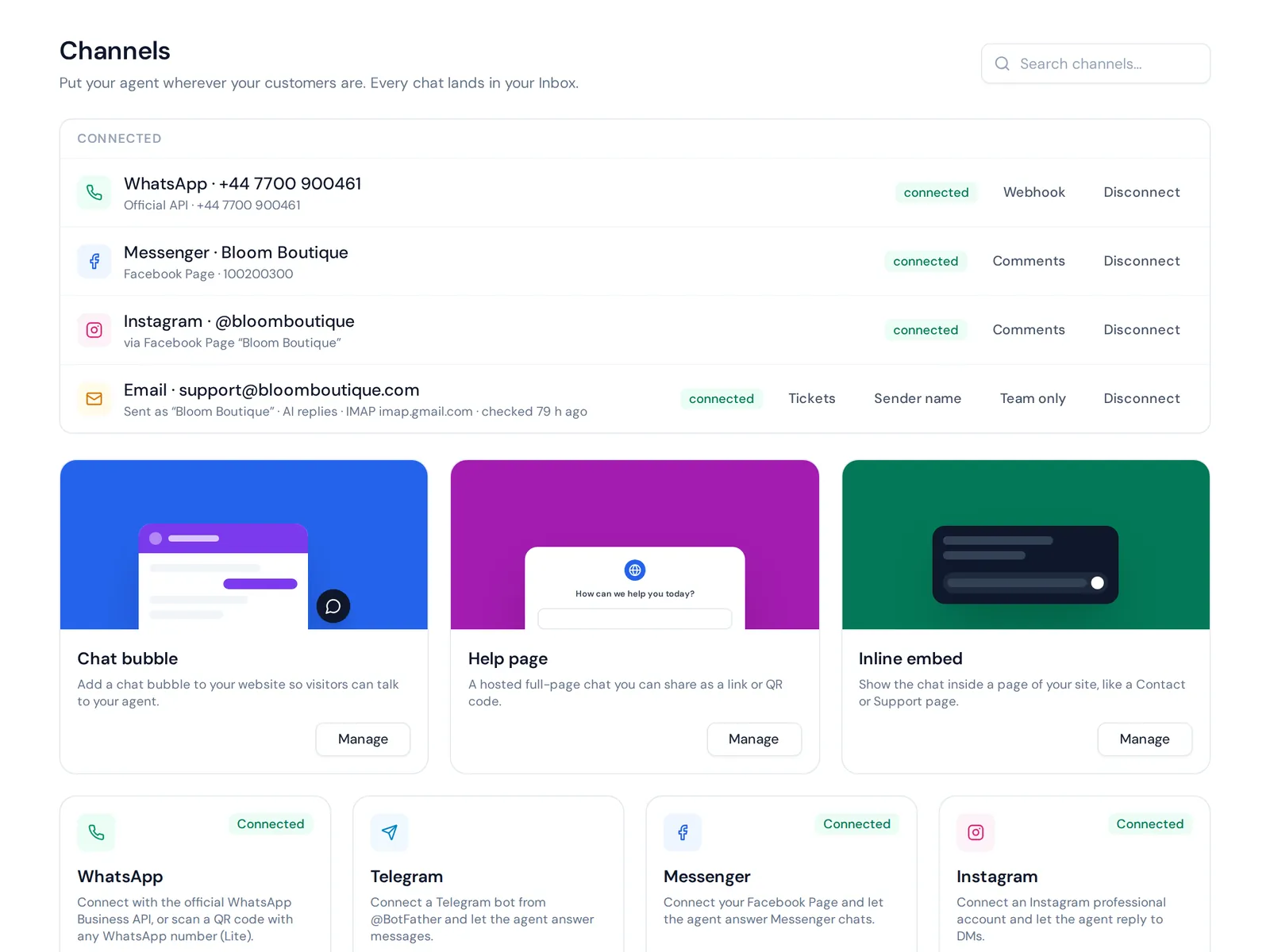
Yes, this is ours. AnytimeReply is an AI customer support and sales agent with a built-in helpdesk. You add your website, documents and Notion pages, and it answers customers on Instagram, Messenger, WhatsApp, Telegram, email and your website, in the customer's language.
- Answers open questions from your own content, so you don't need a flow branch for every question. When it doesn't know, it says so and hands over.
- Instagram auto replies in DMs, plus public and private replies to comments for professional accounts. See the Instagram channel page.
- One place where your team can join any chat. The AI pauses while a person is in, and hands over with a summary.
- A visual flow builder with buttons, questions, conditions and lead capture. Flow steps use no AI credits.
- Actions for verified customers, like checking a Shopify or WooCommerce order, on paid plans.
Where it falls short: it isn't a full social growth suite. There's no TikTok and no SMS channel, and outbound is simpler (broadcasts, one follow-up to quiet customers, proactive website messages) rather than long drip sequences. Instagram and the other social channels start on the Hobby plan ($9 a month). See pricing.
Best for: online shops, Facebook and Instagram sellers and service businesses that get lots of customer questions in DMs.

2. Chatfuel
Chatfuel is one of the older chatbot builders for Facebook, and it also covers Instagram and WhatsApp. Its block-based builder will feel familiar if you come from ManyChat, and it has added AI features over time.
Good for: people who like that style but want an alternative to compare on price or features. Watch out for: it's still mostly flow-based, so you'll be building and maintaining branches. Check their pricing page for current plans.
3. SendPulse
SendPulse started as an email marketing service and grew into a broader automation platform with chatbots for Instagram, Facebook, WhatsApp and Telegram. If you run newsletters and social DMs, having both in one account is handy.
Good for: marketers who want email, bots and landing pages together. Watch out for: it's wide rather than deep, so support features are lighter than in a dedicated helpdesk.
4. respond.io
respond.io is a conversation management platform built around messaging apps. It brings conversations across multiple channels into one place and adds workflows, assignment and reporting.
Good for: sales and support teams with many agents. Watch out for: more setup than a solo creator needs.
5. Wati
Wati focuses on the WhatsApp Business API: team inbox, broadcasts, templates and bots. If nearly all your customers are on WhatsApp, a WhatsApp-first tool keeps things simple.
Good for: businesses in WhatsApp-heavy markets. Watch out for: if Instagram is your main channel, it may feel limited.
6. Tidio
Tidio is best known as website live chat for small online stores, with an AI agent called Lyro. It also connects social channels and email.
Good for: stores whose main channel is the website. Watch out for: it isn't built around comment-to-DM growth campaigns. We wrote a detailed AnytimeReply vs Tidio comparison if you're weighing the two.
7. Botpress
Botpress is a chatbot platform popular with developers. It gives you a lot of control over logic, integration options and AI models.
Good for: technical teams building something custom. Watch out for: more flexibility means more work for non-technical teams.
8. Landbot
Landbot is a no-code builder known for polished conversational forms on websites and WhatsApp.
Good for: marketing teams who want a nicer lead form. Watch out for: Instagram DM automation isn't its main focus.
Best ManyChat alternative for Instagram DM automation and comment-to-DM
Most people who want to replace ManyChat on Instagram want one of two things, and they need different tools:
- Instagram comment-to-DM campaigns. Giveaways, lead magnets, "comment GUIDE to get the link". Flow-based Instagram automation tools like Chatfuel or SendPulse work most like ManyChat here.
- Answering real customer questions in Instagram DMs. Sizes, prices, delivery, order status. Here an AI that knows your products and website does more than any comment-to-DM campaign, and AnytimeReply is a good fit.
Whatever you choose, use a tool that connects through Meta's official API for Instagram and Facebook (and the WhatsApp Cloud API for WhatsApp). Unofficial tools that log in with your password put your account at risk.
Is there a free ManyChat alternative?
Sort of. Most tools here have a no-cost tier or a trial, and each one has limits:
- AnytimeReply is free forever with no card: 50 AI credits a month, website chat, flows, the inbox, help center and analytics. Instagram and the other social channels need a paid plan.
- Tidio, SendPulse and Botpress are known for no-cost starter tiers. Limits change, so check each pricing page.
- ManyChat itself caps its starter plan at 25 active contacts a month at the time of writing.
If your business depends on DMs, budget for a small paid plan. A tool that breaks when you get busy costs more in lost sales than a few dollars a month.
How to choose the right ManyChat alternative
Before you choose a tool, answer these questions honestly:
- Name your main use case. Funnels and lead magnets, customer support or sales chats?
- List your channels. Instagram only, or a multi-channel setup with your website and email too?
- Decide how much AI you want. Flow-only messaging automation, AI for FAQs, or AI that answers most questions and hands over the rest?
- Check team features. If more than one person replies, you need assignment and notes.
- Compare pricing models. Per contact, per seat or per AI reply. Run your own numbers.
- Test with real messages. Paste 20 real DMs from last week and see how each tool handles them.
Switching tools: a checklist for moving your chatbot and inbox
- Export your contacts and tags if your plan allows it.
- List the automations that actually drive results: keywords, comment triggers, welcome message.
- Write down your top 30 customer questions and the right answers.
- Disconnect your Instagram account or Facebook Page from the old tool before connecting the new one, so two bots don't reply at once.
- Rebuild your two or three key flows, train the AI on your website and test with a friend's account.
- Watch closely for the first week and fix gaps quickly.
Frequently asked questions
Is using ManyChat free?
ManyChat has a free plan, but it's limited to 25 active contacts a month and 4 automations, and AI features are on paid plans, according to its pricing page in October 2026.
What platforms does ManyChat work on?
Instagram, Facebook Messenger, Telegram and more on the entry plans, with WhatsApp, SMS and email on Pro and above.
Is ManyChat legitimate?
Yes. It's a well-established automation tool used by many creators and businesses. People switch because their needs change, not because it isn't a real product.
What is the best free chatbot?
It depends on the channel. For website chat, AnytimeReply's free plan and Tidio's free tier are good starts. For custom builds, Botpress offers a starter tier. For Instagram, many tools put automation on paid plans.
Can I run two Instagram DM tools on the same account?
Not safely. Both would try to reply. Use one tool per account, or split channels between tools.
Pick the tool that fits your next stage
ManyChat is a great first step. The right alternative depends on what you need now: smarter answers, a real team inbox, more channels or lower costs at your volume. Test two options with real messages and you'll know within a week.
If you want to see how an AI agent handles your Instagram and website questions, you can start free, no card needed.
Published 29 October 2026 by AnytimeReply team