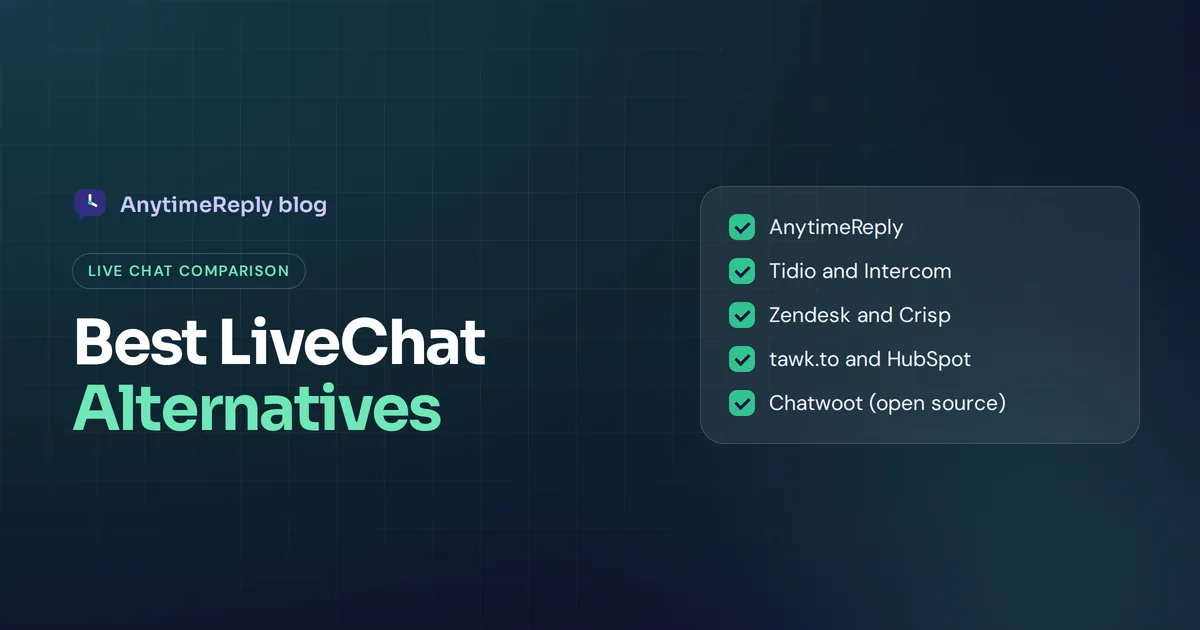
LiveChat is one of the best-known live chat tools around. It's polished, fast and easy for agents to pick up. But plenty of teams start looking for LiveChat alternatives once the bill grows with every new seat, or once they want an AI agent that answers on its own instead of a chat window that waits for a human.
If you're looking for the best live chat software in 2026, or simply a strong LiveChat alternative for a small team, this guide should help. Here's an honest list of 12 options, what each one is known for, who it suits, and where it falls short. We make one of these tools (AnytimeReply), so we're biased. We'll still tell you when another product is the better pick.
One rule we follow: we don't quote other tools' prices here, because they change often. Check each vendor's pricing page before you decide.
What is LiveChat, and why do teams look for an alternative?
LiveChat is live chat software made by Text (the company was known as LiveChat Software, or LiveChat Inc., until it rebranded as Text in 2023). It has been around since 2002 and is based in Wrocław, Poland. The company also sells sister products, such as ChatBot, HelpDesk and KnowledgeBase, that plug into LiveChat.
Teams like it for good reasons:
- A clean, fast agent app that new hires learn in an hour.
- A customizable chat widget for your website.
- Canned responses, chat routing, reports and a large marketplace of integrations.
- Desktop and mobile app options for agents on the go.
So why switch? These are the reasons we hear most:
- Per-seat pricing adds up. LiveChat is priced per agent. That's fine with two agents and painful with fifteen.
- AI and automation can mean extra products. Chatbots, ticketing and a knowledge base have traditionally been separate products from the same company, which can mean more subscriptions to manage.
- Human-first by design. LiveChat started as a tool for people chatting with people. If you want an AI agent to resolve most chats on its own, an AI-first tool may suit you better.
- Channel needs. Some teams want WhatsApp, Instagram, Messenger, email and web chat in one place with one AI brain behind all of them.
- Budget. Startups want live chat software for small businesses at a small-business price, often with a free plan to start.
If none of that bothers you, honestly, stay. LiveChat is a solid product. But when teams look for livechat alternatives, they usually want to improve customer support without adding headcount. If that's you, read on.
Customer support in 2026: why AI-first chat matters
Customers now expect an answer in seconds, at any hour, on the app they already use. Most customer interactions are simple: order status, pricing, returns, how-to questions. A human agent typing the same reply 40 times a day isn't a great customer experience, and it isn't a great job either.
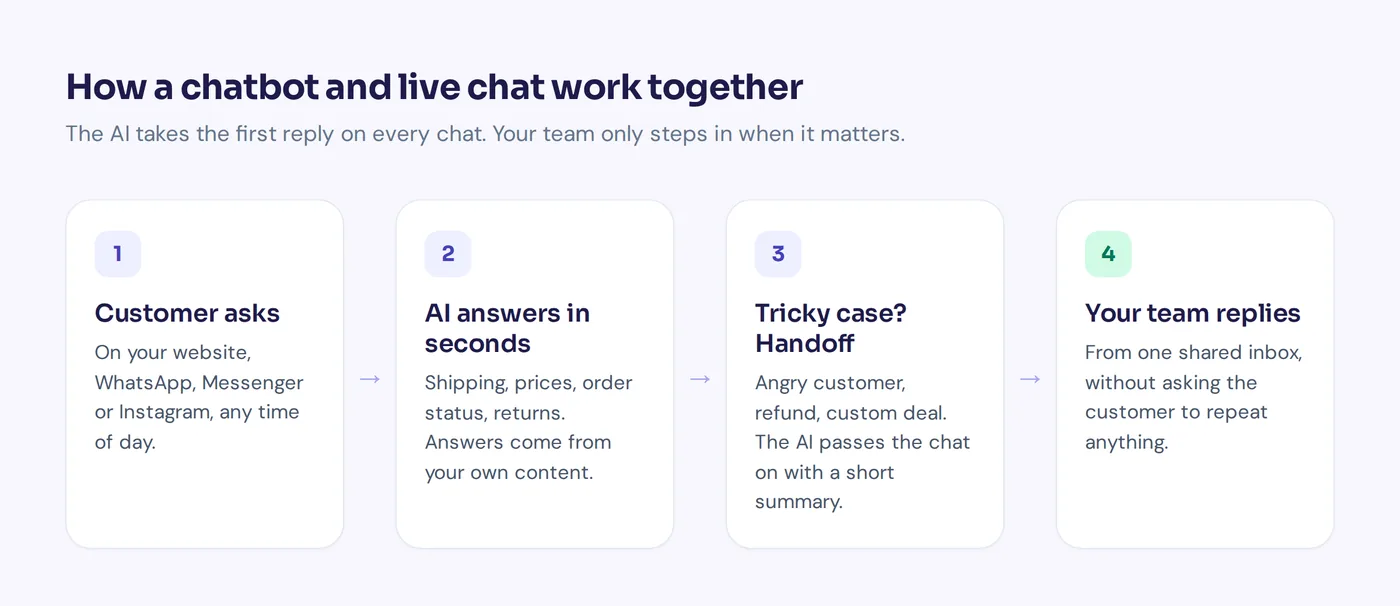
That's why chat and AI customer service tools are merging. An effective live chat setup in 2026 lets AI handle the repeat questions and passes live chat conversations that need judgment to a person, with the full history attached. The best tools treat AI and humans as one team, not two separate products.
What to look for in a LiveChat alternative
Before you compare livechat alternatives, write down what you actually need. Here's a short checklist:
- AI that answers, not just routes. Good AI chat automation replies in real-time chat. Can the AI be trained using your website and help center? Does it say "I don't know" instead of guessing?
- Live agent handoff. When the AI can't help, does the chat move to a person with full customer context and history, so the customer doesn't repeat themselves?
- Omnichannel live chat. Your widget plus WhatsApp, Messenger and Instagram, with chat and email in one inbox, so customer communication doesn't split across five apps. That's what omnichannel customer service really means.
- Ticketing. Can a chat turn into a ticket when the answer takes time? Can a chat tool replace helpdesk software for your team, or do you need both?
- Customer data. Contact profiles, past conversations and CRM integrations.
- Pricing model. Per agent, per conversation, per AI reply, or a mix. This decides your bill more than any feature.
- Multilingual support. If your customers write in several languages, test it with real messages.
- Setup effort. Can your team launch in an afternoon without overcomplicating a simple chat operation?
Best live chat apps compared at a glance
| Tool | Best for | Approach | Free option |
|---|---|---|---|
| AnytimeReply | AI-first support on web and messaging apps | AI agent + helpdesk | Free plan |
| Tidio | Small online stores | Live chat + AI agent | Yes, check limits |
| Intercom | SaaS and product-led teams | AI agent + full suite | Trial |
| Zendesk | Larger support teams | Omnichannel suite | Trial |
| Crisp | Budget-conscious teams | Shared inbox + chat | Yes, check limits |
| tawk.to | Zero budget | Free chat platform | Free, paid add-ons |
| HubSpot | Teams on HubSpot CRM | CRM-native chat | Free tools |
| Zoho SalesIQ | Zoho users, sales teams | Chat + visitor tracking | Check site |
| Freshchat | Freshworks users | Messaging + AI | Check site |
| Olark | Simple human chat | Classic live chat | Trial |
| ProProfs Chat | Small teams wanting simplicity | Live chat + AI | Check site |
| Chatwoot | Teams that want to self-host | Open-source inbox | Self-host |
Free plans and trials change often, so treat this column as a starting point and confirm on each website.
12 best LiveChat alternatives for 2026, in detail
1. AnytimeReply
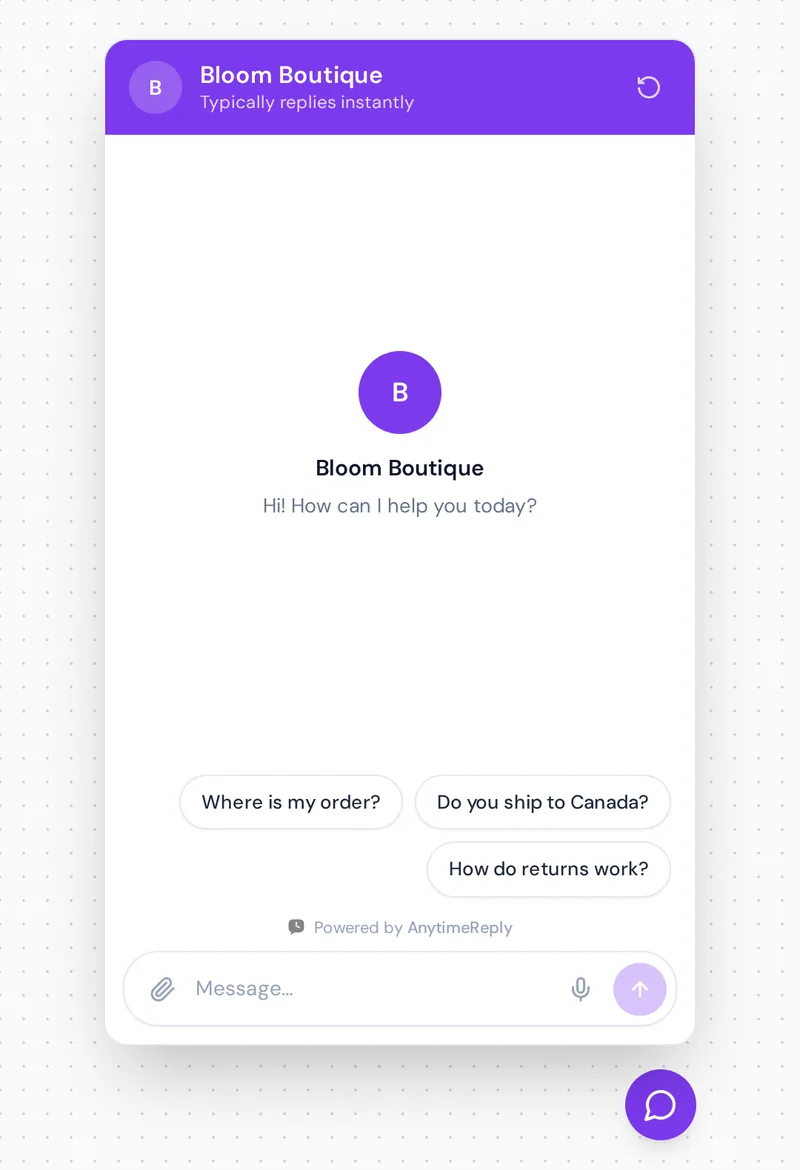
AnytimeReply is an AI customer support and sales agent with a built-in helpdesk. You add your website, documents and Notion pages, and it trains an AI agent that answers customers on your website and messaging apps day and night. When a person is needed, it hands the chat to your team with a summary.
- Strengths: AI answers first and says so when it doesn't know. One shared inbox for website, WhatsApp, Messenger, Instagram, Telegram, email and Slack. Replies in the customer's language, including Bangla, Banglish, Hindi and Hinglish. Actions for verified customers (check Shopify or WooCommerce orders, book meetings). Team members are included on every plan, with no per-seat fees.
- Limits: no phone or SMS channel and no native iOS/Android SDKs. Messaging channels like WhatsApp and Instagram are on paid plans (from Hobby, $9 a month). If your team wants pure human-to-human chat, it may be more than you need.
- Best for AI messaging across channels: online shops, Facebook and Instagram sellers, SaaS and service businesses that want AI to handle repeat questions. See pricing.
2. Tidio
Tidio is popular with small online stores. It combines live chat, a chatbot builder and fast AI chat through its agent, Lyro, with integrations for platforms like Shopify and WordPress.
- Strengths: quick to set up, friendly interface, good fit for ecommerce.
- Limits: AI usage and some features are priced separately, so costs can climb as you grow.
- Best for: small businesses and stores that want an easy start. We also wrote an AnytimeReply vs Tidio comparison.
3. Intercom
Intercom is a full customer service platform built around customer conversations, with its Fin AI agent, a help desk, a knowledge base and product tours.
- Strengths: very polished, strong AI, deep features for SaaS and product-led teams.
- Limits: often one of the pricier options, with AI resolutions billed on top of seats. Can be a lot for a small team.
- Best for: funded SaaS companies. See our AnytimeReply vs Intercom page.
4. Zendesk
Zendesk is the classic enterprise help desk, with messaging, live chat, email, voice and AI agents in one suite.
- Strengths: mature, strong live chat and messaging, scales to large teams, huge integration ecosystem, solid reporting.
- Limits: setup and admin take real effort, and add-ons can raise the price.
- Best for: mid-size and large support teams that need full customer support across many channels.
5. Crisp
Crisp is an all-in-one messaging platform with a shared inbox, live chat widget, knowledge base and AI features, aimed at small teams.
- Strengths: good value, clean design, many channels in one inbox.
- Limits: some advanced features sit in higher plans; check what's in each tier.
- Best for: startups and small businesses that want a lot for a modest budget.
6. tawk.to
tawk.to is famous for being a free live chat solution. You get the chat widget, ticketing and a knowledge base without paying, and the company makes money from add-ons such as removing branding or hiring chat agents.
- Strengths: free, no agent limits, quick to install.
- Limits: the interface feels dated next to newer tools, and AI features are an add-on.
- Best for: teams with zero budget who mainly need human chat.
7. HubSpot live chat
HubSpot includes live chat and a basic chatbot builder in its free CRM tools, with more AI and automation in paid Service Hub plans.
- Strengths: chats land straight in your CRM, so sales and support see the same customer history.
- Limits: the most useful features sit in paid hubs, and it makes most sense if you already use HubSpot.
- Best for: teams already on HubSpot CRM.
8. Zoho SalesIQ
Zoho SalesIQ combines live chat with visitor tracking, lead scoring and a bot builder, and links closely with Zoho CRM and Zoho Desk.
- Strengths: strong for sales teams who want to see who is on the site and start a conversation.
- Limits: best inside the Zoho ecosystem; the interface has a learning curve.
- Best for: businesses already using Zoho apps.
9. Freshchat
Freshchat is Freshworks' messaging product, with live chat, social channels and Freddy AI, and it connects with Freshdesk for ticketing.
- Strengths: modern messaging, good bots, part of a wider support suite.
- Limits: features are spread across Freshworks products, so you may need more than one.
- Best for: teams already using Freshdesk.
10. Olark
Olark is a long-running, straightforward live chat tool focused on human conversations, with chat transcripts, CRM integrations and some AI features.
- Strengths: simple, reliable, easy for agents.
- Limits: lighter on AI and omnichannel than newer platforms.
- Best for: small teams that want a no-fuss human chat experience.
11. ProProfs Chat
ProProfs offers live chat and an AI customer service agent, plus pre-chat forms, canned responses and integration with ProProfs Help Desk.
- Strengths: simple setup, decent mix of live chat and AI.
- Limits: fewer advanced options than the big suites.
- Best for: small teams that want live chat and AI without complexity.
12. Chatwoot
Chatwoot is an open-source customer engagement platform that brings web widgets, email and social channels into one inbox. It's a live chat platform you can fully own. You can self-host it or use its cloud version.
- Strengths: full control over your data, no vendor lock-in, active community.
- Limits: self-hosting means you handle servers, updates and security.
- Best for: technical teams that want ownership.
Best free live chat options (and free plans)
If budget is the main reason you're leaving, these are the places to start:
- tawk.to: the best-known free live chat software, with paid add-ons.
- HubSpot: chat inside its free CRM tools.
- Chatwoot: free if you self-host it.
- AnytimeReply: a free-forever plan with website chat, the helpdesk inbox, help center, flows and analytics. It includes 50 AI credits a month, which is enough to test the AI, not to run a busy store.
- Tidio and Crisp: both have entry plans; check the current limits.
Free plans almost always limit something: agents, AI replies, branding or history. Read the fine print before you move your whole support team.
Which kind of live chat tool do you need?
Most livechat alternatives fall into a few groups. Pick the group first, then the tool.
| If you want... | Look at |
|---|---|
| AI that answers most chats, with humans for the rest | AnytimeReply, Intercom, Tidio |
| A big all-in-one service suite | Zendesk, Intercom, Freshworks |
| Simple human chat at low cost | tawk.to, Olark, Crisp, ProProfs |
| Chat tied to your CRM or sales process | HubSpot, Zoho SalesIQ |
| Full control of your data | Chatwoot (self-hosted) |
A quick test: look at last month's chats. If most were the same 20 questions, you need strong AI. If most were complex, personal conversations, you need a great agent experience more than a clever bot.
Live chat software pricing: what to expect
Prices change too often to list, but the models are worth understanding:
- Per agent (seat): you pay for each team member. Predictable, but grows with your team. LiveChat and many classic tools work this way.
- Per AI resolution or reply: you pay when the AI answers or resolves a chat. Cheap when volume is low, so watch it when volume grows.
- Per conversation or contact: common with marketing-focused tools.
- Flat plans with credits: a monthly price with a set number of AI replies and team members included. AnytimeReply works this way: team members are included, there are no setup fees and no contract, and replies your team writes don't use credits.
Say you have 5 agents and 2,000 chats a month. A per-seat tool charges for 5 seats whether the AI helps or not. A credit-based tool charges for the AI replies. Run your own numbers on each pricing page before deciding.
AnytimeReply vs LiveChat: live chat and AI in one support platform
Here's the honest difference. LiveChat is human-first, with AI added on. AnytimeReply is AI-first: the agent answers first, and your team steps in when it matters.
- Trained on your business. Website crawl, PDFs, Word files, Notion and Shopify products. Your Q&A answers always win.
- Every channel in one place. Your site plus WhatsApp, Messenger, Instagram, Telegram, email and Slack on paid plans.
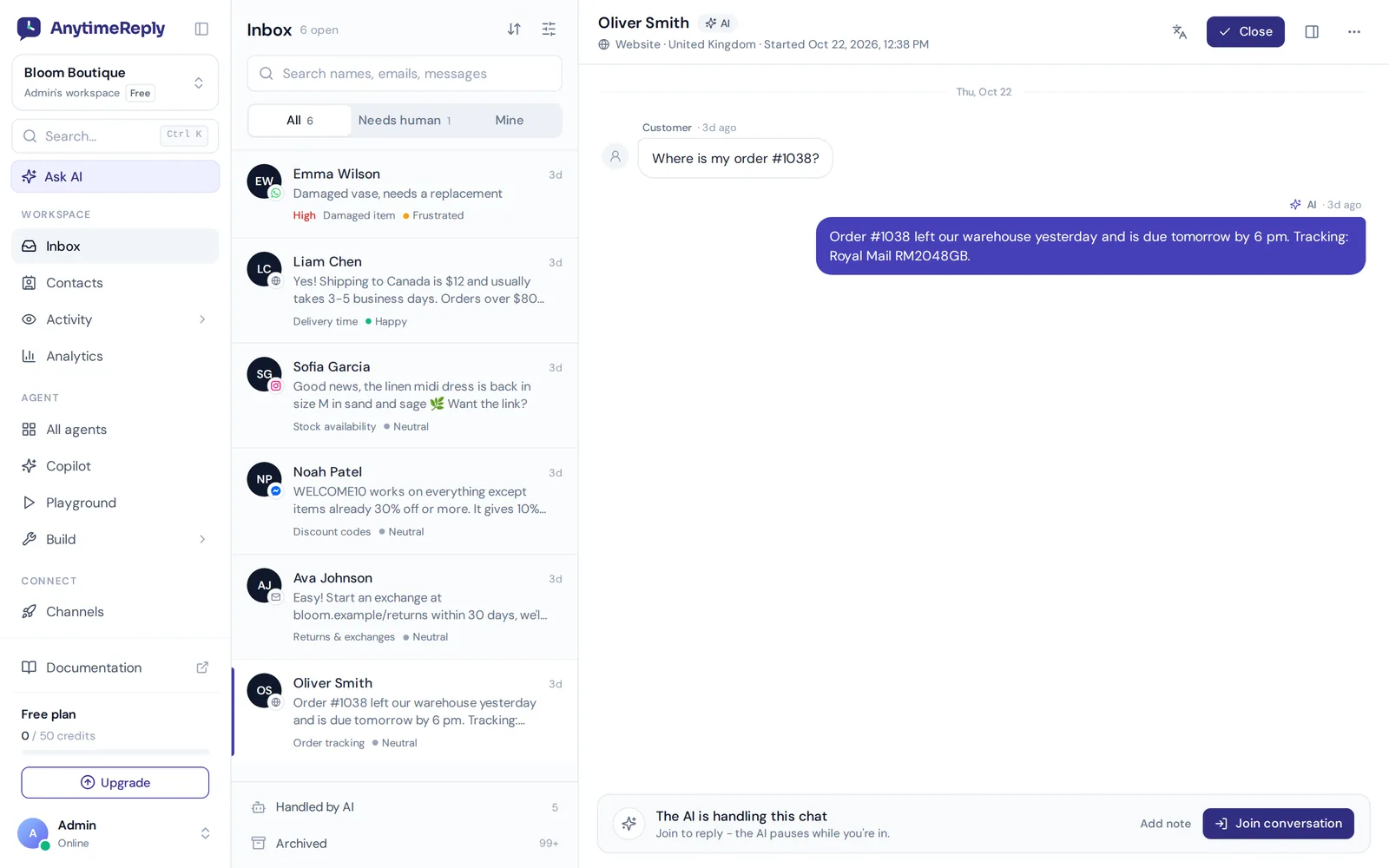
- Handoff that keeps context. The AI hands over with a summary when a customer asks for a person, gets upset or the AI can't answer. Your team can join any chat, and the AI pauses while a person is in.
- Help when you're stuck. Analytics shows questions the AI couldn't answer with one-click "add answer", and Copilot suggests fixes from real chats.
- Escalation to your current helpdesk. It can hand chats over to Zendesk, Freshdesk, Intercom, Zoho Desk, Help Scout or Gorgias if you keep one of those.
Where LiveChat may still win: if your team loves its agent app, relies on its marketplace apps, or mostly runs human-to-human sales chat, switching may not be worth it.
How your support team can switch from LiveChat
- Export what you need. Save chat transcripts, canned responses and contact lists you want to keep.
- Turn canned responses into knowledge. Your best canned responses make great Q&A entries for an AI agent.
- Run both for a week. Put the new widget on a few pages first, or run it outside office hours, before replacing the old one.
- Test with real questions. Ask the 30 questions your customers ask most and fix wrong answers.
- Brief your team. Show agents the new inbox, handoff rules and shortcuts.
- Switch the widget and review. Replace the code, then read a sample of chats daily for the first two weeks.
Frequently asked questions
What is the best LiveChat alternative?
The best alternative to LiveChat depends on your customer support team. For AI-first support across web and messaging apps, try AnytimeReply or Tidio. For a full enterprise suite, Zendesk or Intercom. For free human chat, tawk.to.
Is there a free alternative to LiveChat?
Yes. tawk.to is free with paid add-ons, HubSpot offers chat in its free CRM, Chatwoot is free to self-host, and AnytimeReply has a free-forever plan with website chat.
Can I use live chat software for free?
Yes, but free plans usually limit agents, AI replies, branding or chat history. They're great for testing and small sites.
Does live chat software include an AI bot?
Most modern tools now include some AI, but how much varies a lot. Some only suggest replies to agents; others resolve chats on their own. Test it on your own questions.
Can I manage live chat and social media messages from one inbox?
Yes, with omnichannel tools like AnytimeReply, Zendesk, Crisp or Chatwoot. Check exactly which channels each one supports.
Can a chat tool replace helpdesk software?
For small teams, often yes, if it includes tickets and email. Larger teams with complex workflows usually still want a dedicated helpdesk.
Final thoughts
LiveChat is a good product, and for some teams it's still the right one. But if per-seat costs, extra products or the need for real AI answers are pushing you away, there are strong options for every budget.
If you want to see how an AI-first approach feels, start free with AnytimeReply. Add your website, test the agent and connect your inbox. No card needed.
Published 4 November 2026 by AnytimeReply team