Someone is on your pricing page right now. They have a question about one plan, they can't find the answer, and in about 40 seconds they will close the tab. That visitor was a lead. Now they are gone.
Live chat lead generation is about catching that person while they are still interested. You answer the question in real-time, learn what they need, and get their name and email (or WhatsApp number) in a way that feels like help, not a trap. Done well, it can turn website visitors into qualified leads your sales reps actually want to call.
It is also one of the simplest ways to improve customer engagement before the sale. In this guide we cover how it works, where to place chat, what to ask, ready-to-copy messages, how to qualify leads without annoying people, and how AI agents fit in when your team is offline.
What is live chat lead generation?
It means using the chat window on your website (and chat apps like WhatsApp or Messenger) to start conversations with potential customers, answer their questions and collect contact details so your team can follow up.
When people land on your website with a question, a contact form waits for them to do all the work. Chat goes to the visitor. It can greet them at the right moment, answer the one question blocking a purchase, and ask for an email only after giving something useful.
A good chat lead usually includes:
- Name and email or phone number
- What they are interested in (product, plan, service)
- A few qualifying details: company size, budget, timeline, location
- The full chat conversation, so whoever follows up knows the context
Why use live chat for lead generation?
- Speed. People ask while they are deciding. A reply in seconds keeps them on the page. A reply tomorrow often reaches someone who already bought elsewhere.
- Lower effort than forms. Typing one question feels easier than filling out seven fields.
- Better lead data. A form gives you an email. A chat session gives you an email plus the exact problem the person wants to solve.
- You learn what blocks sales. The same questions come up again and again. That is free research for your website copy.
- Works on mobile. Chat is built for small screens. Long forms are painful on a phone.
In short, live chat gives your visitors a fast answer and gives you context. That is a big part of why it can lift your conversion rate on high-intent pages. Chat helps marketing and sales work from the same information too: what visitors ask, and what makes them buy.
The honest downside: chat creates work. Someone, or something, has to answer. A chat bubble that says "We'll reply within 24 hours" is just a contact form in disguise.
Live chat widget vs contact forms
| Live chat | Contact form | |
|---|---|---|
| Response time | Seconds to minutes | Hours to days |
| Effort for visitor | Low, just type a question | Medium, several fields |
| Context you get | Full conversation, needs, objections | Whatever fits in the fields |
| Qualifying | Can ask follow-up questions live | Fixed questions only |
| Cost to run | Needs staff or an AI agent | Cheap, someone reads the inbox |
| Best for | Questions before buying, high-intent pages | Detailed requests, quotes with attachments |
You don't have to choose one. Keep the form for detailed requests and use web chat to catch the people who would never fill it in.
Where to place your chat widget
Chat on every page is fine, but proactive messages should go where buying intent is highest:
- Pricing. The most common place people get stuck. "Which plan fits a team of five?" is a sales question.
- Product or service pages. Questions about sizes, features, delivery times or availability.
- Checkout or signup. A short "Need help finishing your order?" can save a sale.
- Comparison pages. Visitors here are actively choosing.
- Contact page. Offer chat as the faster option next to the form.
Use chat greetings sparingly elsewhere. Leave the blog mostly quiet. A pop-up greeting on every article feels pushy and mostly gets closed.
How to use live chat for lead generation, step by step
- Decide what a lead is for you. An email? A booked demo? A WhatsApp number plus budget? Companies have different definitions, so write yours down first.
- Pick your high-intent pages. Start with pricing and your top two product pages.
- Write a proactive greeting for each page. Make it specific, not "Hi! How can I help?" everywhere.
- Answer first, ask second. Give a useful answer, then ask for contact details so you can send more info.
- Ask two or three qualifying questions. Team size, timeline and main goal are often enough.
- Route hot leads to a person. When someone asks about a big order, a custom plan or a demo, hand the chat to a sales rep right away.
- Cover the hours nobody is online. Use an AI agent or a simple flow so night and weekend visitors still get answers.
- Send leads to your CRM. Push contacts and transcripts to HubSpot, a spreadsheet or wherever sales works.
- Follow up fast. A lead from chat is warm for hours, not weeks.
- Review weekly. Read chats that didn't convert. What question was left unanswered?
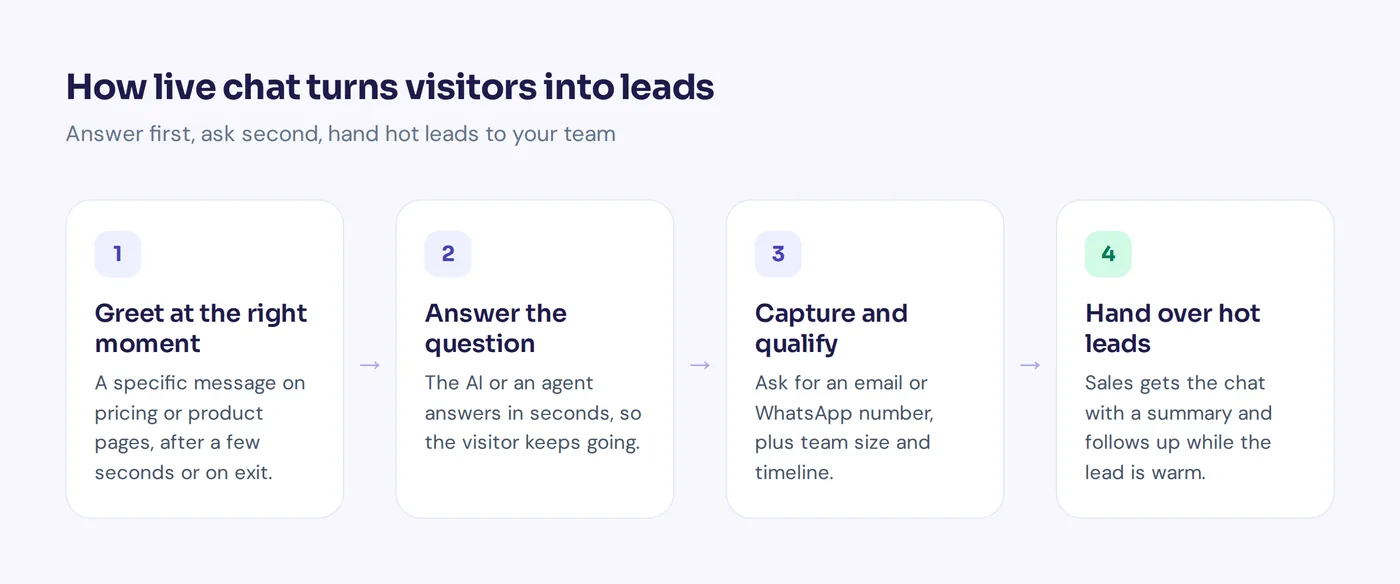
Ways to use live chat to start conversations
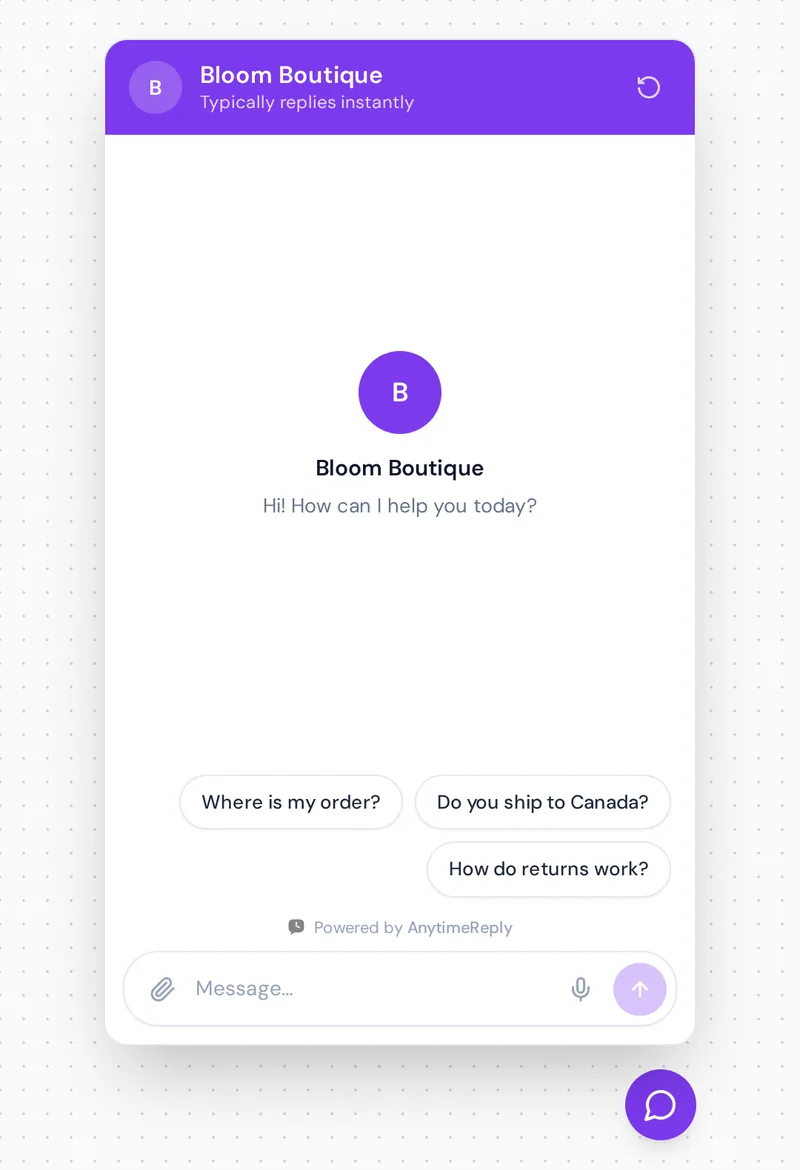
Proactive messages pop up after a few seconds, after a visitor scrolls, or when they are about to leave. Here are examples you can copy:
Pricing
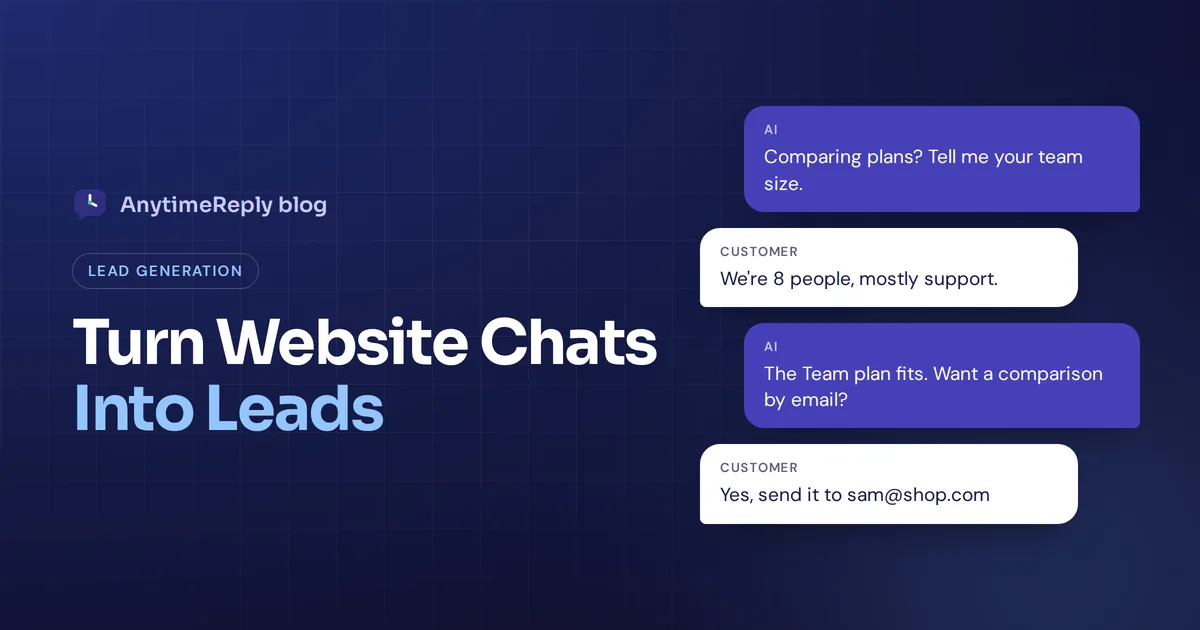
Comparing plans? Tell me your team size and I'll point you to the right one.
Questions about billing or a custom plan? Ask here, we usually reply in seconds.
Product page
Not sure about sizing? Tell me your usual size and I'll suggest the best fit.
Want to know if this ships to your country? Ask me.
Service business
Looking for a quote? Answer two quick questions and we'll send a price today.
Want to book a free consultation? I can find a time that suits you.
Exit intent
Before you go, is there anything stopping you from ordering? Happy to help.
Leaving already? Drop your email and we'll send you the plan comparison.
Lead capture questions that don't feel like a form
Ask for details when you have a reason to. Compare these two:
- Bad: "Before we start, please enter your name, email, company and phone."
- Better: "Great question. I can send you a short comparison of the two plans. What email should I use?"
More to copy:
Would you prefer we follow up on WhatsApp or email?
How many people on your team would use it?
When are you hoping to get started: this week, this month, or just looking?
That "just looking" option matters. It lets people be honest, and it tells you not to push hard yet.
Lead qualification and lead scoring for your sales team
Not every chat is a sales lead. Some are existing customers, some are students doing research, some are spam. Qualifying in chat means your sellers only chase people who are likely to convert.
- Hot (sales qualified leads): asked about pricing, clear need, wants to start soon. Hand to a person now.
- Warm: interested, but "next month" or "comparing options". Send info, follow up in a few days.
- Cold: browsing, wrong fit, or outside your service area. Answer politely, no hard follow-up.
A lead generation tool is there to capture leads, but also to sort them. Use buttons for qualifying questions where you can. Tapping "1 to 5 people" is faster than typing, and the answer is clean data for lead segmentation in your CRM.
B2B lead generation with live chat
B2B companies often have longer, more complex sales. A chat rarely closes the deal on the spot, but it can start it. A bot can ask company size, role and use case, then book a demo or pass the lead to the right person.
The key is the handoff into your sales pipeline. A good handoff gives your sales team the full context. If your team works in CRMs like Salesforce or HubSpot, make sure every qualified chat lands there with its transcript, so the sales team can answer follow-up questions without asking the same things twice.
Lead generation chatbots: when your live agent is offline
Your best leads often show up at 11 pm or on Sunday. If nobody is there, the chat window becomes a message box.
A lead generation chatbot fixes most of that. It answers product and pricing questions from your website content, asks the qualifying questions, collects contact details and passes the hot ones to your team in the morning with a summary. That is how AI chatbots generate leads around the clock without you hiring a night shift. A visual flow can do the same for simple cases: pick a service, pick a time, leave your email.
But be careful. A bot that refuses to let people reach a human, or makes up prices, loses leads. The best setup is AI first for speed, with an easy handoff to live chat agents for anything complex or high-value.
Working with a lead generation agency or using chat?
Hiring a lead generation company is a different job. Lead generation services usually bring new people in through outbound outreach, ads or email marketing. Chat converts the traffic already on your website.
If you have little traffic, an agency running lead generation campaigns can help take your lead supply up a level. If you already get visitors but few inquiries, fix your on-site chat first. It is usually cheaper, and the leads are warmer because they came to you.
Choosing the best lead generation software tool
There are many live chat tools out there, from tools like LiveChat to all-in-one marketing software. The live chat feature looks similar in most of them, so compare the parts that matter for lead gen:
- Chatbot builder. Can you build flows that collect contact details with buttons and conditions without code?
- AI answers. Can an AI chatbot answer from your own website and documents, not just canned replies?
- Integration. Does it connect to your CRM, Slack, Zapier or webhooks?
- Channels. Does it cover your website plus WhatsApp, Messenger and Instagram if your customers use them?
- Handoff and inbox. Can your team manage chat from one place and join any conversation?
- Automation. Can it tag, assign and route leads without someone doing it by hand?
- Analytics. Can you monitor chatbot conversations, top questions and what converts?
The best chatbot platform for you is the one your team will actually keep up to date. A simple setup you maintain beats a powerful one nobody touches. The best live chat software allows you to change greetings and flows yourself, without waiting for a developer.
How to measure results
A live chat strategy is only as good as its numbers. Track how well you convert website visitors with these:
- Chats started on your key pages.
- Capture rate: how many chats end with contact details.
- First response time: how fast the first real answer arrives.
- Qualified leads: how many fit your hot or warm definition.
- Chat to sale: how many chat leads become paying customers.
- Top questions: what people ask most, so you can fix your pages.
Don't chase chat volume alone. Fifty chats about where to find the login button are not fifty leads.
How AnytimeReply helps you turn chats into leads
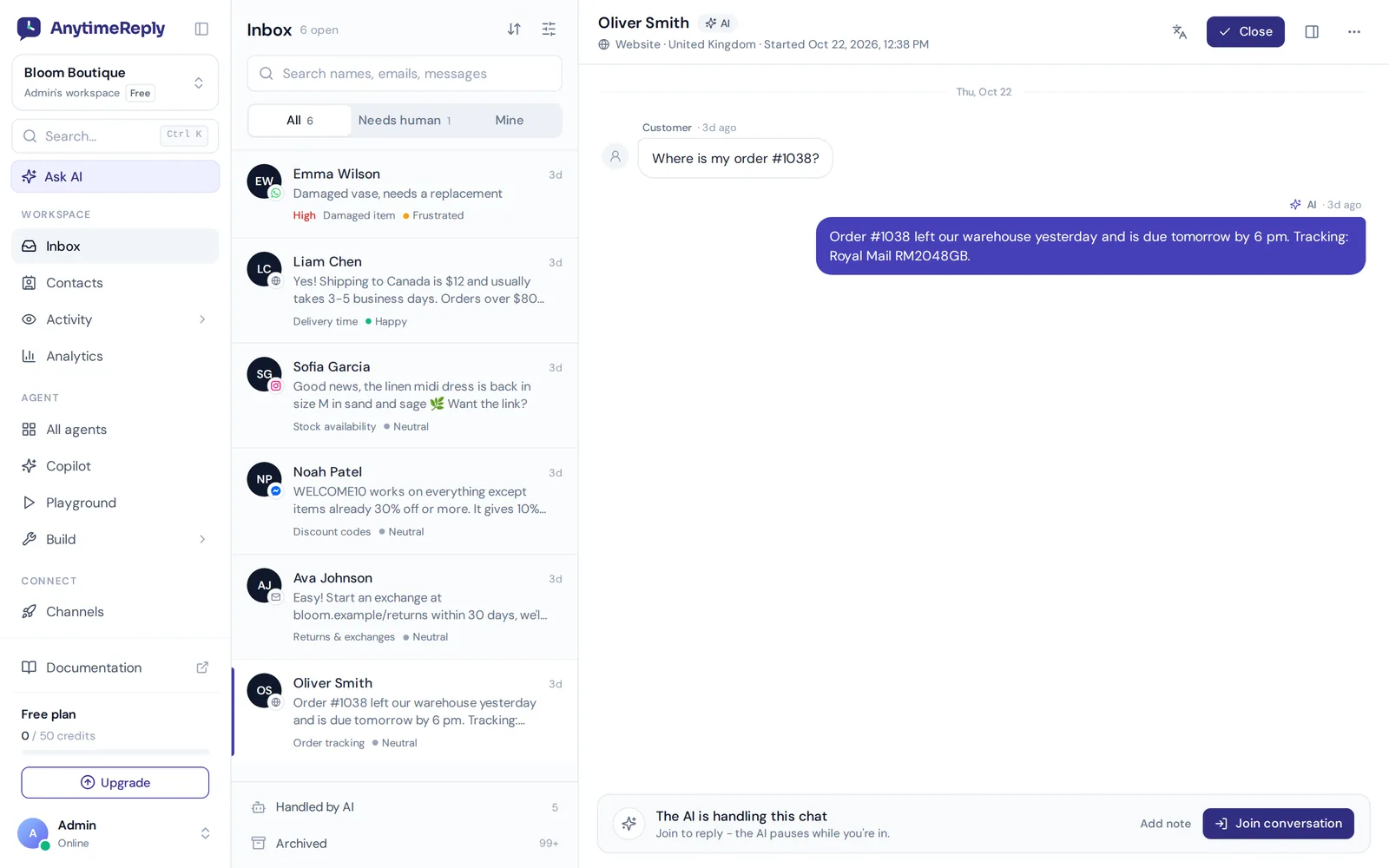
AnytimeReply is an AI support and sales agent with a built-in helpdesk, so the same tool answers questions, captures leads and passes hot ones to your team:
- AI agent trained on your site. It answers pricing and product questions in seconds, day and night, in the visitor's language.
- Flows that collect leads. Flows give you a visual canvas with buttons, questions, conditions and lead capture steps. Flow steps use no AI credits.
- Proactive messages. Outbound messages include proactive website messages after a few seconds, on scroll or on exit intent, one follow-up to quiet customers, and WhatsApp broadcasts with STOP opt-out.
- Handoff to sales. The helpdesk hands chats to your team with a summary, and team members can join any chat while the AI pauses.
- CRM and booking actions. On paid plans the agent can work with HubSpot, Calendly and Cal.com for verified customers.
Where it's not the right fit: it is not a full sales CRM with pipelines and forecasting. It captures and qualifies leads, then hands them to the CRM you already use. Website chat and flows are on the Free plan; WhatsApp, Messenger, Instagram, broadcasts and actions start on the paid plans (see pricing).
Frequently asked questions
Does live chat really help lead generation?
It usually helps on high-intent pages like pricing and product pages, because visitors get answers while they are deciding. It helps less on blog posts, and only if someone or an AI agent replies fast.
Can chatbots replace lead forms?
For many simple cases, yes, because a chat bot can ask the same questions one at a time. Keep a form for detailed requests with attachments or long descriptions.
How quickly should I reply to a sales chat?
As fast as you can, ideally within a minute or two while the visitor is still on the page. If your team can't, let an AI agent answer first and hand over.
Should a bot or a human handle sales chats?
Both. Let the bot answer common questions and qualify, and let a person take over for demos, custom pricing and high-value deals.
Do chatbots work for B2B lead generation?
Yes, mostly for qualifying and booking meetings. In B2B the chat starts the conversation and your sellers close it.
Turn your website visitors into leads
Pick your pricing page, write one specific greeting, answer first and ask for details second. Then cover the hours nobody is online. That alone will catch leads you are losing today.
You can set this up in an afternoon. Start free with AnytimeReply, no card needed.
Published 5 November 2026 by AnytimeReply team