Someone gets rear-ended on a Friday night. By Saturday morning their neck hurts, the insurance company keeps calling, and they are searching for a personal injury lawyer on their phone. Two law firm websites have a contact form. One has a chat window that asks, "What happened? I can help you book a consultation."
Guess which firm gets the case. That is the simple argument for live chat for law firms: people who need legal help want to talk now, not fill out a form and wait.
But a law firm is not a shoe shop. Chat on a legal site has real limits around advice and confidentiality. Here is how it works, the options, what the chat should never say, and how to set it up.
What is live chat for lawyers?
It is a small online chat feature on your law firm website. A website visitor types a question and gets a reply in real time, from a live operator, an AI chatbot, or both.
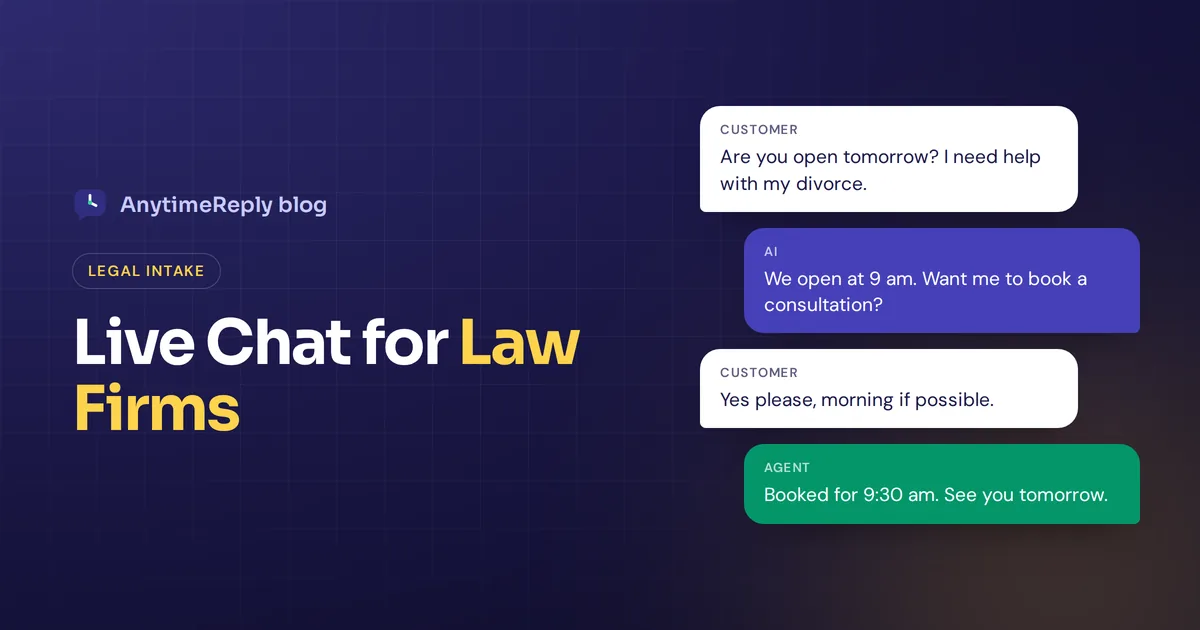
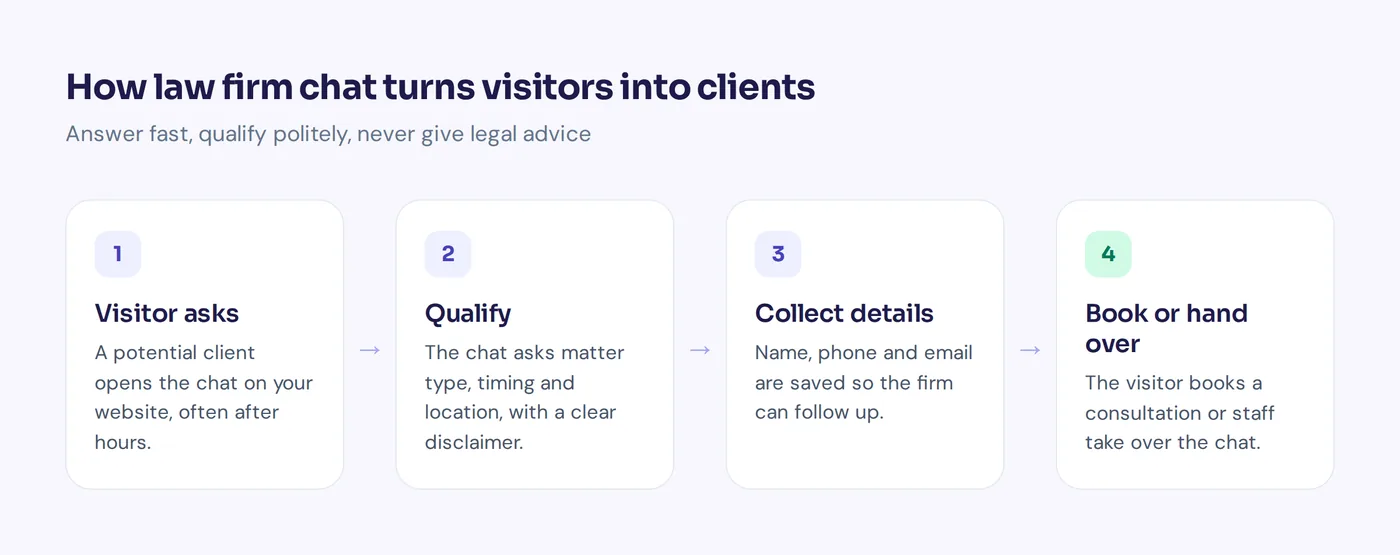
For legal services, chat is mostly an intake tool. Its jobs are to greet each potential client, learn the practice area, collect name and contact details, answer basic questions about the firm, and book a consultation. It catches website users after business hours, which is when many people finally have time to look for a lawyer.
Why small law firms add a live chat option
- More chat leads from the same traffic. You already pay for SEO and ads. Chat gives visitors who would never call one more way to reach you, which can lift conversion rates.
- Speed. People often contact several firms. The one that answers first and makes booking easy often gets the client.
- After-hours coverage. Accidents, arrests and family emergencies don't wait for office hours.
- Better qualified leads. Good questions separate a strong personal injury case from someone wanting free help with a parking ticket.
- A lighter front desk. "Where do I park?" gets answered without a phone call, so legal assistance goes where it is needed.
- Chat transcripts. Using live chat allows you to see exactly what people ask, which helps your marketing strategy and website content.
Many law firms find it a powerful tool, but only if someone, or something, is actually available to chat.
Live chat for law firms: software, service or AI chat options
1. Live chat software your own staff answer
Your intake team replies from a dashboard. You get full control and people who know the firm. The catch: if nobody is at the desk at 11 pm, nobody answers. This traditional live chat setup suits firms that can respond during business hours and accept missed chats at night.
2. Professional live chat services for law firms
Managed chat providers, some focused on helping law firms, staff your website chat with agents specifically trained for legal intake, often 24/7. Names you will see include Ngage Live Chat, ApexChat, Client Chat Live, LegalRev and Smith.ai. Their live chat operators follow your chat script and send you leads. The trade-off is the cost of the service, often per lead or per chat, and less control. Check each provider's pricing page and ask for a free trial.
3. AI chatbots with a live agent behind them
An AI chatbot answers questions about the firm in seconds, day and night, from your website content and rules, while human agents are available for handoff. When a visitor needs a person, the chat goes to your team. This is usually the cheapest per conversation. The trade-off: you must set strict rules so the AI never drifts into advice.
| Your staff | Managed live chat service | AI + handoff | |
|---|---|---|---|
| Hours | Office hours | Often 24/7 | 24/7 |
| Reply speed | Minutes, if someone is free | Fast | Seconds |
| Cost | Staff time | Per lead or conversation | Monthly plan |
| Knows your firm | Best | Script only | Trained on your content |
| Main risk | Missed chats | Generic feel | Needs strict "no advice" rules |
Our honest take for a small practice: AI that answers first, plus a real person who picks up qualified leads during the day, gives the best mix of cost and coverage.
What law firm live chat should and should not do
Good jobs
- Explain which practice areas you handle and which you don't
- Share hours, locations, parking and consultation fees
- Collect name and contact details, matter type and a one-line summary
- Book a consultation or callback
- Answer general FAQs from your own site, like "What is a contingency fee?"
- Hand the conversation to staff when someone asks or it is urgent
Never
- Give legal advice. No "you have a strong case", no deadlines for a specific matter.
- Promise outcomes or guess at settlements.
- Collect the full story before the firm has checked for conflicts.
- Imply an attorney-client relationship.
Every jurisdiction has its own conduct rules for the legal industry on advertising, prospective clients and supervising non-lawyer assistants. In the US, see your state's version of the ABA Model Rules, and ask ethics counsel if unsure. We are a software company, so this article is not legal advice either.
A disclaimer you can adapt
Hi, I'm the virtual assistant for Smith & Lee Law. I can share information about our firm and help you book a consultation. I can't give advice on your case, and chatting here does not make you a client. Please don't share confidential details until we have spoken with you.
A simple intake chat script
Keep it short. Here is a sample for a personal injury practice that you can adapt for family, criminal, immigration or employment matters.
- "Hi, are you looking for help after an injury or accident?"
- "What kind of accident was it? Car, work, slip and fall, or something else?"
- "Roughly when and where did it happen?"
- "In one or two sentences, what happened? Please skip private details for now."
- "What's the best name, phone and email to reach you?"
- "Would you like to book a free consultation? Here are the next times."
If the matter is outside your area, the chat can say so politely and suggest a referral service.
Visitor: My landlord won't return my deposit. Can I sue him?
Good reply: Sorry you're dealing with that. I can't advise on your case here, but our tenant team handles deposit disputes. Want to book a consultation? It takes 2 minutes.
A bad reply would say "Yes, sue him, you'll win double." That is advice, a prediction, and maybe wrong for that state.
How to choose the best live chat app for your firm
Before you choose a live chat tool or service, check:
- Coverage: who answers nights and weekends?
- Handoff: can staff take over instantly with the history in front of them?
- Booking: can visitors pick a consultation time in the chat?
- CRM and intake: do leads reach your CRM or case management software?
- Control: can you write exact answers and block advice?
- Security: two-factor login, encryption, a data processing agreement, and no AI training on your data.
- Mobile: most legal searches happen on phones.
- Price model: monthly plan or per lead. Per-lead pricing adds up for a busy practice.
Put simply, the best live chat is the one that fits what your law firm needs: fast replies, clean intake, no advice.
How AnytimeReply helps law firms
AnytimeReply is an AI support agent with a built-in helpdesk. For lawyers and law firms, its chat covers the front desk: intake, hours, booking and firm FAQs. You set its instructions so it never gives advice.
- Trained on your website and documents. Q&A answers you write always win, and when the AI isn't sure it says so instead of guessing.
- Intake with flows: buttons, questions and lead capture on a visual canvas. Flow steps use no AI credits.
- Booking: on paid plans, actions connect to Cal.com or Calendly.
- Handoff: when a visitor asks for a person or a rule matches, the conversation moves to your shared inbox with a summary. Staff can join any chat and the AI pauses.
- Simple install: one line of code or a WordPress plugin puts the chat on your website.
Security basics: 2FA, HTTPS only, encrypted keys, a DPA, and customer data is not used to train AI models. We don't claim legal-industry certifications, so check it fits your confidentiality duties. Not a fit if you want human operators on every conversation 24/7; a managed service suits that better.

Frequently asked questions
Are there free live chat options for law firms?
Yes. Some live chat apps have free plans. AnytimeReply has a Free plan with website chat and a helpdesk inbox; booking actions start on Hobby at $9 a month (see pricing, prices can change).
Can I get 24/7 coverage without hiring anyone?
Yes, with a managed chat service or an AI chatbot that collects details at night so your team follows up in the morning.
Can live chat replace our receptionist?
No. The chat handles repeat questions and after-hours intake. Your front desk still handles calls, clients and judgment.
Can chats go to the right attorney?
Yes. Ask for the practice area first, then route the conversation to the right team.
Is it safe to use chat on a law firm's website?
It can be, with a clear disclaimer, short intake questions, secure software and no advice in the chat. Check your local conduct rules.
Make it easy for clients to reach you
Good live chat for a small law firm is simple: answer fast, qualify politely, never advise, and get people booked. Want an AI intake assistant on your site? Start free with AnytimeReply, no card needed.
Published 29 October 2026 by AnytimeReply team