Your customers are already telling you what to fix. They say it in support chats, in one-star reviews, in "can you add this?" emails and in the reason they gave when they canceled. The problem is not a lack of feedback. It is that the feedback is scattered across ten places and nobody has time to read every piece of feedback.
Customer feedback tools fix that. They help you collect feedback at the right moment, keep it in one place and turn raw feedback into actionable insights. Some focus on surveys, some on reviews, some on feature requests, and some on analyzing the conversations you already have.
This guide explains the main types, the top customer feedback tools in each group, how to choose, and a simple routine to act on customer feedback. We make a support platform with feedback analytics built in, so we include ours, with honest notes on where it fits and where a dedicated survey product is the better pick.
What are customer feedback tools?
A customer feedback tool is software that helps you gather feedback, organize it and understand what customers think about your product, service or support. You'll also see it called customer feedback software, a feedback platform, feedback management software or, for the bigger suites, customer feedback management software. The names overlap, but the job is the same.
That can mean a survey after a purchase, a thumbs up or down after a chat, a feature request board, a review site, or an AI that reads thousands of conversations and tells you the top complaints this week.
Good feedback tools help in three ways:
- Collect feedback across channels at the right moment.
- Analyze it, so patterns stand out: topics, customer sentiment and trends.
- Close the feedback loop, so customers see you listened and your team knows what to fix.
Why it matters for customer service and customer success
Feedback is the cheapest research you will ever get. Customers tell you why they buy, why they hesitate and why they leave. Ignore it and you end up guessing.
- You find problems early. Ten customers asking "where is my order?" in one day is a shipping problem, not a support problem.
- You build what people want. User feedback shows what customers actually need, not what your team assumes. Your roadmap stays aligned with customer needs.
- You keep customers longer. People who feel heard are more forgiving when things go wrong, which builds customer loyalty and stronger customer relationships.
- You improve customer service. Ratings after chats show which answers help and which ones frustrate.
- Customer success teams spot risk. A drop in scores from a big account is an early warning before renewal.
In short, understanding and acting on customer input is how you get a better customer experience without guessing.
Types of customer feedback management tools
Most lists mix very different products together. It helps to know the categories first, because the right tool depends on the job.
| Type | What it does | Good for | Examples |
|---|---|---|---|
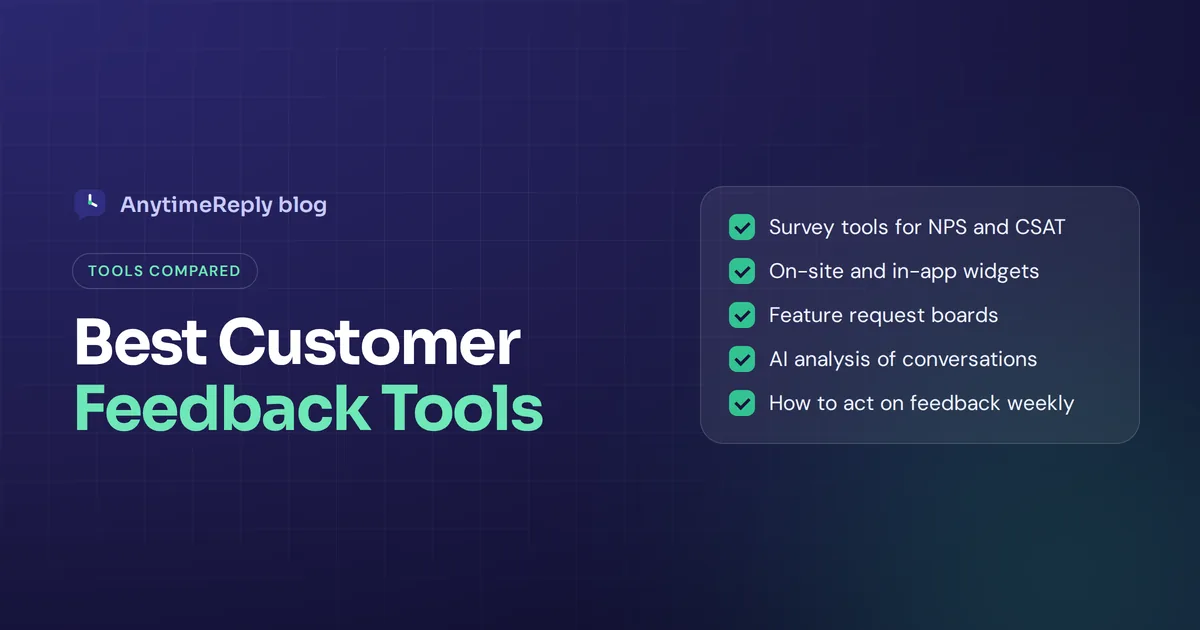
| Surveys | Forms and questionnaires (NPS, CSAT, CES, open questions) | Structured feedback at scale | Typeform, SurveyMonkey, Google Forms, Zonka Feedback |
| On-site and in-app feedback | Small widgets and popups on your site or product | Real-time feedback in context | Hotjar, Qualaroo, Survicate |
| Feature request boards | Customers post and vote on ideas | Product teams and SaaS roadmaps | Canny |
| Review platforms | Public reviews and ratings | Reputation and social proof | Trustpilot, Google reviews |
| Conversation analytics | Analyze support chats, tickets and messages | Unprompted, honest feedback | AnytimeReply, helpdesk analytics |
| AI feedback analytics | Unify feedback from many sources and find themes | Teams drowning in a big volume of feedback | Chattermill, Enterpret |
| Experience management | Full programs across every touchpoint | Large companies with research teams | Qualtrics, Medallia |
13 best customer feedback tools in 2026
Here are well-known options in each group. Features and plans change often, so check each vendor's pricing page before you decide. Tools like these often have a free plan or trial, so test with your own customers first.
1. AnytimeReply: feedback from support conversations
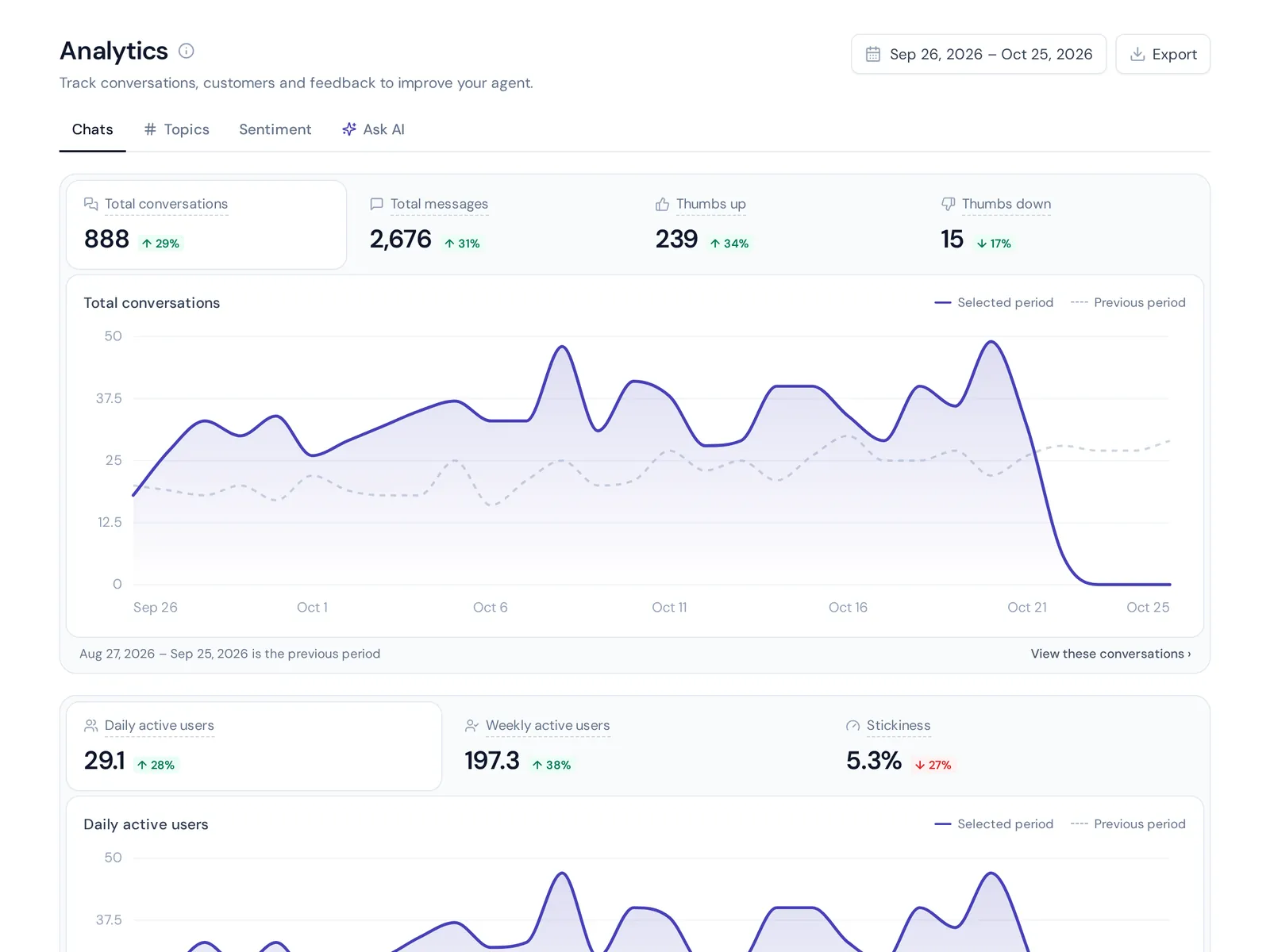
AnytimeReply is an AI support agent and helpdesk, not a survey product. Its analytics turn everyday chats into feedback data: topics, sentiment, countries, channels, customer ratings (CSAT) and knowledge gaps, meaning questions the AI couldn't answer. You can also ask your conversations a question in plain words, like "what are people complaining about this week?"
Good for: businesses that get lots of chat, WhatsApp, Instagram or email messages and want insight without reading every one. Not ideal for: long research surveys or NPS programs. Pair it with a survey product if you need those.
2. Typeform
Typeform is known for friendly, one-question-at-a-time forms that feel more like a conversation than a spreadsheet. People tend to like filling them in.
Good for: customer surveys, onboarding questions and research where the experience matters.
3. SurveyMonkey
One of the oldest names in online surveys, with many templates, question types and analysis features.
Good for: teams that want a familiar tool: customer feedback survey software with lots of ready-made templates.
4. Google Forms
Free, simple and good enough for many small businesses. Responses go straight into Google Sheets. It is a basic tool, but it works.
Good for: quick feedback forms on a zero budget. You'll do the analysis yourself.
5. Zonka Feedback
Zonka Feedback focuses on customer experience surveys (NPS, CSAT, CES) across email, SMS, website, in-app and even tablets in physical locations, with dashboards and AI analysis.
Good for: CX teams that want to collect feedback across many touchpoints, online and offline. Zonka Feedback is a solid middle ground between simple forms and enterprise suites.
6. Qualaroo
Qualaroo is known for short, targeted surveys that pop up on websites and inside apps, triggered by what the visitor is doing.
Good for: asking one sharp question at the exact moment, like on a pricing or checkout page.
7. Hotjar
Hotjar is known for heatmaps and session recordings, plus on-site surveys and feedback widgets. You see what people do and can ask them why.
Good for: website and UX teams who want behavior data and opinions side by side.
8. Survicate
Survicate runs surveys across email, website, in-product and mobile, and pulls the answers into one place.
Good for: product and marketing teams who want short questions in several channels.
9. Canny
Canny gives you a board where customers post feature ideas and vote, and you update the status when something ships.
Good for: SaaS companies that want to organize feature requests and close the loop.
10. HubSpot customer feedback
HubSpot's Service Hub includes feedback surveys (NPS, CSAT, CES) where responses are connected to the customer record in the CRM.
Good for: teams already on HubSpot who want feedback next to deals and tickets for a full view of the customer.
11. Trustpilot
A public review platform. It is more about reputation than private analysis, but reviews are a rich source of customer opinions.
Good for: online shops and service businesses that want public reviews and social proof.
12. Chattermill and Enterpret
These are AI-powered customer feedback analytics platforms. They pull in reviews, tickets, surveys and chats, then group everything into themes and track sentiment.
Good for: larger teams with a high volume of feedback from many sources.
13. Qualtrics and Medallia
Enterprise customer experience management platforms that run large survey programs across many channels with advanced analysis.
Good for: big organizations with research or CX teams. For a small business, usually more than you need.
Customer feedback collection: how to collect customer feedback that's honest
The tool matters less than when and how you ask. These feedback collection methods tend to get real answers at key points in the customer journey:
- Rating after a support chat. One tap: thumbs up or down, or a 1 to 5 customer satisfaction score. Honest because the experience is fresh.
- Short post-purchase survey. One or two questions a few days after delivery.
- NPS survey. "How likely are you to recommend us?" every few months, to track loyalty over time.
- Customer effort score. "How easy was it to get help today?" Great for spotting friction in support.
- Cancellation survey. Ask why when someone cancels. These answers are gold.
- On-site or in-app widget. A small "Was this page helpful?" or "What's missing?" box.
- Feature request board. Let customers suggest and vote.
- Unprompted feedback. Support chats, emails, social comments and reviews. Nobody asked, so it's often the most detailed feedback you'll get.
Our opinion: most small teams should start with the last one. You already have it. You just need a way to see the patterns, ideally with feedback directly tied to the conversation it came from.
Customer feedback analysis tools: turn raw feedback into customer insights
Collecting is the easy part. Analysis is where most teams give up, because reading 2,000 open comments by hand takes days.
Modern customer feedback analysis tools use AI to analyze feedback for you:
- Topic detection groups comments into themes like shipping, pricing or login problems.
- Sentiment analysis labels feedback as positive, neutral or negative, so you spot angry customers fast.
- Trends show whether a problem is growing or shrinking week over week.
- Plain-language questions let you ask "why are people unhappy with delivery?" instead of building reports.
- Knowledge gaps show what customers ask that your website or help center doesn't answer.
The goal is one clear insight per problem, not a 40-page report. Each insight should point to an action. A short list of the top three problems and top three requests, updated weekly, is worth more than any dashboard nobody opens. That's how you transform customer comments into valuable insights.
Key features to look for in a customer feedback tool
- Multichannel collection: email, website, in-app, WhatsApp, chat or SMS, depending on where your customers are.
- Standard metrics: CSAT, NPS and CES built in.
- AI analysis: topics, sentiment and summaries, so you can analyze customer comments at scale and find the key insight fast.
- Integrations: helpdesk, CRM, Slack and your store, so feedback reaches the people who can act, with one view of customer history.
- Automation: alerts for bad ratings, auto-tagging and routing.
- Reporting: simple dashboards and exports.
- Fair pricing: check whether it charges by responses, seats or features.
How to choose the right customer feedback tool
Selecting the right feedback tool is crucial, because a tool nobody uses is just a monthly bill. Choosing a customer feedback tool comes down to a few questions:
- What decision will this feedback help me make? Product roadmap, support quality, website changes or reputation? Pick tools based on that goal.
- Where do my customers already talk to me? If most conversations happen on WhatsApp or Instagram, an email survey will miss them.
- How much feedback do I get? Ten comments a week can be read by hand. A thousand needs AI.
- Who will look at it? Pick a tool that fits the apps your team already opens every day.
- Does it integrate? Check connections to your helpdesk, CRM, Slack or store.
- What does it really cost? Check the pricing page for your expected volume.
Most businesses end up with two: one for asking (a survey tool) and one for listening (conversation analytics). That covers both structured and unprompted feedback, and it's often the best tool setup for small teams. A conversation analytics tool helps you see what people say without being asked.
Turn customer feedback into action: a weekly routine
Feedback tools help only if someone acts. Even the best feedback is wasted if it sits in a dashboard. Here's how to turn customer insights into actionable strategies without overwhelming your team:
- Collect in one place. Get ratings, survey answers and conversation trends into one view or one weekly report.
- Group by theme. Shipping, pricing, product quality, support, website.
- Pick the top three. Not twenty. Three problems you can fix this month.
- Assign an owner. Every issue gets a name next to it.
- Fix the quick wins. Often it's a missing FAQ answer, a confusing page or a policy nobody explained.
- Tell customers. "You asked, we fixed it." A changelog, an email or a reply to the original message.
- Check again next week. Did the complaints drop? If yes, move to the next issue.
This simple feedback loop is how you act on customer insights and steadily improve customer satisfaction.
Common mistakes with customer and user feedback
Even with the best feedback tool, teams fall into the same traps. Here are the ones we see most, and how a good tool helps you avoid them.
- Asking too often. A survey after every click annoys people and lowers response rates. Ask at key moments only, and give every customer a way to skip.
- Only listening to surveys. The most honest feedback often sits in customer support chats and emails. Connecting feedback from conversations with survey scores gives you a full view of the customer journey, not just one moment of it.
- Collecting without acting. If nothing changes based on customer feedback, people stop giving it. Share what you fixed.
- Treating every comment equally. One loud complaint is not a trend. A good tool helps by counting how often a theme comes up, so you fix what affects the most people.
- Keeping feedback in one team. Support hears the complaints, product decides the roadmap. Send a weekly summary to both so every insight reaches someone who can act on it.
- Measuring only scores. A CSAT number tells you something is wrong. The comments tell you what. Read them.
Avoid these and you'll turn feedback into changes customers notice, which is the surest way to enhance customer satisfaction over time.
How AnytimeReply helps you understand customer feedback
If your feedback mostly lives in customer support conversations, AnytimeReply turns those chats into insight without extra surveys. Every conversation on your website, WhatsApp, Instagram, Messenger, Telegram and email goes into one helpdesk inbox, and the analytics show:
- Topics and sentiment across all conversations.
- Customer ratings (CSAT) and team performance.
- Countries, channels and daily, weekly and monthly active customers.
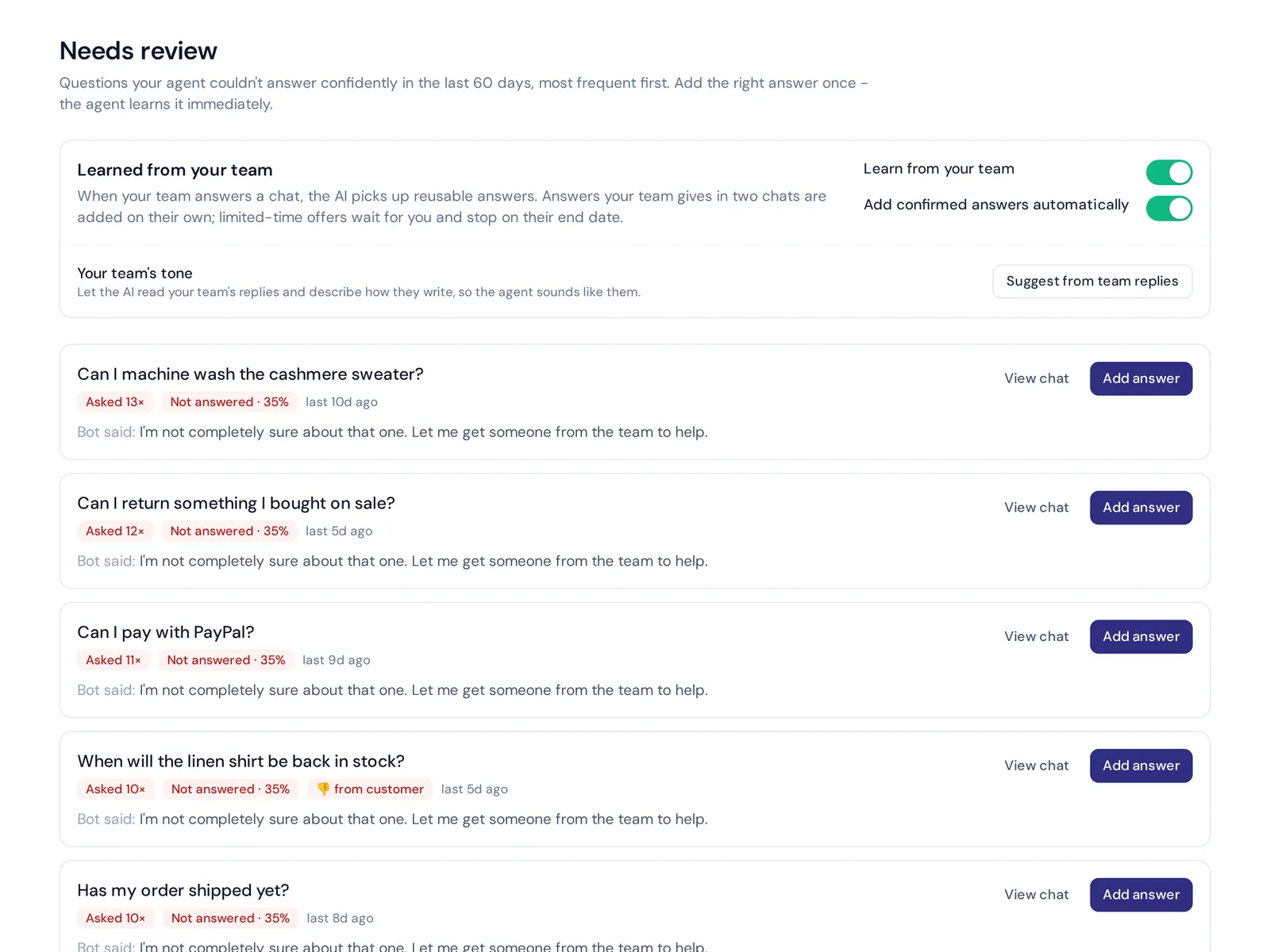
- Knowledge gaps: questions the AI couldn't answer, with a one-click "add answer" so the same question is covered next time.
- A plain-language search, so you can ask your conversations questions like you'd ask a colleague.
Analytics is included on the Free plan, along with website chat, the helpdesk inbox and a help center where readers rate articles with a thumbs up or down. Messaging channels like WhatsApp and Instagram start on paid plans; see pricing.
Where we're not a fit: AnytimeReply doesn't run NPS campaigns, email surveys or public review collection. Use a dedicated survey or review product alongside it.
Frequently asked questions
What are the best tools for collecting customer feedback?
It depends on the source. For surveys, Typeform, SurveyMonkey or Zonka Feedback. For on-site questions, Qualaroo or Hotjar. For feature requests, Canny. For reviews, Trustpilot. For support conversations, a tool with conversation analytics like AnytimeReply.
What are some examples of feedback tools?
Survey builders, on-site feedback widgets, feature request boards, review platforms, post-chat ratings and AI feedback analytics. Each one captures a different kind of feedback.
What are examples of CX tools?
Customer experience tools include helpdesks, live chat and AI agents, survey and feedback tools, review platforms, CRM systems and experience management suites like Qualtrics or Medallia.
Are there free customer feedback tools?
Yes. Google Forms is free, and many tools have free plans with limits. AnytimeReply's Free plan includes conversation analytics and ratings for website chat.
What is the difference between CSAT, NPS and CES?
CSAT measures satisfaction with one interaction. NPS measures loyalty, how likely someone is to recommend you. CES measures effort, how easy it was to get help.
Can customer feedback tools integrate with other software?
Most can. Common integrations include helpdesks, CRMs like HubSpot or Salesforce, Slack and ecommerce platforms. Check the integrations page before you buy.
Listen first, then build
The right tool is the one your team actually checks every week. Start with the feedback you already have in support conversations, add a simple survey for the moments that matter, and fix the top three issues each month.
Want to see what your customers are really saying? Start free with AnytimeReply, connect your website chat and get conversation analytics from day one. No card needed.
Published 29 October 2026 by AnytimeReply team