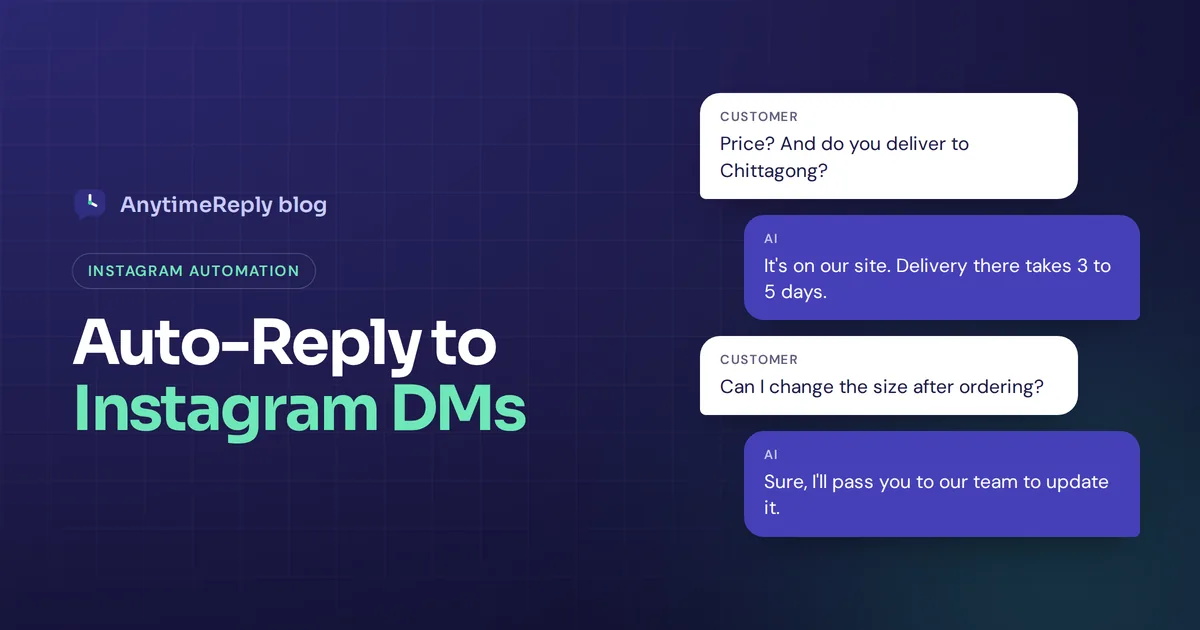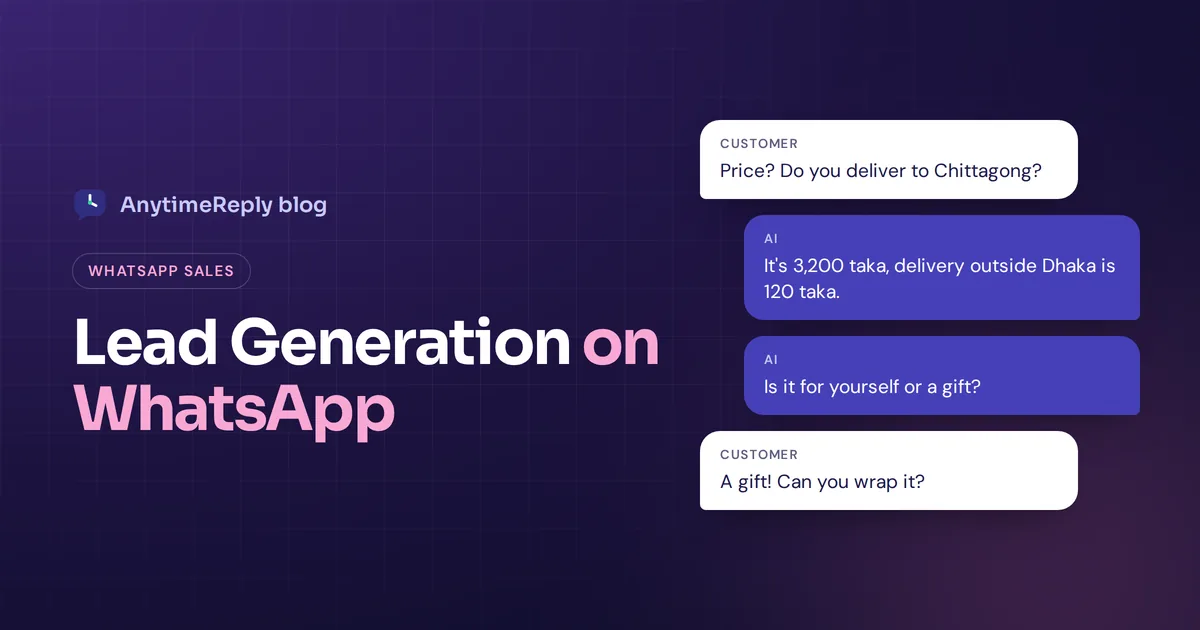
A woman sees your Instagram ad for a handmade leather bag at 10:30 pm. She taps the button, the chat opens, and she types: "Price? Do you deliver to Chittagong?" If she gets an answer in ten seconds, there is a good chance she orders. If she gets it at 11 am the next day, she has probably bought a different bag.
That is lead generation on WhatsApp in one picture. People already use the app every day, and starting a chat feels much easier than filling out a form. The hard part is not getting people to message you. It is answering fast, asking the right questions and following up without becoming spam.
Here is how to get leads into a chat, qualify them, automate the boring parts and stay within the rules.
What is WhatsApp lead generation?
It means using WhatsApp to start conversations with each potential customer, learn what they need, collect their details and move them toward a sale. A lead is anyone who showed interest, for example by tapping a button on your website or messaging you from an ad.
Compared with traditional lead forms, WhatsApp conversations are faster (one line instead of five fields), two-way (you answer questions in real-time), and personal. The chat history stays in one thread, which makes followup easy.
It works for businesses of all sizes: online shops, Facebook and Instagram sellers, real estate, clinics, coaching centres, travel agencies and B2B services.
WhatsApp Business app vs WhatsApp Business API
Pick the right version first. It decides how much automation you get.
| WhatsApp Business app | WhatsApp Business API | |
|---|---|---|
| Best for | Solo sellers, small teams | Growing teams |
| Users | A few linked devices | Many agents in a shared inbox |
| Automation | Greeting, away message, quick replies | Chatbots, AI agents, CRM integration |
| Broadcasts | Basic | Approved templates to opted-in contacts |
| Cost | Free app | Meta fees for some messages, plus software |
The WhatsApp API is not an app you download. You connect through a WhatsApp Business API provider (a software platform), and your WhatsApp Business account needs verification. If you get more than a handful of chats a day, or more than one person answers them, you will outgrow the app. See WhatsApp Business for Meta's current rules and pricing.
Why WhatsApp works for lead generation and conversion
- People already live there. It is a widely used messaging app, and in many countries the main way people talk to friends, family and shops.
- Messages get seen. WhatsApp messages usually get a better open rate than a crowded email inbox.
- Low effort. One tap from an ad, link or QR code opens a chat with the text already typed.
- Rich messages. Photos, catalogs, voice notes, location pins and buttons improve customer engagement.
The catch: people expect fast answers. A lead that waits hours goes cold, and a slow reply hurts the whole customer experience and your conversion rate.
7 lead generation strategies to get leads from ads and beyond
These entry points help businesses generate new leads on WhatsApp without a single form.
- Click-to-WhatsApp ads. Facebook and Instagram ads can open a chat directly. Use a specific pre-filled text, like "Hi, I want the price of the brown tote", so you know which WhatsApp campaign brought each lead.
- A chat button on your website, especially on product and pricing pages.
- Click-to-chat links. wa.me links open a chat with your number. Put them in bios, email signatures and your Google Business Profile.
- WhatsApp QR codes on packaging, flyers, shop windows and event stands. "Scan to ask a question" beats a plain code.
- Comment replies. When someone comments "price?" on social media platforms, reply and move them into a private chat via WhatsApp.
- Lead magnets. A price list, size guide or free consultation in exchange for a message.
- Opt-in at checkout. A checkbox like "Send me updates on WhatsApp" builds a list you can message later.
How to qualify WhatsApp leads in a chat
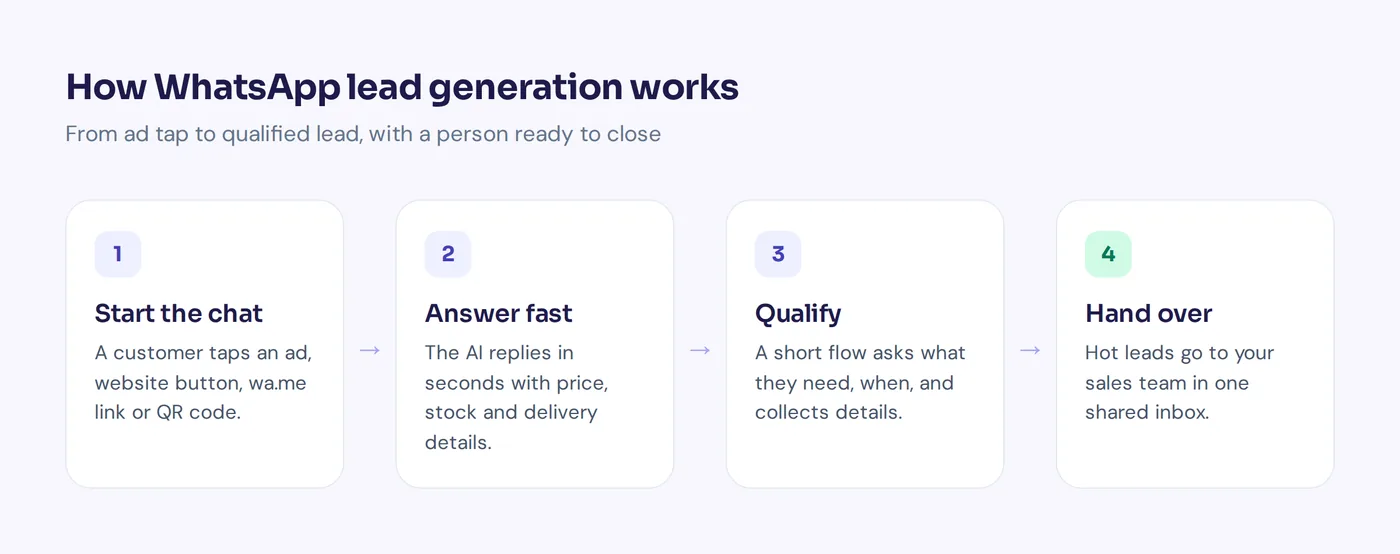
Not every chat is a hot prospect, and you want high-quality leads, not just volume. A short set of questions sorts them without annoying anyone. Good lead qualification looks like this:
- Answer their question first. Asked for a price? Give the price.
- Ask what they need. "Is this for yourself or a gift?"
- Ask about timing. "When do you need it?"
- Ask about budget or size only when it matters.
- Offer one next step: order, book a call, or get a quote.
Use buttons where you can. Tapping "Gift" is faster than typing. You already have the phone number, so only ask for name, email or city if you need them.
Message templates you can copy
Greeting: Hi, thanks for messaging [Business]! I can help with prices, sizes, delivery and orders. What are you looking for today?
Answer plus question: The brown leather tote is 3,200 taka, with free delivery inside Dhaka and 120 taka outside. Is it for yourself or a gift? Gift wrapping is free.
B2B qualifying: Thanks for your interest in our bookkeeping service. Two quick questions so I can quote: how many invoices do you send a month, and when would you like to start?
Followup: Hi [Name], any other questions about the tote? We have 3 left in brown. Happy to hold one for you until tomorrow.
Opt-in confirmation: Thanks! You'll get order updates and the occasional offer here. Reply STOP any time to opt out.
WhatsApp automation and CRM followup
Ten chats a day you can answer by hand. A hundred a day, or ads running overnight, need automation tools. There are three levels:
- Basic auto-replies in the app. Better than silence, but they don't answer questions.
- Rule-based chatbots and flows. Automated WhatsApp steps with buttons, great for automated lead capture.
- AI agents. Conversational replies to messy messages like "do u have black, delivery sylhet how much?", answered from your own product info.
The best workflow mixes them: a flow for the questions you always ask, AI for everything nobody can predict, and your sales team one step away to close. Good timing helps keep leads engaged and convert more leads.
| Automate | Keep human |
|---|---|
| Prices, stock, delivery fees, hours | Large or custom deals |
| Qualifying questions | Complaints |
| Booking calls | High-value B2B leads |
| One polite followup | Closing a hesitant buyer |
Connect leads to your CRM
Leads stuck on one staff member's phone get lost. Send lead data to your CRM, or to Google Sheets through a tool like Zapier or Make, so your lead management stays in one place and you can see which ads convert leads into sales.
Rules: opt-in, templates and avoiding bans
- Get permission first. Only send marketing to people who opted in.
- Use approved templates to start conversations on the API.
- Offer a way out. "Reply STOP to unsubscribe" keeps people from reporting you.
- Don't blast. Send broadcasts at a steady pace with daily limits.
- Never buy lists. It is the fastest way to get your number blocked.
Compliance with WhatsApp policies matters because Meta can limit or ban numbers. Check the official WhatsApp Business policy before you plan WhatsApp marketing strategies.
How AnytimeReply helps with WhatsApp for sales
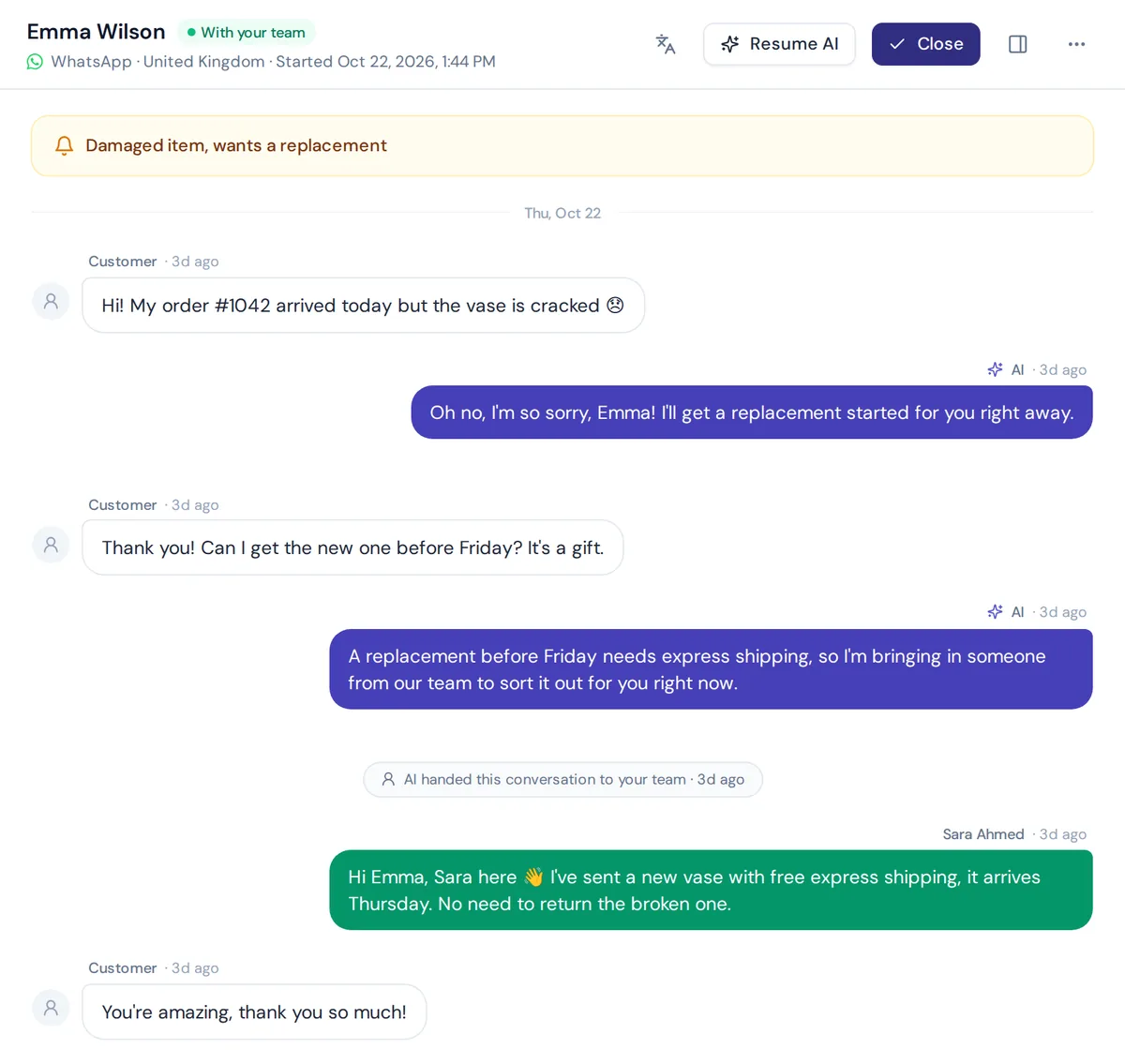
AnytimeReply is an AI support and sales agent with a built-in helpdesk. On WhatsApp, it answers new chats in seconds, day and night, in the customer's language, including Bangla, Banglish, Hindi and Hinglish.
- Connect WhatsApp through the official API or a quick QR connect. It understands voice notes and photos.
- Answers from your own info: website, documents and, for Shopify stores, products with price and stock as product cards.
- Lead capture with flows: buttons, questions, conditions and API calls on a visual canvas. Flow steps use no AI credits.
- Book calls and sync leads with Cal.com, Calendly, HubSpot or Airtable, or pass them on with Zapier, Make, n8n or webhooks.
- Hand over hot leads to your team in one shared inbox with a summary. Agents can join any chat and the AI pauses.
- Follow up safely with broadcasts at a steady pace, daily limits and STOP opt-out, plus one follow-up to quiet customers.
WhatsApp is on paid plans, from Hobby at $9 a month (see pricing, prices can change). Meta's own fees are separate. If you only get a few chats a week, the free app may be enough.
Frequently asked questions
Is WhatsApp good for lead generation?
Yes, especially where customers already use it daily. Starting a chat is easier than a form, and you can answer at once. It only works if you reply fast.
How do I use Facebook ads to get WhatsApp leads?
Create a Facebook or Instagram ad with a message button that opens WhatsApp, add a specific pre-filled message, and make sure someone (or an AI) answers instantly, including at night.
Can I sort leads automatically?
Yes. A flow asks the key questions with buttons, and an AI agent handles free-form questions. Hot leads go to a person.
Can I send bulk messages for leads?
Only to opted-in contacts, using approved templates on the API, at a steady pace, with an easy opt-out.
Can small businesses use WhatsApp for marketing?
Yes. Start with the free Business app, then move to the API when volume or team size grows. Doing business on WhatsApp this way helps you connect with potential customers where they already are.
Turn chats into customers
Make it easy to start a chat, answer fast and helpfully, and follow up with permission. Want an AI that answers your WhatsApp leads at 10:30 pm? Start free with AnytimeReply, no card needed.
Published 7 November 2026 by AnytimeReply team