A customer wants to change their delivery address. They search your help center, find an article from 2023 that mentions a button that no longer exists, give up and open a ticket. Your knowledge base just created work instead of saving it.
These knowledge base best practices fix that. Below are 14 practical tips for planning, writing and maintaining a knowledge base people actually use, plus a ready-to-use article template.
Fair warning: we build AnytimeReply, which includes a help center and an AI agent that answers from your knowledge base. So we care a lot about good articles, because AI answers are only as good as the content behind them.
What is a knowledge base? (and the types of knowledge bases)
A knowledge base is a centralized repository of information: help articles, FAQ pages, how-to guides and policies that answer common questions. There are two main types of knowledge bases:
- External knowledge base: a help center that lets customers find answers to their questions on their own.
- Internal knowledge bases: for employees. Processes, policies and answers your support team and other staff use every day.
Both are part of knowledge management, which simply means capturing what your company knows so essential information doesn't live in one person's head or stay as information scattered across chats and inboxes. A knowledge base helps you centralize it.
Why building a knowledge base pays off
- Self-service that works. Many customers prefer to find answers quickly instead of waiting for a reply.
- Fewer repeat tickets for your support team, so they spend time on harder cases.
- Faster onboarding. New employees learn from the knowledge base instead of asking the same questions.
- Better AI answers. With the rise of generative AI, chatbots read your articles to answer customers. A good knowledge base makes them accurate.
Done well, it helps improve customer satisfaction, gives end-users a better user experience and makes your support team calmer.
Planning: how to create an effective knowledge base
1. Start with the questions customers actually ask
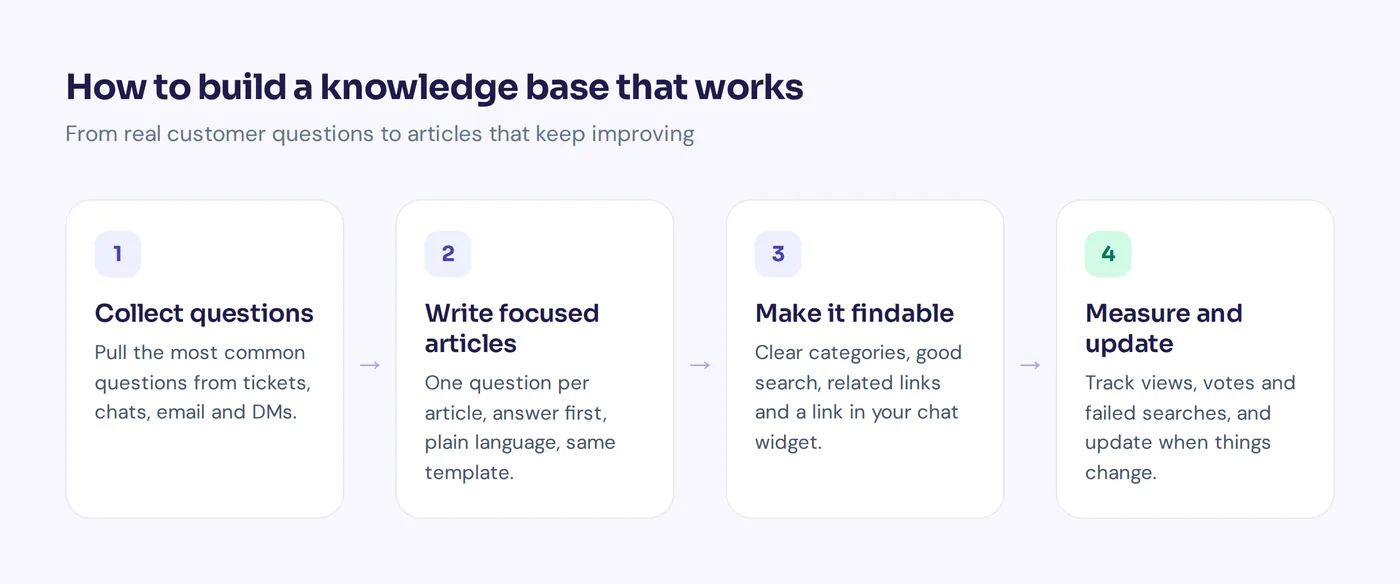
Before you create a knowledge base, look at user needs. Don't start by writing about your product or service. Start with your inbox. Pull the most common questions from support tickets, live chat, email and DMs, and write those articles first. Use the customer's own words for titles ("Why was I charged twice?"), not internal terms ("Billing reconciliation").
2. Set a simple content strategy
Decide who handles content creation, who reviews and what gets covered first. Aim to cover your top 20 to 30 questions before anything else. Those articles will handle a big share of repeat questions.
3. Organize with clear categories
Group articles the way customers think: "Orders and delivery", "Returns and refunds", "Account and billing", "Getting started". Keep it shallow, with five to eight top-level categories, so any knowledge base article is two or three clicks away.
Writing effective knowledge base articles
4. One article, one question
Each knowledge article should answer one question or explain one task. "Reset your password" and "Change your email" are two articles, not one long "Account settings guide". Focused articles are easier to search, and AI tools pull cleaner answers from them.
5. Put the answer first
People scan help articles. Give the answer in the first one or two sentences, then add details.
| Weak opening | Strong opening |
|---|---|
| "At our company, we understand that sometimes plans change..." | "You can cancel your order within 2 hours. Go to My orders, open the order and tap Cancel." |
| "Shipping is an important part of online shopping..." | "Delivery takes 3 to 5 days in the UK and 7 to 14 days elsewhere." |
(The numbers are examples. Use your own.) A simple best practice: if the customer's query can be answered in one line, the first line should be that answer.
6. Write in plain language
Keep KB articles easy to read: short sentences, no jargon, "you" instead of "the user", and active voice: "Click Save", not "The Save button should be clicked". Many readers use your product in their second language.
7. Use a consistent format
When every article follows the same pattern, people learn where to look. This template works for most how-to content:
Title: How to [task], in the customer's words
Short answer: One or two sentences that solve it
Before you start: Plan, permissions or app version needed
Steps: Step-by-step, one action per step
If it doesn't work: Two or three common fixes
Related articles: Two or three links
Add a short style guide too: how you write button names, dates and product names. Use a clear heading for each section and bold for buttons.
8. Use visuals carefully
A cropped screenshot can save a paragraph. But images go out of date when your interface changes, so always write the steps in text as well. That also keeps the content readable for AI.
Making it a searchable knowledge base
9. Make search work well
Most people search instead of browsing, so good search functionality matters more than pretty categories. Put the main keyword in the title and first sentence, and add the different words people use ("cancel", "stop", "end subscription"). Clear titles also help search engines send visitors straight to the right page.
10. Link related articles
Every page should point to the next logical step. After "How to place an order", link to "How to track your order". Links keep people in self-service instead of sending them to the contact form.
11. Put it where customers already are
The easier it is for customers to find answers, the more they use it. Link your help center in the website header, footer and order emails. Show articles in your chat widget, and let an AI chatbot answer from it on your website and messaging channels.
Knowledge base management best practices: keep it accurate
12. Assign owners and regularly update
Outdated content is worse than missing content, because people trust it. Give each category an owner, review top articles every quarter and update articles the same day a product, price or policy changes. Show a "last updated" date, and archive duplicates.
13. Make it easy for employees to contribute
Every support agent and subject matter expert knows which answers are missing, because they type them every day. Add new knowledge to your normal workflow, and run short, regular training sessions so the team knows how to write in your style. A simple rule: if you answer the same question three times in a week, write an article. This kind of knowledge sharing stops information from getting stuck in one team's silo.
Measure and optimize your knowledge base
14. Track a few simple numbers
- Article views and which pages never get read.
- Helpful votes, a simple way for users to provide feedback on each page.
- Failed searches, where people leave without finding answers.
- Tickets after reading: if people still contact you, the article isn't solving the problem.
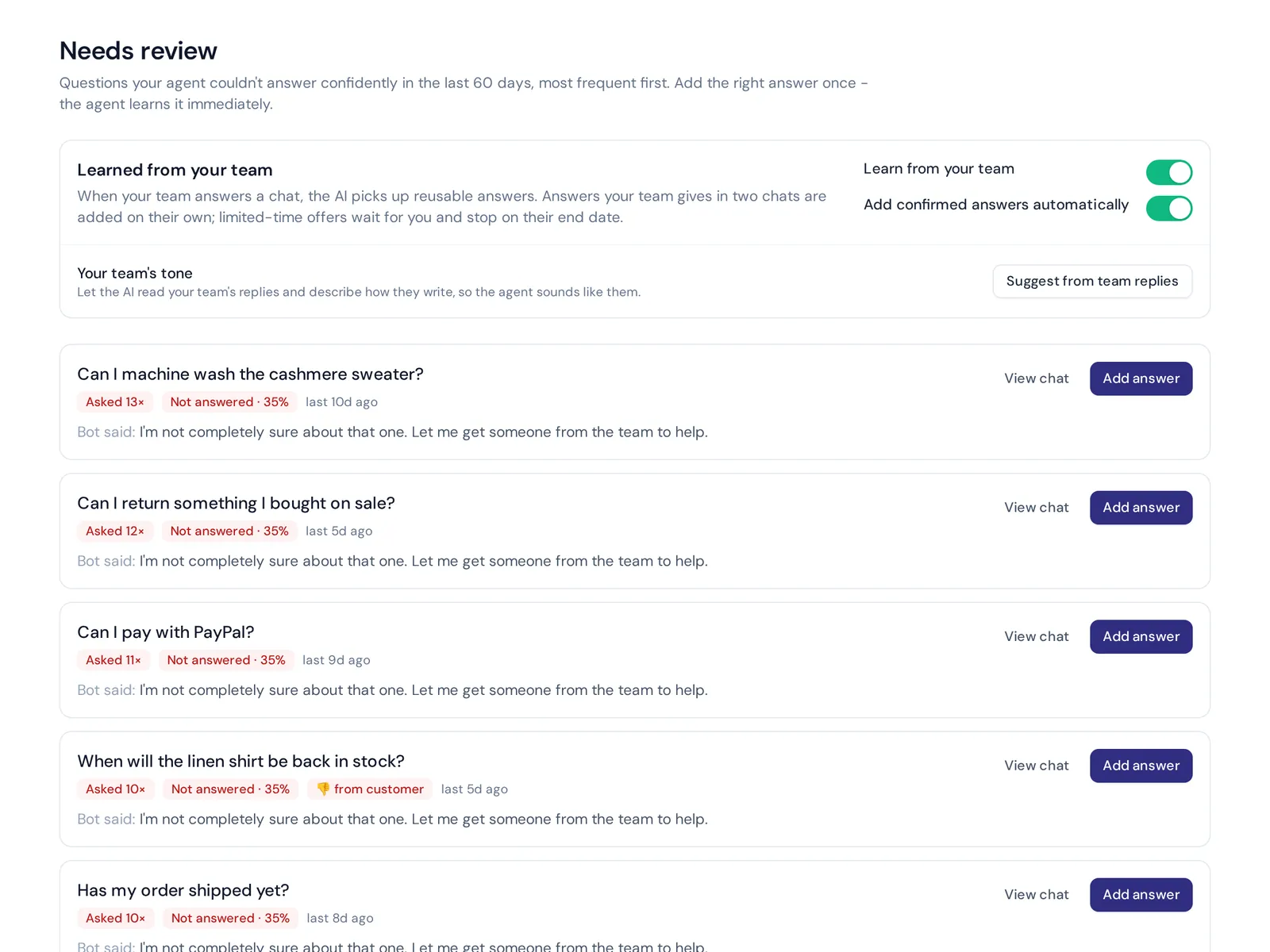
- Unanswered questions from your AI chatbot, a ready-made list of gaps.
Customer support knowledge base best practices for AI
AI chatbots built on large language models read your articles using natural language, so a few extra rules apply:
- Be explicit. "Returns are accepted within 30 days of delivery for unworn items" beats "We have a flexible return policy".
- Remove contradictions. If one page says 14 days and another says 30, the AI may pick either. Keep one source of truth.
- Write exact answers for sensitive topics like refunds and pricing.
- Test it. Ask the AI your top questions after every big change.
Features of a good knowledge base tool
Picking the right software makes the rest easier. Look for a user-friendly editor, strong search, categories, article feedback, analytics, your own domain, and integration with your help desk or chat tool so agents can share articles in replies.
How AnytimeReply helps
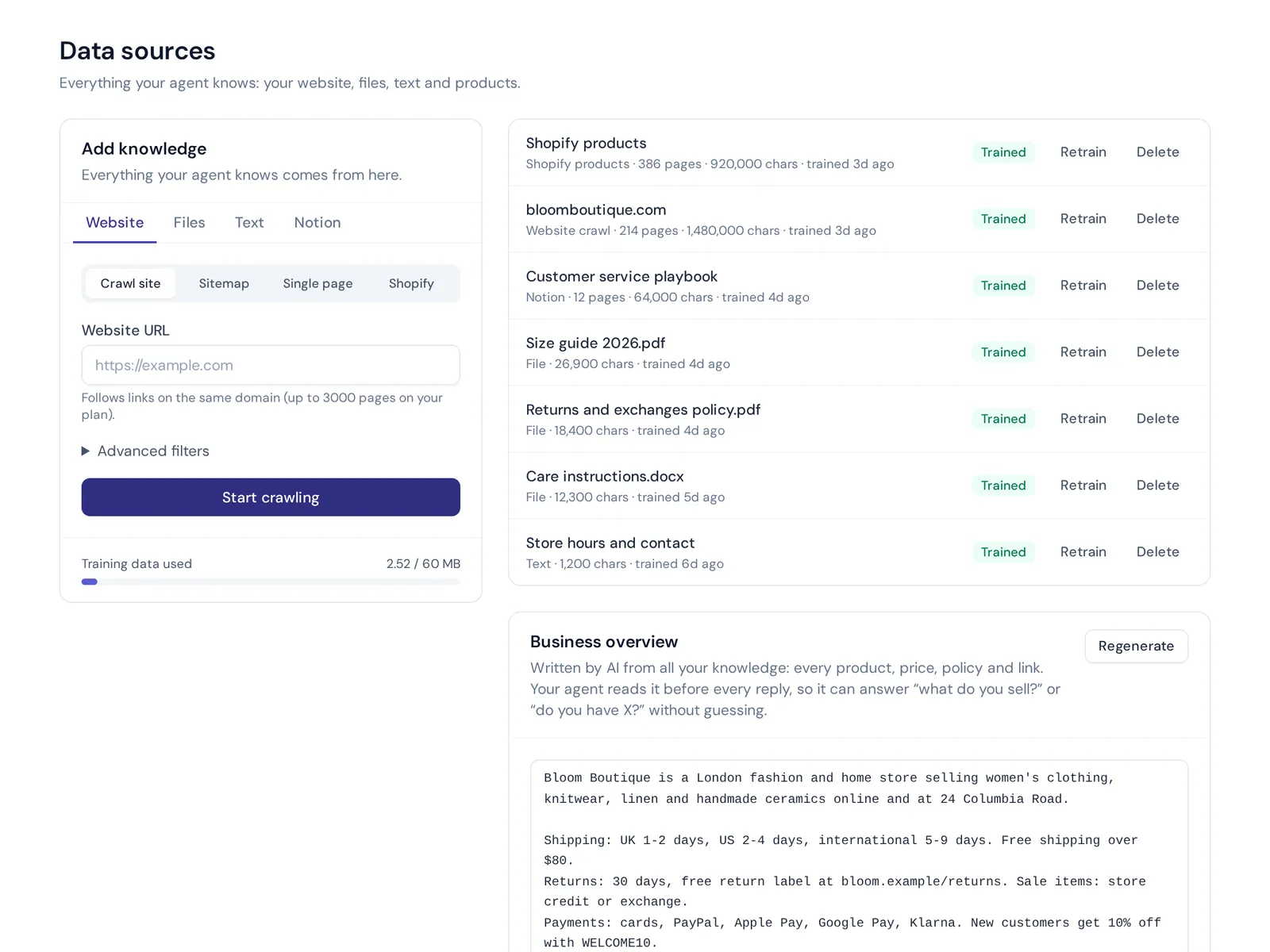
AnytimeReply turns your content into answers. Add your website, PDF and Word files, Notion pages and Q&A, and the AI agent learns from them. Q&A you write always wins over other sources. See training and knowledge.
- Help center on your own domain (help.yourdomain.com), with "Draft with AI", article views, thumbs up or down, and AI search that answers instead of listing links. See the help center.
- Knowledge gaps in analytics, with a one-click "add answer".
- Tests and Copilot to check answers after every change.
The help center, Q&A and analytics are on the free plan. It isn't a full documentation platform for huge versioned developer docs, so very large technical docs may still need a dedicated tool.
Frequently asked questions
What makes a good knowledge base?
It answers real customer questions in plain language, is easy to search, is organized the way customers think and is kept up to date by clear owners.
How often should you update a knowledge base?
As soon as something changes, plus a review of top articles every quarter and a full review at least twice a year.
How do you organize knowledge base articles?
Use five to eight customer-friendly categories, one question per article, clear titles and links between related articles.
Is a knowledge base the same as a database?
No. A database stores structured records. A knowledge base stores written answers and guides that people read.
Can AI write knowledge base articles?
AI can draft articles fast from your existing content and past chats. A person should still check each draft for accuracy before publishing.
Start small and keep it fresh
You don't need 500 articles. You need the 20 or 30 that answer what customers ask most, written clearly and kept up to date. Then let the data tell you what to write next.
Want a help center and an AI agent that answers from it? Start free with AnytimeReply, no card needed.
Published 4 November 2026 by AnytimeReply team