Your customers already live on WhatsApp. They ask about prices there, send order numbers there and complain there. Once you get more than a few dozen messages a day, the free WhatsApp Business app on one phone stops being enough, and you start searching for the best WhatsApp Business API platforms 2026 has to offer.
The problem: there are hundreds of providers, and most "top 10" lists are written by one of them. The real differences are in pricing, setup effort and what your team does with the messages after they arrive.
We build one of these tools (AnytimeReply), so yes, we're on the list and we have a bias. We'll still tell you who each platform suits, where it falls short and how to pick the right WhatsApp API provider for your business.
Quick picks: WhatsApp API platforms at a glance
| Platform | Type | Good fit for |
|---|---|---|
| AnytimeReply | AI agent + helpdesk | Small teams that want AI to answer support and sales chats, with a person for hard cases |
| Twilio | Developer API | Engineering teams building their own messaging features |
| 360dialog | Direct BSP | Developers and software companies that want lean API access |
| WATI | No-code WhatsApp platform | Small and mid-size businesses running broadcasts and simple bots |
| Respond.io | Omnichannel inbox | Sales and support teams across many messaging channels |
| Infobip | Enterprise messaging | Large companies with global, high-volume needs |
| Gupshup | Conversational messaging | Brands that want bots and campaigns at scale, especially in Asia |
| AiSensy | Campaigns and broadcasts | Small businesses focused on broadcasts and campaigns |
| Interakt | WhatsApp commerce | Small online stores, especially in India |
| Trengo | Omnichannel inbox | Customer service teams, popular in Europe |
What is the WhatsApp Business API?
The WhatsApp Business API (Meta now calls it the WhatsApp Business Platform) lets businesses send and receive WhatsApp messages through software instead of a phone. That means many agents on one number, automation, chatbots, CRM integration and bulk messages to customers who opted in.
Most businesses use it through Meta's Cloud API, hosted by Meta. You can connect to it yourself, but most go through one of the official business solution providers (BSPs) or a platform built on top of one. The provider gives you a dashboard, an inbox, templates, automation and support.
WhatsApp Business app vs API: when the app may be enough
| WhatsApp Business app | WhatsApp Business API | |
|---|---|---|
| Cost | Free | Meta message fees plus provider fees |
| Users | One phone plus a few linked devices | Many agents on one number |
| Automation | Greeting, away message, quick replies | Chatbots, AI agents, workflows, API integration |
| Bulk messages | Limited broadcast lists | Template campaigns to opted-in customers |
| Integrations | Very few | CRM, store, helpdesk, webhooks |
| Good for | Solo owners, low volume | Teams, growing volume, support at scale |
Our honest take: if one person answers fewer than 20 or 30 chats a day, the free app may be enough. Once you need a team, automation or proper reporting, it's time to move to the API.
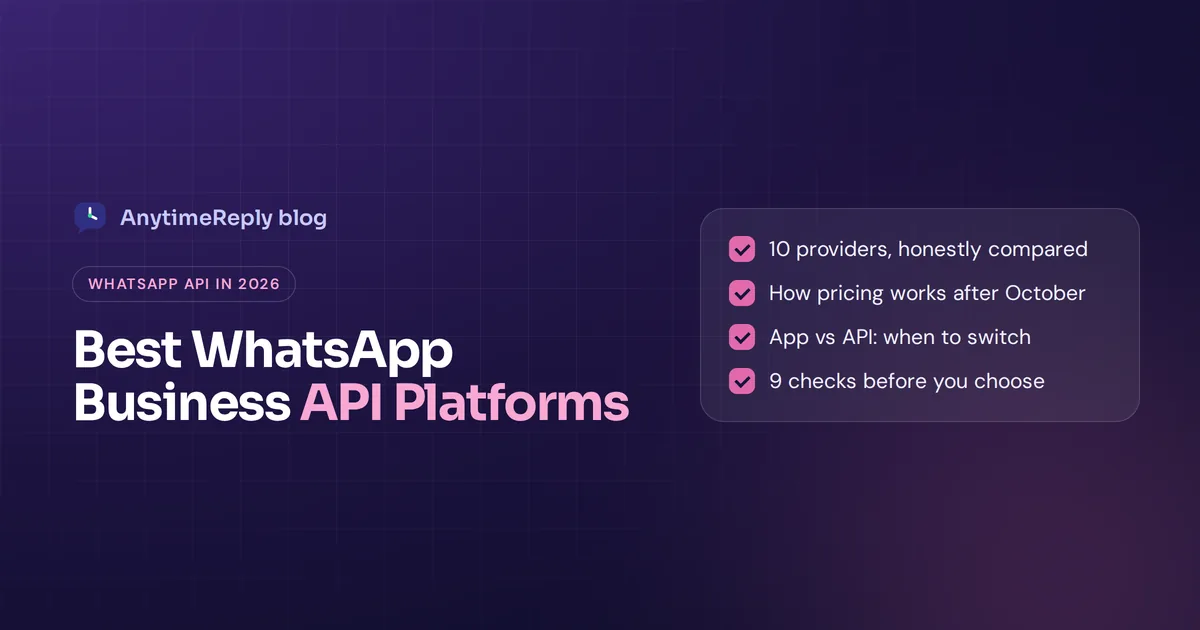
How WhatsApp API pricing works in 2026
You usually pay two things: Meta's message fees and your provider's fees. Each pricing model works differently, so compare carefully.
Meta's fees
Meta charges per delivered message, based on the message category and the recipient's country. The categories are marketing, utility (like order updates), authentication (like login codes) and service (replies to customers who wrote to you first). Rates are on Meta's official WhatsApp pricing page.
There's a big change this year. From 1 October 2026, service messages and utility templates sent inside the 24-hour customer service window become billable, with 1,000 free service messages per phone number each month, according to provider notices such as this Trengo help article. Marketing and authentication messages were already charged. So if you mainly use WhatsApp for customer support, check how this affects your budget.
Provider fees
Providers use different pricing models:
- Monthly subscription for the platform, often by number of users or features.
- Markup on Meta's rates, added to every message.
- Pay as you go with no monthly fee, common with developer APIs.
- Usage-based AI fees if the platform uses AI to reply.
Transparent pricing matters more than a low headline number. Ask each provider for a total monthly estimate at your real volume, including Meta fees, markups and any extras.
Types of WhatsApp Business API providers
Before using the WhatsApp Business API, decide which type of provider you need. Most providers fall into one of four groups:
- Developer APIs (CPaaS). Raw APIs for engineers. Flexible, but you build the inbox and logic yourself. Example: Twilio.
- Direct BSPs. Lean access to the official WhatsApp Business API, often used by software companies. Example: 360dialog.
- WhatsApp marketing and automation tools. No-code dashboards for broadcasts, templates and simple chatbots. Examples: WATI, AiSensy, Interakt.
- Inbox and AI support platforms. Shared inboxes for WhatsApp and other channels, often with AI agents. Examples: AnytimeReply, Respond.io, Trengo.
There's no best type for everyone. A marketing team sending weekly campaigns and a support team answering 300 questions a day need very different tools, even if both are "WhatsApp API providers".
Top WhatsApp Business API providers in 2026 (10 picks)
Here is our pick of WhatsApp Business API provider options for different needs, including WhatsApp-only tools and platforms that also cover email, Instagram and Messenger. We picked these based on what each platform is known for and who it fits. We have not run paid tests on every one, and features change often, so check each provider's site and pricing page before you decide.
1. AnytimeReply
What it is: an AI customer support and sales agent with a built-in helpdesk. You connect WhatsApp through the official Business API or a quick QR connect, train the AI on your website and documents, and it answers customers on WhatsApp day and night in their own language.
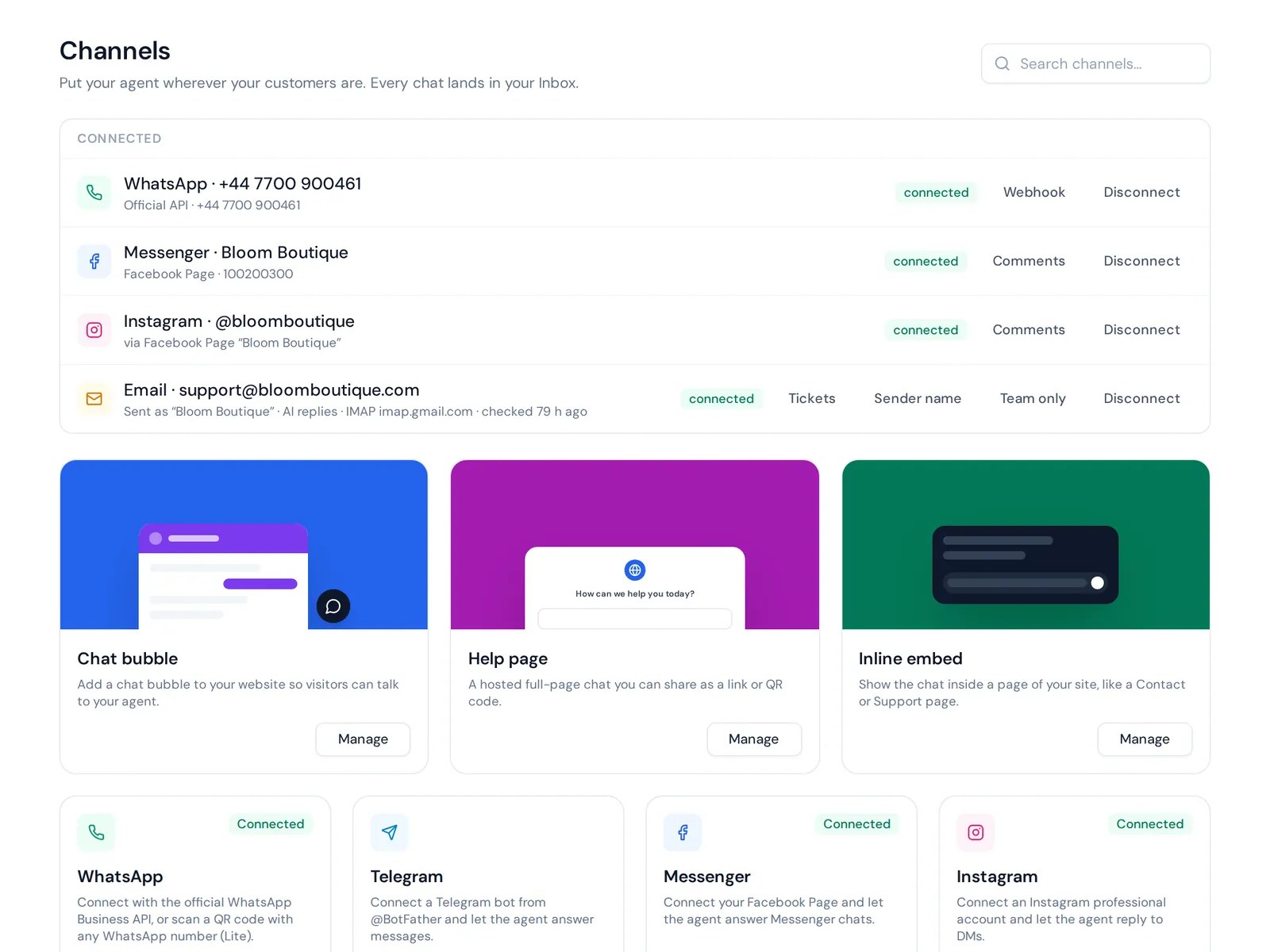
Stands out for: the AI understands voice notes and photos on WhatsApp, hands chats to your team with a summary when needed, and keeps WhatsApp in one inbox with your website chat, Messenger, Instagram, Telegram and email. WhatsApp broadcasts go out at a safe pace with daily limits and STOP opt-out. On paid plans the AI can check orders in Shopify or WooCommerce for verified customers.
Limits: it's a support and sales tool, not a raw developer API. There's no SMS or phone channel. WhatsApp starts on the Hobby plan ($9/month at the time of writing, see pricing).
Good fit for: online shops, Facebook and Instagram sellers, service businesses and SaaS teams that want AI-first customer support on WhatsApp.
2. Twilio
What it is: a well-known developer platform for messaging, voice and email. Its WhatsApp API sits alongside SMS and other channels in one programmable platform.
Stands out for: flexibility, documentation and scale. If your developers want to build WhatsApp into your own product, Twilio is a common choice.
Limits: you need engineering time. There's no ready-made support inbox for non-technical teams unless you build it or add another tool.
Good fit for: companies with developers who want full control.
3. 360dialog
What it is: a WhatsApp Business Solution Provider focused on direct, lean access to the WhatsApp Business API. Many other software platforms build on top of it.
Stands out for: simple, developer-friendly access without a heavy dashboard. It suits teams who want to plug WhatsApp into their own systems.
Limits: you'll need another tool or your own build for an agent inbox, chatbots and reporting.
Good fit for: developers, agencies and software companies.
4. WATI
What it is: a no-code WhatsApp platform for small and mid-size businesses, with a shared team inbox, broadcasts, a chatbot builder and integrations.
Stands out for: getting started quickly without developers. It's popular with ecommerce and service businesses.
Limits: it's WhatsApp-first, so check how well it covers other channels if you need them.
Good fit for: small teams that mainly want campaigns and a simple inbox.
5. Respond.io
What it is: a conversation management platform that brings WhatsApp, Messenger, Instagram, email and other channels into one inbox with workflows and AI features.
Stands out for: omnichannel routing and automation for sales and support teams.
Limits: with so many options, setup takes some planning. Check their pricing page against your team size.
Good fit for: growing teams handling many messaging channels.
6. Infobip
What it is: a global communications platform (CPaaS) used by large enterprises for WhatsApp, SMS, voice, email and more.
Stands out for: scale, global reach and enterprise features.
Limits: often more than a small business needs, and typically sold through a sales process.
Good fit for: enterprises with high message volume in many countries.
7. Gupshup
What it is: a conversational messaging platform with official WhatsApp API access, bot building and campaign tools.
Stands out for: large-scale campaigns and chatbots, with a strong presence in India and other Asian markets.
Limits: can feel complex for small teams.
Good fit for: brands running big WhatsApp campaigns and bots.
8. AiSensy
What it is: a WhatsApp marketing and automation tool built for small businesses, especially in India.
Stands out for: easy broadcasts, campaigns and click-to-WhatsApp ads.
Limits: marketing comes first. Teams with heavy support needs should check the inbox and handoff features closely.
Good fit for: small businesses focused on WhatsApp marketing.
9. Interakt
What it is: a WhatsApp commerce platform for small businesses, with catalogs, notifications and a team inbox.
Stands out for: selling on WhatsApp, such as sharing a WhatsApp catalog and sending order updates.
Limits: mainly built around the Indian market, so check fit if you sell elsewhere.
Good fit for: small online stores selling through WhatsApp.
10. Trengo
What it is: an omnichannel customer service platform that brings WhatsApp, email and other channels into one inbox with automation.
Stands out for: team collaboration for customer support, popular with European businesses.
Limits: as with any inbox tool, compare plan limits and AI features on their pricing page.
Good fit for: customer service teams that want WhatsApp and other channels in one place.
Short on time? For most small teams, these 5 WhatsApp Business API providers make a sensible shortlist: AnytimeReply for AI support, WATI for campaigns, Respond.io for many channels, Twilio for developers and 360dialog for lean API access.
Option 11: going direct with Meta's Cloud API
You can also use Meta's Cloud API directly, without any provider. You pay only Meta's message fees, but you build and host everything else yourself: the inbox, templates management, automation and monitoring. This only makes sense if you have developers and a clear reason to avoid a platform.
WhatsApp marketing and automation features to compare
Almost every provider says "automation". Here is what that word can mean, so you can compare like with like:
- Template messages and WhatsApp campaigns. Approved templates let you message customers first, for order updates, reminders or offers. A good WhatsApp broadcast tool also handles opt-outs and sending limits.
- Chatbots and flows. Button menus and question steps that collect details, like an order number or a booking time. Meta also offers WhatsApp Flows, simple forms that open within WhatsApp itself.
- AI-powered WhatsApp agents. Instead of fixed buttons, an AI reads the customer's message and answers from your own content. This is the biggest change in WhatsApp automation over the last few years, and the quality varies a lot between tools.
- WhatsApp CRM features. Contact profiles, tags, notes and history, so every WhatsApp message has context and your WhatsApp conversations don't get lost.
- Catalog and commerce. Sharing a WhatsApp catalog, product cards and order updates.
- API integration. Webhooks and connectors that integrate WhatsApp with your store, CRM and other business tools.
If you mostly want WhatsApp marketing, focus on templates, campaigns and analytics. If you want to automate WhatsApp support, focus on AI quality, handoff to people and the inbox. Very few tools are the best at both.
Which WhatsApp API provider fits your business?
Many WhatsApp API providers look the same on their homepage. Your use case is what separates them:
- Small businesses and startups: pick a no-code platform with a simple inbox and clear monthly pricing. Avoid anything that needs a developer to get started.
- Ecommerce and Shopify stores: look for order lookups, catalog support and abandoned cart or delivery messages. Check that the provider offers a ready Shopify connection.
- SaaS and tech companies: you may want a developer API for notifications plus a support platform for customer conversations.
- Enterprises: look at global reach, security reviews, multiple business accounts and dedicated support.
- Agencies: look for client workspaces so each client's WhatsApp Business account stays separate.
And if customers write in several languages, test how each tool handles that. Many teams in South Asia get messages in Bangla, Hindi and English mixed in one chat.
Choosing the best WhatsApp API provider in 2026: 9 checks
Use these criteria for choosing a WhatsApp API provider that fits your business:
- Official access. Make sure the provider uses the official WhatsApp Business Platform. Meta lists each official Meta Business Partner in its partner directory.
- Your main use case. Marketing campaigns, customer support, sales or notifications? Pick a provider built for that.
- Total pricing. Meta fees plus subscription plus markups plus AI usage. Ask for an estimate at your real volume.
- Team inbox. Can several agents work the same number, with assignment, notes and handoff?
- Automation and AI. Simple chatbots, flows, or an AI agent that can answer from your own content?
- Integrations. Your store, CRM, helpdesk, Zapier or webhooks.
- Other channels. Do you also need Instagram, Messenger, website chat or email in the same place? Keeping all customer communication, including WhatsApp communication, in one inbox saves a lot of tab switching.
- Onboarding and support. Will they help with number verification, display name approval and template approval? Does the team support WhatsApp issues quickly when something breaks?
- Easy exit. Can you move your number to another provider later?
Red flags when choosing the right WhatsApp Business API provider
- Vague answers about official access. If a provider can't clearly explain how it connects to WhatsApp, be careful. Breaking WhatsApp's rules can get your number restricted.
- "Unlimited" bulk messaging promises. WhatsApp has messaging limits and quality ratings. Spam gets numbers blocked.
- Hidden markups. A cheap plan with a big per-message markup can cost more than a pricier plan.
- No way to talk to a human. When your number has a problem, you need fast support.
- Long contracts before a trial. You should be able to test first.
How to test a provider with a real WhatsApp message before you commit
- Use a test number or a low-risk number first.
- Send your ten most common customer questions and see how the bot or AI answers.
- Try a handoff to a human and check the agent sees the full history.
- Send one approved template message and check delivery reports.
- Look at the bill after a week and compare it to the estimate.
Using WhatsApp for customer support with AnytimeReply
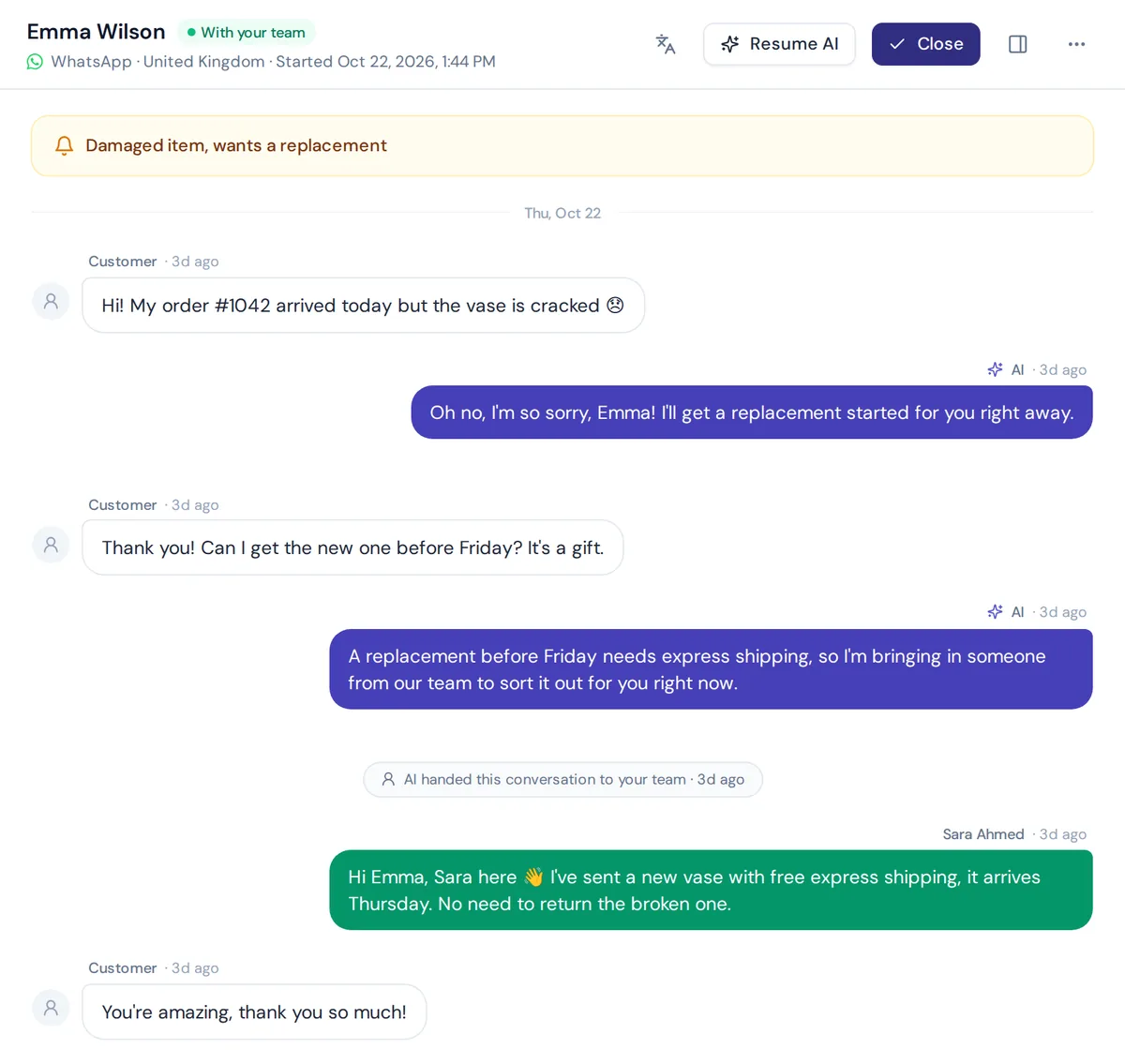
If you're looking for a WhatsApp Business API provider mainly for customer support, here's how we approach it. The AI agent answers first, and your team steps in when it matters.
- Connect WhatsApp through the official Business API, or use quick QR connect to get going fast. See our WhatsApp channel page for details.
- Answer customers via WhatsApp in seconds, day and night.
- Train the AI on your website, PDFs, Notion pages or Shopify products. It replies in the customer's language, including Bangla, Banglish, Hindi and Hinglish.
- Hand over with a summary when a customer asks for a person, gets upset or the AI can't answer. Your team replies from the shared helpdesk inbox.
- Send broadcasts safely with daily limits and STOP opt-out, and one follow-up to quiet customers.
It's not the right pick if you need SMS, voice calls or a developer API to build your own messaging product. For that, look at Twilio, 360dialog or Infobip.
Frequently asked questions
Is the WhatsApp Business API free?
No. Meta charges per delivered message by category and country, and most providers add a subscription or markup. From October 2026, service replies are also billed after 1,000 free service messages per number each month.
What is a WhatsApp Business Solution Provider?
A BSP is a company approved by Meta to give businesses access to the WhatsApp Business Platform, often with a dashboard, onboarding help and support.
Can I use the same number on the WhatsApp Business app and the API?
For a long time the answer was no. Meta has since added a "coexistence" option with some providers that lets you keep using the app on the same number. Ask your provider if they support it.
Can I switch WhatsApp API providers later?
Yes, you can usually move your number to a new provider. Ask about the process before signing, and keep your templates and contact lists exportable.
Which WhatsApp API platform is right for small businesses?
It depends on your goal. For broadcasts, a WhatsApp marketing tool may be enough. For answering lots of customer questions, an AI support platform with a team inbox usually saves more time.
Do I need a developer to use the WhatsApp Business API?
Not if you use a no-code platform. You only need developers if you use a raw API like Twilio, 360dialog or Meta's own API directly.
Final thoughts
There's no single winner among WhatsApp Business API providers, and the best tool is simply the one that fits your main use case. Developers will like Twilio or 360dialog, marketers will look at WATI or AiSensy, enterprises will talk to Infobip, and support teams should look at platforms built around an inbox and AI. Start with your main use case, check total pricing at your real volume and test before you commit.
If customer support is your main reason for WhatsApp, start free with AnytimeReply. No card needed. Train the AI on your website, test it on the free website chat, then connect WhatsApp when you're ready.
Published 4 November 2026 by AnytimeReply team