You post a reel showing your new handbag. By evening there are 140 comments: "price?", "pp", "do you deliver to Chittagong?", "link pls". You reply to the first twenty, then dinner happens. The rest go unanswered until tomorrow, and half of those people have already bought from someone who answered faster.
That is the problem Instagram auto comment tools promise to solve. But the phrase means two very different things. One is replying automatically to comments on your own posts. That is allowed and supported by Meta's official APIs. The other is a bot that posts comments on other people's posts to get attention. That breaks Instagram's terms and can get your account restricted.
This guide covers the safe version: how comment automation works, how to set it up, reply templates and the rules you should know.
What auto commenting actually means: comment or DM?
| Type | What it does | Allowed? |
|---|---|---|
| Instagram auto comment reply | Replies publicly to people who comment on your own posts, reels or ads | Yes, through the official API for professional accounts |
| Comment to DM | Sends a private message to someone who comments, often after a specific keyword | Yes, through the official API, with limits |
| Auto commenting on other accounts | An "Instagram auto commenter" posts generic comments like "Nice pic!" on strangers' posts | No, this is spam |
| Bought or swapped comments | Fake engagement to look popular | No, this is artificial engagement |
Only the first two help a business. The last two are about boosting engagement numbers, not customers. Real Instagram automation is about serving commenters faster.
Why automate Instagram comment replies
- Comments are high-intent. "Price?" and "Available in black?" come from people ready to buy. Every hour without a reply loses some of them.
- Viral posts move fast. A reel can bring hundreds of comments in a few hours. Nobody can reply to every comment by hand.
- Faster response times. Your average response time drops from hours to seconds, because people comment and get an answer right away.
- Fewer repeat questions. The same five FAQs show up under every post. Automation answers them so your team handles the real conversations.
- Lead generation. A private message with product links or pricing info starts a conversation that can turn into a sale.
Is Instagram auto comment safe in 2026?
It depends which kind. Instagram's Community Guidelines ask users not to artificially collect likes or followers, post repetitive comments, or contact people for commercial purposes without consent. The terms of service also forbid accessing the platform in automated ways without permission.
- Safe: tools that connect through Meta's official login and reply only to comments on your own Instagram account.
- Risky: apps that ask for your password, run in a browser, or promise "1,000 automatic comments a day".
An account gets flagged quickly when it posts spammy, repeated comments elsewhere. The result can be "action blocked" warnings, account restrictions, or a disabled account.
Official tools have limits too. Meta's documentation on private replies says you can send only one private message per comment, within 7 days of the comment, and you can continue only after the person replies.
How Instagram comment automation works
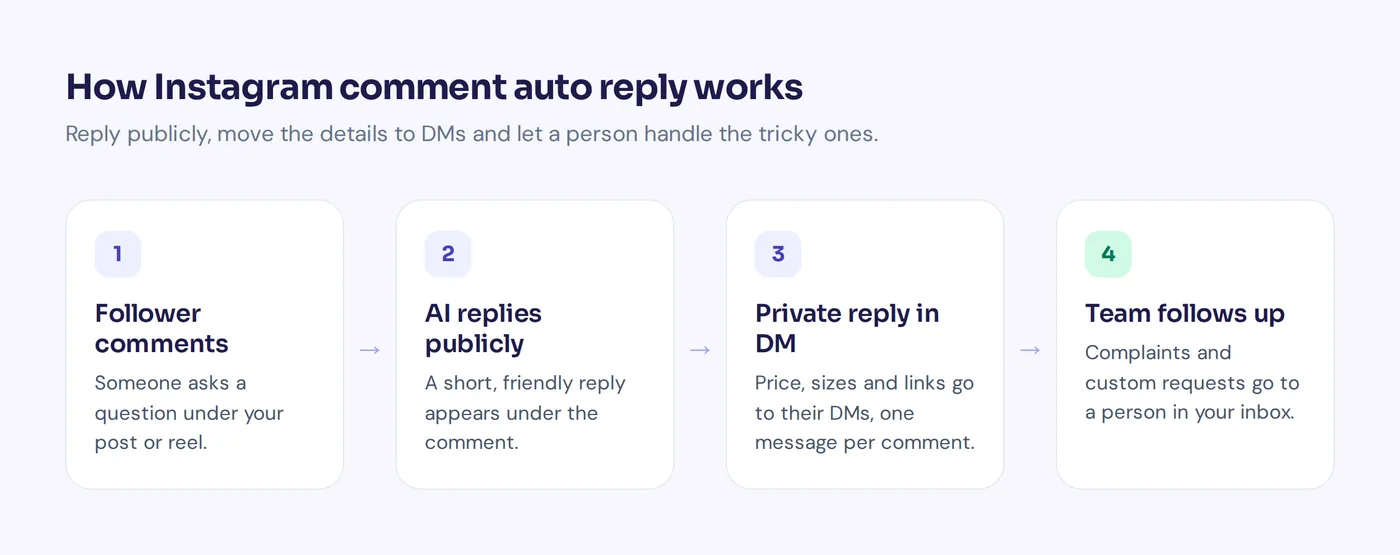
- Someone comments on your post, reel or ad. For example, when someone comments on your ad asking "How much is this?"
- The tool picks it up through the official APIs. It sees the text and which post it is on.
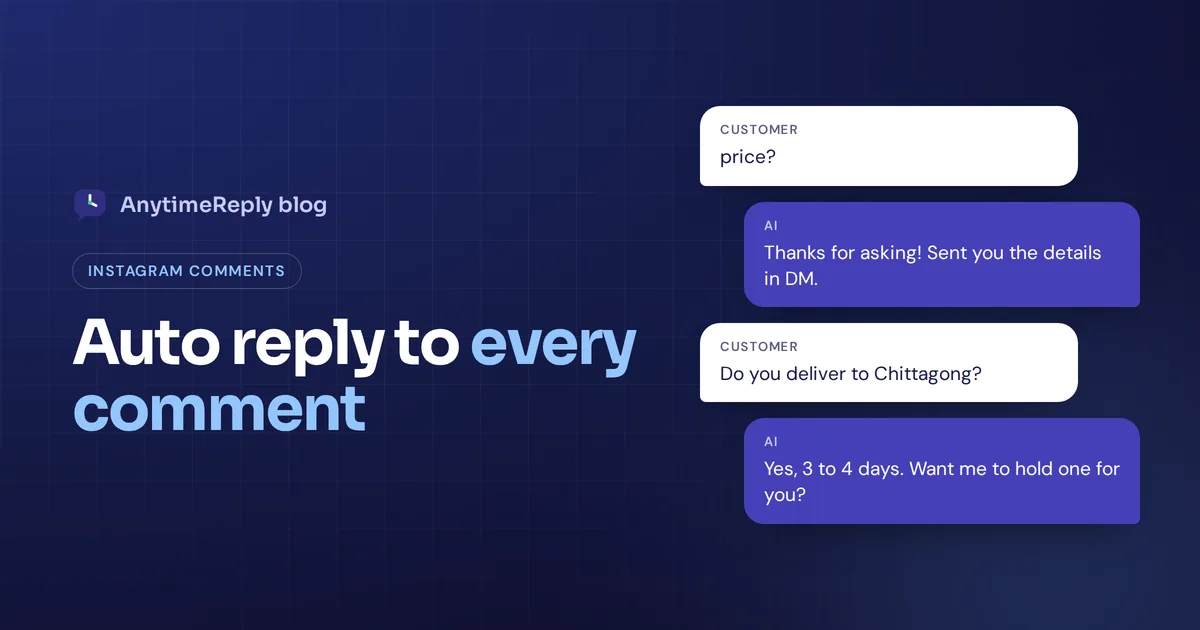
- It replies publicly. A short acknowledgment under the comment: "Thanks! Check your inbox."
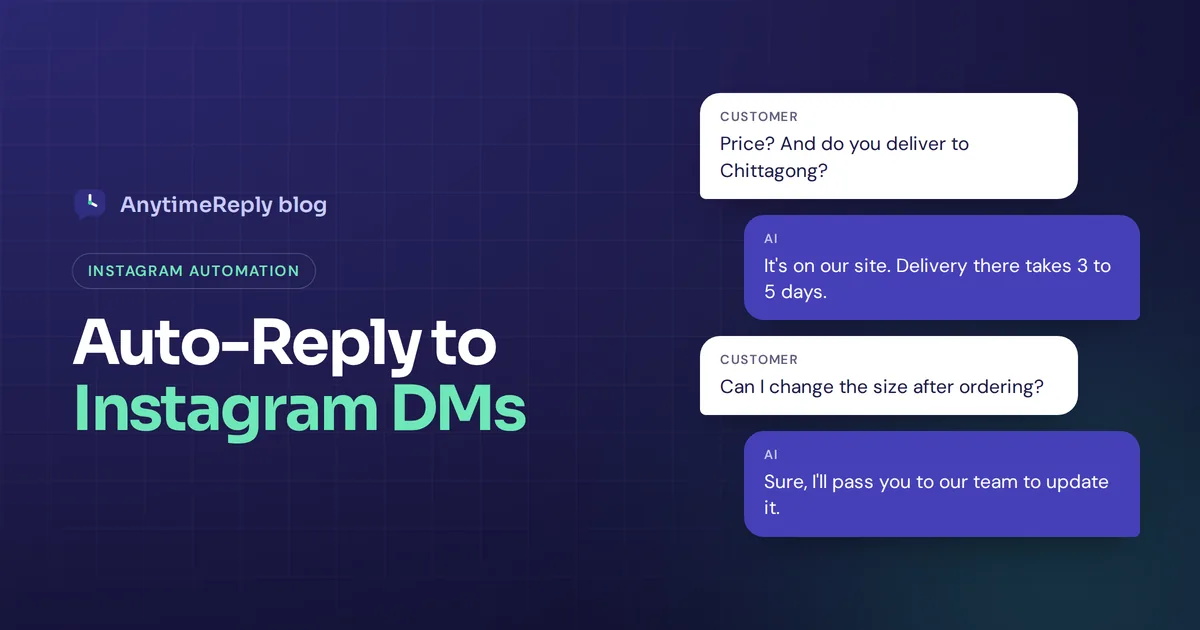
- It sends a DM. Tools send a direct message automatically. The price, sizes and a link go privately, where the chat can continue.
- A team member takes over when needed. Complaints and custom orders need human attention.
There are two styles. Rule-based tools use keyword triggers ("price", "link") and send a fixed message. AI-powered tools give contextual replies: they read the whole comment, understand typos, emoji and mixed languages, and answer the actual question from your knowledge base.
How to set up Instagram auto-reply for comments
- Switch to a professional account. Business or creator accounts are needed for official automation.
- Link it to a Facebook Page. Most tools connect through Meta, which needs that link.
- Pick a tool that uses the official API. If an app asks for your Instagram password, walk away. Tools like ManyChat are known for comment to DM flows; helpdesk tools focus more on a shared inbox for every channel.
- Choose which comments get a reply. All comments, a specific keyword, or different posts only.
- Write your public reply and your message. Keep the public reply short and on-brand. Put details in the private message.
- Add variety. Rotate a few replies so your comment section doesn't look like a bot wall.
- Set routing rules. Negative comments and complaints should reach a person.
- Test on one post first. Comment from a friend's account and check the full workflow.
Most of this works without coding. Meta Business Suite also has some built-in automated replies for messages, so check what it covers for comments before paying for a tool.
Comment management: moderation, triage and analytics
Automation isn't only about replying to comments automatically. Good comment management also means:
- Comment moderation. Hide spam comments, scam links and abuse. Instagram has built-in filters for offensive words, and automated moderation helps on busy accounts.
- Triage. Detect which comments are sales questions, which are complaints and which are just fans saying hi.
- Analytics. A tool that automates comment handling should also have a dashboard that shows how many comments came in, how many got a reply and which posts drive the most questions.
Instagram comment reply templates you can copy
Mix and rotate these. Keep your brand voice.
Price and product questions
Thanks for asking! We've sent you the price and sizes in your inbox.
Great choice. Just messaged you with the price and delivery info.
Availability and delivery
Yes, we deliver there! Sent you the delivery times privately.
Keyword campaigns
When someone leaves a comment that says GUIDE:
Done! Your guide is in your messages. Enjoy!
Compliments
Thank you so much, that made our day!
Complaints (send to a person)
We're really sorry about this. We've messaged you so we can sort it out personally.
A private reply after a price question could look like this:
Hi Ayesha! The leather tote is 2,450 taka, in black, tan and olive. Delivery is 2 to 3 days inside Dhaka. Want me to hold one for you?
Best practices for Instagram comment replies
- Reply only on your own organic posts and ads. Never automate comments on other accounts.
- Answer the actual question in your DMs. "Check your inbox" is fine only if the message really answers it.
- Watch negative comments. Auto-thanking someone who just complained looks terrible.
- Skip hashtags and links in public replies. They look spammy.
- Respect the one-message rule. Make that first private reply count and invite a response.
A word on "auto comment Instagram free" tools
Search for free auto comment tools and you'll find extensions and websites promising thousands of comments. Many ask for your password and comment on other people's posts for you. That is exactly what gets accounts restricted. The safe "free" option is a tool with a free plan that uses Meta's official login and only replies on your own account.
One inbox for Instagram DMs and comments with AnytimeReply
AnytimeReply is an AI support and sales agent with a built-in helpdesk. Through the official connection for professional accounts, it helps streamline your digital marketing and support by handling Instagram messages and comment replies:
- Public and private replies to comments on Instagram and Facebook posts, part of our outbound messages.
- Let AI answer, not just match keywords. It is trained on your website, products (including Shopify) and Q&A, so "pp?", "price koto?" and "how much in tan" all get a real answer in the customer's language, including Bangla, Banglish, Hindi and Hinglish.
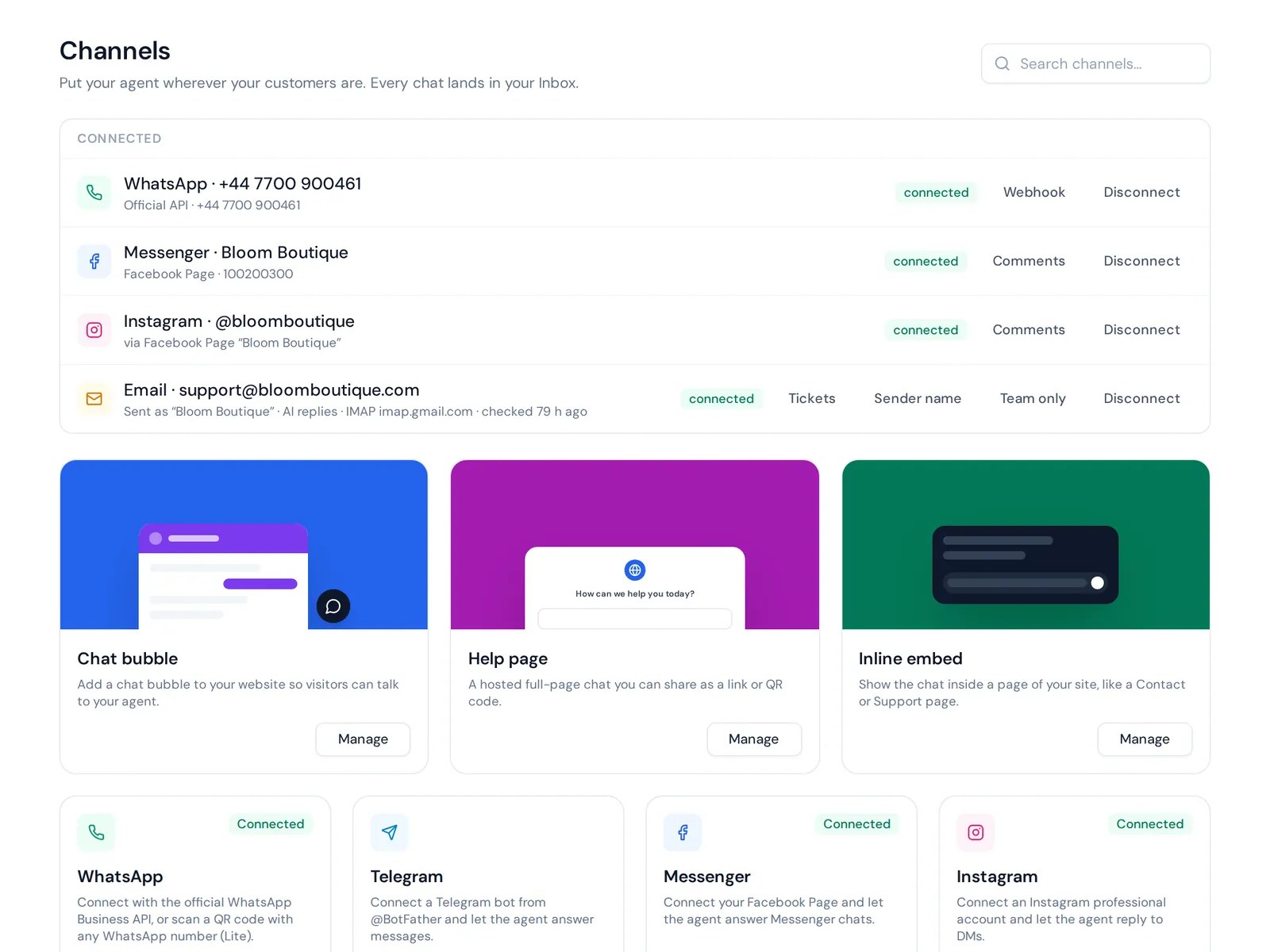
- Everything lands in one inbox. Instagram sits next to WhatsApp, Messenger, website chat and email. You can assign conversations, and the AI hands chats to your team with a summary.
- Spam protection. AI spam detection pauses junk chats before they waste credits.
Honest limits: we never comment on other people's posts, and we don't cover TikTok. Instagram, Messenger and WhatsApp start on the Hobby plan; the Free plan covers website chat. See pricing.
Frequently asked questions
Does Instagram do automatic replies?
Instagram offers saved replies for business accounts, and Meta Business Suite has some automated message replies. For AI answers to comments, most businesses use an official-API tool.
Can I automate Instagram comment replies on ads?
Meta's API supports private replies to comments on posts, reels and ads posts. Check that your tool supports ads, since not every tool does.
Is DM automation free?
Some official-API tools have free plans or trials for auto-replies. You can also send a DM by hand with saved replies. Paid plans usually add more volume and features.
Can I send multiple messages after someone comments?
No. You can send one private reply per comment, within 7 days. You can continue only after the person replies.
How can I get free comments on Instagram?
Not by buying or botting them. Ask questions in captions, run "comment a word" campaigns and reply quickly. Real comments come from real conversations.
Final thoughts
Comment automation done right is simple: reply fast to people who comment on your own posts, move details to private messages and let a person handle the tricky ones. Skip bots that comment on strangers' posts.
Want AI that answers your Instagram comments in your customers' language? Start free with AnytimeReply, no card needed.
Published 6 November 2026 by AnytimeReply team