When you run a small business, customer service usually starts in five places at once: a Gmail inbox, a WhatsApp chat on your phone, Instagram DMs, Facebook comments and the odd sticky note. It works until it doesn't. Then a customer waits three days for a refund answer, and you only notice when they leave a bad review.
Customer service software for small business fixes that. It puts every customer conversation in one place, answers the easy questions for you, and makes sure nothing gets lost. You don't need an enterprise tool or an IT team. You need something simple, affordable and quick to set up.
This guide explains what this software does, the types you'll run into, which features matter, a fair look at the top customer service software options, and how to choose. We make one of these tools (AnytimeReply), so we'll say where we fit and where another option might suit you better.
What is customer service software?
Customer service software is a tool that helps a business receive, organize and answer customer inquiries. Instead of replying from personal email and phones, your team works from one shared system where every request has a status, an owner and a history.
Put simply, customer service software provides three things: one place for all customer communication, a way to track customer issues until they're solved, and automation that saves your team time. Good customer support software helps you deliver a better customer experience without hiring more people. It's one of the few tools that help businesses of every size look bigger and more organized than they are.
Types of customer service software: help desk software, chat and AI
There are a few types of customer service tools. Many products mix several of them.
- Help desk software. Turns emails and requests into a support ticket you can assign, prioritize and track until it's resolved.
- Shared inbox. One inbox for the whole customer service team, across email, chat and social media.
- Live chat. A widget on your website where customers talk to your team in real time.
- AI chatbots and AI agents. Answer common customer queries automatically, 24/7, and pass harder ones to a person.
- Knowledge base or help center. Self-service articles so customers find answers without contacting you.
- CRM and customer relationship management tools. Store customer data, deals and history. Some include support features too.
For most growing companies, the best customer service software combines a help desk, shared inbox, chat, AI and a help center in one support platform, so you don't pay for and juggle five apps. One customer service solution is easier to learn, cheaper to run and simpler to grow with.
Why your small business needs a customer service tool
Here are the signs it's time:
- You've missed messages because they were in the "wrong" app.
- Two people replied to the same customer, or nobody did. Every customer interaction feels like a scramble.
- You answer the same 10 questions every day: shipping, prices, returns, opening hours.
- Customers message at night and on weekends, when nobody is around.
- You can't easily see what a customer asked last month.
- You have no idea how fast you reply or how happy customers are.
If two or more sound familiar, a proper tool will help. Good customer service for small business doesn't need a big team. It needs a system. And customer expectations keep rising: people expect a fast answer on the channel they chose, not a reply three days later.
Key features of a good customer service software solution
A shared inbox for customer interactions across multiple channels
Customers don't care which channel you prefer. Look for one inbox that pulls in email, website chat, WhatsApp, Instagram and Messenger. This is the single biggest time saver, because your team can manage customer conversations and manage customer interactions without switching apps.
Simple ticketing
Ticketing helps teams to manage customer support without losing track. Each request should have a status (open, pending, solved), a priority and an owner. You want enough structure to stop things slipping, not a complex support process you need training for.
AI and automation
Modern tools answer common questions automatically using your website and documents, so the solution keeps working while you sleep. This is where smaller teams gain the most, because AI covers nights, weekends and busy days and can handle customer inquiries at volume. Also look for simple rules: tag refund requests, assign by topic, flag upset customers.
Easy handoff with customer context
Automation should never trap a customer. When someone asks for a human or the AI isn't sure, the conversation should go to a support agent with the customer context attached, so nobody has to repeat themselves.
A self-service knowledge base
A searchable knowledge base lets customers solve simple issues alone, allowing customer questions to be answered at any hour. Even 15 good articles can cut incoming customer requests and support requests noticeably.
Reporting tools you'll actually read
Response time, number of conversations, top topics, customer satisfaction ratings and customer feedback. Keep it simple. You want insights into customer problems, not a dashboard hobby.
Clear pricing
Many tools charge per agent per month, which adds up as your business grows. Others charge by usage. Check what's included, what costs extra (AI, channels, integrations) and whether there's a free plan or trial.
Integrations
If you sell on Shopify or WooCommerce, take payments with Stripe, or keep contacts in a CRM system, check that the tool connects to them. Order lookups inside the support tool save a lot of tab switching.
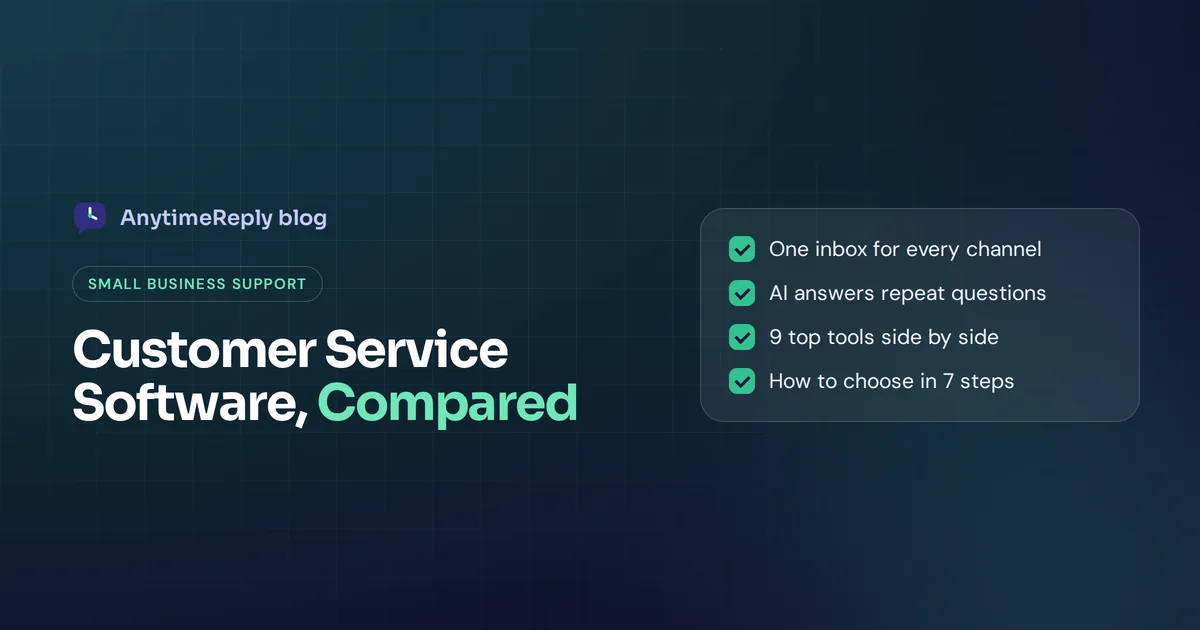
Best customer service software for small businesses: top options compared
Here are well-known customer service software solutions, with what each is known for. Plans and prices change often, so check each vendor's pricing page before you decide.
| Tool | Best known for | Good fit for |
|---|---|---|
| AnytimeReply | AI agent plus helpdesk, website and messaging channels in one inbox | Small businesses that want AI to answer first, especially on WhatsApp, Instagram and Messenger |
| Zendesk | Full-featured ticketing and help desk | Growing support teams that want a mature, widely used platform |
| Freshdesk | Ticketing help desk that's easy to start with | Small teams that mainly handle email tickets |
| Help Scout | Shared inbox that feels like email, plus a knowledge base | Teams that want a personal, email-style experience |
| HubSpot | Support tools connected to HubSpot CRM | A business already using HubSpot for sales and marketing |
| Zoho Desk | Help desk within the Zoho suite | A business already using Zoho apps |
| Salesforce | Enterprise service platform on Salesforce CRM | Larger or fast-scaling companies already on Salesforce |
| Gorgias | Help desk built around ecommerce stores | Shopify-focused online stores |
| Tidio | Live chat and chatbots for online shops | Shops that want website chat quickly |
The best help desk and customer support tools, one by one
1. AnytimeReply
Our pick for teams that get lots of repeat questions on chat and social apps. The AI agent learns from your website, documents and Notion pages, answers in the customer's language, and a built-in helpdesk handles the rest. There's a free plan, and team members are included instead of charged per seat. Honest limits: no phone support or SMS, and it's not a fit if you need a heavy IT service desk with asset management.
2. Zendesk
One of the most established names in help desk software, with deep ticketing, reporting and a large app marketplace. Great if you're scaling fast and want a long-term platform. For a team of two it can feel like more tool than you need. Its biggest competitors are usually Freshdesk, Salesforce and HubSpot.
3. Freshdesk
A popular ticketing system with a free trial and an easy start. Good if most of your support comes in by email and you want structure without much setup. Freshworks also sells related tools for chat and phone if you need them later.
4. Help Scout
Known for keeping support personal. Replies look like normal emails, not ticket numbers. A solid choice if your team lives in email and cares about tone. Help Scout also includes a knowledge base and live chat.
5. HubSpot Service Hub
Makes the most sense if your sales and marketing already run on HubSpot, because customer relationships, deals and tickets sit together. Less compelling as a standalone support tool.
6. Zoho Desk
A capable, budget-friendly help desk solution and ticket management software that fits naturally if you already use Zoho CRM or other Zoho apps. Zoho Desk is often picked by small to mid-sized companies that want one vendor for everything.
7. Salesforce Service Cloud
Powerful and very customizable, but built with larger organizations in mind. Unless you already run on Salesforce or expect rapid growth, it's usually more than a young business needs when it comes to customer support.
8. Gorgias
Built for ecommerce, with Shopify order details inside tickets. A good match for online stores where most questions are about orders.
9. Tidio
Popular with online shops for quick website live chat and chatbots. Worth a look if website chat is your main channel.

Customer service solutions for small businesses, by business type
The best fit depends a lot on what you sell and where your customers talk to you. Here is how we'd think about it.
Online stores
Most questions are about orders, shipping and returns, often in big volumes of customer messages around sales and holidays. Look for order lookups (Shopify, WooCommerce), product answers and AI that can resolve customer questions like "where is my order?" without a person. Ecommerce help desks and AI-first tools are ideal for small stores.
Facebook and Instagram sellers
Customers ask "price?" in comments and DMs all day. You need Messenger, Instagram and WhatsApp in one inbox, comment replies, and AI that answers in the customer's language. A classic email help desk won't help much here.
Service businesses
Salons, clinics, agencies and consultants mostly get booking and pricing questions. Calendar booking inside the chat and a clear handoff to the owner matter more than complex ticketing.
Software and SaaS companies
Expect how-to questions, bug reports and billing issues. A help desk with tickets, a knowledge base and AI trained on your docs will help your team handle customer inquiries without drowning. These are the tools that help small businesses with technical products scale support before hiring.
Whatever your type, the goal is the same: meet customer needs quickly, and let your customer support team spend time where a human really matters.
How much does customer service software cost?
Prices range from free plans to well over $100 per agent per month for enterprise tools, depending on the business and the solution. Most plans for young companies sit somewhere between a few dollars and a few dozen dollars a month.
Watch for these cost traps:
- Per-seat pricing. Five agents at $50 each is $250 a month before add-ons.
- Paid AI add-ons. Some tools charge extra for AI answers, sometimes per resolution.
- Channel limits. WhatsApp or social channels may only be on higher plans.
- Annual contracts. The monthly price shown often assumes yearly billing.
Our advice: estimate your real monthly volume and team size, then compare the total, not the headline price.
Choosing the right customer service software in 7 steps
- List your channels. Where do customers actually contact you today? Email, website, WhatsApp, Instagram, Facebook? Rank them by volume.
- Count your repeat questions. If most questions repeat, AI saves the most time. If every request is unique and complex, ticketing matters more.
- Decide your budget model. Per-agent pricing is predictable for a fixed team. Usage pricing can be cheaper when many people help part-time.
- Check must-have integrations. Shopify, WooCommerce, Stripe, your calendar, your CRM.
- Shortlist two or three tools. More than that and you'll never finish testing.
- Test with real questions. Use a free plan or trial. Send your top 20 real questions through it and see how it feels for you and for the customer.
- Involve the people who reply. The person answering customers every day should like using it.
The right customer service tool is the one your team actually uses. A simpler product used every day beats a powerful one nobody opens.
Customer service software solutions and your CRM
Do you need a separate CRM? Not always. Many young businesses keep customer data inside their support tool at first: contacts, past conversations, orders and notes.
A dedicated CRM makes sense when you have a sales pipeline, several people selling, or marketing that depends on detailed segments. In that case, pick software solutions that integrate, so a support agent sees the deal and a salesperson sees the open tickets. Tools from HubSpot and Salesforce are built around their own CRM. Others connect through native integrations, Zapier, Make or webhooks.
Setting it up: a first-week plan
- Day 1: Connect your support email and add the chat widget to your website.
- Day 2: Connect WhatsApp, Instagram and Messenger if you use them.
- Day 3: Train the AI on your website, FAQ, shipping and returns policies. Write verified answers for questions that must be exactly right.
- Day 4: Set up handoff rules and simple automations (refunds to the owner, angry customers marked urgent).
- Day 5: Test with friends or staff. Ask the weird questions too.
- Days 6 and 7: Go live and read every conversation for a few days. Fix gaps as you find them.
Tips for support teams: effective customer service every day
- Reply fast, even if it's short. "Got it, checking now" beats a perfect answer two days later. Response times and customer happiness go together.
- Be human. Use names, admit mistakes and skip the corporate script. Personalized service is where smaller brands beat big ones.
- Fix the cause, not just the ticket. If 30 people ask where their order is, put tracking info in your shipping email.
- Write things down. Turn good responses to customer questions into help articles or saved replies.
- Set expectations. Tell customers when a person is available and how fast you usually reply.
- Ask for feedback. A quick rating after each conversation is the easiest way to improve customer satisfaction.
Over time, this builds customer engagement and loyalty, and it's the base of customer success: helping people get real value, not just closing tickets.
How AnytimeReply helps
AnytimeReply combines an AI agent and a helpdesk in one customer service platform. The AI answers first on your website, WhatsApp, Instagram, Messenger, Telegram and email, in the customer's language. When someone asks for a person, gets upset, or the AI can't answer, the chat moves to your shared inbox with a summary. AI drafts and translations help agents reply faster, and departments and assignment rules help teams share the work.
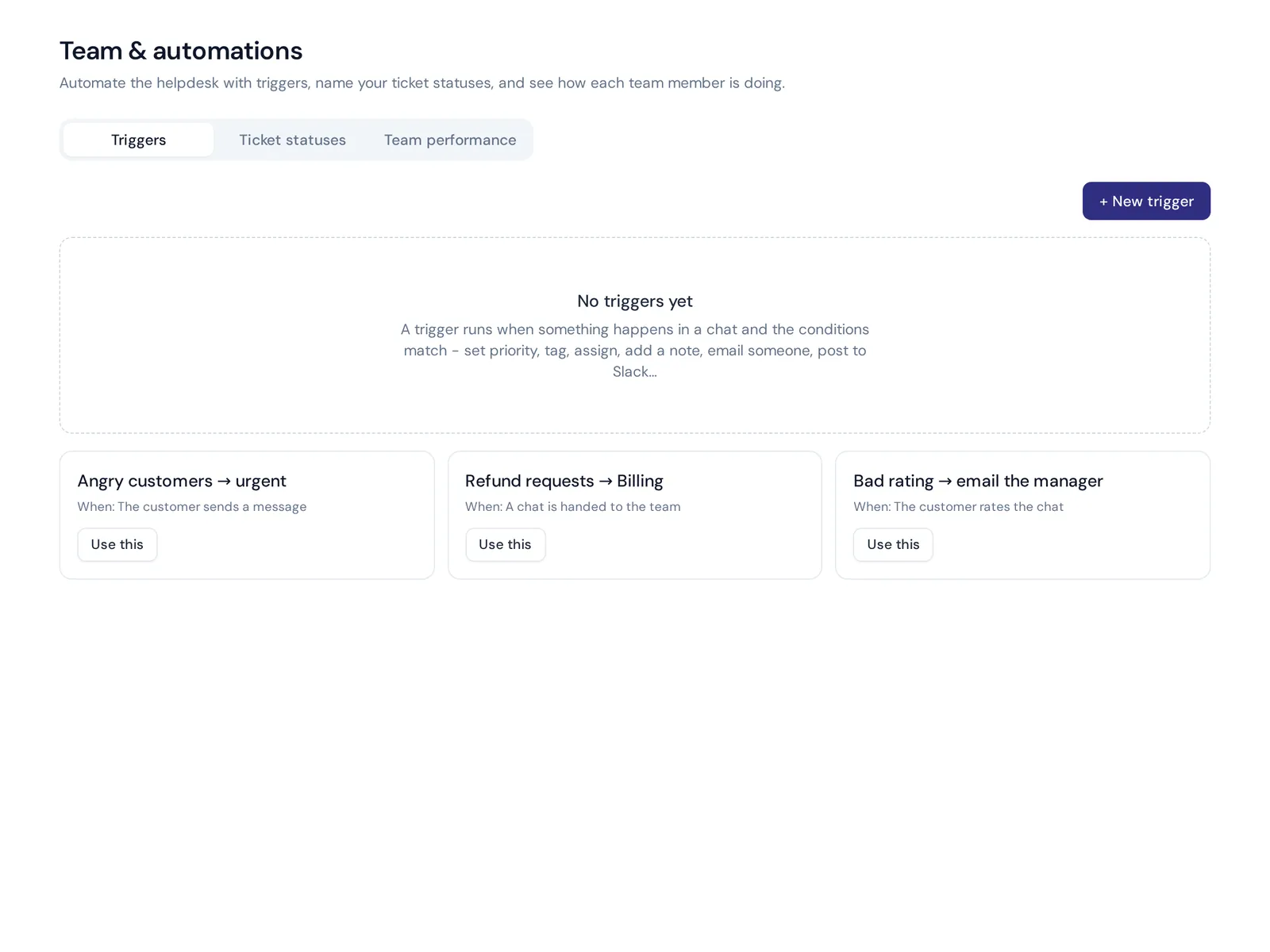
Support emails from Gmail, Outlook, Zoho or any IMAP mailbox become tickets with status, priority and owner, and the AI answers common ones or drafts replies. You also get a self-service site on your own domain, triggers for routing and tagging, and analytics that show which questions the AI couldn't answer, so you can add them in one click.
The Free plan includes website chat, the helpdesk inbox, a help center and analytics with 3 team members. Paid plans start at $9 a month for messaging channels, email tickets and actions like checking Shopify orders. Prices can change, so check pricing. If you already use Zendesk, Freshdesk or Help Scout, AnytimeReply can also hand chats over to them.
Frequently asked questions
What is the best helpdesk software for small businesses?
It depends on your channels. If most questions come by email, a ticketing help desk like Freshdesk or Help Scout works well. If customers message on your website, WhatsApp and Instagram, an AI-first tool with a shared inbox like AnytimeReply usually saves more time.
Are there free customer service software options?
Yes. Some tools, including AnytimeReply, have a free-forever plan, and most others offer a free trial. Free plans usually limit features, team size or usage, so check what's included.
Can you give me some examples of customer service systems?
Help desks (Zendesk, Freshdesk), shared inboxes (Help Scout), CRM-based service tools (HubSpot, Salesforce), live chat and chatbots (Tidio), and AI agents with a helpdesk (AnytimeReply).
Who is Zendesk's biggest competitor?
Freshdesk is the most common comparison for smaller teams. For larger companies, Salesforce and HubSpot come up most.
Can customer service software integrate with a CRM?
Most can, either natively or through Zapier, Make and webhooks. Check the integrations list for the CRM you use before you buy.
Can AI really handle customer service?
AI handles repeat questions very well when it's trained on accurate information. It should hand complaints, refunds and unusual cases to a person. AI plus a human is the best mix.
Final thoughts
The right customer service software makes a small team feel bigger and gives customers a better service experience: one inbox, fast answers to repeat questions, and a clear owner for every request. Start with your main channels, test with real questions, and pick the tool your team enjoys using.
If you want AI to answer first and your team to step in when needed, start free with AnytimeReply. Add your website, connect your inbox and see how it handles your real questions. No card needed.
Published 28 October 2026 by AnytimeReply team