It's Monday morning and the HR inbox has 63 unread emails. Three people ask how many vacation days they have left. Someone's payslip is wrong. A manager wants to start a new hire's onboarding. And somewhere in the pile is a sensitive complaint that really should not wait until Thursday.
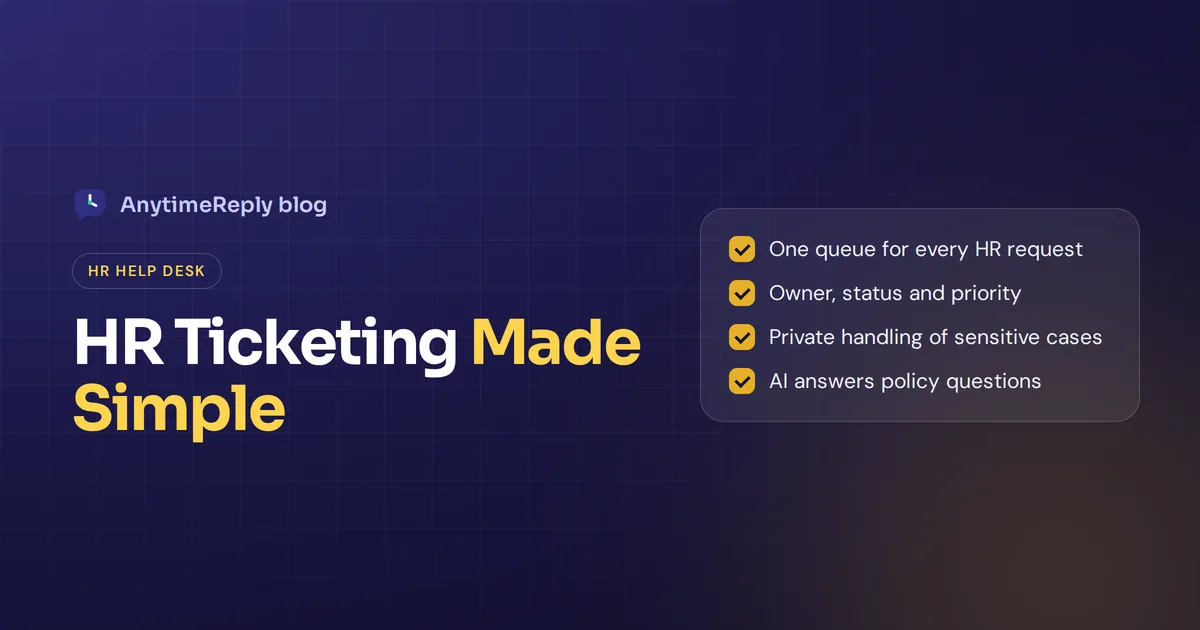
An HR ticketing system turns that pile into an organized queue. Every employee request becomes a ticket with an owner, a status and a priority, so nothing gets lost and sensitive cases stay private. Add a self-service portal and an AI assistant, and many routine questions answer themselves.
Below we cover what an HR ticket system is, how it works, the features that matter, the best tools to compare and how to roll one out. We build a help desk with an AI agent, so we have a bias, but we'll say where we fit and where we don't.
What is an HR ticketing system?
An HR ticketing system is software that collects employee questions and requests in one place and tracks each one until it's resolved. People also call it HR help desk software, an HR helpdesk ticketing system, an HR ticket system or HR case management. Whatever the name, it's a management tool for HR support.
Instead of requests arriving by email, chat, hallway conversations and sticky notes, every request gets logged as a ticket. Both HR and employees can track the progress of their requests: who asked, what they need, who owns it and how long it has been open.
It works like the IT help desks most companies already run. The difference is the content: leave, payroll, benefits, onboarding, documents and employee relations instead of laptops and passwords.
Is a help desk a ticketing system? Not quite. The ticket system is the tracking part. The help desk is the whole service around it: the team, the knowledge base, the channels and the rules.
Why the HR department outgrows email for HR requests
A shared HR mailbox works with 30 employees. After that, cracks show up:
- Requests get lost. Two people think the other replied. Nobody did.
- No priority. A payroll error waits behind a parking policy question.
- No history. Finding what HR said last year means digging through old threads.
- No privacy. Everyone with mailbox access can read sensitive cases.
- The same questions, every week. HR professionals type the same answer about holiday carry-over again and again.
How an HR ticket system works
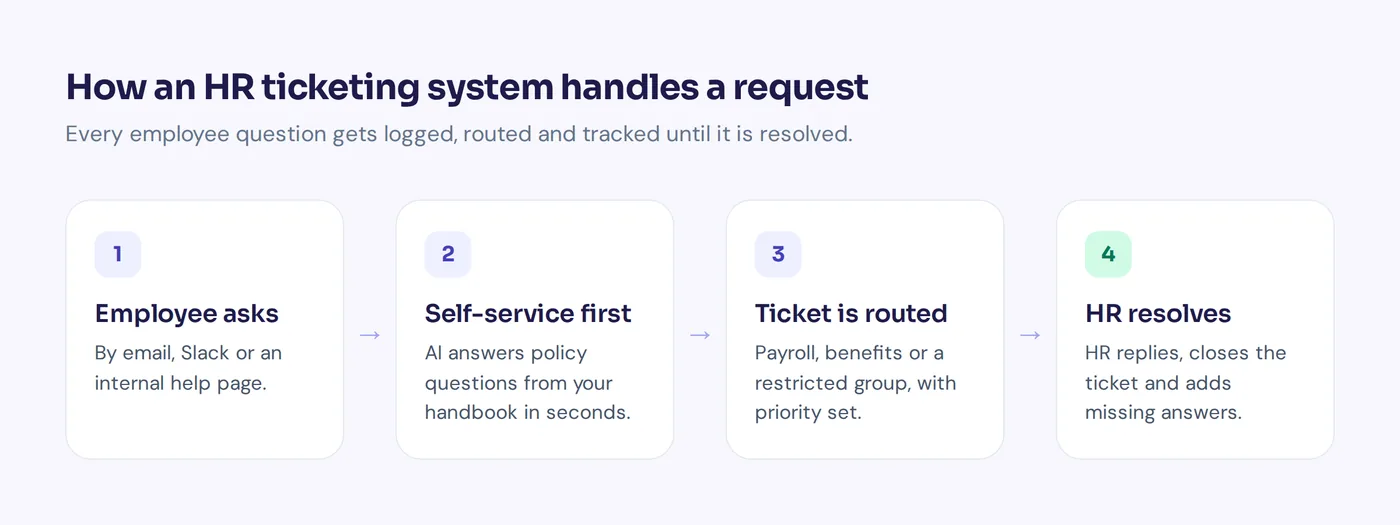
- An employee asks by email, a web form, an intranet chat or Slack.
- A ticket is created with the employee's name, topic and time.
- Self-service tries first. If the answer is in your knowledge base, employees find answers right away, without HR stepping in.
- Routing and priority. Rules send payroll to payroll, benefits to benefits and sensitive topics to a restricted group.
- HR works the ticket, with replies, internal notes and status updates.
- The ticket is resolved and closed. If the employee replies again, it reopens.
Common requests an HR ticketing system handles
Here are the types of requests that typically land in the queue, and how to handle each:
| Category | Example request | Can AI or self-service help? |
|---|---|---|
| Leave and time off | "How many vacation days carry over?" | Yes, policy questions |
| Payroll | "My overtime is missing from this payslip." | Partly, then hand to payroll |
| Benefits | "How do I add my partner to the health plan?" | Yes, process and deadlines |
| Onboarding | "My new hire starts Monday, what do I do?" | Yes, checklists and guides |
| Documents | "I need an employment letter for my bank." | Partly, collect details first |
| Offboarding | "What happens to unused leave when I resign?" | Yes, then HR confirms |
| Employee relations | "I want to report a problem with my manager." | No, a person only |
Most volume is repeat policy questions. A small share is sensitive and needs careful human handling. A good HR ticketing system treats those very differently.
Key help desk features of the right HR ticketing system
- Ticket system basics: status, priority, owner and custom statuses like "Waiting on payroll".
- Workflow and assignment: round robin, least busy or by topic, plus internal notes and @mentions.
- Many ways to ask: email, Slack, an intranet page or chat, all landing in one queue.
- A smart portal for self-service: a searchable help center with your handbook, leave policy and benefits guide. Good knowledge management is what makes a modern HR solution work.
- AI answers: an assistant that answers from your policies at any hour and hands over when it doesn't know.
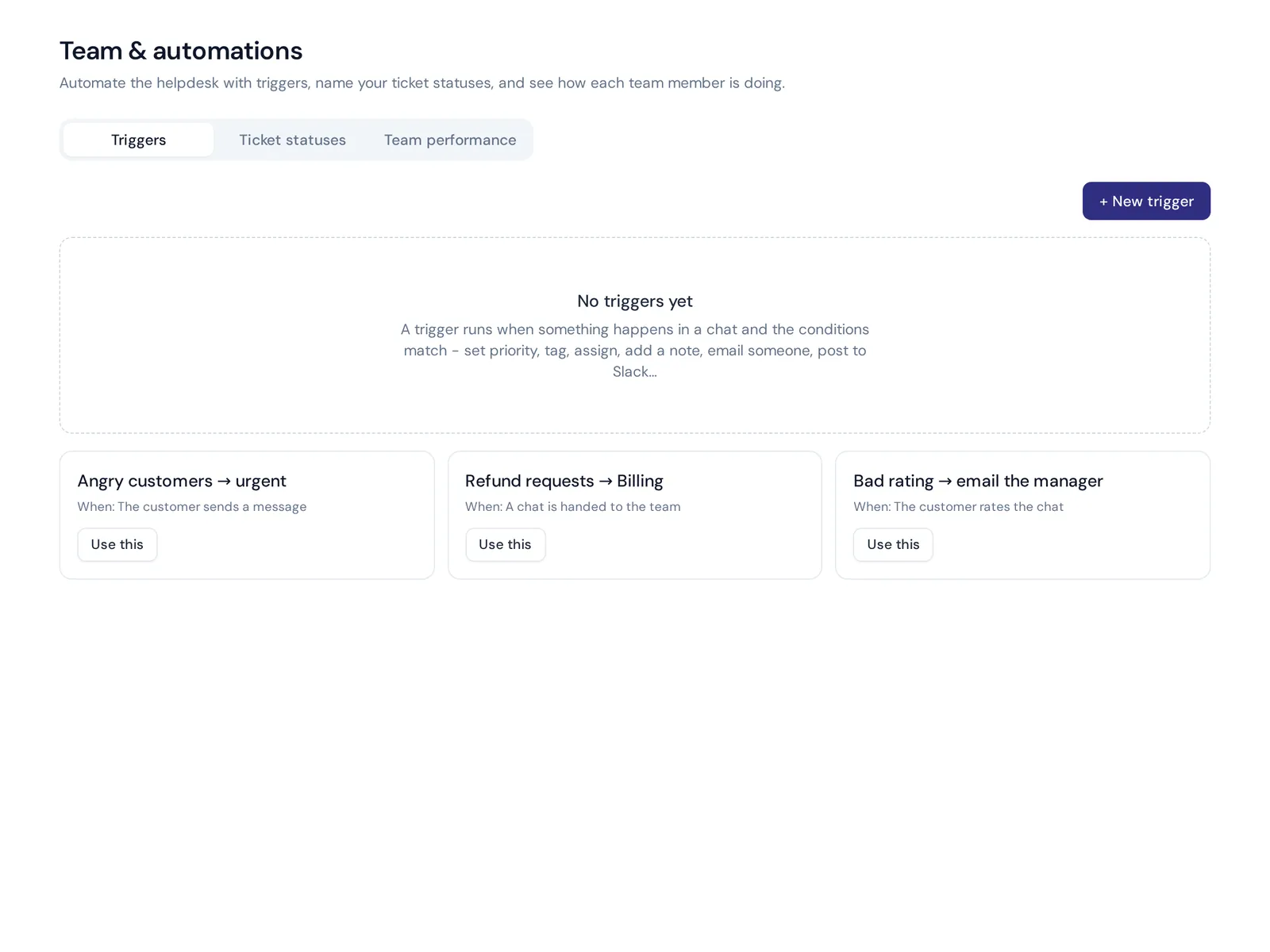
- Automation: automate tags, raise priority on words like "harassment", notify a manager when a ticket sits too long.
- Integrations: the tool should integrate with your HRIS, identity provider and chat tools.
Data confidentiality and security in human resources
HR tickets hold some of the most private data in a company: health, pay, complaints, investigations. Employee trust in HR depends on handling it well.
- Put sensitive topics in a restricted group that only senior HR can see.
- Don't discuss personal cases in public Slack channels. Move them to private tickets.
- Ask vendors how data is encrypted, who can access it, whether it's used to train AI models and how you delete it.
Benefits of HR ticketing
- Nothing slips. A ticketing system allows HR staff to see every request, its owner and its status. It turns the management of employee requests into a clear process.
- Faster answers. Self-service and AI handle routine questions in seconds, which helps streamline HR work and frees time for helping employees with harder cases.
- Better employee satisfaction. Satisfied employees know their request was received and see when it's done.
- Proof of workload. Real numbers help HR leaders make informed decisions about headcount and policy, which benefits the company as a whole.
Best HR ticketing system options
There is no single best HR ticketing system for everyone. It depends on your size, budget and existing tools:
| Tool | Known for | Good fit for |
|---|---|---|
| AnytimeReply | AI agent plus help desk inbox, email tickets, Slack, help center | Small and mid-size teams that want AI to answer routine HR questions |
| ServiceNow HR Service Delivery | Enterprise HR case management and employee portals | Large organizations already on ServiceNow |
| Jira Service Management | Request types and workflows | Companies already using Atlassian tools |
| Freshservice | IT and employee service management | Mid-size companies combining IT and HR requests |
| Zendesk | Mature ticketing for many departments | Teams that want one tool across the company |
| Zoho Desk | Affordable ticketing with many add-ons | Businesses already using Zoho apps |
HR systems like Workday or SAP SuccessFactors (HRIS platforms that hold employee records and payroll) may also include case features, so check yours first. Many vendors offer a free trial, and plans change often, so check each pricing page.
Managing HR requests: how to choose and roll out a system
- Count your volume. How many requests arrive each week, and through which channels?
- List your top 20 questions. If most are repeat policy questions, prioritize self-service and AI.
- Map sensitive cases. Decide who may see what before you pick a tool.
- Meet employees where they work. Slack, Microsoft Teams, email or an intranet.
- Pilot for two weeks with one HR team and a small group of employees, using real questions.
- Launch with one message: "All HR questions go here." Then review topics every month.
The right ticketing system makes the change easy, but the biggest risk isn't the tool. It's the team quietly answering in private messages because it's faster. Agree that if it isn't a ticket, it didn't happen.
Reporting and data analysis
Good reports help you identify areas for improvement in policies and the HR process itself, and optimize HR request management over time. Track:
- Volume by category: where HR time actually goes.
- First response and resolution time, split by category.
- Self-service rate: questions answered without HR.
- Satisfaction ratings after each ticket.
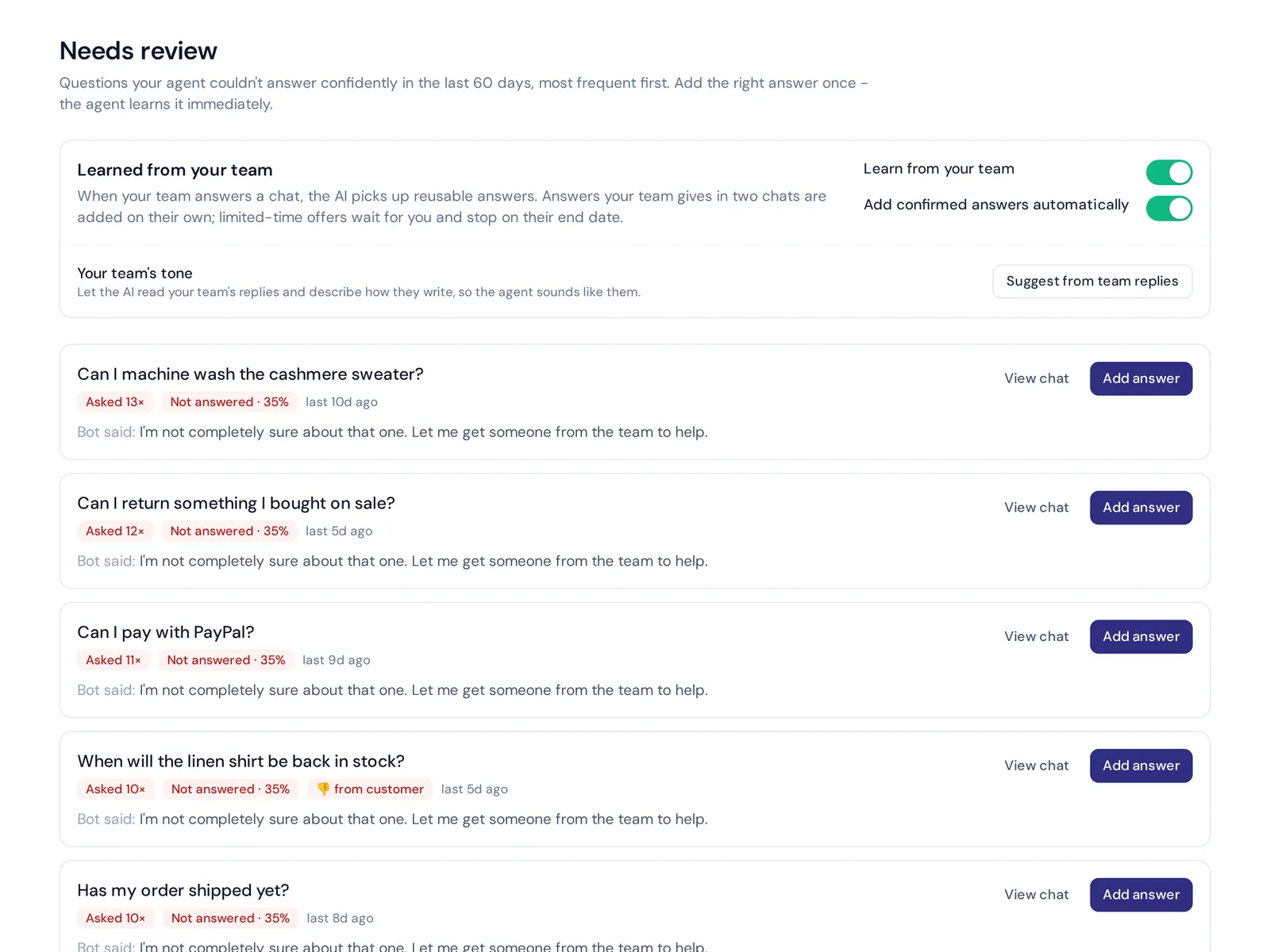
- Knowledge gaps: questions nobody had a written answer for.
How AnytimeReply helps HR teams
AnytimeReply is an AI agent with a built-in help desk that allows HR to manage employee questions in one place. You train the agent on your handbook, policies and Notion pages, and it answers employee questions in Slack or on an internal help page, day and night. When a question is personal, sensitive or not covered, it hands the conversation to HR with a summary.
- Email tickets: connect your HR mailbox (Gmail, Outlook, Zoho or IMAP/SMTP). Every email becomes a ticket with status, priority, owner and custom statuses.
- Slack: employees ask where they already work. See the Slack channel page.
- Departments and routing with internal notes and @mentions.
- Help center with AI search that answers instead of listing links.
Our internal help desk use case shows the setup. Honest limits: AnytimeReply is not an HRIS, so it doesn't store employee records or run payroll, and Microsoft Teams isn't one of its channels. Slack and email are on paid plans (from Hobby). The inbox, help center and website chat are on the Free plan. See pricing.
Frequently asked questions
Does my HR team need a ticketing system?
Once you have more than a few dozen employees, or more than one person answering HR questions, usually yes. Even a simple tool saves hours each week.
Can I use a general help desk tool for HR ticketing?
Yes, many companies do. Make sure you can restrict access to sensitive HR tickets and set up HR-specific categories.
What software is commonly used in HR departments?
Most use an HRIS for records and payroll (like Workday or BambooHR), plus a ticketing or help desk tool for requests, and Slack or Teams for communication.
What is the most popular ticketing system?
Zendesk, Jira Service Management and Freshservice are widely used. For HR specifically, large enterprises often choose enterprise suites, while smaller teams prefer simpler HR help desk tools with AI.
How do HR ticketing systems improve the employee experience?
A good system allows employees to get fast answers to common questions, see the status of their requests and trust that sensitive issues are handled privately. It also builds trust between HR staff and employees.
Give every HR question a home
An HR ticketing system doesn't need to be complex. One queue, clear owners, private handling of sensitive cases and self-service for the repeat questions. That alone changes how HR feels to work in, and to work with.
If you want to try it with an AI agent that answers first, you can start free, no card needed.
Published 27 October 2026 by AnytimeReply team