Freshdesk is a solid help desk. Plenty of teams use it happily for years. But maybe your bill grows with every new agent, the AI features you want are paid add-ons, or most of your customers write on WhatsApp and website chat instead of email.
If that sounds familiar, this guide compares the 10 best Freshdesk alternatives for 2026, for different kinds of teams: small businesses, online shops, SaaS companies, teams that want AI to answer first, and teams that want a free option. For each tool we explain what it's known for, who it suits and where it falls short.
A quick note: we make AnytimeReply, which is on this list. We'll be upfront about where it fits and where another tool is the better choice. AnytimeReply can even hand chats over to Freshdesk, so for some teams the right answer is to keep Freshdesk and add AI in front of it.
Why support teams are looking for Freshdesk alternatives
Freshdesk is the customer support product from Freshworks. Freshdesk provides email ticketing, a knowledge base, automation, reporting and, on higher tiers, omnichannel support, with AI under the Freddy brand. Freshdesk remains a strong choice for many teams. These are the reasons we hear most often when people seek alternatives:
- Cost per agent. Like most help desk software, Freshdesk pricing is per agent, so the bill grows with the team.
- AI as extra cost. According to the official Freshdesk pricing page (checked October 2026), the Freddy AI Agent includes a set number of sessions with extra sessions sold separately, and Freddy AI Copilot is a paid add-on on higher plans.
- No free tier right now. The same page lists Growth, Pro and Enterprise plans with a 14-day free trial, and nothing free beyond that. Teams who started free years ago sometimes need a new home.
- Messaging-first customers. If most of your customers write on WhatsApp, Instagram or website chat, a ticket-first platform can feel heavy.
- Complexity. Smaller businesses sometimes want something they can set up in an afternoon, with better ease of use.
- Specific needs. Ecommerce order data, multilingual customers, deep CRM data or self-hosting.
None of these make Freshdesk a bad support tool. They just mean it may not be the best fit for every team, which is why many Freshdesk users end up looking for Freshdesk alternatives at some point.
How to choose the right Freshdesk alternative for your use case
Before you explore the best Freshdesk alternatives, write down what you actually need. This short checklist saves hours of demos:
- Channels: email only, or also live chat, WhatsApp, Messenger, Instagram, Telegram and Slack? Do you want all channels into a single inbox?
- AI: should an AI agent answer customers first, or should AI only help agents write replies?
- Pricing model: per agent, per ticket, per AI reply or a flat pricing plan? Model your real monthly cost.
- Team size: 2 agents or a support team of 200? Some tools are built for one, not the other.
- Integration needs: Shopify, Stripe, CRM, Slack, your own API. Check every integration you rely on today.
- Automation and workflow: can you automate routing so each ticket is routed to the right queue without manual work?
- Self-service: do you need a knowledge base or help center?
- Migration: can you import data from Freshdesk, or will you start fresh?
- Daily feel: pick a platform your agents actually enjoy using. Ease of use matters more than one extra feature.
Key features to compare in a Freshdesk competitor
Most help desk platforms look alike on a feature list. The differences show up in daily work. These are the areas where a Freshdesk competitor can be clearly better, or clearly worse, for your team.
AI that resolves, not just assists
Freshdesk handles AI through Freddy. Other alternatives offer AI in very different ways: some only help agents draft replies, others put an AI agent in front of every channel so routine questions never become a ticket at all. Ask each vendor what share of a typical customer query the AI can answer on its own, and what it does when it doesn't know.
Automation and workflow
Good automation saves hours each week. Look for rules that automate tagging, prioritising and assigning each ticket, so it's routed to the right queue the moment it arrives. Check whether workflow rules are easy enough for a support lead to change without a developer, and whether SLA timers and escalation are included or cost extra.
Integrations
Your help desk should show the data agents need without switching tabs. Common integration needs are your store (Shopify, WooCommerce), billing (Stripe), CRM, calendar and Slack. An open API, webhooks or Zapier support cover the rest. Freshdesk supports a large marketplace of apps, so list the integrations you use today and confirm each alternative supports them.
Channels and the customer journey
Freshdesk was built around email tickets, then grew into chat and other channels. If your customers start on Instagram, continue on WhatsApp and follow up by email, choose a customer service platform that keeps the whole conversation in one thread.
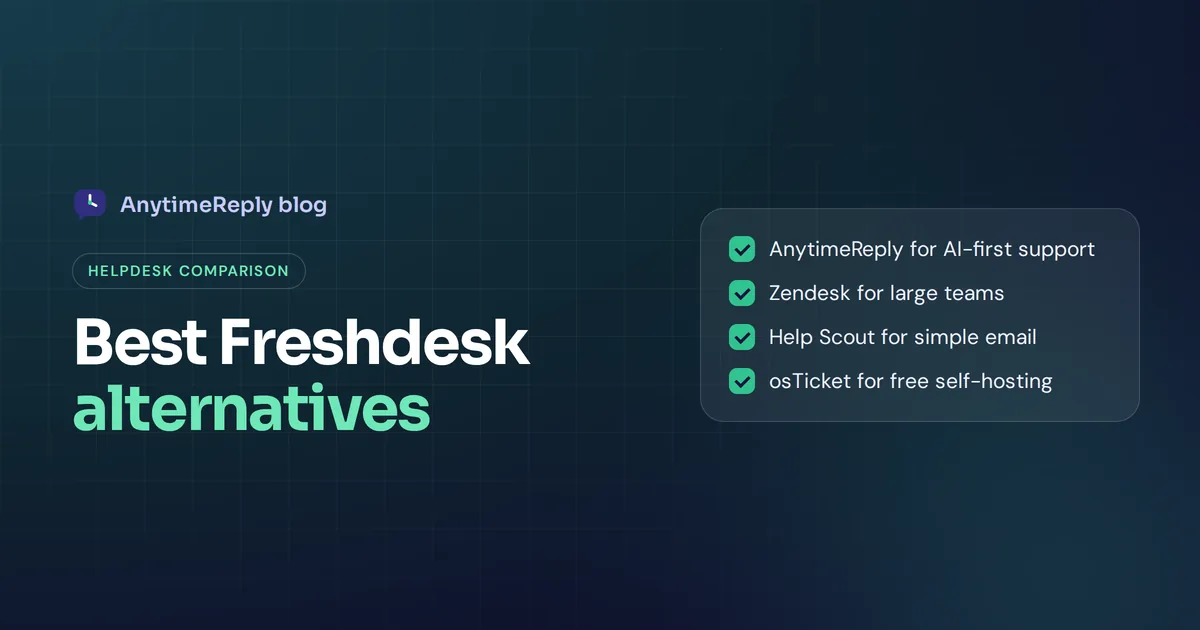
Top Freshdesk alternatives at a glance
| Tool | Best for | Main strength | Watch out for |
|---|---|---|---|
| AnytimeReply | Small teams, online shops, multilingual customers | AI agent answers first on chat, messaging and email, built-in help desk | No phone channel, not built for large enterprise service desks |
| Zendesk | Mid-size and large support teams | Mature ticketing, reporting, huge app marketplace | Can be complex and costly for small teams |
| Zoho Desk | Teams already using Zoho | Good value, tight link to Zoho apps | Interface can feel busy |
| Help Scout | Small teams with email-first support | Clean shared inbox that feels like email | Fewer enterprise features |
| Intercom | SaaS companies | Messenger, AI agent, in-app support | Pricing has several parts |
| HubSpot Service Hub | Teams on HubSpot | Support and CRM in one place | Best value inside HubSpot only |
| Gorgias | Ecommerce brands | Store data and order actions in tickets | Ecommerce focus |
| Front | Teams that live in email | Collaborative shared inboxes | Less of a classic help desk |
| LiveAgent | Teams wanting many channels in one tool | Live chat, tickets and more in one platform | Interface feels dated to some |
| osTicket | Free, self-hosted ticketing | Open source, no subscription | You host and maintain it |
The 10 best Freshdesk alternatives in 2026
Here is a closer look at each tool. We don't list competitor prices here because they change often. Check each vendor's pricing page, and look for free access or a trial before you commit.
1. AnytimeReply: best Freshdesk alternative for AI-first support
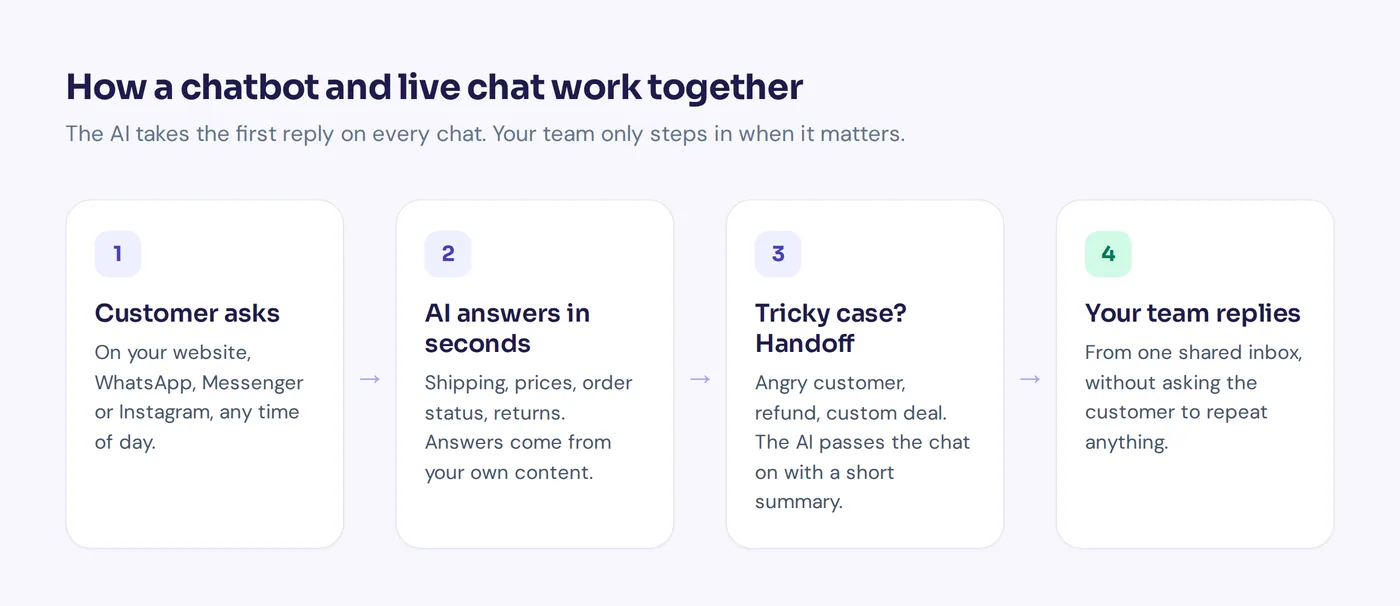
AnytimeReply is an AI customer support and sales agent with a built-in help desk. You add your website, documents and Notion pages, and it trains an AI agent that answers customers on your website, WhatsApp, Messenger, Instagram, Telegram, email and Slack. When a person is needed, it hands the chat to your support team with a summary.
What it does well:
- One shared inbox and help desk platform for every channel, with departments, round robin or least busy assignment, internal notes, @mentions and triggers. See the helpdesk page.
- Every email becomes a ticket with status, priority and owner. The AI answers common emails in the same thread or drafts replies.
- Replies in the customer's language, including Bangla, Banglish, Hindi and Hinglish.
- Actions for verified customers, like checking Shopify or WooCommerce orders or booking meetings with Cal.com or Calendly (paid plans).
- Pricing by AI credits, with team members included. There is a free forever plan, and paid plans start at $9 a month. Prices can change, so check pricing.
- Helpdesk escalation to Freshdesk, Zendesk, Intercom, Zoho Desk, Help Scout or Gorgias if you want to keep an existing tool (paid plans).
Watch out for: no phone calls, voice agents or SMS. It's aimed at small and growing teams, not large enterprise service desks with complex SLA rules. Email and messaging channels are on paid plans, while website chat and the help desk inbox are on Free.

2. Zendesk: best for larger support teams
Zendesk is probably the best-known name in customer support software, and the tool people compare most in Freshdesk vs Zendesk (or Zendesk vs Freshdesk) searches. Zendesk offers mature ticket management, workflow automation, messaging, a help center, reporting, AI agents and a very large app marketplace, with an integration for almost any tool.
Best for: mid-size and large teams that need detailed workflows, SLAs and reporting, with someone to administer the setup.
Watch out for: the full Zendesk suite can be more than a small team needs, and costs add up with agents and add-ons. If you're also exploring Zendesk alternatives, most tools on this list work for both searches.
3. Zoho Desk: best value if you already use Zoho
Zoho Desk is the help desk inside the Zoho suite. It covers ticket management, a knowledge base, workflow automation, multichannel support and an AI assistant, with deep integration into Zoho CRM, Zoho Mail and other Zoho apps.
Best for: businesses already in the Zoho world, and teams that want lots of features for the money. It has also offered a free tier for a small number of agents.
Watch out for: the interface has many options and takes time to learn.
4. Help Scout: best for simple, personal email support
Help Scout is known for shared inboxes that feel like personal email to customers, with no ticket numbers in their face. It includes a knowledge base, a chat and help widget, and AI features to help agents write and summarize.
Best for: small and mid-size teams that mainly support customers by email and value simplicity and ease of use. Each email feels like a conversation rather than a formal ticket, which customers tend to like.
Watch out for: teams that need very complex routing or enterprise reporting may outgrow it.
5. Intercom: best for SaaS and in-app support
Intercom popularised the messenger-style support widget. It combines live chat, a ticket inbox, the Fin AI agent and in-app messages on one platform across the customer journey, and it's popular with software companies.
Best for: SaaS teams that want support, onboarding messages and AI answers inside their product.
Watch out for: pricing combines seats and AI usage, so model your costs carefully. If you're comparing Intercom alternatives too, see our Intercom comparison page.
6. HubSpot Service Hub: best if your team lives in HubSpot
Service Hub is the customer service product from HubSpot. Tickets, a shared inbox, a knowledge base, a customer portal and feedback surveys sit on the same CRM as your marketing and sales data, so agents see the full customer experience in one view.
Best for: teams that already use HubSpot CRM and want support history next to deals and contacts.
Watch out for: the value depends on using the wider HubSpot platform. If you don't, it's a harder sell.
7. Gorgias: best for ecommerce brands
Gorgias is a help desk platform built for online stores. Its Shopify integration pulls store data into each ticket, lets agents edit or refund orders without switching tabs, and offers AI that handles common order questions.
Best for: ecommerce brands with high ticket volume around orders, shipping and returns.
Watch out for: it's focused on ecommerce, and pricing is tied to ticket volume rather than seats, so check how that maps to your numbers.
8. Front: best for teams that live in email
Front turns email into a collaborative workspace. Teams share inboxes, assign conversations, comment internally and use workflow rules and automation to route each message, while customers just see normal email.
Best for: teams that handle support, sales and operations from email and want collaboration more than a classic ticket queue.
Watch out for: if you want traditional customer service software with a big self-service portal, a dedicated tool may suit you better.
9. LiveAgent: best for many channels in one tool
LiveAgent is a help desk that turns every email, chat or social message into a ticket, with a knowledge base, in one support platform. It's often mentioned for offering a wide feature set.
Best for: small and mid-size teams that want many channels under one roof.
Watch out for: some users find the interface less modern than newer tools. Try it with your own team before switching.
10. osTicket: the Freshdesk free alternative you host yourself
If you want a Freshdesk free alternative with no subscription, osTicket is a long-running open source ticketing system. You install it on your own server and get email piping, ticket assignment, a customer portal and help topics.
Best for: teams with technical skills who want full control and zero license cost.
Watch out for: hosting, updates, backups and security are your job, and there's no built-in AI agent or messaging channels. Each integration with other tools usually needs plugins or custom work.
Is there a free alternative to Freshdesk?
Since Freshdesk's pricing page currently shows only a free trial, a lot of smaller businesses ask which alternatives offer free access. Your main options:
- Hosted tools that offer free plans with limited features. AnytimeReply has a free forever plan (50 credits a month, 1 AI agent, 3 team members, website chat, help desk inbox and help center). Zoho Desk and HubSpot's free tools have also been options. Limits vary a lot, so compare them with your own volume.
- Free trials. Most paid tools let you test everything for a couple of weeks.
- Open source. osTicket is free if you're happy to host it.
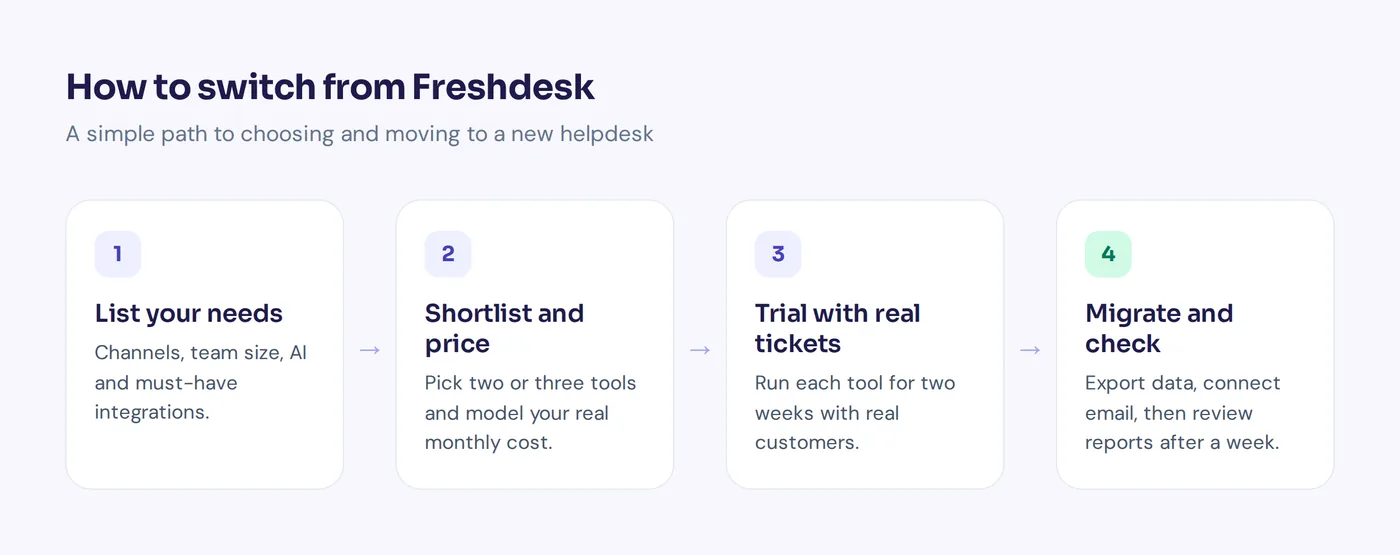
Our advice: shortlist two or three Freshdesk alternatives based on your channels and team size, run real customer queries through each for two weeks, then decide. Two weeks of real use tells you more than any feature table.
Switching from Freshdesk: a short migration checklist
- Export your data from Freshdesk: tickets, contacts and knowledge base articles.
- List your automations, canned responses and workflow rules, and recreate only the ones you actually use.
- Connect your support email address to the new tool and send test emails.
- Move help center articles and set up redirects for old links.
- Reconnect each integration: store, CRM, Slack, billing.
- Run both tools in parallel for a few days, then switch fully.
- Check reports after the first week to make sure nothing is missed.
Keep Freshdesk and add an AI agent in front
Not every team needs to leave Freshdesk. If your setup works and your team knows the Freshdesk tool well, you can put an AI agent in front of it instead. AnytimeReply answers customers on your website and messaging channels, solves routine questions, and hands the rest over to Freshdesk as a ticket. Freshdesk stays your ticket platform.
That way you keep your existing tickets, workflow and reports, and your agents only see conversations that need a person. Training uses your website, files and Notion pages, as explained on our training page. Helpdesk escalation is on paid plans (Hobby and up).
Frequently asked questions
What is the best Freshdesk alternative?
It depends on your use case. Zendesk suits larger teams, Help Scout suits simple email support, Gorgias suits ecommerce, Intercom suits SaaS, Service Hub suits HubSpot users, and AnytimeReply suits smaller teams that want AI to answer first on chat, messaging and email.
Does Freshdesk have a free version?
Freshdesk's official pricing page currently lists paid plans with a 14-day free trial, not a free plan. Check the page for the latest details, since plans change.
Is Freshservice the same as Freshdesk?
No. Both come from Freshworks, but Freshdesk is for customer support, while Freshservice is for internal IT service management.
Are Freshdesk and Zendesk the same?
No. They're competing products from different companies. Both are full help desk platforms with ticketing, automation and AI, and teams often trial both before choosing.
What is similar to Zendesk?
Tools like Freshdesk, Zoho Desk, Help Scout, Intercom and Service Hub from HubSpot. Like Zendesk, they offer ticketing and multichannel support with different strengths.
How hard is it to migrate from Freshdesk?
For a small team it usually takes a few days: export your data, connect email, recreate key automations and templates, then run both tools side by side briefly. Larger setups with many workflows take longer.
Find the help desk that fits your team
Freshdesk is a good tool, but it isn't the only one. Start from your channels, your team size and how much you want AI to handle, then trial two or three options with real customers.
If you'd like to see AI-first support with a built-in help desk, you can start free, no card needed.
Published 27 October 2026 by AnytimeReply team