Your support starts in a shared Gmail inbox. It works for a while. Then two people answer the same customer and a refund request sits unread for four days. That is usually when someone searches for free ticketing software.
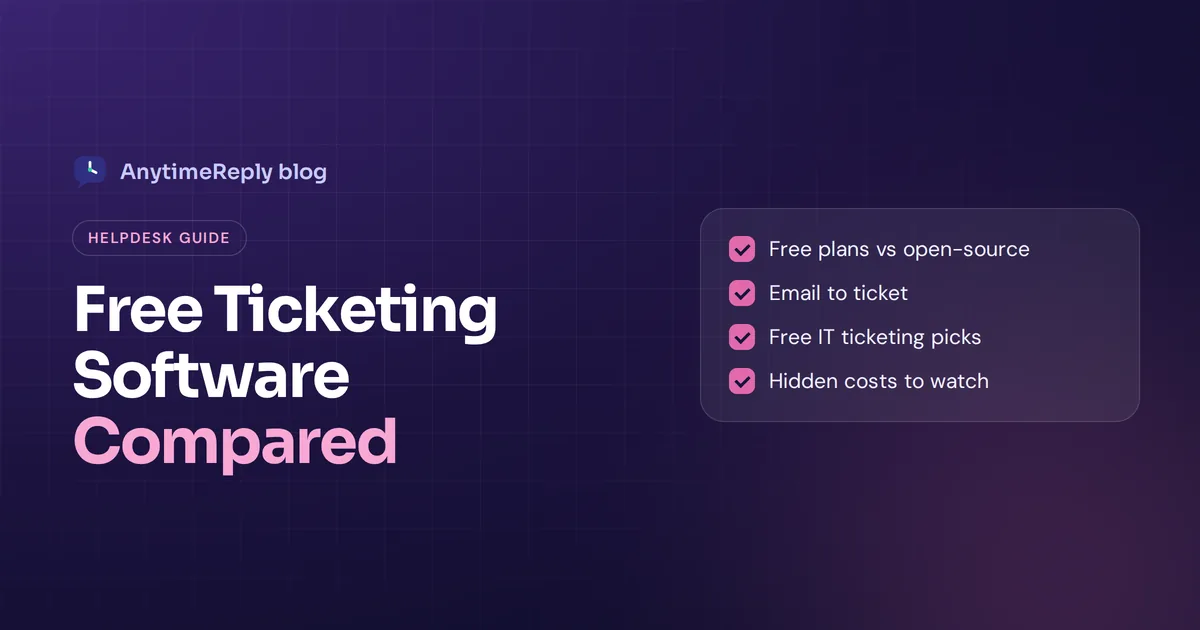
The good news: you can get a real ticket system without paying anything, at least to start. The catch is that "free" means different things. Some tools give you a free plan with limits, some are open-source and free if you host them yourself, and some are just a 14-day trial.
What is free ticketing software?
A ticketing tool turns every customer request into a ticket: a record with a status (open, pending, solved), a priority, an owner and the full conversation. Instead of a messy inbox, your support team works from one ticket system where nothing gets lost.
Free options come in three forms:
- Free cloud-based plan. A hosted tool with a free tier. Sign up and start. Limits apply on agents, channels or features.
- Open-source software. Completely free to use, but you install and run it on your own server.
- Free trial. Full features for a few weeks, then you pay. Not genuinely free.
If you need a ticketing system for the long term, focus on the first two. A trial is for testing a full ticketing help desk platform before you pay.
Free plan, open source or free trial?
| Free cloud plan | Self-hosted ticketing | Free trial | |
|---|---|---|---|
| Cost | $0, with limits | $0 for the tool, you pay for a server | $0 for a few weeks |
| Setup | Minutes | Hours to days, needs tech skills | Minutes |
| Maintenance | Vendor handles it | You handle updates, backups and security | Vendor handles it |
| Limits | Agents, channels, automation | Few, but fewer built-in extras | None until it ends |
| Best for | Startups and small businesses | Teams with an IT person | Testing a paid tool |
Our honest take: for most small teams, a free plan is the best ticketing option to start. Self-hosting sounds free, but someone has to fix the server at 2 am.
Features to look for in a free ticket system
Free tools cut features to push you toward paid plans. Check that the basic ticketing functionality you can't live without is included:
- Statuses and priorities. Open, pending and solved, plus a way to flag urgent issues.
- Assignment. Each ticket has one owner, so two agents never answer the same customer.
- A shared inbox. Everyone sees the same queue, with views like "unassigned" or "mine".
- Email to ticket. Incoming messages become tickets automatically. Many tools keep this off their no-cost tiers, so check.
- Internal notes. Private comments and @mentions the customer never sees.
- Live chat. A chat widget so website visitors can reach you without writing an email.
- A knowledge base or customer portal. A self-service page where customers read help articles and check their own tickets.
- Mobile app. Some vendors offer a free mobile app even on the free edition.
Best free ticketing system options for small business in 2026
We list our own product first, with its limits. Free plans change often, so check each vendor's pricing page, including LiveAgent's free plan and others we left out.
1. AnytimeReply: AI answers plus a free shared inbox
AnytimeReply is an AI customer support agent with a built-in help desk. The Free plan includes website chat, the shared helpdesk inbox, a help center, flows, analytics, 3 team members and 50 AI credits a month, no card needed. The AI answers common questions first, so fewer conversations ever become a ticket.
The limit: tickets from your mailbox (Gmail, Outlook, Zoho or IMAP) and channels like WhatsApp start on the Hobby plan at $9 a month. On Free you manage website conversations, not full email ticketing.
2. HubSpot: free help desk inside a CRM
HubSpot's free tools include a support ticket system and shared inbox, connected to your contacts. Many features sit in paid tiers. A good fit if your sales team already uses HubSpot.
3. Zoho Desk: a free option from a big suite
Zoho Desk's free plan covers core ticketing and a basic knowledge base for very small teams, with mobile apps. Best if you already use Zoho. Check their pricing page for the agent limit.
4. Spiceworks Help Desk: long-time free IT pick
The Spiceworks help desk has long been a go-to free ticketing tool for IT departments. Its site lists a free Core plan next to paid ones. Plans have changed before, so confirm what Core includes.
5. Jira Service Management: for internal support
Atlassian's service desk is built for IT and internal support, with request types, a portal and SLAs. It has a no-cost tier for small groups, but can feel heavy for simple customer service.
6. osTicket: classic open-source ticketing system
osTicket is a veteran open source ticketing system. It turns messages and web forms into tickets, with departments and a customer portal. It looks dated, but it is reliable and free to self-host.
7. Zammad: modern open-source help desk
Zammad offers multi-channel ticketing with a cleaner interface and a knowledge base. Self-host it free or pay for their hosted version.
8. FreeScout: simple and generous free shared inbox
FreeScout is a free, open-source help desk and shared inbox that feels like a simple mail client. The core is free, with paid add-on modules. A great free tool if your support is mostly by mail and you can host a PHP app.
What about Freshdesk? When we checked the Freshdesk pricing page today, it listed only paid plans and a 14-day trial, not a free plan.
Free ticketing tools compared: Zoho Desk, Spiceworks, osTicket and more
| Tool | Type | Best for | Email tickets free? |
|---|---|---|---|
| AnytimeReply | Cloud | AI answers plus team inbox | No, from Hobby ($9) |
| HubSpot | Cloud | CRM-connected support | Check pricing page |
| Zoho Desk | Cloud | Zoho users | Check pricing page |
| Spiceworks | Cloud | IT departments | Check pricing page |
| Jira Service Management | Cloud | IT and internal requests | Check pricing page |
| osTicket | Open-source | Self-hosted basic ticketing | Yes, self-hosted |
| Zammad | Open-source | Modern self-hosted help desk | Yes, self-hosted |
| FreeScout | Open-source | Simple mail-based support | Yes, self-hosted |
Free IT ticketing software for small IT teams
IT desks need a bit more structured ticketing than customer service. Look for request types ("new laptop", "password reset"), a self-service portal, SLAs, approvals and sometimes asset tracking. Spiceworks, osTicket, Zammad and the open-source GLPI project are common free picks, each with solid ticketing capabilities.
The best free email ticketing system: how it works
Email support is still where most requests start. Email ticketing does three things:
- Turns each new message into a ticket with the sender, subject and text.
- Keeps replies in one thread, so the customer's answer lands on the same ticket.
- Tracks status, and reopens the ticket if the customer writes back.
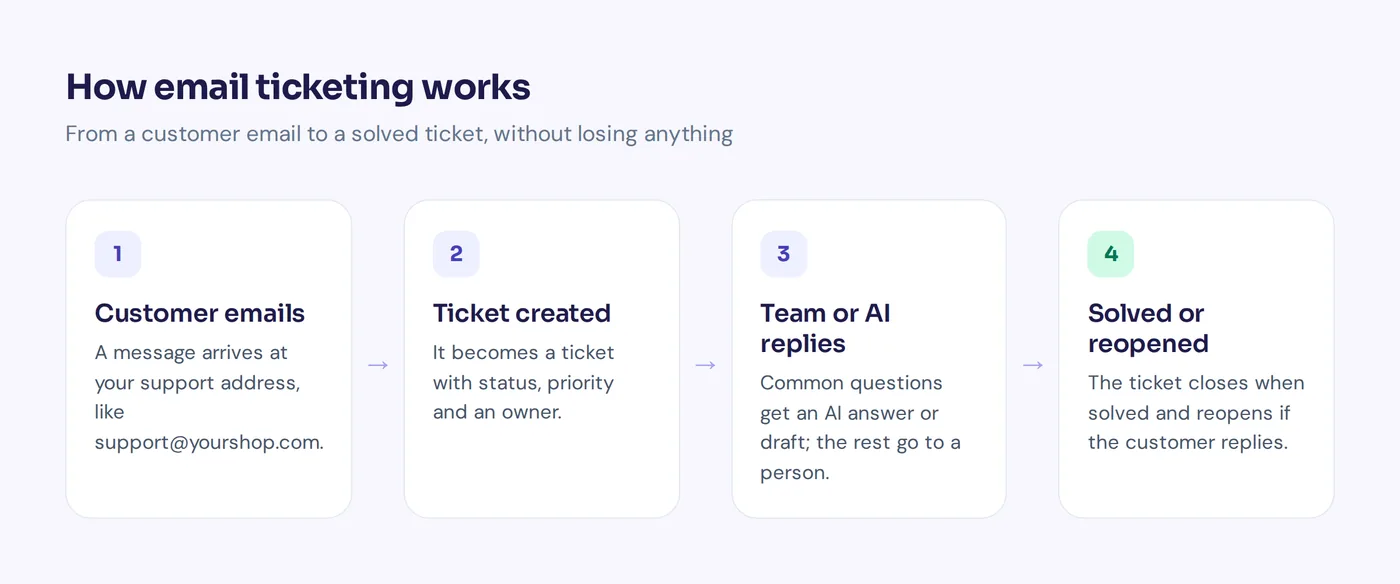
You connect your support address by linking the mailbox (Gmail, Outlook, IMAP/SMTP) or by forwarding. Linking is usually better, because replies go out from your own address.
Limitations of free help desk software
- Agent caps. Hire one more person and you may need to upgrade everyone.
- Missing channels. Mail, chat or social are often paid extras.
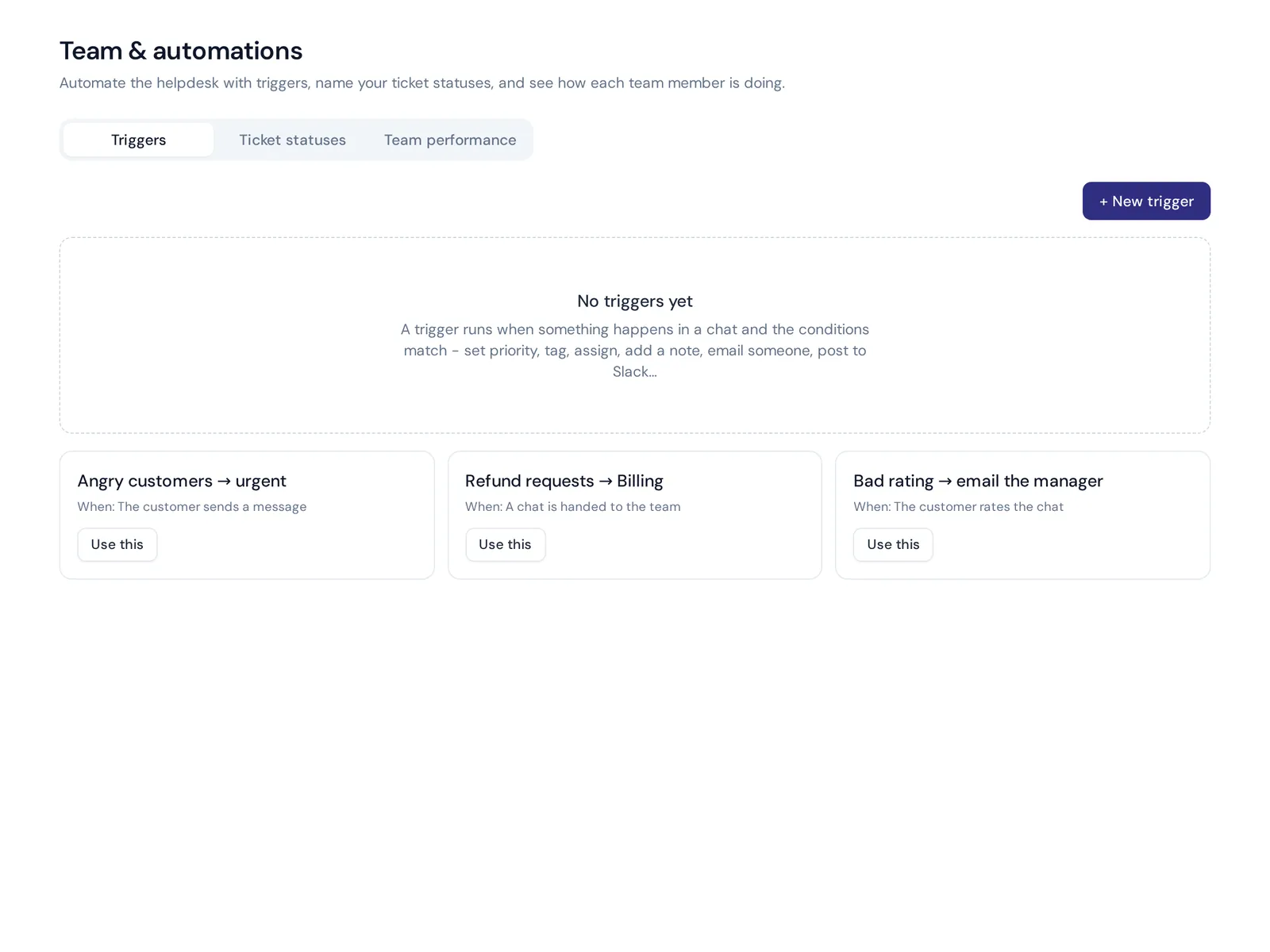
- Little automation. Routing rules, SLAs and triggers are usually paid.
- Self-hosting work. Updates, backups and security are on you.
- Migration pain. Moving tickets and contacts later is a chore, so pick a ticketing platform you can grow with.
How to set up a free ticket system in 6 steps
- List where support requests come from and rough weekly volumes.
- Pick a tool that covers your main channel at no cost. If most requests are mail, make sure email to ticket is included.
- Connect your address or chat widget and send a test support ticket.
- Keep statuses simple: open, pending, solved.
- Write 10 saved replies for shipping, refunds, passwords and opening hours.
- Review weekly: slow replies, open tickets and repeat questions to turn into help articles.
How AnytimeReply handles tickets
We built AnytimeReply to manage customer support with fewer tickets, not just a tidier queue. It works as a help desk and shared inbox in one support platform:
- Free plan: the AI agent answers website chats from your content, and the helpdesk inbox handles the rest with assignment, internal notes, @mentions and views like Unassigned and Needs human.
- From Hobby ($9 a month): tickets and email. Connect Gmail, Outlook, Zoho or IMAP/SMTP, or forward mail. Every support message becomes a ticket with status, priority and owner, and the AI answers common ones in the thread or drafts replies. A customer reply reopens the ticket.
- Paid plans also bring WhatsApp, Messenger, Instagram, Telegram and Slack into the same support system.

Not the right fit if you need asset management or a full ITIL service desk, and there is no phone channel. See pricing for current plans.
Frequently asked questions
Is there a completely free ticket system?
Yes. osTicket, Zammad and FreeScout are free if you host them. Several cloud tools also have no-cost plans with limits.
What is the best free customer service software for a small business?
It depends on your main channel. For mostly mail, pick a tool with free email to ticket. For website chat plus AI answers, try AnytimeReply's Free plan. If you live in a CRM, try HubSpot.
Can I use Gmail as a ticketing system?
For a while, with labels. But without statuses, owners or reports, things slip once two people answer.
What is the cheapest ticketing platform?
Self-hosted open-source tools cost only your server and time. Among cloud tools, start with a free plan and compare the first paid tier before you commit.
When should I upgrade from a free plan?
When the limits cost you time: you need another agent, a new channel, automation or SLAs.
Start free, grow when you need to
You don't need a budget to stop losing customer messages. Pick a free support tool that covers your main channel and keep it simple.
Want AI to answer the easy questions while your team handles the rest? Start free with AnytimeReply, no card needed.
Published 28 October 2026 by AnytimeReply team