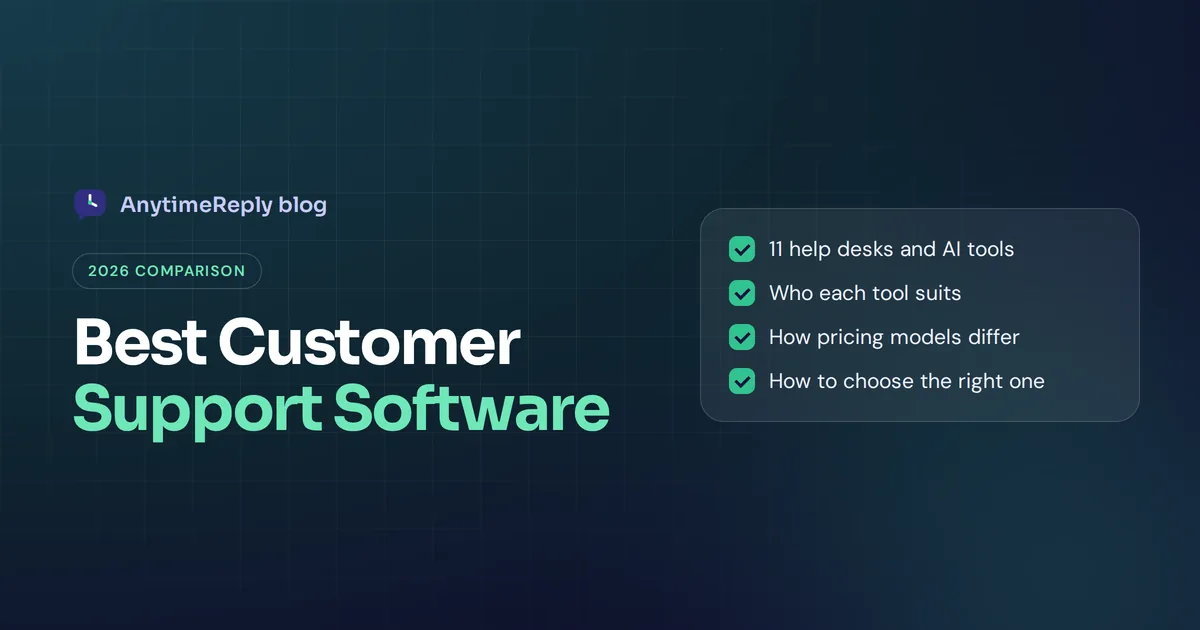
Picking the best customer support software is less about finding the "top" tool and more about finding the one that fits how your customers reach you. A Shopify store drowning in "where is my order?" messages needs something very different from a SaaS company with 40 agents and complex technical tickets.
So in this guide we compare 11 well-known customer support tools, explain what each one is known for and who it suits, and give you a simple way to choose the right tool. No fake rankings, no made-up star ratings. Just what each platform does well and where it falls short.
Fair warning: AnytimeReply is our product, and it's on this list. We put it first because this is our blog, but we'll be honest about where other tools are a better fit.
What help desk software does (and the main types)
Customer support software collects messages from email, chat, social media and other channels into one place, so your support team can reply, track and resolve customer issues without losing anything. You'll also hear it called customer service software, a help desk or a support platform. The names overlap a lot.
Most tools fall into one of these types:
- Help desks. Ticket-based tools where every support request gets a status, priority and owner. Good for email-heavy teams and complex customer issues.
- Live chat and chat software. Real-time chat on your website and messaging apps. Live chat is still the channel many customers prefer for quick questions.
- AI agents and chatbots. Software that answers customer inquiries on its own, using your help content, and hands harder cases to people.
- Shared inboxes. Email-style tools where the team collaborates on customer conversations.
- CRM-based service tools. Support built on top of a customer relationship management system, so agents see sales and marketing data next to each ticket.
Many modern platforms mix several of these. The real differences are in what each does best, how easy it is to set up and how the price grows with your team.
Key features to look for in customer support tools
Before you compare names, decide what matters for your business. Here's the checklist we'd use when deciding what to look for in customer service software and other help desk tools:
- Omnichannel support: can it handle customer interactions across email, website chat, WhatsApp, Instagram, Messenger and social media in one inbox? Some teams only need multichannel support (several channels, separate views). Most growing teams want one shared view.
- AI that answers, not just suggests. Some AI features only draft replies for agents. Others resolve customer requests on their own.
- Human handoff: when AI can't help, does the conversation move to a support agent with context?
- Ticket management: statuses, assignment rules, SLAs and internal notes for each support ticket.
- Self-service: a knowledge base or customer portal people can search.
- Reporting and analytics: response times, volume, customer satisfaction scores and team performance.
- Collaboration tools: notes, mentions and Slack alerts so agents can work together.
- Integrations: your store platform, CRM, payment tool and project management tools.
- Security: how the platform stores customer data, and whether it's used to train AI models.
- Pricing model: per agent, per resolution, per ticket or flat. This decides your cost as you grow.
Best customer support software in 2026: quick comparison
Here's a guide to the best options at a glance. Prices change often, so we don't list them here. Check each platform's pricing page.
| Tool | Best for | Known for |
|---|---|---|
| AnytimeReply | Small and growing businesses that want AI to answer first | AI agent + helpdesk in one, multilingual, low starting price |
| Zendesk | Mid-size to large support teams | Mature ticketing, huge app marketplace |
| Freshdesk | SMBs that want classic ticketing | Easy ticketing, Freddy AI |
| Intercom | SaaS and tech companies | Messenger-first support, Fin AI agent |
| Help Scout | Small teams that like email | Simple shared inbox, Docs knowledge base |
| Gorgias | Online stores | Ecommerce helpdesk with order data |
| Zoho Desk | Teams already using Zoho | Value, Zoho suite integration |
| HubSpot Service Hub | Teams using HubSpot CRM | Support tied to CRM and marketing data |
| Salesforce Service Cloud | Large enterprises | Deep customization on Salesforce CRM |
| Front | Email-heavy teams | Collaborative shared inbox |
| Tidio | Small online shops | Live chat with Lyro AI |
The 11 best customer support tools, reviewed
1. AnytimeReply
Best for: small and growing businesses, online shops, Facebook and Instagram sellers and SaaS teams who want AI to handle most questions and a simple helpdesk for the rest.
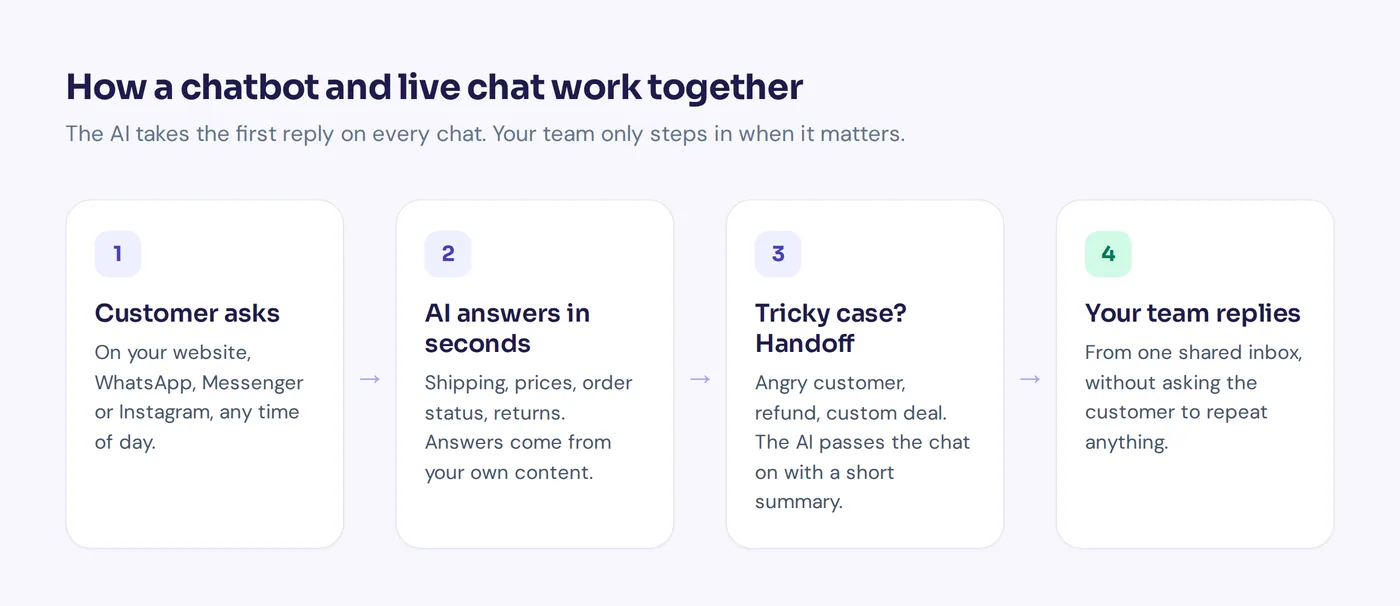
AnytimeReply is an AI support and sales agent with a built-in helpdesk. You add your website, documents and Notion pages, and it trains an AI that answers customers in seconds on your website, WhatsApp, Messenger, Instagram, Telegram, email and Slack. When a customer asks for a person, gets upset or the AI can't answer, it hands the chat to your team with a summary.
- One shared inbox for chat, messaging and email tickets, with departments, assignment, internal notes, triggers and views like "Needs human".
- Email ticketing: connect Gmail, Outlook, Zoho or any IMAP mailbox, and every support email becomes a ticket the AI can answer or draft.
- Replies in the customer's language, including Bangla, Banglish, Hindi and Hinglish.
- Actions for verified customers on paid plans: check Shopify or WooCommerce orders, manage Stripe subscriptions, book meetings.
- A help center on your own domain, analytics with knowledge gaps and CSAT, and plain-language tests.
- Team members are included. Pricing is based on AI credits: a free plan, then Hobby at $9/month, Standard at $29 and Pro at $79 (see pricing; prices can change).
Limits: no phone support or SMS, no native mobile SDK, and it isn't built for IT service management. If you have 100 agents and need deep SLA reporting, an enterprise help desk may suit you better. It can also hand chats to Zendesk, Freshdesk, Intercom, Zoho Desk, Help Scout or Gorgias if you already use one of them.

2. Zendesk
Best for: mid-size and large support teams that need a mature, flexible help desk.
Zendesk is one of the best-known names in customer service software. It's known for powerful ticketing, a big marketplace of apps, omnichannel support across email, chat, social media and phone, plus AI. Large teams like how much they can customize workflows, routing and reporting. When people ask who Zendesk's biggest competitor is, the usual answers are Freshdesk, Salesforce and Intercom.
Things to consider: it can feel heavy for a small team, setup takes time, and costs rise as you add agents and add-ons. Check the Zendesk pricing page for current plans.
3. Freshdesk
Best for: small and mid-size businesses that want classic ticketing that's easy to learn.
Freshdesk, from Freshworks, is a popular help desk with a clean interface, ticket management, automations, a knowledge base and Freddy AI. Many teams pick it as a friendlier alternative to bigger platforms, and Freshworks also offers phone and chat products alongside it.
Things to consider: some advanced features and AI capabilities sit in higher tiers or add-ons, so compare plans carefully.
4. Intercom
Best for: SaaS and tech companies that want support inside their product.
Intercom built its name on the in-app messenger, and today it's known for Fin, an AI agent that answers questions from your help content. It combines a messenger, help desk, knowledge base and proactive messages, which suits software companies that support users inside the app.
Things to consider: pricing combines seats and AI resolutions, which can add up for high-volume teams. Estimate your monthly volume before you commit.
5. Help Scout
Best for: small teams that want support to feel like personal email.
It's known for its simple shared inbox, its Docs knowledge base and the Beacon widget for chat and self-service. Customers see normal emails, not "ticket #12345" messages, which gives a more personalized support feel.
Things to consider: it's intentionally simple, so very large or highly automated teams may outgrow it.
6. Gorgias
Best for: online stores, especially on Shopify.
Gorgias is built around online shops. Agents see order details next to each conversation and can take actions like refunds or edits directly within the support inbox. It brings email, chat and social media comments into one place.
Things to consider: it's focused on retail, so it's less of a fit for SaaS or service businesses. Pricing is based on ticket volume, so check how it scales in your busy season.
7. Zoho Desk
Best for: businesses already using Zoho CRM or other Zoho apps.
Zoho Desk is a context-aware help desk with ticketing, multichannel support, automation and Zia, Zoho's AI assistant. Its biggest strength is how well it connects to the rest of the Zoho suite, and it's often seen as good value.
Things to consider: the interface has a lot of options, which can take time to learn.
8. HubSpot Service Hub
Best for: teams that run sales and marketing in HubSpot.
Service Hub offers ticketing, a shared inbox, a knowledge base, a customer portal, feedback surveys and AI tools on top of the HubSpot CRM. Agents see full customer profiles and history from marketing and sales, which helps personalize every reply.
Things to consider: it makes the most sense if you already use HubSpot. On its own, it can be more than you need.
9. Salesforce Service Cloud
Best for: large enterprises with complex support processes.
It's an enterprise customer service platform built on the Salesforce CRM. It's known for case management, omnichannel routing, field service, phone support options and AI features, with almost endless customization for big support operations.
Things to consider: it usually needs an admin or partner to set up and maintain, and it's far more than a small business needs.
10. Front
Best for: teams that live in email and want to collaborate on it.
Front turns shared mailboxes into a collaborative inbox, with assignment, comments, rules and analytics, while customers still get normal emails. It also connects chat and other messaging channels.
Things to consider: it's strongest for email. If most of your volume comes from chat or WhatsApp, look at chat-first tools too.
11. Tidio
Best for: small online shops that mainly need website live chat with some AI.
Tidio combines live chat, a basic ticketing inbox and Lyro, its AI assistant, with easy installation on popular store platforms. It's a common first chat tool for small shops.
Things to consider: larger teams with complex ticket workflows may need a fuller help desk. We wrote a direct AnytimeReply vs Tidio comparison if you're weighing the two.
Benefits of a good customer support platform
Why bother with a dedicated platform at all, instead of a shared Gmail and a WhatsApp phone? Because the right support solutions help businesses in ways that add up fast:
- Nothing gets lost. Support requests land in one place with an owner, so customers don't wait days for a reply that nobody noticed.
- Support across multiple channels. Your support team can manage customer conversations from email, live chat and social media without switching apps.
- Faster replies with AI. A good AI feature answers repeat questions in seconds, which helps you enhance customer experience without hiring more people.
- Better context. When customer interactions and data sit together, agents see past orders and chats, so support interactions feel personal instead of starting from zero.
- Real insights into customer problems. Reporting shows which topics come up most, where customers get stuck and how customer satisfaction changes over time. Those valuable insights help you fix the product or the policy, not just the ticket.
- Happier agents. Fewer copy-paste answers and clearer workflows mean your team can focus on excellent customer care for the cases that need it.
Put simply, good software protects the overall customer experience while your business grows. Bad or missing software is how customer engagement quietly drops.
How to choose the right tool for your support team
When you choose the right software, you're really matching it to your customer needs. It comes down to honest answers to a few questions:
- Count where your messages come from. If most customer communication arrives on WhatsApp and Instagram, an email-first help desk is the wrong start. Look for omnichannel customer support software that treats messaging as a first-class channel.
- Look at your top 20 questions. If most are repeat customer queries (order status, pricing, how-to), an AI agent that answers on its own will save the most time.
- Estimate cost at your real volume. Per-agent pricing hurts as you hire. Per-resolution pricing hurts with high chat volume. Do the math for your busiest month, not your quietest.
- Check integrations you can't live without. Your store, CRM, payment tool, Slack.
- Try it with real questions. Most tools have a free plan or trial. Paste in your actual customer questions and see what happens.
- Ask your agents. They'll use it eight hours a day. If they hate it, it won't work.
Whatever platform you pick, the goal is consistent service: every customer gets a fast, accurate answer, no matter the channel or time of day.
Which customer service software fits which business?
| Your situation | Good options to look at |
|---|---|
| Small online shop, lots of repeat questions | AnytimeReply, Gorgias, Tidio |
| Facebook and Instagram seller, multilingual customers | AnytimeReply |
| SaaS with in-app support | Intercom, AnytimeReply |
| Large team, complex workflows | Zendesk, Freshdesk, Zoho Desk |
| Enterprise on Salesforce | Service Cloud |
| Email-first, small team | Help Scout, Front |
| Already on HubSpot or Zoho | Service Hub, Zoho Desk |
If you're an online store, the most important question is simple: can the tool see your orders? Ecommerce customer support software that pulls in order status and tracking turns a five-message conversation into one.
How much does customer support software cost?
Pricing models vary more than features do:
- Per agent per month: the classic help desk model. Predictable, but every hire raises the bill.
- Per resolution or per AI reply: common for AI agents. Cheap when volume is low, can grow fast when it's high.
- Per ticket: some ecommerce tools charge by monthly ticket volume.
- Credits with team members included: AnytimeReply's model. You pay for AI replies, and replies your team writes are free.
Watch for add-ons. AI, advanced analytics, extra channels and phone support are often sold separately. Ask for a quote based on your real numbers.
AI agents vs traditional help desks: is AI worth it?
For most teams, yes, if it's done carefully. An AI trained on your own content can handle customer questions instantly, day and night, which cuts response times, helps improve customer satisfaction and frees your team for harder issues. Customer expectations have moved: people want quick answers on the channel they already use.
But AI that guesses is worse than no AI. Look for tools that answer only from your knowledge, admit when they don't know and hand over to a person with context. Then review real conversations every week. The best setups make customer support faster without making it colder.
Frequently asked questions
What's the best support tool for small businesses?
It depends on your channels. For chat and messaging with AI, look at AnytimeReply or Tidio. For email-first support, a simple shared inbox is often enough. Start with a free plan and test with your own questions.
What are examples of customer support tools?
Help desks like Zendesk and Freshdesk, live chat tools like Tidio, AI agents like AnytimeReply and Intercom Fin, shared inboxes like Front, and knowledge base tools. Many platforms combine several of these.
Are there free customer support tools?
Yes. Several tools have free plans with limits on agents, channels or AI usage. AnytimeReply's free plan includes website chat, the helpdesk inbox, a help center and analytics.
What is omnichannel customer support software?
It brings all your channels, such as email, website chat, WhatsApp, Instagram, Messenger and social media, into one inbox, so agents see the full history no matter where the customer wrote.
What are the 5 C's of customer service?
Lists vary, but a common version is clarity, courtesy, consistency, competence and communication. Good software helps with consistency and speed, but your team and your knowledge base still carry the rest.
Can I use more than one support tool?
Yes. Some teams put an AI agent in front for instant answers and hand complex cases to their existing help desk. AnytimeReply can hand chats to Zendesk, Freshdesk, Intercom, Zoho Desk, Help Scout or Gorgias.
Try it with your own customer questions
The best way to choose is to test. Take your 20 most common questions, try two or three tools from this list and see which one answers well and fits your team.
If you want AI that answers first and a helpdesk for everything else, start free with AnytimeReply, no card needed.
Published 28 October 2026 by AnytimeReply team