Want to ask ChatGPT something without leaving WhatsApp? A year ago it was easy: save one number and start typing. Today it depends on where your phone number is registered.
Here is the short answer to how to use ChatGPT on WhatsApp in late 2026. OpenAI's official contact, 1-800-CHATGPT (+1-800-242-8478), stopped replying in most countries on 15 January 2026, after a change to the business rules of the messaging platform. In July 2026 it came back for users in the European Economic Area (EEA), after an order from the European Commission. If your number has an EEA country code, you can use it again. If not, you'll need another route.
Below is a step-by-step guide, what the assistant can do inside your chats, what to use if it doesn't work for you, and how businesses can put a ChatGPT-style AI chatbot on their own number.
Does WhatsApp have ChatGPT in 2026?
Yes, but not everywhere. Here's what happened:
- December 2024: OpenAI launched it as a new feature: message the assistant like any other contact, or call it from the US and Canada.
- October 2025: Meta, the owner of the app, updated its business terms to stop general-purpose AI assistants from using the WhatsApp API as their main product.
- 15 January 2026: The rule took effect and the official chatbot went silent for most WhatsApp users.
- June and July 2026: The European Commission ordered access restored in Europe while its antitrust investigation continues, and the service returned across the EEA.
The official help article from OpenAI now confirms availability in the EEA, based on the country code of your number. The European decision is an interim measure, so this could change again. Check that page first if you're reading this months from now.
How to use ChatGPT on WhatsApp: step by step
If your number is from an EEA country (the 27 EU member states plus Iceland, Liechtenstein and Norway), here's how to start on mobile:
- Update WhatsApp on your phone to the latest version.
- Save +1 800 242 8478 in your contacts. Name it "ChatGPT".
- Open WhatsApp, refresh your contacts, or start a new chat and search for the name you saved.
- Check the verified badge. The official account is verified. No badge means you're talking to someone else.
- Send your first message. Say hello or ask a question, just like texting a friend.
- Link your account if offered. Existing users can connect their ChatGPT account, but you don't need one to start.
You can also open the conversation with the link wa.me/18002428478. If there's no reply, or you get a message that the service isn't available, your country code probably isn't eligible yet.
A tip for travelers: eligibility follows your number, not your location. A German number works on holiday in Thailand. A US number won't start working because you're in Paris.
What can ChatGPT do on WhatsApp? Mobile use cases
Inside your chats, it works like a normal conversation with an artificial intelligence tool. Handy task ideas:
- Quick answers ("What's a polite way to decline a wedding invitation?")
- Translating a message before you send it to a user in another country
- Rewriting a text to sound friendlier or more formal
- Explaining a photo, a menu or a document you snap
- Asking by voice note instead of typing
Reports of the July 2026 relaunch say it handles text, images and voice messages. OpenAI calls the service experimental, with a usage limit, so it's lighter than the full product. For long chats, files, projects or a video upload, use the app or website.
Prompt ideas to try
Translate this into Spanish, keep it casual: "Running 10 minutes late, order me a coffee?"
Here's a photo of my fridge. What can I cook tonight in 20 minutes?
Summarize this long voice note from my boss in three bullet points.
Not working? Other ways to connect ChatGPT to WhatsApp
1. Use the ChatGPT app
The simplest fix. The app on Android and iPhone gives you every feature. Copy answers into your chats in two taps, or use the share sheet to send text across. It's not as convenient, but it works almost everywhere.
2. Use Meta AI
In many countries the messenger has its own assistant built in (the blue and purple circle). It isn't ChatGPT, but it can answer questions, write messages and generate images. Availability depends on your country and language.
3. Be careful with unofficial bots
Many third-party chatbots, Facebook ads and YouTube video tutorials promise "ChatGPT on WhatsApp". Some are fine tools built on OpenAI models. Others collect your data or push paid subscriptions. Check who runs it and what technology it uses, read the privacy policy, and never share passwords, bank details or ID photos with a bot.
| 1-800-ChatGPT | Meta AI | ChatGPT app | |
|---|---|---|---|
| Where it works | EEA numbers (late 2026) | Many countries, varies | Most countries |
| Setup | Save a number | Built in | Download, sign in |
| Best for | Quick questions in chat | Casual help | Serious work and productivity |
Is it free and private?
Basic use is free, with limits. The official contact is run by OpenAI, so your messages follow its terms and privacy policy, and your number is shared with it. Don't send card numbers or medical records, and double-check important answers, because AI accuracy isn't perfect.
For businesses: can you integrate ChatGPT with your WhatsApp number?
This is the question we hear most from shop owners. The new rule targets companies whose main product is a general-purpose AI assistant. It doesn't stop a business from using AI to serve its own customers. A shop whose bot answers "where is my order?" is using automation for customer service, which reports on the policy describe as still allowed.
So you can't plug the consumer ChatGPT into your business number. But you can run a conversational AI, powered by GPT or similar models, trained on your own business. That's more useful anyway, because a general chatbot doesn't know your prices or return policy.
How to create a chatbot on WhatsApp for your business
- Choose a platform that connects to the WhatsApp Business API and trains AI on your content.
- Connect your number. The official Business API is the supported route for business integration.
- Add your website, product pages, FAQs and policies.
- Set handoff rules, so upset customers or "I want a human" go to your team.
- Test with real questions from past chats, then review weekly.
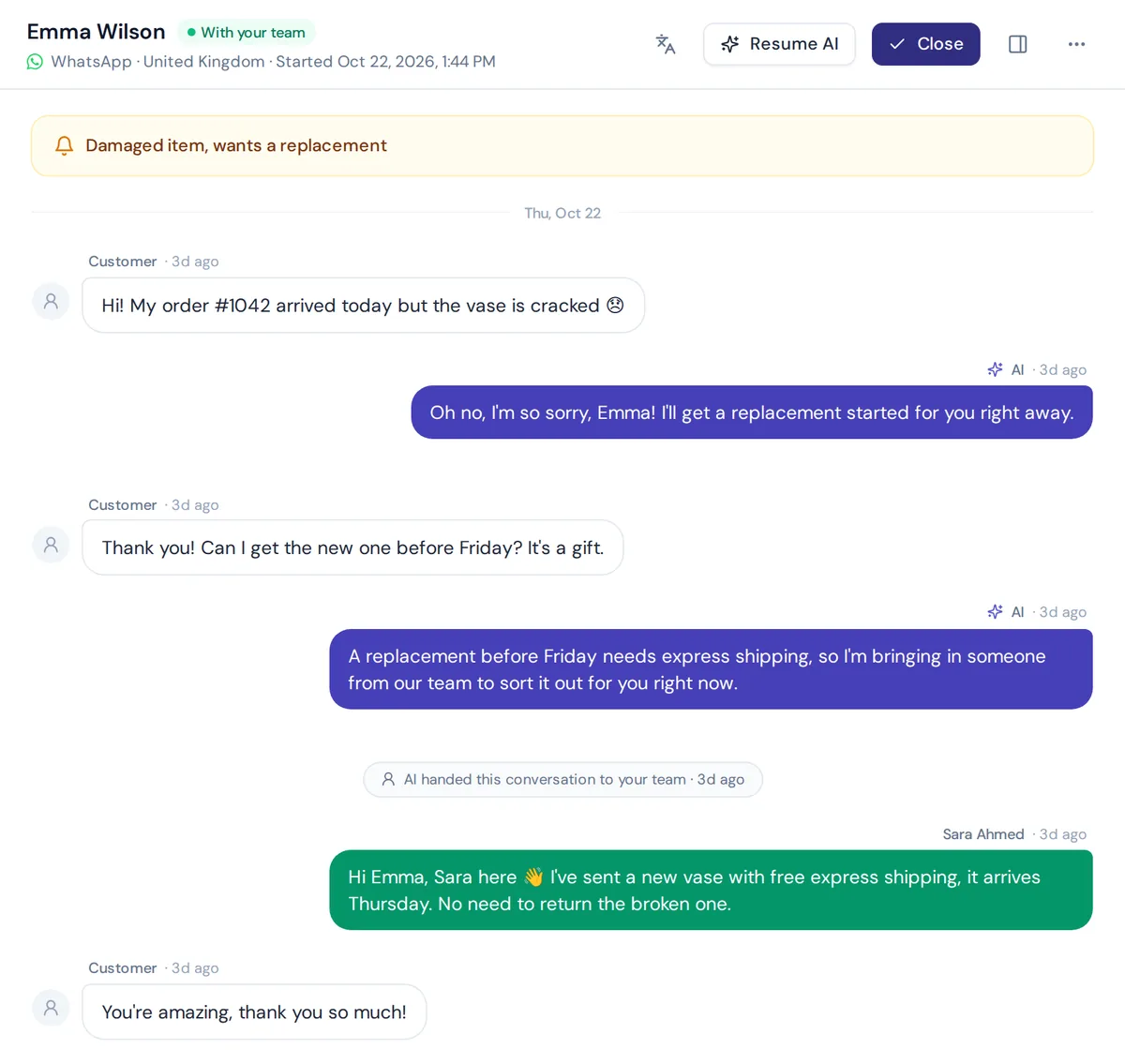
How AnytimeReply works on WhatsApp
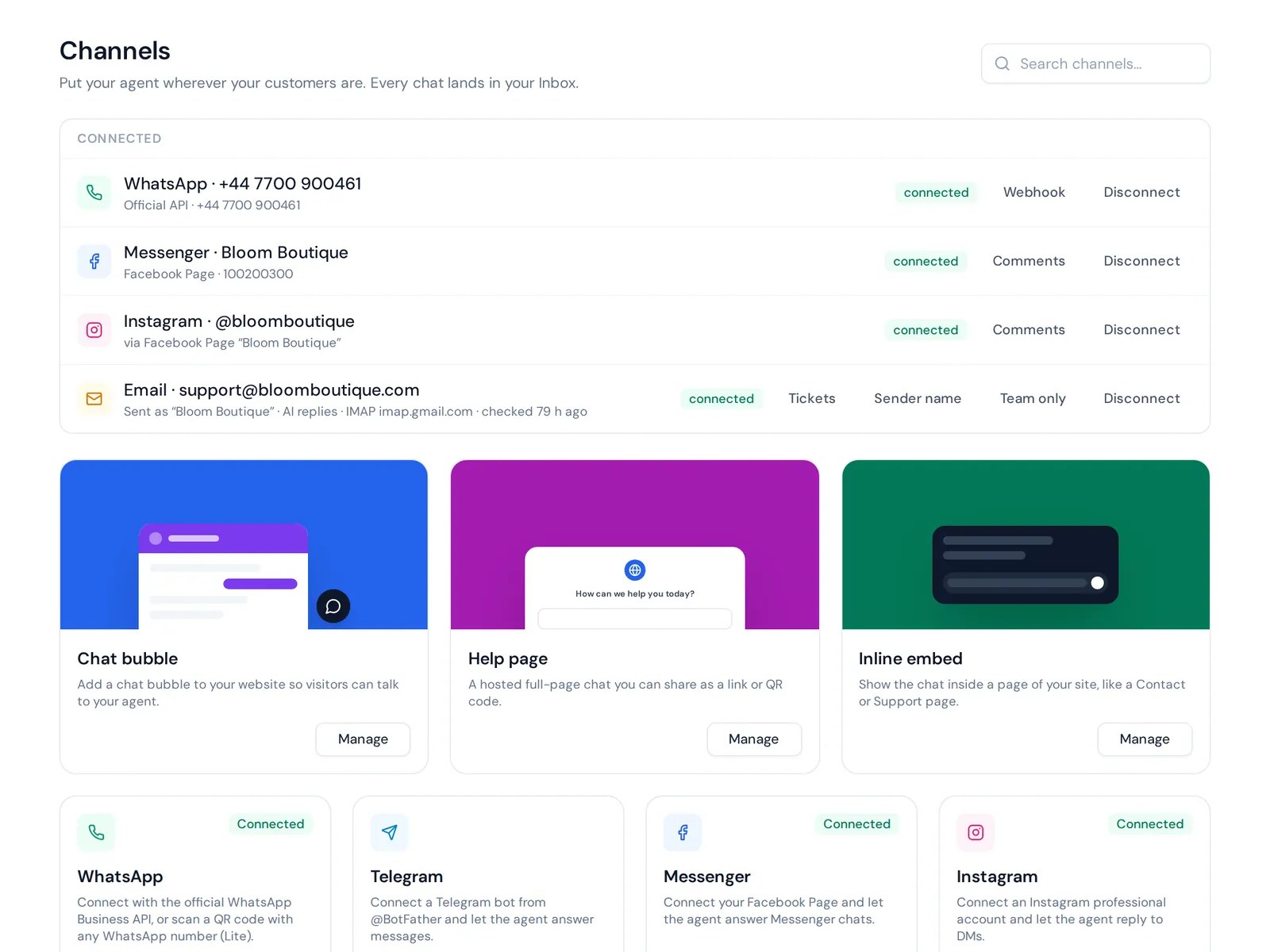
AnytimeReply is an AI customer support agent with a built-in helpdesk. On WhatsApp you connect through the official Business API or a quick QR connect, and it understands voice notes and photos.
- It learns from your website, documents, Notion pages and Shopify products. See AI agent.
- You pick the model: GPT, Claude, Gemini or DeepSeek. From the Standard plan you can use your own OpenAI key.
- It replies instantly in the customer's language, including Bangla, Banglish, Hindi and Hinglish.
- It hands chats to your team in one shared inbox, with a summary.
This channel starts on the Hobby plan, see pricing. One honest limit: it works in chat only, with no calls or SMS.
Frequently asked questions
How do I activate ChatGPT on WhatsApp?
Save +1-800-242-8478 and send a message. In late 2026 this works for numbers with an EEA country code.
Can I use it for free?
Yes, with usage limits. No ChatGPT account is needed to start.
Why did it stop working?
General-purpose AI assistants were blocked from the business platform on 15 January 2026. Europe later forced access back there.
Can I use it in group chats?
The official contact is built for one-to-one chats. You can paste its answers into a group yourself.
Is Meta AI the same as ChatGPT?
No. Meta AI is built by the company that owns WhatsApp. ChatGPT is made by OpenAI. They do similar things but are different products.
Give your business an AI that knows you
For personal use, save the official number if you're in the EEA, or ask ChatGPT directly in its own app. For your business, customers want answers about your products and orders. If you want AI on WhatsApp trained on your own business, start free, no card needed.
Published 7 November 2026 by AnytimeReply team