Every business gets the same 20 questions again and again. Do you ship to my country? How do I reset my password? Can I change my order? What is your refund policy? If the answers are buried in old emails or scattered across your site, customers keep asking, and your support team keeps typing the same replies.
FAQ software puts those answers in one searchable place that customers can find on their own. A good tool also makes it easy for your team to write, update and organize answers, and shows you which questions people still can't find.
This guide covers what these tools do, the features that matter, the top options for different business needs, and how to build a well-structured FAQ page people actually use. We make an AI agent with a built-in help center, so we have a bias. We'll still give you an honest list, including tools that may suit you better.
What is FAQ software?
It is a tool for creating, organizing and publishing answers to common questions. It can be as simple as an accordion widget on one page, or as complete as a knowledge base platform with categories, search, analytics and a custom domain.
You'll see a few types:
- FAQ widgets and plugins. Question lists you add to a page, often as a WordPress plugin or embed code. Many are no-code and free for users on small sites.
- Knowledge base software. A full self-service portal with categories, knowledge base articles, how-to guides and troubleshooting steps.
- Support suites. Ticketing and live chat tools that include a knowledge base module.
- AI-powered FAQ tools. Systems that use your FAQ content to answer questions directly, instead of returning a search result with ten links.
- Internal knowledge base tools. Knowledge management software for employees, like HR, IT and process answers for new employees.
The line between them is blurry. Many products cover both internal and external use, and most now add AI on top.
FAQ page vs knowledge base vs help center
| FAQ page | Knowledge base | AI help center | |
|---|---|---|---|
| Size | 10 to 50 short answers | Hundreds of articles | Any size |
| Format | Question and short answer | Guides, tutorials, troubleshooting | Articles plus direct AI answers |
| Search | Browser search or basic filter | Full search functionality | AI search that answers the question |
| Best for | Small sites and landing pages | SaaS and product teams | Teams that want fewer tickets with less reading |
If you only have a handful of common questions, a single FAQ section on your site is fine. Once you pass 50 or so, you need structure and search, or the page turns into a wall of text nobody reads.
Why use a dedicated FAQ tool?
- Reduce support tickets. When customers find answers on their own, your team handles fewer repeat questions.
- Answers 24/7. Self-service works at 2 am on a Sunday, and each new customer gets help before they even think of writing in.
- One source of truth. Everyone on the team points to the same answer, so customers get consistent information.
- Better customer experience. People prefer to find answers fast without waiting for an email.
- SEO. Clear answers to real questions can rank in Google for the exact phrases people type.
- Insight. Search data shows what people looked for and didn't find, which tells you what to write next.
The honest downside: any FAQ repository is only useful if someone keeps it current. A tool doesn't fix stale content. A simple workflow does, and the right setup will streamline it.
Key features to look for
An intuitive interface for editing
A good tool lets you create and update an answer in minutes, with formatting, images and links. If editing is painful, your FAQ will go out of date.
Search that works
Most people search first. Look for search that handles typos and different wording, and shows relevant content first. AI search that answers the question directly is even better. A searchable FAQ page beats a long scroll every time.
Categories and structure
Group questions by topic: orders, shipping, billing, account, product. Clear structure helps users browse when they don't know what to search.
Custom domain and customization
A knowledge base on help.yourdomain.com with your logo and colors looks trustworthy and keeps the SEO value on your domain.
Analytics and feedback
Article views, failed searches and "Was this helpful?" ratings tell you what to fix. Some tools show this in real-time.
Embedding
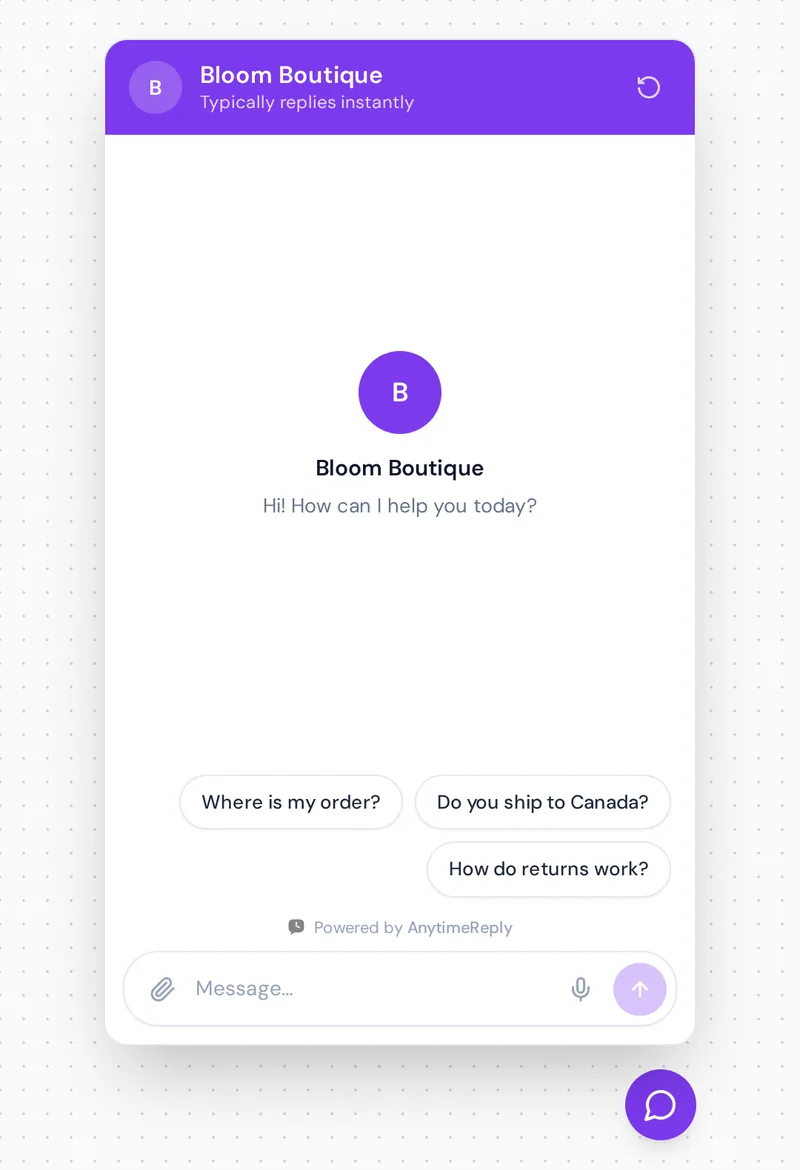
FAQ software for website use should be easy to embed: a widget, a chat bubble or an inline block on product pages and checkout.
Collaboration
Drafts, reviews and roles make it easy for teams to create and share content without stepping on each other.
A path to a human
When the FAQ doesn't answer the question, customers should reach your team easily through live chat or a form, without starting over.
Best FAQ tools in 2026: Zendesk, Document360 and more
There is no single winner. Here are well-known options by type. We describe what each is known for, not exact plans; check their pricing pages, since most offer a free plan or free trial.
| Tool | Type | Good for |
|---|---|---|
| AnytimeReply | AI agent with help center | Small and growing businesses that want an FAQ, AI chat and a team inbox together |
| Helpjuice | Knowledge base | Teams that want a customizable, dedicated knowledge base |
| Document360 | Knowledge base | SaaS and product teams with large documentation |
| Zendesk | Support suite | Support teams already running tickets in Zendesk |
| Freshdesk | Support suite | Teams that want tickets and FAQ in one place |
| Help Scout | Helpdesk with Docs | Small teams that like a simple, friendly setup |
| Intercom | Customer messaging | SaaS companies built around in-app messaging |
| Notion or Confluence | Workspace wiki | Internal FAQs and simple public pages |
| WordPress FAQ plugins | Plugin | Small sites that need one FAQ section |
AnytimeReply
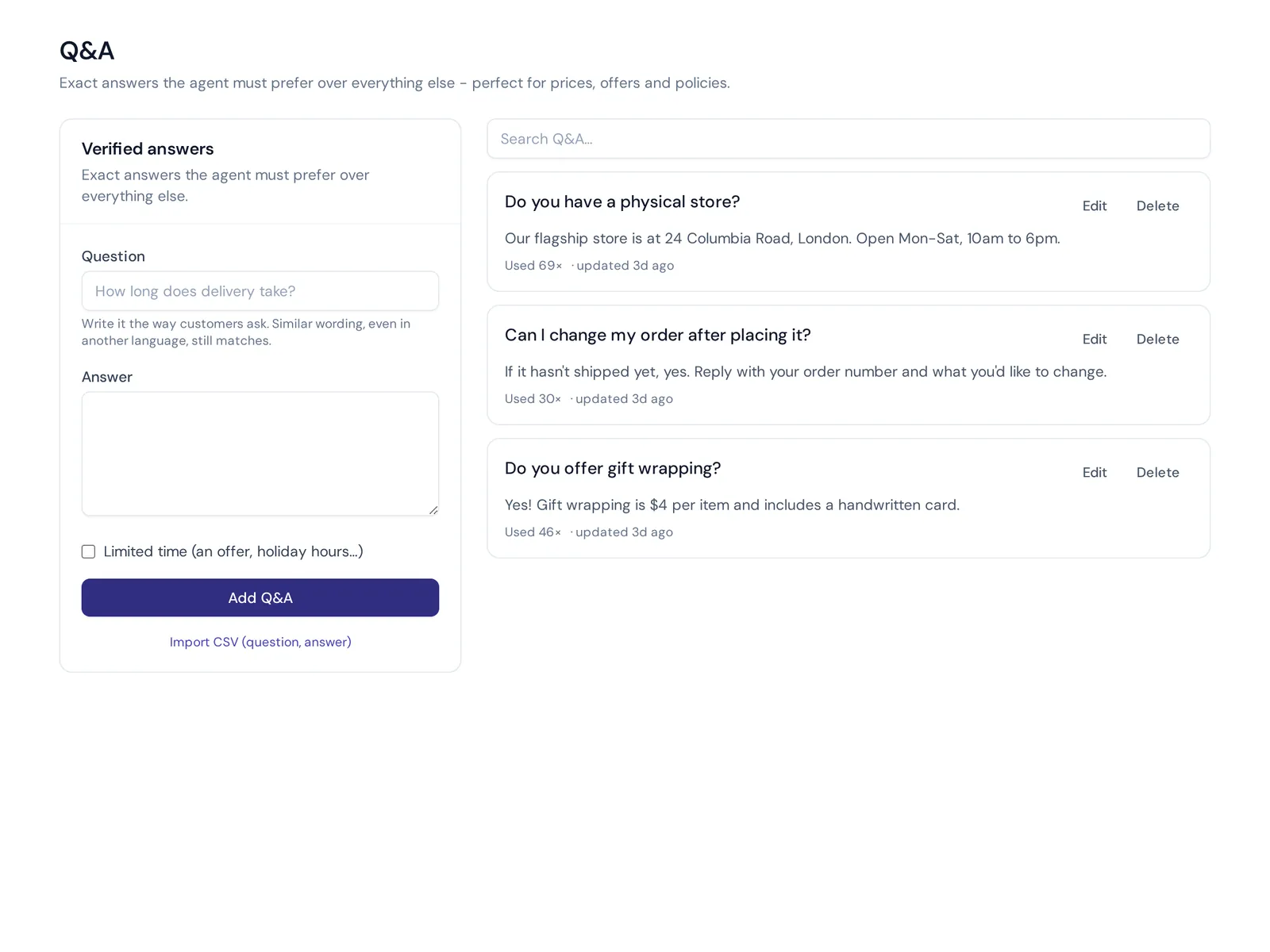
AnytimeReply is an AI support agent with a built-in helpdesk and help center. You publish articles from the agent's knowledge on your own domain, and the AI search answers the question instead of listing links. "Draft with AI" writes a first version, and you see article views and thumbs up or down. The same knowledge powers the chat on your site and the AI agent, so people who don't want to read can just ask. Questions it couldn't answer show up in analytics as knowledge gaps. Limits: it isn't built for large technical manuals with versioning.
Helpjuice
Knowledge base software designed for customer self-service, known for lots of customization and reporting. A good fit if the knowledge base itself is the center of your support.
Document360
Known for structured documentation with categories, versioning and review workflows. Popular with software companies that have large product docs and both internal and external audiences.
Zendesk and Freshdesk
Both are full support suites with a knowledge base module. If you already run tickets there, using their FAQ features keeps everything in one place and links articles to tickets.
Help Scout
Known for a simple, human support tool. Its Docs feature gives small teams a clean FAQ site.
Intercom
Known for customer messaging and AI, with articles that tie into its chat.
Notion, Confluence and WordPress plugins
Tools like Notion work for internal FAQs and simple public pages. Confluence is common for internal team knowledge. For a small site with 10 to 30 questions, a WordPress FAQ plugin can be enough. You lose smart search and reporting, but it is quick and cheap.
How to choose the right FAQ software for your business needs
- Count your questions. Under 30? A plugin or a simple page may do. Over 50? You want a proper tool with search.
- Check where customers ask. If they ask in chat and on WhatsApp, pick a tool that reuses the same answers there.
- Look at your current stack. If you already use a help desk, check its knowledge base before buying something new.
- Test the search. Type questions the way customers do, with typos and slang.
- Check reporting. You need to see failed searches and ratings.
- Think about who edits. If non-technical people update answers, the editor must be simple.
- Use the free trial properly. Before you create FAQ content at scale, load 20 real questions and ask a colleague to find answers. That tells you more than any sales demo.
How to create an online FAQ page that works
Whatever tool you pick, the steps to build your FAQ are the same. Good FAQ articles help users solve problems on their own, which is what a great self-service user experience looks like.
- Collect real questions. Go through support emails, chat logs, reviews and sales calls. Use customers' words, not internal jargon.
- Write short, direct answers. Answer in the first sentence, then add details or steps.
- Group by topic. Orders, shipping, returns, billing, account. Put the most asked questions at the top.
- Link to more detail. Point to the full policy, guide or relevant FAQ when needed.
- Put it where people need it. Link answers from product pages, checkout, order emails and your chat.
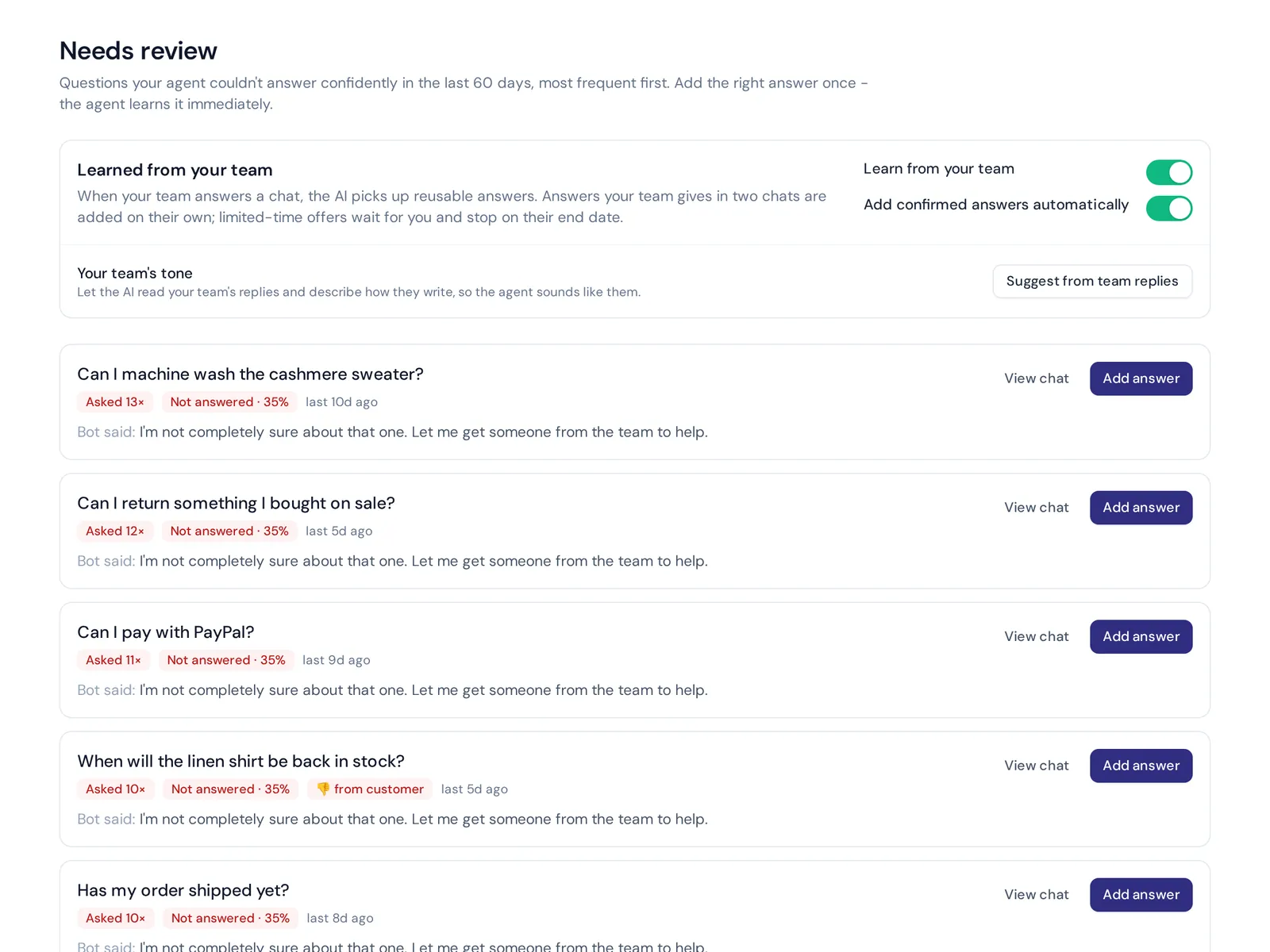
- Review monthly. Update answers when policies change and add new questions from failed searches.
How to format an FAQ
- Write the question as the customer would ask it. "Can I return a sale item?" not "Returns policy for discounted merchandise".
- Lead with the answer. Yes, no, or the key fact first.
- Keep it short. Two to four sentences. Use a numbered list for steps.
- One question per entry. Don't hide three answers in one block.
- Use headings for each question so people can scan and search engines understand the structure.
Common FAQs you can copy
Do you ship internationally?
Yes. We ship to most countries. Delivery takes 5 to 10 business days, and you'll see the shipping cost at checkout.
How do I return an item?
You can return unworn items within 30 days. Start a return from your order page, print the label and drop it at any post office.
How do I reset my password?
Click "Forgot password" on the login page and follow the link we email you. Check your spam folder if it doesn't arrive in a few minutes.
Can I change or cancel my order?
Yes, within 1 hour of placing it. Message us in chat with your order number and we'll update it.
Do you offer a free plan?
Yes. Try the main features with no card, and upgrade any time from your account settings.
Replace the details with your own policies. These are examples, not recommendations.
Best practices for keeping your FAQ useful
- Give every answer an owner. Someone is responsible for keeping it correct.
- Add answers from real tickets. If the support team answers the same question three times in a week, it belongs in the FAQ.
- Watch failed searches. They are your best list of missing content.
- Retire old answers. Outdated information is worse than none.
- Connect it to chat. An AI that answers from your FAQ turns passive articles into instant replies.
Frequently asked questions
What is the best software for customer support?
It depends on your size and channels. Small sites can start with a plugin, support teams often use their help desk software's knowledge base, and businesses that want AI answers in chat and on their site can use an AI help center like AnytimeReply.
Is FAQ software the same as an AI chatbot?
Not exactly. An FAQ tool stores and publishes answers. An AI chatbot uses that content to answer questions in conversation. Many products, including ours, now do both.
Why is it called FAQ?
FAQ stands for "frequently asked questions". The term became common in early internet forums and mailing lists, where people collected answers to questions newcomers kept asking.
Is there a free option?
Yes. Many WordPress plugins are free, and several platforms have free tiers. The AnytimeReply free plan includes the help center, chat widget and AI agent.
Do I need a developer to set one up?
Usually not. Most modern tools are no-code. You paste a snippet or install a plugin, and write answers in an editor.
Does an FAQ page help SEO?
It can. Clear answers to questions people search for can rank in Google, especially on your own domain.
Final thoughts
A good FAQ saves your team from typing the same answers every day and gives customers answers whenever they need them. Start with real questions, keep answers short, and watch what people search for.
Want an FAQ that answers questions instead of listing links? Start free with AnytimeReply. No card needed.
Published 3 November 2026 by AnytimeReply team