It's Monday morning. Your support inbox has 140 new messages. Half ask "where is my order?", a dozen are password resets, and somewhere in the pile is one angry customer whose refund went wrong. Your team will spend the first two hours just sorting.
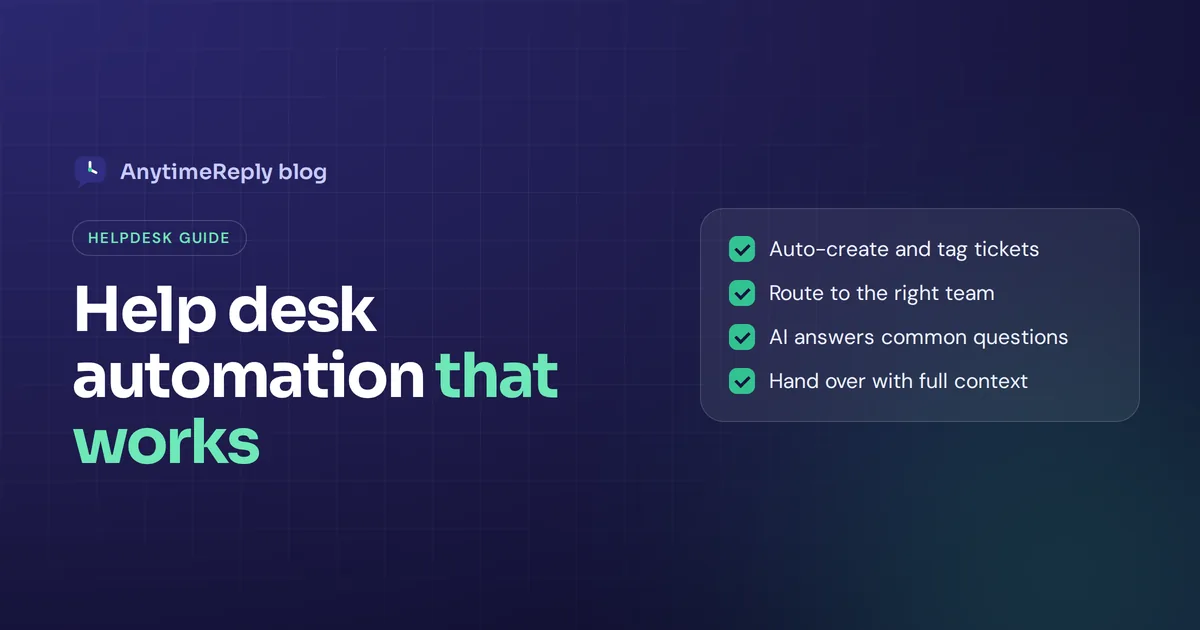
Help desk automation fixes that. It uses rules and AI to create, sort, route, answer and follow up on support requests automatically, so your people spend time on problems that actually need a person. Done well, customers get faster answers and agents stop drowning in repeat work.
This guide covers how it works, which tasks to automate first, how to set it up, the best tools to look at, and the mistakes that make customers hate automation. We build an AI support agent with a helpdesk inside, so we have a view. We'll be honest about the limits too.
What is help desk automation?
It means letting software handle the parts of support that follow a pattern. Instead of an agent reading every ticket, tagging it, assigning it and typing the same answer for the 50th time, the system does it.
You'll also hear the term service desk automation. A service desk usually means internal IT support (laptops, software access requests, VPN problems), while a support desk serves customers. The ideas are the same in both, so we'll use the terms side by side.
There are two layers:
- Rule-based automation. "If the email contains 'refund', tag it Billing and send it to the billing team." Triggers, automated ticket routing, SLA timers and canned replies live here. Predictable and easy to control.
- AI automation. Conversational AI uses natural language processing to read the message, understand what the person wants, and answer from your knowledge base, take an action, or draft a reply. It handles queries that don't match a fixed rule.
The best setups combine both, which some vendors call intelligent automation. Rules keep things organized. AI handles the volume of repetitive questions. People handle everything that needs judgment.
How service desk automation works
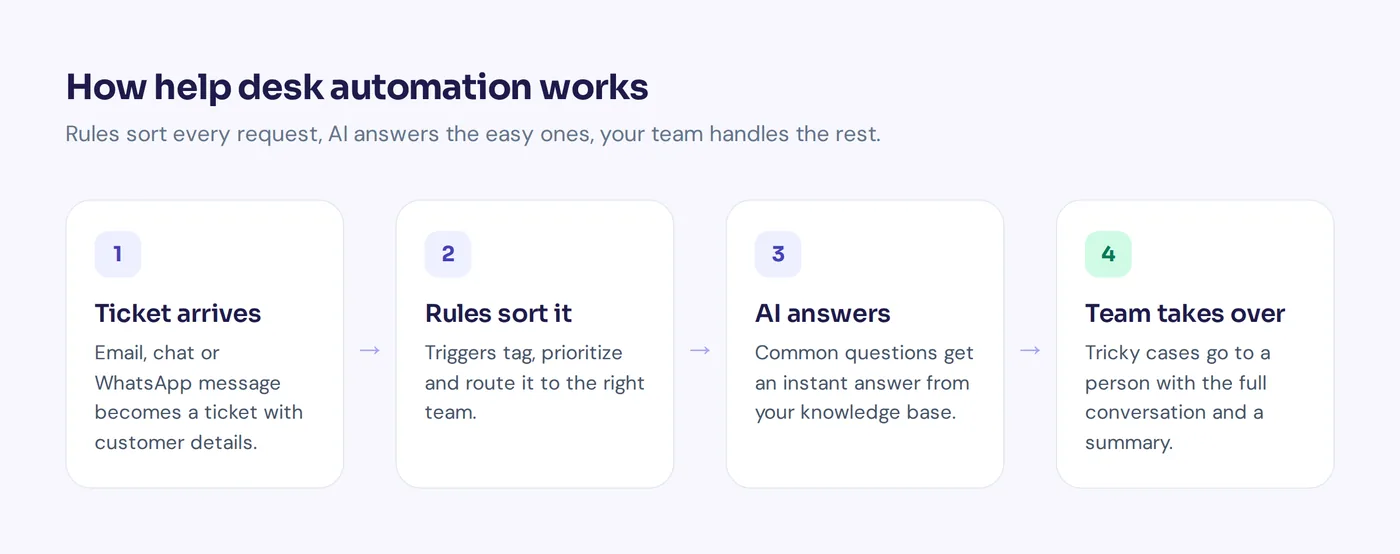
Here's what happens to a single request in an automated service desk. The same service desk processes apply whether the workflow starts with an email or a chat:
- Ticket creation. An email, chat, WhatsApp message or form submission becomes a ticket automatically, with the customer's details attached.
- Classification. Rules or AI read the message and add tags like Billing, Shipping, Bug or Access.
- Routing. The ticket goes to the right team or person, by department, round robin or least busy.
- Answer or action. If it's a common question, AI replies straight away and can resolve it fully. If it needs data, like an order status, the AI looks it up.
- Escalation. When the AI can't resolve it, isn't sure, the customer is upset, or a rule matches, a human agent takes over with the full conversation.
- Follow-up and close. Quiet tickets get a reminder, solved ones close, and a customer reply reopens them.
Benefits of service desk automation
Here's how automation improves daily support operations.
- Faster first response. AI can answer in seconds, day and night, instead of the next morning. That alone lifts customer satisfaction.
- Shorter resolution time. Tickets reach the right person straight away instead of bouncing between queues.
- Less manual sorting. Triggers tag, prioritize and route tickets the moment they arrive.
- Higher job satisfaction. When nobody answers "how do I reset my password" all day, agents have time for interesting problems. Productivity goes up and burnout goes down.
- Scales without hiring at the same pace. A sale, a launch or an outage can double volume overnight. Automation absorbs a lot of it.
- Consistent answers. Everyone gets the same correct policy, not whatever the agent on shift remembers.
- Better data. Automatic tagging shows which topics drive the most tickets, so you can fix the cause.
The honest downside: bad automation is worse than none. A bot that loops customers in circles or a rule that sends urgent tickets to the wrong team creates more work and more anger. Start small and watch it closely.
Which tasks can you automate?
Here are the most useful automation options, from easiest to most advanced.
| Task | How it's automated | Good for |
|---|---|---|
| Ticket creation | Emails, chats and messages become tickets automatically | Every team |
| Tagging and triage | Rules or AI classify each ticket by topic and urgency | Reporting and routing |
| Ticket routing | Route tickets to the right department or the least busy agent | Teams with 2+ agents |
| SLA tracking | Timers and alerts before a service level agreement is missed | Teams with response targets |
| Password reset and access | Self-service flows or AI guides the user step by step | IT service desks |
| Common questions | AI agent answers from your knowledge base | Order status, policies, how-to |
| Self-service | Help center with AI search that answers instead of listing links | People who prefer to help themselves |
| Actions | AI checks orders, books meetings, manages subscriptions | Ecommerce and SaaS |
| Escalation | AI passes the conversation to a person with a summary | Complaints, exceptions |
| Reporting | Topics, sentiment, CSAT and knowledge gaps tracked automatically | Managers |
Examples: how teams automate ticket work
Online shop: order status on autopilot
A customer writes on WhatsApp at 11 pm: "Where's my order #4821?" The AI verifies the customer, checks the order in Shopify, and replies with the tracking status. No ticket reaches a person, and the query is resolved without human intervention.
SaaS company: triage by topic
Every incoming email becomes a ticket. A trigger tags anything mentioning "invoice" or "charge" as Billing. Bug reports go to the technical queue with high priority. The AI drafts replies for agents to approve, acting as an AI copilot.
Internal IT service desk: passwords, software installation and how-to
Employees ask IT in Slack how to set up VPN, reset a password or request a software installation. The AI answers from IT documentation and walks people through basic troubleshooting. Hardware requests and access approvals go to a person.
Angry customer escalation
A trigger watches sentiment. When a customer is clearly upset, the conversation is marked urgent, given to a senior agent, and a note is posted to Slack. The AI stops replying the moment a person joins.
Implementing service desk automation, step by step
- Look at your last 200 tickets. Group them by topic. A handful of questions usually make up a big share of volume. Those are your first targets.
- Fix your knowledge first. Make sure answers to those top questions exist in writing: shipping, returns, pricing, account help. AI can only answer what it can read.
- Bring channels into one inbox. Website chat, email, WhatsApp, social messages. Automation works best when everything lands in one place.
- Create routing rules. Departments, priorities and who gets what. Keep the first version small, five or six rules at most.
- Turn on AI for the top questions. Let the agent answer and resolve common questions and pass everything else to people.
- Define escalation. When does the AI hand over? Customer asks for a human, gets upset, the AI isn't confident, or a rule matches.
- Test before going live. Run real past questions through the agent and check the answers.
- Review weekly. Read a sample of automated conversations. Add missing answers, fix wrong rules, delete automations nobody needs.
Best practices for customer support automation
- Always offer a way to a human. Nothing frustrates customers more than a bot with no exit.
- Automate the boring, not the sensitive. Order status and password resets are perfect. Cancellations from loyal customers, legal complaints and big refunds need a person.
- Let the AI say "I don't know". A wrong confident answer is worse than a handover.
- Pass context on escalation. The human agent who takes over should see the full conversation and a summary, so the customer never repeats themselves.
- Keep rules few and clearly named. "Refund requests to Billing" is easy to maintain. Fifty overlapping rules are not.
- Measure the right things. First response time, resolution time, CSAT and how often the AI hands over. Not just "tickets deflected". A customer who gave up isn't a solved ticket.
- Close the loop. Questions the AI couldn't answer are a to-do list for your knowledge base.
Common mistakes to avoid
- Automating before fixing content. If your return policy is unclear on your website, the AI will be unclear too.
- Hiding the human option. It might lower ticket counts for a week. It also raises churn and hurts the user experience.
- Set and forget. Products, prices and policies change. A workflow nobody reviews slowly goes wrong.
- Too many disconnected tools. A separate chatbot, email desk and social inbox that don't talk to each other means lost context and service issues.
Top automation tools for service desks in 2026
Most service desks can automate a lot with the help desk automation software on the market today. Here are well-known options and what they're known for. Pricing models differ a lot (per seat, per resolution or per message), so check each vendor's pricing page.
- AnytimeReply. AI agent first, with a shared inbox for chat, email and messaging apps. Suits small and growing teams, especially ecommerce, social sellers and SaaS. More below.
- Zendesk. A long-established support suite with ticketing, triggers and AI add-ons. Popular with mid-size and large teams.
- Freshdesk. Ticketing with automation rules, a knowledge base and AI features. A common choice for growing teams.
- Jira Service Management. Atlassian's IT service management tool. Strong for internal IT and teams already using Jira.
- Zoho Desk and Help Scout. Email-centered support desks with workflow rules, good for smaller teams.
- Moveworks and SysAid. Focused on internal IT, with agentic AI and automation for employee requests.
What to look for in automation solutions
- Channels. Email, chat, WhatsApp and social messages in one inbox?
- AI quality. Does it answer from your own content, admit when it doesn't know, and let you test before going live?
- Automation features. Can you set priority, tag, route and notify without code?
- Actions. Can the AI check orders or bookings, or only answer questions?
- Escalation. How smooth is the switch from AI to a person?
- Cost control. Can you cap AI spending so costs stay predictable?
How AnytimeReply automates your helpdesk
AnytimeReply is an AI customer support agent with a full helpdesk built in, so rules, AI and your team work in one place.
- One shared inbox. Website chat, WhatsApp, Messenger, Instagram, Telegram, email and Slack. See helpdesk and live chat.
- AI answers first. The agent learns from your website, documents and Notion, replies in the customer's language, and hands over with a summary when someone asks for a person, gets upset, when it can't answer, or a rule matches.
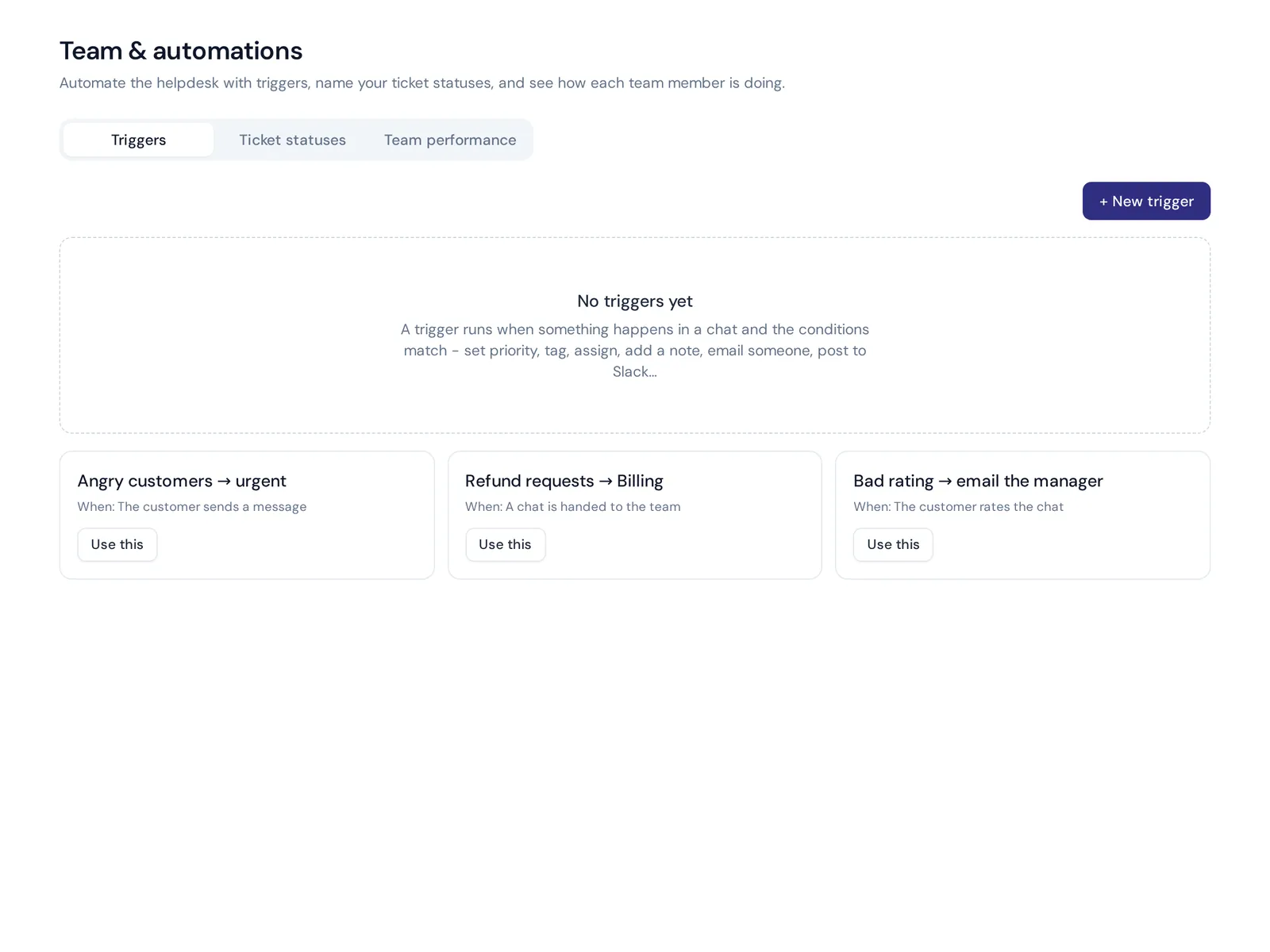
- Triggers. Set priority, tag, assign, add a note, send an email, post to Slack, call a webhook, reply or close. Departments with least busy or round robin assignment.
- Email tickets. Connect Gmail, Outlook, Zoho or any IMAP mailbox. Every support email becomes a ticket with status, priority and owner, and the AI answers common ones or drafts replies. See tickets and email.
- Self-service. Publish a help center on your own domain with AI search.
- Knowledge gaps and Copilot. Analytics shows questions the AI couldn't answer, with one-click "add answer", and Copilot proposes fixes from real chats.
Website chat, the inbox, help center, flows and analytics are on the free plan. Email, WhatsApp and other messaging channels, escalation and actions start on the Hobby plan. Already on Zendesk, Freshdesk or Help Scout? AnytimeReply can hand chats over to those tools.
The future of service desk operations and agentic AI
Is AI replacing support teams? No. What's changing is the mix. AI handles more of the routine work end to end, while people focus on exceptions, relationships and improving the system. The overall service quality goes up when each side does what it's good at.
Frequently asked questions
Is AI replacing the help desk?
Not replacing, reshaping. AI takes over repetitive questions and sorting. People are still needed for complaints, exceptions and judgment calls.
Does automation work for small teams?
Yes. Small teams often benefit the most, because one person can't answer every message at night or on weekends.
Can Jira be used as a service desk?
Yes. Jira Service Management is Atlassian's product for IT and service teams, with queues, SLAs and automation rules.
What should I automate first?
Ticket routing and your most common questions. Look at recent tickets, find the top repeat topics, and start there.
How do I keep AI costs predictable?
Choose a tool with spending caps and spam filtering, and use free rule-based steps for simple menus. In AnytimeReply, flow steps and replies your team writes use no AI credits.
Final thoughts
Automation isn't about removing people. It's about removing the sorting, copying and repeating that keeps people from helping. Start with the top questions, keep a human one click away, and improve every week.
Want to try it on your own support? Start free with AnytimeReply, no card needed. Connect your website, turn on the AI, and watch your inbox sort itself.
Published 1 November 2026 by AnytimeReply team